Ecommerce
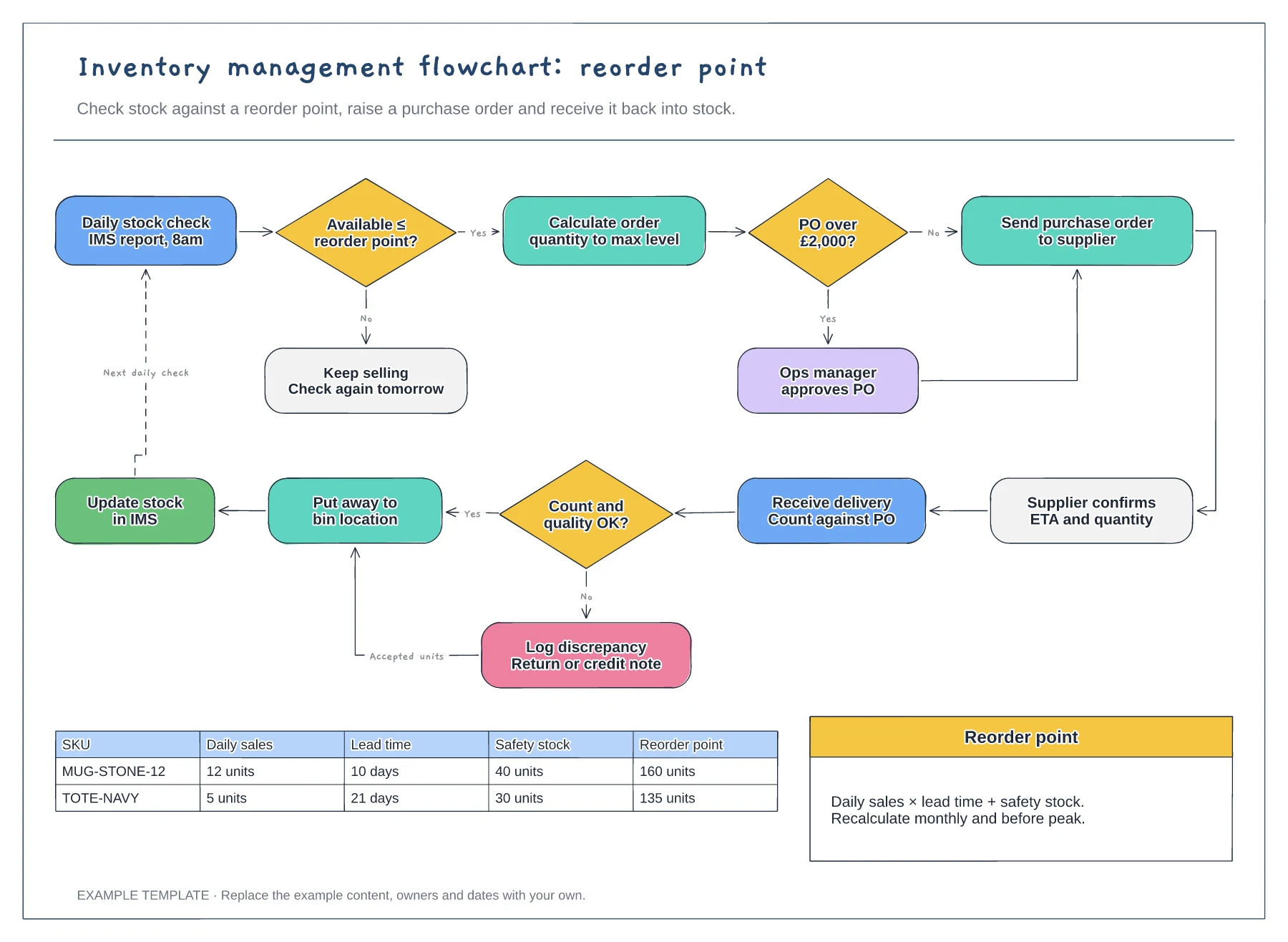
Inventory management flowchart template
Reorder point decision and loop · Purchase order approval and receiving · Worked reorder point table
Preview and use template →An FBA inbound shipment workflow shows the steps between deciding to send stock to Amazon and seeing it available to sell. This example splits the work into plan, prep and label, ship and receive phases, gives each phase an owner and a timing, and ends with a check that units received match units sent, plus a shipment log.
No account needed · Opens as your own editable page
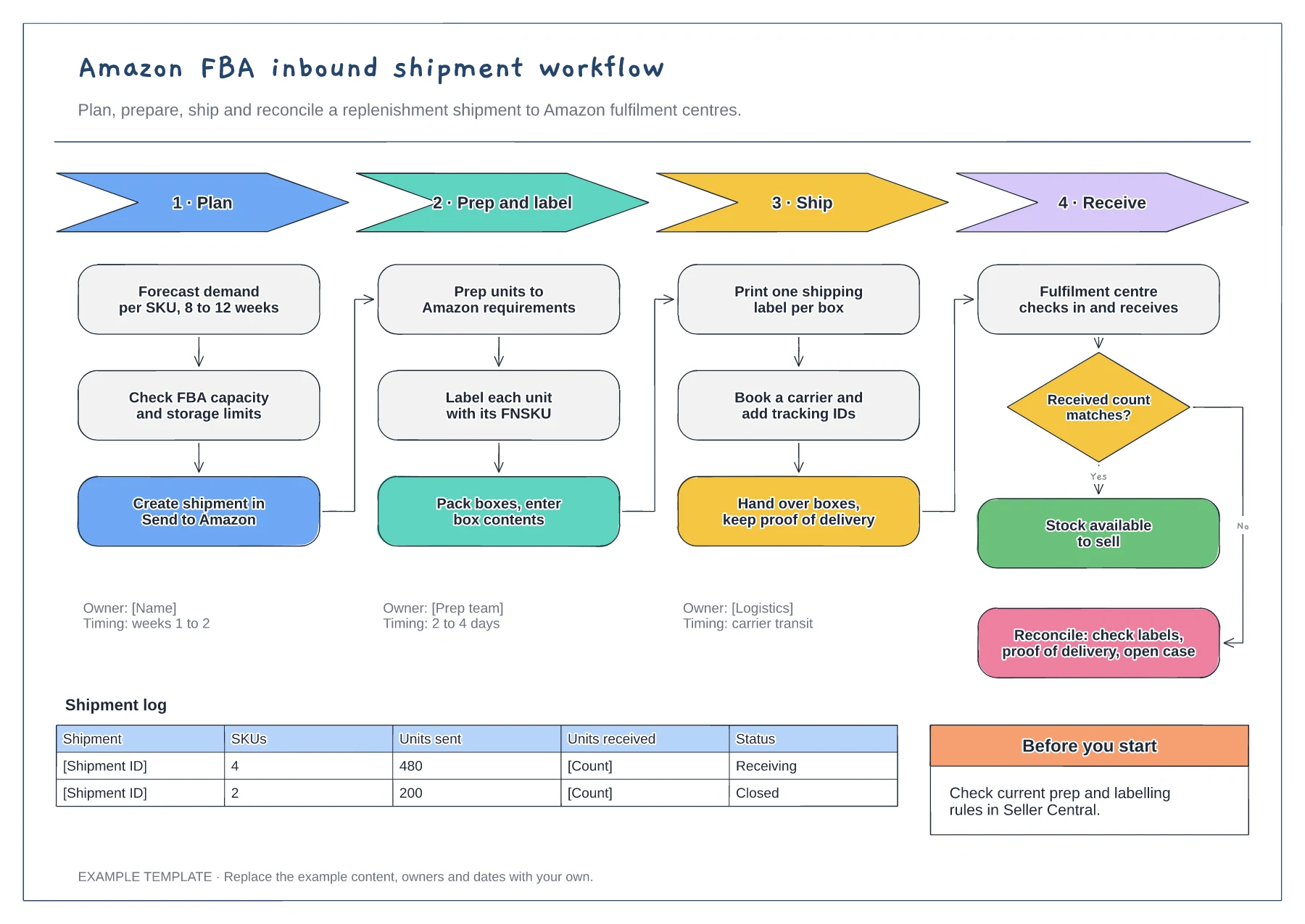
Start with how many weeks of stock you want at Amazon for each SKU, then check your capacity and storage limits. Sending more than your limits allow can delay or block a shipment.
Check Seller Central for the latest prep, labelling and box requirements before every shipment. Rules change, and the example steps are a planning outline, not a copy of Amazon's guidance.
Compare units received with units sent once receiving finishes. Keep box labels and proof of delivery, because you will need them if you open a case about missing units.
Yes. Add a row to the shipment log for each shipment and record its receiving check results against it.
No. Open the template and edit it in your browser. Your work saves on this device. An account is optional if you want to sync your workspace.
Yes. Use Export in the editor to save a PNG, SVG or PDF, or download an editable .epicdraw backup.
Reorder point decision and loop · Purchase order approval and receiving · Worked reorder point table
Preview and use template →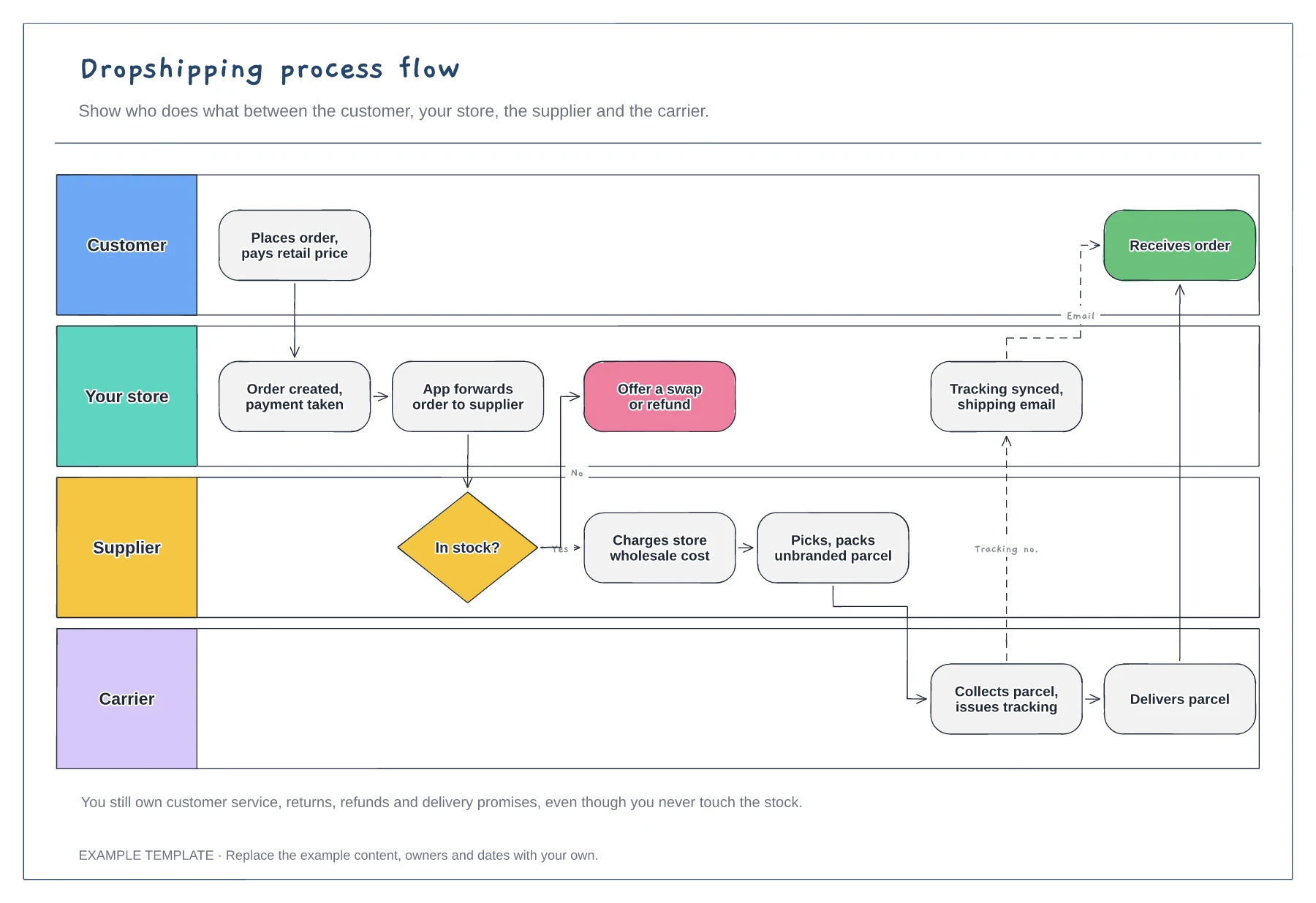
Four swimlanes with handoffs · Out-of-stock branch · Tracking sync back to the customer
Preview and use template →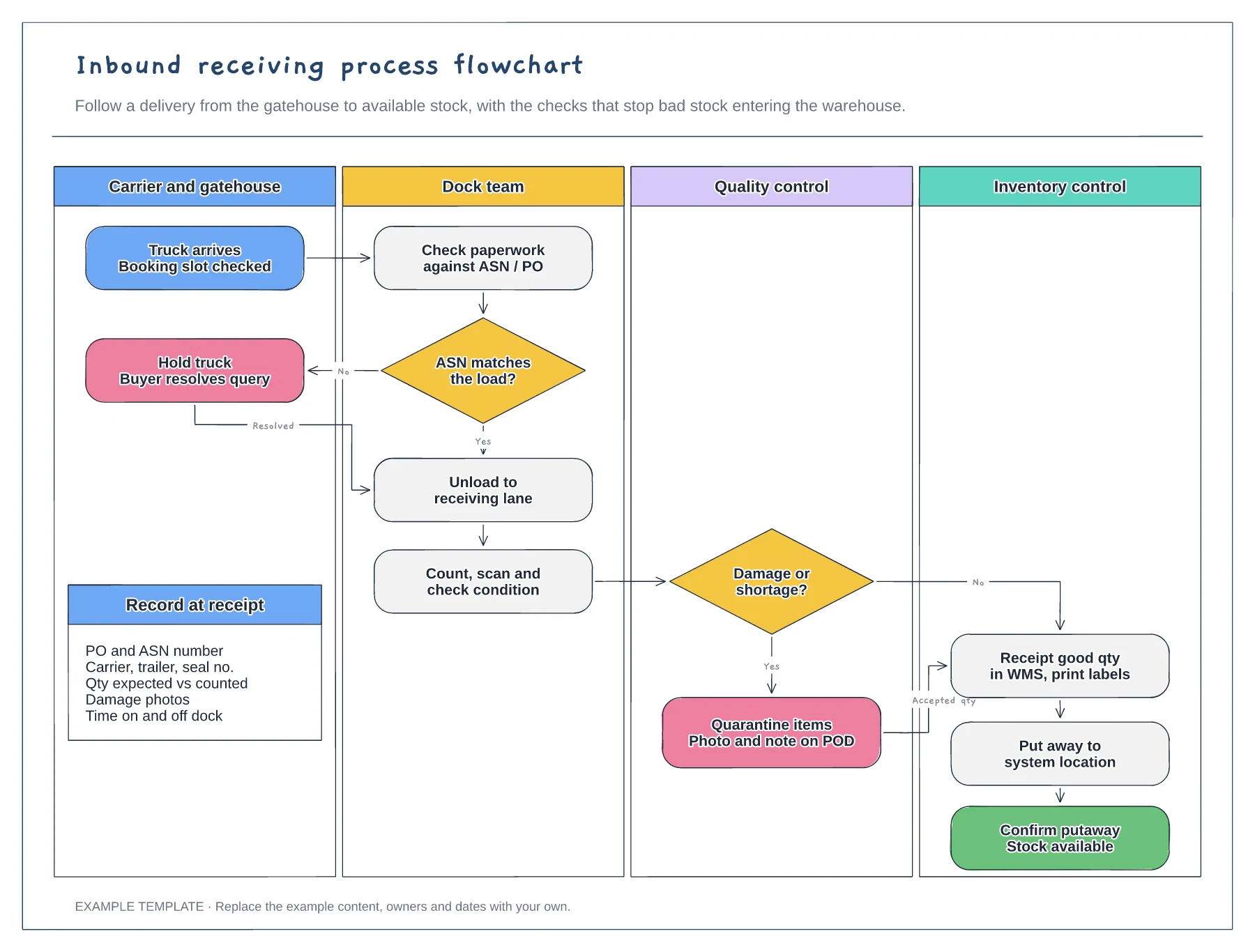
Four swimlanes from carrier to inventory · ASN and damage decisions with Yes and No paths · Data to record at receipt
Preview and use template →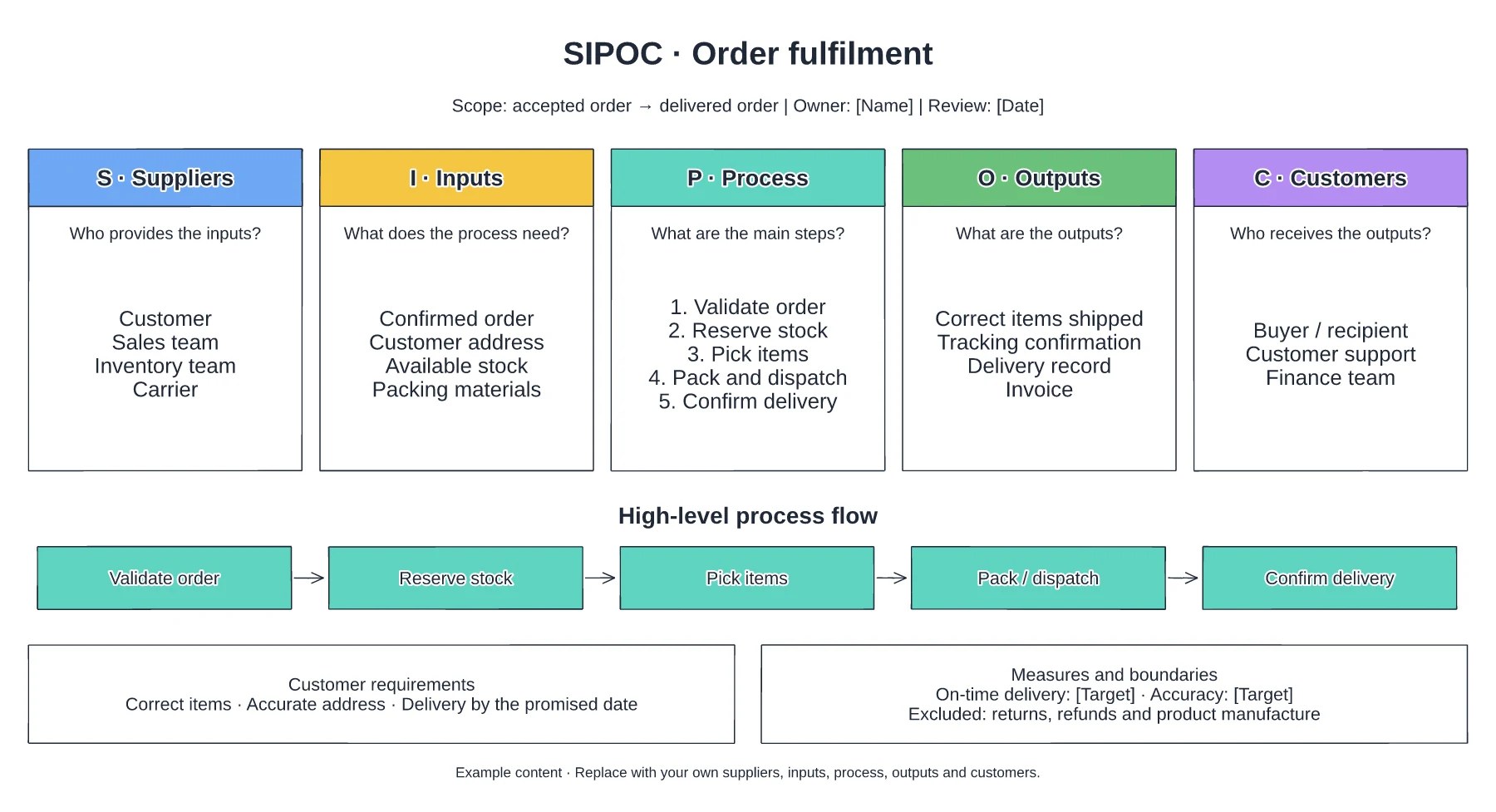
Suppliers and required inputs · High-level fulfilment stages · Outputs, customers and requirements
Preview and use template →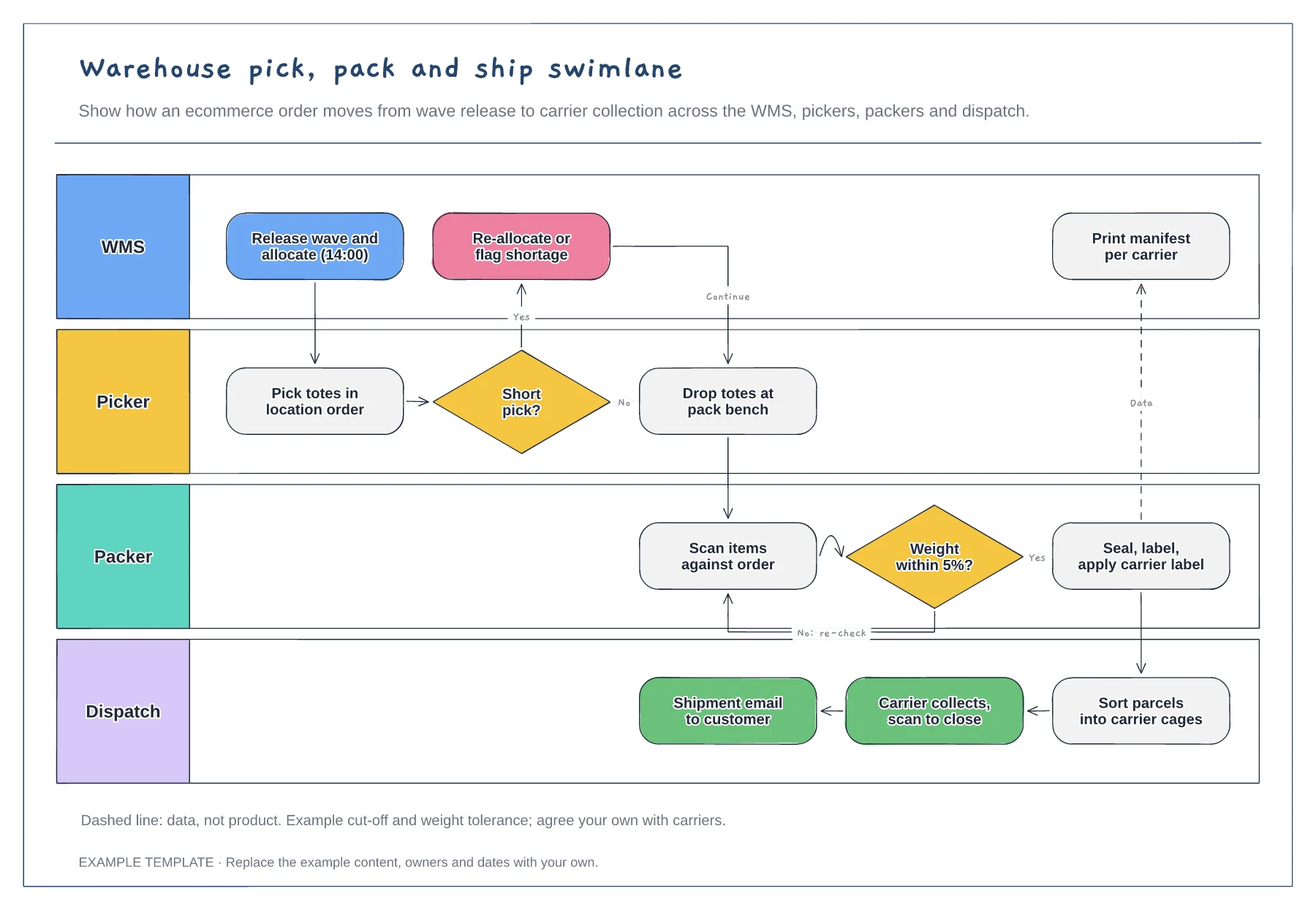
Lanes for WMS, picker, packer and dispatch · Short-pick and weight-check decisions · Data handoff for the carrier manifest
Preview and use template →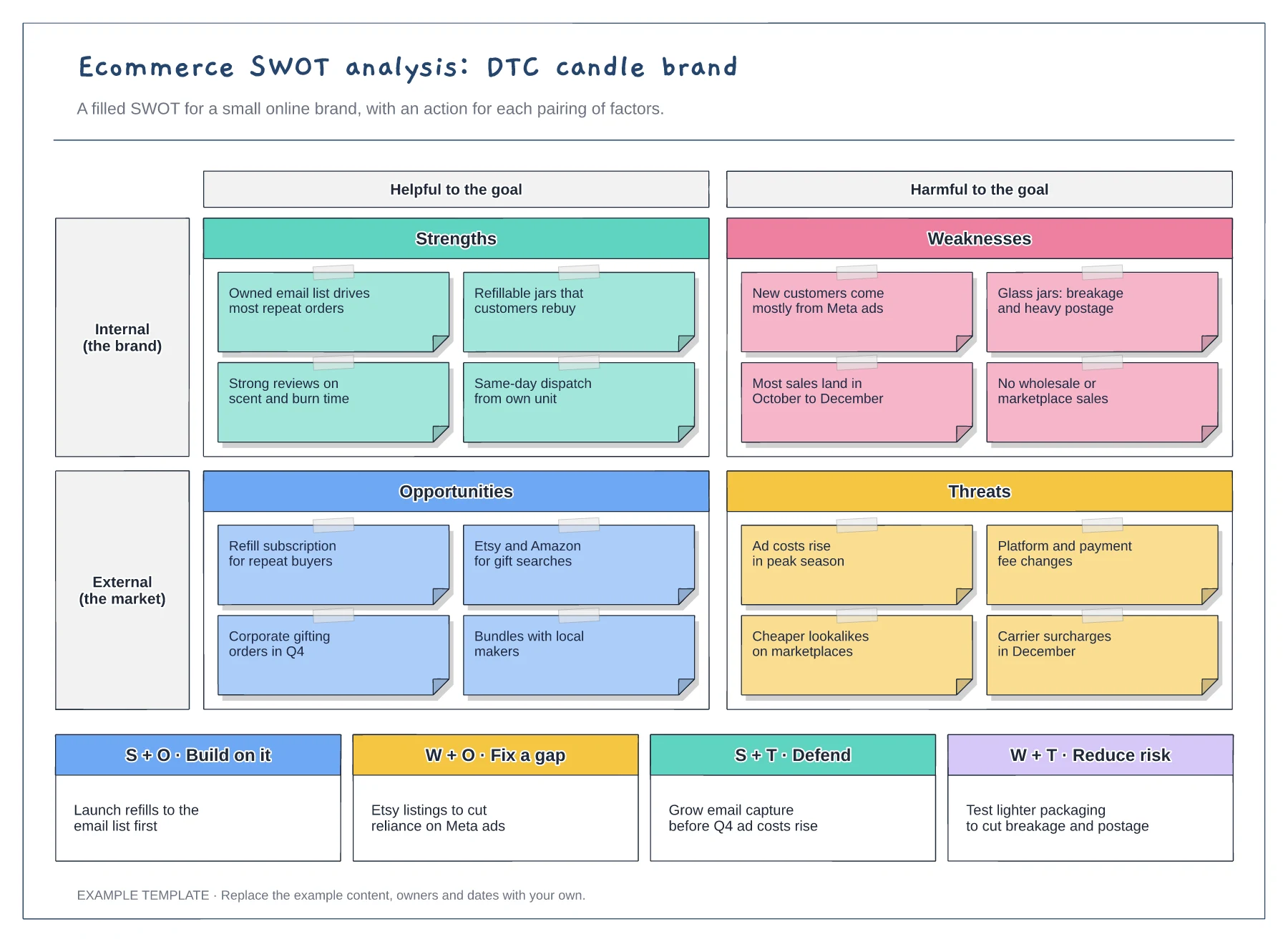
Filled SWOT for a DTC brand · Helpful and harmful axes · Four actions from paired factors
Preview and use template →