Manufacturing
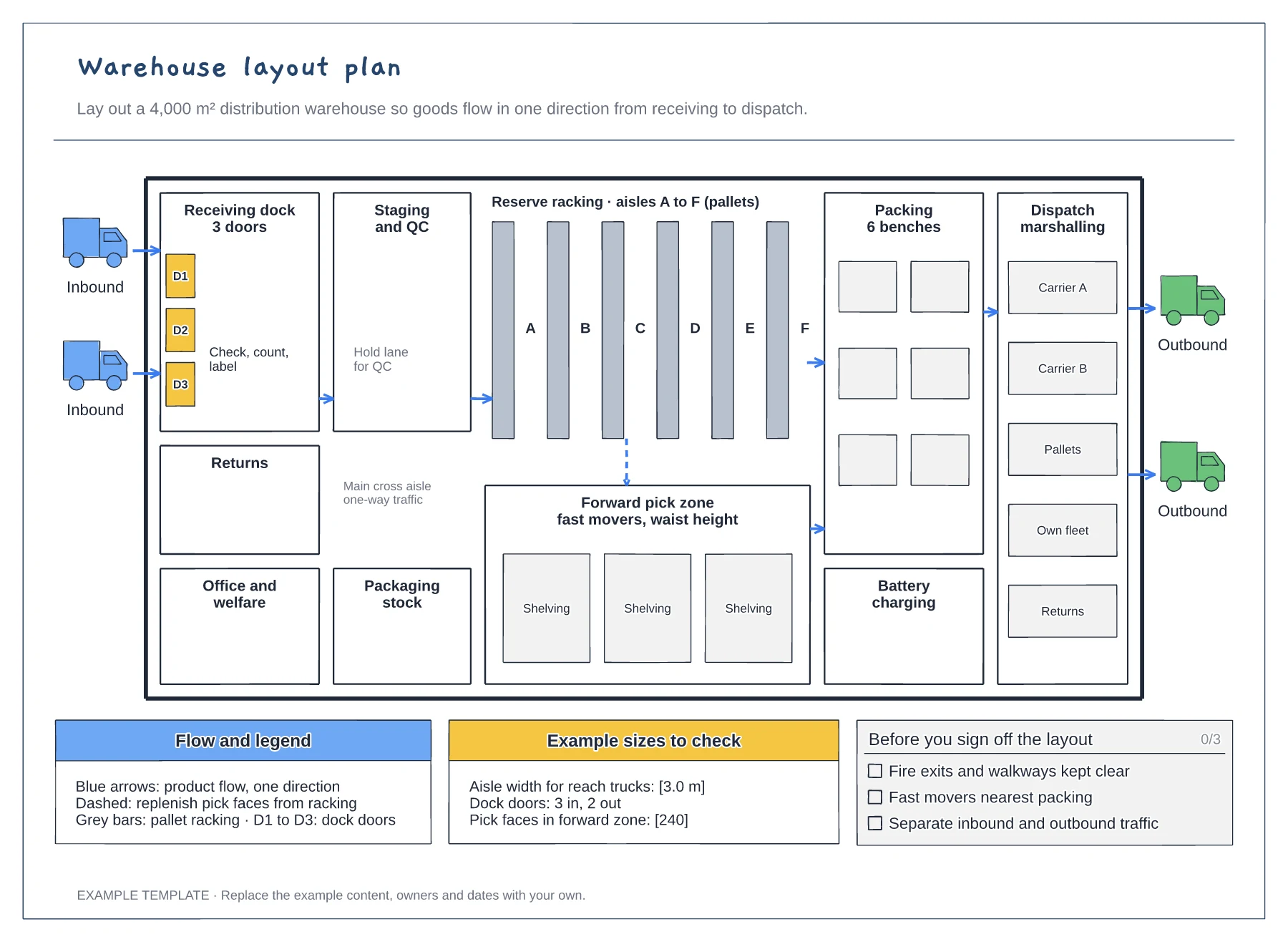
Warehouse layout plan template
Floor plan with docks, racking and work areas · Flow arrows and a replenishment route · Size checks and a sign-off checklist
Preview and use template →A receiving process flowchart shows the checks a delivery passes before its stock is available to pick. This example follows a truck from the gatehouse through an ASN check, unloading, counting and inspection, with separate paths for a paperwork mismatch and for damaged or short items, across carrier, dock, quality and inventory lanes.
No account needed · Opens as your own editable page
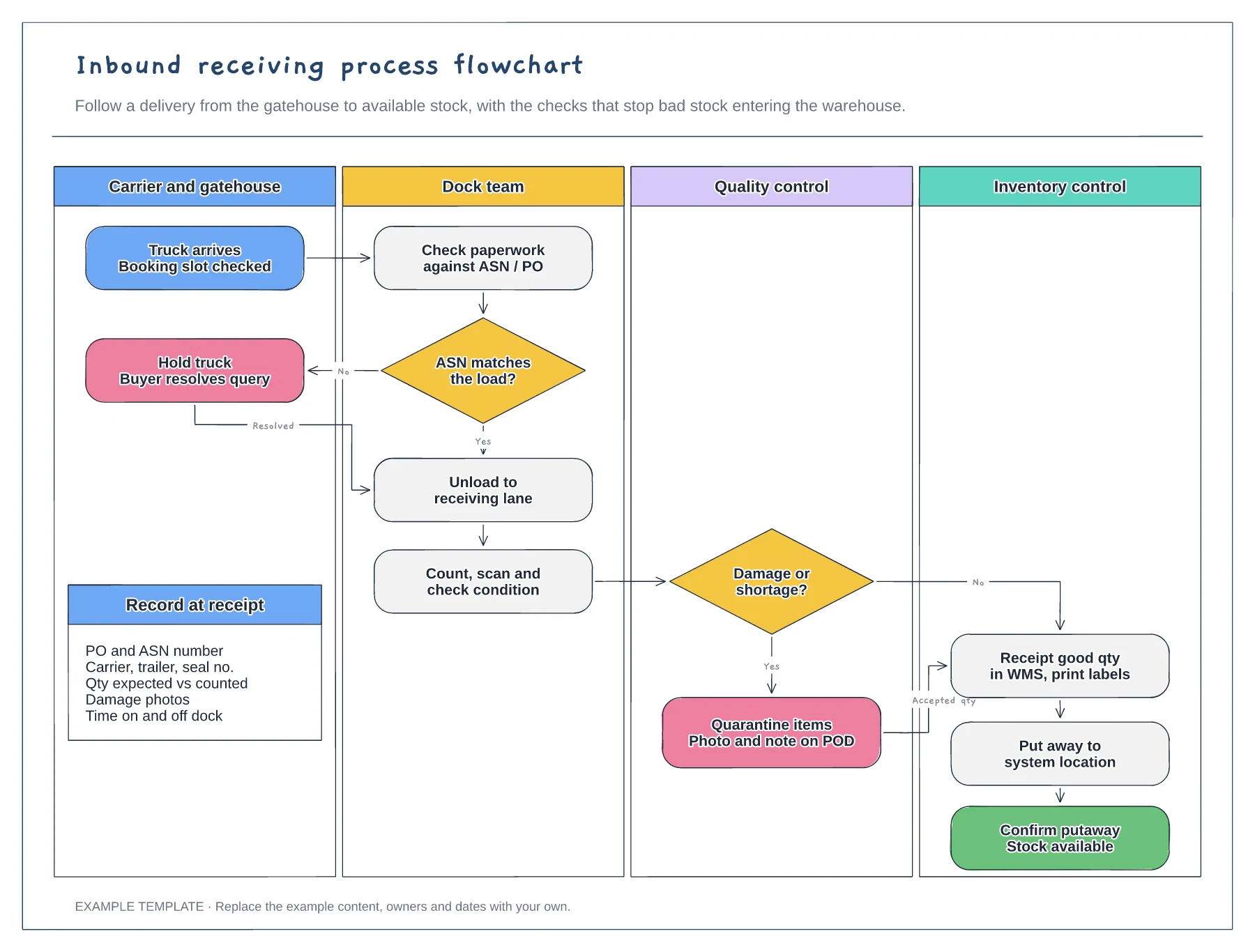
Rename the lanes for your site, such as goods-in clerk or QC inspector. Seeing a check in a lane makes it clear who is accountable when bad stock gets through.
Write what counts as a match and what counts as damage next to the two decisions. Vague rules mean each shift receives differently and stock records drift.
Add target times for unloading and putaway and measure a week of deliveries against them. Long dwell between receipt and putaway is a common cause of stock that exists but cannot be found.
Follow the No path from the ASN decision, or edit it to send the load to a manual count before unloading, inspection and putaway continue.
No. Open the template and edit it in your browser. Your work saves on this device. An account is optional if you want to sync your workspace.
Yes. Use Export in the editor to save a PNG, SVG or PDF, or download an editable .epicdraw backup.
Floor plan with docks, racking and work areas · Flow arrows and a replenishment route · Size checks and a sign-off checklist
Preview and use template →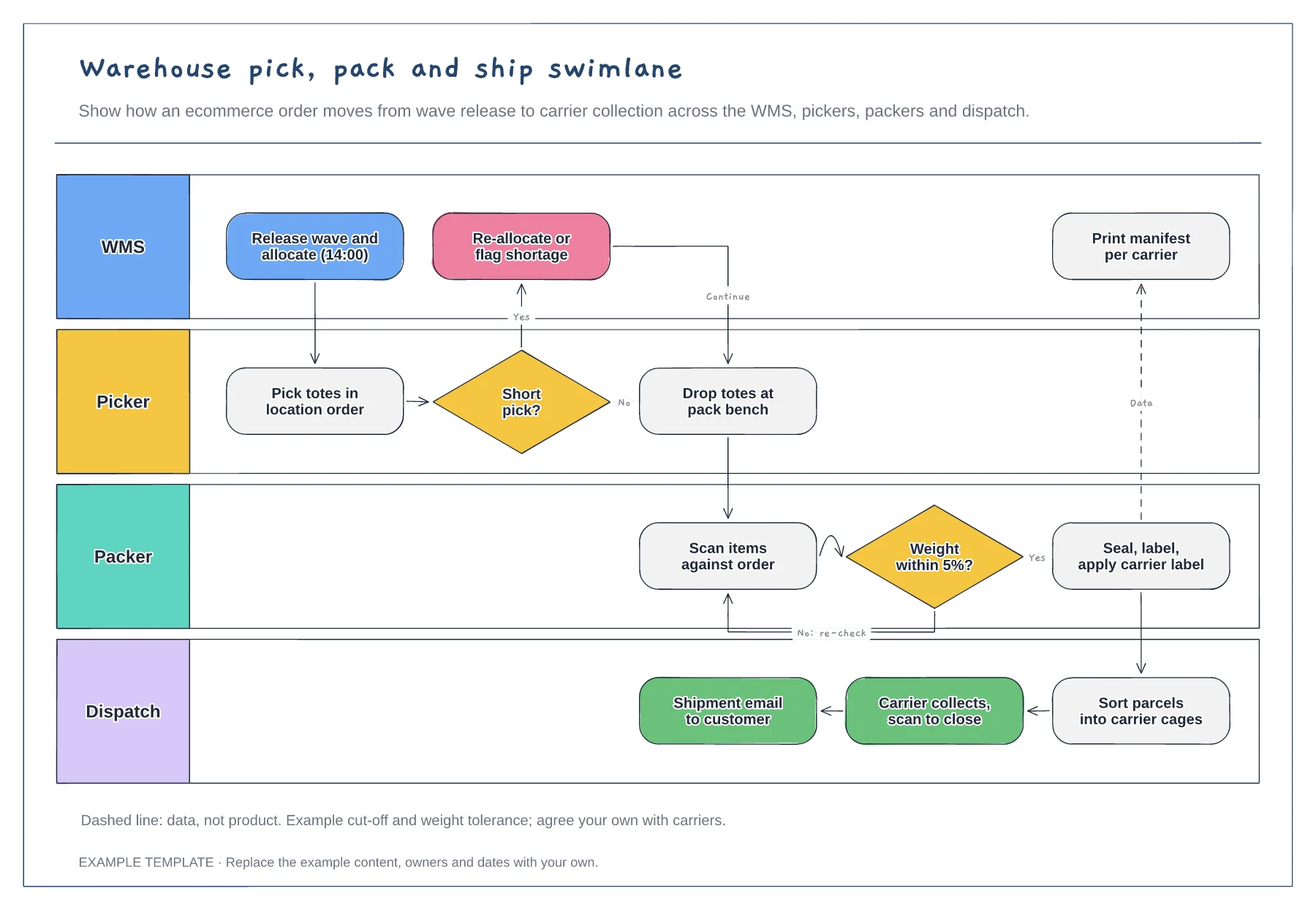
Lanes for WMS, picker, packer and dispatch · Short-pick and weight-check decisions · Data handoff for the carrier manifest
Preview and use template →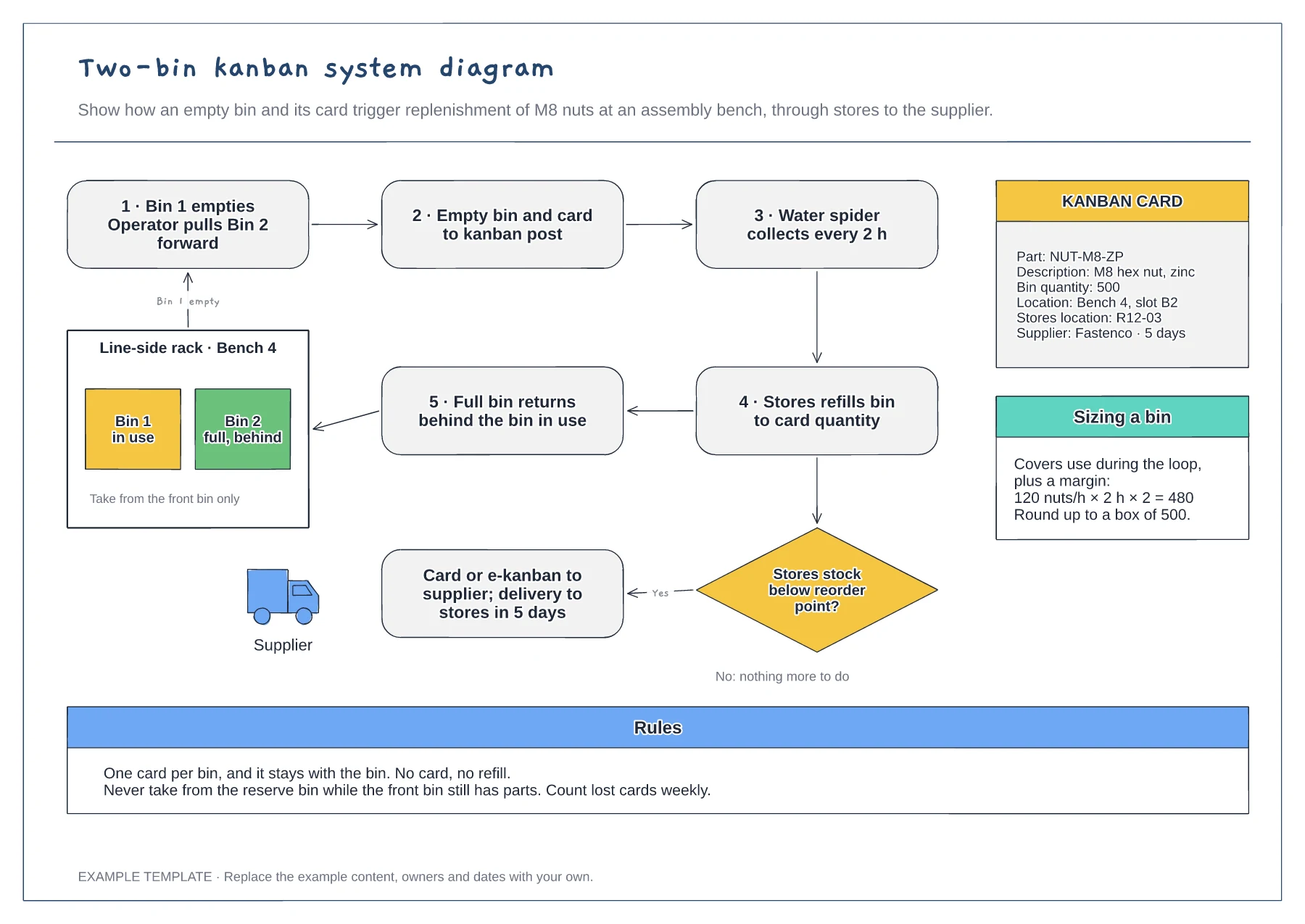
Replenishment loop from bench to stores · Reorder decision and supplier trigger · Kanban card fields and bin sizing
Preview and use template →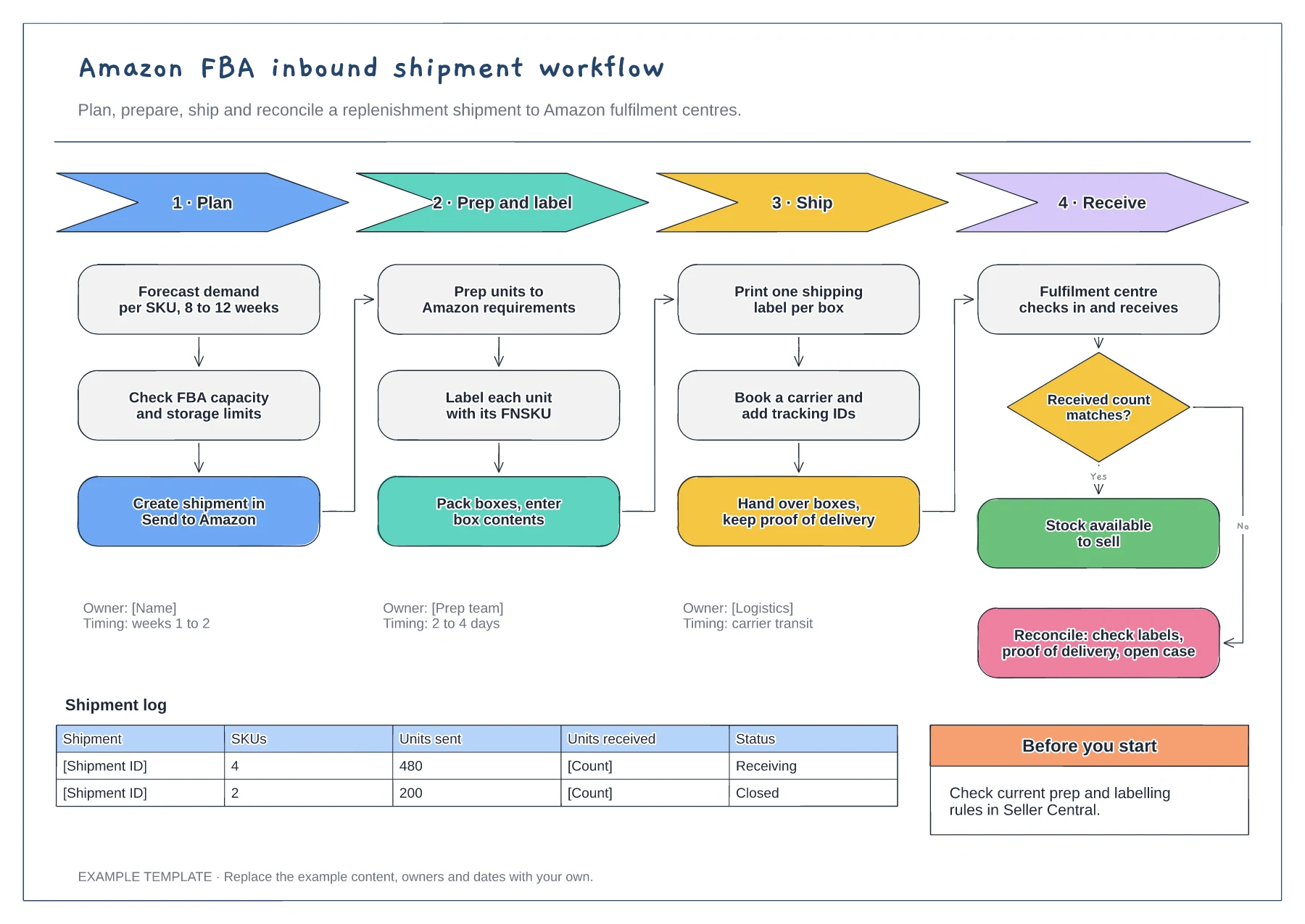
Four phases with their steps · Owners and timings per phase · Receiving check and shipment log
Preview and use template →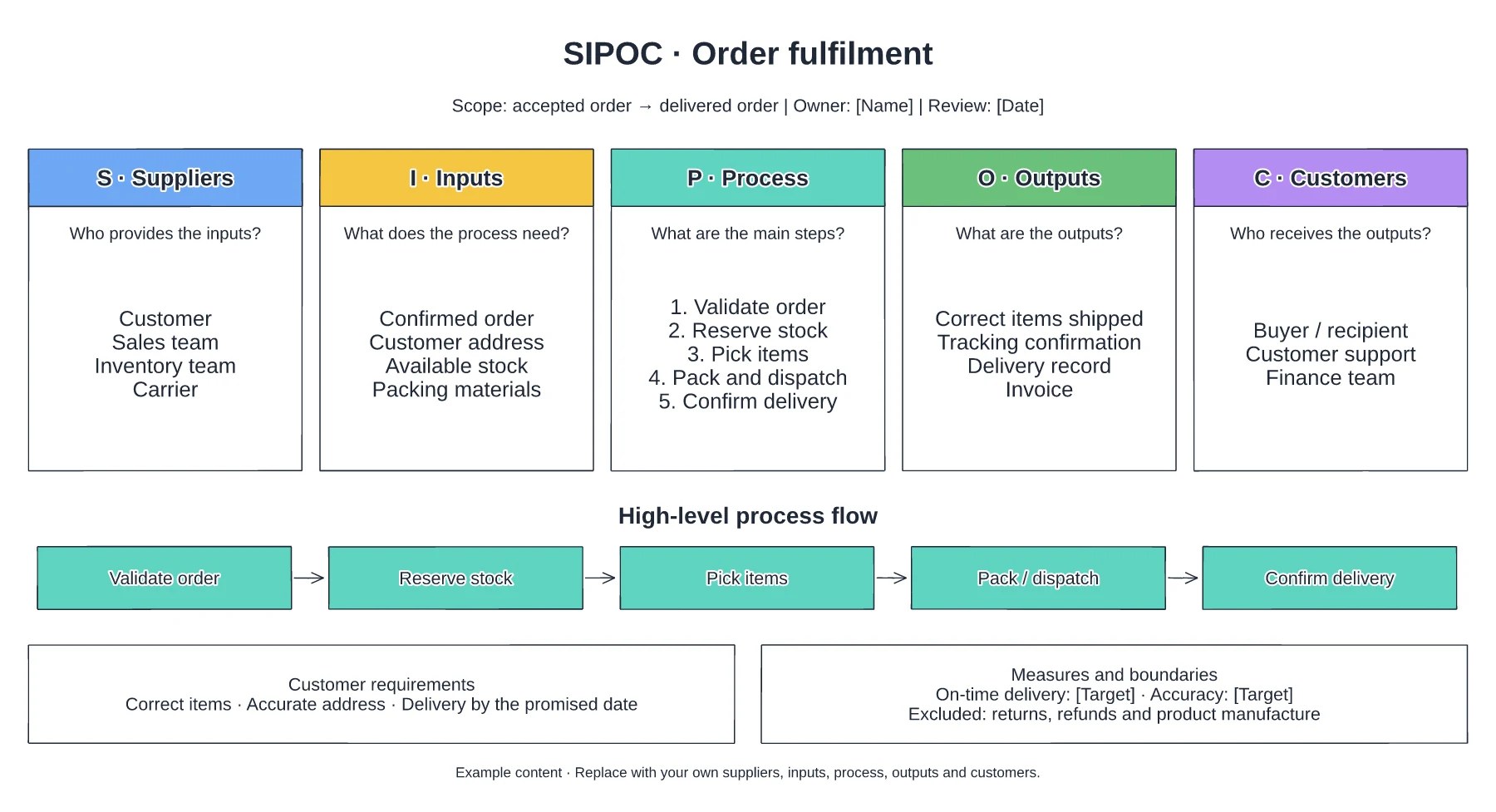
Suppliers and required inputs · High-level fulfilment stages · Outputs, customers and requirements
Preview and use template →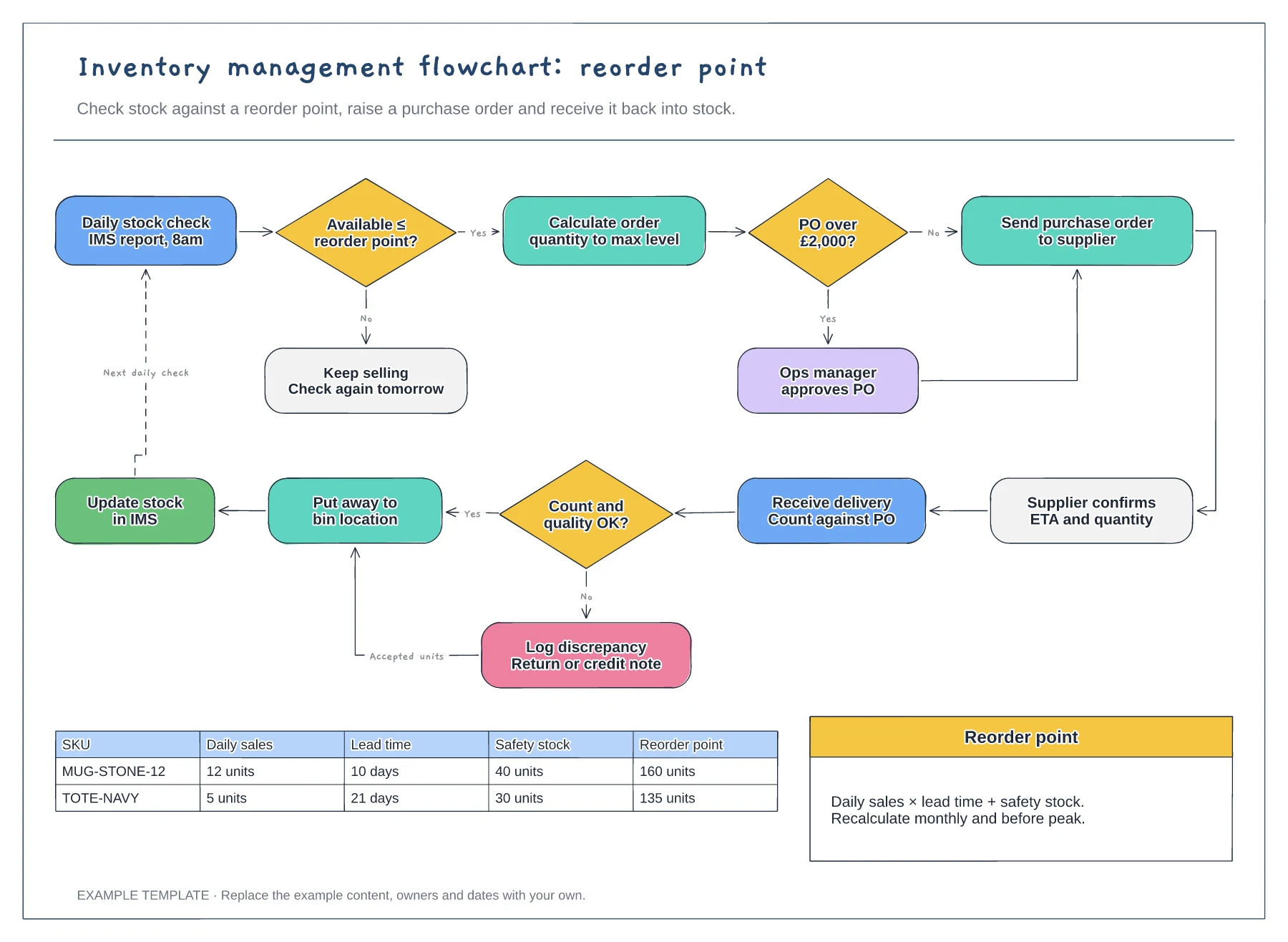
Reorder point decision and loop · Purchase order approval and receiving · Worked reorder point table
Preview and use template →