Logistics
Freight forwarding process template
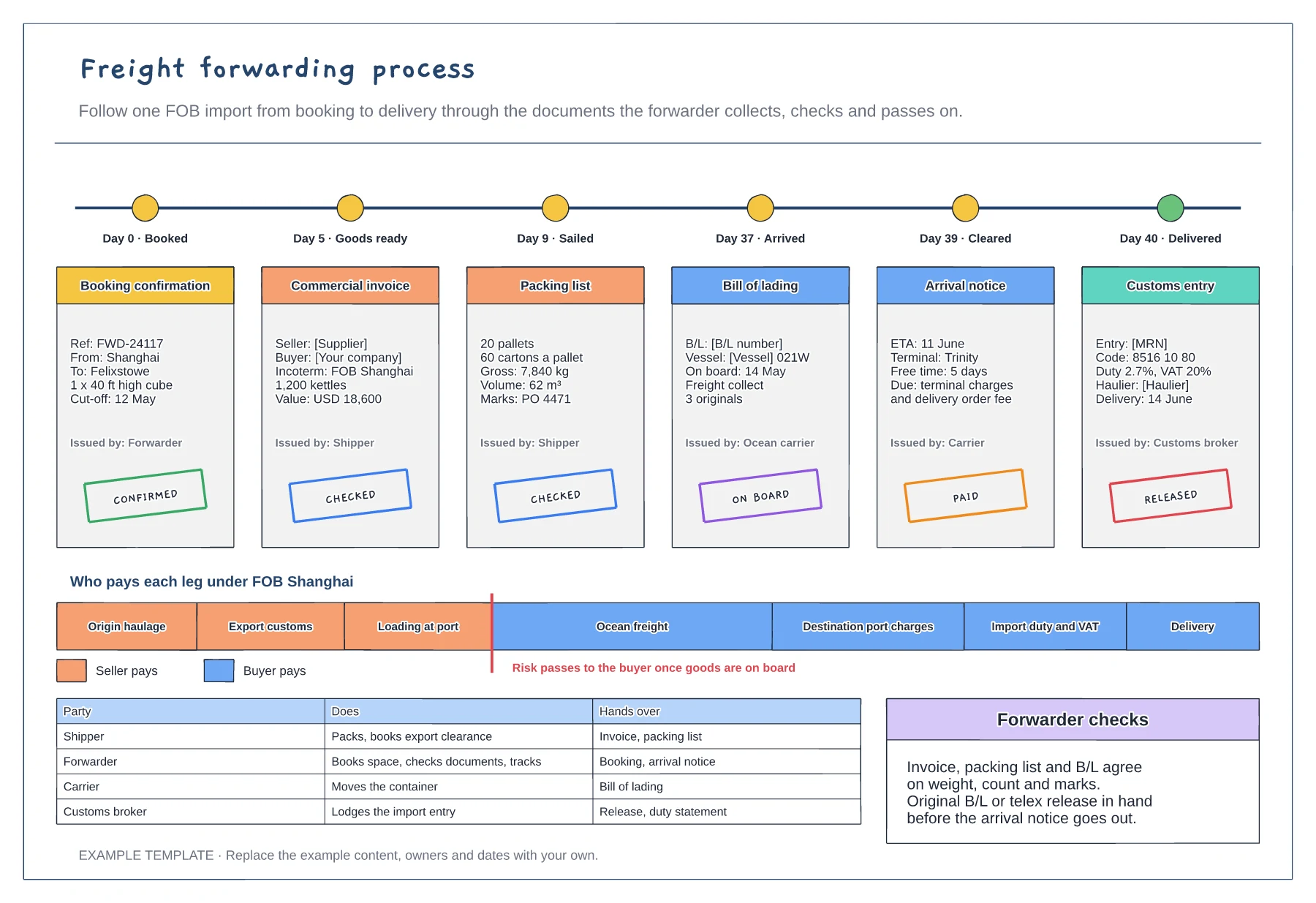
Six shipping documents with key fields and status stamps · Who pays each leg under FOB · Responsibilities for shipper, forwarder, carrier and broker
Preview and use template →Once an import declaration is lodged, a risk engine decides how closely customs looks at it. This flowchart starts with a checklist for a clean declaration, then splits into three lanes: green for automatic release, amber for a document check and red for a physical examination, each with what happens, how long it usually takes and the outcome. A table lists the common reasons goods are held and how to avoid them.
This is a planning example, not customs, trade or legal advice. Check current rules, Incoterms and duty rates with your broker or the customs authority.
No account needed · Opens as your own editable page
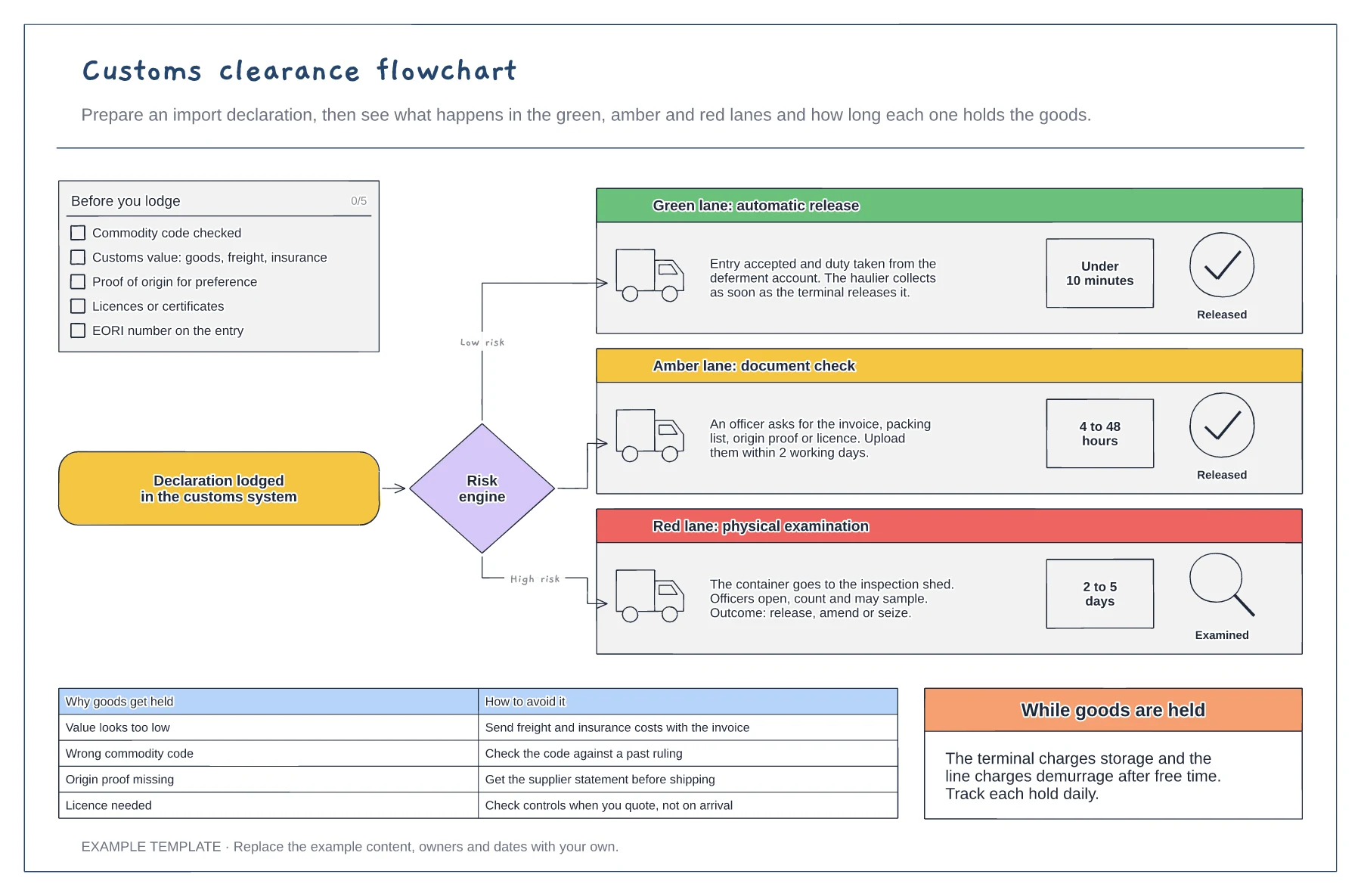
Check the commodity code, customs value, origin and any licences before you lodge. Most holds start with a wrong code or a low value.
Green is released in minutes. Amber needs documents uploaded quickly. Red means the container goes to a shed for examination.
Track every held shipment daily, because storage and demurrage start once free time ends at the terminal.
They are the three outcomes after the risk engine checks your declaration: automatic release, a document check or a physical examination, each with its typical hold time.
No. Open the template and edit it in your browser. Your work saves on this device. An account is optional if you want to sync your workspace.
Yes. Use Export in the editor to save a PNG, SVG or PDF, or download an editable .epicdraw backup.
Six shipping documents with key fields and status stamps · Who pays each leg under FOB · Responsibilities for shipper, forwarder, carrier and broker
Preview and use template →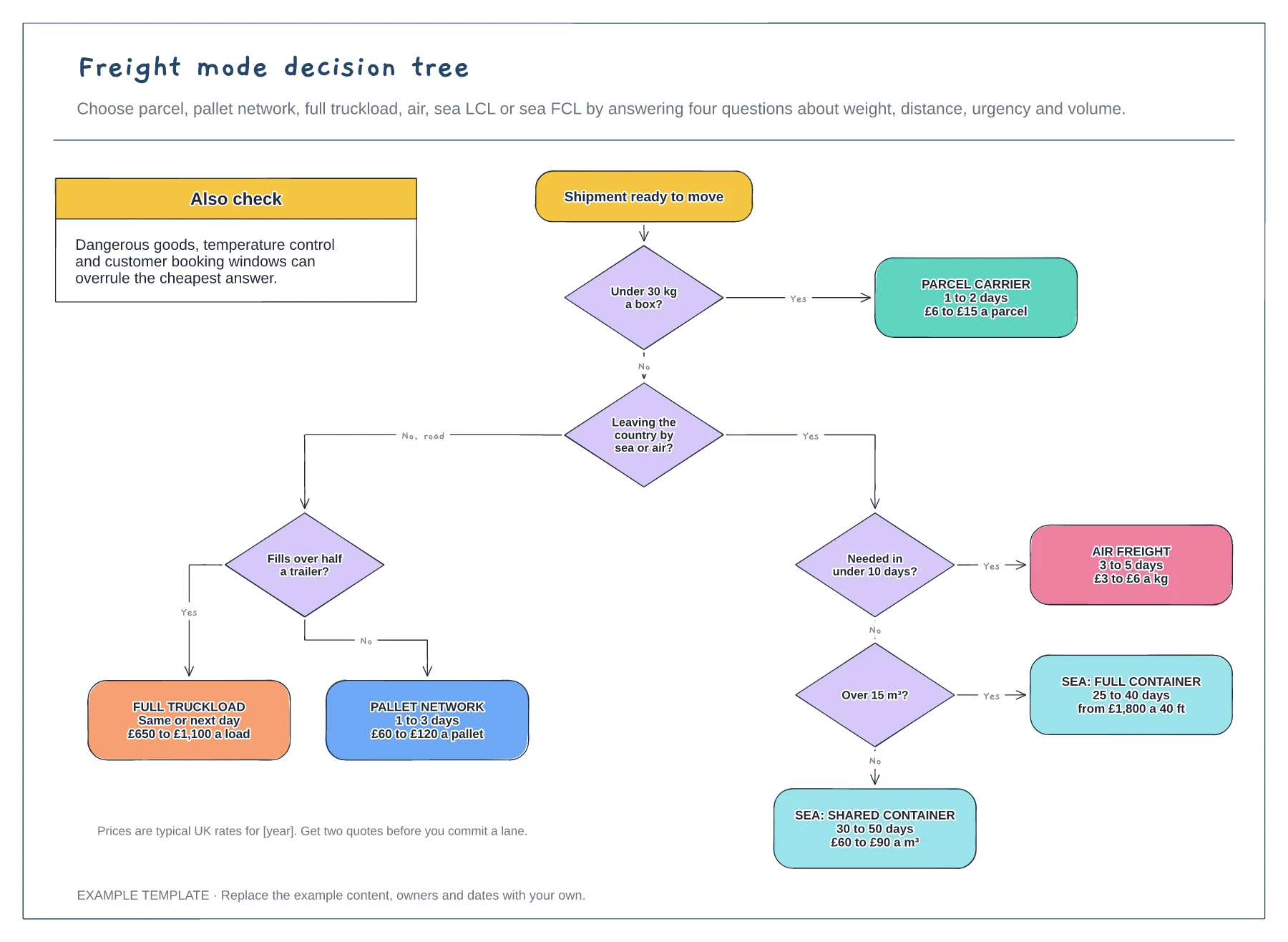
Four yes or no questions in a set order · Six transport modes with time and cost · Things that can overrule the cheapest answer
Preview and use template →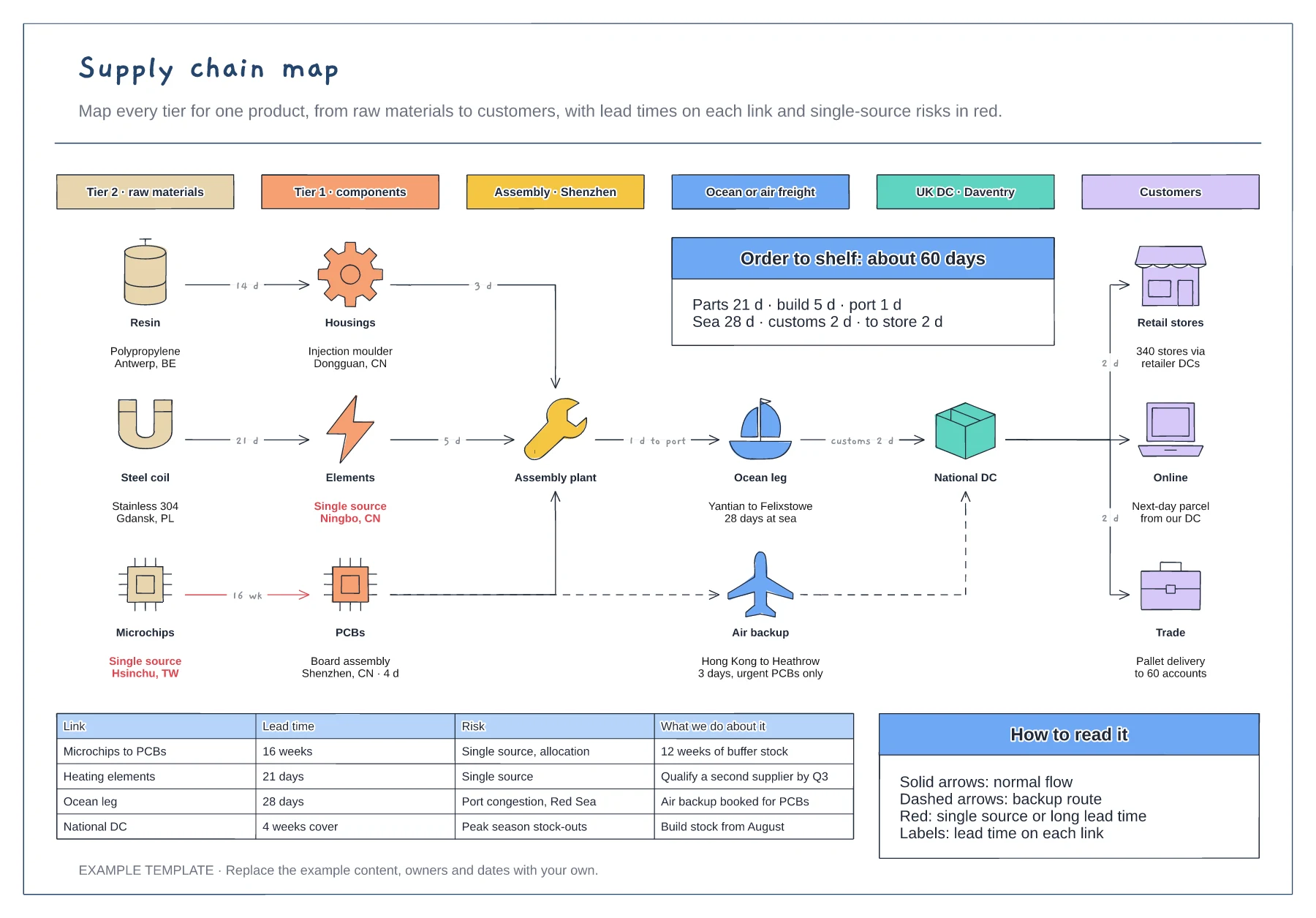
Six tiers from raw materials to customers · Lead times on every link, with a backup air route · Risk table for single sources and long lead times
Preview and use template →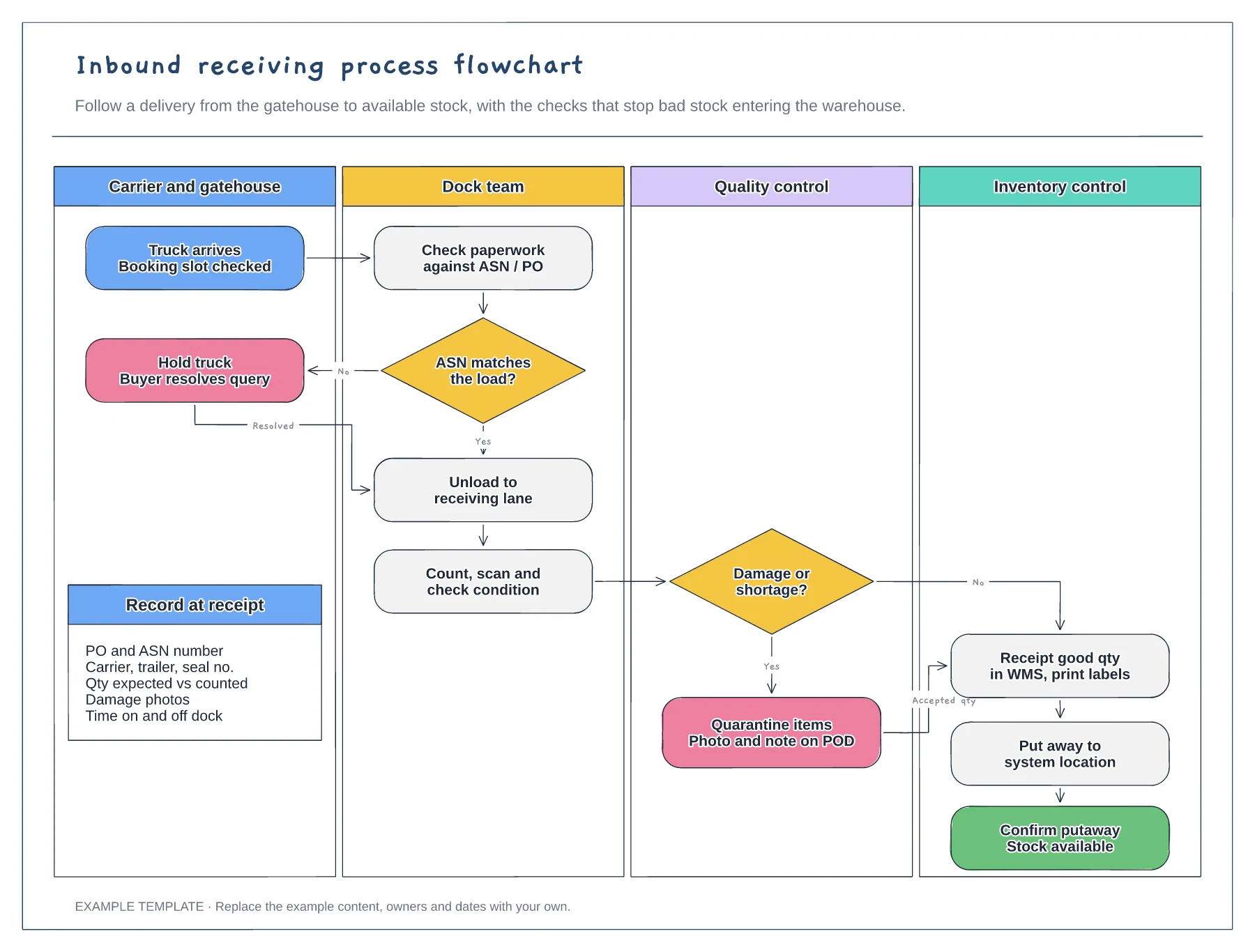
Four swimlanes from carrier to inventory · ASN and damage decisions with Yes and No paths · Data to record at receipt
Preview and use template →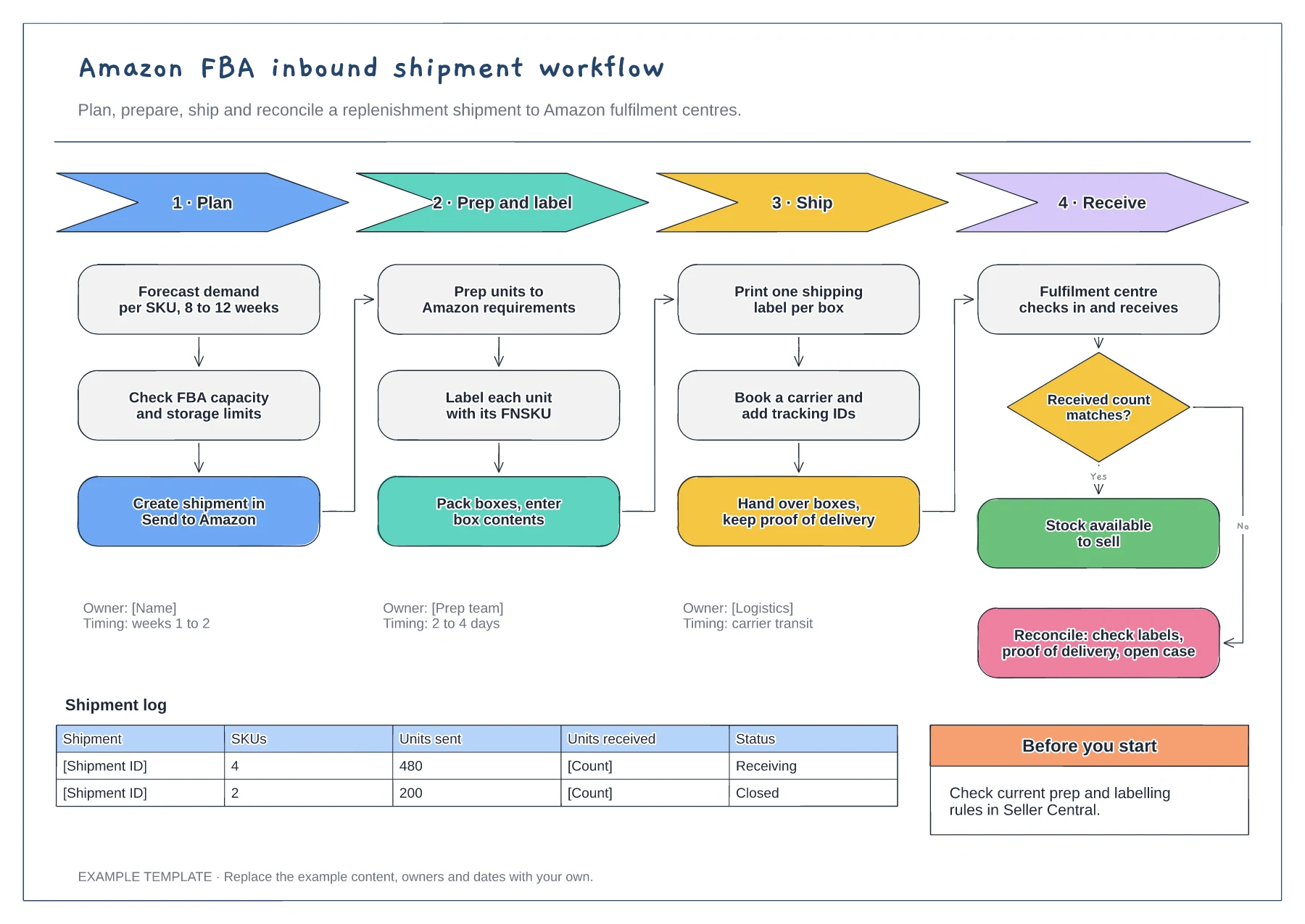
Four phases with their steps · Owners and timings per phase · Receiving check and shipment log
Preview and use template →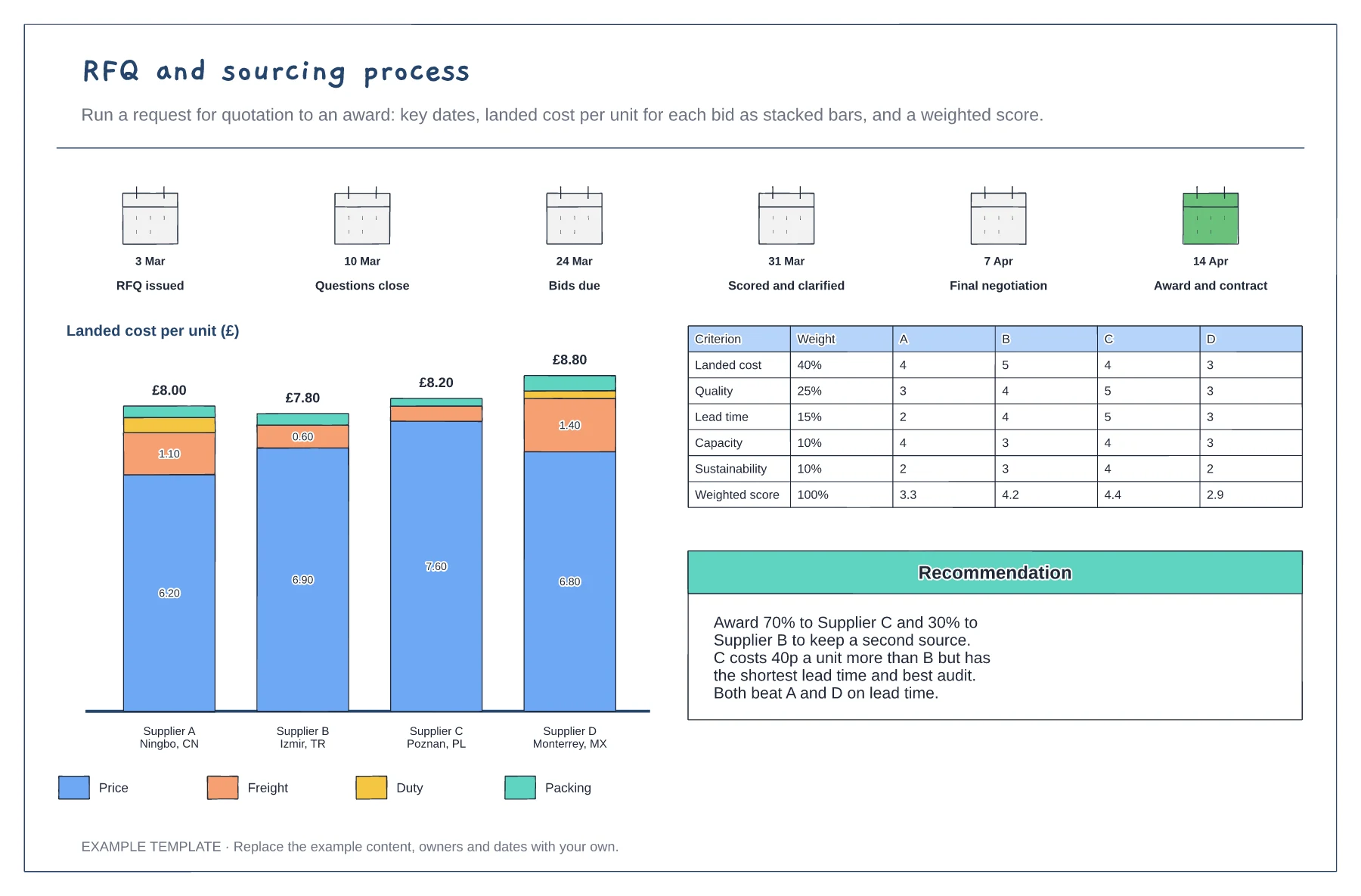
RFQ dates from issue to award · Landed cost per unit as stacked bars for each bid · Weighted scorecard and award recommendation
Preview and use template →