Logistics
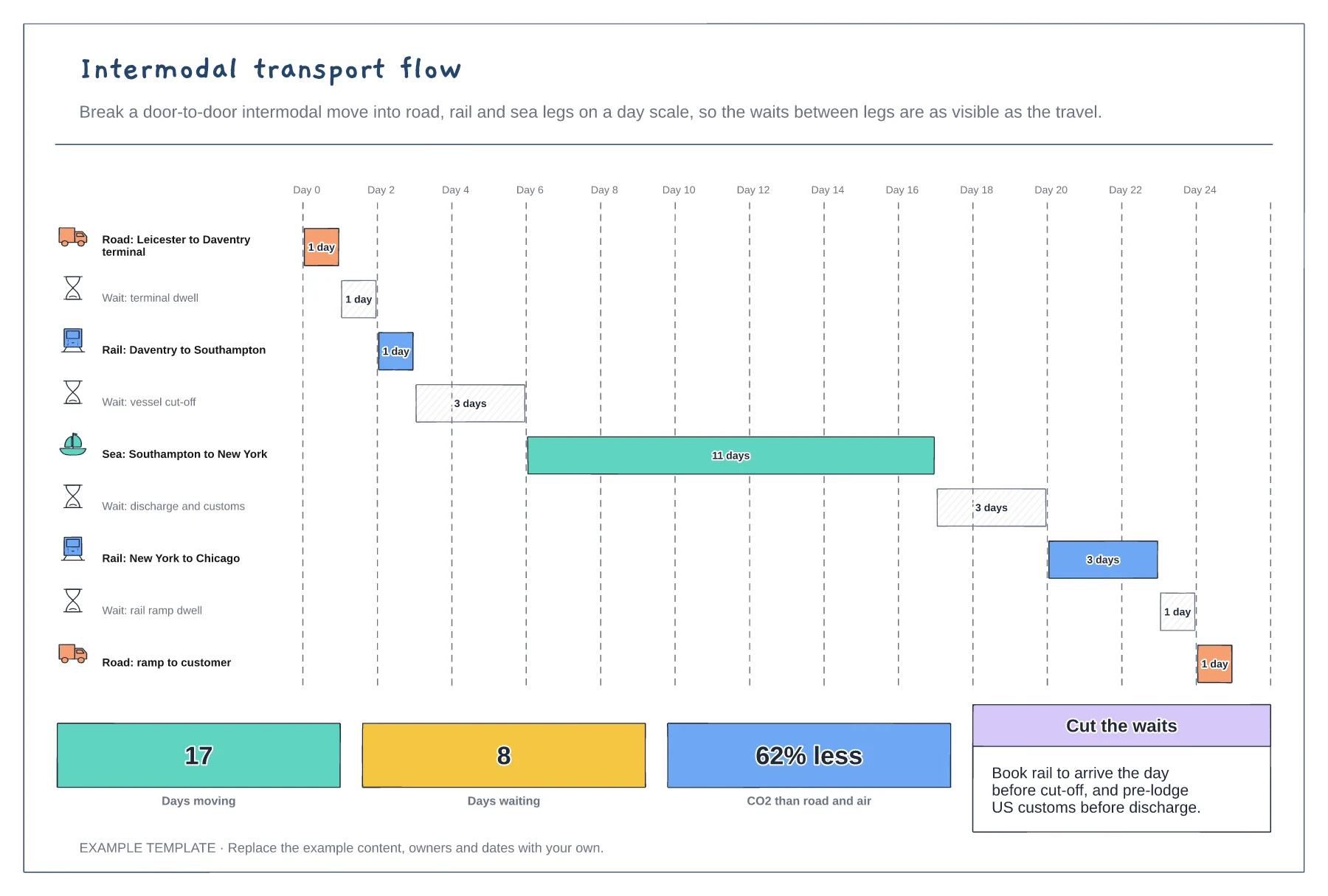
Intermodal transport flow template
Every leg and wait as a bar on a day scale · Road, rail and sea legs with icons · Days moving, days waiting and carbon saved
Preview and use template →Choosing how to ship comes down to a few questions asked in the right order. This decision tree starts with a shipment ready to move and asks about weight, whether it leaves the country, how full a trailer it fills, how urgent it is and how much volume there is. Each answer leads to one of six modes, with a typical transit time and cost so you can compare them.
No account needed · Opens as your own editable page
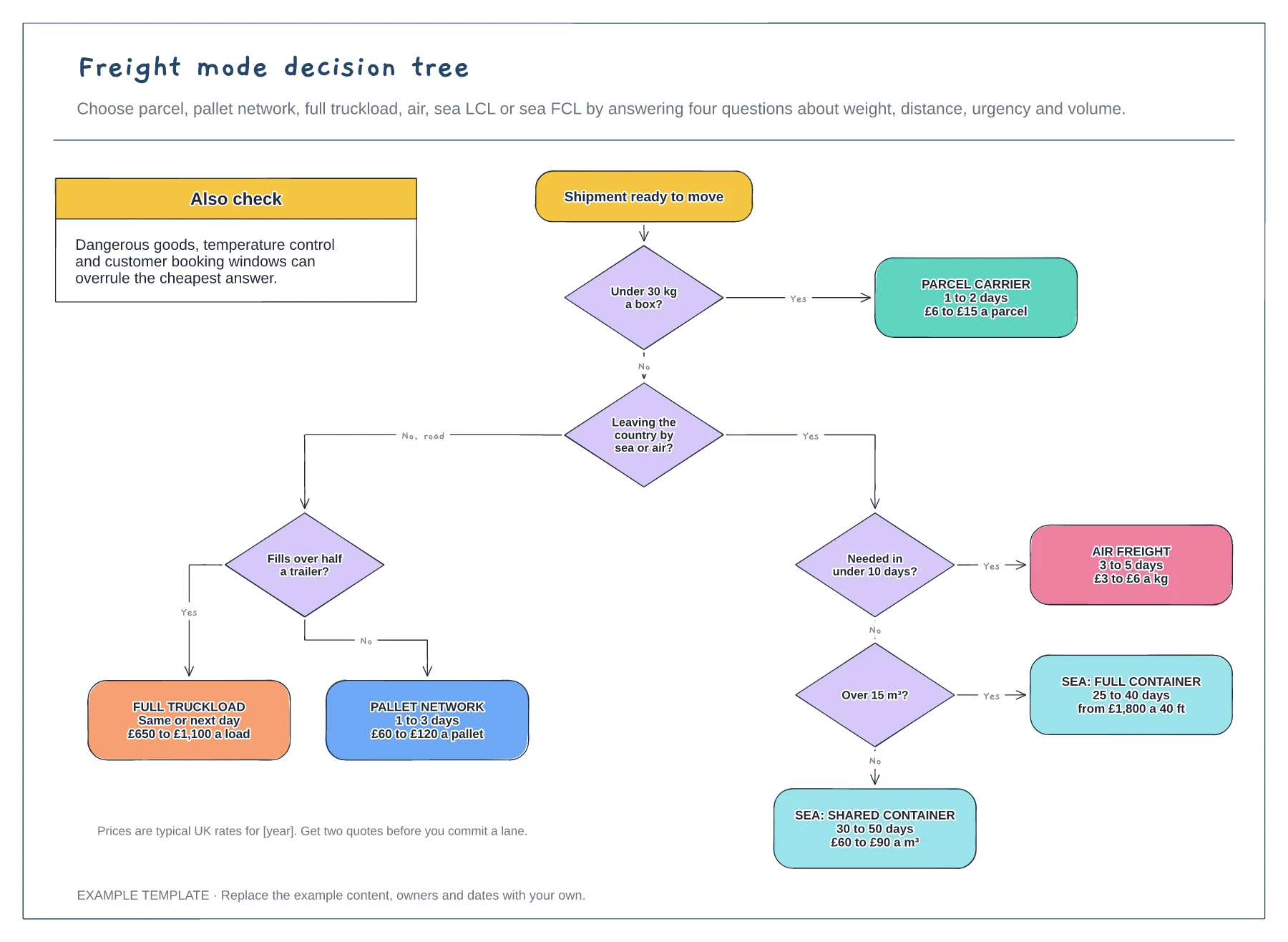
Start with weight and destination, then urgency and volume. Each answer removes options.
Follow the branches to a leaf. It shows the usual mode and its typical time and cost.
Dangerous goods, temperature control or a customer booking window can override the cheapest mode.
Yes. Edit the weight, urgency and volume questions and the typical rates on each mode card so they match the quotes you get from your carriers.
No. Open the template and edit it in your browser. Your work saves on this device. An account is optional if you want to sync your workspace.
Yes. Use Export in the editor to save a PNG, SVG or PDF, or download an editable .epicdraw backup.
Every leg and wait as a bar on a day scale · Road, rail and sea legs with icons · Days moving, days waiting and carbon saved
Preview and use template →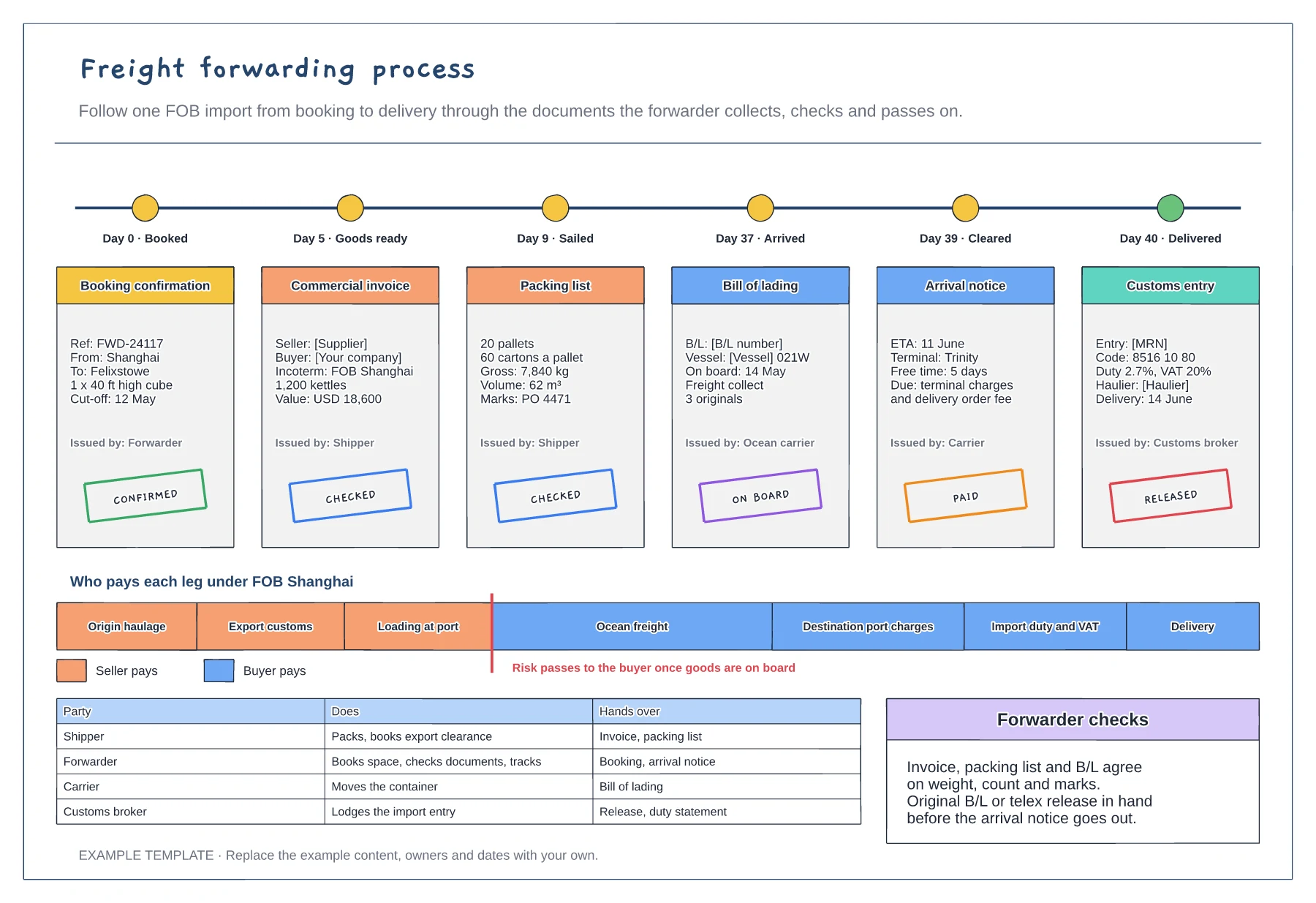
Six shipping documents with key fields and status stamps · Who pays each leg under FOB · Responsibilities for shipper, forwarder, carrier and broker
Preview and use template →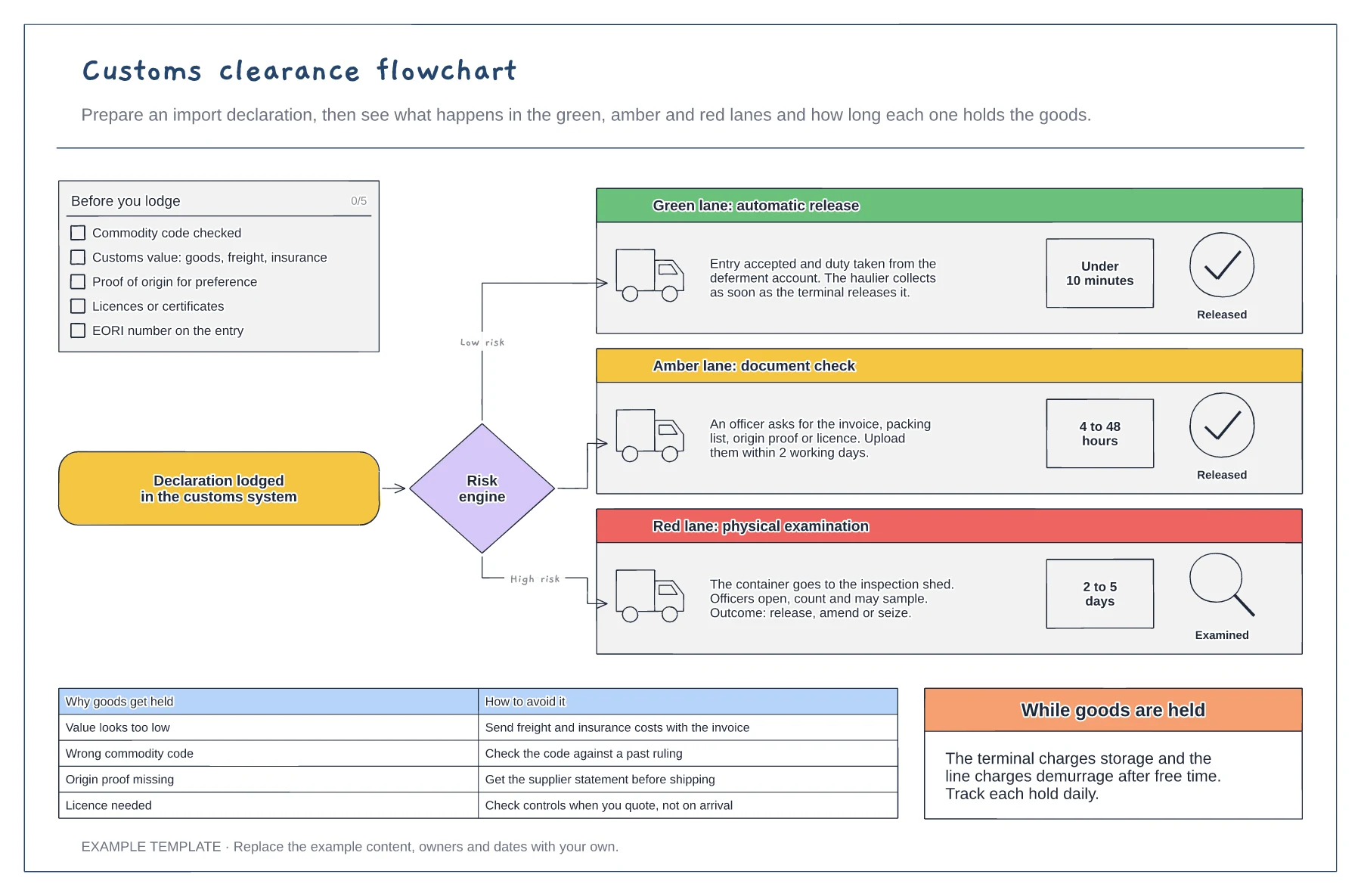
Checklist for a clean import declaration · Green, amber and red lanes with typical hold times · Common hold reasons and how to avoid them
Preview and use template →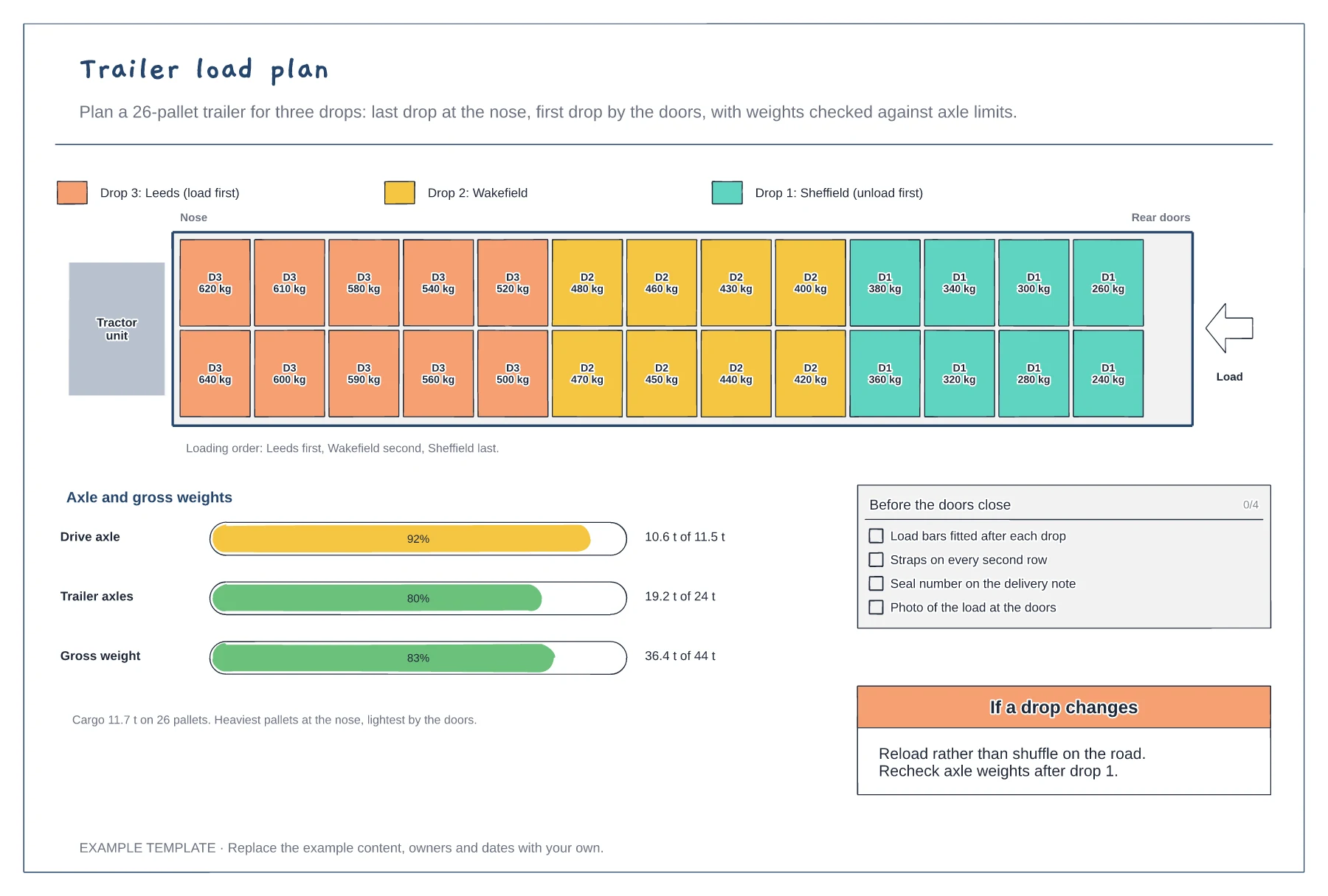
Top-down trailer with every pallet by drop and weight · Axle and gross weight bars against legal limits · Loading order and checks before departure
Preview and use template →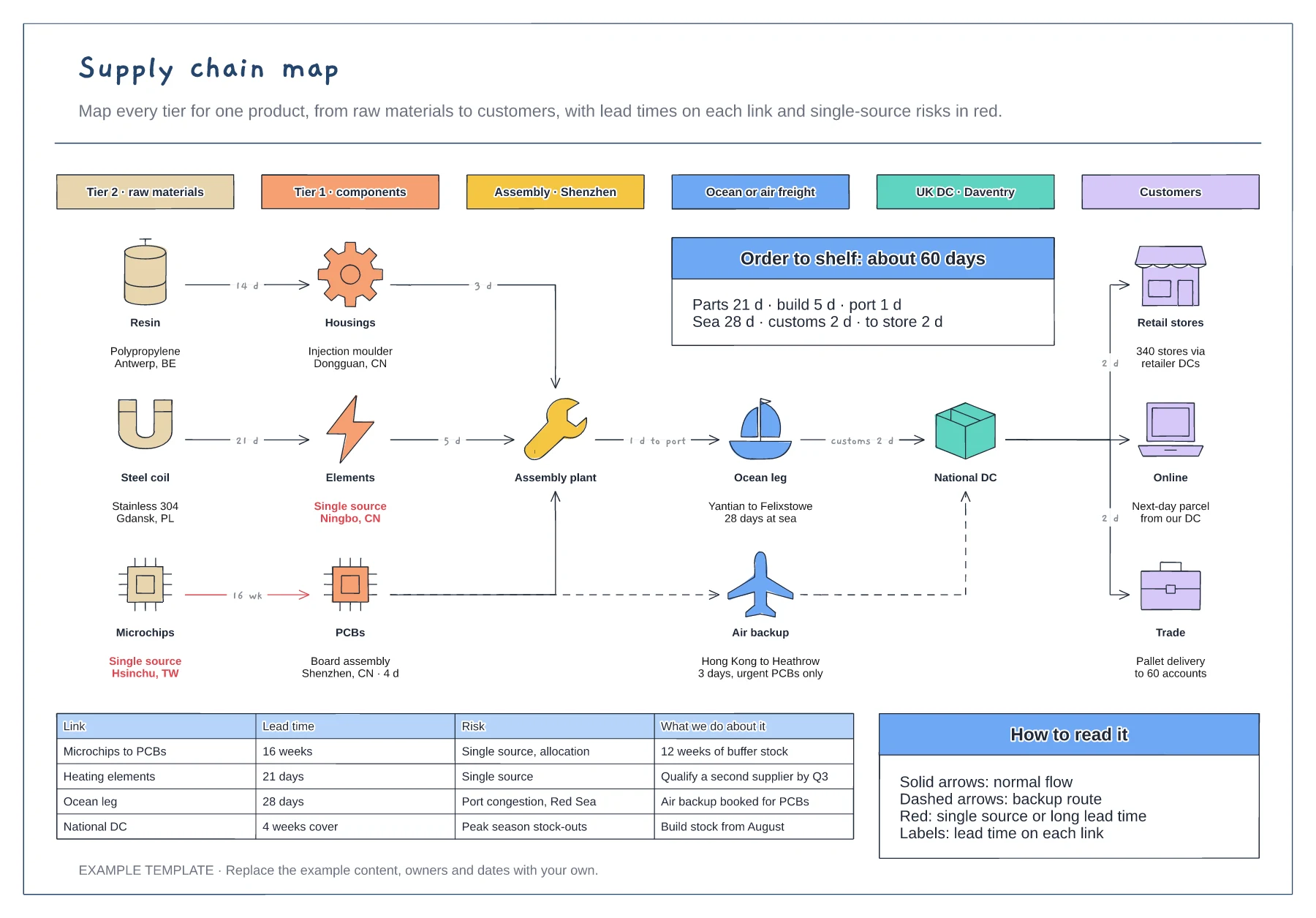
Six tiers from raw materials to customers · Lead times on every link, with a backup air route · Risk table for single sources and long lead times
Preview and use template →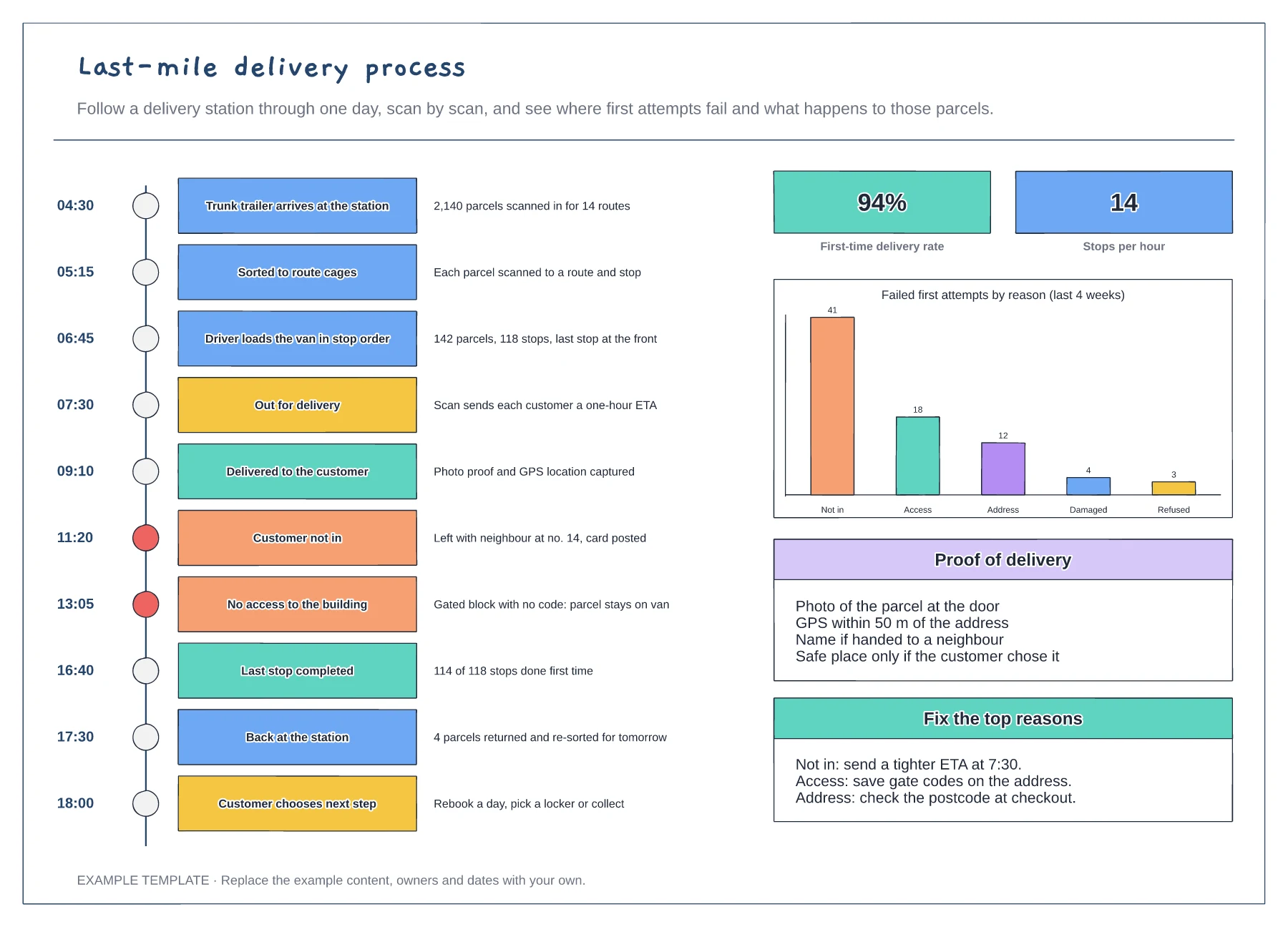
A station day as a vertical timeline of scan events · First-time delivery rate and failed attempts by reason · Proof of delivery rules and fixes for the top failures
Preview and use template →