Logistics
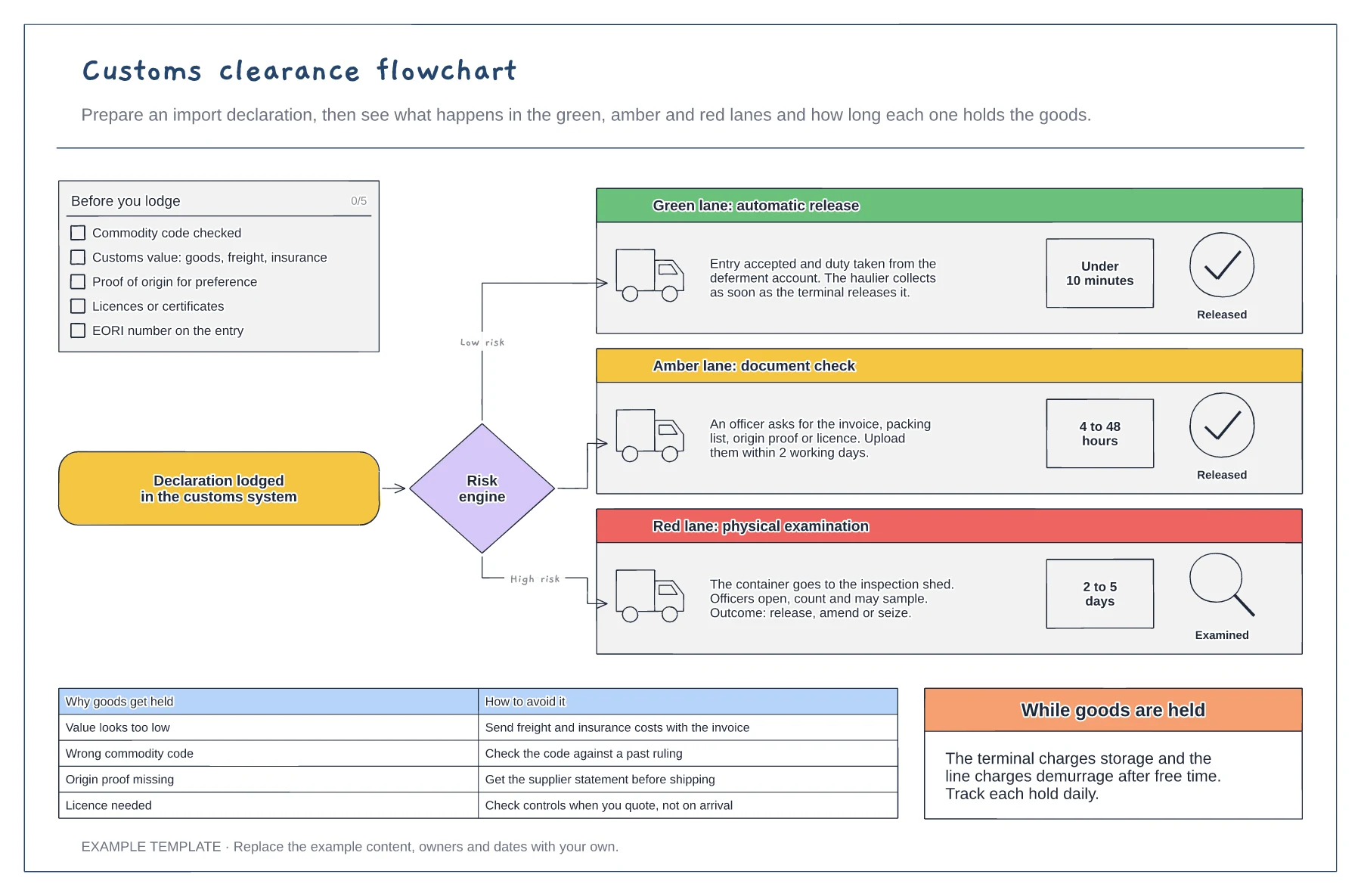
Customs clearance flowchart template
Checklist for a clean import declaration · Green, amber and red lanes with typical hold times · Common hold reasons and how to avoid them
Preview and use template →A freight forwarder moves the paperwork as much as the container. This board follows one FOB import from Shanghai to Felixstowe through the six documents the forwarder collects, checks and passes on, each with its key fields, who issues it and a stamp for its status. A bar underneath shows which legs the seller and the buyer pay for under FOB and where risk passes, and a table sets out who does what.
This is a planning example, not customs, trade or legal advice. Check current rules, Incoterms and duty rates with your broker or the customs authority.
No account needed · Opens as your own editable page
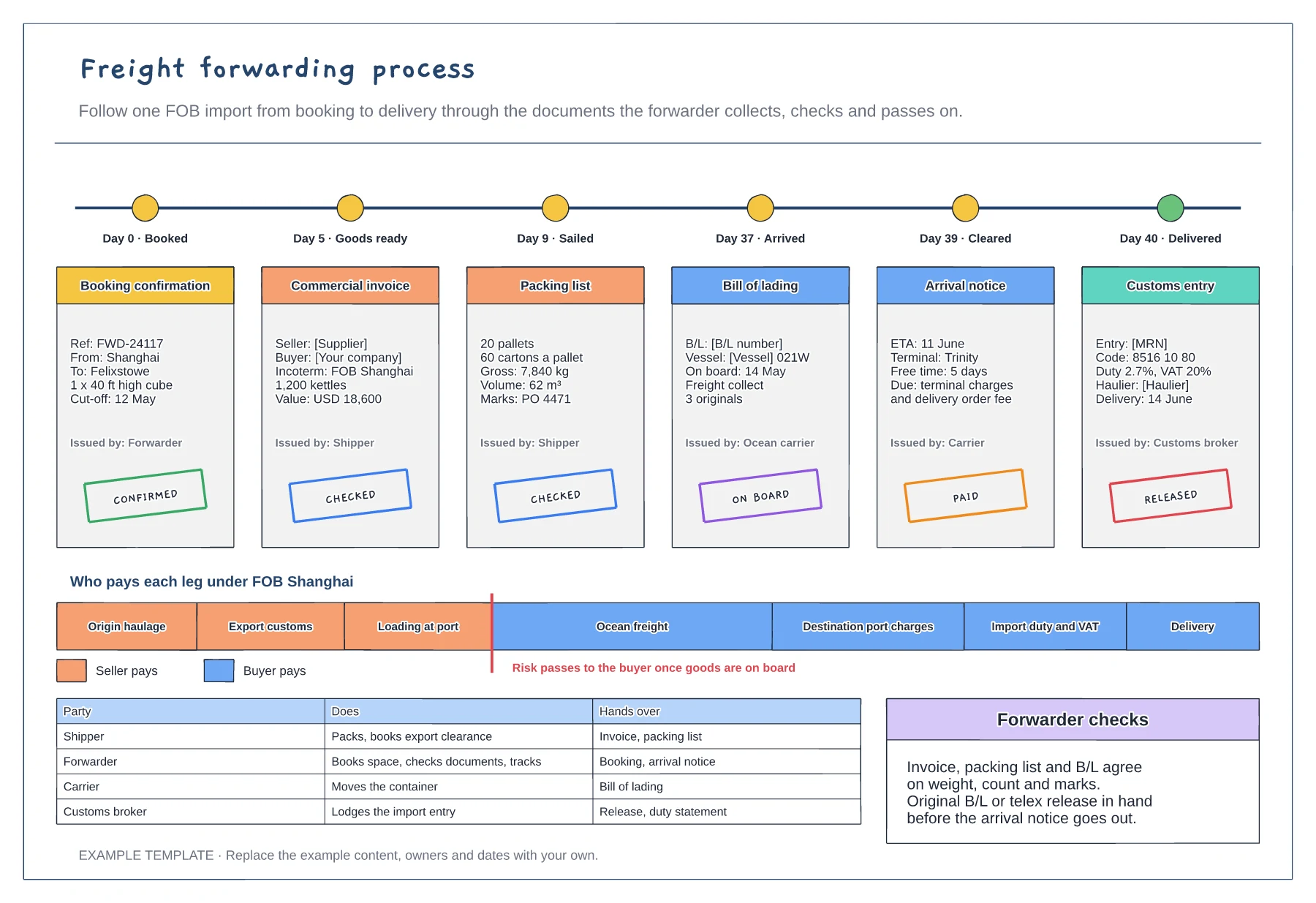
The Incoterm decides who books and pays for each leg. Draw the cost bar first so everyone knows where their part starts and stops.
List each document, who issues it and when it is due. Check that the invoice, packing list and bill of lading agree on weight, count and marks.
Mark the day each milestone is reached. Chase the arrival notice and customs entry early, as free time at the port runs out fast.
Yes. Swap the origin and destination, change the Incoterm and edit the document cards to reflect the paperwork your forwarder handles on export.
No. Open the template and edit it in your browser. Your work saves on this device. An account is optional if you want to sync your workspace.
Yes. Use Export in the editor to save a PNG, SVG or PDF, or download an editable .epicdraw backup.
Checklist for a clean import declaration · Green, amber and red lanes with typical hold times · Common hold reasons and how to avoid them
Preview and use template →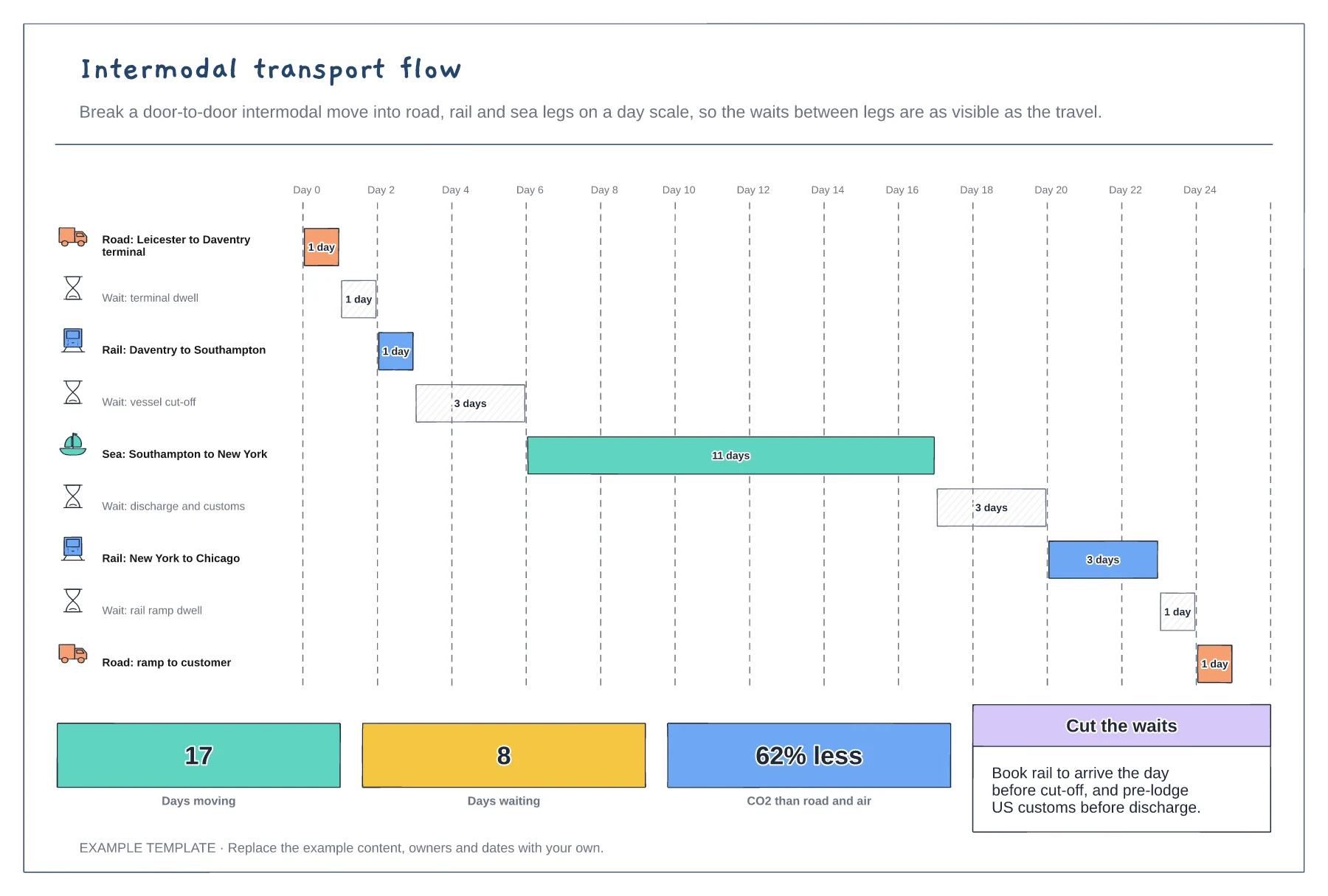
Every leg and wait as a bar on a day scale · Road, rail and sea legs with icons · Days moving, days waiting and carbon saved
Preview and use template →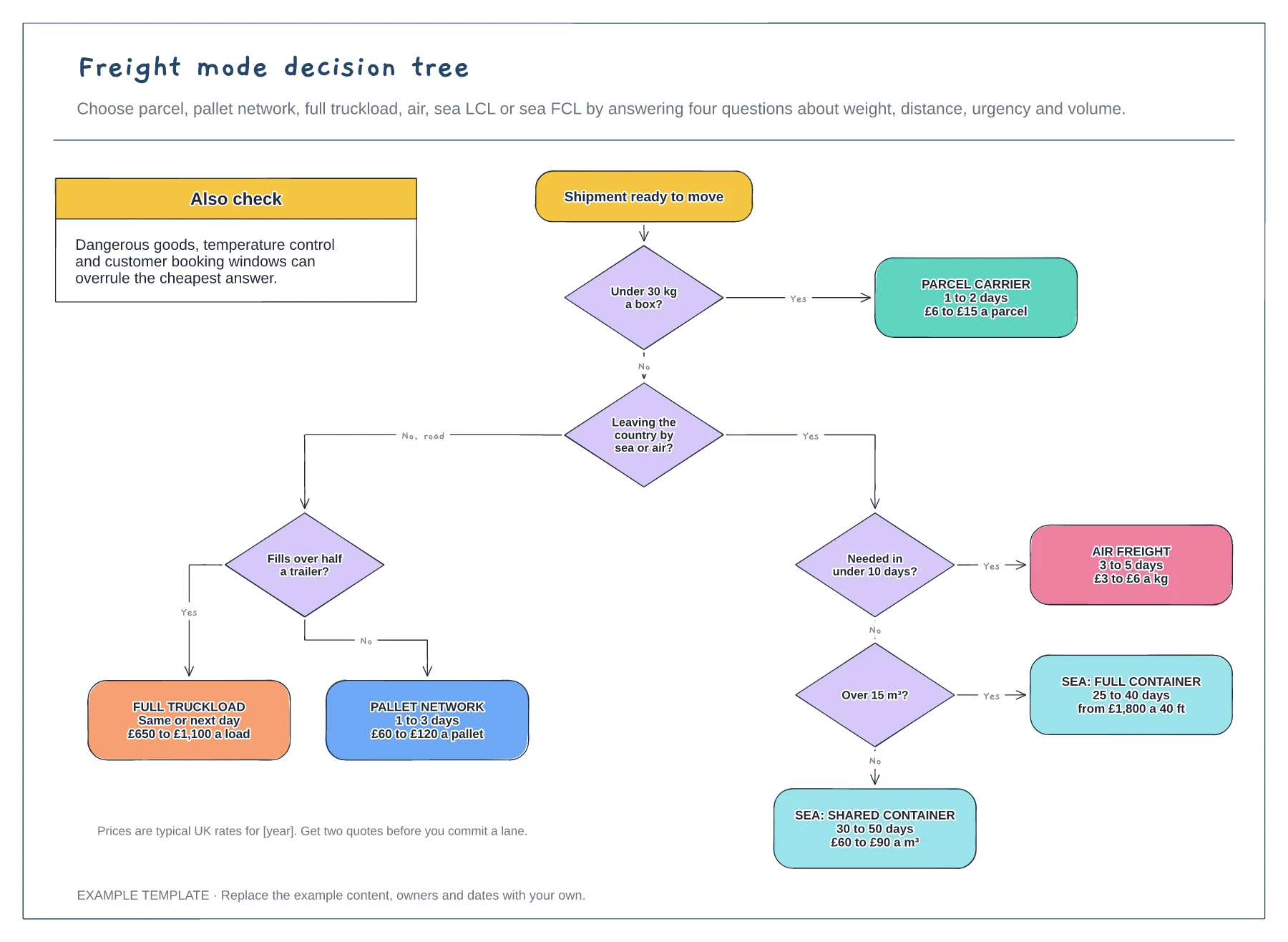
Four yes or no questions in a set order · Six transport modes with time and cost · Things that can overrule the cheapest answer
Preview and use template →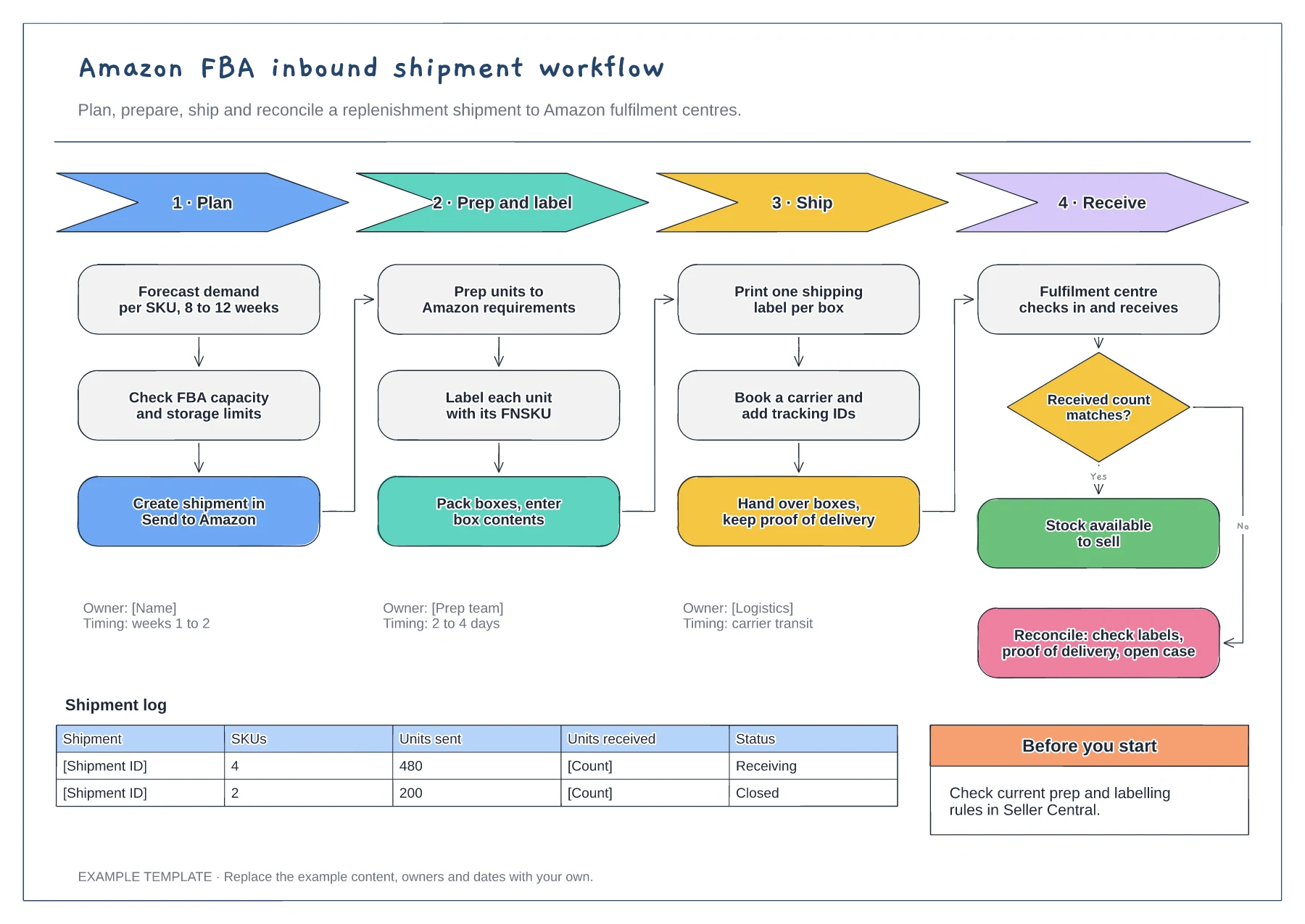
Four phases with their steps · Owners and timings per phase · Receiving check and shipment log
Preview and use template →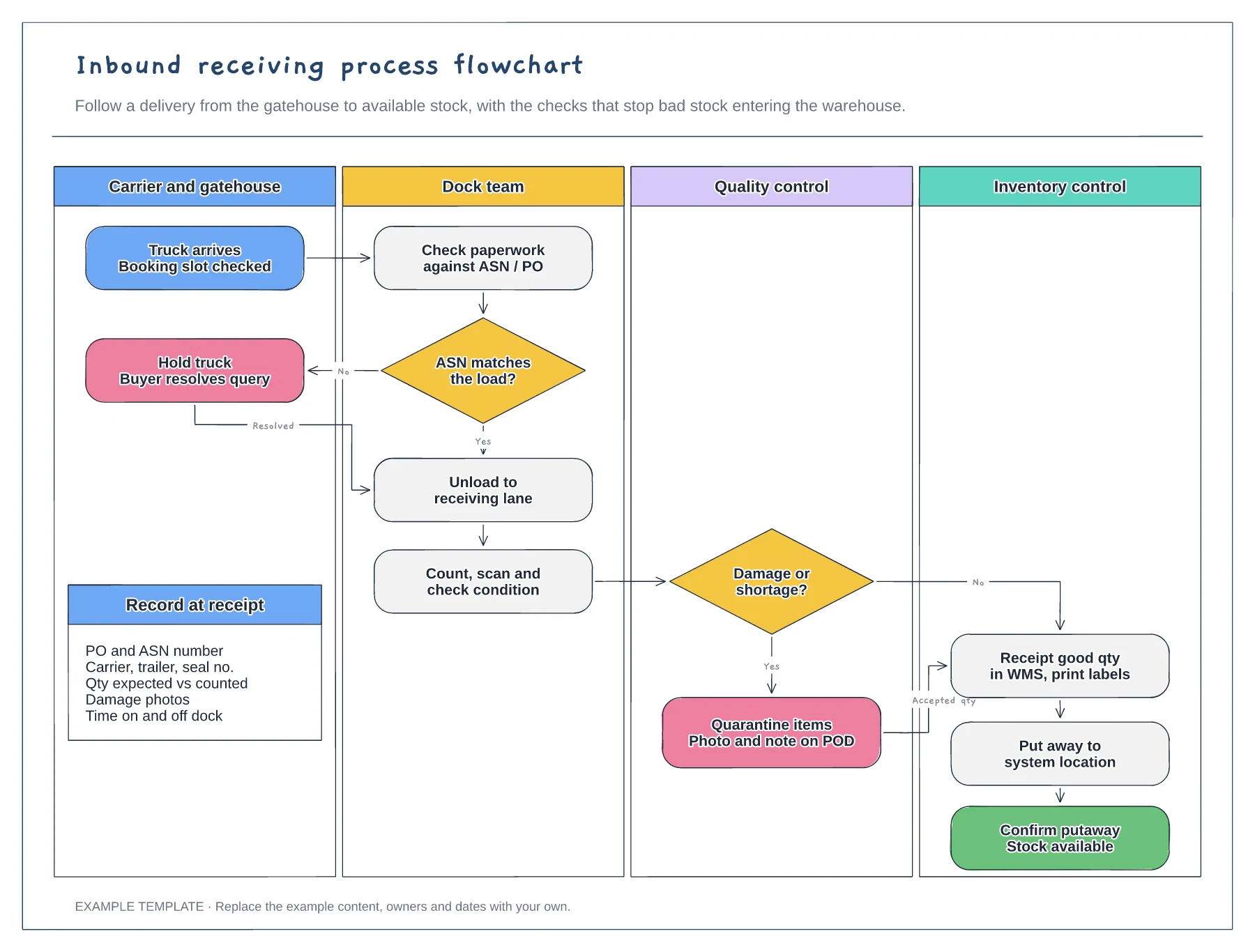
Four swimlanes from carrier to inventory · ASN and damage decisions with Yes and No paths · Data to record at receipt
Preview and use template →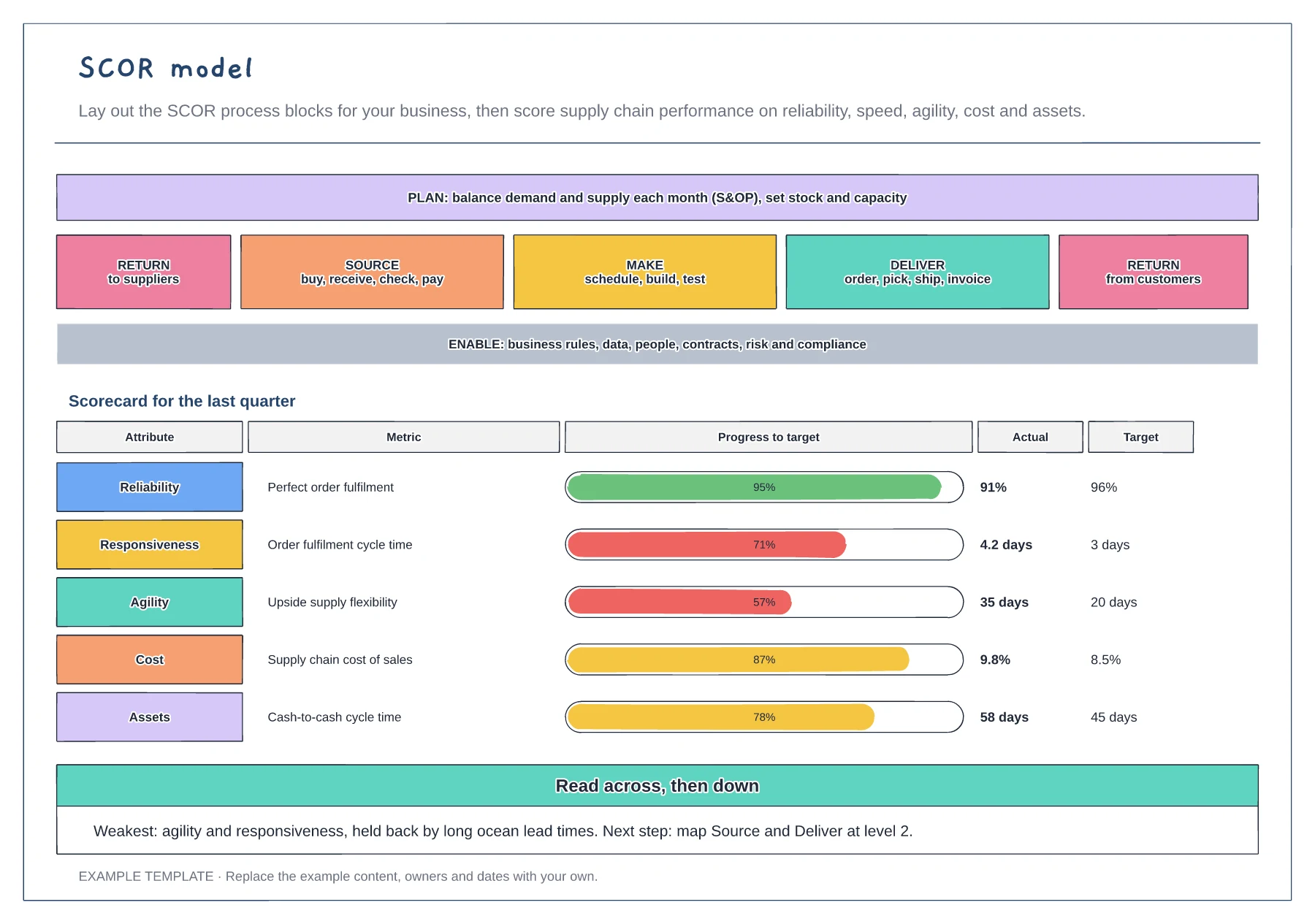
Plan, Source, Make, Deliver, Return and Enable blocks · One metric for each of the five performance attributes · Progress to target bars and a next-step note
Preview and use template →