Logistics
Kraljic matrix template
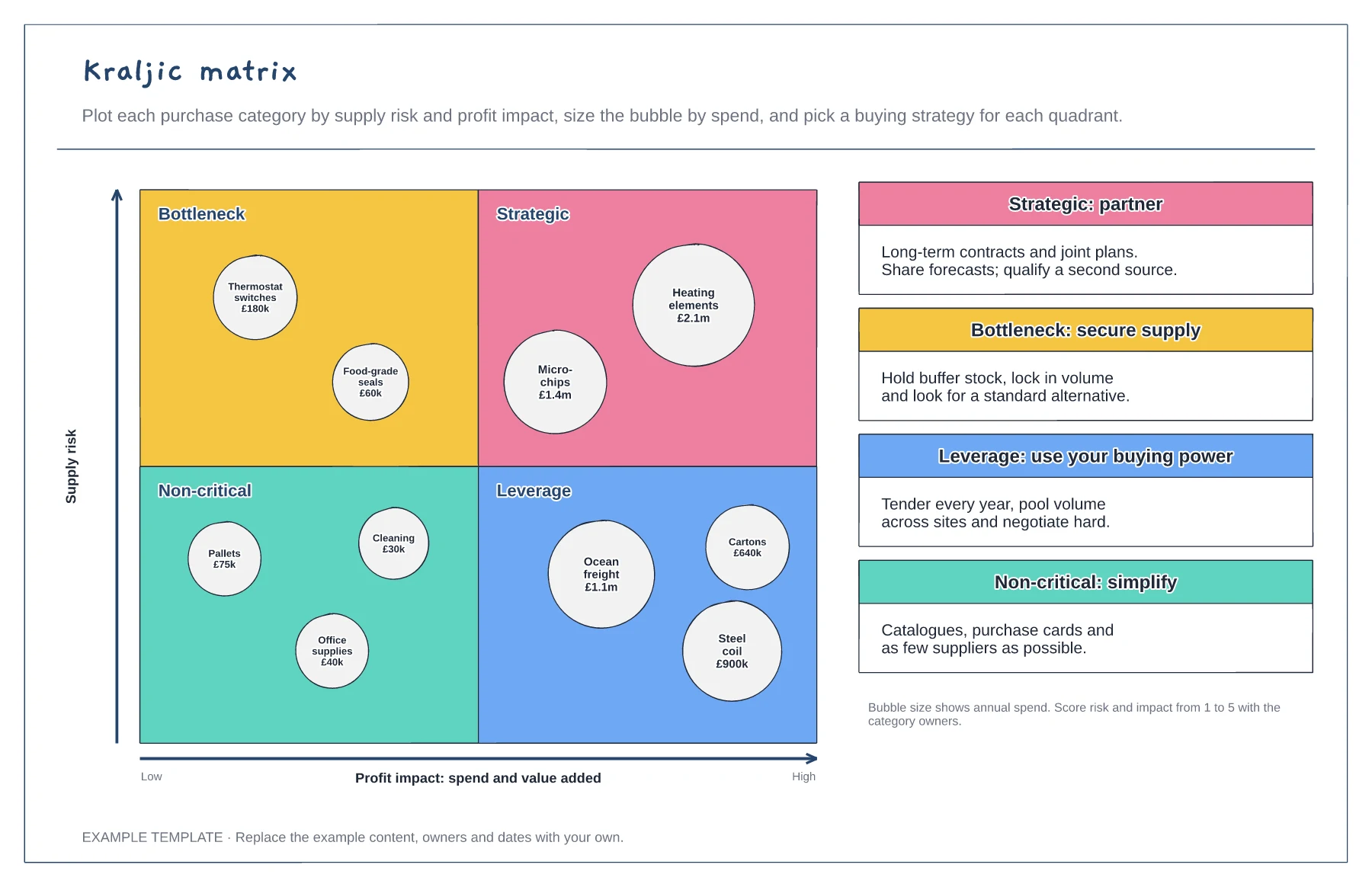
Four quadrants: strategic, bottleneck, leverage, non-critical · Categories as bubbles sized by annual spend · A buying strategy for each quadrant
Preview and use template →A request for quotation is only as good as the comparison at the end. This board sets out the RFQ dates from issue to award, then compares four supplier bids by landed cost per unit, split into price, freight, duty and packing, and scores them against weighted criteria for cost, quality, lead time, capacity and sustainability, ending with an award recommendation.
No account needed · Opens as your own editable page
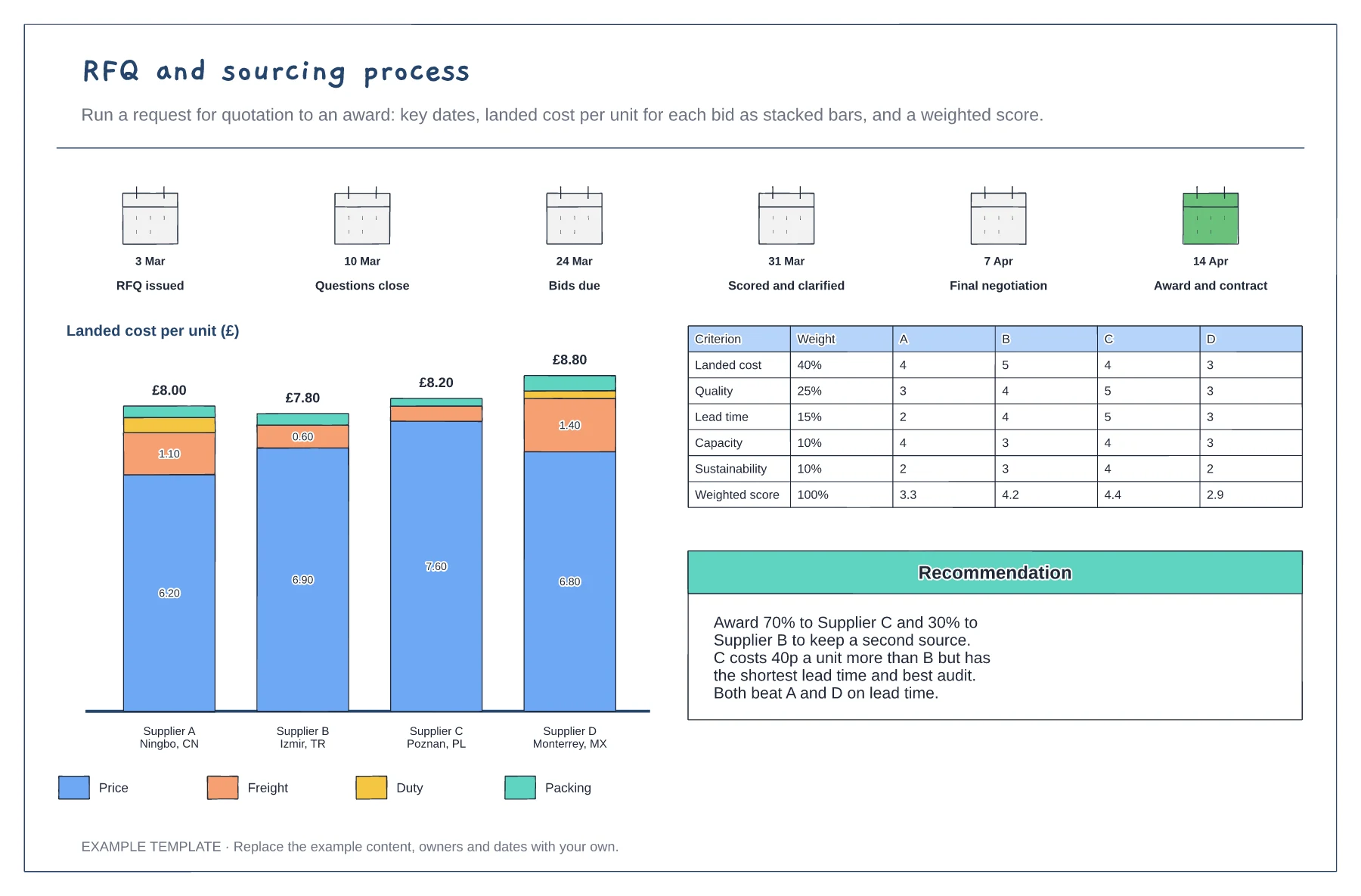
Publish the dates for questions, bids, scoring, negotiation and award with the RFQ, and stick to them.
Add freight, duty and packing to each unit price. The cheapest quote is often not the cheapest delivered.
Agree the weights before bids arrive, score each supplier and write down why the winner won.
Yes. Edit the weight for each criterion so they total 100%, update each supplier's scores and recalculate the weighted score row.
No. Open the template and edit it in your browser. Your work saves on this device. An account is optional if you want to sync your workspace.
Yes. Use Export in the editor to save a PNG, SVG or PDF, or download an editable .epicdraw backup.
Four quadrants: strategic, bottleneck, leverage, non-critical · Categories as bubbles sized by annual spend · A buying strategy for each quadrant
Preview and use template →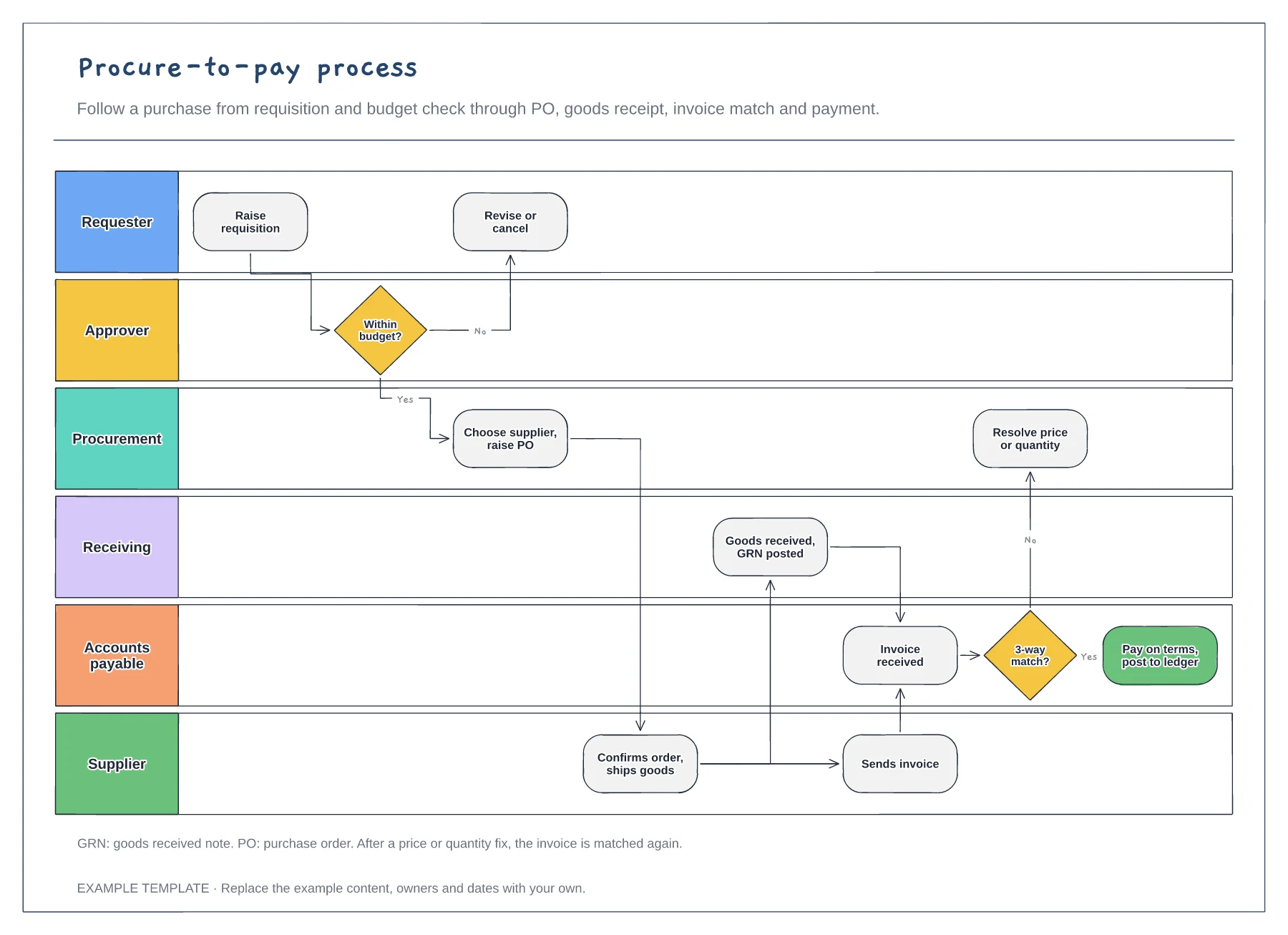
Six lanes from requester to supplier · Budget check and purchase order · Goods receipt, invoice match and payment
Preview and use template →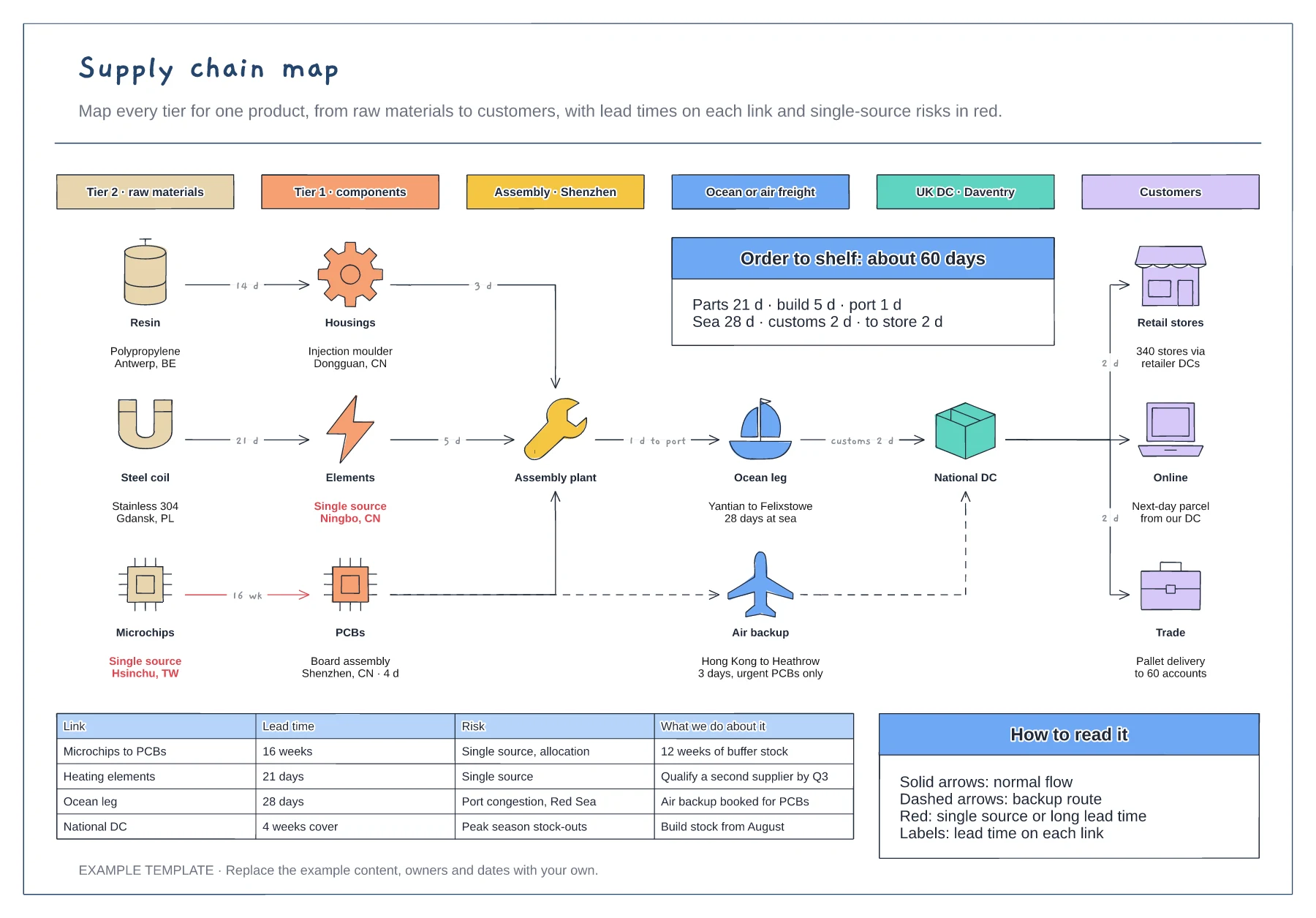
Six tiers from raw materials to customers · Lead times on every link, with a backup air route · Risk table for single sources and long lead times
Preview and use template →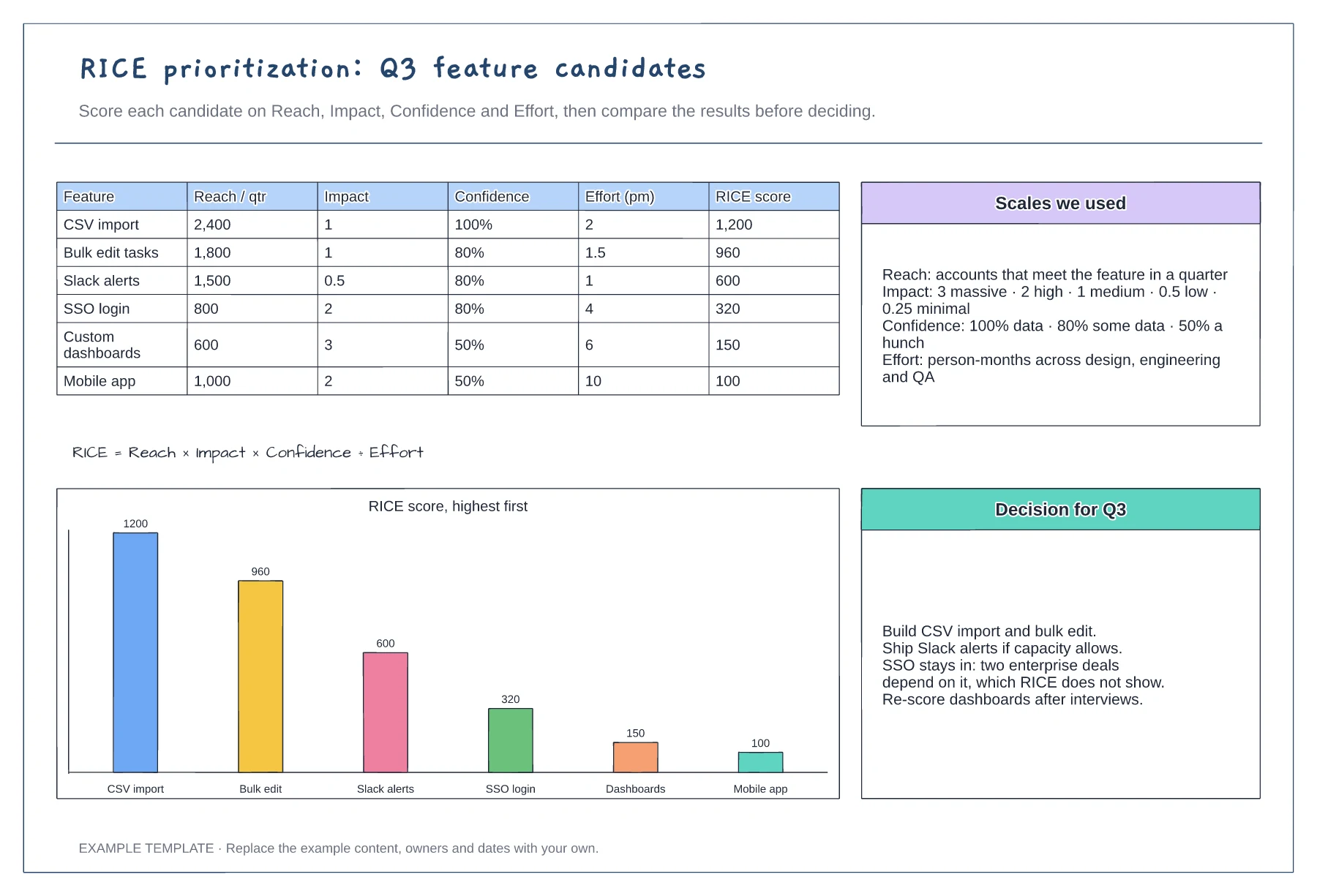
Scoring table with six features · Scales for reach, impact, confidence and effort · Ranked chart and a recorded decision
Preview and use template →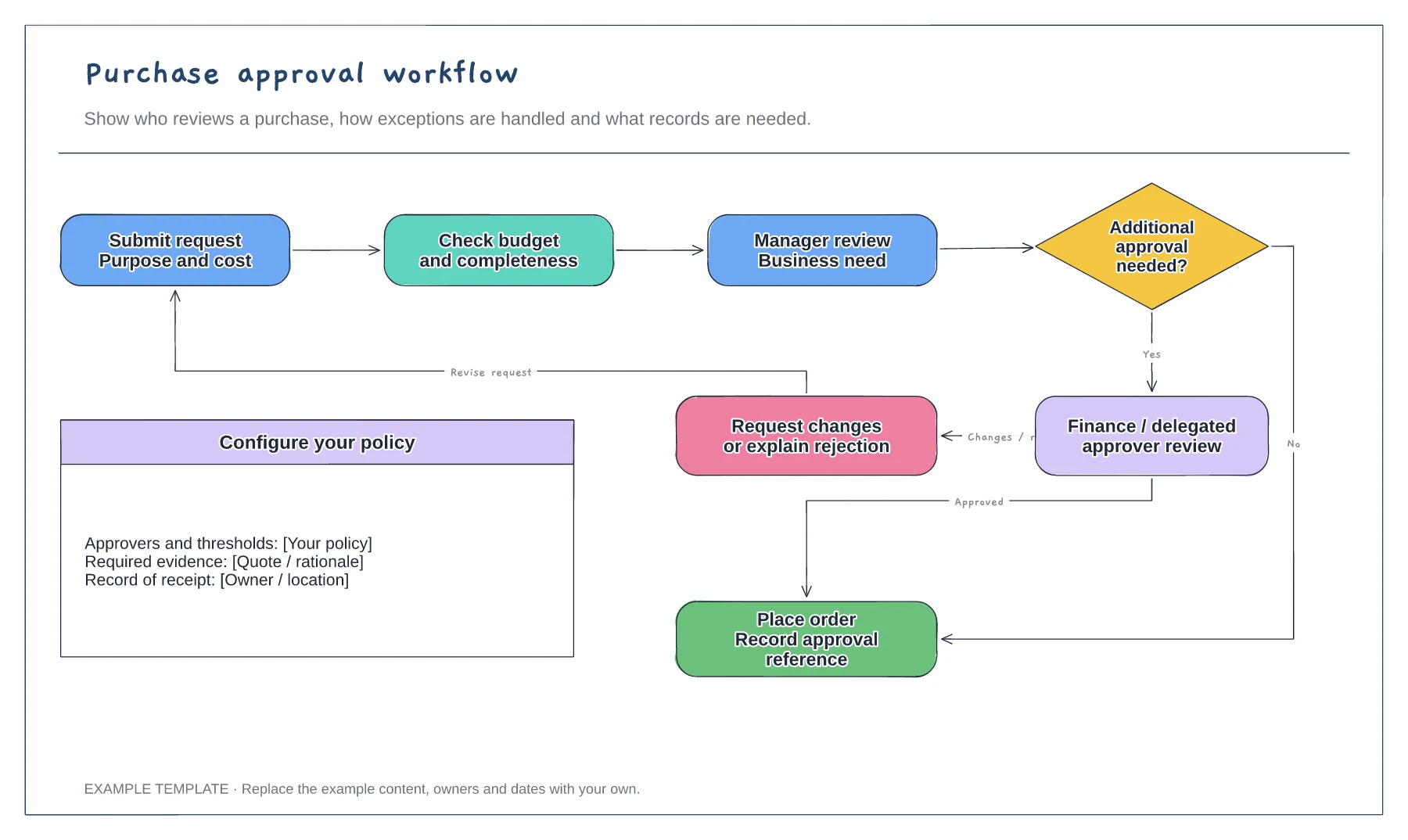
Purchase request and supporting information · Approval decisions and revision path · Order and record-keeping steps
Preview and use template →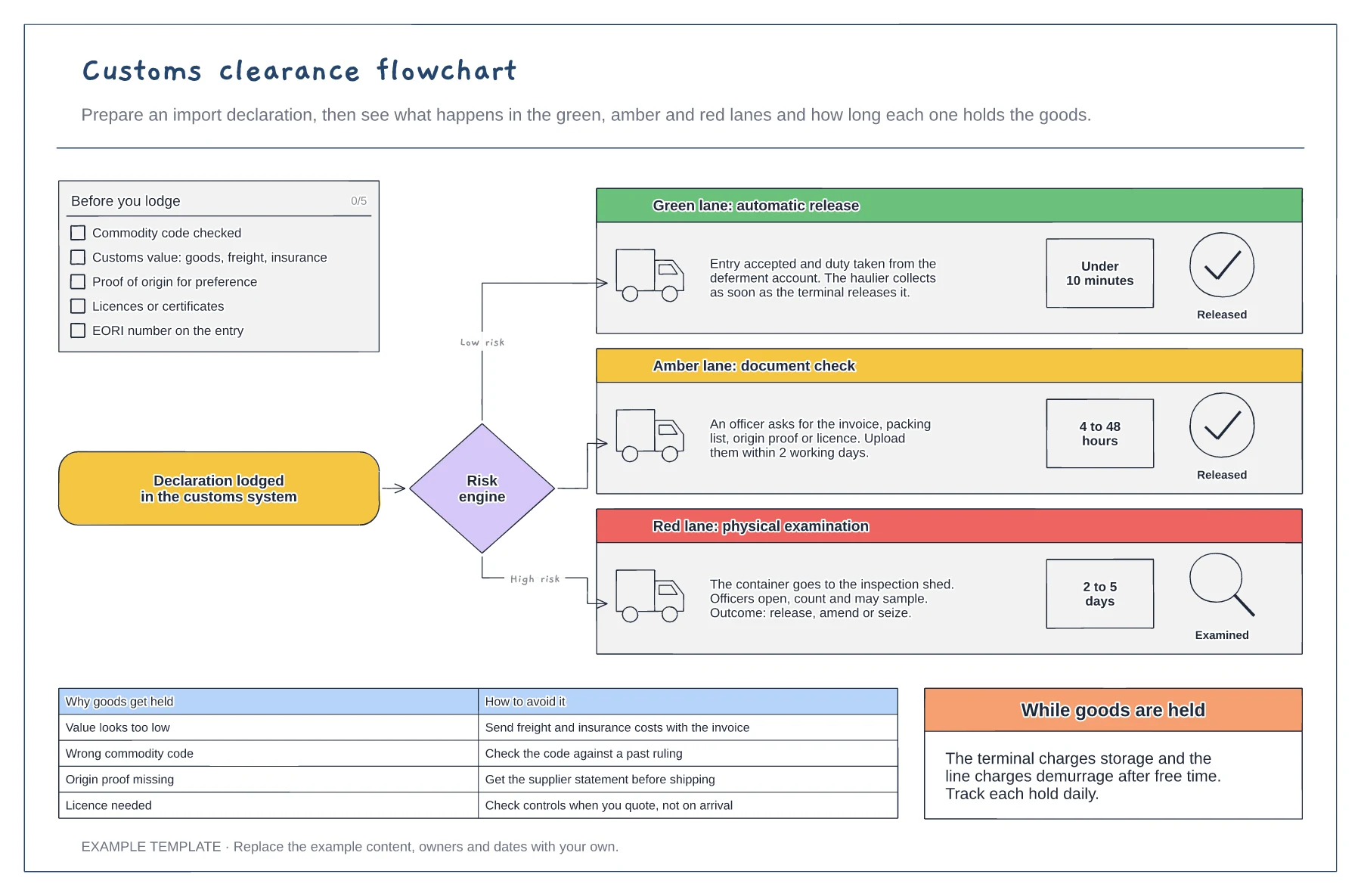
Checklist for a clean import declaration · Green, amber and red lanes with typical hold times · Common hold reasons and how to avoid them
Preview and use template →