Education
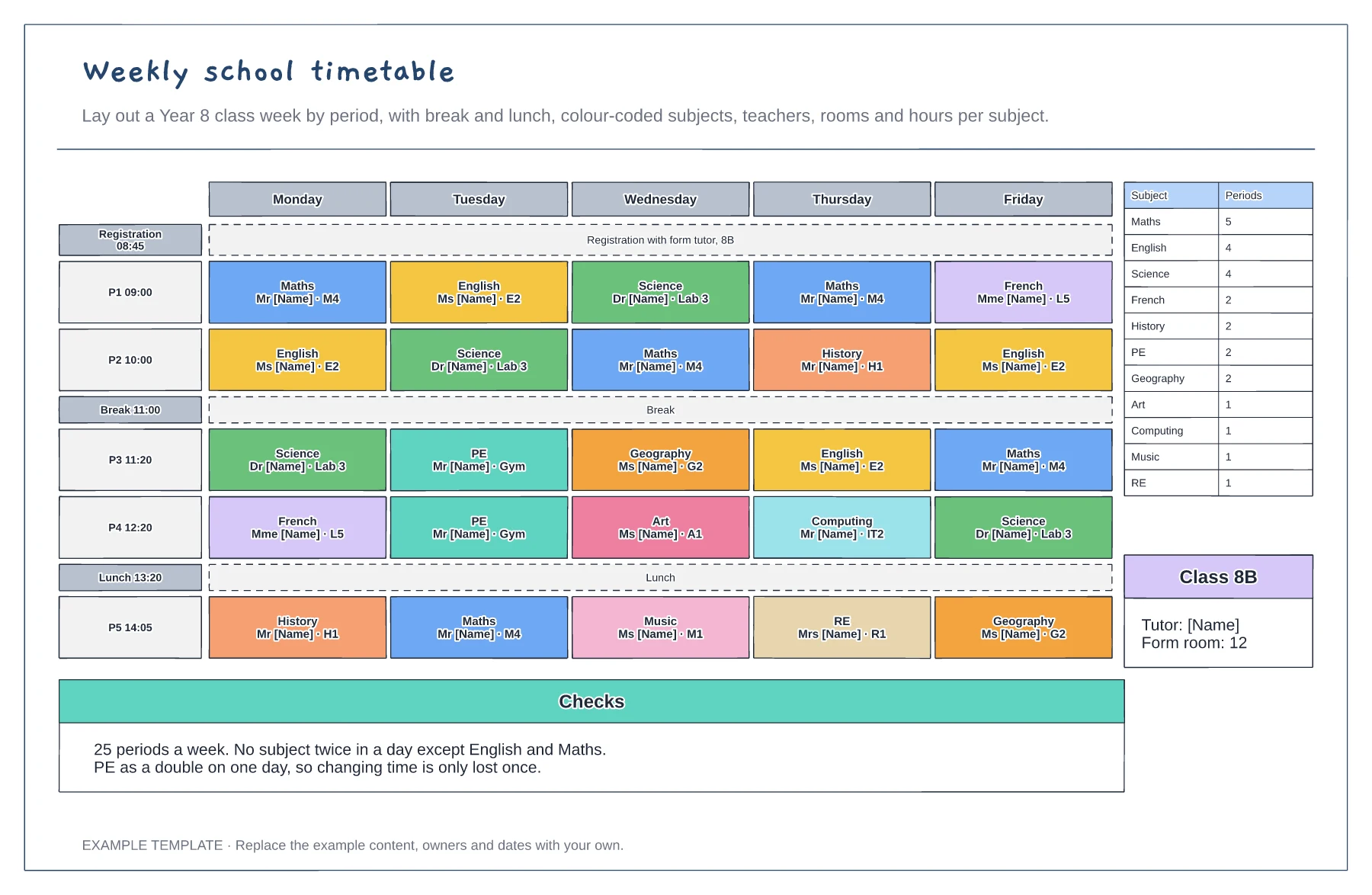
Weekly school timetable template
Five days by five periods with break and lunch · Subjects with teacher and room · Periods per subject and balance checks
Preview and use template →A classroom seating chart puts every student in a deliberate place and lets cover staff learn names fast. This example seats a Year 8 science set of 28 in paired benches, colours the seats for SEN support, EAL and pupil premium, keeps two students apart for lab safety and records why each choice was made.
No account needed · Opens as your own editable page
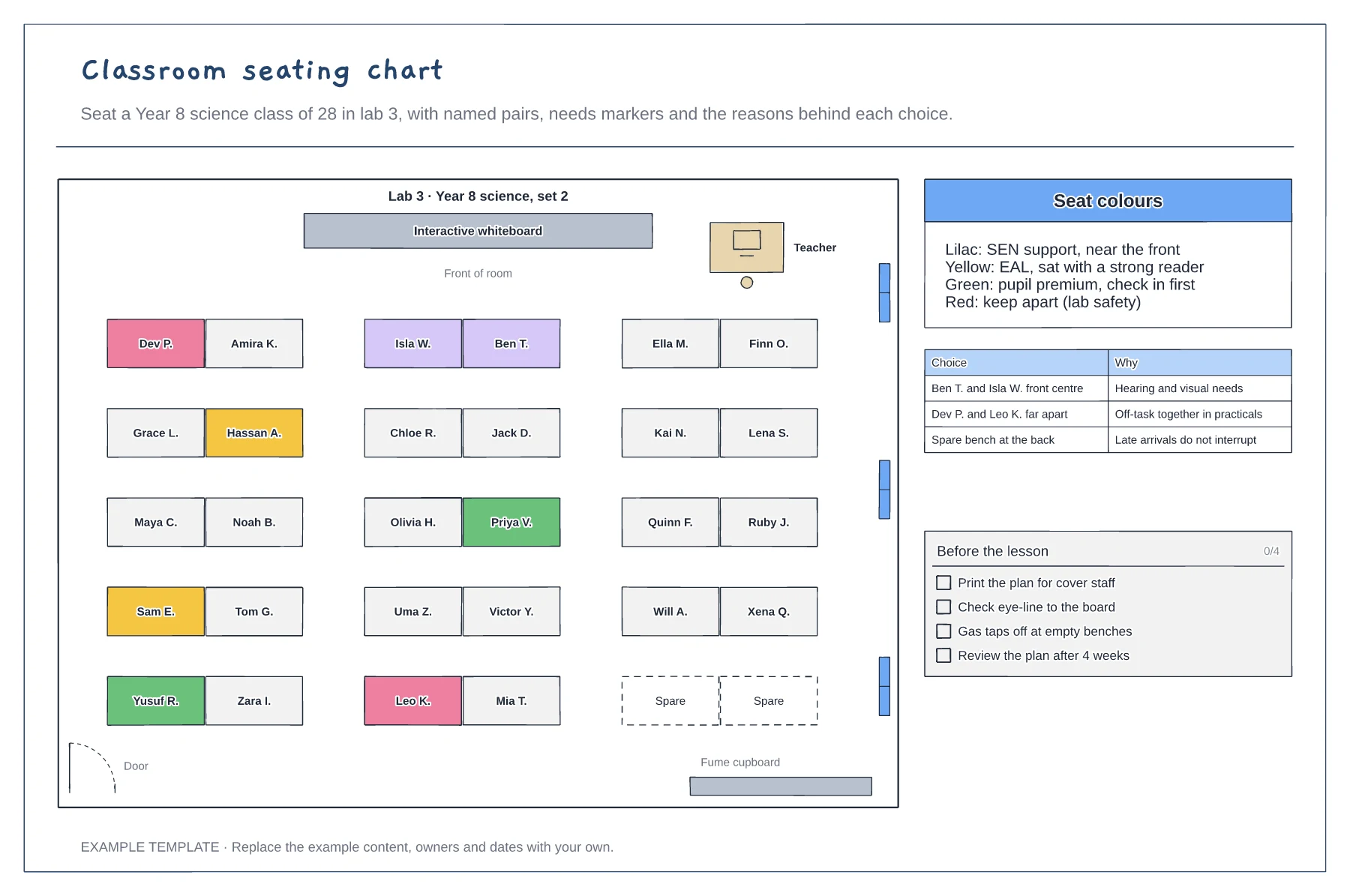
Add the board, teacher desk, door, windows and any fixed benches first, so the plan matches what students see when they walk in.
Seat students with hearing or visual needs near the front, pair EAL students with strong readers and split pairs who distract each other.
Write a line for each deliberate choice. It helps cover teachers and makes the plan easy to review after a few weeks.
Drag the name onto another desk, or edit the text on both desks to swap them. Recolour the desk if the pupil's needs change, using the seat colours key.
No. Open the template and edit it in your browser. Your work saves on this device. An account is optional if you want to sync your workspace.
Yes. Use Export in the editor to save a PNG, SVG or PDF, or download an editable .epicdraw backup.
Five days by five periods with break and lunch · Subjects with teacher and room · Periods per subject and balance checks
Preview and use template →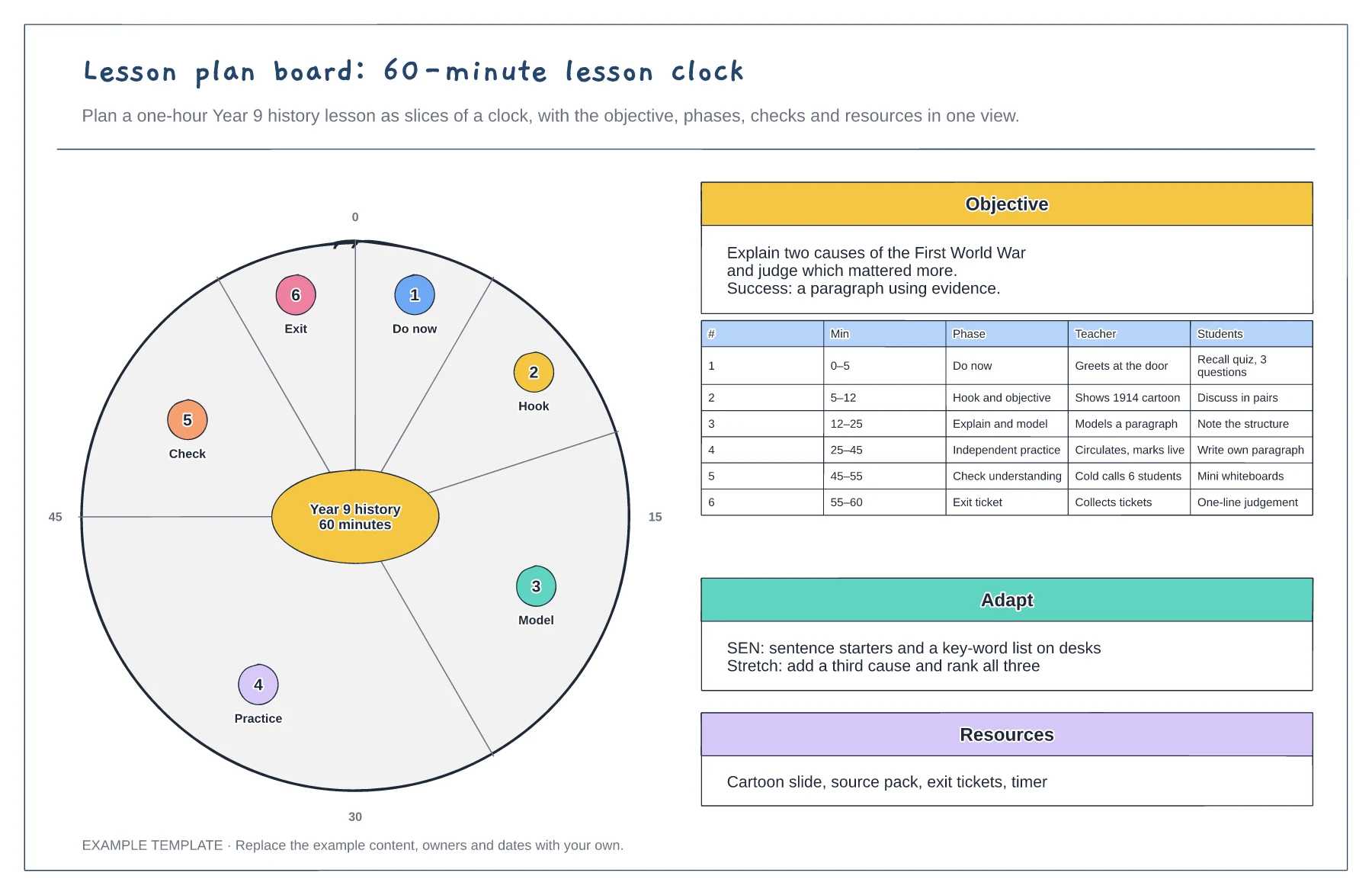
60-minute clock with each phase as a slice · Objective and success criteria · Teacher and student actions per phase
Preview and use template →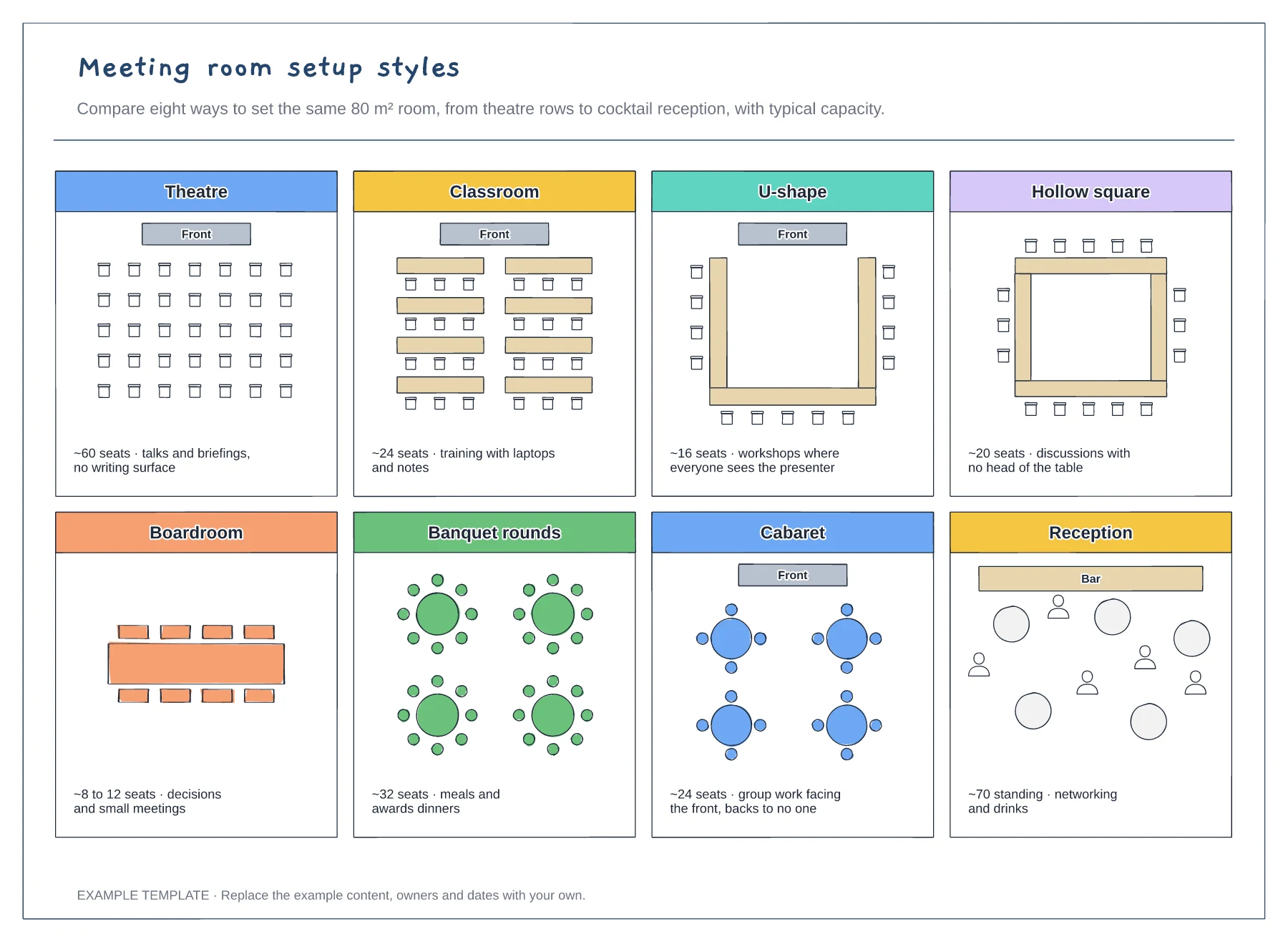
Eight room layouts side by side · Approximate capacity for each style · What each setup is best for
Preview and use template →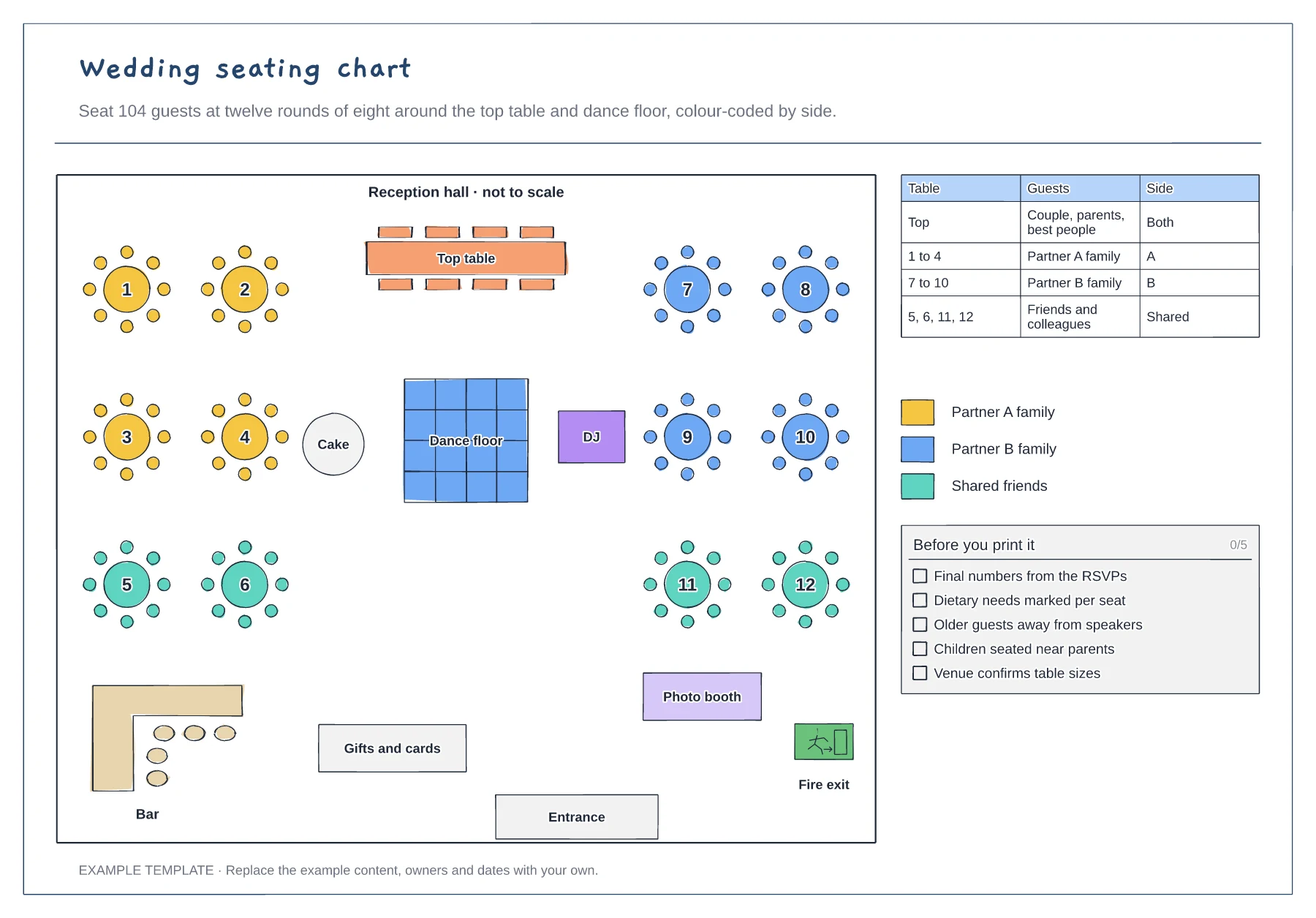
Top table, dance floor, bar and exits · Twelve numbered rounds of eight · Guest table and colour key by side
Preview and use template →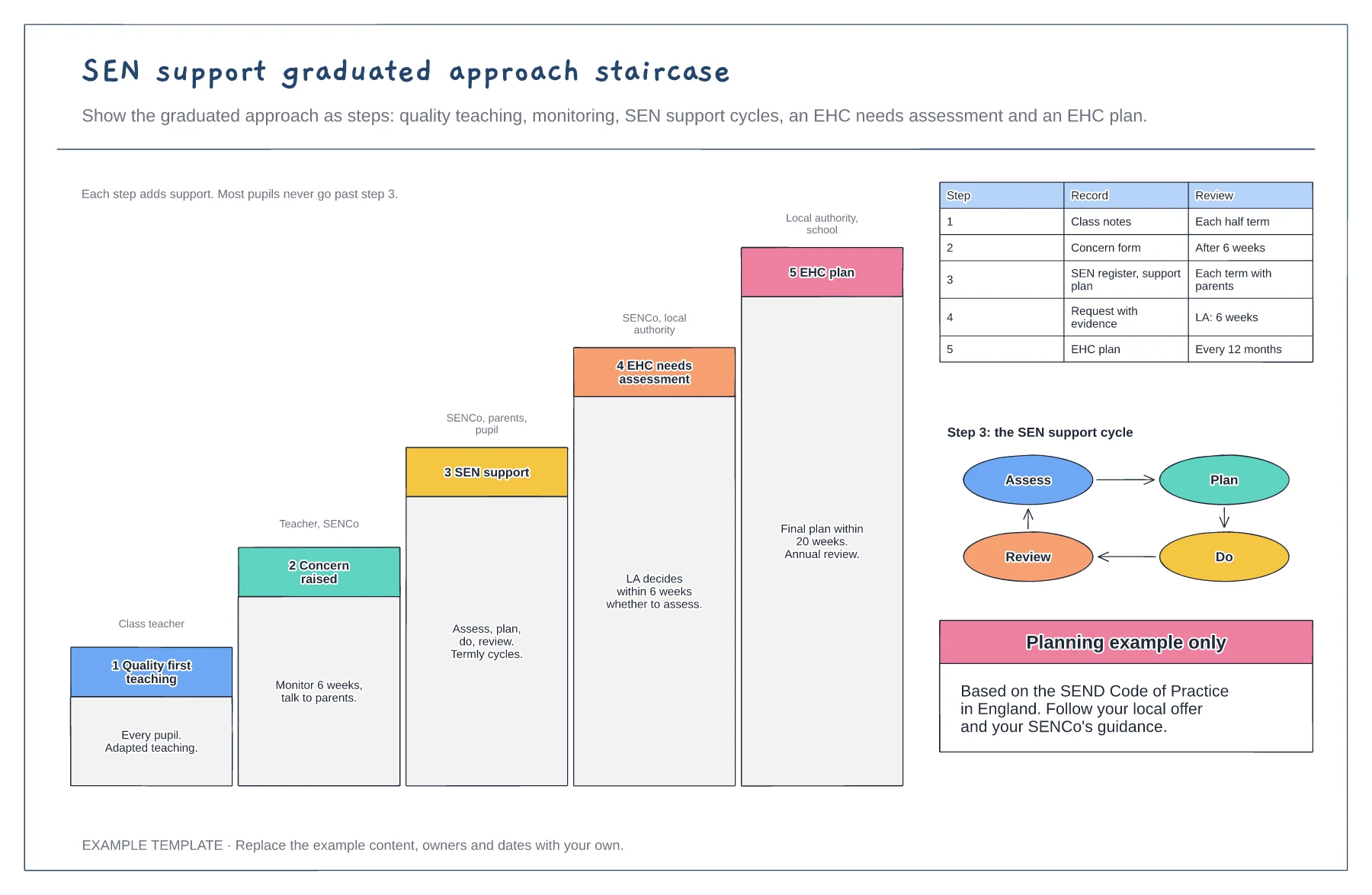
Five steps from teaching to an EHC plan · Who leads each step and the timescales · The assess, plan, do, review cycle
Preview and use template →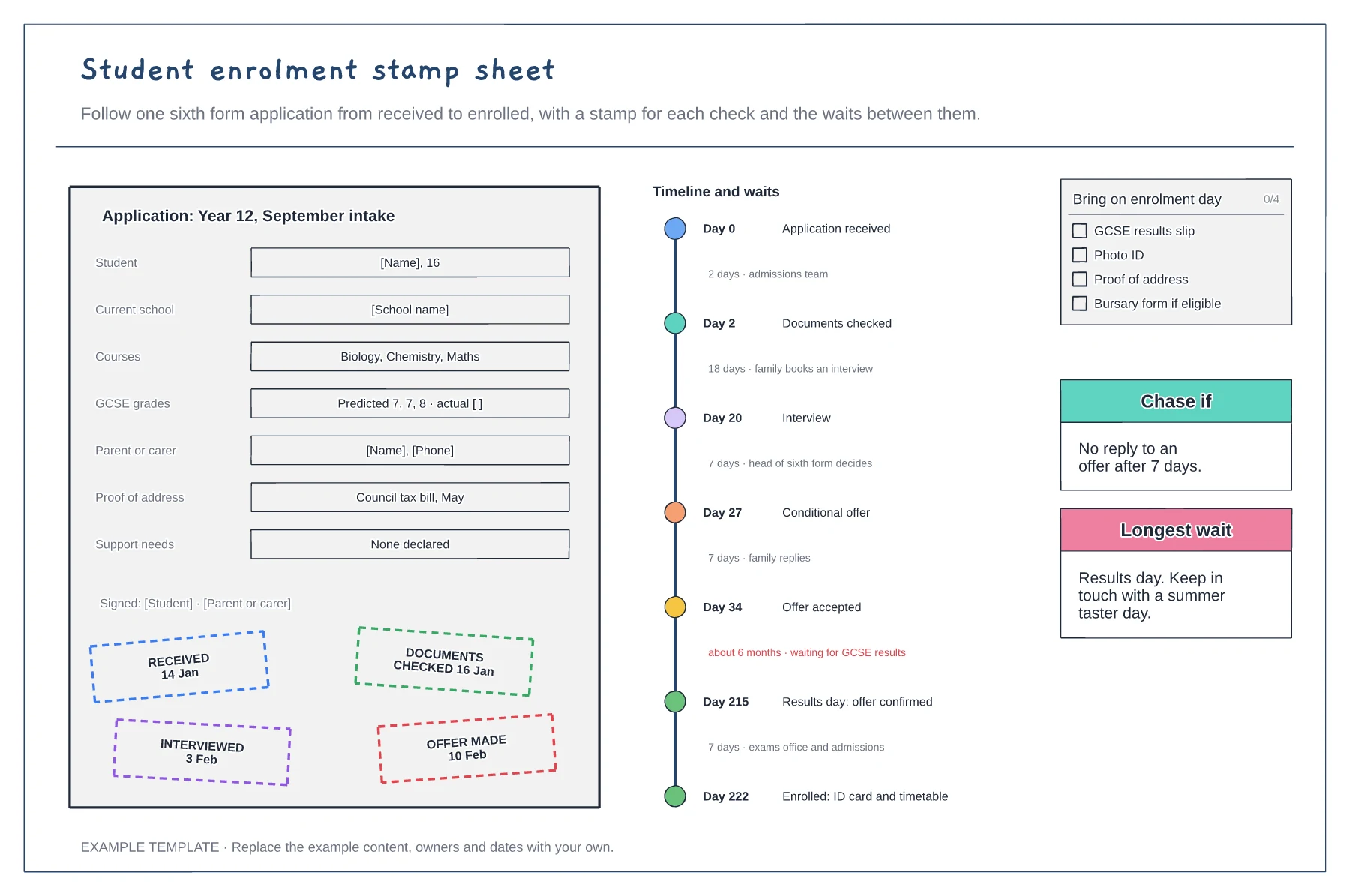
Application form with a stamp per check · Timeline of waits and who holds it · Enrolment day checklist
Preview and use template →