Education
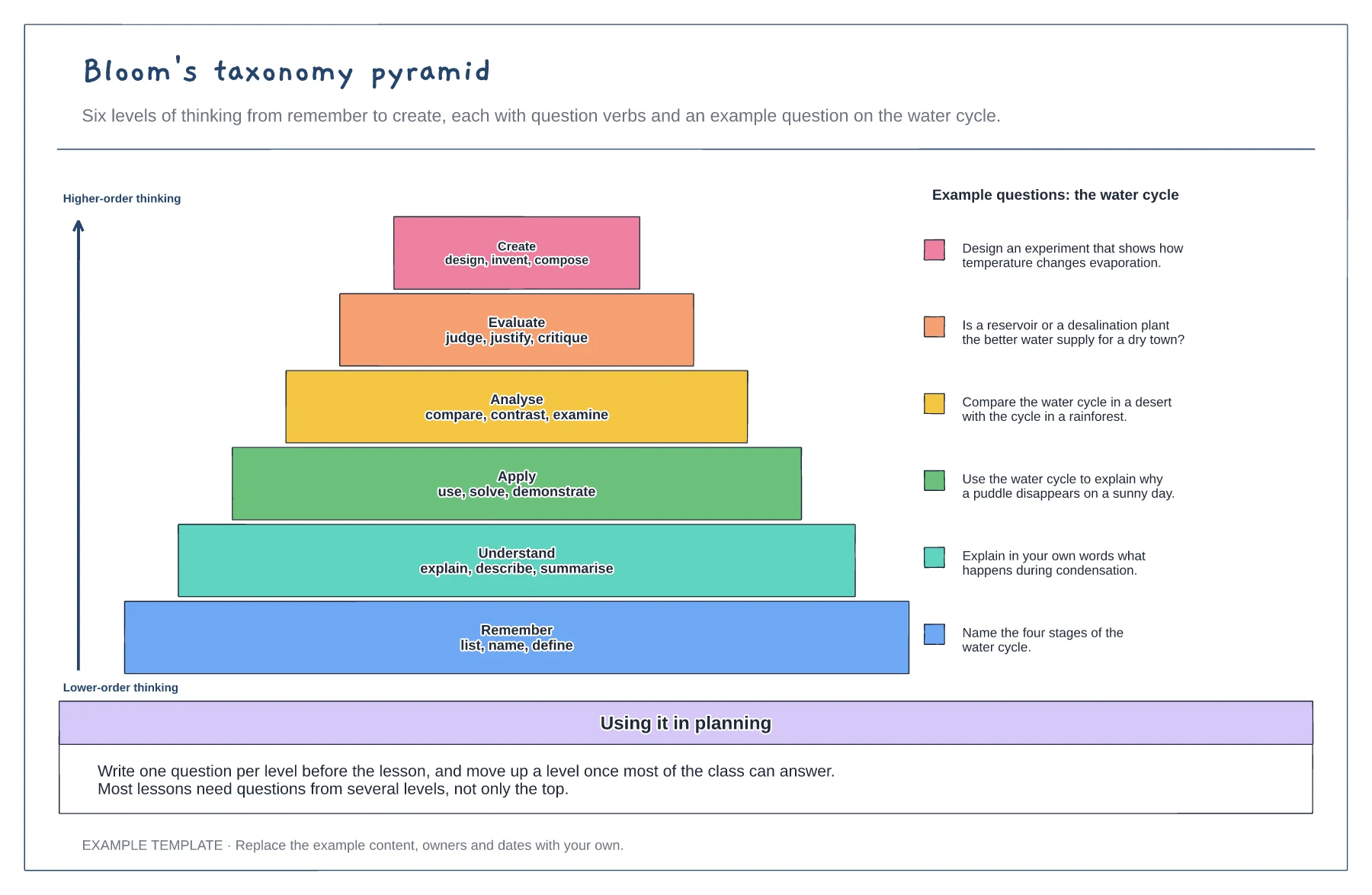
Bloom's taxonomy pyramid template
Six levels from remember to create · Question verbs for each level · A worked example question per level
Preview and use template →A lesson plan board puts the whole lesson on one page. This example plans a one-hour Year 9 history lesson as slices of a clock face, so you can see at a glance how long each phase takes, with the objective and success criteria, a table of what the teacher and students do in each phase, adaptations for SEN and stretch, and resources.
No account needed · Opens as your own editable page
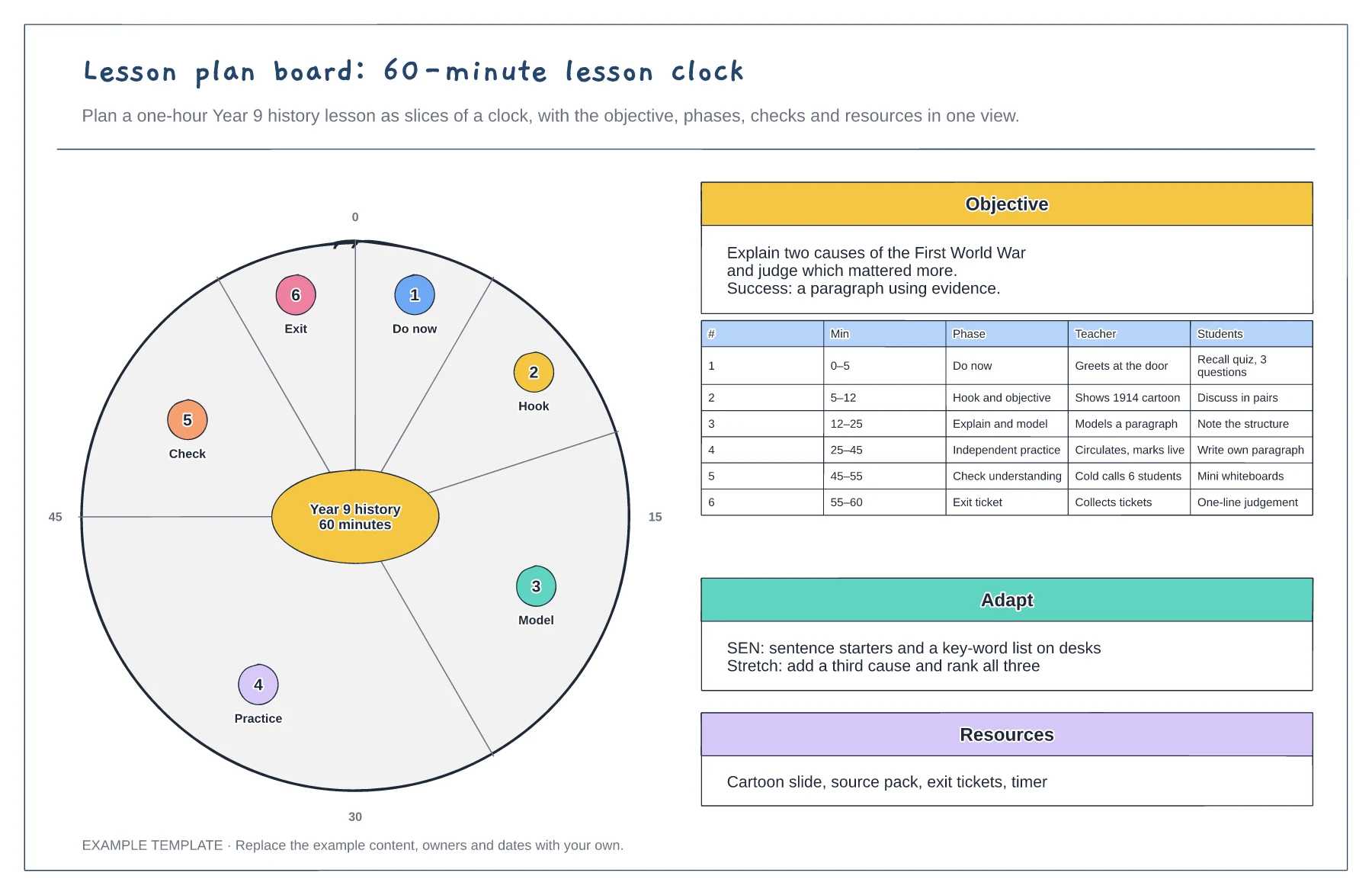
State what students will be able to do by the end and how you will know, such as a paragraph that uses evidence.
Give each phase its minutes on the clock: do now, hook, explain and model, practice, check and exit ticket. Independent practice usually needs the biggest slice.
Add how you will check understanding before the end, and what changes for students who need support or stretch.
Yes. Relabel the minute markers and adjust the six phases from Do now to Exit so they add up to 50 minutes, then update the objective and resources.
No. Open the template and edit it in your browser. Your work saves on this device. An account is optional if you want to sync your workspace.
Yes. Use Export in the editor to save a PNG, SVG or PDF, or download an editable .epicdraw backup.
Six levels from remember to create · Question verbs for each level · A worked example question per level
Preview and use template →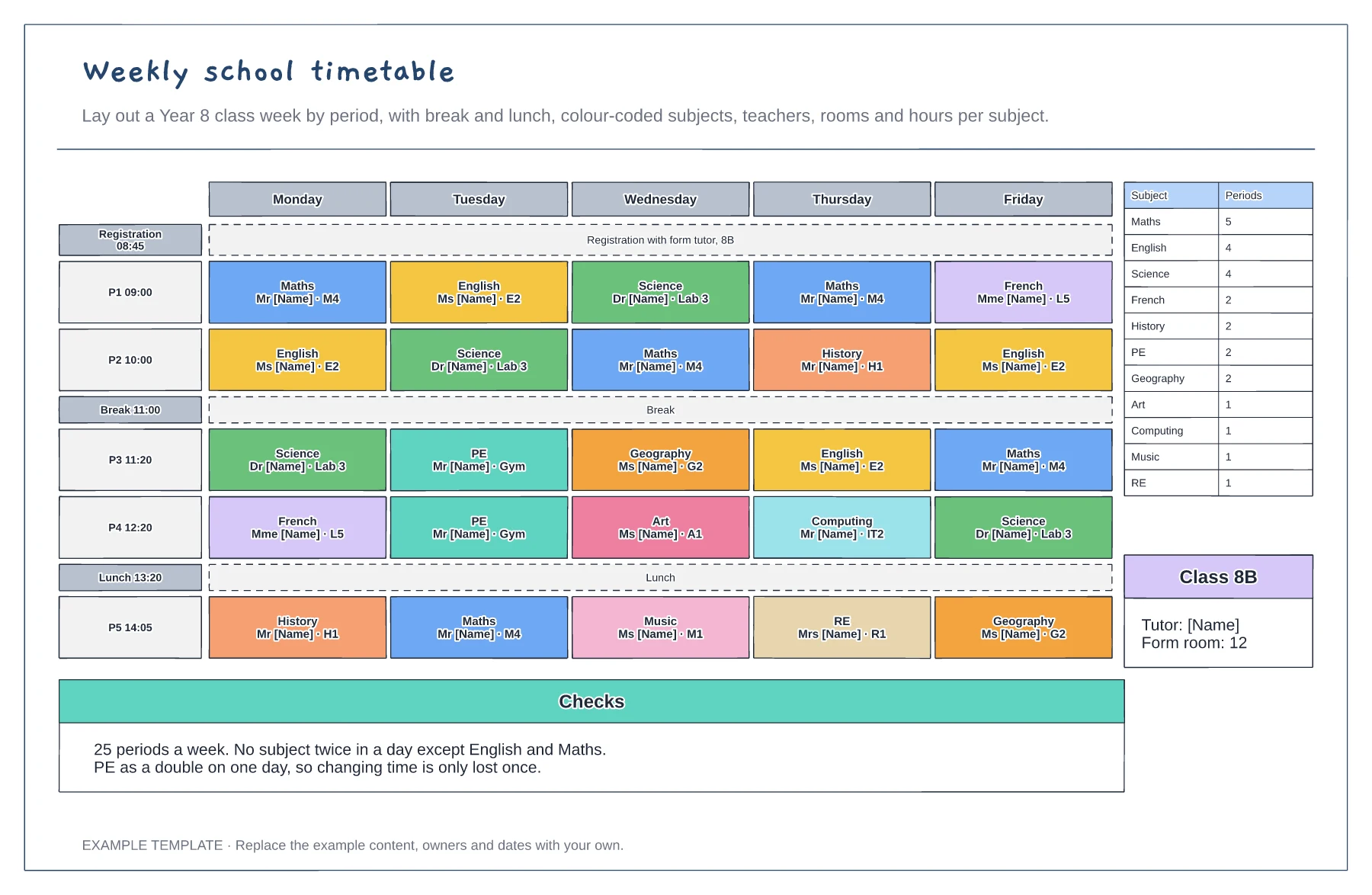
Five days by five periods with break and lunch · Subjects with teacher and room · Periods per subject and balance checks
Preview and use template →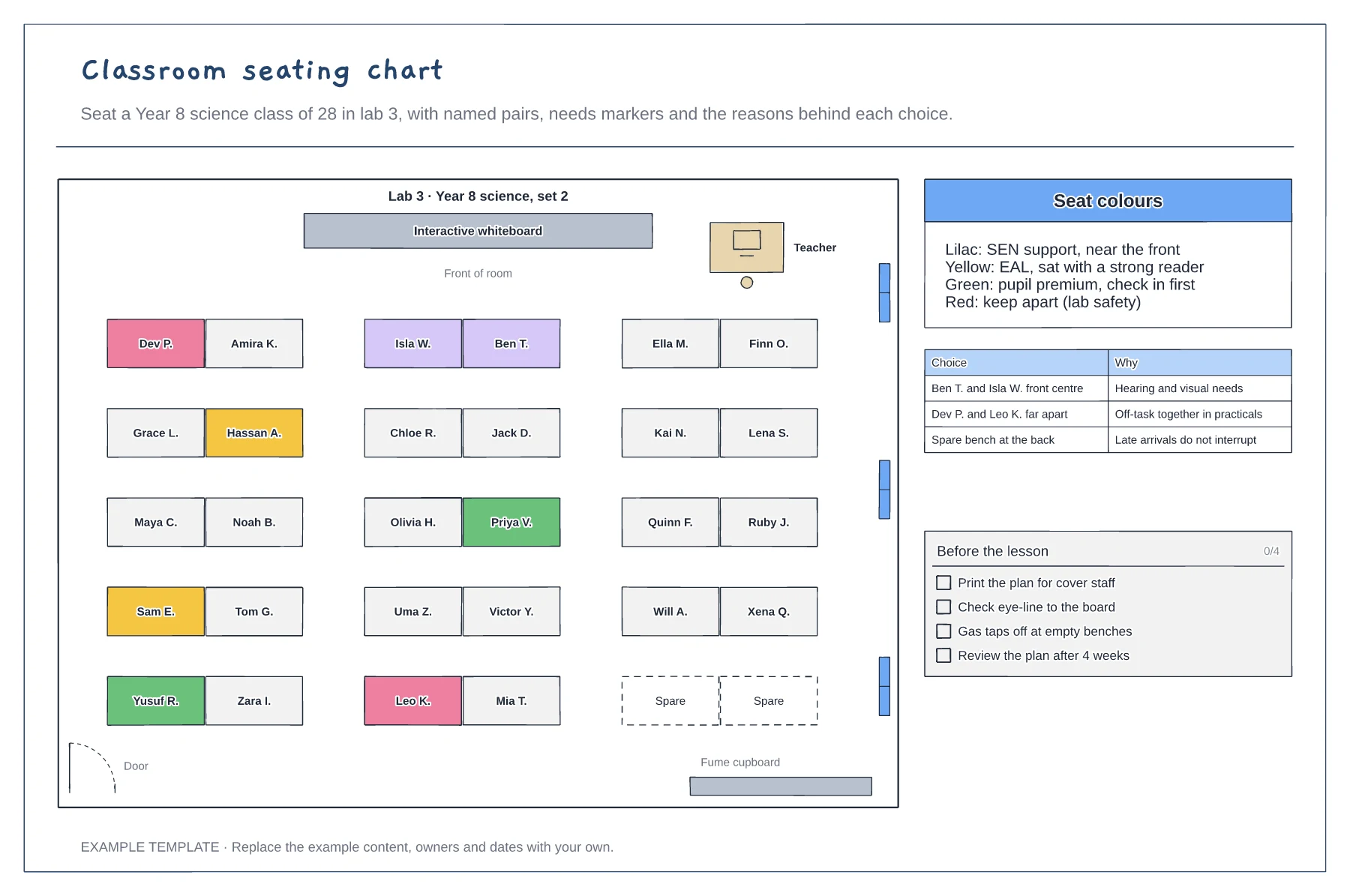
Room plan with paired benches and the board · Colour-coded seats for needs · Reasons for key choices and a pre-lesson check
Preview and use template →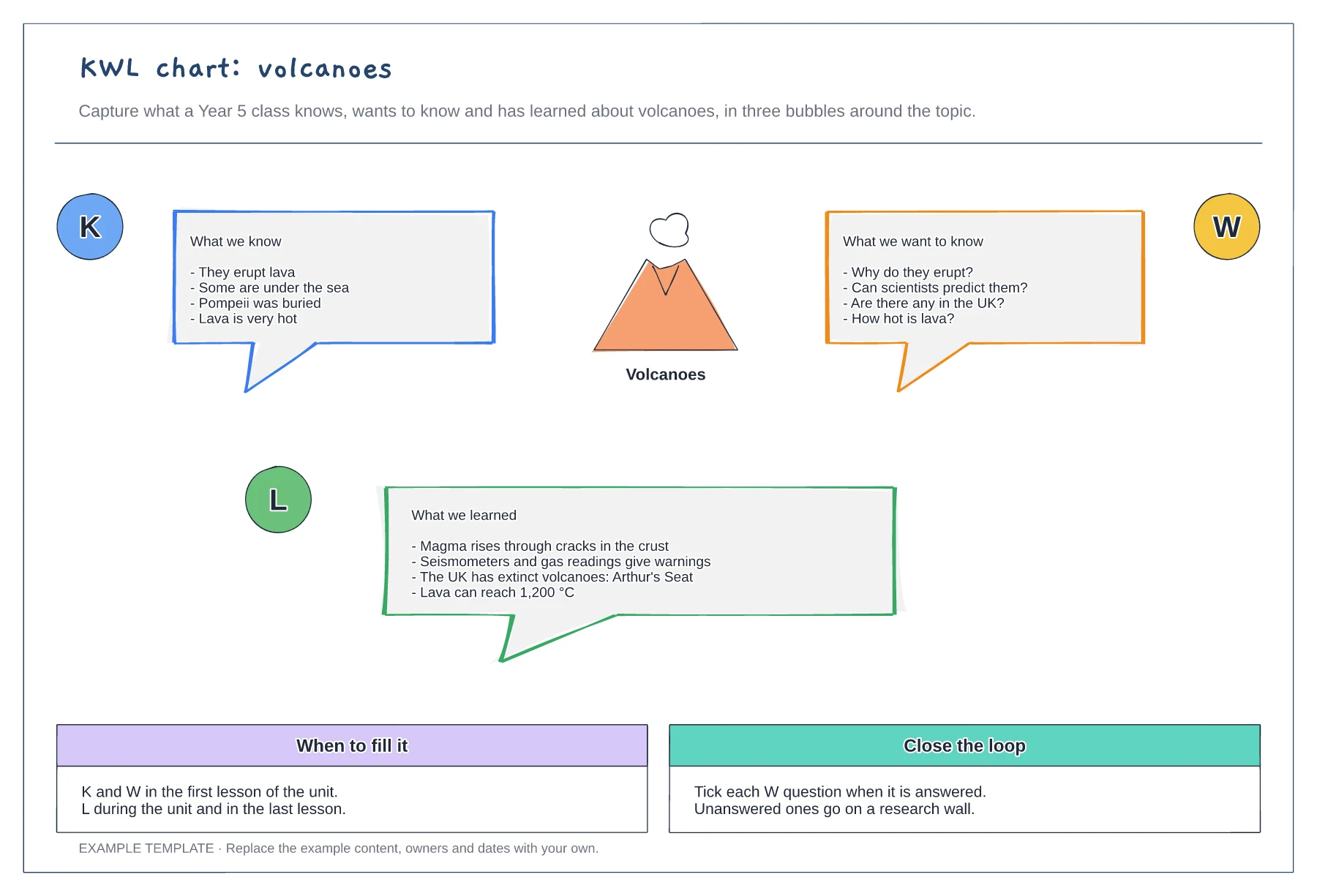
Know, want to know and learned bubbles · A worked example on volcanoes · When to fill it and how to close the loop
Preview and use template →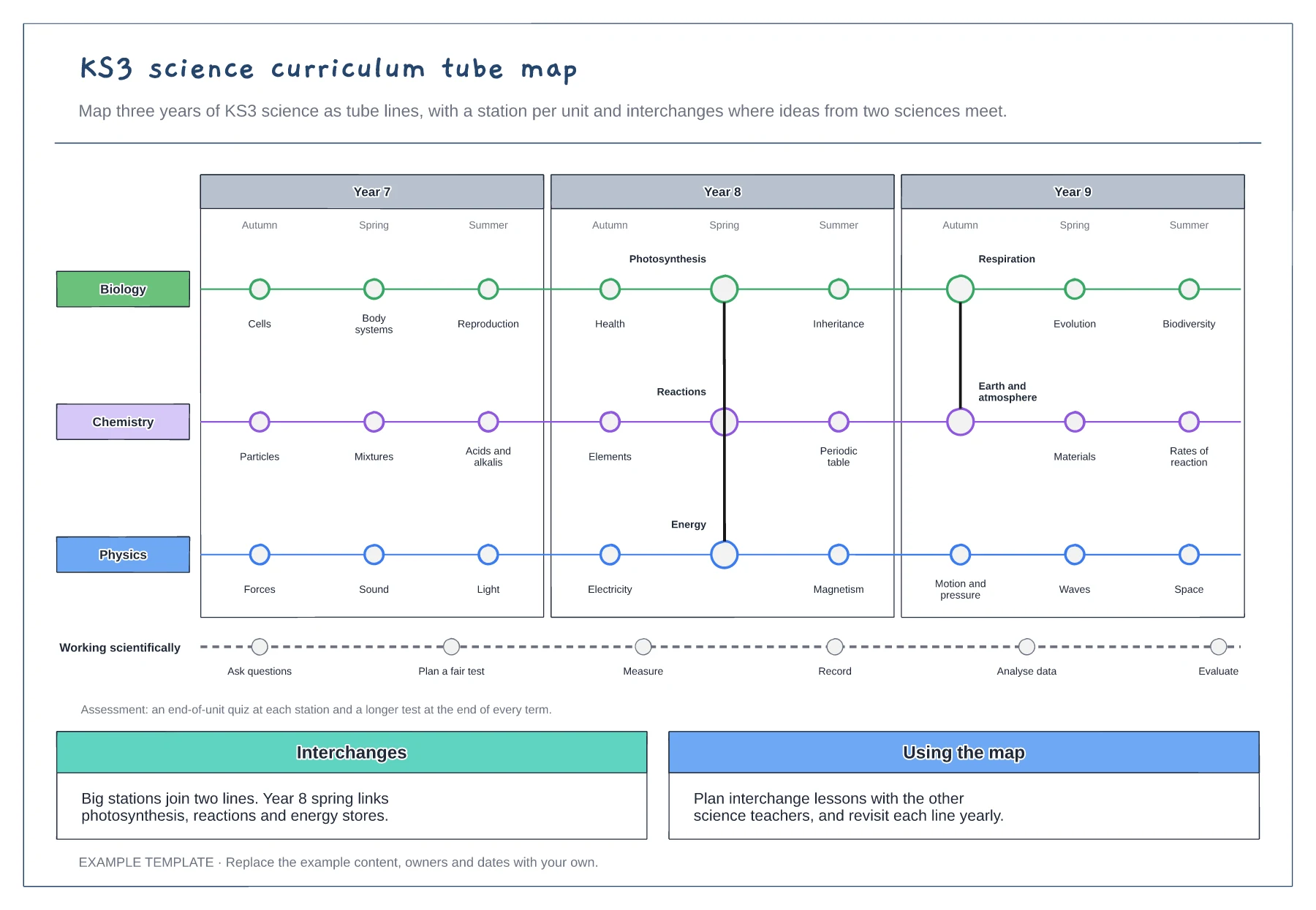
A line per subject across three years · Interchanges where topics link · Working scientifically and assessment points
Preview and use template →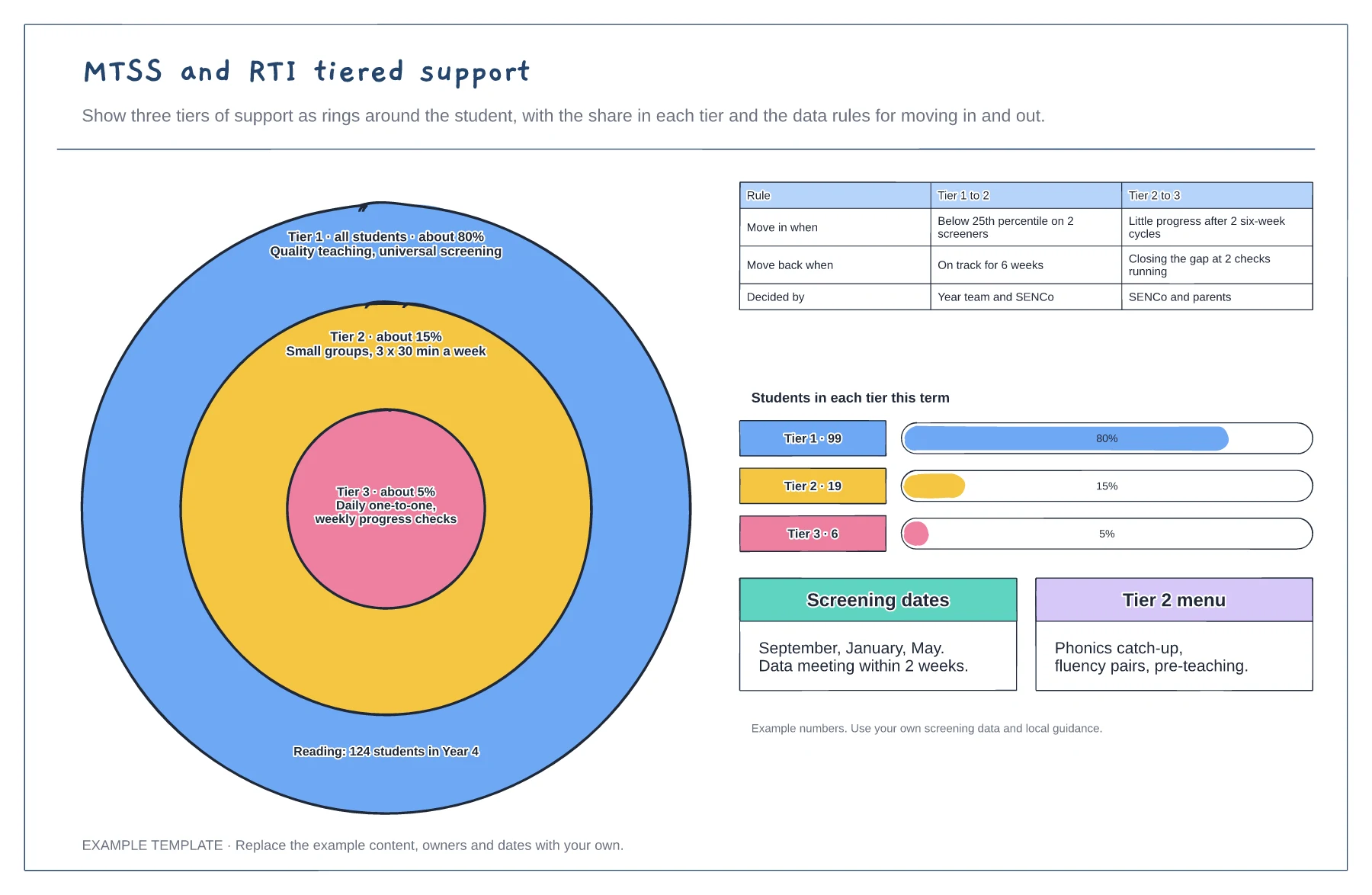
Three tiers as rings with their share · Rules for moving in and out of each tier · Students per tier and screening dates
Preview and use template →