Education
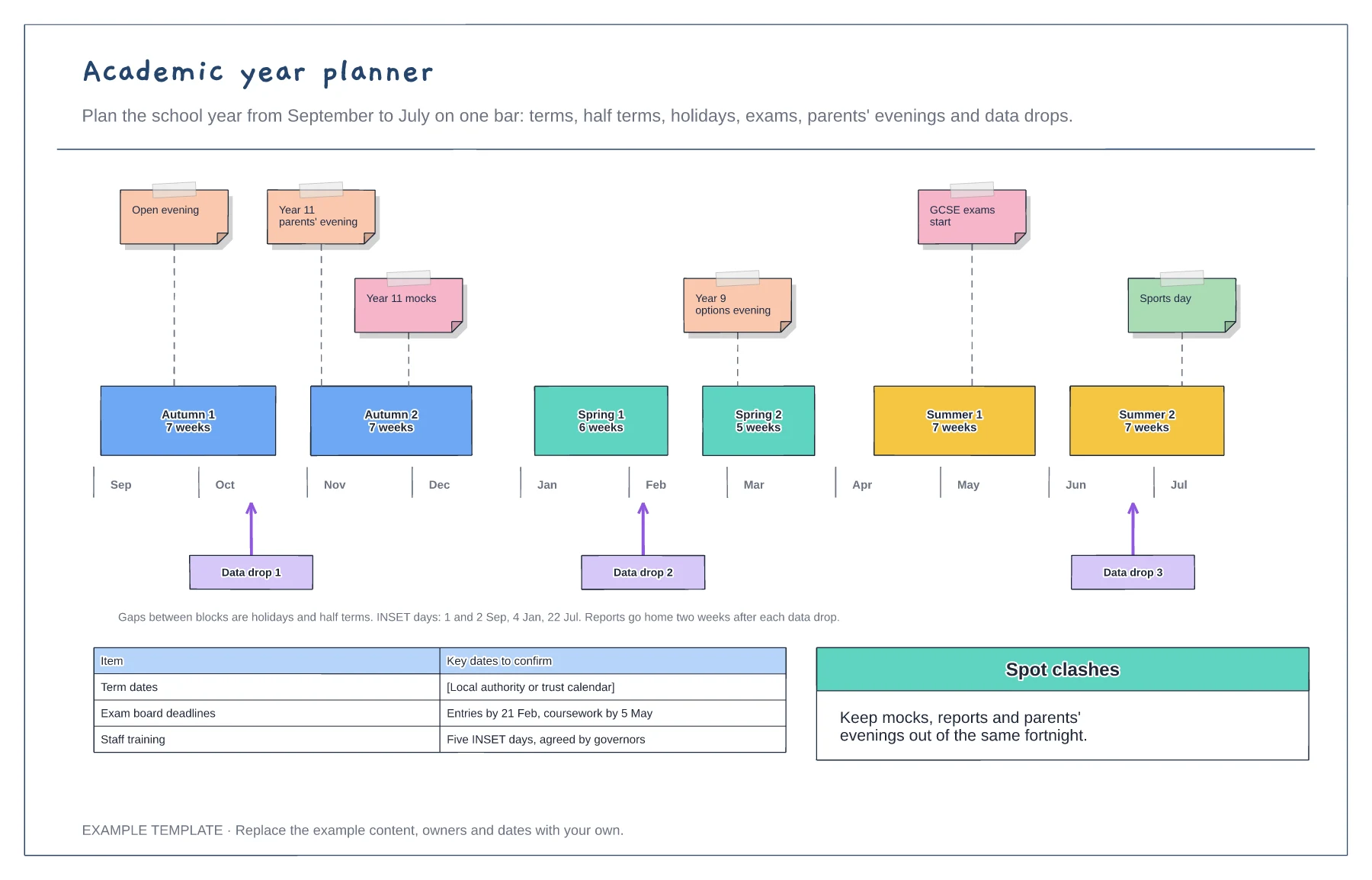
Academic year planner template
Half terms to scale with holidays as gaps · Pinned events and exam dates · Data drops and key deadlines
Preview and use template →A school timetable shows where a class should be at every point in the week. This example lays out a Year 8 week by period, with registration, break and lunch, each subject colour-coded with its teacher and room, a count of periods per subject and the checks used to make the week balanced.
No account needed · Opens as your own editable page
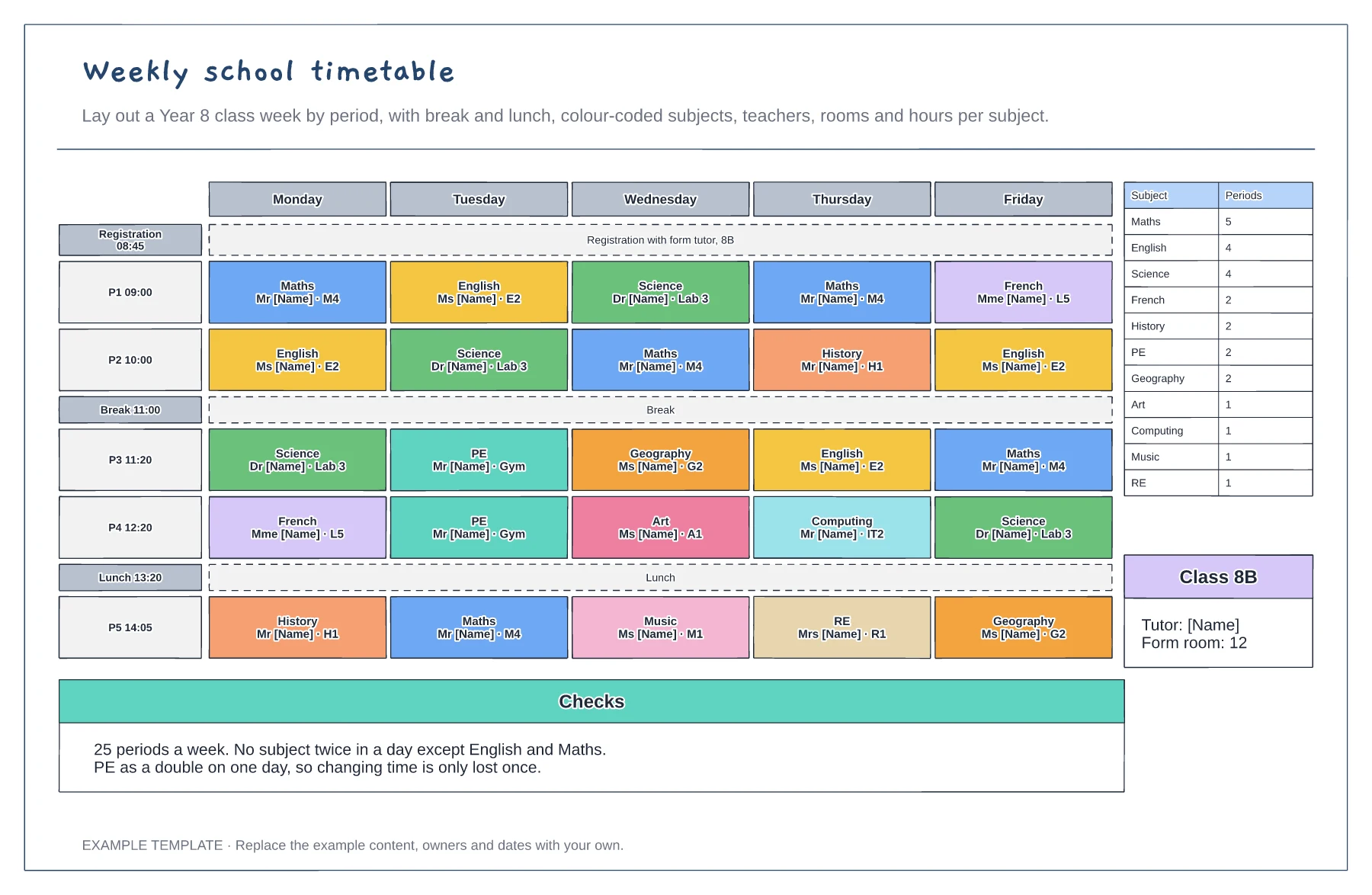
Add the period times, registration, break and lunch so every day has the same structure.
Fill in subjects with their teacher and room, spreading each subject across the week.
Count the periods per subject against your curriculum plan and check for clashes, such as the same subject twice in a day.
Yes. Edit the times in the left column and copy a row to add another period, then update the checks note if the hours per subject change.
No. Open the template and edit it in your browser. Your work saves on this device. An account is optional if you want to sync your workspace.
Yes. Use Export in the editor to save a PNG, SVG or PDF, or download an editable .epicdraw backup.
Half terms to scale with holidays as gaps · Pinned events and exam dates · Data drops and key deadlines
Preview and use template →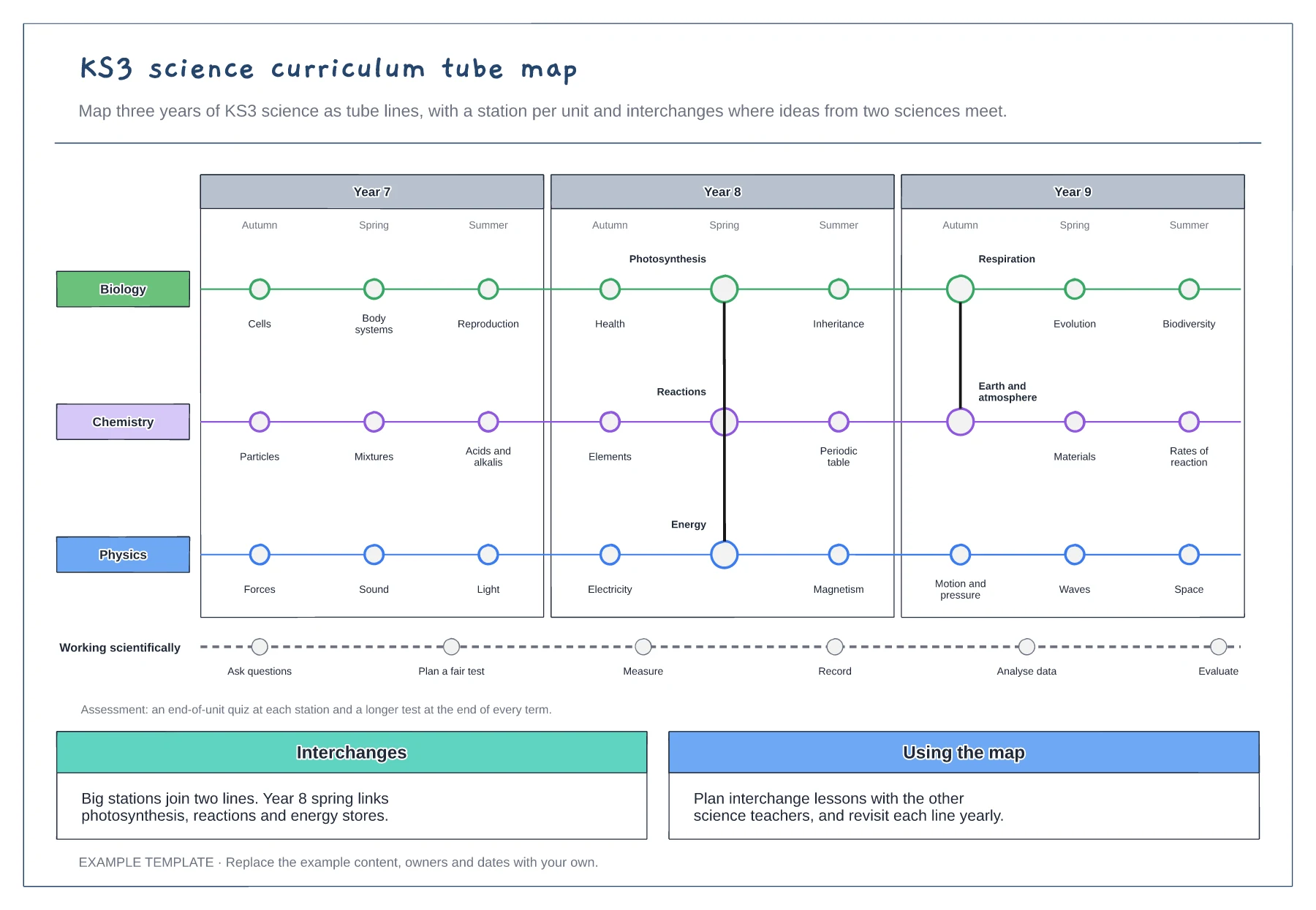
A line per subject across three years · Interchanges where topics link · Working scientifically and assessment points
Preview and use template →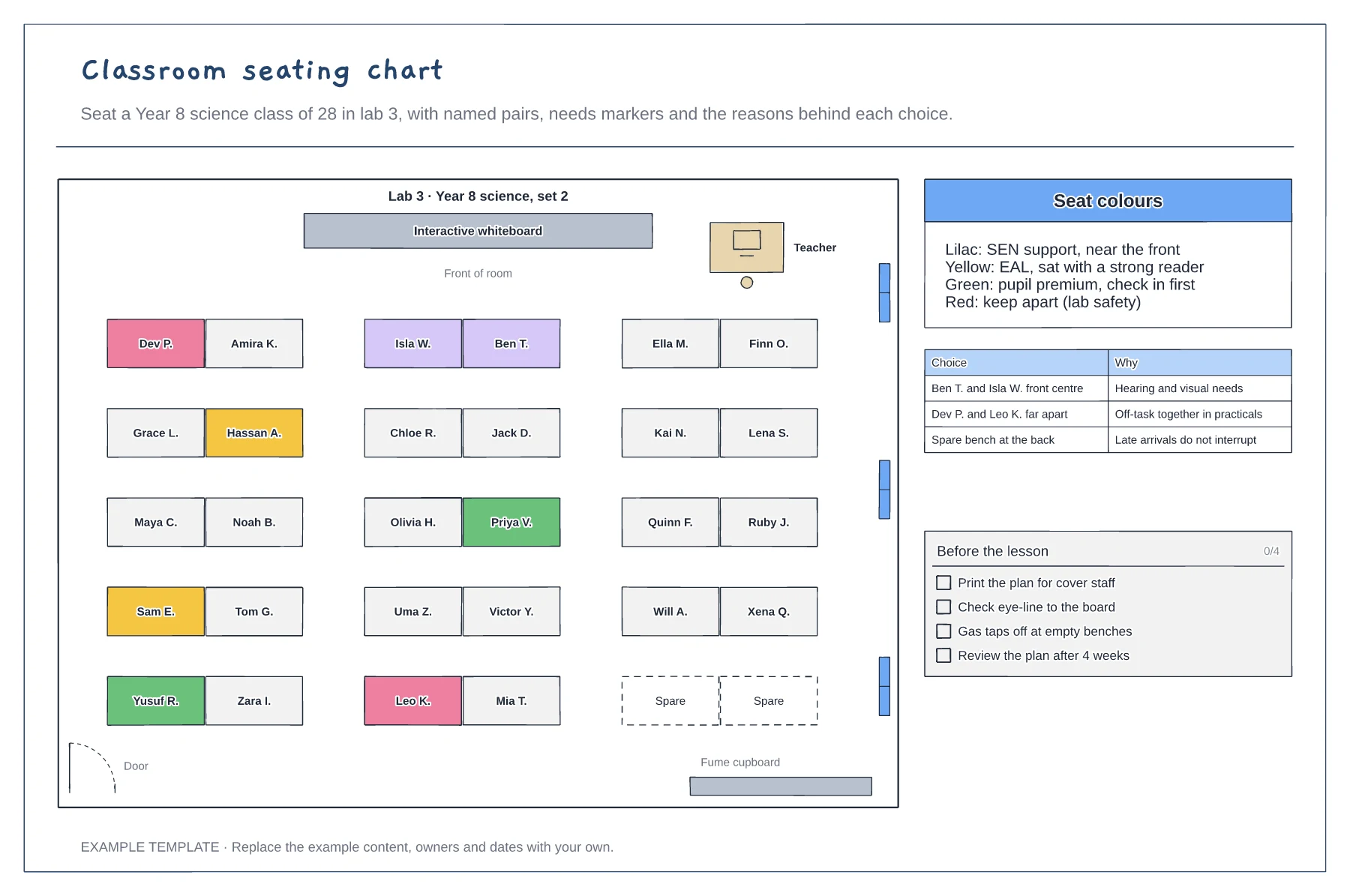
Room plan with paired benches and the board · Colour-coded seats for needs · Reasons for key choices and a pre-lesson check
Preview and use template →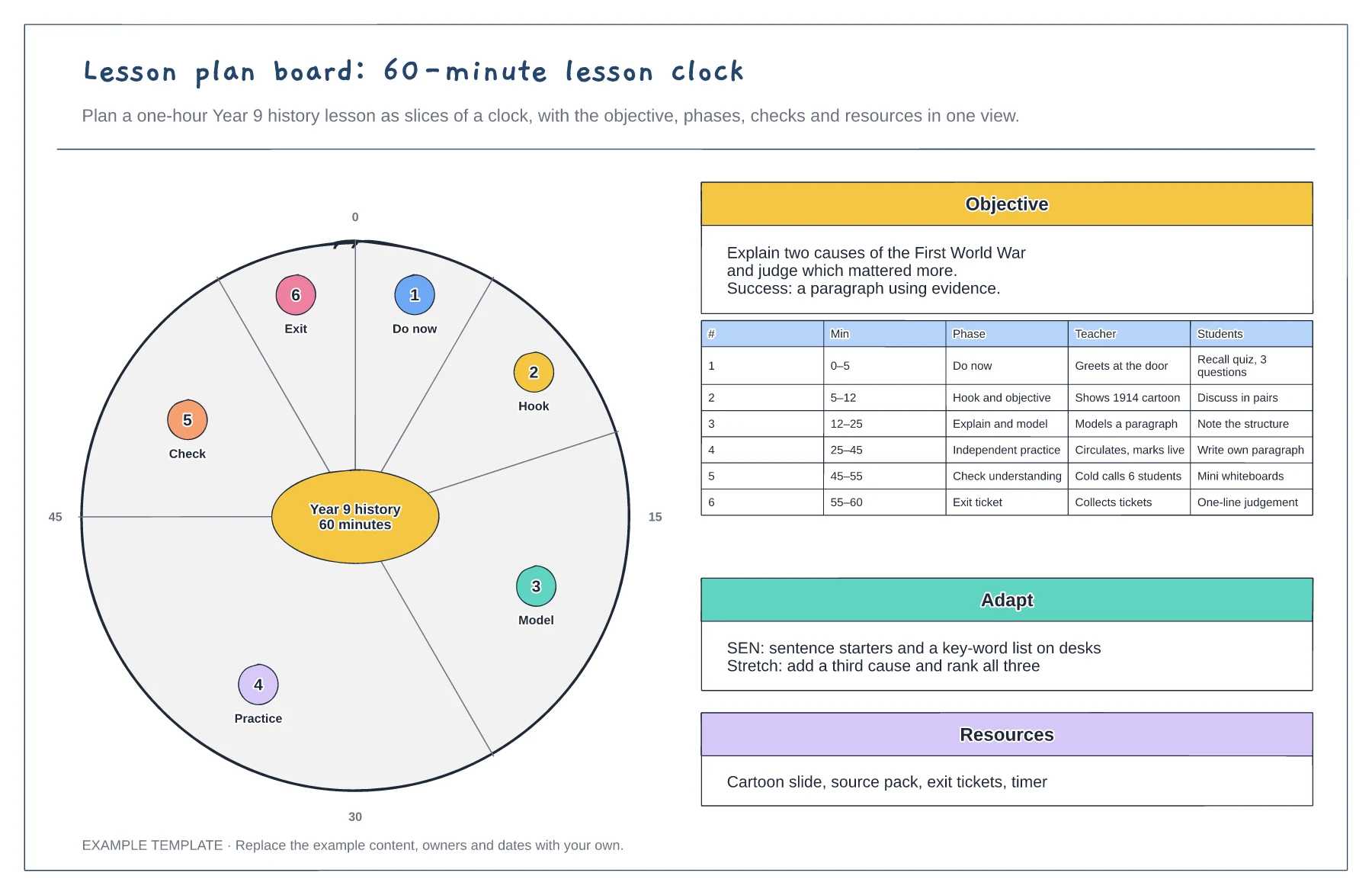
60-minute clock with each phase as a slice · Objective and success criteria · Teacher and student actions per phase
Preview and use template →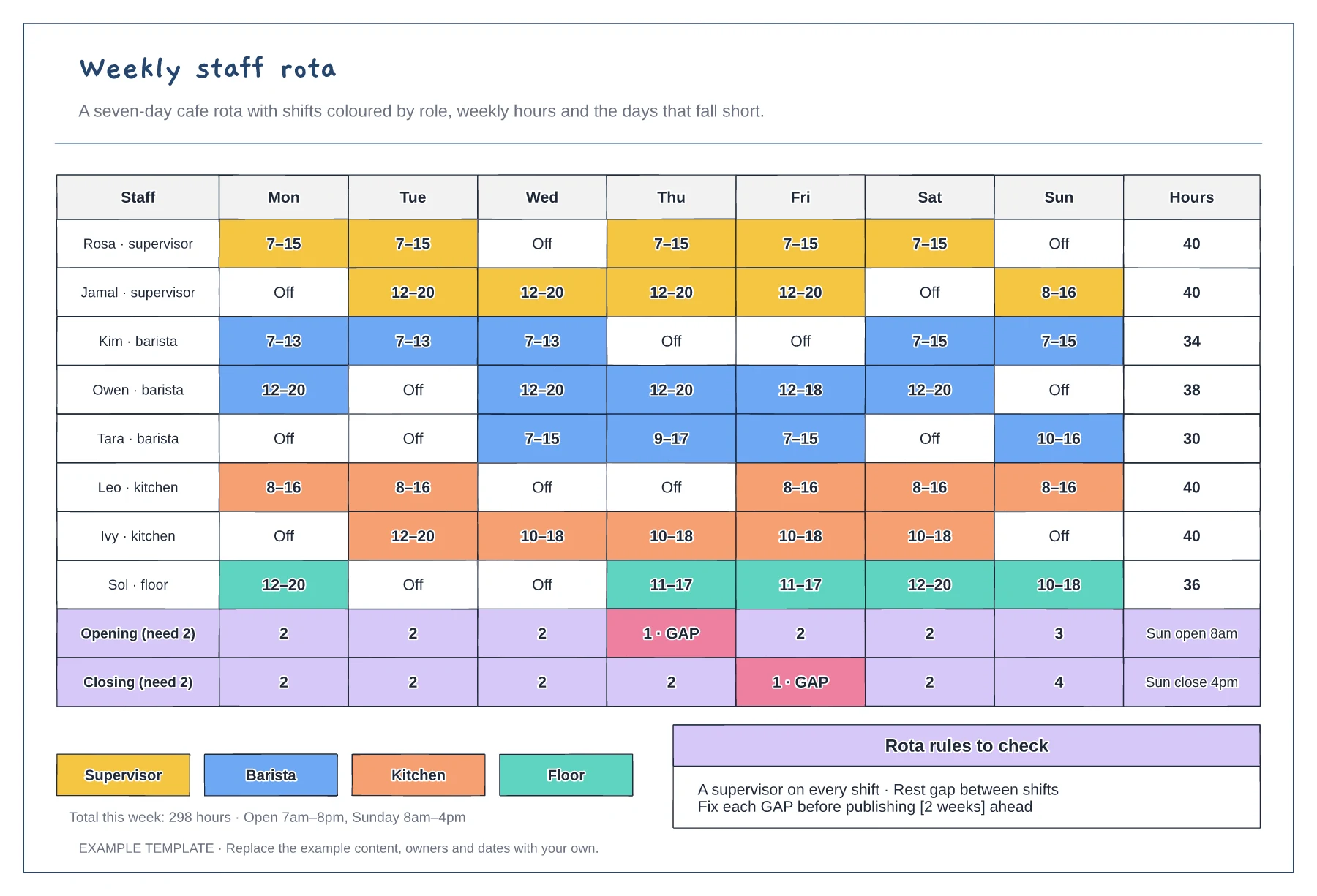
Mon to Sun shifts coloured by role · Weekly hours per person · Opening and closing cover with gaps flagged
Preview and use template →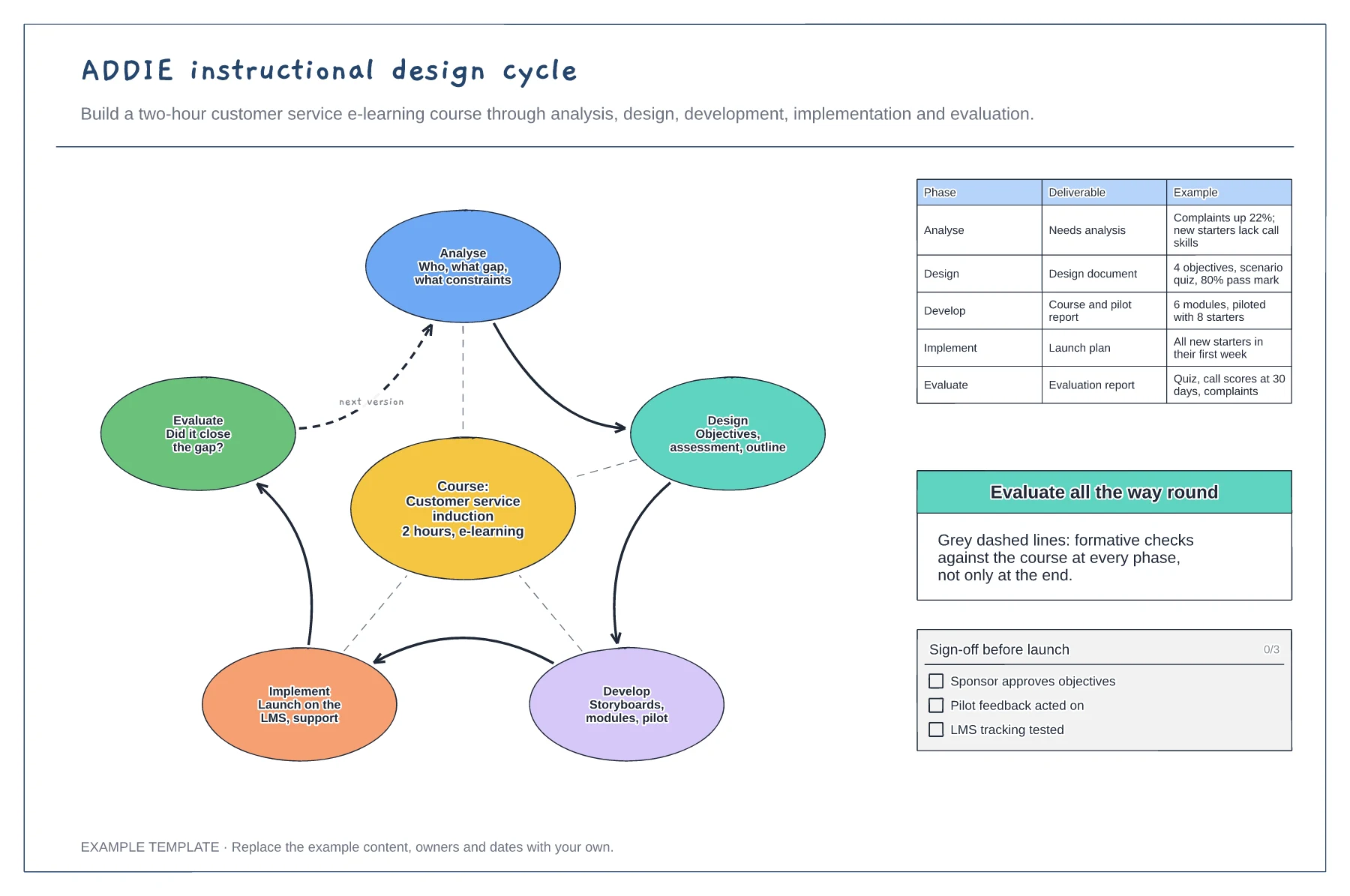
Five phases looping around the course · Formative checks at every phase · Deliverables with worked examples
Preview and use template →