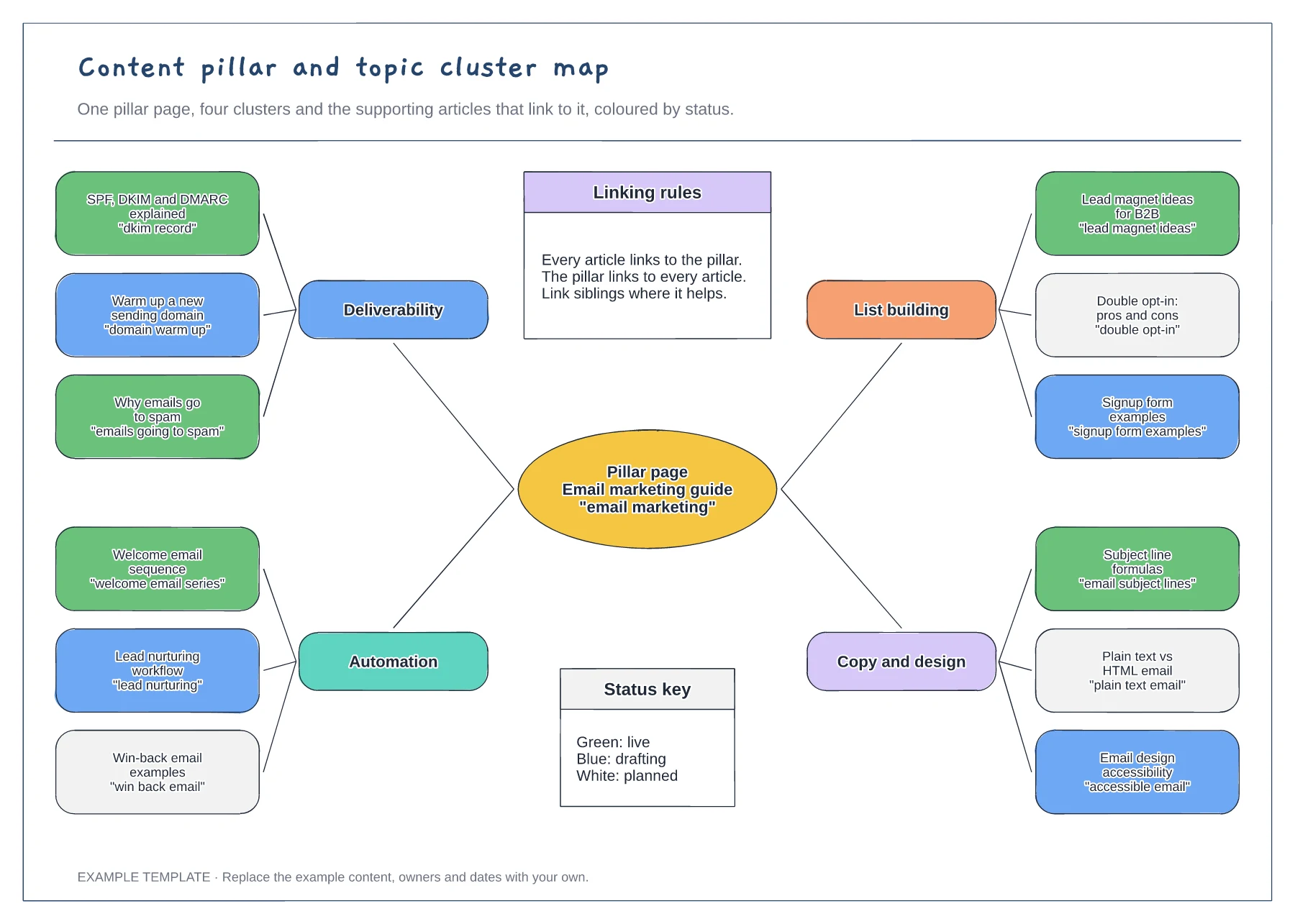
Marketing
Content pillar and topic cluster map template
Pillar page with four clusters · Twelve articles with target search phrases · Status colours and internal linking rules
Preview and use template →A content repurposing workflow shows how one substantial piece of content becomes several smaller ones without anyone starting from scratch. This example takes a 45-minute webinar, pulls out key points and quotes, then gives each of six outputs an owner, a week and a next step for the reader.
No account needed · Opens as your own editable page
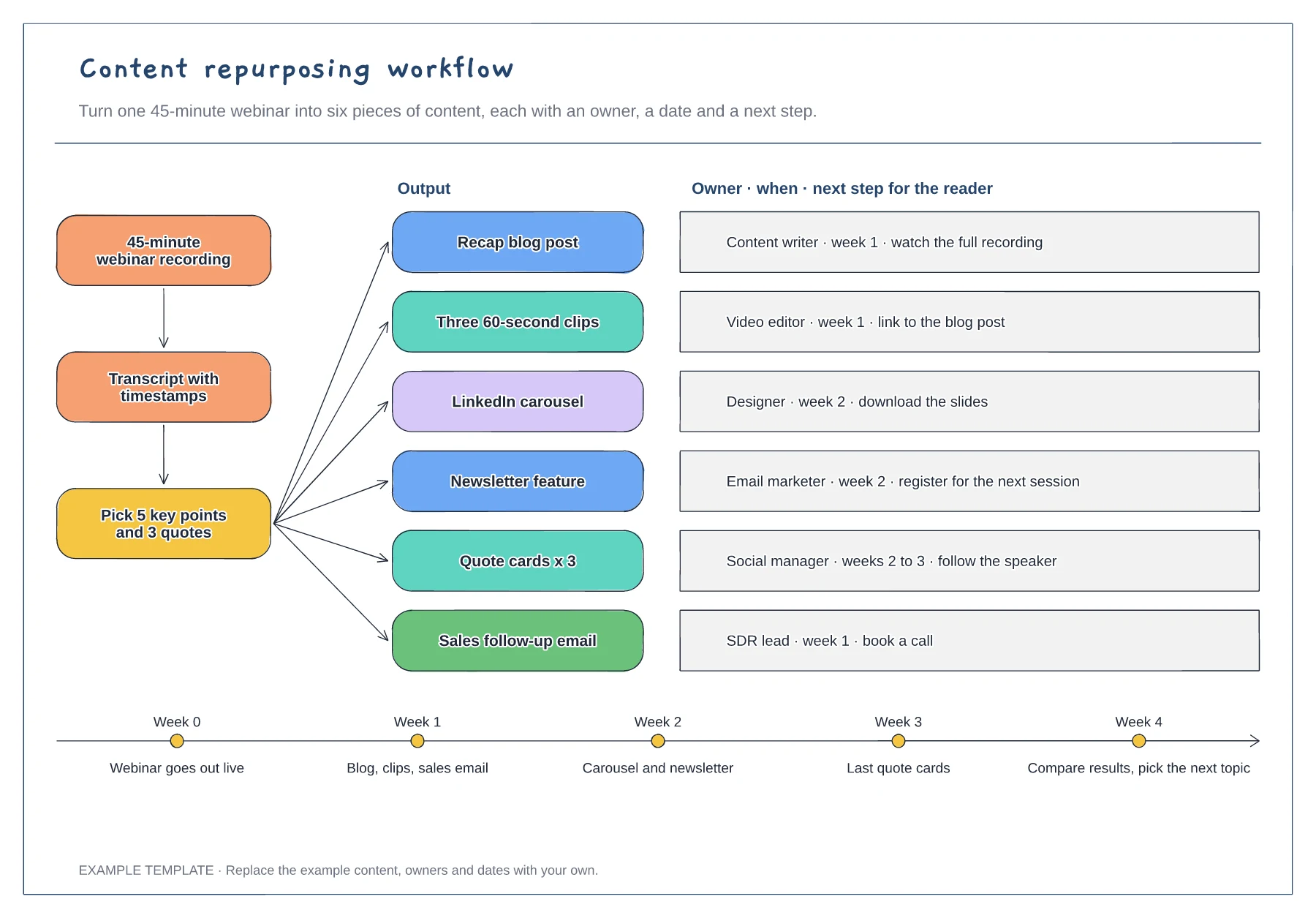
Keep the transcript and key-points steps at the start. Agreeing the five points and three quotes once means every output tells the same story and nobody rewatches the recording.
Replace the example roles with the people who will make each piece, and drop formats your audience does not use. Six well-made outputs are better than twelve rushed ones.
Spread the outputs across weeks, as the timeline shows, so the topic stays visible for a month. End with a review to decide which formats to keep next time.
Yes. Rename the webinar source step, keep the transcript and key-points steps, and swap any of the six outputs that do not suit audio.
No. Open the template and edit it in your browser. Your work saves on this device. An account is optional if you want to sync your workspace.
Yes. Use Export in the editor to save a PNG, SVG or PDF, or download an editable .epicdraw backup.
Pillar page with four clusters · Twelve articles with target search phrases · Status colours and internal linking rules
Preview and use template →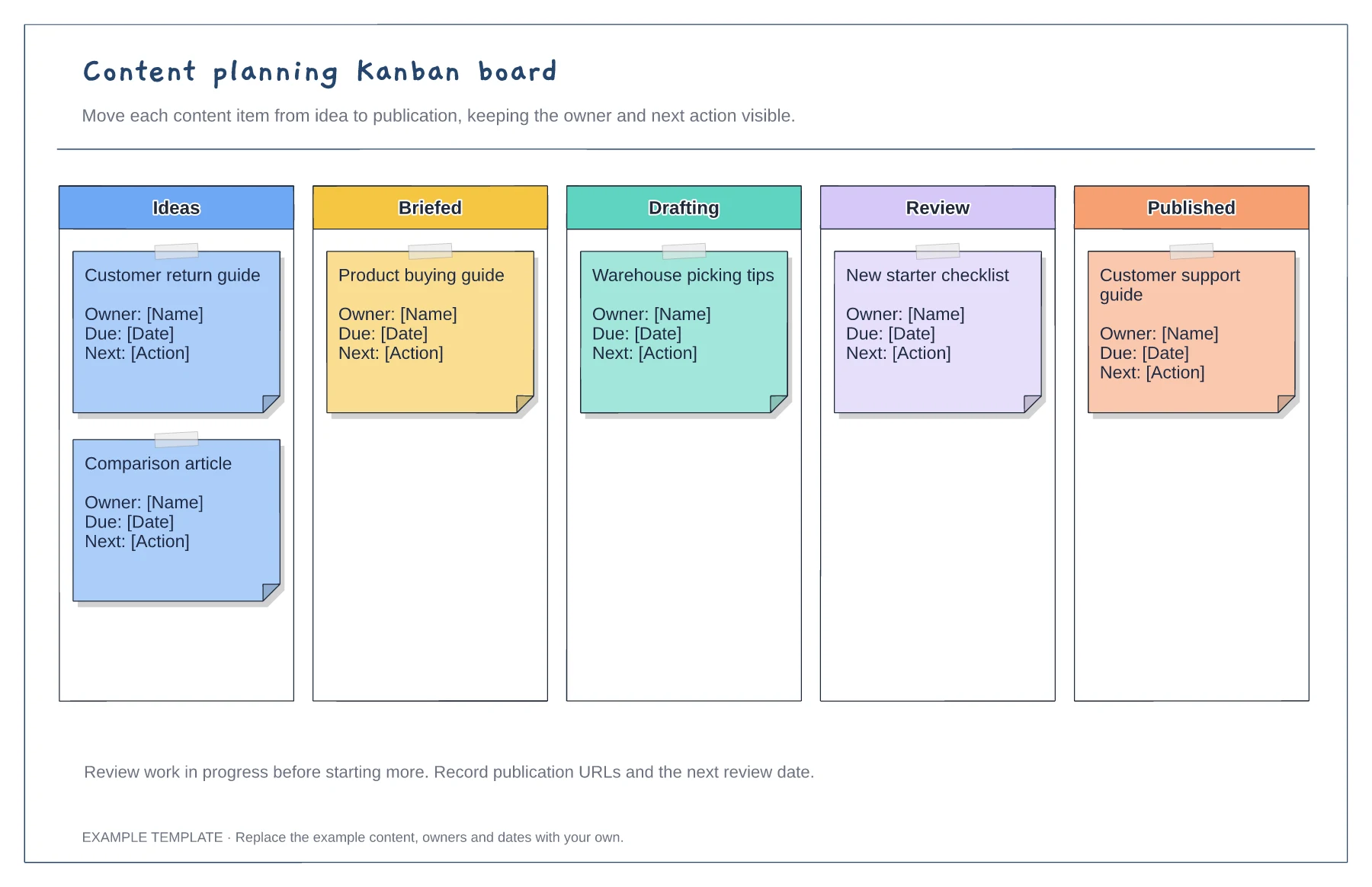
Columns from idea to published · Editable example content cards · Owner and next-action prompts
Preview and use template →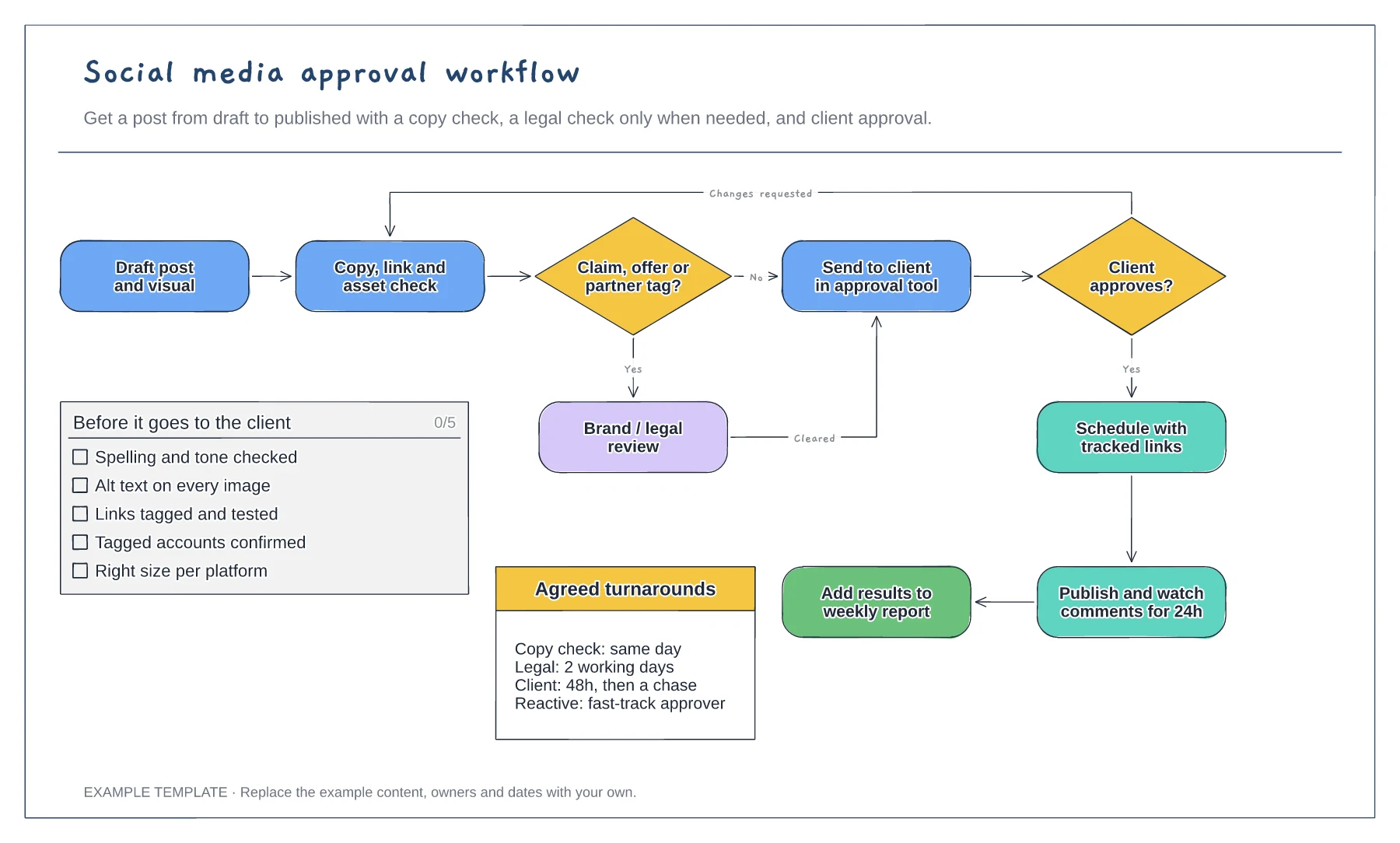
Flowchart with a conditional legal check · Changes-requested loop back to the copy check · Pre-approval checklist and agreed turnarounds
Preview and use template →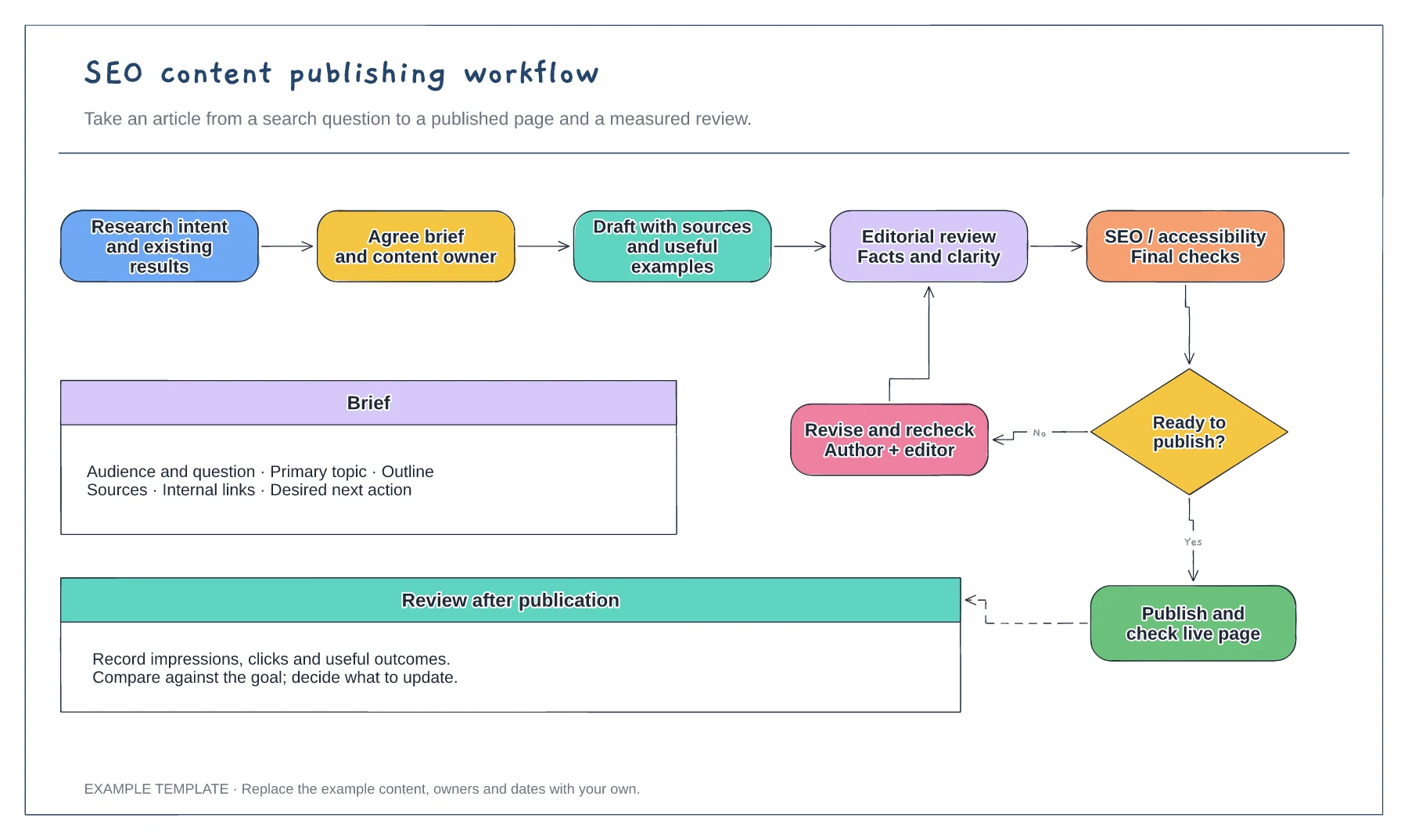
Search question and content brief · Draft, edit and approval loop · Publication and performance review
Preview and use template →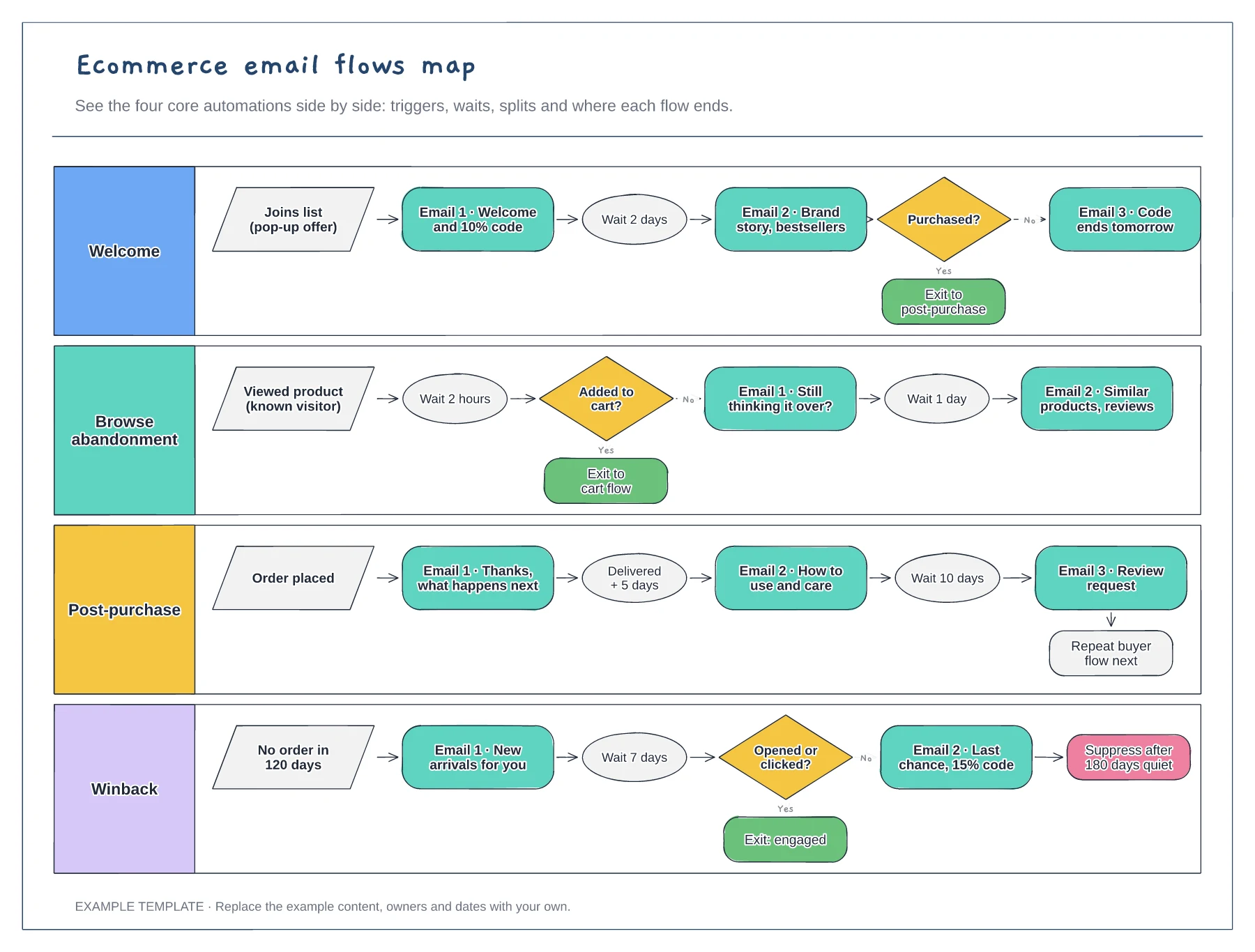
Four flows in separate lanes · Triggers, waits and conditional splits · Exits that hand people to the next flow
Preview and use template →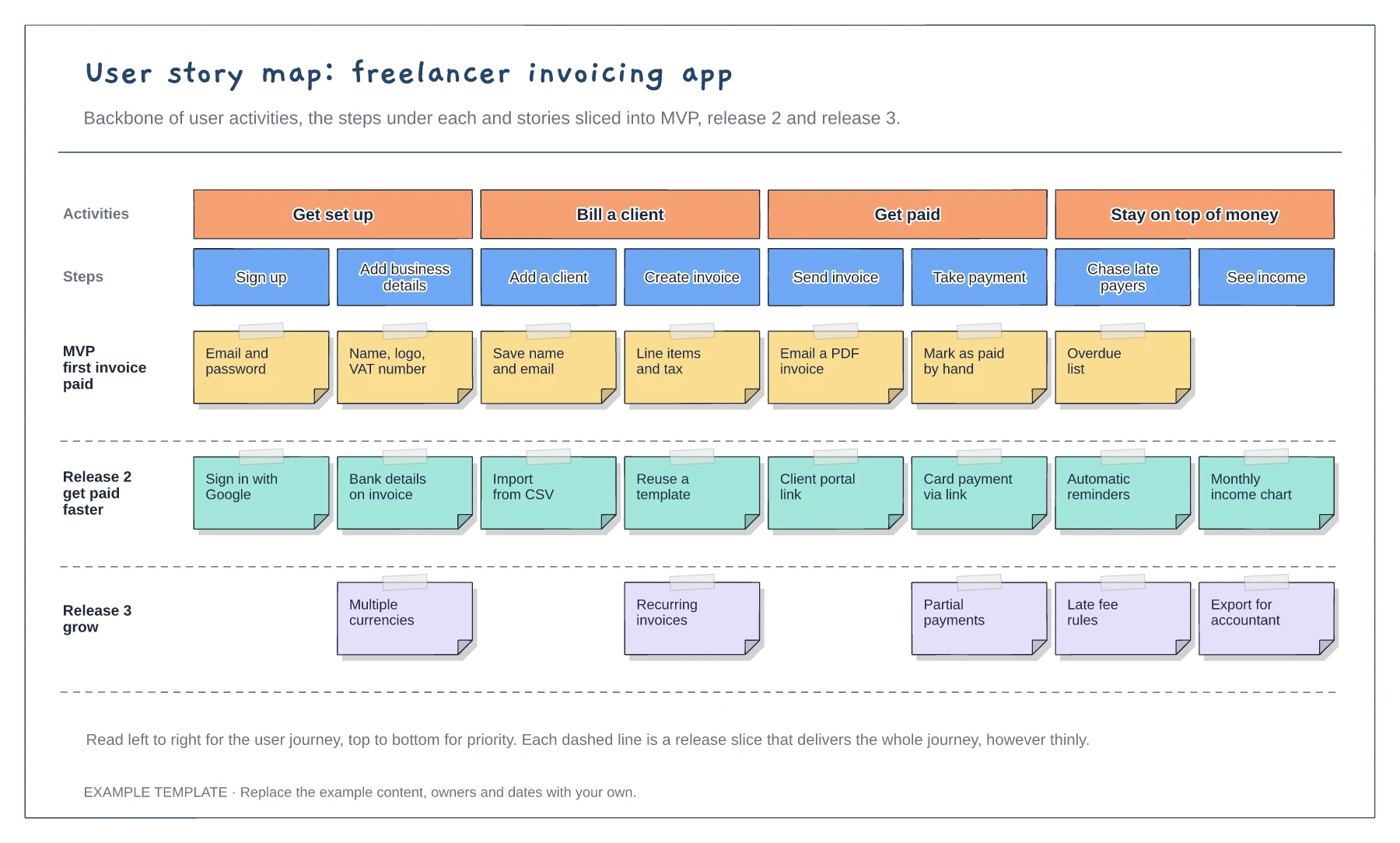
Backbone of four user activities · Eight steps with stories under each · Release slices for MVP, release 2 and release 3
Preview and use template →