Design / Free editable template

Mind map with idea statuses and a next-step worksheet template

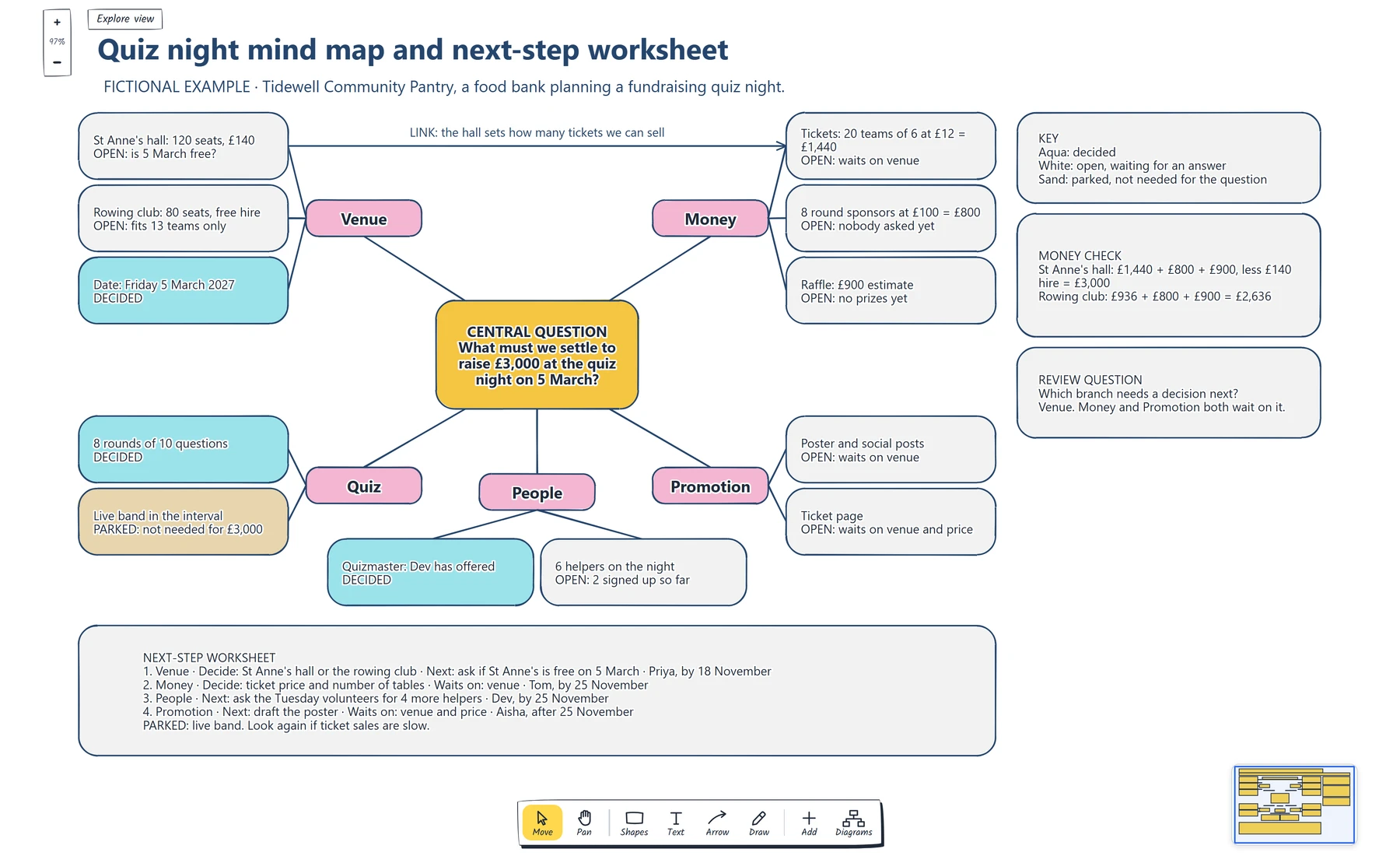
Write one question with a target and a date in the centre, group a rough list of ideas into a few main branches, and add detail only where the answer depends on it. Then mark every idea as decided, open or parked, and move owners and dates into a next-step worksheet.

No account needed · Opens as your own editable page

Preview the mind map with idea statuses and a next-step worksheet

View full-size preview ↗
Mind map with idea statuses and a next-step worksheet example showing write a central question with a target and a date., group a rough list of ideas into a few main branches., add detail only to the branches the answer depends on.
Everything in this example is editable. Replace the labels, move the shapes and adapt the layout to your work.

How to use this template

  1. What a mind map is good for

    Mind maps sprawl around a topic, treat every branch alike and end without a next step.

  2. Start from one central question

    Create a mind map around one question, then mark each idea as decided, open or parked and name the next steps.

  3. Add main branches

    A question in the centre gives every idea a test to pass. Main branches come from grouping a rough list, with short labels. Detail belongs on the branches the answer depends on. A status on every idea shows which branch needs a decision next.

Questions about this template

Can I change the example content?

Yes. Every label, box and line is editable, so replace the fictional example with your own screens and notes.

Do I need an account to use it?

No. Open the template and edit it in your browser. Your work saves on this device. An account is optional if you want to sync your workspace.

Can I export the finished diagram?

Yes. Use Export in the editor to save a PNG, SVG or PDF, or download an editable .epicdraw backup.