Design
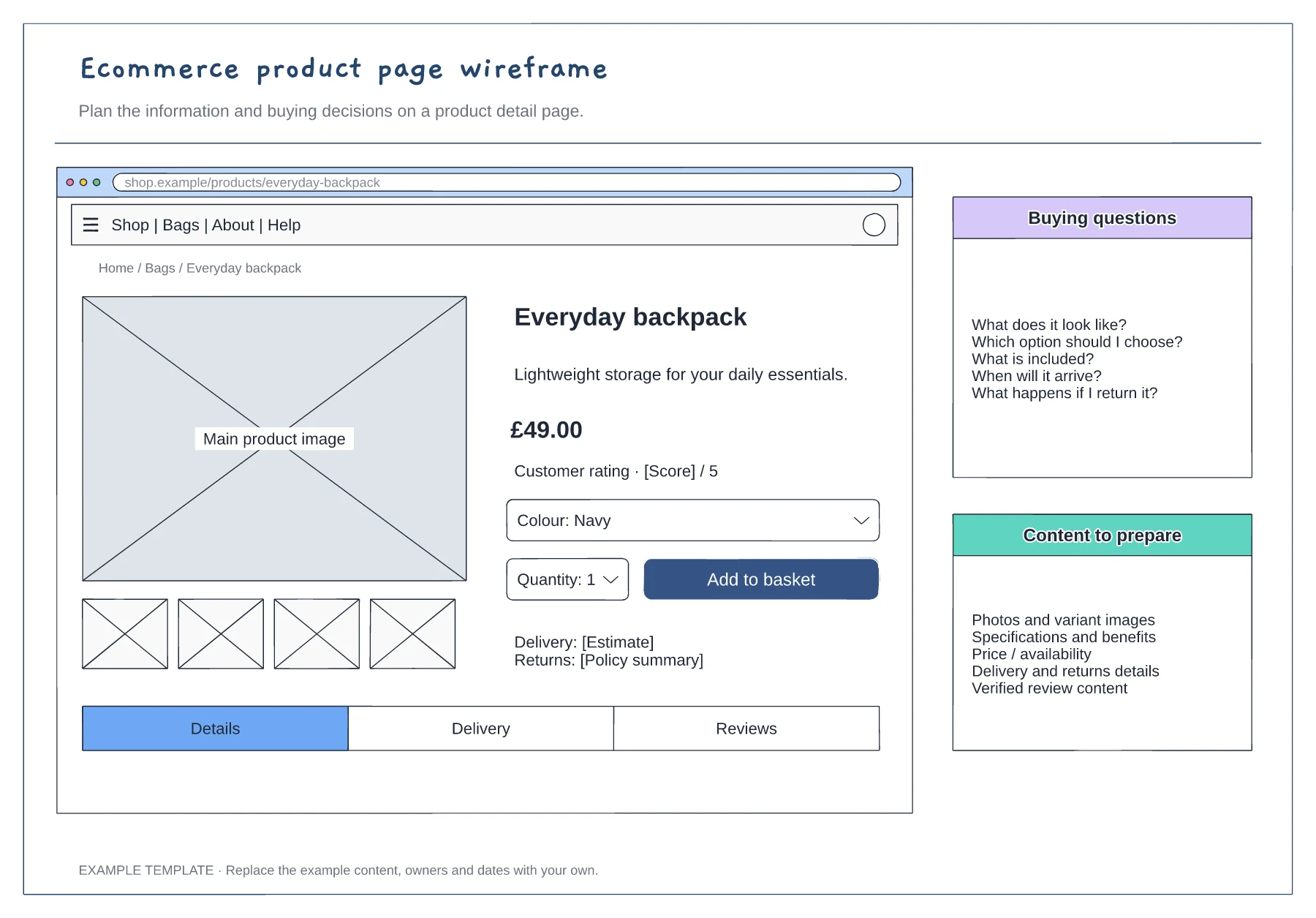
Ecommerce product page wireframe template
Product gallery and buying panel · Delivery, returns and trust information · Details and supporting content
Preview and use template →Plan a registration journey with both successful and unsuccessful states. This sign-up flow connects form entry, validation, email verification and account access so designers and developers can review the next step at each decision.
No account needed · Opens as your own editable page
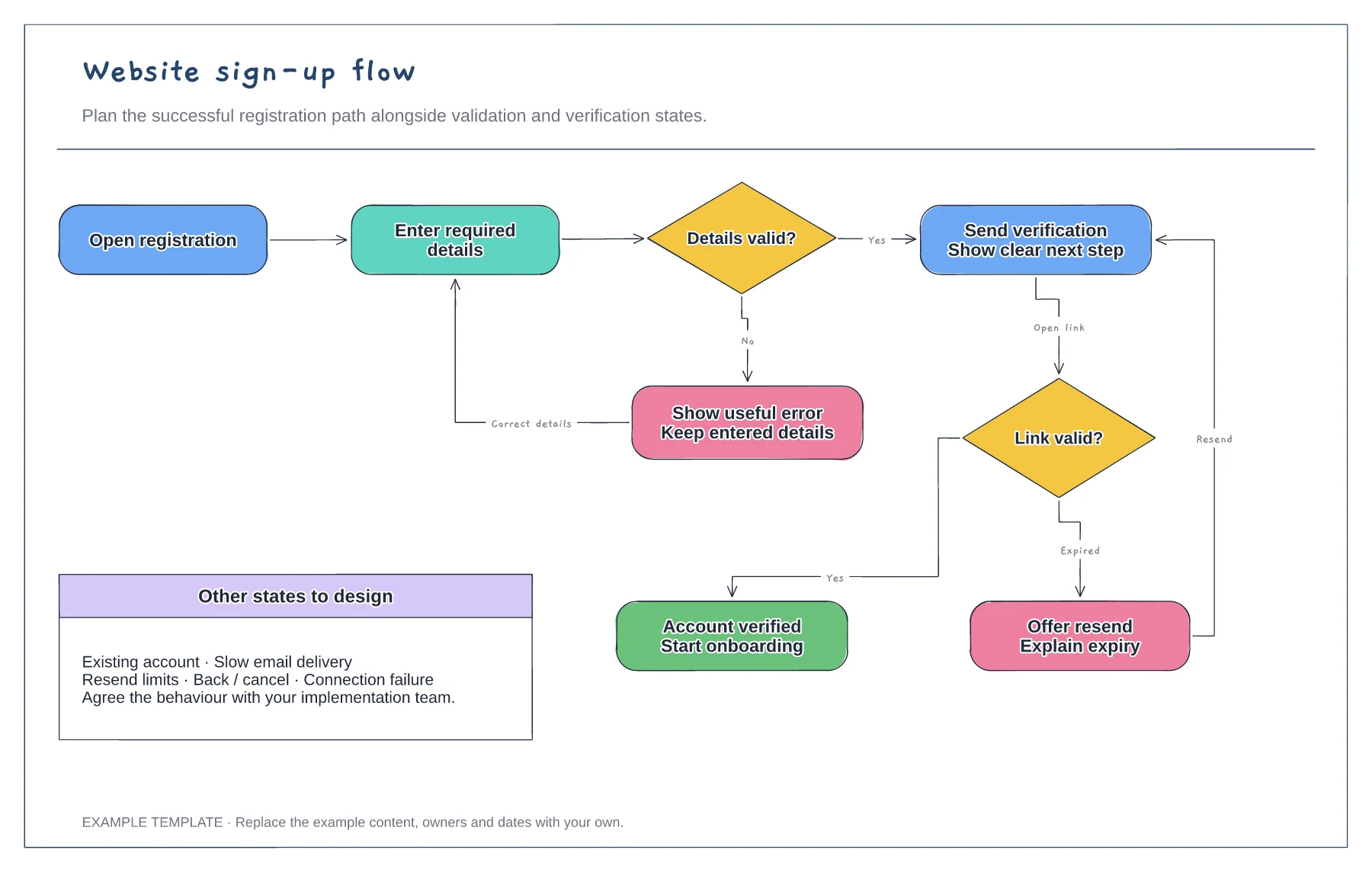
Adapt the opening steps for the information and authentication method your product uses. Add any required choice or consent step in the appropriate place.
Edit the validation, duplicate-account and verification decisions. Show how someone corrects an input or requests another verification message.
Walk through the normal path and a failed verification. Check that each state offers a clear action and that the final destination is named.
Yes. Add a branch for your sign-in provider and connect its success or failure outcome to the appropriate registration state.
No. Open the template and edit it in your browser. Your work saves on this device. An account is optional if you want to sync your workspace.
Yes. Use Export in the editor to save a PNG, SVG or PDF, or download an editable .epicdraw backup.