Design
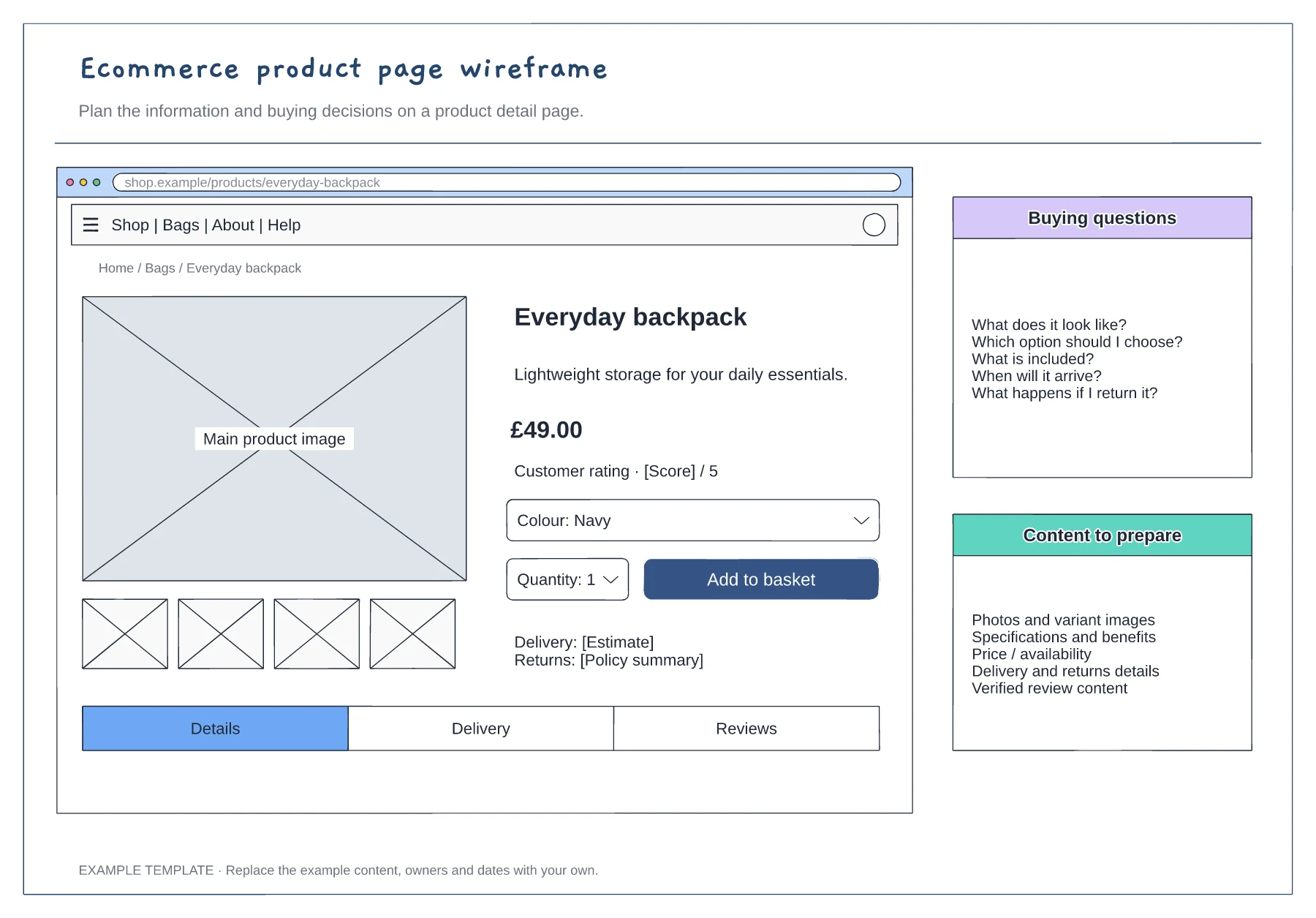
Ecommerce product page wireframe template
Product gallery and buying panel · Delivery, returns and trust information · Details and supporting content
Preview and use template →Define where signup starts and what counts as completion. Connect the successful steps, then add a useful next action for each error. The editable starter gives you a flow to adapt and review with your team.
No account needed · Opens as your own editable page
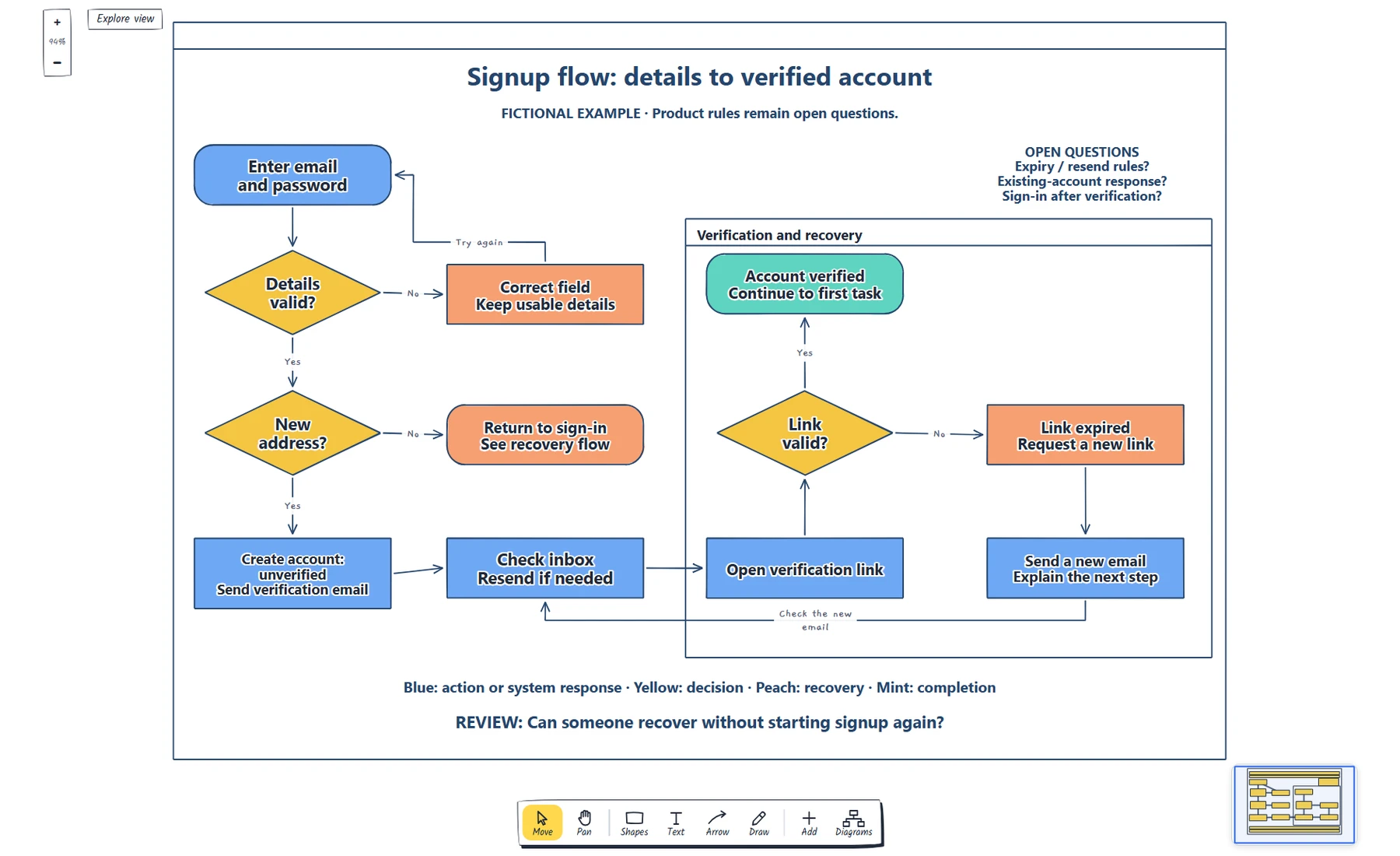
Registration diagrams omit validation and recovery paths.
Map signup, errors and email verification in one clear flow.
Agree the behaviour before assigning screens. Connect each failure to a useful next action. Use the review to separate unclear labels from undecided rules.
No. Open and edit your own copy. An account is optional for cloud saving.
No. Open the template and edit it in your browser. Your work saves on this device. An account is optional if you want to sync your workspace.
Yes. Use Export in the editor to save a PNG, SVG or PDF, or download an editable .epicdraw backup.
Product gallery and buying panel · Delivery, returns and trust information · Details and supporting content
Preview and use template →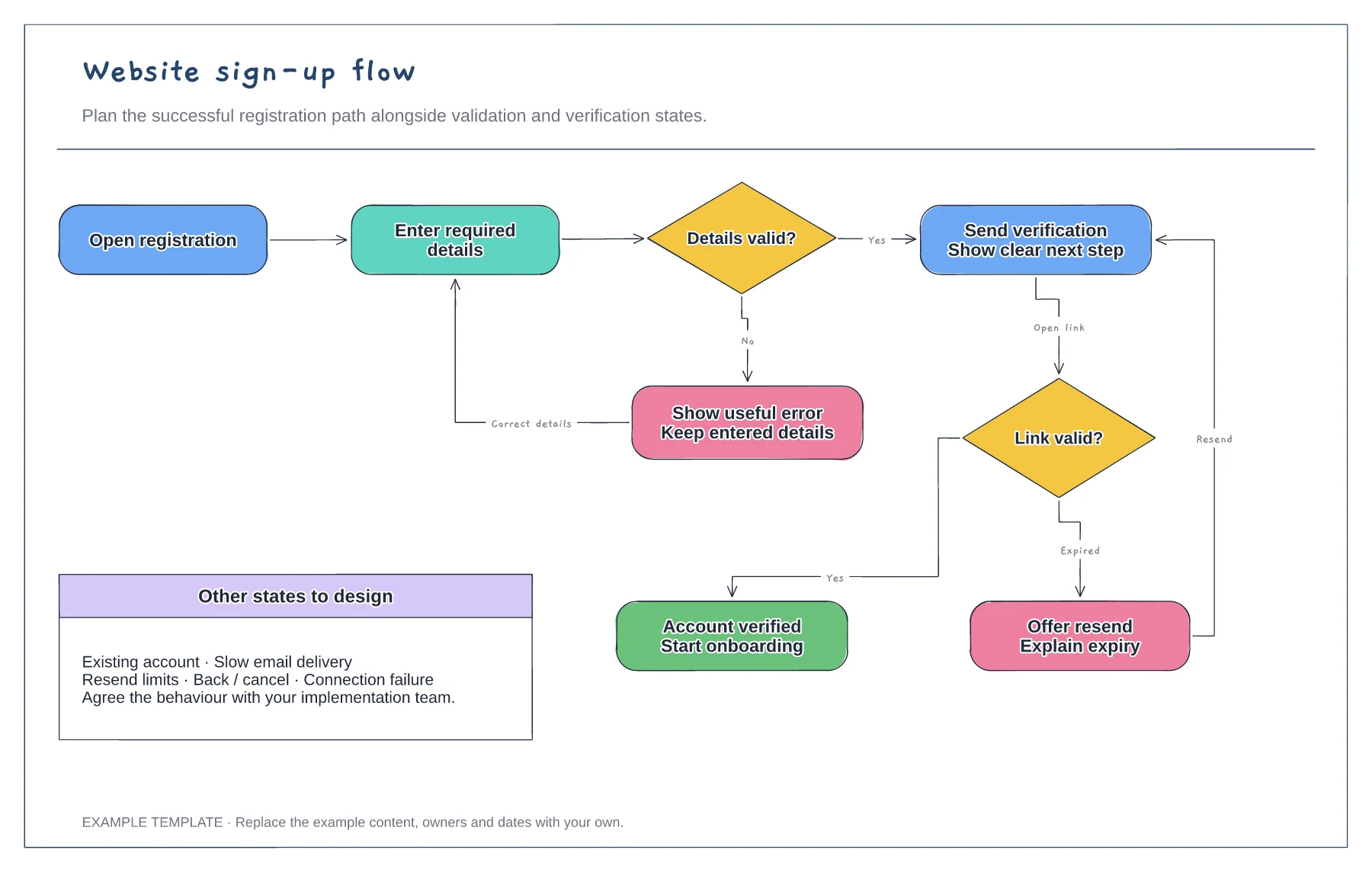
Registration form and validation · Verification and resend path · Successful access and error recovery
Preview and use template →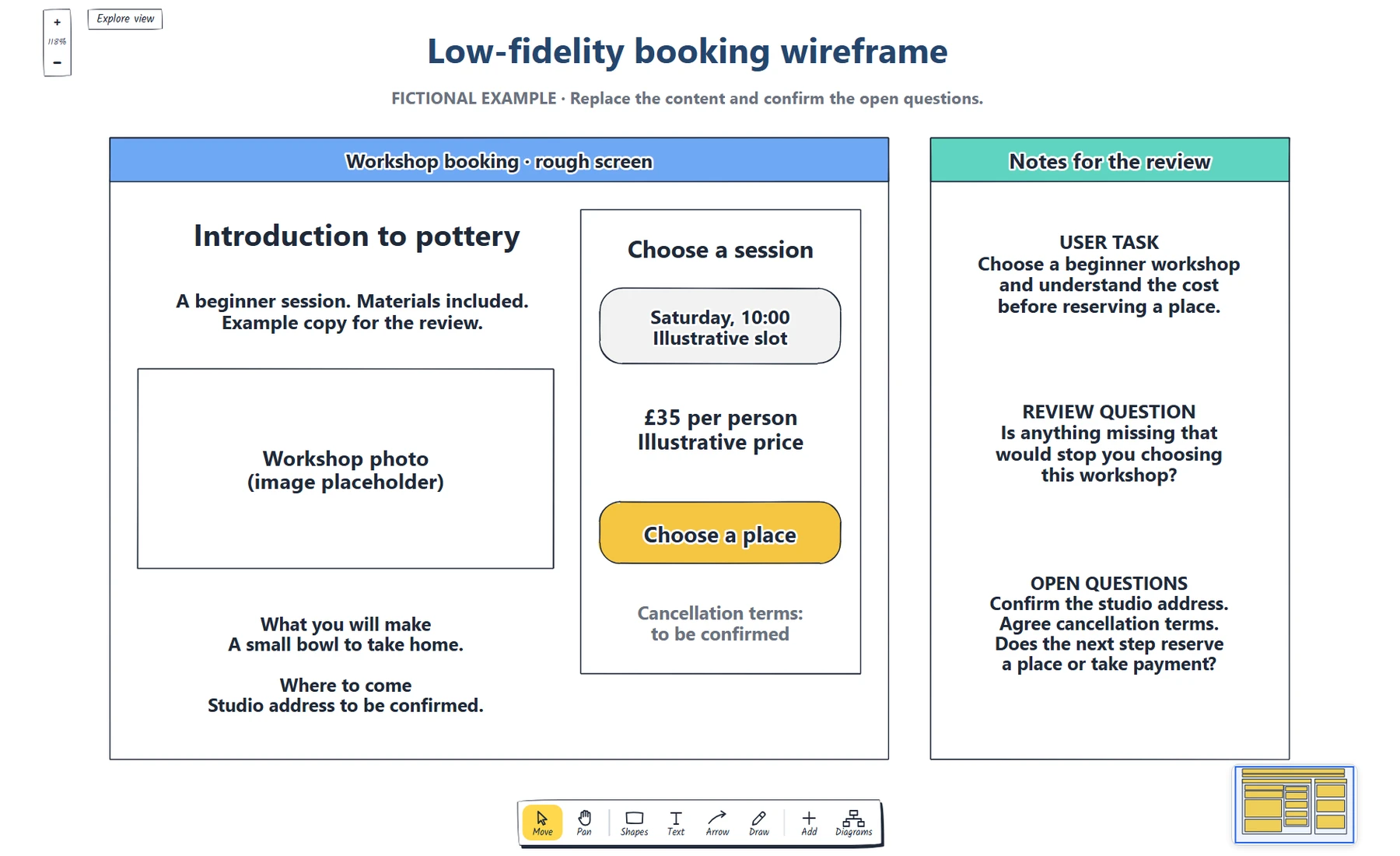
Define the booking task. · Place real content and a next step. · Which information does someone need before choosing a workshop?
Preview and use template →