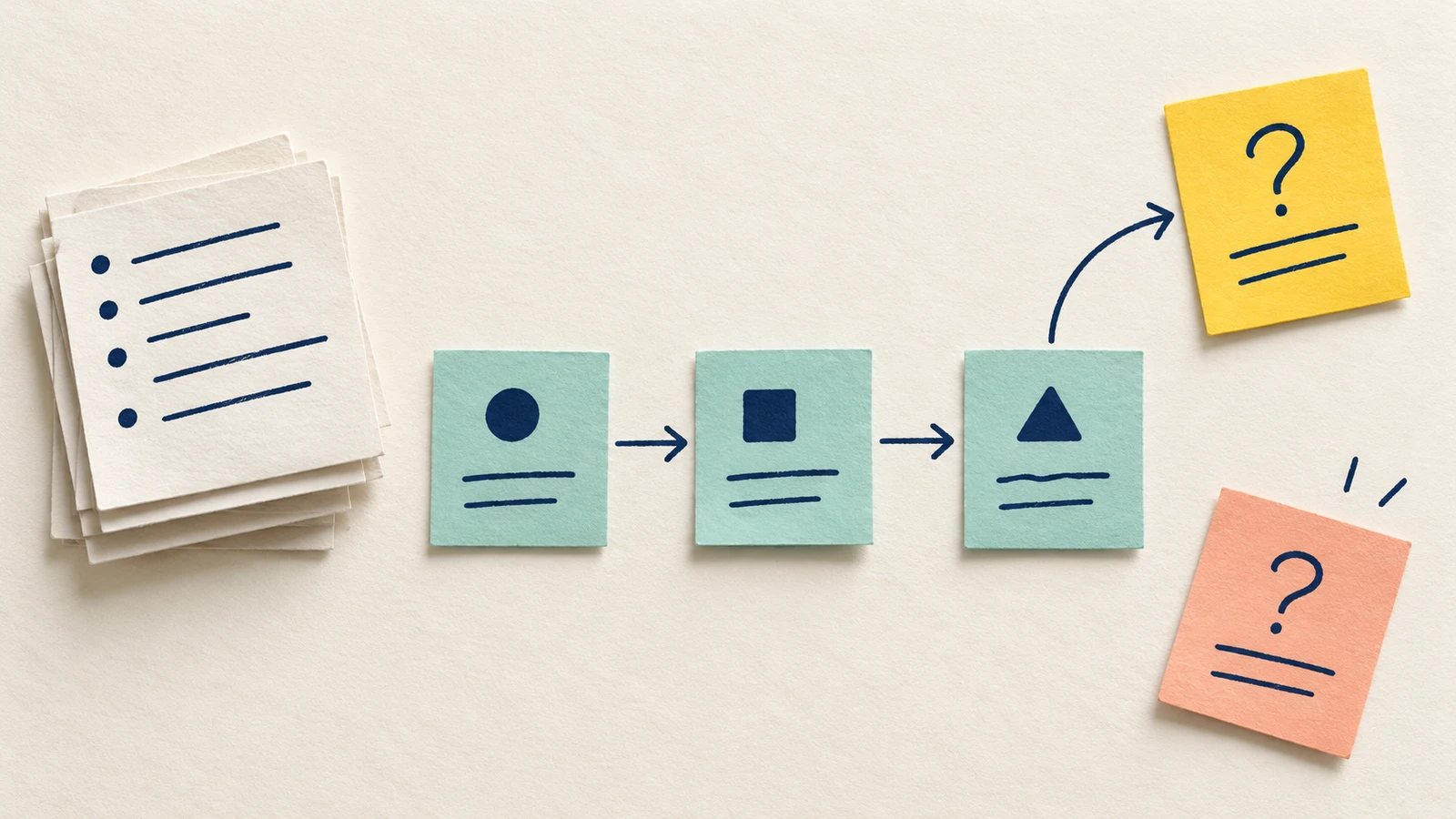
A task map helps you turn interview notes into a sequence your team can inspect. Start with one person's goal, pull out the actions they described and keep a source reference beside each step. When the notes leave a gap, record a question so the team can see what still needs checking.
The result is a starting point for task analysis: a map of the account you have, with its limits visible. This guide works through fictional workshop-organiser notes and includes an editable example and a blank evidence worksheet.
Decide what the map can tell you
A goal explains what someone wants to achieve. Tasks are the activities they carry out towards that goal. Nielsen Norman Group's task-analysis guide describes gathering information, then analysing the tasks and their relationships.
Interview notes contain what a person reported. Observation notes record what a researcher saw. Keep those evidence types distinct, including when the same person describes a step you later observe. An interview account can help you plan what to investigate next, but it does not establish every detail of the work as it happens.
Choose one account and a clear boundary for the first map. Ask: "Which steps did this person actually describe?" Leave questions about frequency, difficulty or other people's routines open unless your research supports them.
Keep the source beside the task
For the walkthrough, imagine a workshop organiser explaining how they review attendance. These three excerpts are invented teaching material, not real interview quotations or customer findings.
| Note ID | Exact fictional wording |
|---|---|
| F1 | "I open the booking list to see who is coming." |
| F2 | "Then I count the names. After that, I email the studio to check how many places we have." |
| F3 | "When we're full, I put the new request on a separate list. If someone cancels, I email the first person on that list." |
The organiser's reported purpose in F1 is to see who is coming. Your job as a researcher is to structure that account while keeping its source and uncertainty visible. The first map covers the attendance check and the described full-capacity branch.
In your own notes, give each excerpt a stable ID and a reference to its permitted source location. Preserve the wording when using quotation marks. If you have a paraphrase, label it as a paraphrase; do not reconstruct a quotation from memory.
Use only material you are allowed to put on the board. Keep identifying details in the appropriate research record and use a suitable reference in the shared map.
If you need to compare related observations across accounts, use the affinity map guide to form tentative groups while preserving the source IDs and notes that do not yet fit.
Extract actions without adding a solution
Turn each described activity into a short verb phrase. F1 gives you "Open booking list". F2 supplies "Count the names" and "Email the studio". Keep the tools named in the account, because replacing the studio email with an automated capacity check would change the process being described.
Add a source and evidence type beside each action:
Step: Email the studio about number of places
Source: F2
Evidence type: reported in an interview
Order: after counting names, according to F2
Interpretation: capacity information may be split across sources
Still unknown: what the studio checks before replying
The interpretation is useful, but it belongs in its own field. F1 and F2 mention a booking list and a studio reply. They do not establish that the organiser feels frustrated, that the process is slow or that automation is the right response.
Use the same separation for real research. A step describes an action; an interpretation explains what you think it may mean. A proposed product change needs its own reasoning and evidence.
Build the sequence in EpicDraw
Open the editable starter near the top of the page. It adds a fresh page alongside your existing drawings. Double-click a label to edit it, then replace the blank task boundary and source cards before filling the proposed steps.
The worked example places the original notes above the map so a reviewer can check each label without searching elsewhere. Open booking list leads to Count the names, then Email the studio. The words "Then" and "After that" supply the order in the fictional account.
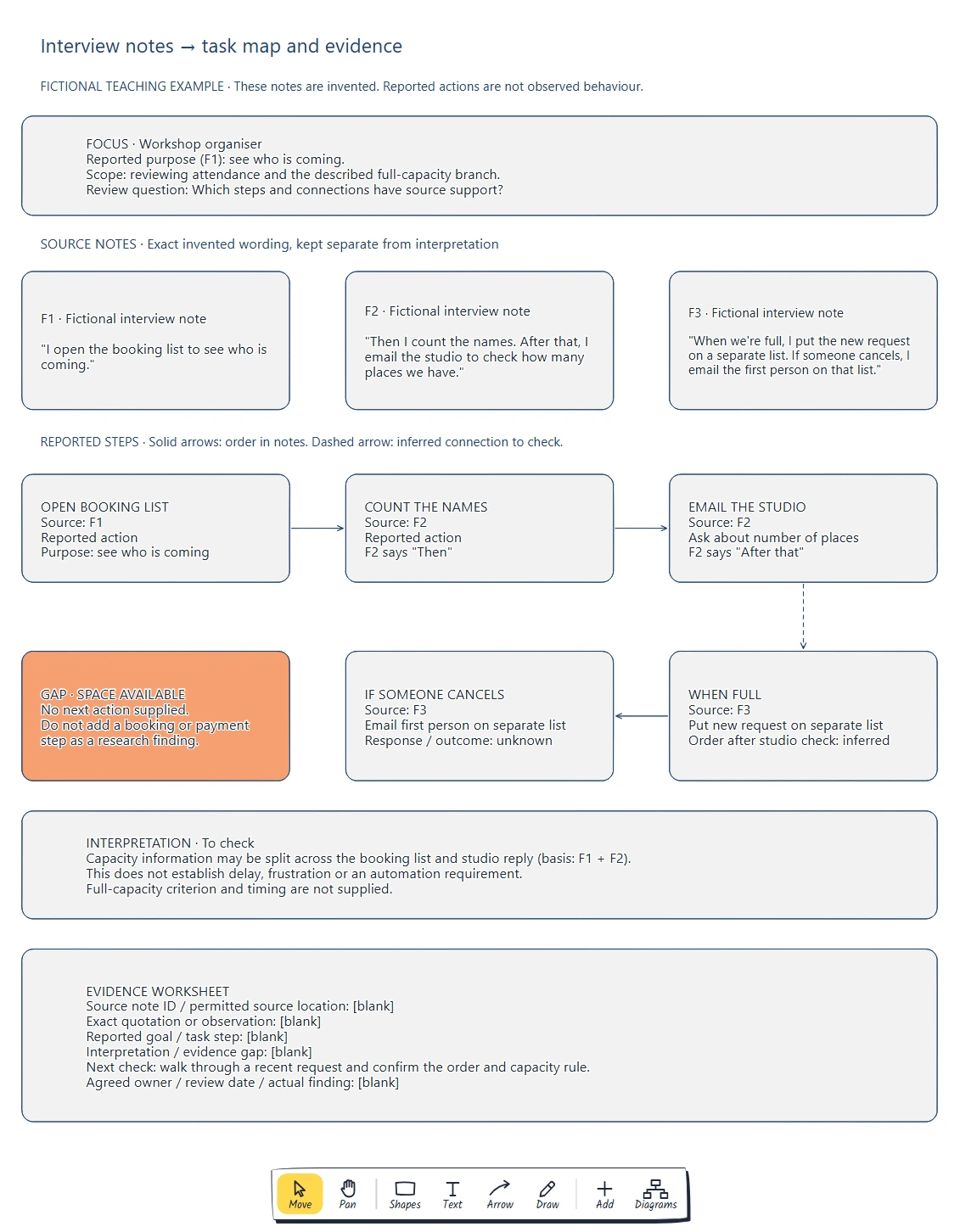
Read the source cards first, then follow their IDs through the task steps. Solid and dashed arrows distinguish the supplied order from a connection that still needs checking.
Connect steps only when you can explain their relationship. An arrow can mean "after", "only if" or simply your current hypothesis about the sequence. Name that meaning in a note or label. The blank starter marks every connection as a hypothesis until you supply supporting notes.
A task-analysis example in UX can stay small. You do not need to map every part of the organiser's job to discuss this attendance check. Add detail when it changes your understanding of the task or exposes a question the team needs to answer.
Keep conditional routes and missing steps visible
F3 describes recording a new request when the workshop is full. It also describes emailing the first person on the separate list if someone cancels. Those conditions matter: the email is not an inevitable next step after adding a request.
The notes do not explicitly place the full-capacity branch after the studio reply. The worked map uses a dashed connection there and marks that ordering as inferred.
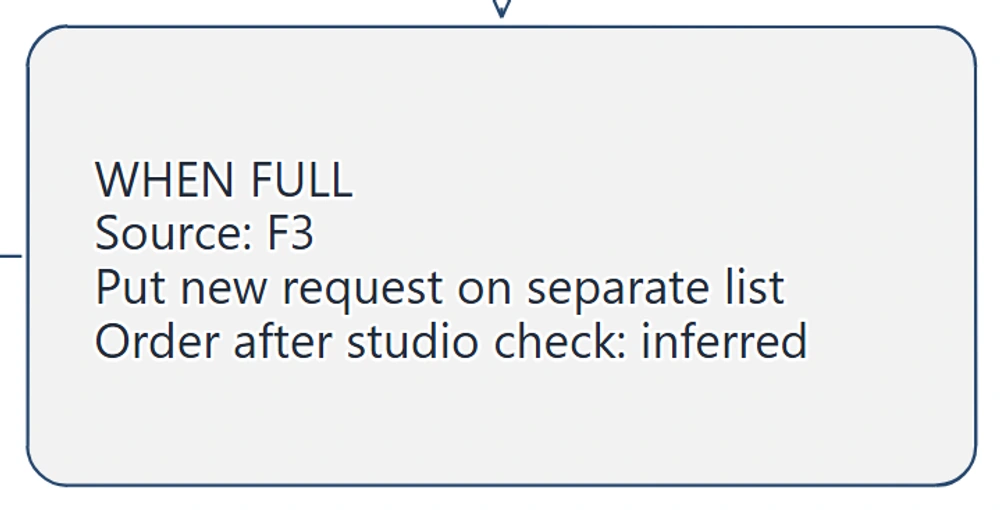
F3 supports the separate-list action. Its placement after the studio check is an interpretation to confirm, so the map keeps the connection dashed.
There is also no supplied route for a request when space is available. Keep an evidence-gap card for that branch. Adding payment, confirmation or an automatic booking would invent part of the account.
Check the end of the map too. F3 tells you about an email after a cancellation, but says nothing about the recipient's reply or whether a place is taken. End the described sequence where the account ends and record what to investigate next.
Review the map against the notes
Ask a teammate to trace one step back to its source, then check each connection. If they cannot explain an arrow from the notes, relabel it as a hypothesis or remove it.
Keep separate accounts separate while you compare them. One person's sequence does not establish a universal process, and a disagreement between accounts is something to investigate. Record whose account supports each variation.
If you later group notes into themes, keep their source IDs. Nielsen Norman Group's affinity-diagramming guide describes clustering related notes; a theme cluster does not by itself establish the order of task steps.
Choose a next check from the gaps. For this example, ask the organiser to walk through a recent request and explain how they determine that a workshop is full. Where appropriate and permitted, observe the work as well. Record the actual findings separately from the teaching example and revise the map when you have evidence.
When the checked map clarifies a design problem, use the one-page design brief to carry its evidence and unanswered questions into the next design task.
To examine the same kind of account across a wider service, use the customer journey map guide to connect customer tasks, touchpoints and evidence gaps to the next investigation.
Review checklist
Use this task-analysis checklist before sharing:
- The map names one person or account, a goal and a task boundary.
- Each claimed step points to a source note.
- Exact quotations, paraphrases and researcher interpretations are distinguishable.
- Reported actions and observed behaviour are labelled accurately.
- Every connector has a supported meaning or an explicit hypothesis.
- Conditional routes retain their triggers.
- Missing branches and unknown outcomes stay visible.
- A next investigation has an agreed owner and review point where assigned.
Copy this task-analysis worksheet, or fill the same fields in the editable starter:
Person / account and task boundary:
Source-note ID and permitted location:
Quotation, paraphrase or observation:
Goal / action described:
Evidence type:
Order or condition supported by the source:
Researcher interpretation:
Evidence gap:
Next check / expected output:
Agreed owner / review date:
What changed after checking:
Leave fields blank when you have no evidence. The worked example proposes a follow-up walkthrough; its owner, date and actual findings remain unassigned.
Optional: create the example with an AI assistant
MCP lets a compatible AI assistant use EpicDraw's diagram tools. This route needs a free EpicDraw account, cloud sync and an assistant that supports remote MCP with OAuth sign-in.
Open More, choose Connect AI assistant and add https://epicdraw.app/mcp in your assistant. Allow it to create and edit diagrams when approving the connection. The MCP connection guide explains the setup.
Use this prompt to create the fictional worked example:
Using the connected EpicDraw MCP server, create a new editable page named "Task map and evidence worksheet". Leave existing pages unchanged.

Use only these invented teaching notes about a fictional workshop organiser:
F1: "I open the booking list to see who is coming."
F2: "Then I count the names. After that, I email the studio to check how many places we have."
F3: "When we're full, I put the new request on a separate list. If someone cancels, I email the first person on that list."

Keep the exact supplied wording in three source cards labelled fictional interview notes. State the reported purpose from F1, "see who is coming". Map Open booking list (F1), Count the names (F2) and Email the studio (F2) in a row. Use solid arrows for the order supplied in F1/F2. Below the studio step, add When full: put new request on separate list (F3). Use a dashed connection from the studio step because that ordering is inferred. Connect the separate-list step to If someone cancels: email first person (F3). Name the conditional trigger; do not present it as an inevitable next step.

Add a Space available evidence gap with no invented next action. Keep response and outcome after the email unknown. Add a separate interpretation that capacity information may be split across the booking list and studio reply, with F1/F2 as its basis and no claimed delay, frustration or automation requirement. Include the open full-capacity criterion and timing. Add blank fields for source ID/location, exact quotation or observation, reported goal/task step, interpretation, evidence gap, agreed owner/review date and actual finding. Propose a next check to walk through a recent request and confirm the order and capacity rule.

Use editable shapes, text and connectors on a white background with navy labels and a peach evidence-gap card. Label the whole example fictional and distinguish reported from observed behaviour. Do not invent more quotations, findings or a finished process. Check overlaps and overflowing labels, then return a PNG preview and the private editor link for review.
Inspect the PNG and open the private editor link while signed in. Assistant layouts vary, so check every quotation, source ID and inferred connection. For your own research, supply only permitted notes or use the blank starter and leave findings empty until evidence is available. The assistant organises a planning page; it does not conduct the interview or validate the account.
Takeaways
- Keep the source and evidence type beside each task.
- Use the account's wording to support order and conditions.
- Separate interpretations from described actions.
- Turn missing steps into research questions and update the map after checking.
Keep your next draft close
Create a free account to save your pages in the cloud and use them across devices.
Create a free accountYou can keep drawing without an account.