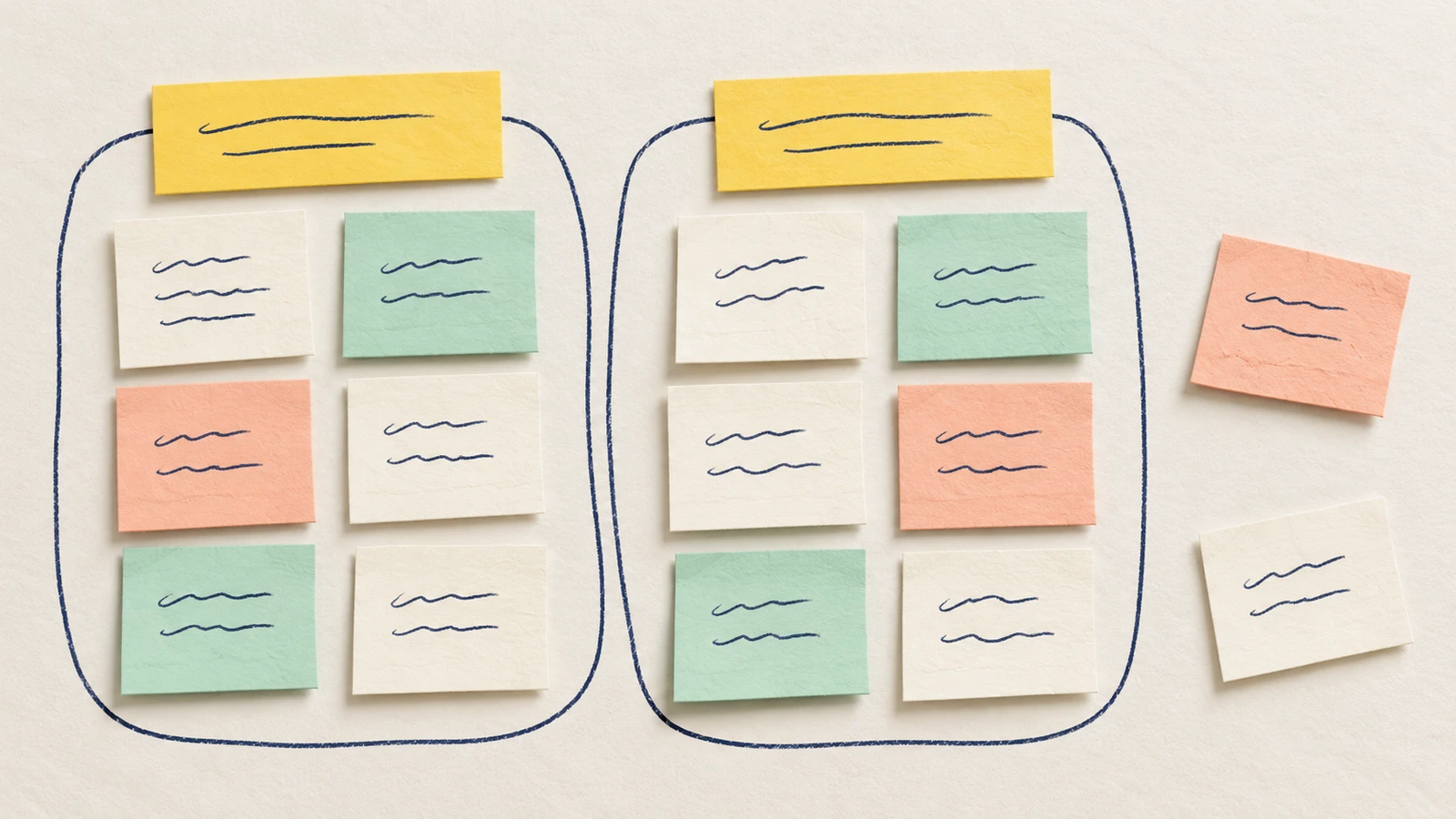
An affinity map helps you organise research observations so your team can examine related evidence together. Put one observation on each card, keep its source reference, then move related cards into groups. Name each group after looking at the notes it contains.
This guide shows how to make an affinity map from UX research without losing the evidence behind it. You'll work through a small example, check a possible interpretation and leave with a question to investigate. The editable template includes a blank starter and a cluster-review worksheet.
Start with a question and usable notes
An affinity map groups material by a shared meaning. It helps you inspect patterns across notes; it does not establish the order of a task or explain why something happened on its own.
Choose a question that gives the first sorting session a boundary. For example, you might examine what happens while someone creates their first project. Keep enough context to understand each observation, including the task and the part of the session it came from.
The GOV.UK Service Manual's research-analysis guide recommends writing what was seen or heard on separate notes, then distinguishing observations from findings and actions. Check the original record when the wording is uncertain. An exact quotation needs the person's actual words; a paraphrase needs a label.
Use permitted references on the shared map. Keep identifying details and recordings in the appropriate research record rather than copying them onto every card.
For the order within one reported account, use the interview task-map guide to trace described steps and conditions to their notes before comparing themes across accounts.
Prepare the fictional observations
For the walkthrough, imagine first use of a project-planning app. The proposed user task is to create a project plan and know it was saved. Your job as a researcher is to organise the notes and decide what they support.
These six observations are invented teaching material. F-A, F-B and F-C are fictional source labels, not real participant records. There are no actual findings or study results behind this example.
| Note | Fictional source | Observation |
|---|---|---|
| O1 | F-A | Returned to the project-name field before selecting Create. |
| O2 | F-B | Left the project-name field empty and selected Create. |
| O3 | F-A | After selecting Save, reopened the project list. |
| O4 | F-B | After selecting Save, opened the same plan from the project list. |
| O5 | F-C | After selecting Save, opened the plan from Recent. |
| O6 | F-C | Changed the session language before entering a project name. |
Each note describes an action. O2 does not say that the person was confused. O3 does not say that they distrusted saving. Those explanations need more context.
For your own map, give each card a stable note ID and a reference to its permitted source location. Multiple notes can come from one account, so a cluster's card count is not a count of people. Keep the source labels when you move the cards.
Group the cards before naming the pattern
Read the notes together and try a first arrangement. Nielsen Norman Group's affinity-diagramming guide describes grouping related material, giving clusters clear labels and leaving with next steps. It advises against forcing clusters or ignoring outliers.
In this affinity diagram UX example, O1 and O2 both concern entering a project name. Put them together provisionally. Their actions differ: one returns to the field, while the other submits it empty. Keep that difference in the wording so the group does not become a claim that both people had the same problem.
O3 and O4 both involve the project list after Save. Place them in a second group. Leave O5 and O6 in an ungrouped area while you discuss how they affect the grouping.
To build this in EpicDraw, open the editable starter near the top of the page. It adds a new page alongside your existing drawings. Double-click a label to edit it, replace the scope and source fields, then fill the observation cards. Move the cards into tentative groups as you compare them.
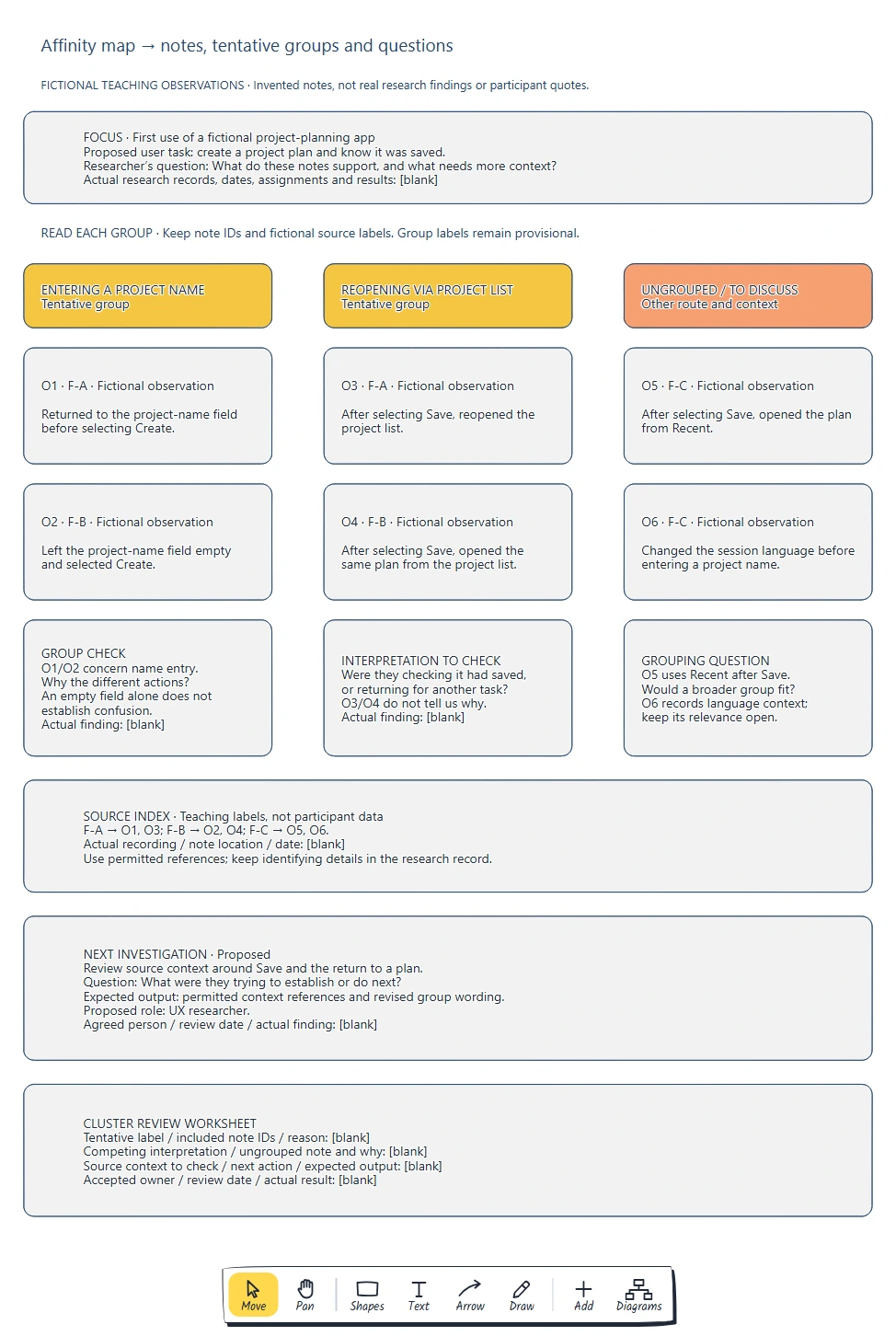
O1/O2 concern the name field; O3/O4 concern returning through the project list. O5 and O6 remain visible for discussion, with their source labels intact.
Ask a teammate to explain why two cards belong together. If the explanation depends on an assumption, record it. Someone else may suggest a different arrangement that fits the same notes. Keep the reason for the current grouping so it can be reviewed later.
Make the label fit every note in the group
Name the first group "Entering a project name". It describes the shared topic while leaving the different actions visible. "People cannot name a project" would go beyond both notes: neither supplies that finding.
For the second group, try "Reopening via project list". O3 and O4 support that description in the fictional material. O5 uses Recent after Save, so the map cannot claim that every return uses the project list.
You could broaden the label to "Returning to a plan after Save" and include O5. Whether that is useful depends on your research question. If you are examining navigation routes, keeping the distinction visible may help. Record the alternative instead of treating the first arrangement as settled.
O6 records a language change. Keep it in the ungrouped area until you can judge whether that context matters to the name-field actions. A note can stay separate with a reason and a question; the board does not need every card inside a cluster.
If you copy a card into more than one group, retain the same note ID and mark the copy. Otherwise, a duplicated observation can look like additional evidence.
Keep the interpretation separate from the observations
The project-list group raises a possible explanation: were people checking that saving had worked? O3 and O4 show actions after Save, but neither explains their purpose. They may have been returning for another task.
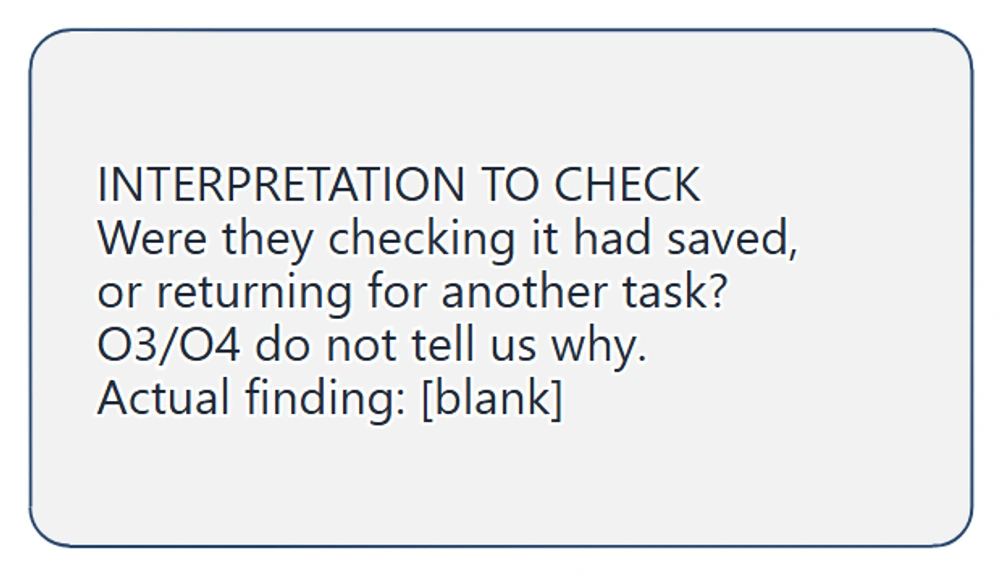
The interpretation card names two explanations and the notes they concern. Its finding field stays blank because the supplied observations do not establish why the actions happened.
Check the surrounding source material before writing a finding. Look for what the person was trying to do, what they said and what happened next. If those details are missing, keep the question open. Naming a cluster "Save is confusing" would turn a possible explanation into a research claim.
The same check applies to the name-field group. Returning to a field could have several purposes. Record the action first, then investigate the reason rather than assigning an emotion to it.
Choose the next check from the uncertainty
For this example, propose reviewing the source context around Save and the return to a plan. The question is: "What were they trying to establish or do next?" The output should be permitted context references and revised group wording, or a clear record that the evidence is still missing.
Ask someone to accept that action and agree a review date. The worked map suggests a UX researcher as a possible role; the person, date and actual finding remain blank.
Use this affinity map template to document the review:
Research question and scope:
Tentative group label:
Included note IDs and permitted source references:
Reason these notes belong together:
What the notes support:
Possible interpretation and competing explanation:
Ungrouped notes and reasons:
Source context to check:
Next action and expected output:
Accepted owner and review date:
What changed after checking:
When the context supports a finding, write it separately from the observations and retain the relevant IDs. If it leads to a design idea, record the reasoning and the next check for that idea. A theme's size alone does not tell you its severity or how often it occurs across your users.
Review checklist
- Does each card contain one observation, with a stable ID and usable source reference?
- Are observations, exact quotations, paraphrases and interpretations distinguishable?
- Does each tentative label fit all its included notes?
- Are competing arrangements and ungrouped notes visible?
- Can someone check the context behind a proposed finding?
- Does the next action name a question, expected output and agreed owner where assigned?
Takeaways
Keep the observations and their sources intact as you reorganise them. A useful label describes what the grouped notes support. Outliers and competing explanations show where the analysis still needs work; use them to choose a concrete next check.
Optional: create the example with MCP
MCP lets a compatible AI assistant use EpicDraw's diagram tools to create an editable planning page. You need a free account, cloud sync and an assistant that supports remote MCP with OAuth sign-in. Only cloud-synced pages are available remotely.
Open More, choose Connect AI assistant and add https://epicdraw.app/mcp in your assistant. Allow it to create and edit diagrams when approving the connection. Follow the MCP connection guide for the setup steps.
Use this prompt for the supplied fictional example:
Using the connected EpicDraw MCP server, create a new editable page named "Affinity map and observation cards". Leave existing pages unchanged.

Use only these invented teaching observations about first use of a fictional project-planning app. The proposed user task is to create a project plan and know it was saved. F-A, F-B and F-C are fictional source labels, not real participant records.
O1 / F-A: Returned to the project-name field before selecting Create.
O2 / F-B: Left the project-name field empty and selected Create.
O3 / F-A: After selecting Save, reopened the project list.
O4 / F-B: After selecting Save, opened the same plan from the project list.
O5 / F-C: After selecting Save, opened the plan from Recent.
O6 / F-C: Changed the session language before entering a project name.

Preserve the exact observation wording and IDs on six separate cards. Make a tentative Entering a project name group for O1/O2 and a tentative Reopening via project list group for O3/O4. Keep O5/O6 in an Ungrouped / to discuss area. Add a question about whether a broader returning-to-a-plan group would include O5, and keep O6's relevance open.

Keep interpretation separate: Were O3/O4 checking whether the plan had saved, or returning for another task? State that the notes do not tell us why. Do not infer confusion, distrust, prevalence or a verified usability problem. Add a source index linking F-A to O1/O3, F-B to O2/O4 and F-C to O5/O6. Actual source locations, dates, findings and results stay blank.

Propose reviewing source context around Save and returning to a plan. Ask what they were trying to establish or do next. Expected output: permitted context references and revised group wording. UX researcher is a proposed role only; leave agreed person and review date blank. Add a blank cluster-review worksheet for labels, included IDs, reasons, competing interpretations, ungrouped notes, source context, action and accepted owner.

Use editable shapes and text. Label the whole page fictional. Use a white background, navy labels and clear group headings without chronological arrows. Check overlaps and overflowing labels, then return a PNG preview and private editor link for review. Do not invent more observations, quotations or research findings.
Inspect the PNG and open the private editor link while signed in. Assistant layouts vary, so check every observation, ID and tentative label against the supplied material. For your own work, provide only permitted notes or use the blank starter. Creating a diagram does not conduct research or validate an interpretation.
Keep your next draft close
Create a free account to save your pages in the cloud and use them across devices.
Create a free accountYou can keep drawing without an account.