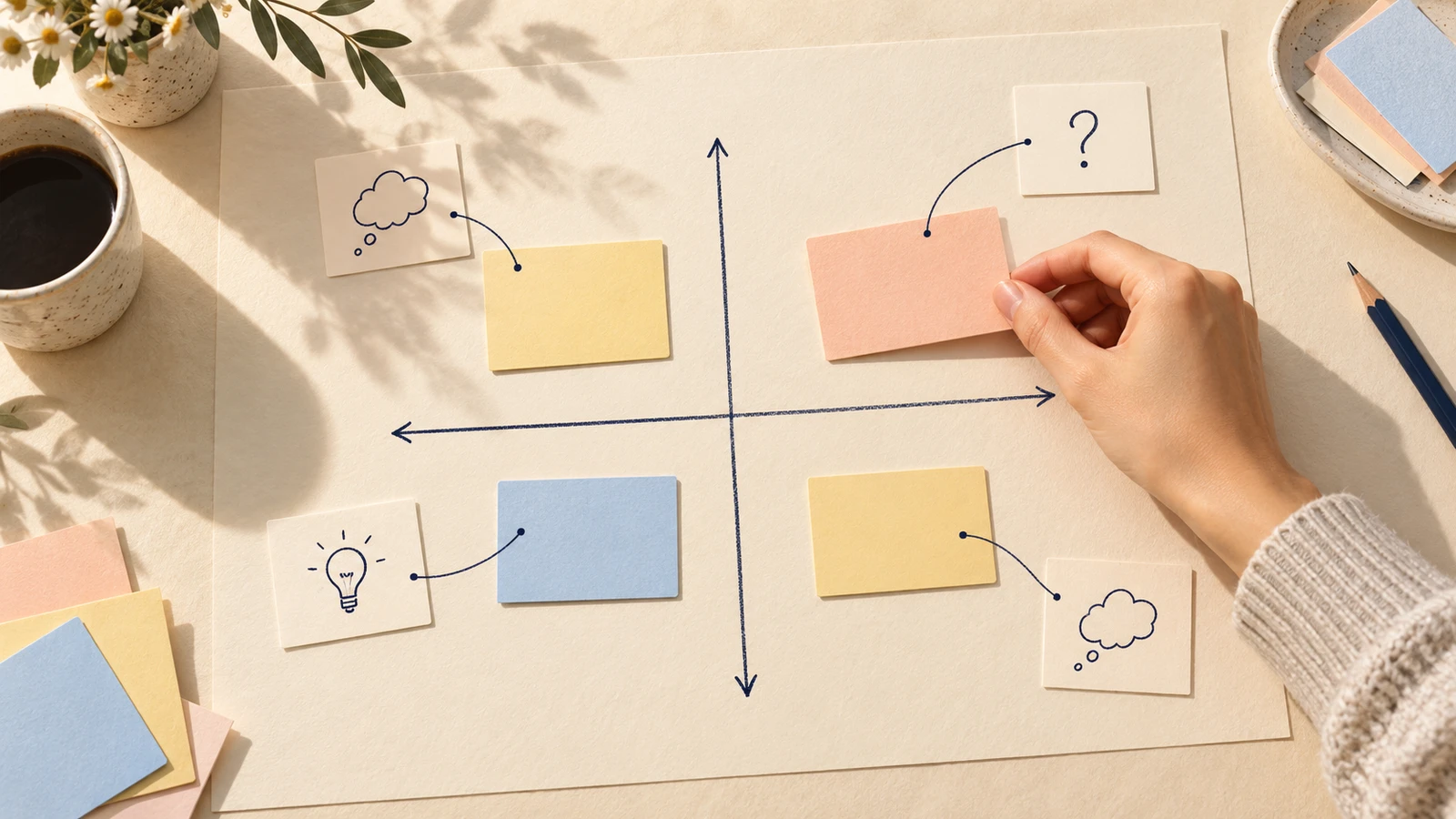
An impact-effort matrix helps a team compare ideas before committing to delivery. Put each idea against the same user outcome, consider the work it would take, and write down the assumption behind its position. If that assumption changes, move the card.
The useful result is a short list of ideas with reasons you can discuss and questions you can investigate. A card in the high-impact, low-effort corner still needs evidence. Keeping that evidence beside the card makes the next planning conversation easier to follow.
What an impact-effort matrix shows
The matrix has two axes: expected impact and expected effort. Four quadrants give you a rough way to compare possible improvements. Start with high and low on each axis, and agree what those labels mean for this piece of work.
Impact needs a reference point. Helping someone complete a first task, reducing a repeated error and increasing repeat use are different outcomes. Mixing them on one board makes the positions hard to interpret.
Effort includes the work needed to deliver the proposed change. Include design, engineering, testing and relevant dependencies. A small-looking interface change may require changes elsewhere.
NN/g's guide to prioritisation matrices recommends choosing criteria from the project's goals and defining the scale before placing items. That gives the team a shared basis for discussion. Use broad categories while information is rough; exact coordinates would suggest precision you do not have.
Define the outcome before placing ideas
For the walkthrough, imagine a fictional project-planning app. A new user wants to create a project plan and know it was saved. The product manager's job is to compare possible onboarding improvements and decide what to investigate next.
There are three candidate ideas:
| ID | Proposed change | Scope for this comparison |
|---|---|---|
| A | Clearer entry copy | Revise the guidance around entering a project name. |
| B | Shorter setup | Explore deferring setup fields until after the first saved plan. |
| C | Help during setup | Add static guidance beside the setup fields. |
These are invented proposals. The example includes no research findings, delivery estimates or measured improvements.
For this board, higher impact means more help completing that first saved plan. Lower impact means a smaller expected contribution to the same task. Lower effort means a change that can stay local; higher effort means broader delivery work or dependencies. The team's actual boundaries and estimates remain blank until the people doing the work can assess them.
Write these definitions above the matrix. They let a reviewer question a placement without having to guess what “high” means.
If the outcome or boundary is still unclear, use the one-page design brief to state the user task, evidence and constraints before comparing proposed improvements.
Place each idea with a reason
Open the worked example to inspect the proposed arrangement, or use the blank impact-effort matrix template to make your own. The starter contains placeholder cards. Move or remove them before using it for a decision.
Double-click a label in EpicDraw to edit it. Replace the shared outcome first, then name the ideas and their scope. Keep the scope steady while comparing: static guidance and a staffed support service need separate estimates.
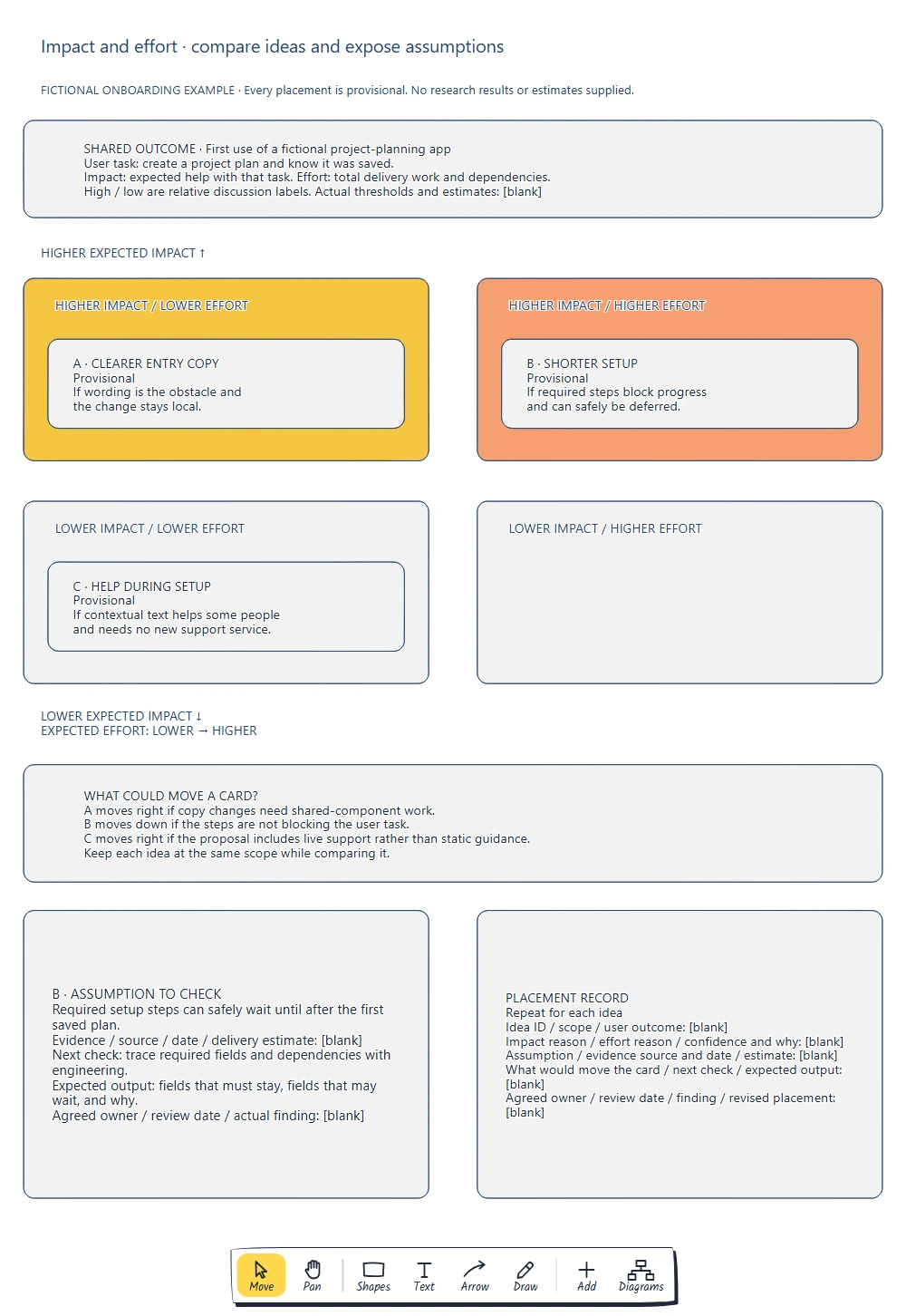
The example places A in higher impact/lower effort, B in higher impact/higher effort and C in lower impact/lower effort. Each position depends on a condition; the empty fourth quadrant does not need an idea.
Here is the reasoning behind those positions:
- A could help if people are unsure what to enter and a local copy change addresses that obstacle. It moves towards higher effort if changing the wording requires shared-component work.
- B could help if required setup steps stop people reaching a saved plan. It sits in higher effort because deferring fields may affect validation, later screens or other dependencies. Its expected impact falls if those steps are not the obstacle.
- C might help some people while leaving the main flow intact. The low-effort position assumes static guidance. Adding live support would change the proposal and its delivery work.
The wording “could help if” gives a reviewer something concrete to challenge. Ask which condition is supported, which is a guess and which would change the order of work.
Keep assumptions beside the placement
A matrix can look settled while its reasons are still uncertain. Give each idea a short placement record so the team can revisit the reasoning later.
Start with the claim carrying the most weight. For B, the key assumption is that required setup fields can safely wait until after the first saved plan. If they cannot, “shorter setup” needs a different scope before anyone estimates it.
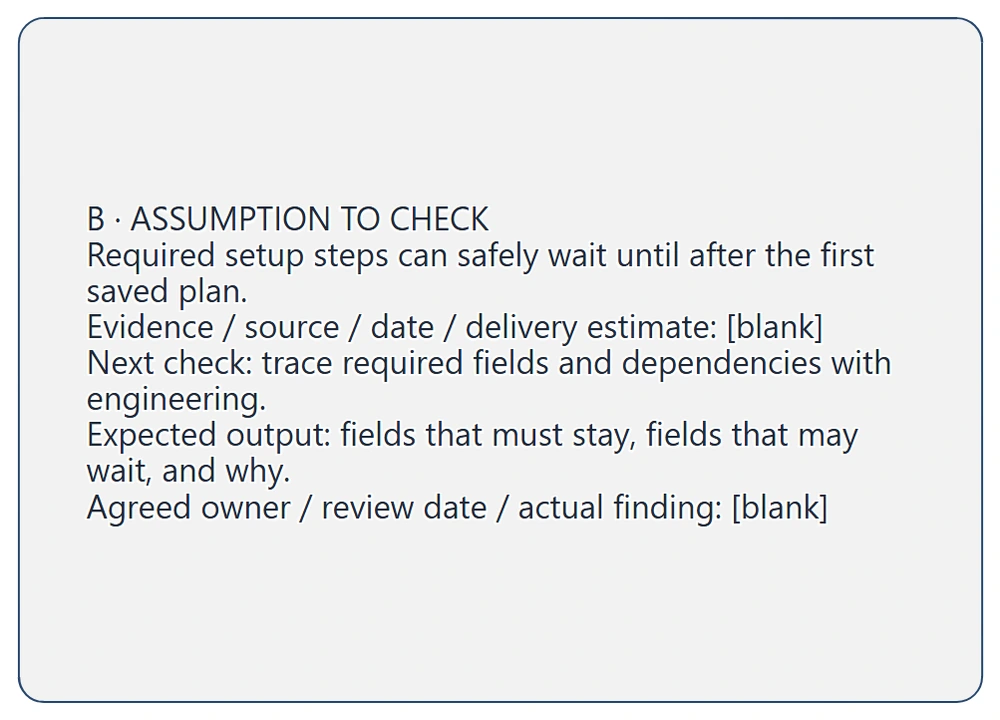
The detail connects B's position to a check engineering can help with. Actual evidence, estimates, an agreed owner and findings remain blank.
Copy this record for each idea:
Idea ID and scope:
User outcome:
Impact reason:
Effort reason:
Confidence and why:
Assumption:
Evidence source and date:
Delivery estimate:
What would move this card:
Next check and expected output:
Agreed owner and review date:
Finding and revised placement:
“Confidence and why” can be a plain sentence: “We have not checked which fields other parts of the app require.” A numerical confidence score would need an agreed basis. Intercom's RICE method treats confidence separately from impact and effort. This simpler board uses a written note to keep uncertainty visible.
Choose the check that could change the decision
For B, propose tracing the setup fields and their dependencies with engineering. The expected output is a list of fields that must stay, fields that may wait and the reason for each. Ask someone to accept the action and agree a review date.
That check addresses feasibility. It will not establish whether setup is the user's main obstacle. The impact claim needs its own evidence, such as observing where people struggle during the current first-use task. Record the permitted source and its limits when that evidence exists.
Bring the findings back to the matrix. If a field is essential before a plan can be saved, revise B's scope. If people complete setup but cannot tell whether saving succeeded, revisit the outcome and candidate ideas. Keep the previous reason with the updated placement so the team can see what changed.
Before selecting delivery work, also check commitments and dependencies that the matrix does not represent. Leave an idea unplaced if you cannot yet make a useful comparison.
When you have enough information to choose between feature candidates, use the feature prioritisation board to record the shared criteria, trade-off and reason to revisit the choice.
Review checklist
- Does every idea refer to the same user outcome and comparison scope?
- Are the impact and effort labels defined?
- Does each card have a reason, an assumption and an evidence gap?
- Would changing an assumption move the card or change its scope?
- Does effort include delivery work beyond the visible interface?
- Is the next investigation specific enough for someone to accept?
- Will the findings return to this board for review?
Takeaways
Use the matrix to make the reasoning behind a priority visible. Define the outcome, compare ideas at a consistent scope and keep uncertainty attached to each placement.
The most useful next step may be checking a dependency or learning where the current journey fails. Record what you need to learn, then update the board when you have an answer.
Optional: create the example with MCP
MCP lets a compatible assistant use connected tools to create an editable diagram. Follow the MCP connection guide and connect to https://epicdraw.app/mcp. You need a free EpicDraw account, cloud sync and permission for the assistant to create and edit diagrams. The connection works with cloud-synced pages.
Use this prompt for the worked example:
Using the connected EpicDraw MCP server, create a new editable page named "Impact-effort matrix with evidence notes". Leave existing pages unchanged.

Create a fictional onboarding planning board for a project-planning app. The user task is to create a project plan and know it was saved. Define impact as expected help with that task and effort as total delivery work and dependencies. Use relative high/low discussion labels, with actual thresholds and estimates blank.

Show a four-quadrant matrix. Place A, clearer entry copy, provisionally at higher impact/lower effort if wording is the obstacle and the change stays local. Place B, shorter setup, provisionally at higher impact/higher effort if required steps block progress and can safely be deferred. Place C, help during setup, provisionally at lower impact/lower effort if static guidance helps some people and needs no new support service. Leave the fourth quadrant empty.

Add reasons cards could move: shared-component work for A, setup not blocking the task for B, and live support replacing static guidance for C. Add a B assumption record: required setup steps can safely wait until after the first saved plan. Proposed check: trace required fields and dependencies with engineering. Expected output: fields that must stay, fields that may wait, and why. Leave actual evidence, sources, dates, estimates, findings and agreed owners blank. Add a reusable blank placement record with idea scope, outcome, impact and effort reasons, confidence and why, assumption, evidence, estimate, what could move the card, next check, owner, date and revised placement.

Use editable shapes and text. Label every placement provisional and the example fictional. Check for overlapping objects and overflowing labels, then return a PNG preview and the private editor link. Leave the result as a draft for me to review.
Inspect the returned draft, including its labels, placements and blank fields. Assistants may arrange the content differently. The prompt creates a planning diagram; it does not establish research findings or build a working onboarding flow.
Keep your next draft close
Create a free account to save your pages in the cloud and use them across devices.
Create a free accountYou can keep drawing without an account.