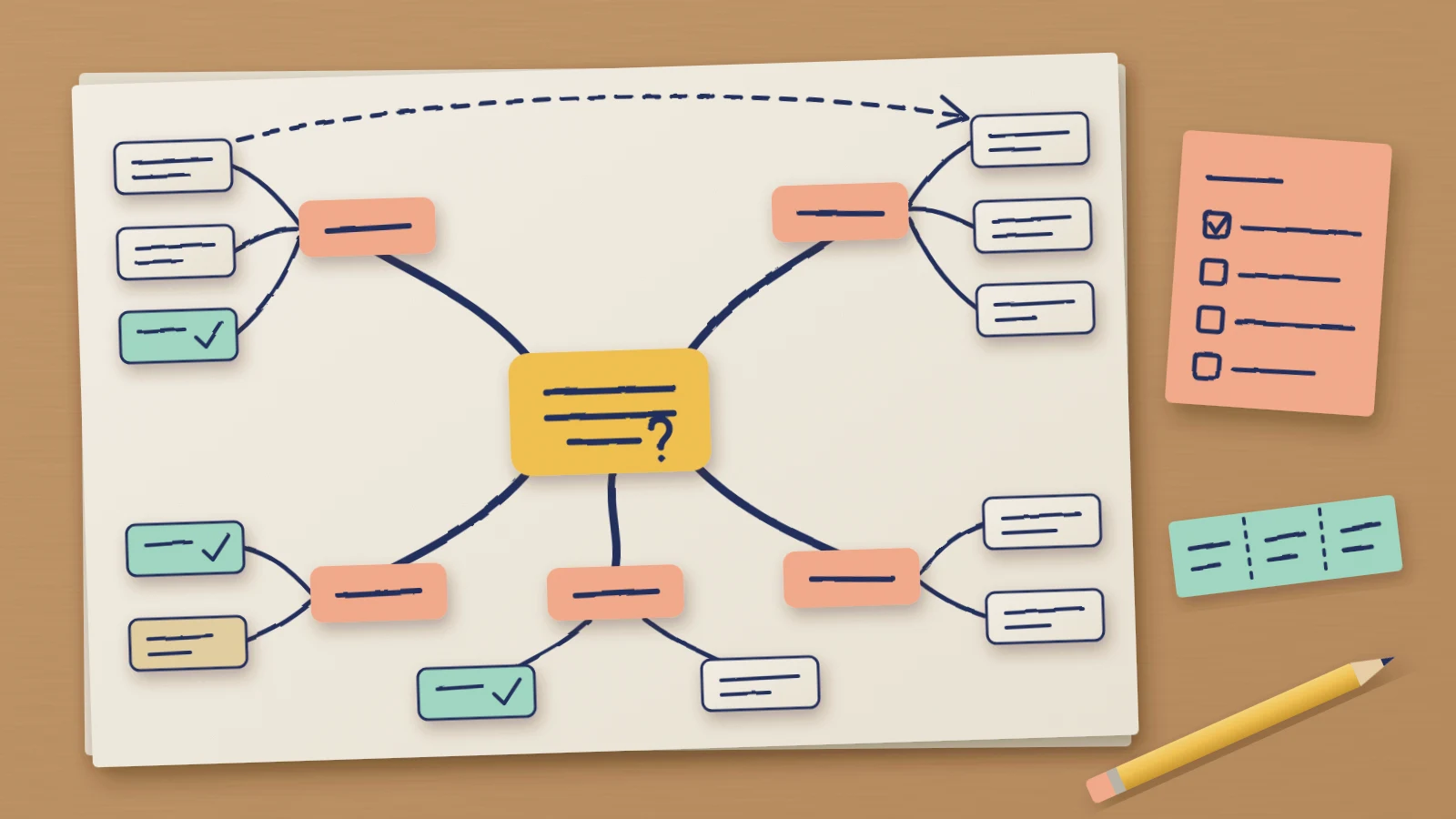
A mind map gets everything you know about a subject onto one page and shows how the pieces group together. You write the subject in the middle, draw a branch for each main theme, and hang the smaller ideas off the branches. It's quick to make, and it works for revising a topic, outlining an essay or planning a project.
A mind map is also easy to make once and never open again. It sprawls, every branch looks as important as the next, and nothing on the page says what to do. This guide covers how to create a mind map around one question, and how to finish it with a status on every idea and a short list of next steps. The editable mind map template on this page has the same structure, ready for your own subject.
What a mind map is good for
The Open University's study guidance on mind maps gives the basic principle: note the central topic or idea in the centre and work outwards, adding the points that flow from it and connect to it. It says mind maps help you get ideas down when you can't think where to start, and that they show connections and give an overview of the key points.
The University of York's note-taking guide describes the same shape and lists where it struggles. A mind map is less effective for detailed, linear information, and it can become complex and unwieldy for a dense subject. Both limits matter for planning. A mind map is a good place to find out what a project involves and a poor place to run it from, so the last section of this guide moves the decisions into a worksheet.
Start from one central question
To keep this concrete, the guide follows Tidewell Community Pantry, a fictional food bank whose volunteers want to hold a fundraising quiz night. The pantry, its people and its figures are invented. You're the volunteer who offered to organise it. The people buying tickets have a simpler task than yours: they want a good night out that helps the pantry.
Writing "Quiz night" in the middle would give you a topic, and a topic accepts anything. Raffle prizes, a live band, a photo booth and a theme for every round all belong to "Quiz night", so the map grows in every direction. A question has an answer, which gives you a test for each idea: does it help answer the question?
The committee has already agreed a date, Friday 5 March, and a target of £3,000. So the centre of the map reads "What must we settle to raise £3,000 at the quiz night on 5 March?". An idea that doesn't affect the money or the date can wait.
If your question is why something keeps going wrong, create a fishbone diagram, which sorts the possible causes by category and records which ones someone has checked.
Add main branches
Before drawing any branches, list ideas for ten minutes without sorting them. The volunteers came up with about twenty: two possible halls, ticket prices, a raffle, local shops sponsoring a round, who writes the questions, who sets out the tables, posters, a ticket page and a band for the interval.
The main branches come from grouping that list. York's guide says to begin with the central idea and branch out into main categories, then connect related subtopics to each one. Read down the list and ask what each idea is about. At Tidewell the answers fell into five groups, which became the branches: Venue, Money, Quiz, People and Promotion.
Keep each label to a word or two. A short label can hold several ideas under it, and a sentence can't. If an idea fits no branch, check it against the question before you add a sixth. A new branch that doesn't help raise £3,000 on 5 March can wait for a different map.
Develop the useful branches
The branches don't need equal attention. York's guide tells you to add layers of detail to each subtopic, and on a planning map that detail is worth adding only where the answer to the question depends on it.
At Tidewell the answer depends on Venue and Money, so those two branches get three ideas each. There are two halls to choose from. St Anne's hall seats 120 and charges £140. The rowing club seats 80 and is free. The Money branch has ticket sales, round sponsors and a raffle. Quiz stays short because the format is familiar: eight rounds of ten questions.
Adding figures exposes a connection between two branches. Teams of six at £12 a ticket bring in £1,440 if St Anne's is full, and £936 from the 13 teams that fit in the rowing club. The Open University guidance says ideas connect to the centre and to each other, so the map shows this with an arrow from the hall to the ticket income.
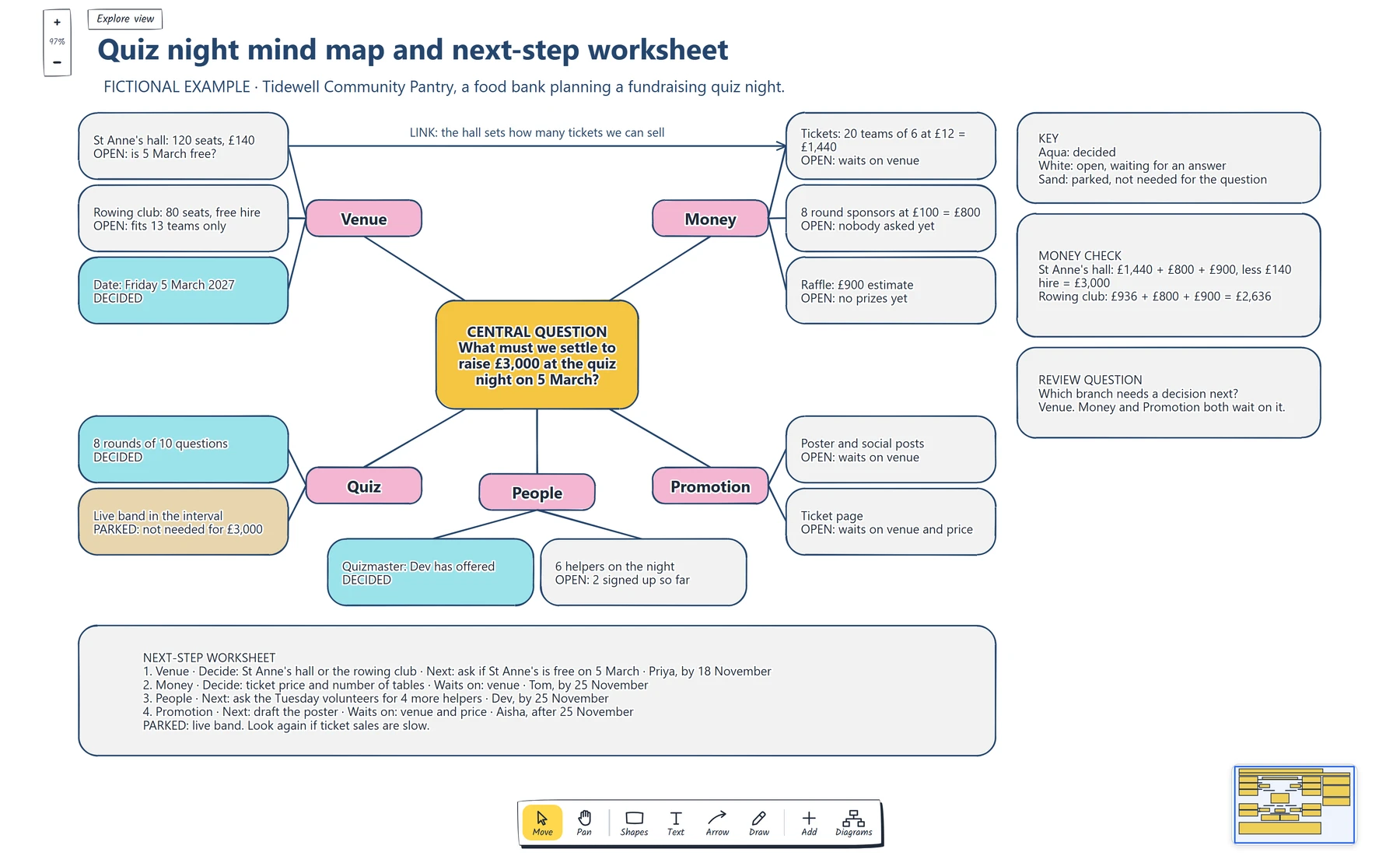
Follow the arrow across the top from the St Anne's hall box to the Tickets box. The hall the team picks sets how many tickets it can sell, so Money can't be settled before Venue.
The money check beside the map adds it up. With St Anne's full, eight sponsors at £100 and a raffle estimated at £900, the night raises £3,000 after the £140 hire. The rowing club reaches £2,636. These are the team's estimates, and nobody has asked a sponsor yet.
If your subject has many connections like this one, follow how to make a concept map, which puts a linking phrase on every line.
Turn branches into actions
The map now holds twelve ideas, and they aren't all in the same state. Give each one a status. Tidewell uses three: decided, open and parked. The date and the quiz format are decided, and so is the quizmaster, because Dev offered. The live band is parked: it doesn't help reach £3,000, so it stays on the map in a sand box where nobody has to argue about it again. The other eight ideas are open.
Each status is written in its box as well as shown by the fill, so the map still reads when it's printed in black and white. For the open ideas, write what each one is waiting for. Tickets wait on the venue. The poster waits on the venue. The ticket page waits on the venue and the price.
That answers the question on the board: which branch needs a decision next? Three open ideas wait on Venue, so Venue comes first. The first job is to ask whether St Anne's is free on 5 March.
A branch can't carry an owner and a date without getting cluttered, so those go in the worksheet under the map. It has one row for each branch that needs something.

Check that every row has an owner and a date, and that rows 2 and 4 name what they wait on. A row without those is still an idea.
Tidewell hasn't booked a hall or sold a ticket. It does know what to settle first, who is doing it and by when. Once the venue is decided, the detail will outgrow the map, as York's guide warns. If you're planning a larger event, the event planning mind map template has branches for budget, speakers, catering and registration.
You can open the editable starter near the top of this page to build your own. It adds a new page and leaves your existing drawings alone. Double-click a box to change its text. When an idea is settled, select its box and choose a new Fill colour.
Review checklist
Copy this worksheet before you share the map:
Central question, with a target and a date:
Main branches, one or two words each:
Ideas left off because they don't help answer the question:
Branches the answer depends on, with their detail:
Links between branches:
Ideas decided:
Ideas open, and what each one waits on:
Ideas parked, and when to look again:
Branch that needs a decision next:
Next step, owner and date for each branch:
Before sharing, read the open ideas and ask the question on the board: which branch needs a decision next?
Optional: create the example with an AI assistant
If you use an AI assistant that supports remote MCP with OAuth sign-in, you can ask it to build this mind map example in your EpicDraw workspace. MCP is the connection that lets the assistant use EpicDraw's diagram tools.
This route needs a free EpicDraw account and cloud sync. Open More, choose Connect AI assistant and add https://epicdraw.app/mcp in your assistant. When EpicDraw asks you to approve the connection, allow it to create and edit diagrams. The MCP connection guide walks through each step.
Paste this prompt into the connected assistant:
Using the connected EpicDraw MCP server, create a new editable page named "Quiz night mind map and next-step worksheet". Leave existing pages unchanged.

Build a fictional mind map for Tidewell Community Pantry, a food bank planning a fundraising quiz night. Put the central question "What must we settle to raise £3,000 at the quiz night on 5 March?" in a box in the middle. Add five branch boxes joined to it by lines: Venue, Money, Quiz, People and Promotion. Give Venue and Money three idea boxes each and the other branches two, each ending with its status: DECIDED, OPEN with what it waits on, or PARKED with the reason. Under Venue use "St Anne's hall: 120 seats, £140" (open: is 5 March free?), "Rowing club: 80 seats, free hire" (open: fits 13 teams only) and "Date: Friday 5 March 2027" (decided). Under Money use "Tickets: 20 teams of 6 at £12 = £1,440" (open: waits on venue), "8 round sponsors at £100 = £800" (open) and "Raffle: £900 estimate" (open). Draw one arrow from the St Anne's hall box to the Tickets box, labelled "LINK: the hall sets how many tickets we can sell". Fill decided ideas aqua, parked ideas sand and open ideas white, and add a key. Add a money check card that compares the two venues, a next-step worksheet card that lists each branch with its decision, next step, owner and date, and the review question "Which branch needs a decision next?".

Use editable shapes, text and lines. Label the example as fictional and mark unknowns as open. This is a visual planning draft. Check for overlapping objects and overflowing labels, then return a PNG preview and the private editor link. Leave the result as a draft for me to review.
Open the returned private editor link while signed in. The assistant's layout may differ from the screenshot, and it knows nothing about your event. Replace the fictional halls, prices and names with your own, and leave an idea marked as open until someone has decided it.
To write a prompt like this for your own subject, use the five parts of an AI diagram prompt. That guide includes a short mind map prompt you can adapt.
Takeaways
- Put a question with a target and a date in the centre, so every idea can be checked against it.
- Group a rough list into a few main branches with short labels.
- Add detail only to the branches the answer depends on, and draw the links between them.
- Mark every idea as decided, open or parked, and write what each open idea waits on.
- Move owners and dates into a worksheet, starting with the branch that other branches wait on.
Keep your next draft close
Create a free account to save your pages in the cloud and use them across devices.
Create a free accountYou can keep drawing without an account.