Product
Now, Next, Later roadmap template
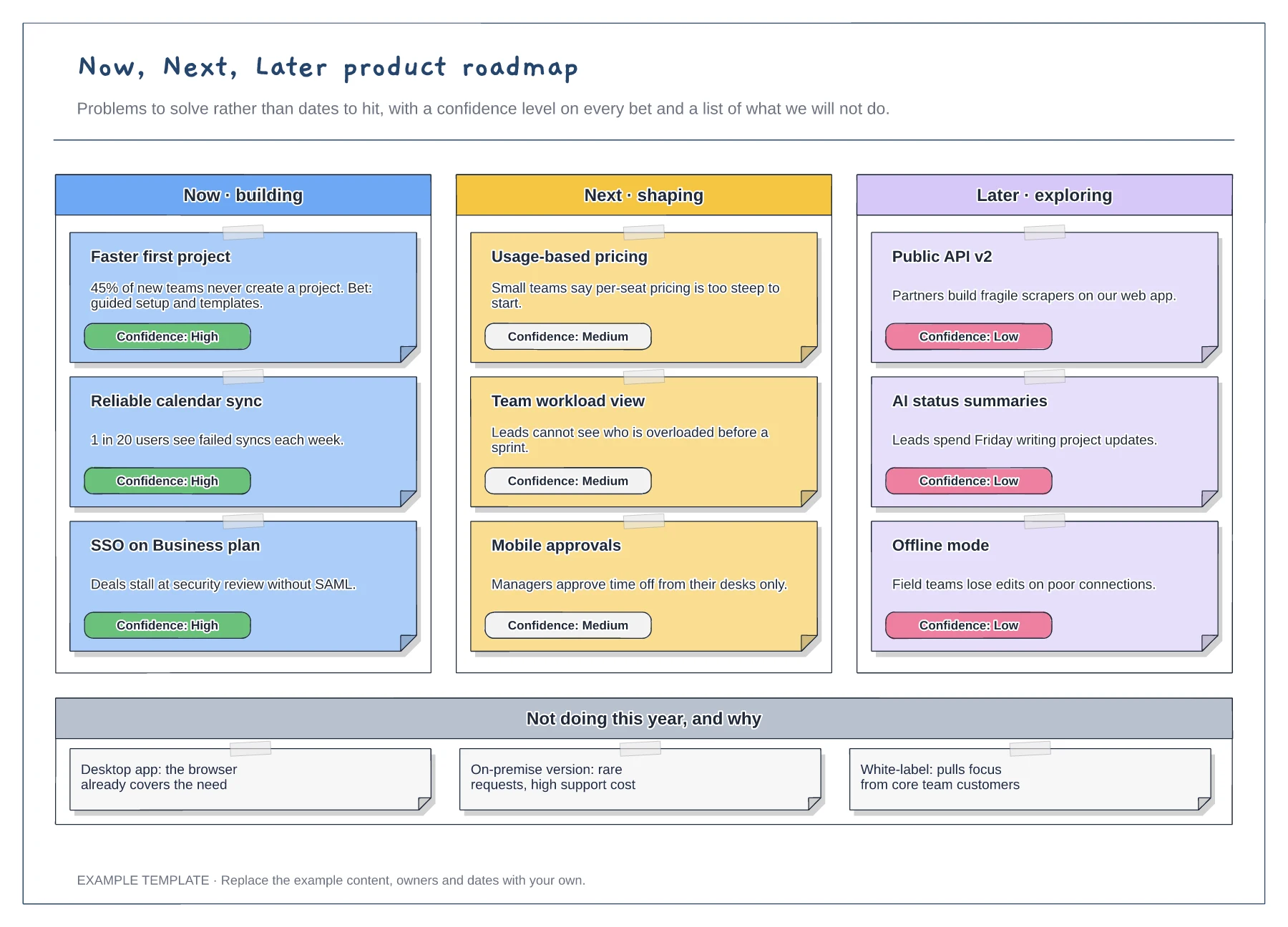
Now, Next and Later columns · Problem statements with confidence tags · A not-doing list with reasons
Preview and use template →A user story map lays the backlog out along the user's journey, so the team can see which stories make a complete first release. This example for a freelancer invoicing app has four activities, eight steps and stories in three release slices, with the MVP aimed at getting the first invoice paid.
No account needed · Opens as your own editable page
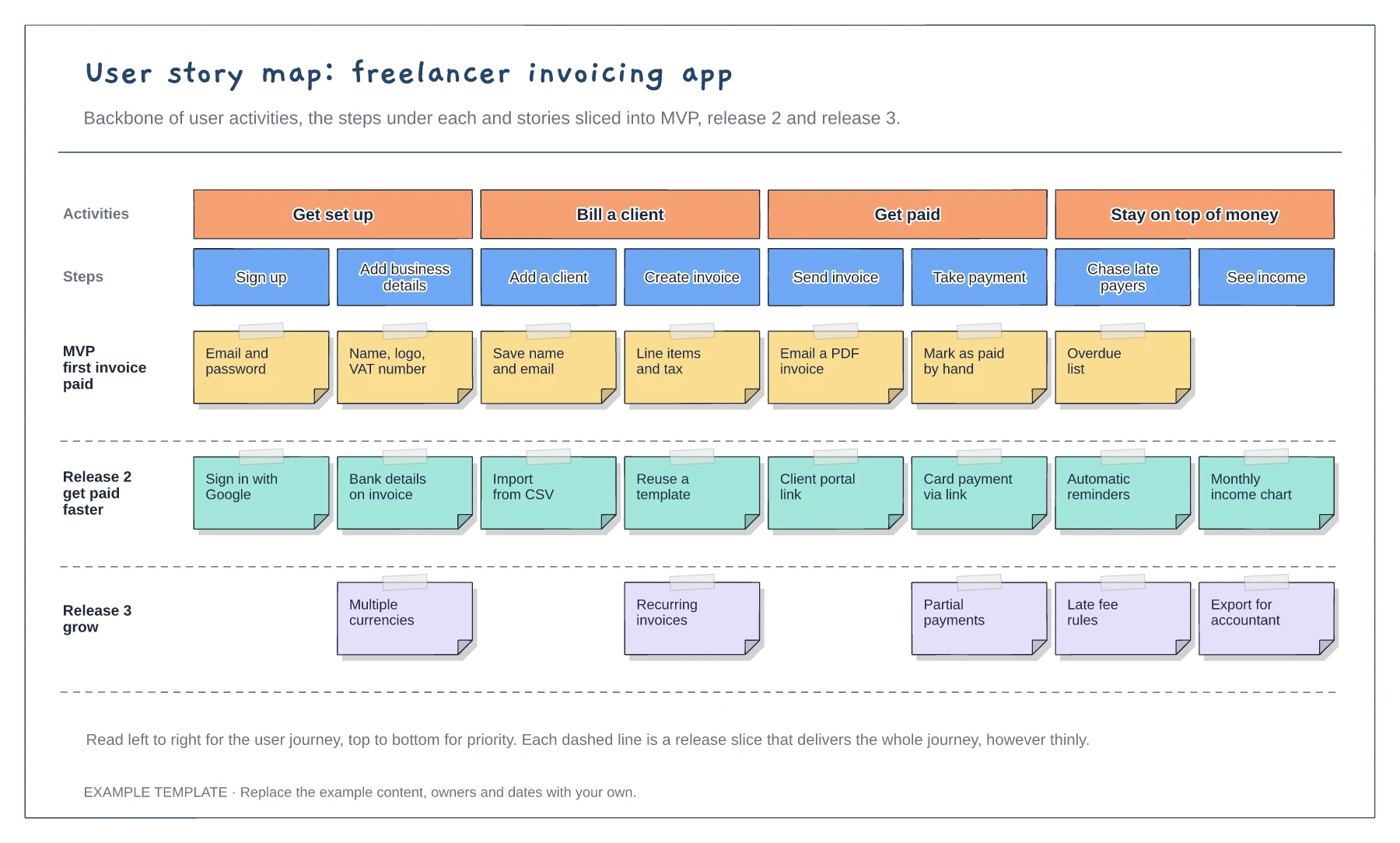
Name activities from the user's point of view, such as Get paid, not after system modules. That keeps the map tied to the journey rather than to how the code is organised.
Make sure each release row has at least one story under every step it needs. A release that skips a step leaves users stuck halfway, however polished the other parts are.
Label the slices with the outcome they deliver, like first invoice paid. Outcome labels make scope debates easier, because every story can be tested against them.
Drag the story card into the MVP, release 2 or release 3 slice, keeping it under the same step so the backbone still reads left to right.
No. Open the template and edit it in your browser. Your work saves on this device. An account is optional if you want to sync your workspace.
Yes. Use Export in the editor to save a PNG, SVG or PDF, or download an editable .epicdraw backup.
Now, Next and Later columns · Problem statements with confidence tags · A not-doing list with reasons
Preview and use template →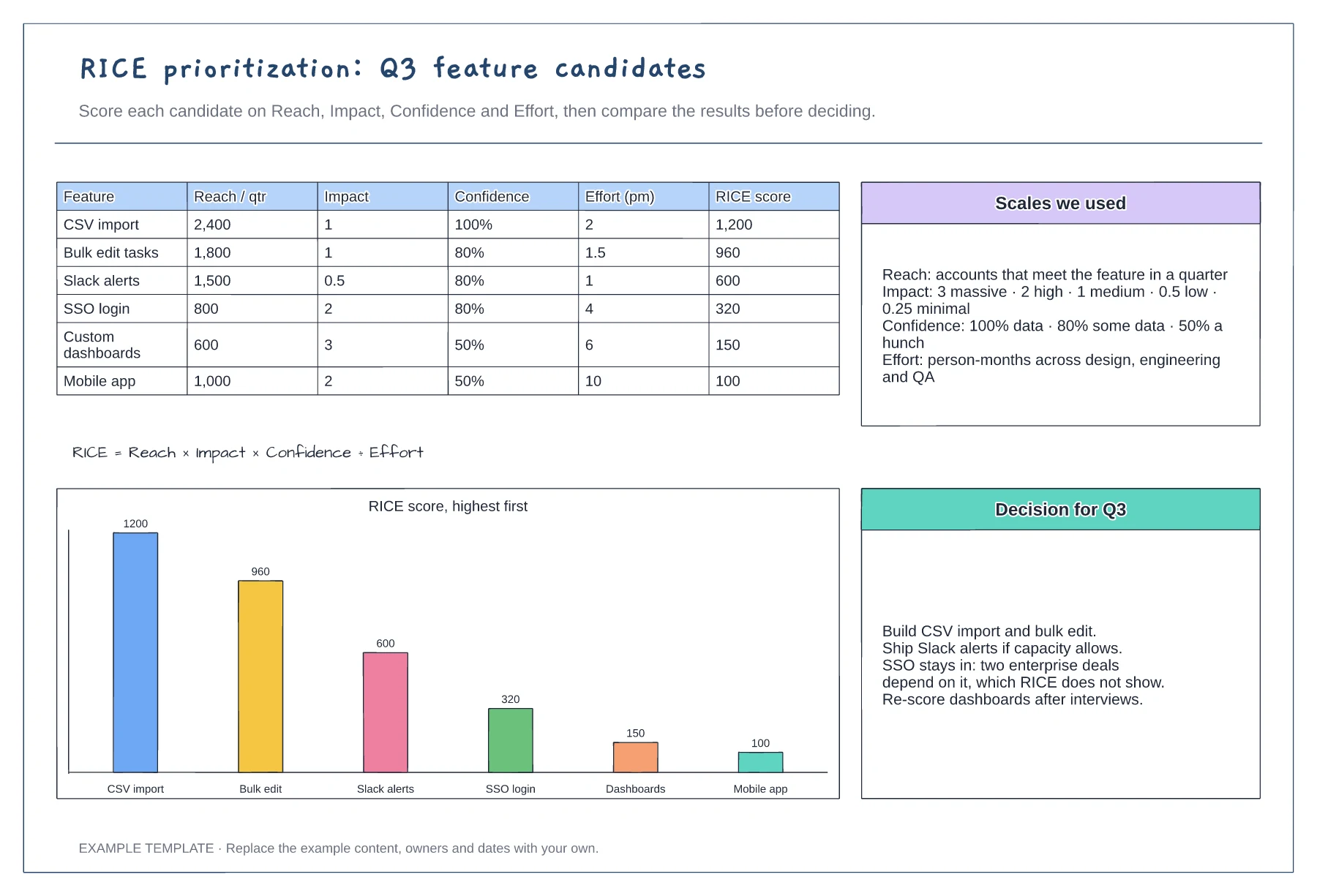
Scoring table with six features · Scales for reach, impact, confidence and effort · Ranked chart and a recorded decision
Preview and use template →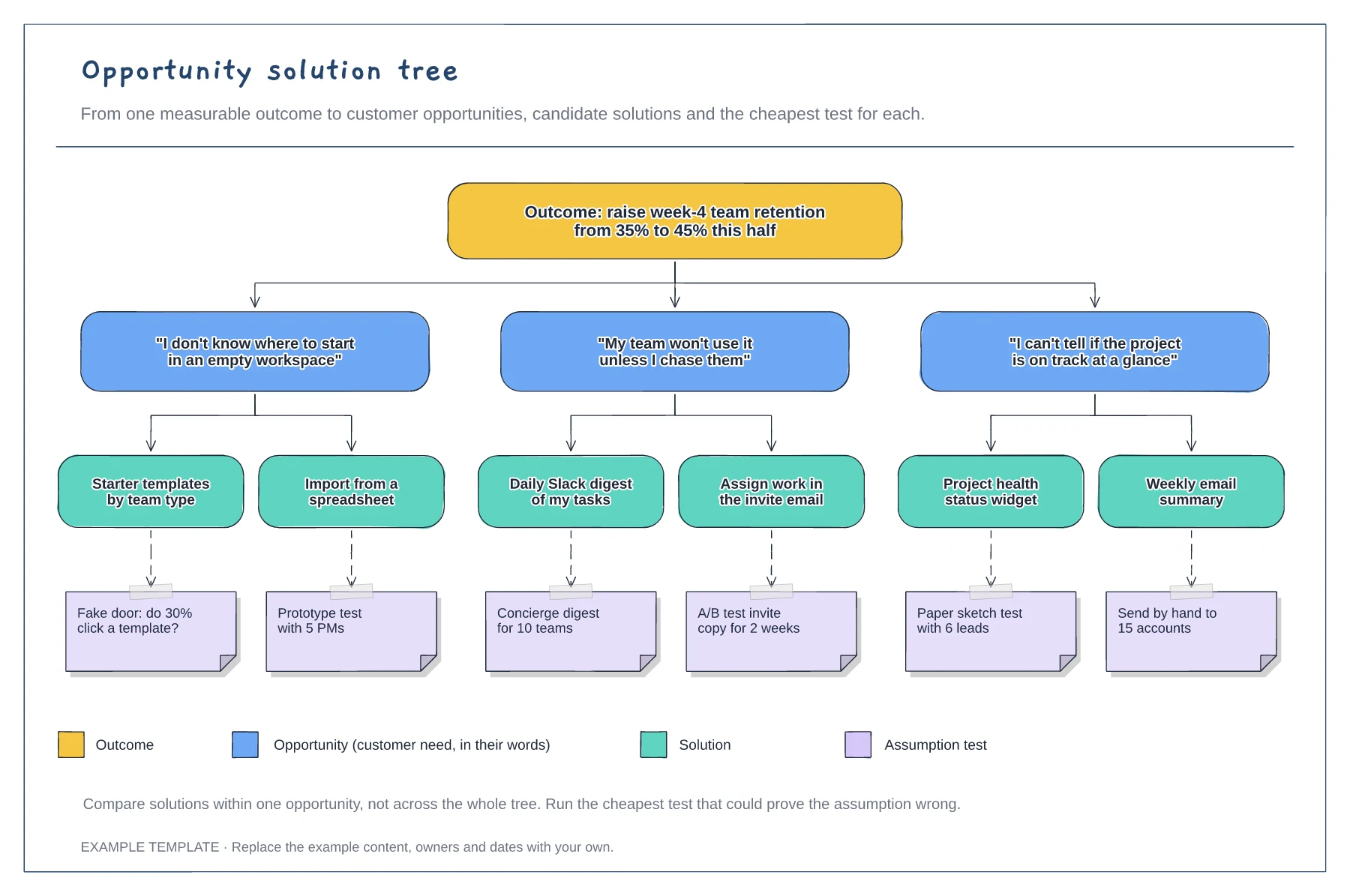
A measurable outcome at the top · Opportunities phrased as customer quotes · Solutions with assumption tests and a legend
Preview and use template →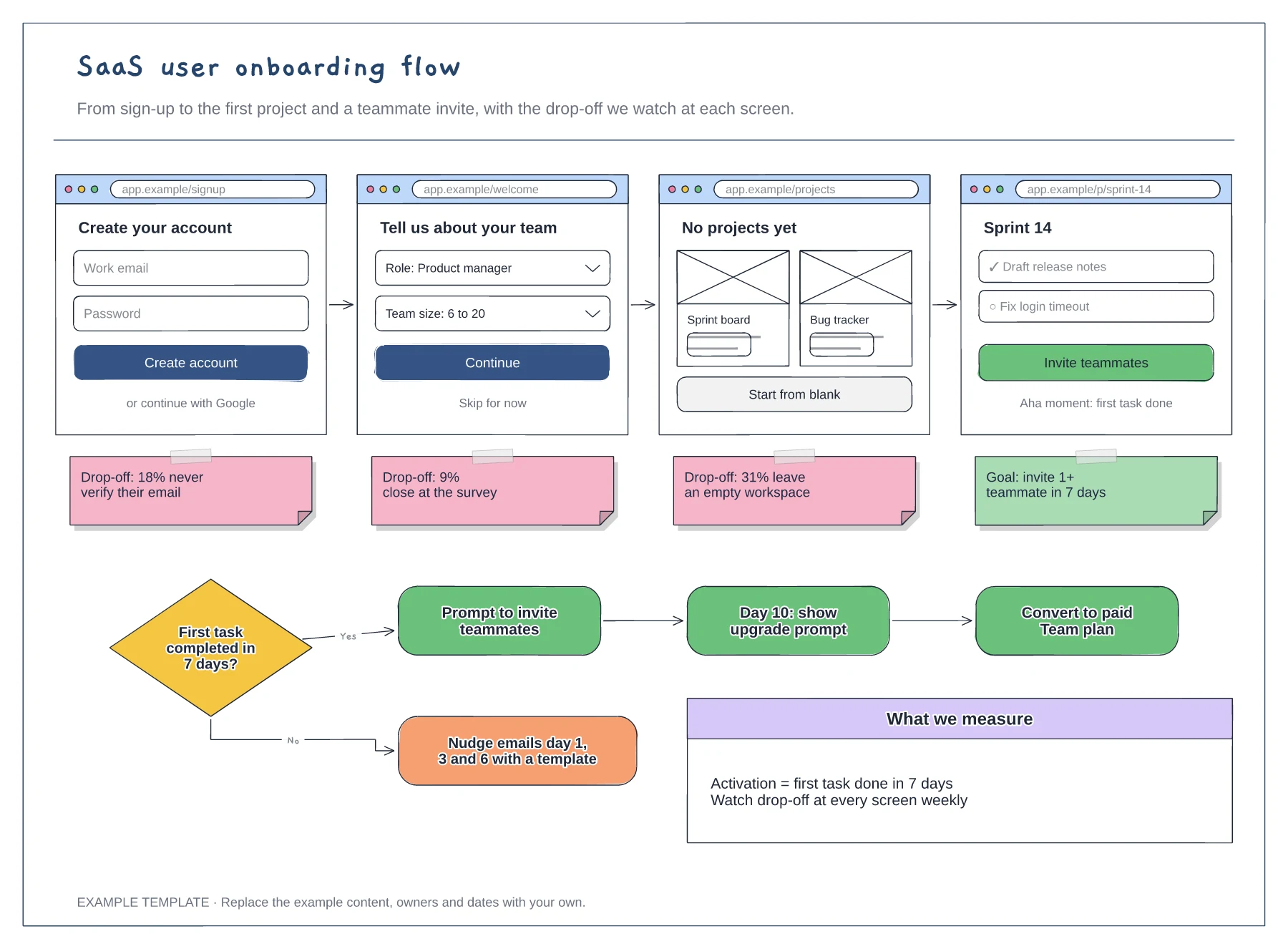
Four wireframed onboarding screens · Drop-off notes for each step · Activation decision with nudge and upgrade paths
Preview and use template →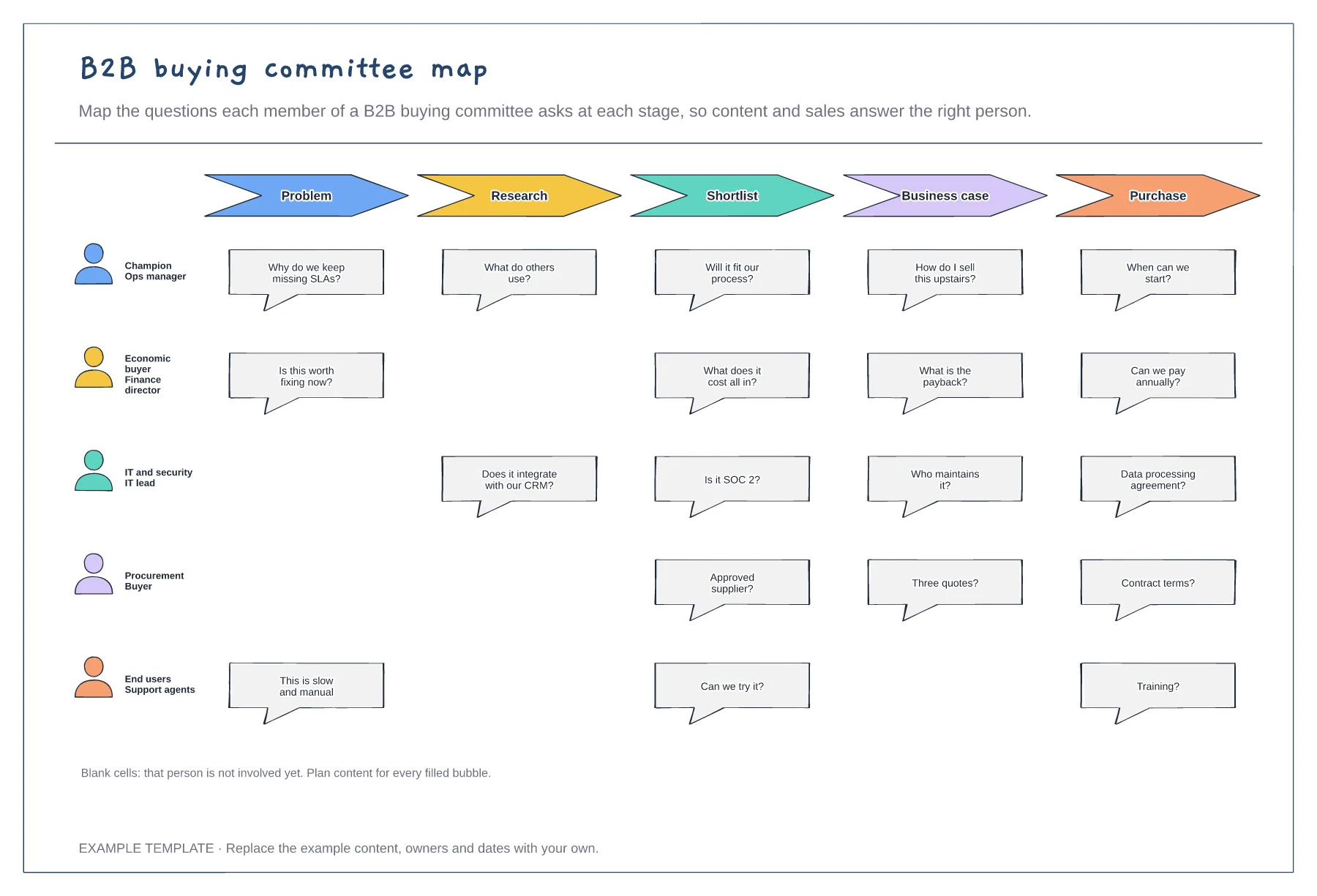
Five buying committee roles · Their questions at each stage · Gaps where a role is not yet involved
Preview and use template →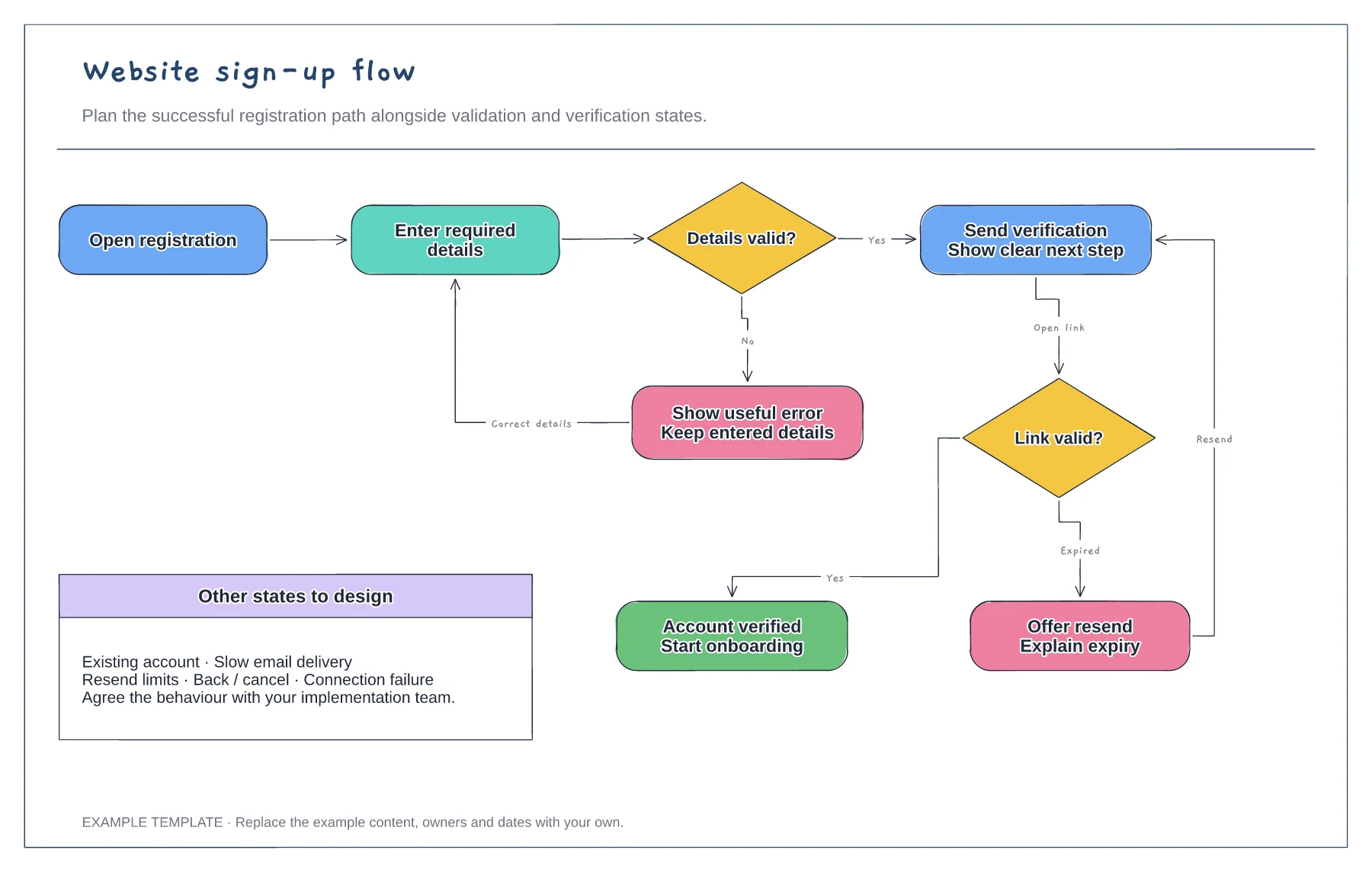
Registration form and validation · Verification and resend path · Successful access and error recovery
Preview and use template →