Product
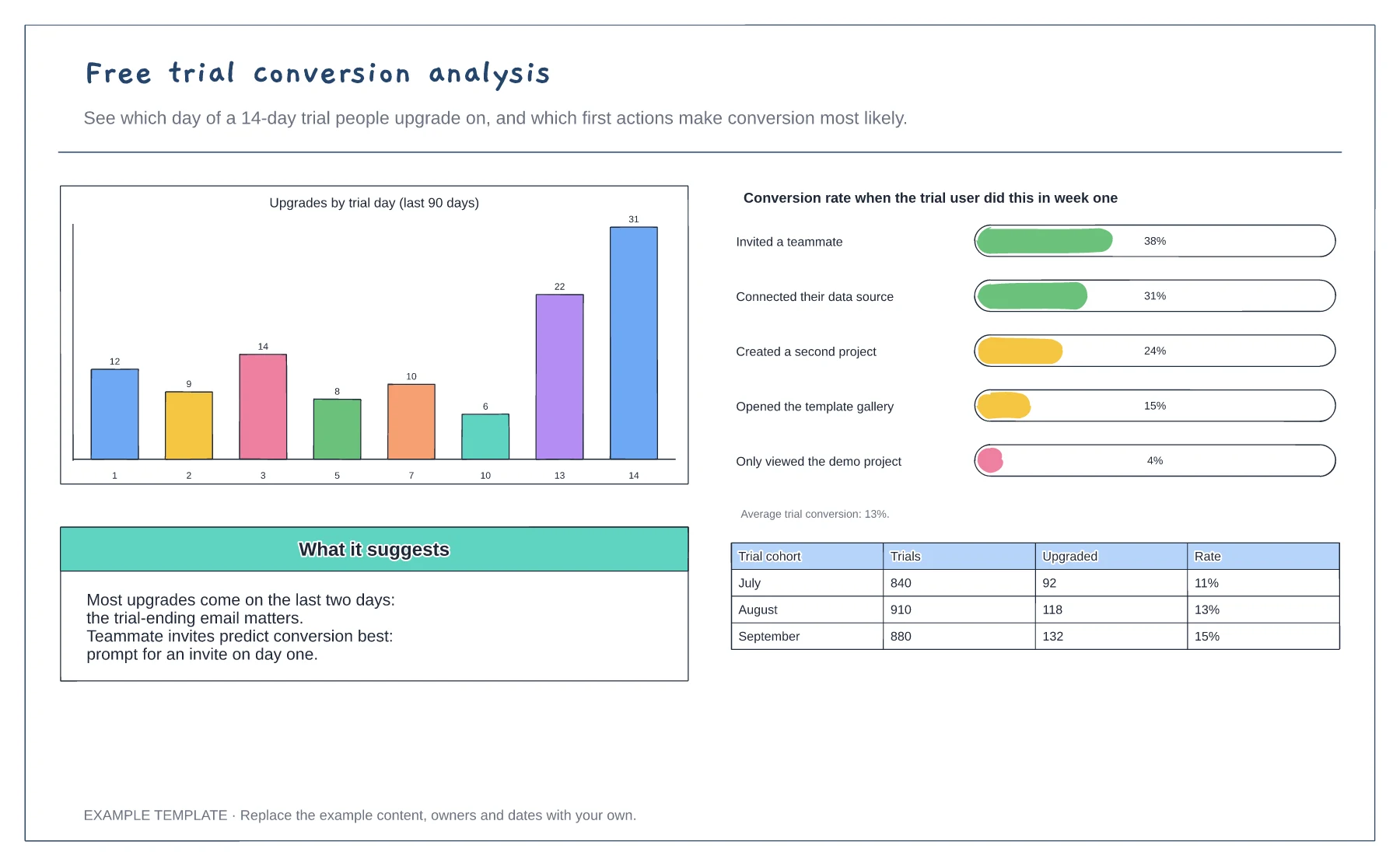
Free trial conversion analysis template
Upgrades by trial day · Conversion by first-week action · Monthly cohort table
Preview and use template →A SaaS onboarding flow maps the screens and decisions between sign-up and the moment a new user gets value. This example shows four screens from account creation to the first completed task, notes where users drop off, and follows the activation decision into invites, upgrade prompts or nudge emails.
No account needed · Opens as your own editable page
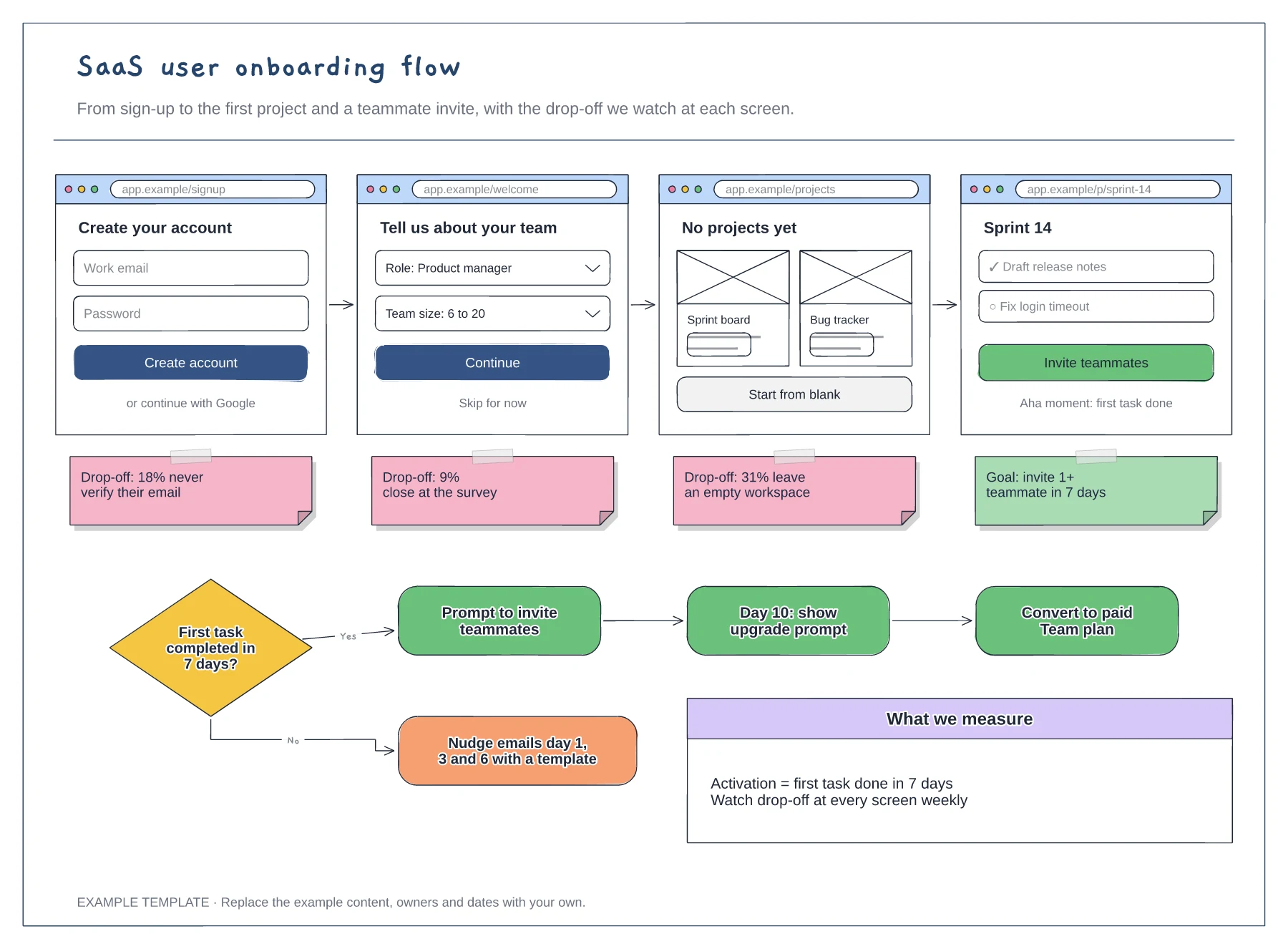
Decide which action shows that a new user has got value, such as completing a first task. Every screen in the flow should move them towards it, so cut anything that does not.
Replace the example percentages with figures from your analytics. The step with the largest drop is usually the best place to start redesigning, because small gains there carry through every later step.
Write the emails or in-app prompts that reach people who do not activate. Link each one to a specific next step, such as a template, rather than a general reminder.
Rename the activation decision to the action that shows value in your product, then update the nudge and upgrade paths that follow it.
No. Open the template and edit it in your browser. Your work saves on this device. An account is optional if you want to sync your workspace.
Yes. Use Export in the editor to save a PNG, SVG or PDF, or download an editable .epicdraw backup.
Upgrades by trial day · Conversion by first-week action · Monthly cohort table
Preview and use template →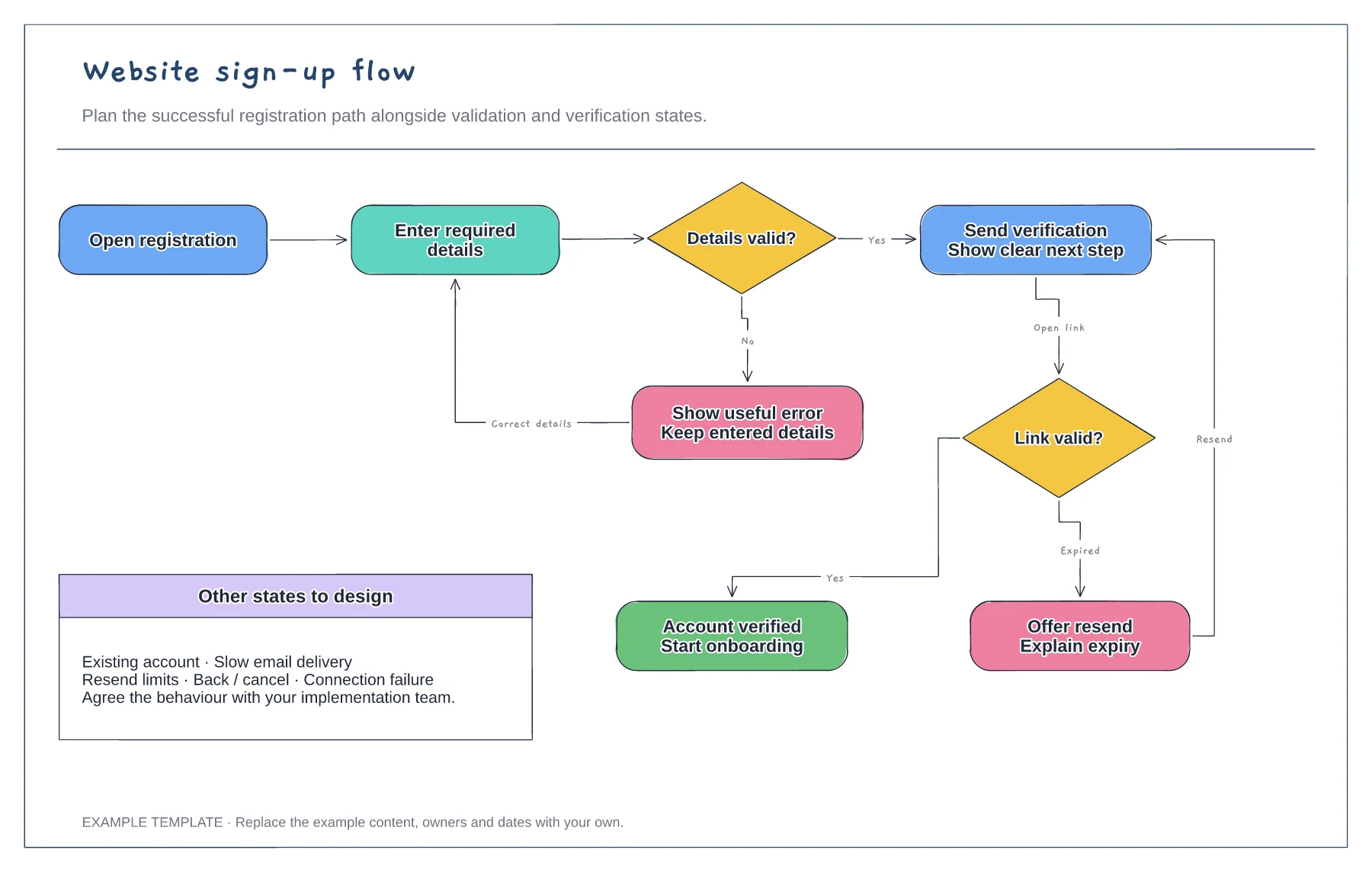
Registration form and validation · Verification and resend path · Successful access and error recovery
Preview and use template →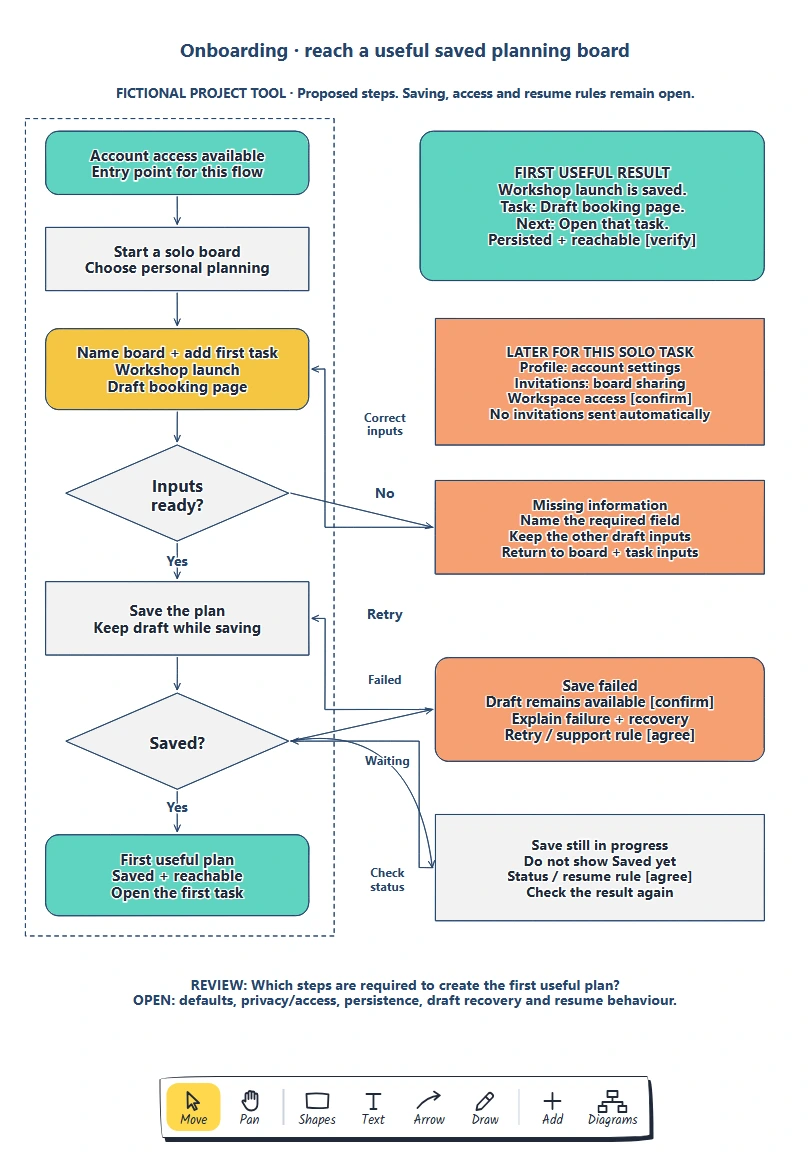
Define the person, entry point and useful result. · Give each required input a reason. · Keep later choices reachable.
Preview and use template →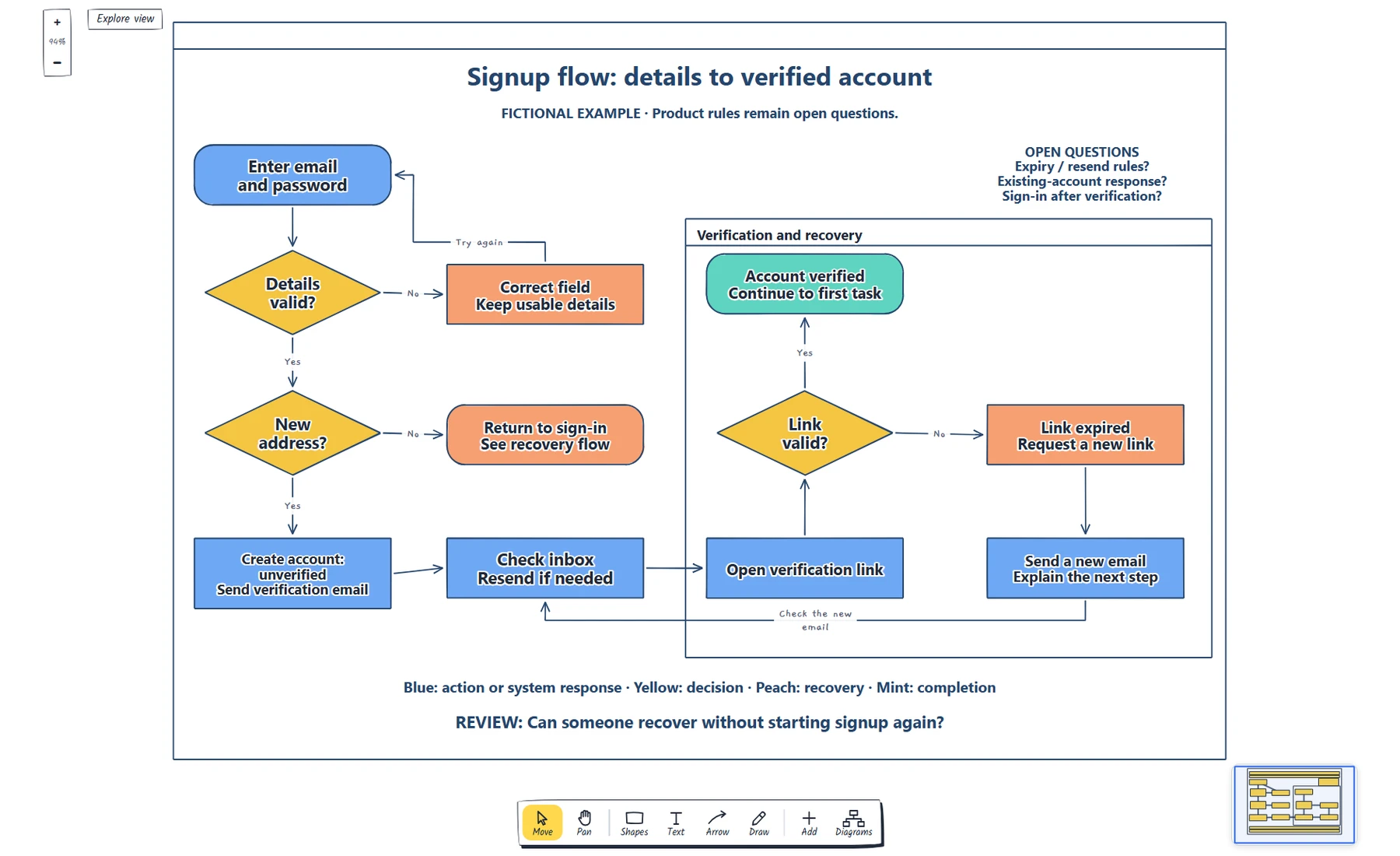
Name the starting point and completion state. · Label each decision and its outcomes. · Trace validation, sign-in and resend recovery.
Preview and use template →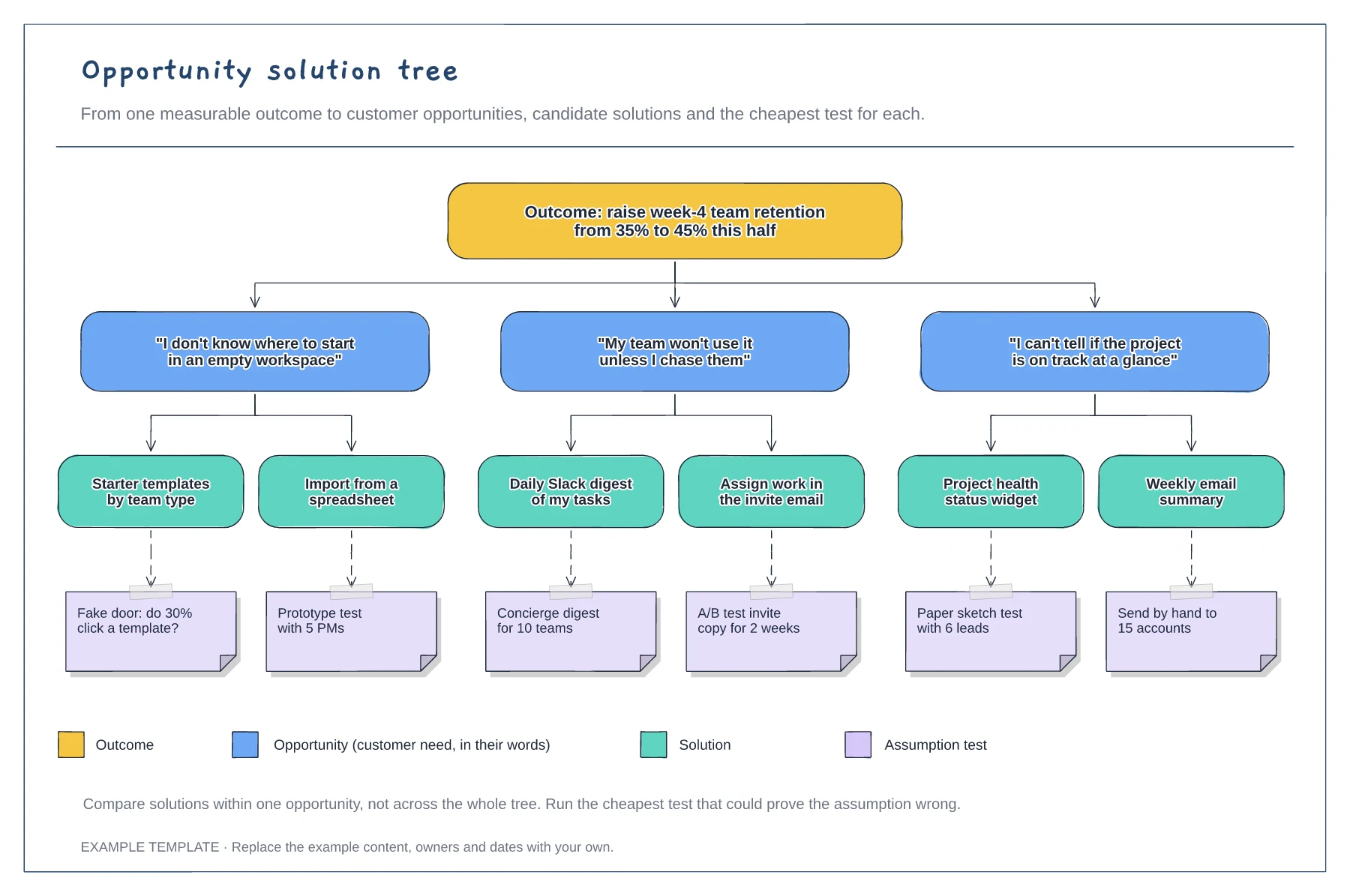
A measurable outcome at the top · Opportunities phrased as customer quotes · Solutions with assumption tests and a legend
Preview and use template →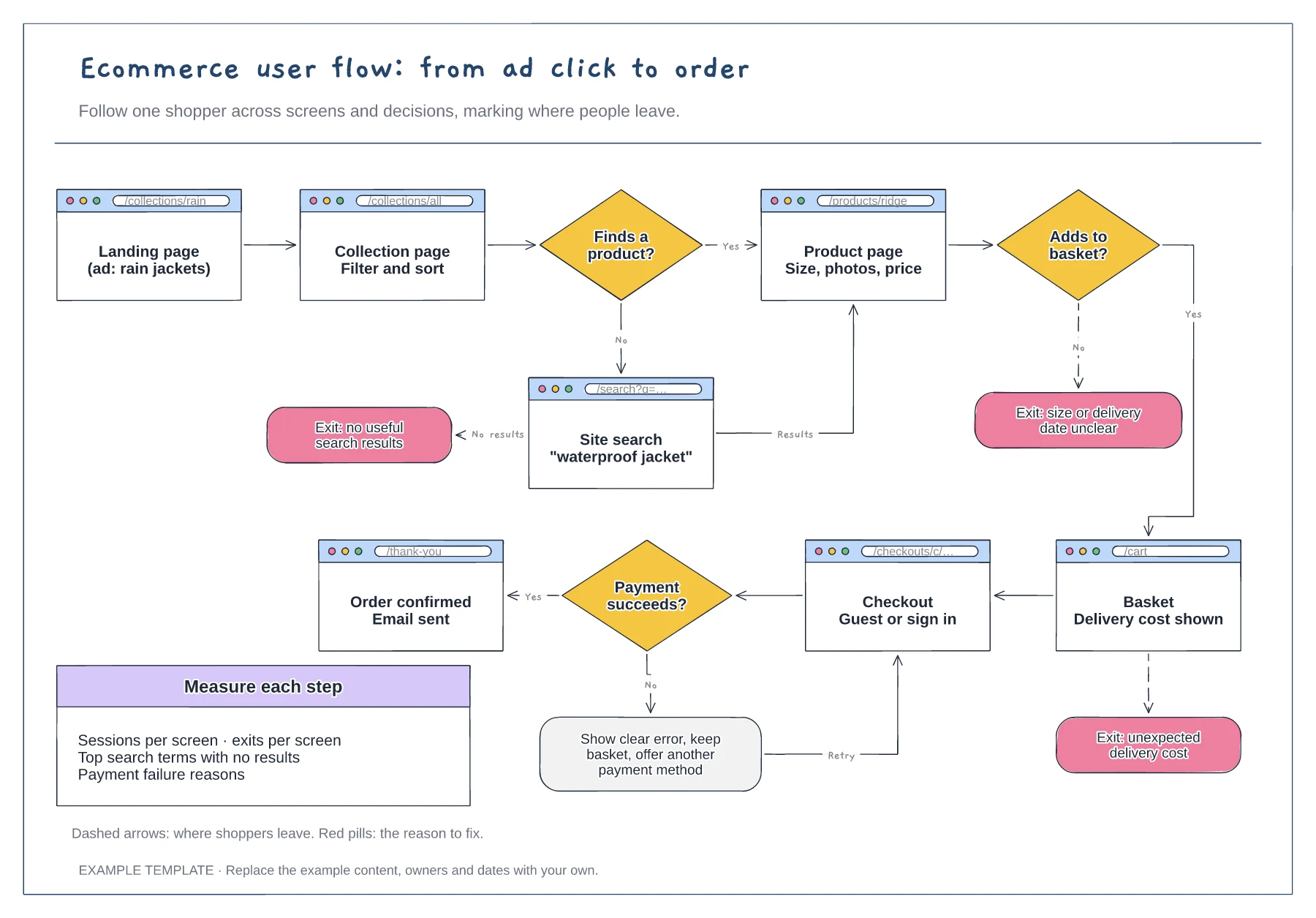
Screens with their URLs · Search, basket and payment decisions · Exit points with the reason to fix
Preview and use template →