Manufacturing
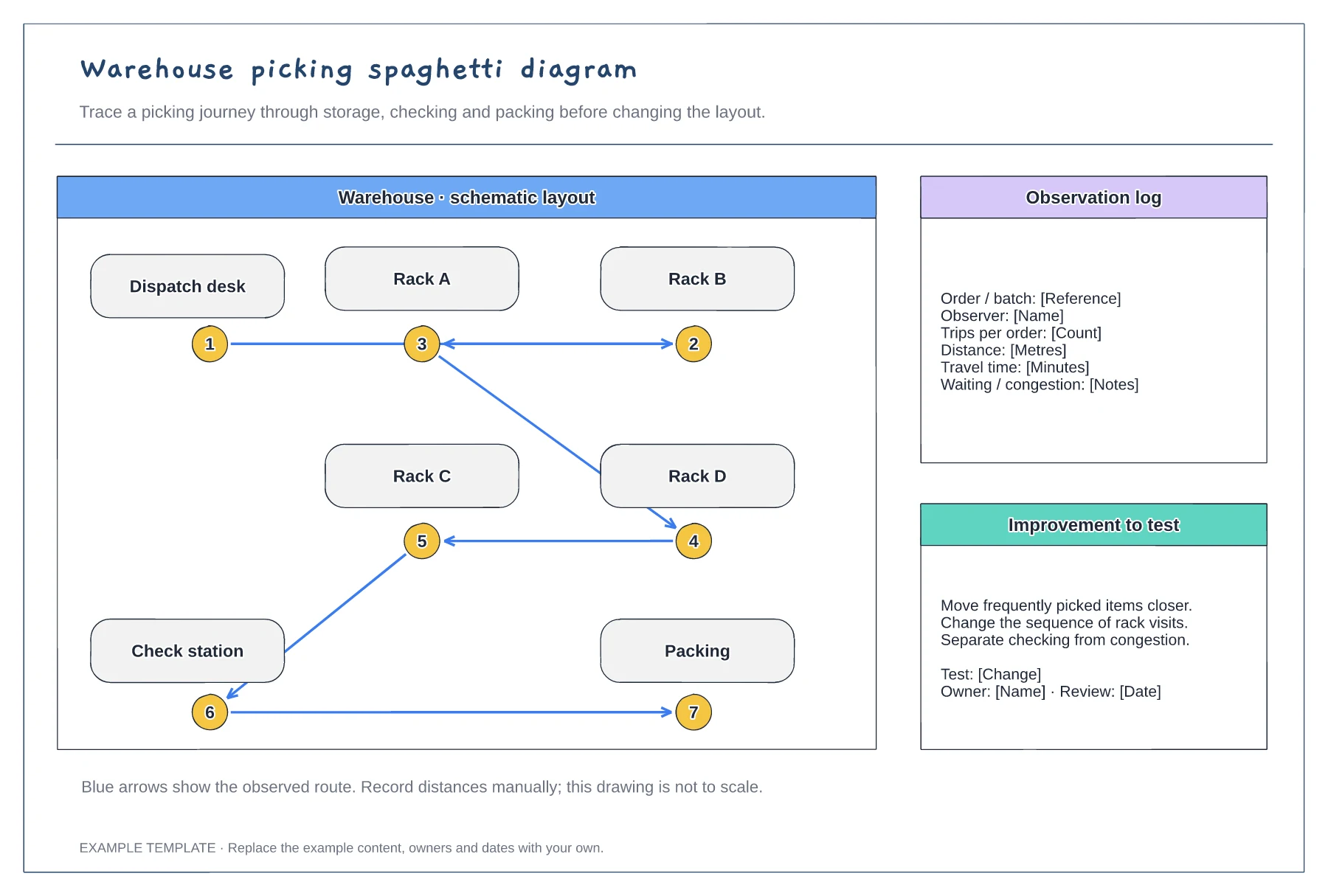
Warehouse picking spaghetti diagram template
An example warehouse layout · Numbered picking stops and route arrows · Space to discuss movement and changes
Preview and use template →A U-shaped cell puts the first and last operations next to each other, so one operator can finish a part and start the next without a long walk back. This example compares a straight line of six machines with the same machines arranged in a U and sets out the walk, WIP, floor space and staffing for each.
No account needed · Opens as your own editable page
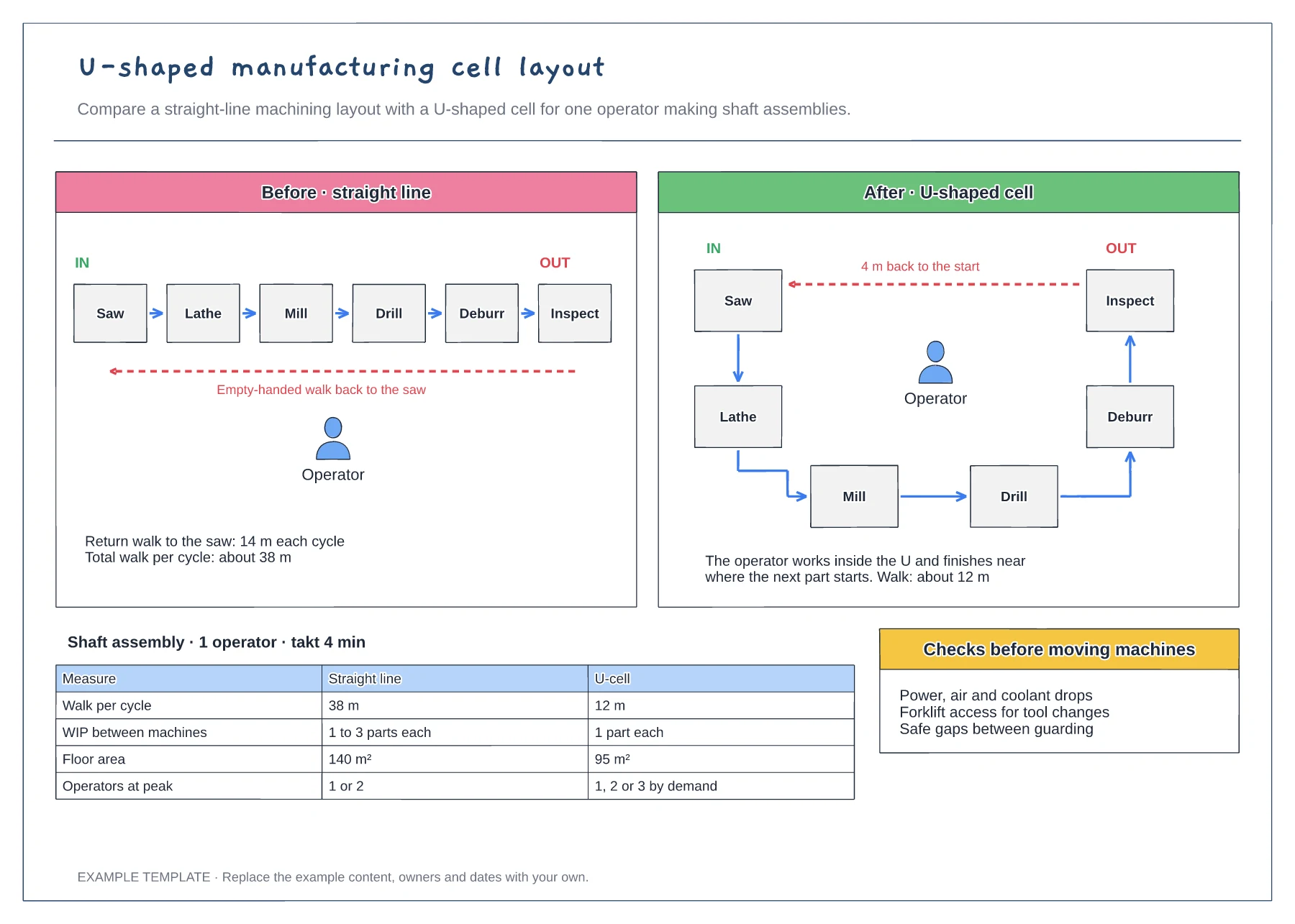
Place your machines around the U in the order a part visits them. The operator then follows the part round the cell rather than crossing it between operations.
Make sure the first and last operations sit next to each other at the open end. That short return is where most of the walking saving comes from.
List the power, air, coolant and access needs of each machine. Moving a machine is costly, so confirm the U works on paper and with a trial walk first.
Yes. Add or remove machines in both the before and after layouts, redraw the operator walk routes and update the comparison table.
No. Open the template and edit it in your browser. Your work saves on this device. An account is optional if you want to sync your workspace.
Yes. Use Export in the editor to save a PNG, SVG or PDF, or download an editable .epicdraw backup.
An example warehouse layout · Numbered picking stops and route arrows · Space to discuss movement and changes
Preview and use template →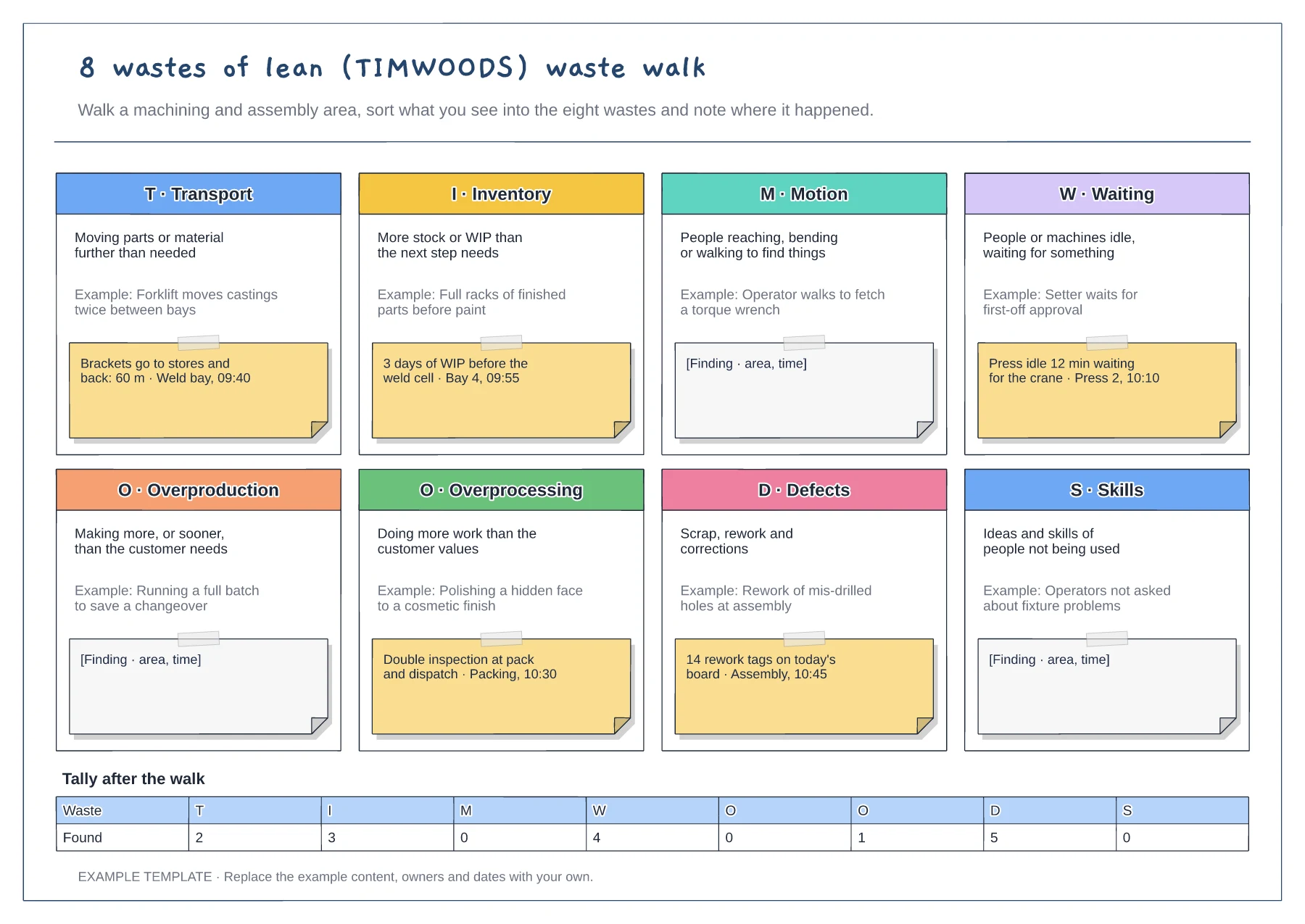
Eight tiles for TIMWOODS · Shop-floor example under each waste · Finding notes and a tally after the walk
Preview and use template →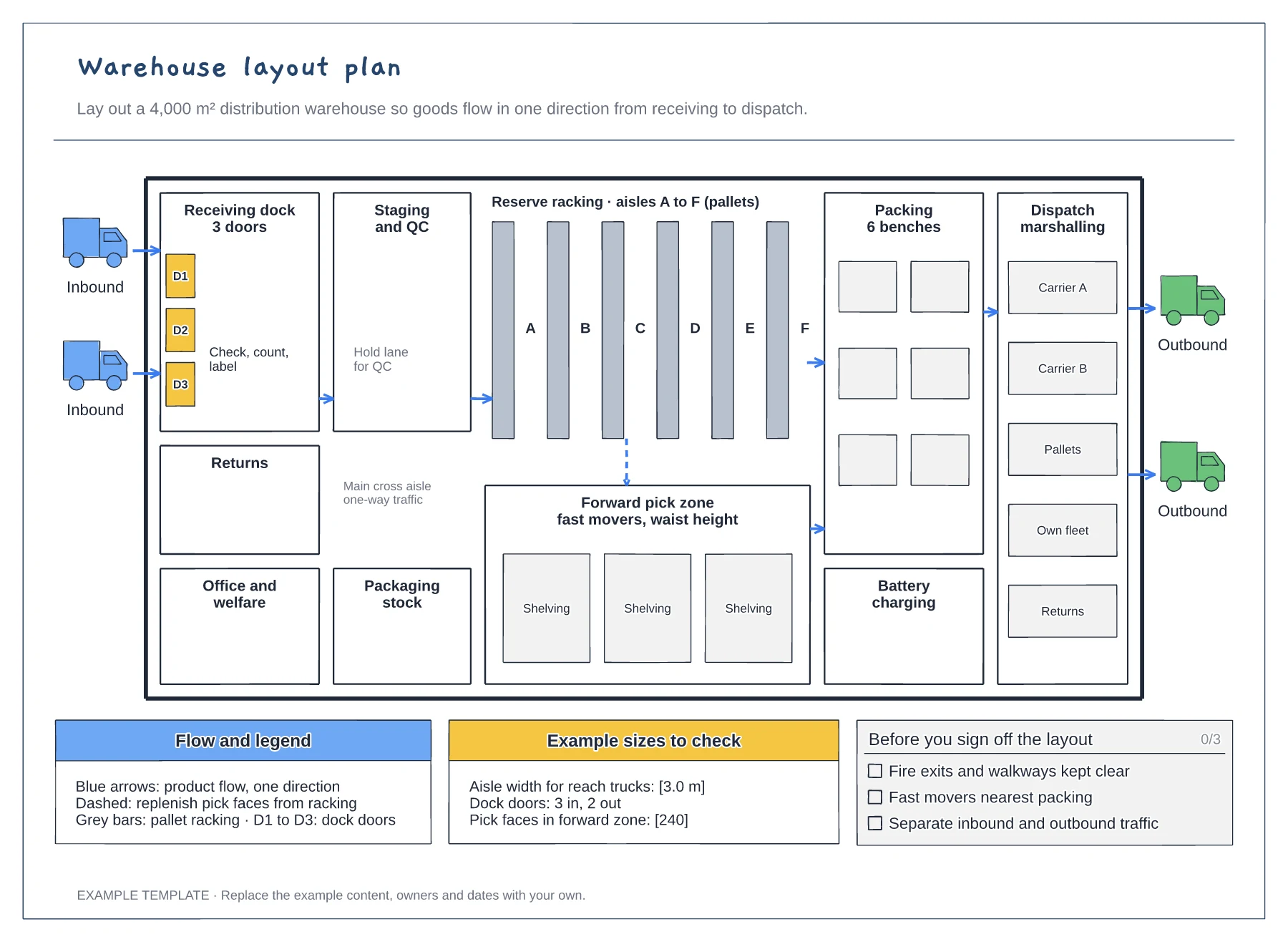
Floor plan with docks, racking and work areas · Flow arrows and a replenishment route · Size checks and a sign-off checklist
Preview and use template →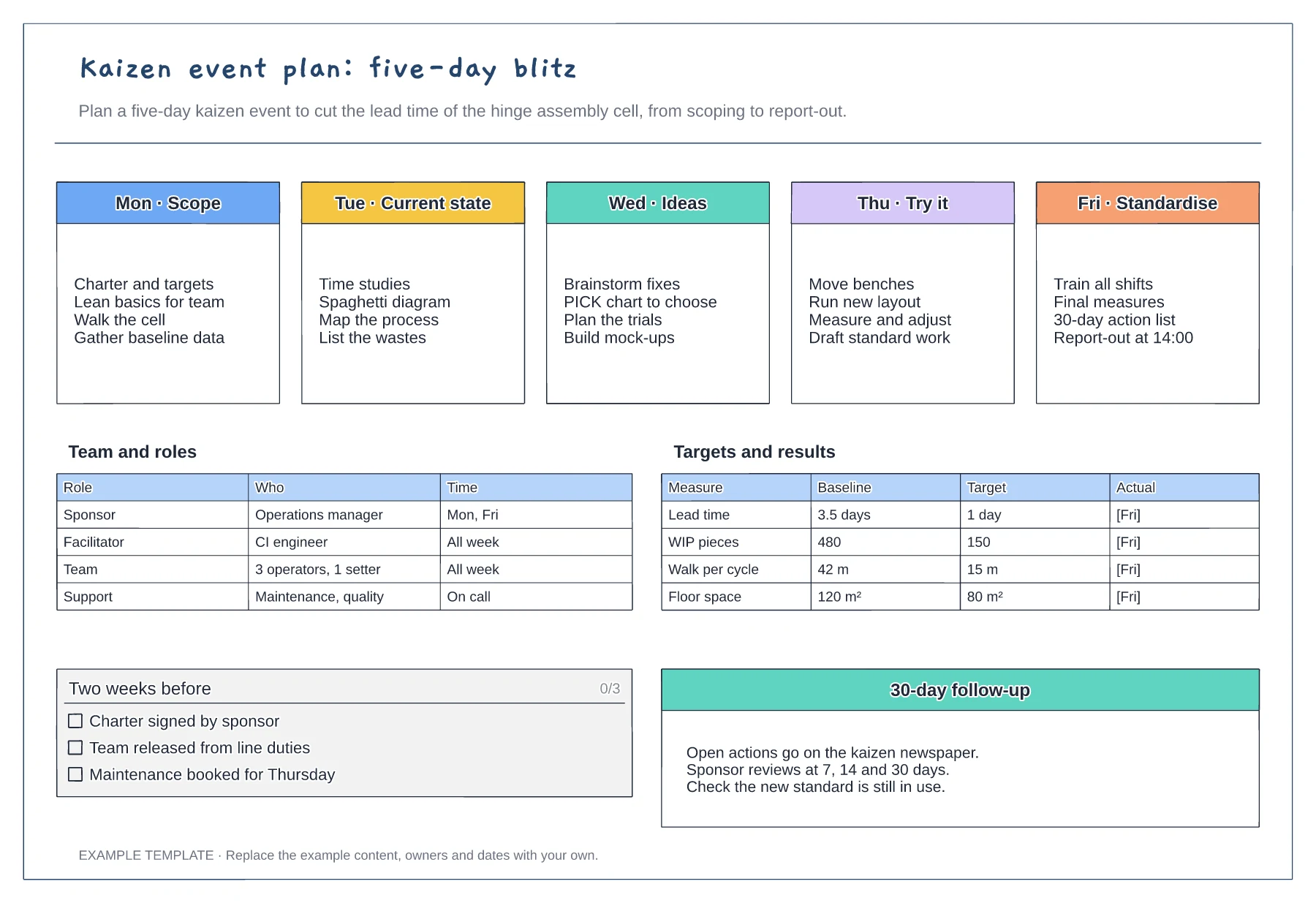
Five-day agenda from scope to standardise · Team roles and time commitment · Baseline, target and actual measures
Preview and use template →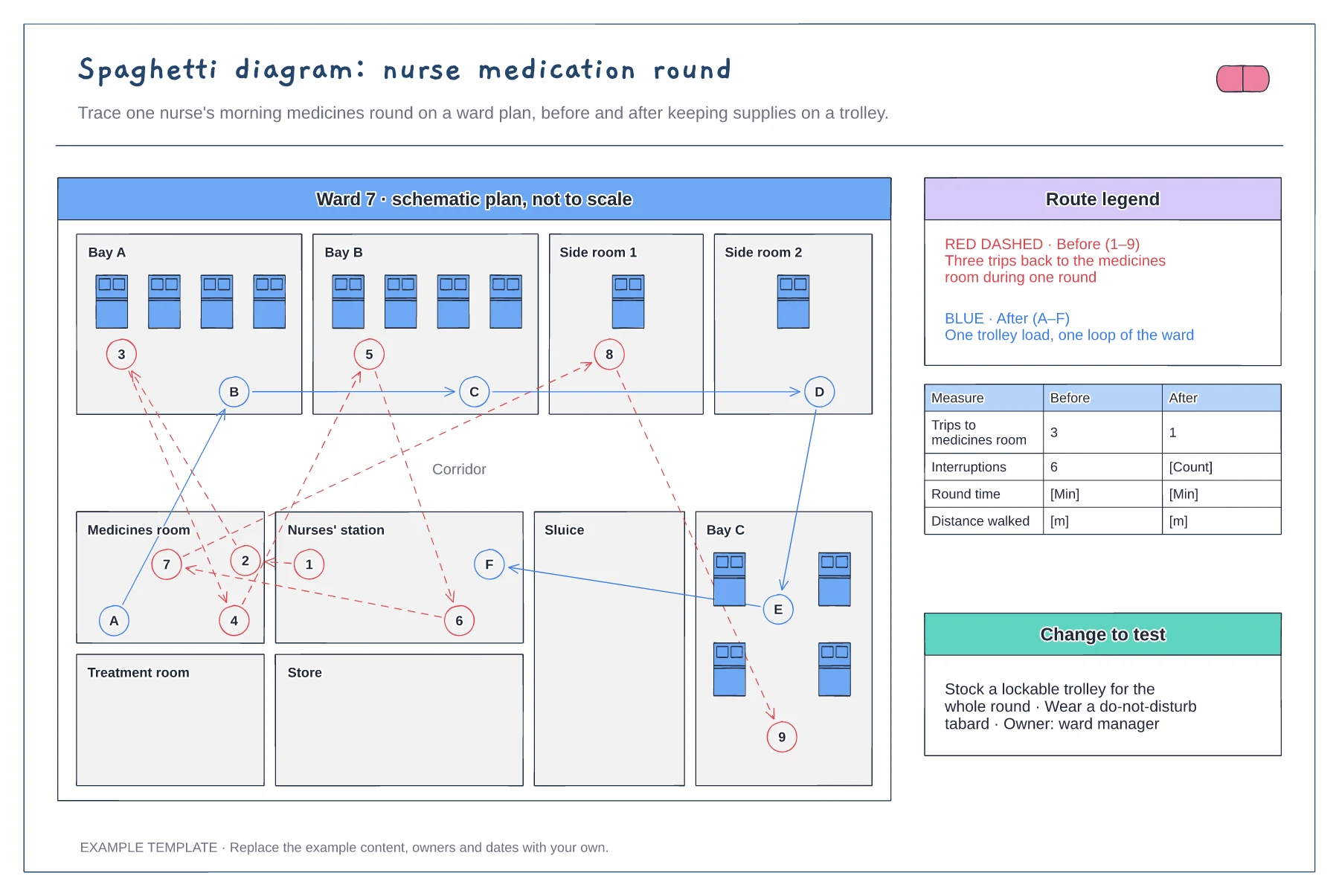
Ward floor plan with bays and rooms · Before and after routes with numbered stops · Measures table and change to test
Preview and use template →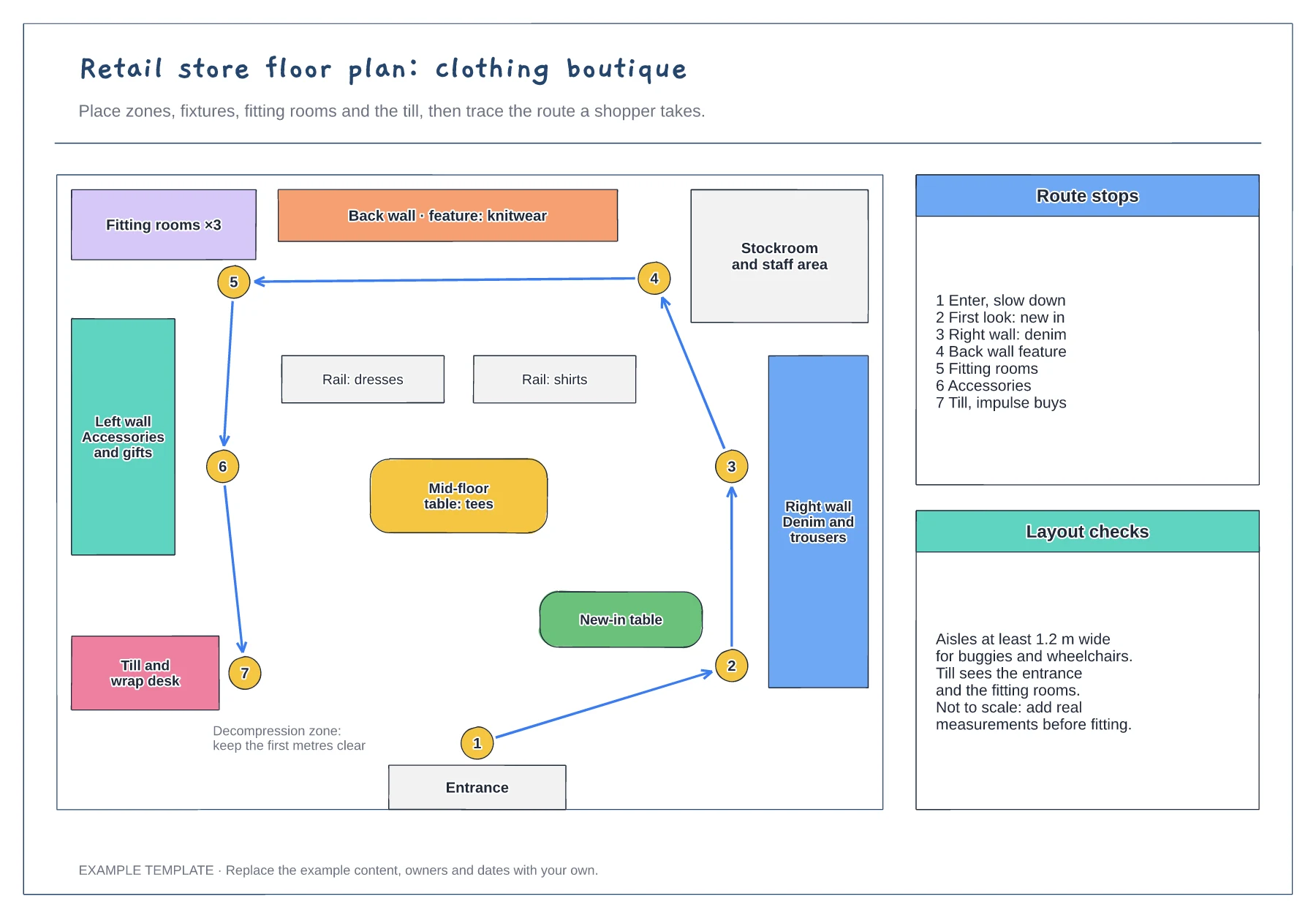
Zones, fixtures and service points · Numbered shopper route · Checks for aisles and sightlines
Preview and use template →