Manufacturing
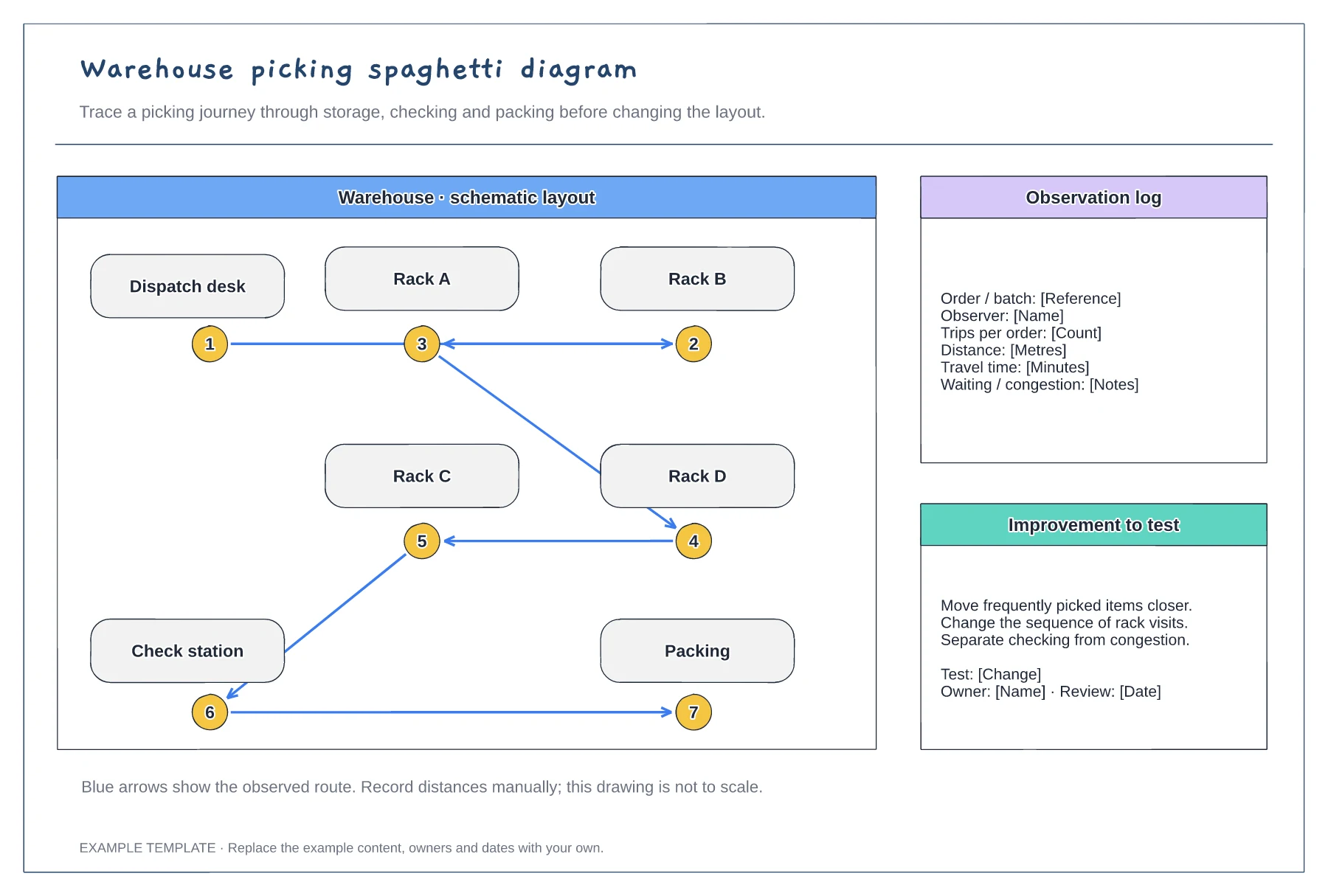
Warehouse picking spaghetti diagram template
An example warehouse layout · Numbered picking stops and route arrows · Space to discuss movement and changes
Preview and use template →A spaghetti diagram traces the path someone walks while they work, which makes wasted movement easy to see. This example draws one nurse's morning medicines round on a ward plan: a red route with three trips back to the medicines room, and a blue route after stocking a trolley for the whole round.
This is a planning example for process improvement, not clinical guidance. Follow your organisation's policies and clinical protocols.
No account needed · Opens as your own editable page
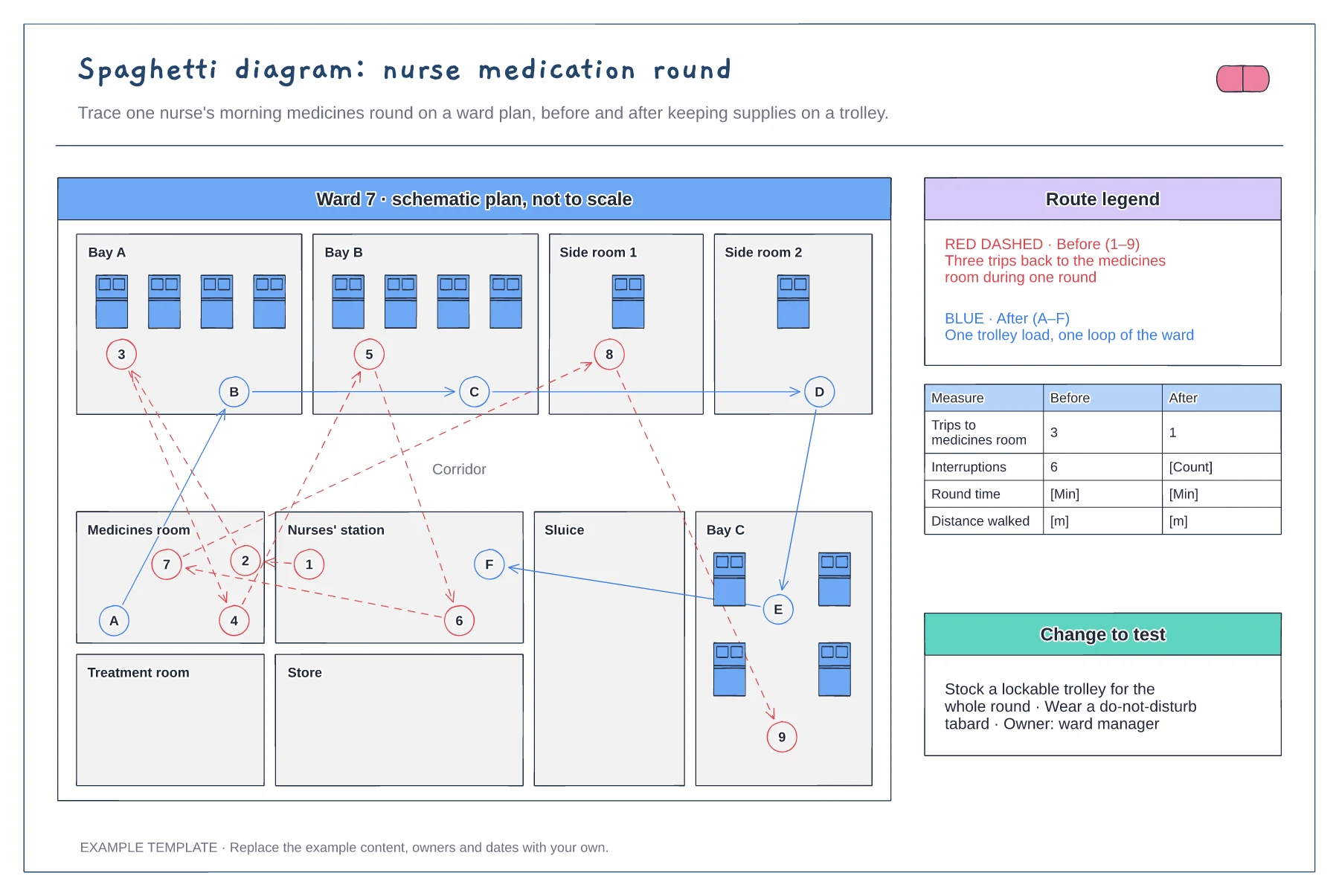
Rename and move the rooms to match your ward layout. It does not need to be to scale, but keep rooms in the right relative positions so the route lengths look honest.
Shadow a nurse with their agreement and mark each stop in order, including interruptions. Count trips to the medicines room and note what caused each one, such as a missing item.
Add a second route for the change you want to test and compare the two. Record time and distance from observation, because the drawing itself does not measure them.
Use the pen to trace each trip on the ward plan and number the stops in order. Keep the before and after routes in different colours so the difference is easy to see.
No. Open the template and edit it in your browser. Your work saves on this device. An account is optional if you want to sync your workspace.
Yes. Use Export in the editor to save a PNG, SVG or PDF, or download an editable .epicdraw backup.
An example warehouse layout · Numbered picking stops and route arrows · Space to discuss movement and changes
Preview and use template →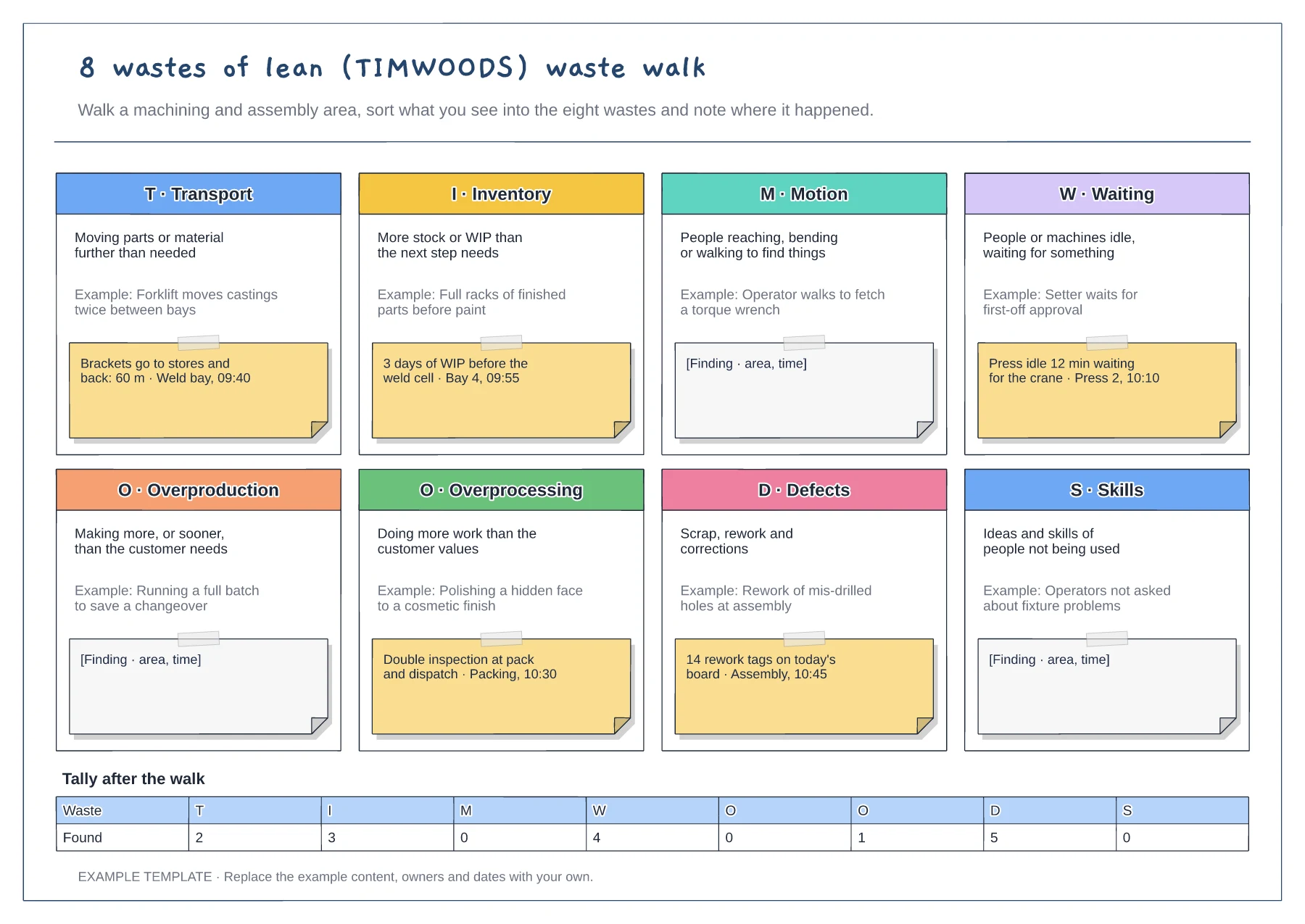
Eight tiles for TIMWOODS · Shop-floor example under each waste · Finding notes and a tally after the walk
Preview and use template →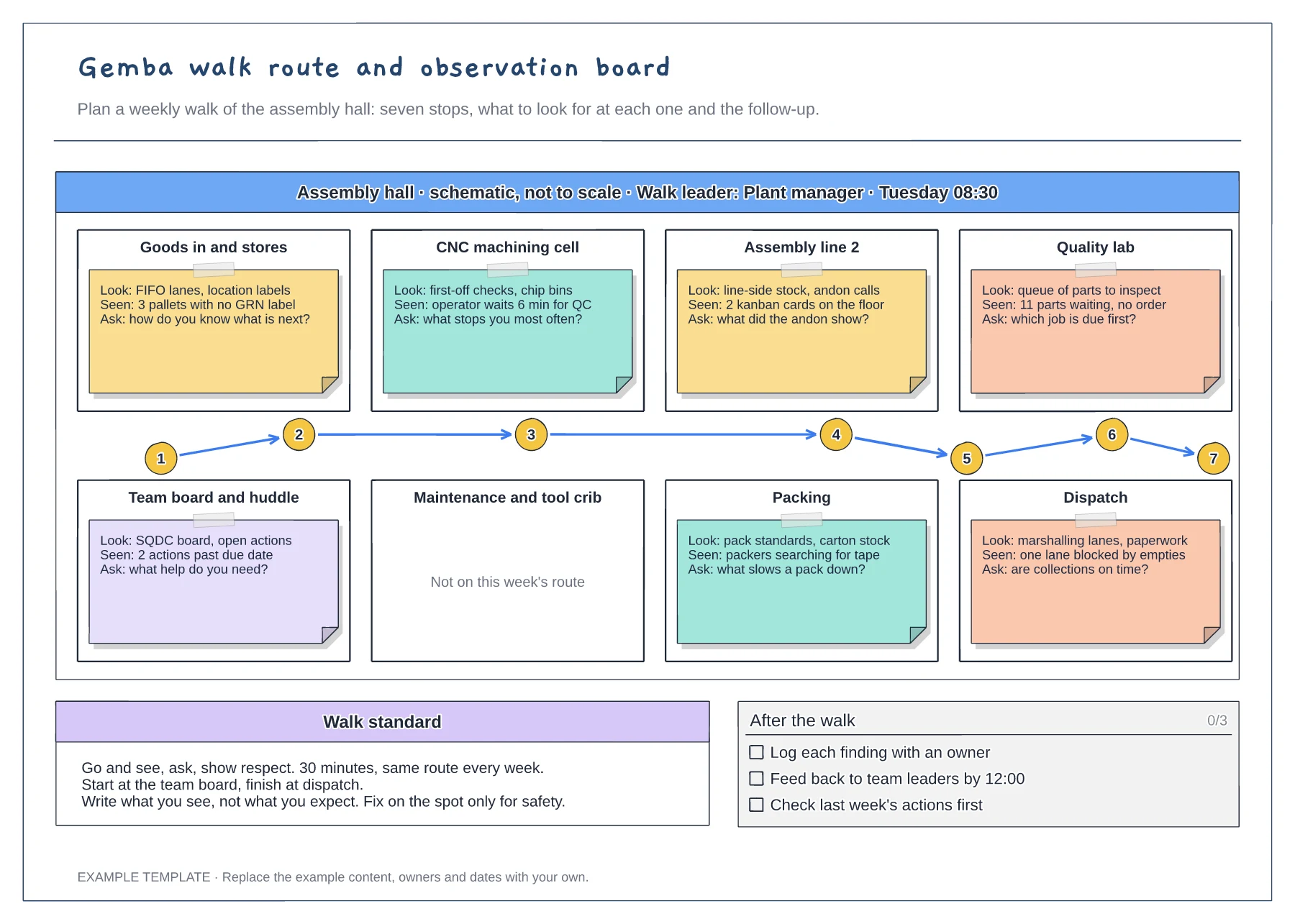
Floor plan with a numbered walk route · Look, seen and ask notes at every stop · Walk standard and after-the-walk checklist
Preview and use template →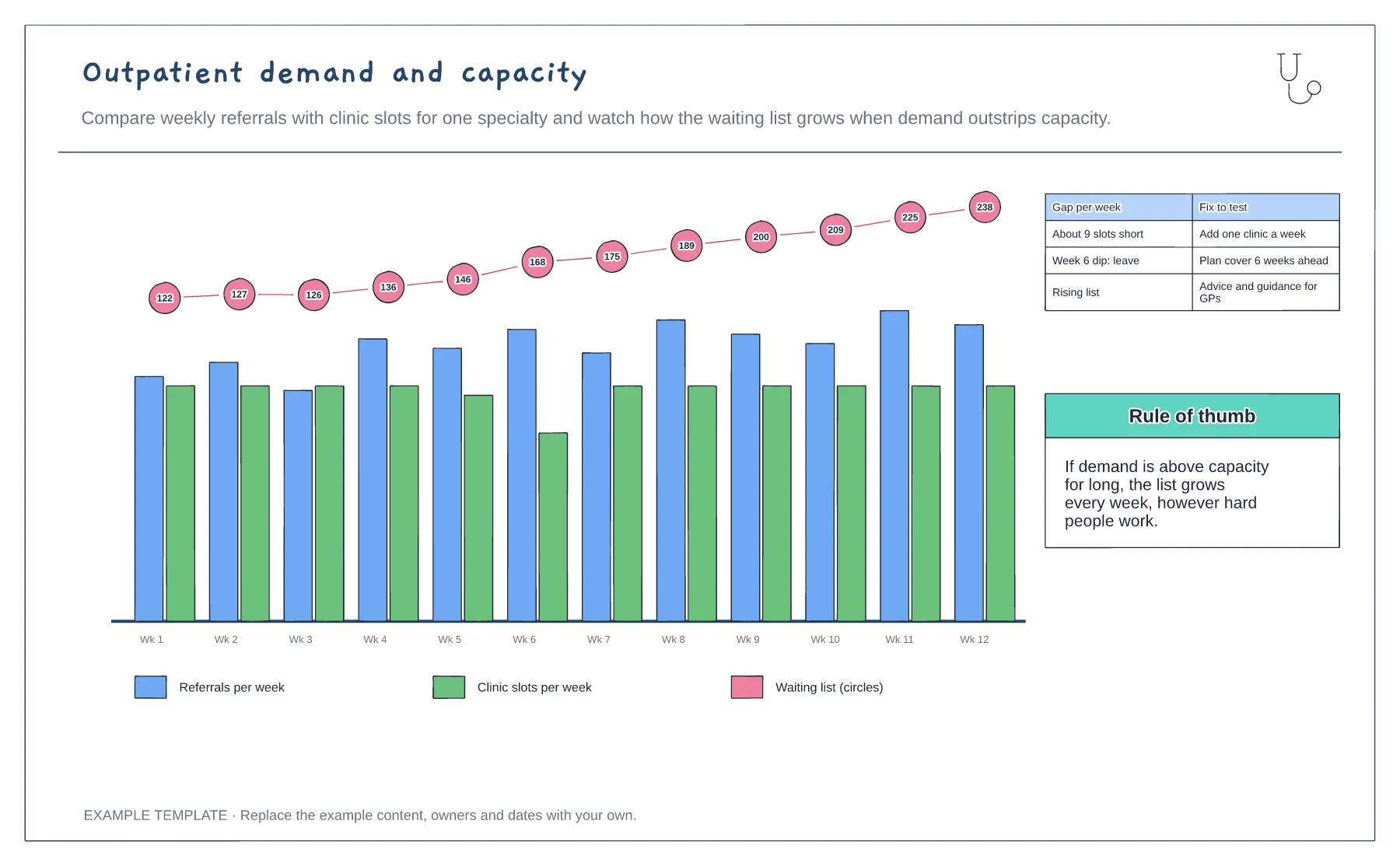
Weekly referrals and clinic slots · Waiting list growth · Gap and fixes to test
Preview and use template →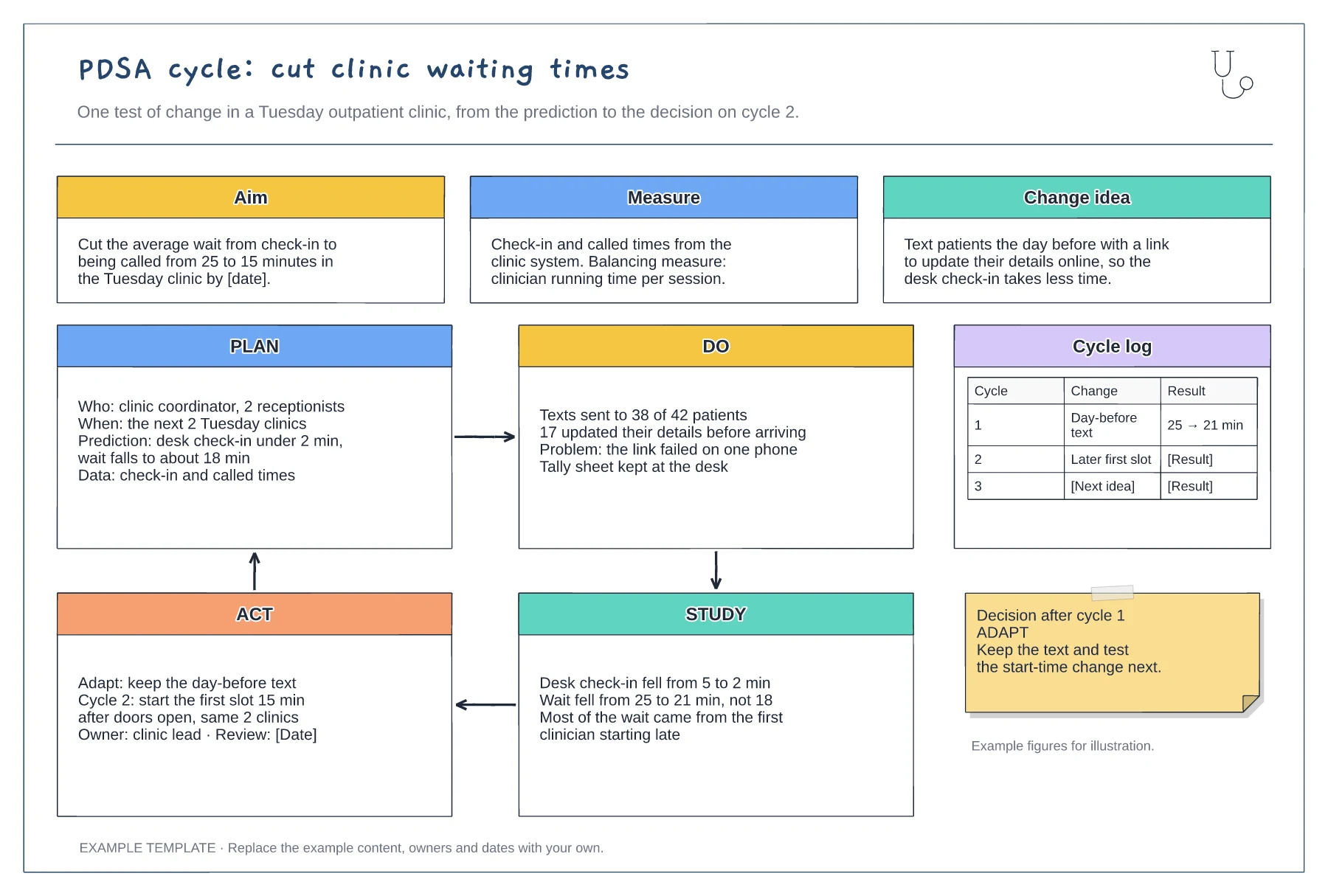
Aim, measure and change idea · Filled-in Plan, Do, Study and Act panels · Cycle log and decision note
Preview and use template →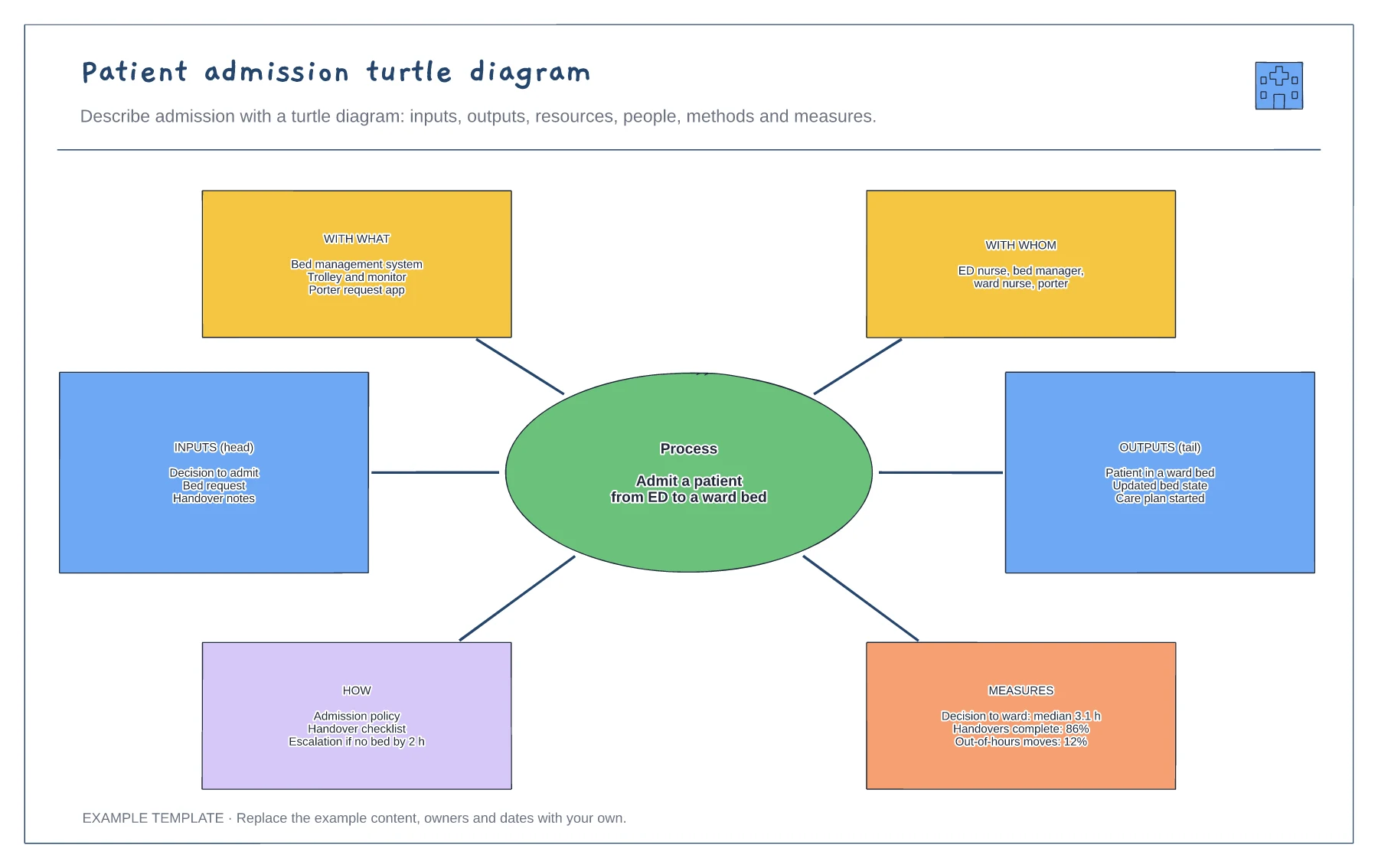
Process at the centre · Inputs and outputs · Resources, people, methods and measures
Preview and use template →