HR
Skills matrix template
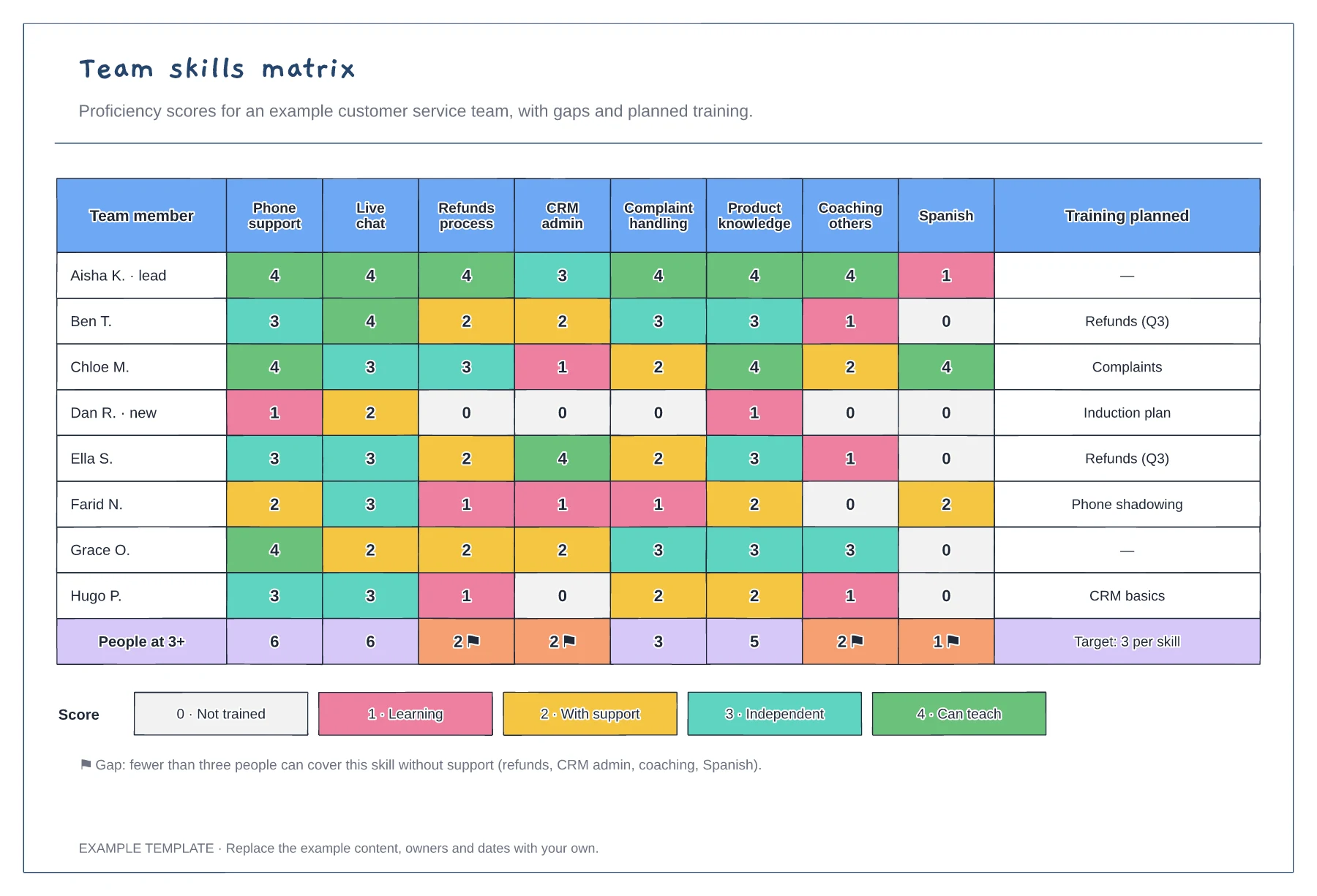
Team members scored against eight skills · Coverage totals with gap flags · Score key and planned training
Preview and use template →A training needs analysis compares the skills people have with the skills their role needs, so training goes where the gaps are biggest. This example rates a support team of 12 on eight skills, plots current and required levels on a 0 to 4 scale, ranks the gaps and turns the top three into a costed training plan.
No account needed · Opens as your own editable page
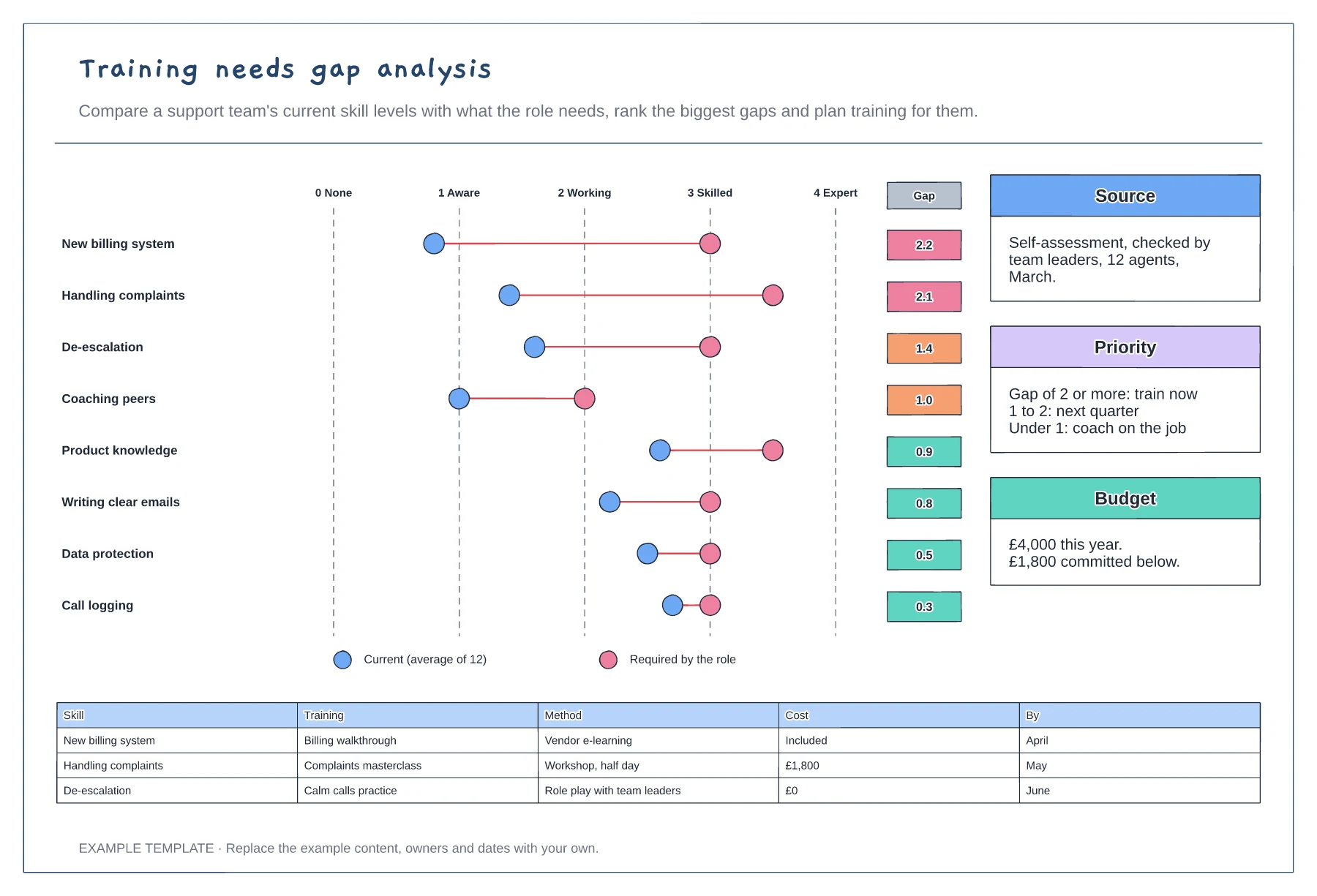
For each skill, agree the level the role needs using a simple scale, such as 0 for none to 4 for expert.
Use self-assessment checked by managers or observation, and average across the team.
Rank the gaps, set priority bands and plan training, method, cost and timing for the top ones.
They are sorted by the gap between the current average and the level the role needs, biggest first. The priority box then groups gaps into train now, next quarter or coach on the job.
No. Open the template and edit it in your browser. Your work saves on this device. An account is optional if you want to sync your workspace.
Yes. Use Export in the editor to save a PNG, SVG or PDF, or download an editable .epicdraw backup.
Team members scored against eight skills · Coverage totals with gap flags · Score key and planned training
Preview and use template →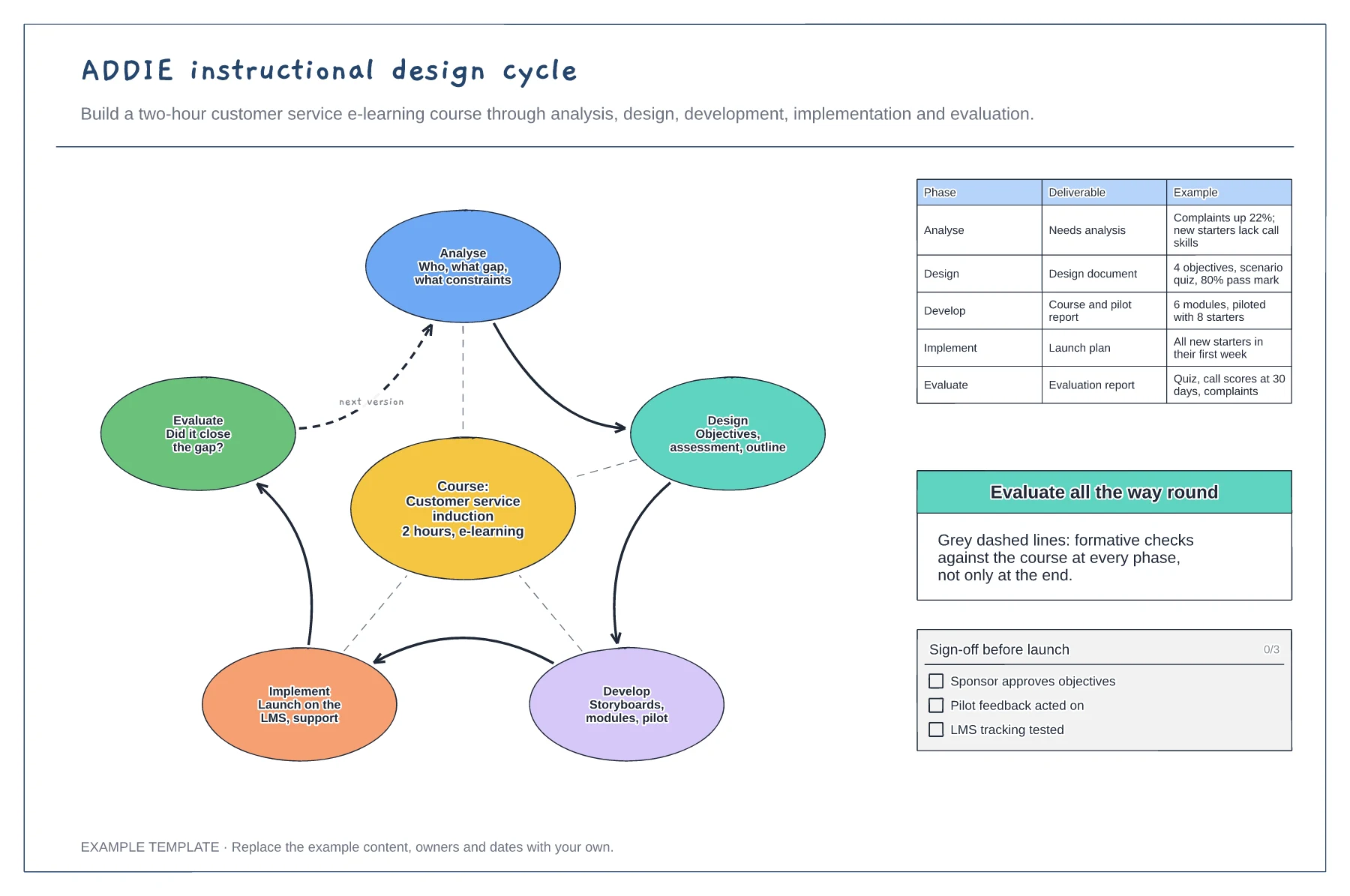
Five phases looping around the course · Formative checks at every phase · Deliverables with worked examples
Preview and use template →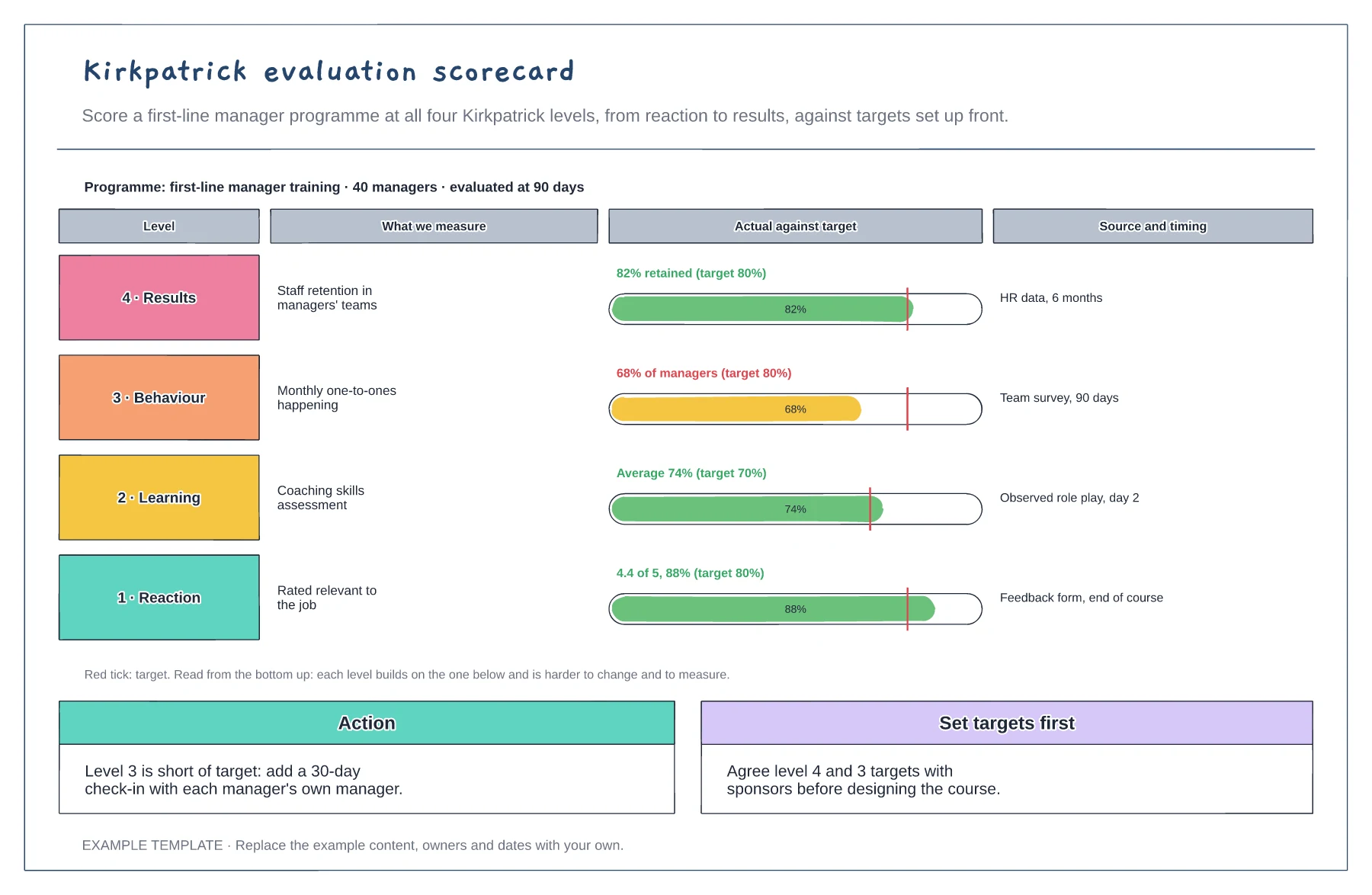
Four levels from reaction to results · Actual against target for each level · Data source, timing and an action
Preview and use template →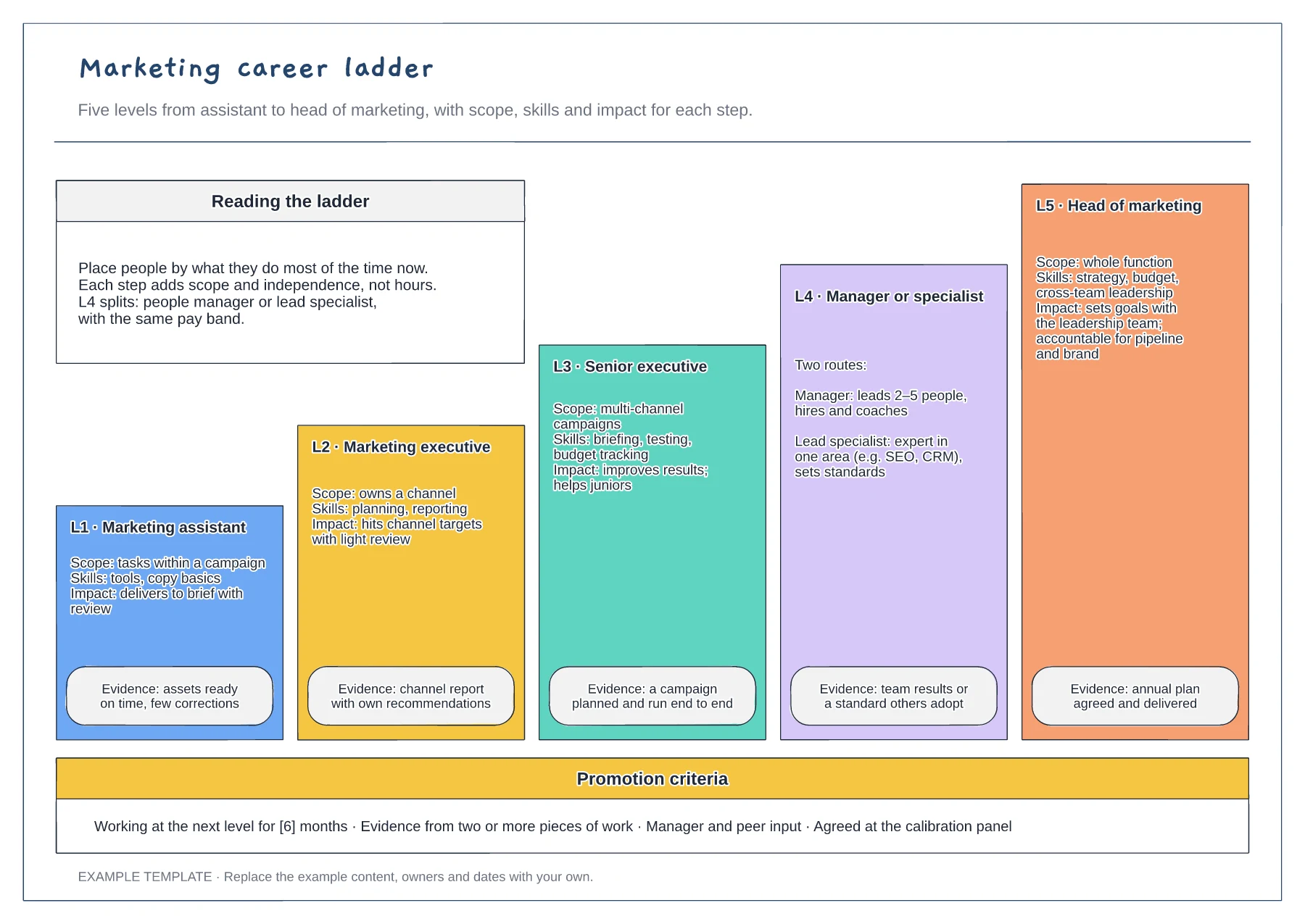
Five levels drawn as a staircase · Scope, skills, impact and evidence · Promotion criteria strip
Preview and use template →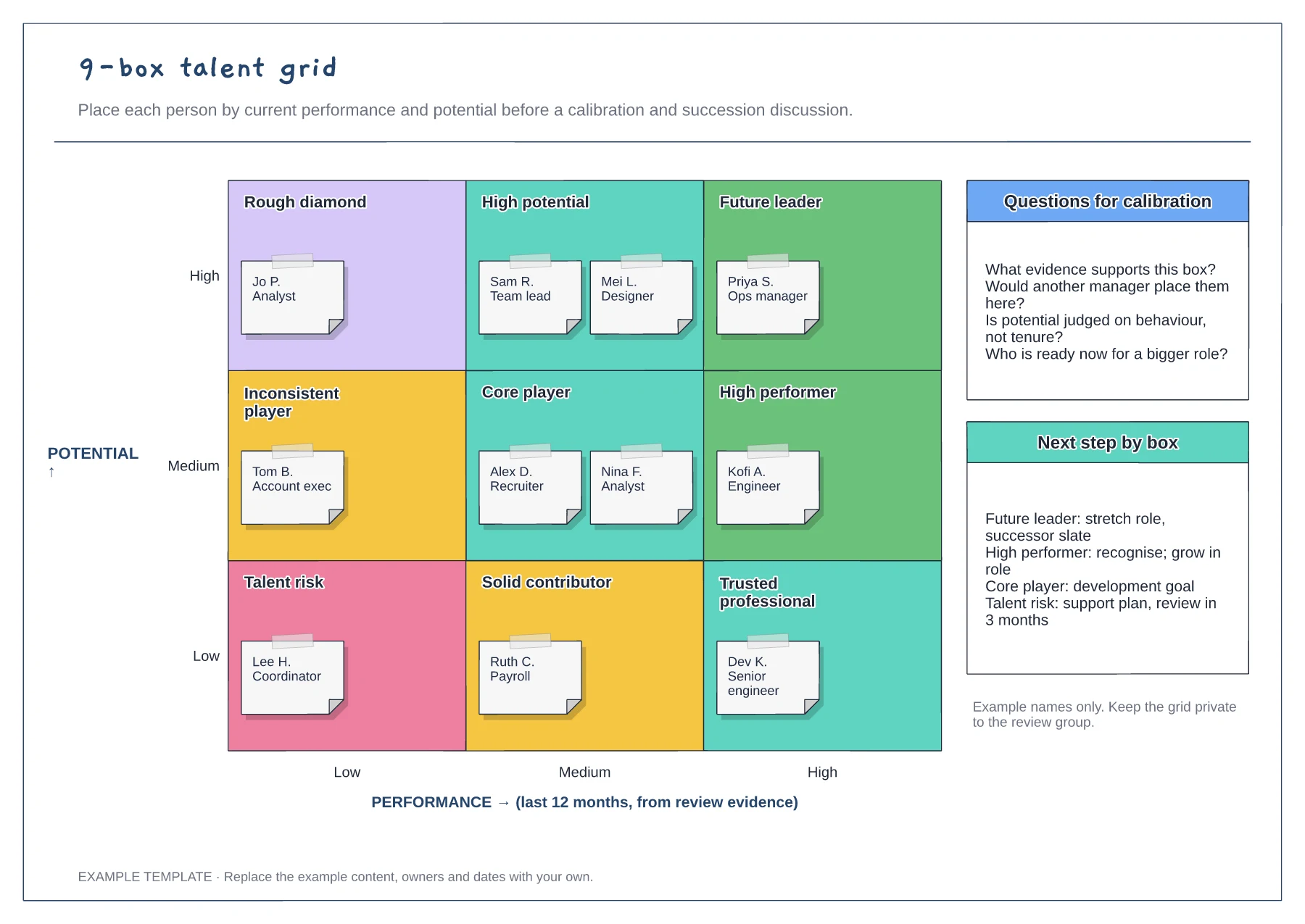
Performance and potential axes · Nine labelled cells with employee notes · Calibration questions and next steps
Preview and use template →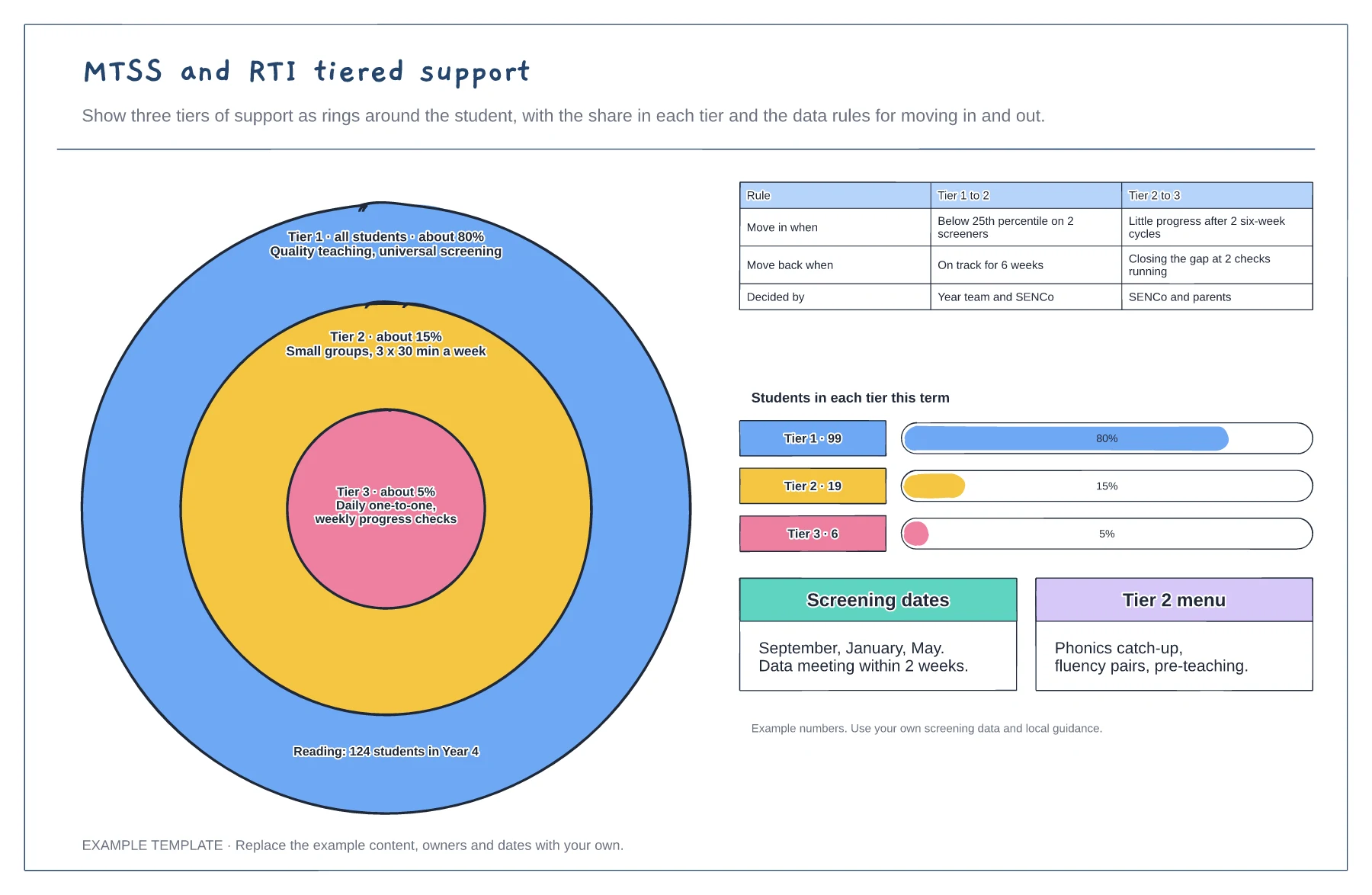
Three tiers as rings with their share · Rules for moving in and out of each tier · Students per tier and screening dates
Preview and use template →