Education
Training needs analysis template
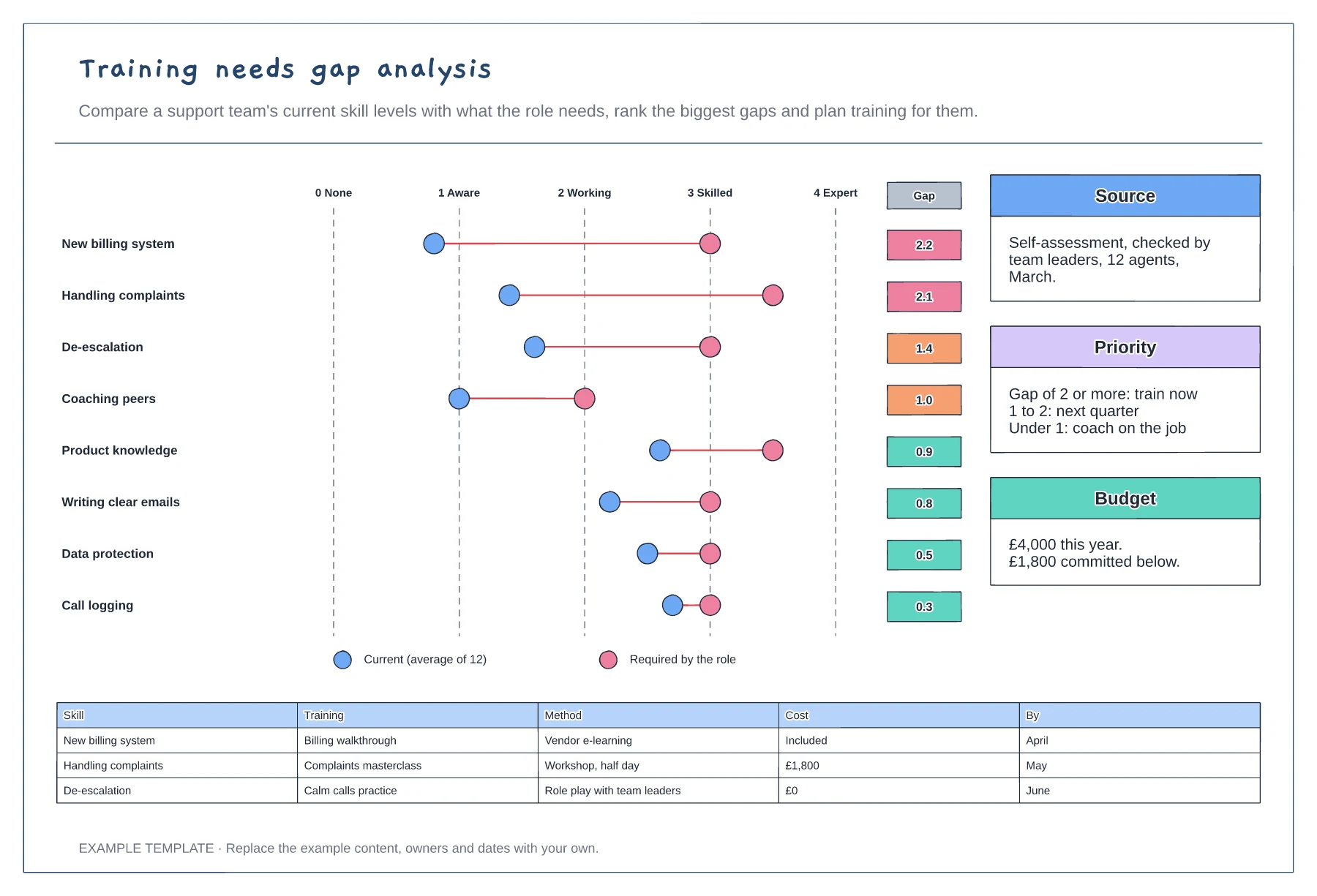
Current and required levels on one scale · Gaps ranked with priority bands · Costed plan for the biggest gaps
Preview and use template →ADDIE is a five-phase model for building training: analyse, design, develop, implement and evaluate. This example builds a two-hour customer service induction course, with the phases looping around the course itself, evaluation checks at every phase and a table of the deliverable and an example for each phase.
No account needed · Opens as your own editable page
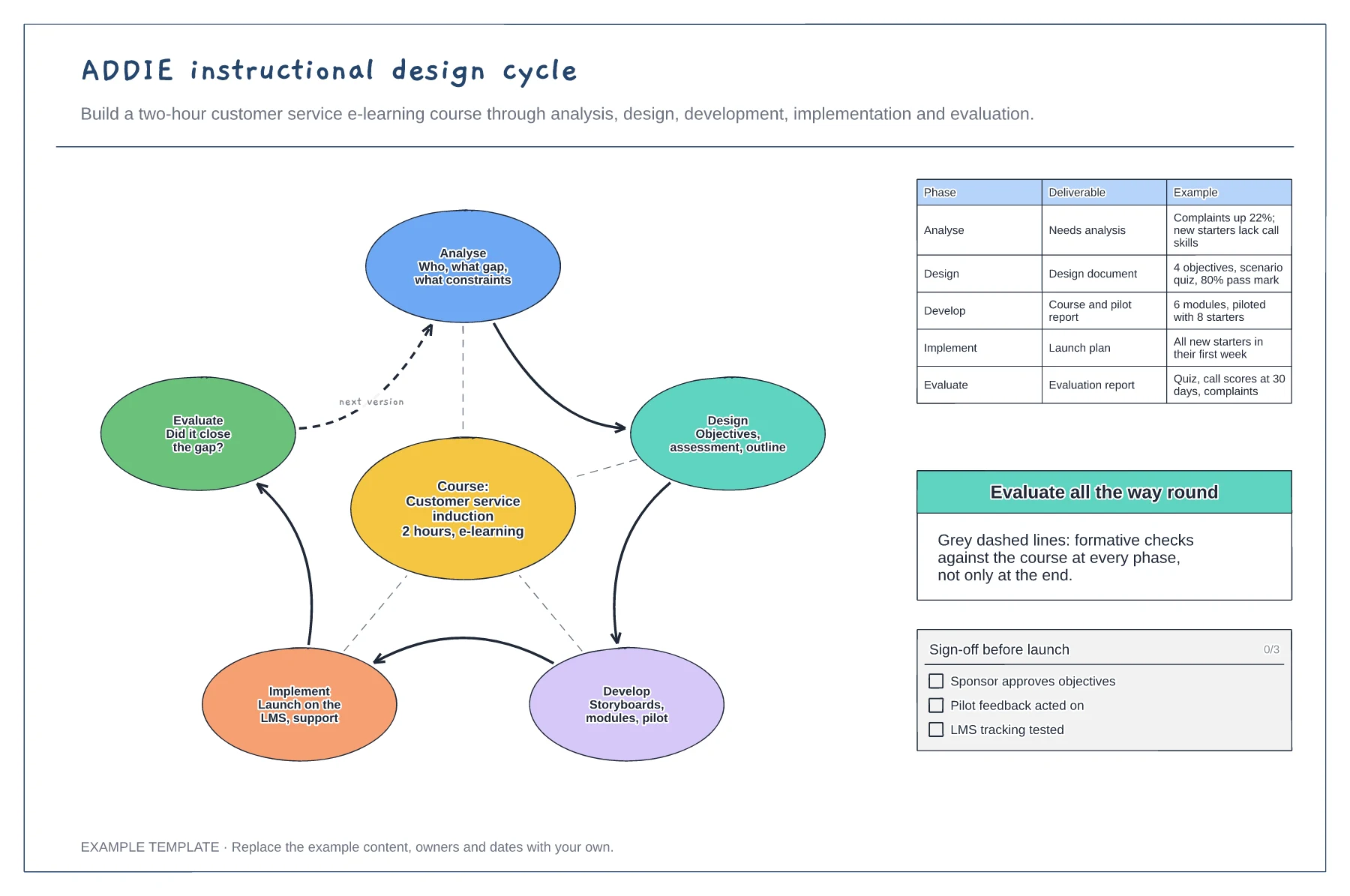
Find the gap the course should close, who the learners are and what constraints you have, such as time or budget.
Write the objectives and assessment first, then build storyboards and modules and pilot them with a small group.
Launch the course with support in place, then check whether it closed the gap and feed what you learn into the next version.
They are formative checks: each phase is reviewed against the course as it goes, not only at the Evaluate stage at the end.
No. Open the template and edit it in your browser. Your work saves on this device. An account is optional if you want to sync your workspace.
Yes. Use Export in the editor to save a PNG, SVG or PDF, or download an editable .epicdraw backup.
Current and required levels on one scale · Gaps ranked with priority bands · Costed plan for the biggest gaps
Preview and use template →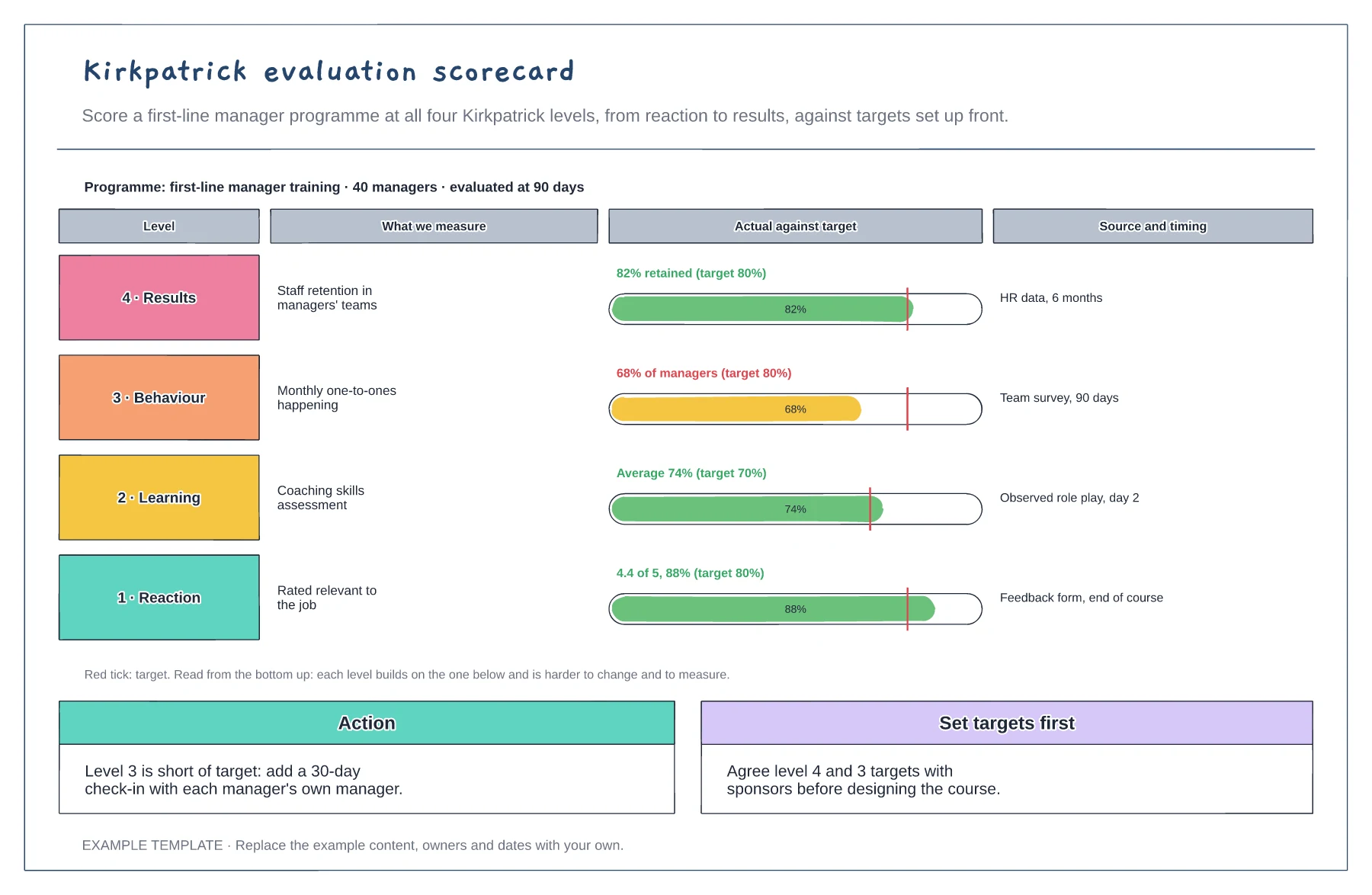
Four levels from reaction to results · Actual against target for each level · Data source, timing and an action
Preview and use template →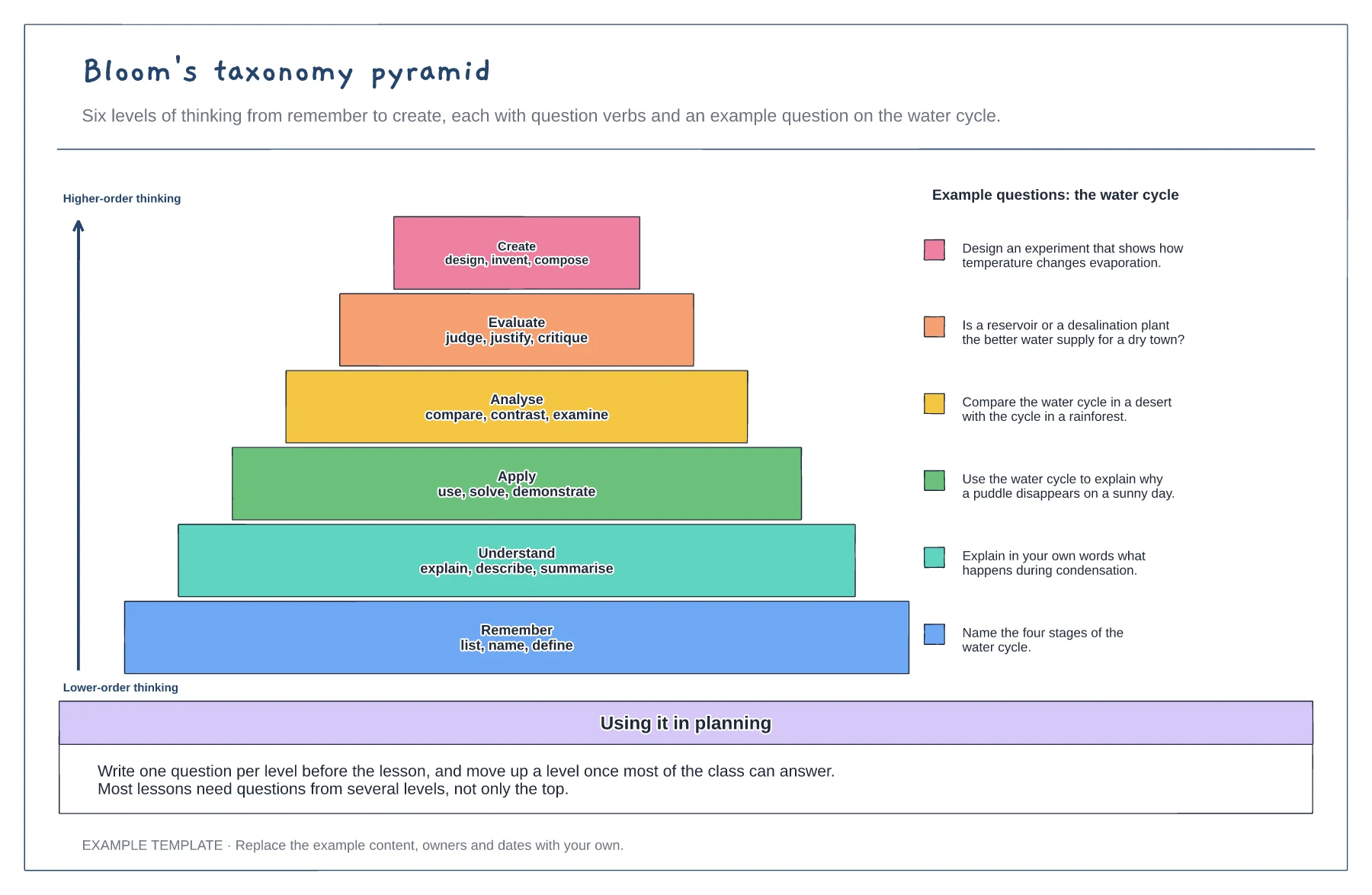
Six levels from remember to create · Question verbs for each level · A worked example question per level
Preview and use template →
Before-start preparation · Day-one and first-week activities · First-month review
Preview and use template →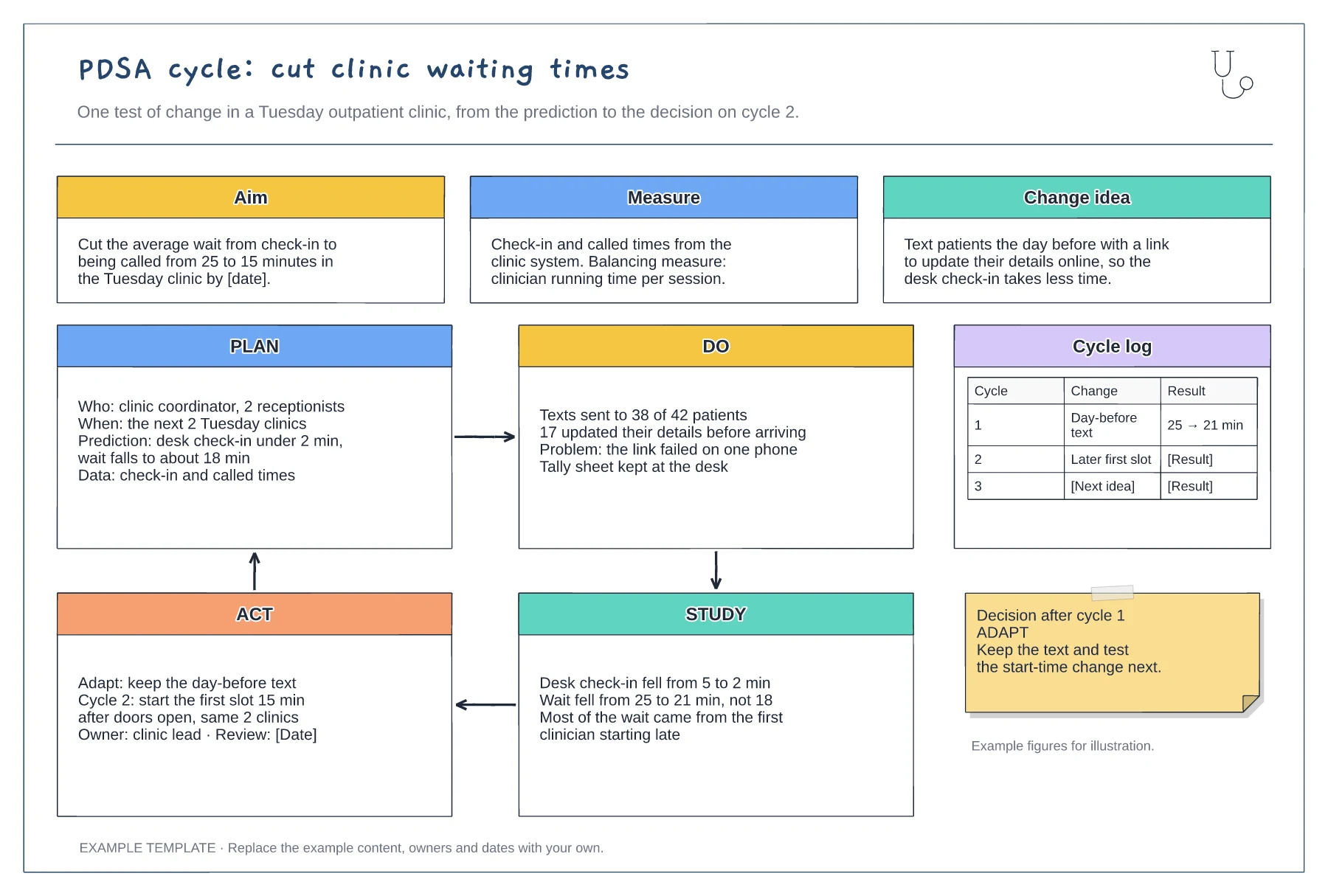
Aim, measure and change idea · Filled-in Plan, Do, Study and Act panels · Cycle log and decision note
Preview and use template →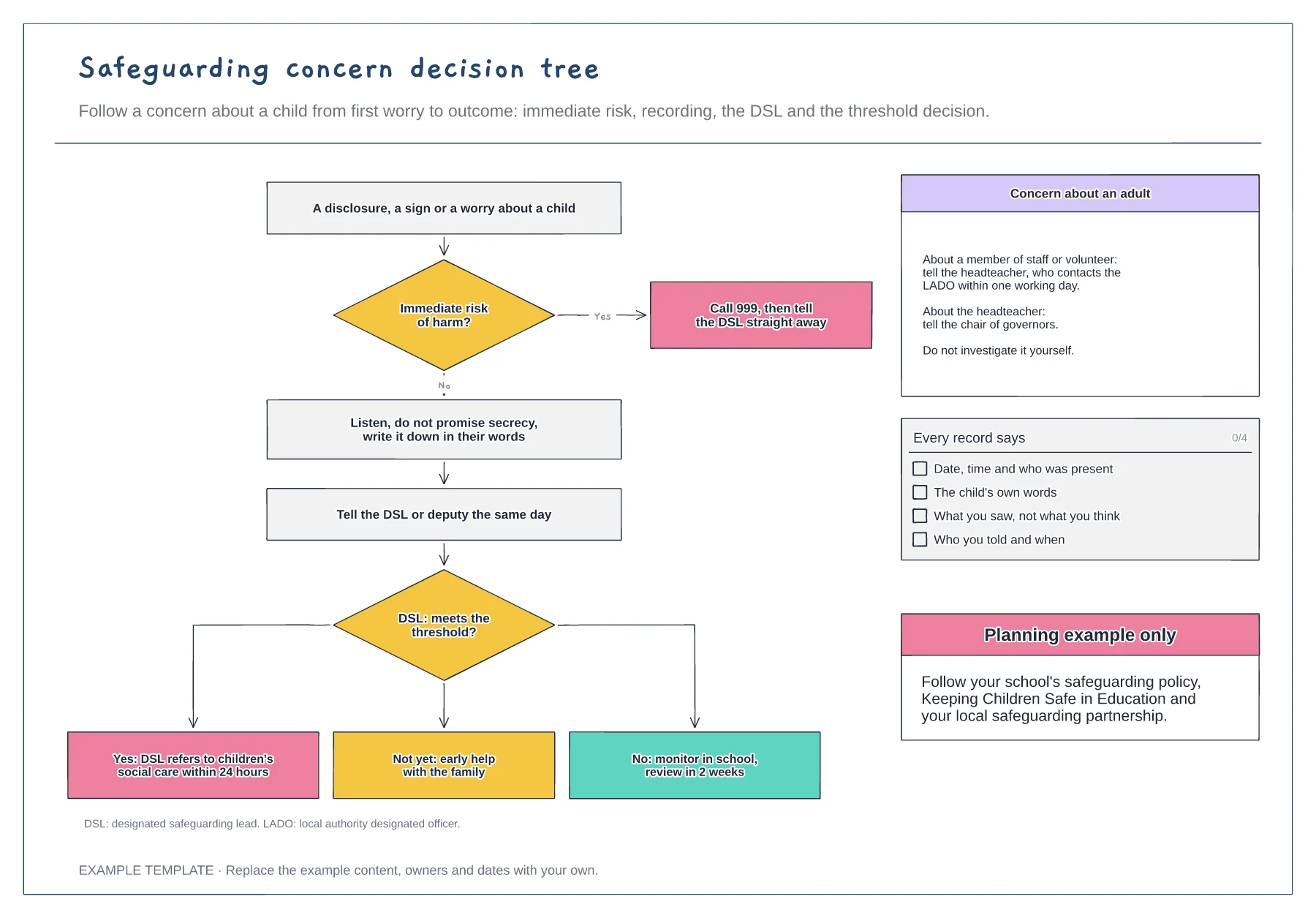
Immediate risk check and 999 route · DSL threshold decision with three outcomes · Route for concerns about an adult
Preview and use template →