Customer support
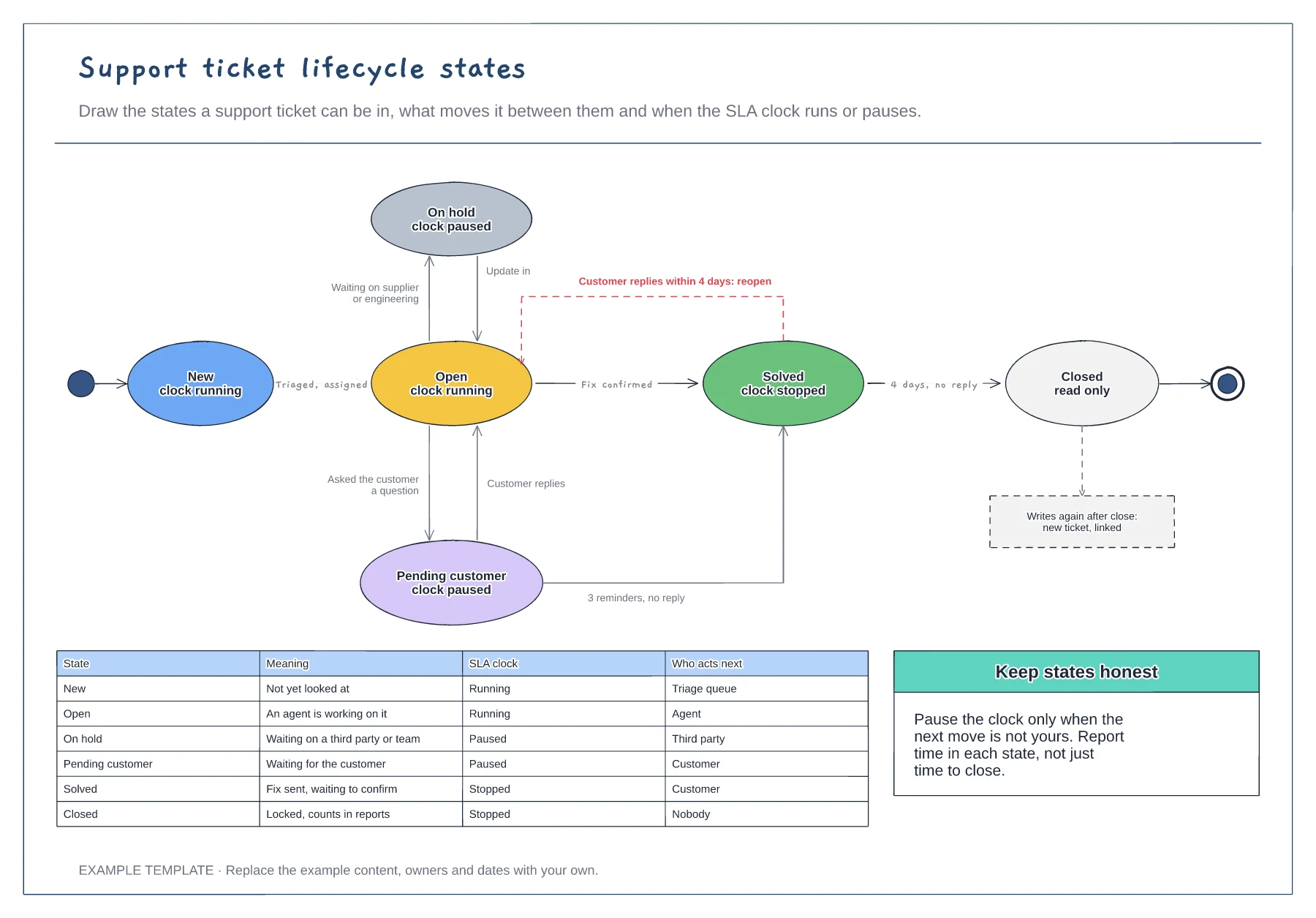
Support ticket lifecycle states template
Six ticket states with SLA clock status · Transitions labelled with what triggers them · A table of meaning and who acts next per state
Preview and use template →A priority matrix takes the guesswork out of setting ticket priority. This example crosses three levels of impact with three levels of urgency to give P1 to P4, then sets first response, resolution and update targets for each priority. Matching examples help agents pick the right level, and a note explains when the SLA clock runs around the clock.
No account needed · Opens as your own editable page
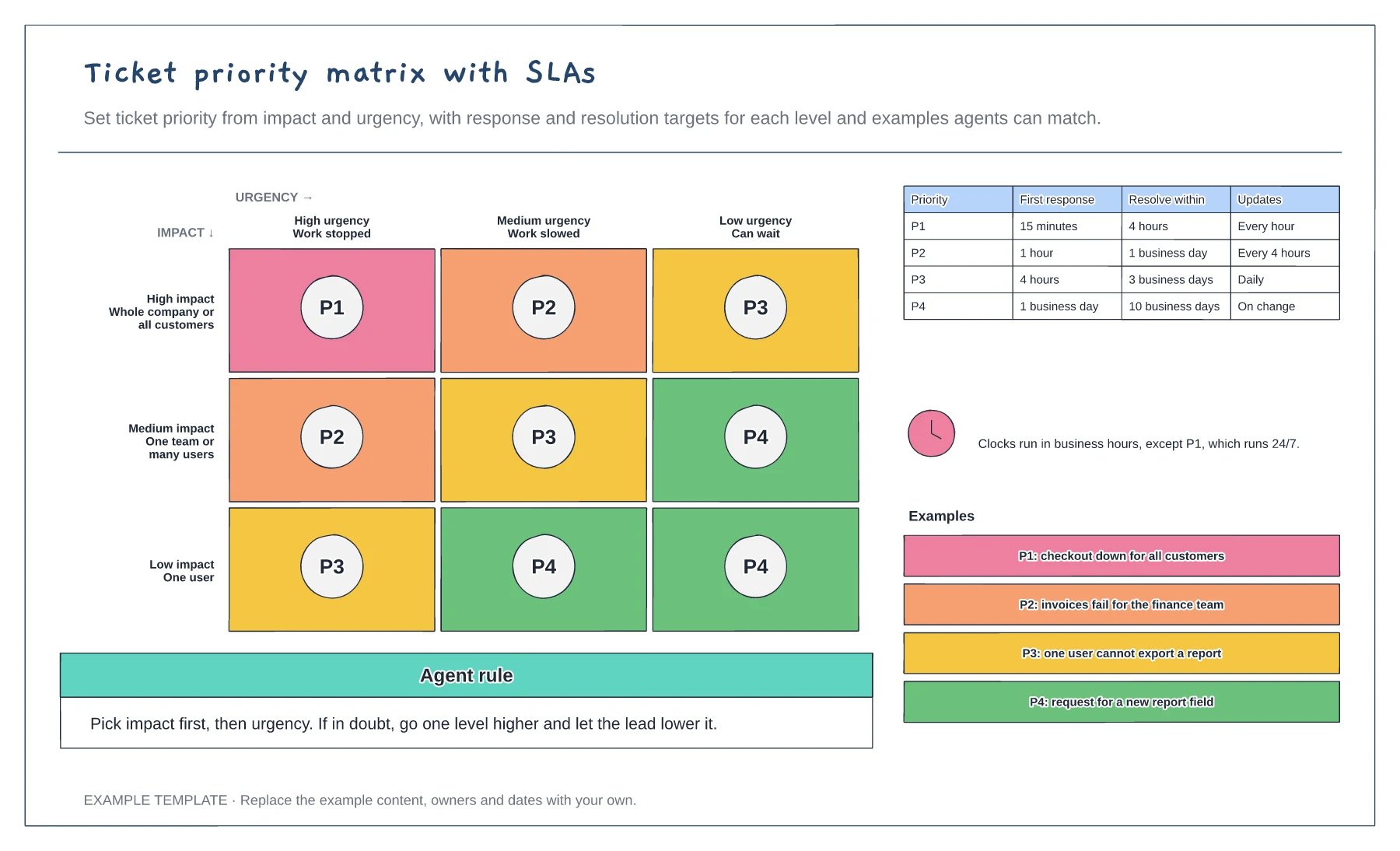
Write plain definitions for each level, such as whole company, one team or one user, and work stopped, slowed or able to wait.
Set the priority in each cell, then agree the response and resolution targets you can really meet.
Give agents real examples for each priority from recent tickets and review the matrix after any missed P1.
Yes. Edit the first response, resolve and update times for each priority, and swap the examples for real tickets your agents will recognise.
No. Open the template and edit it in your browser. Your work saves on this device. An account is optional if you want to sync your workspace.
Yes. Use Export in the editor to save a PNG, SVG or PDF, or download an editable .epicdraw backup.
Six ticket states with SLA clock status · Transitions labelled with what triggers them · A table of meaning and who acts next per state
Preview and use template →
First-line triage and impact check · Specialist ownership and investigation · Customer updates and closure
Preview and use template →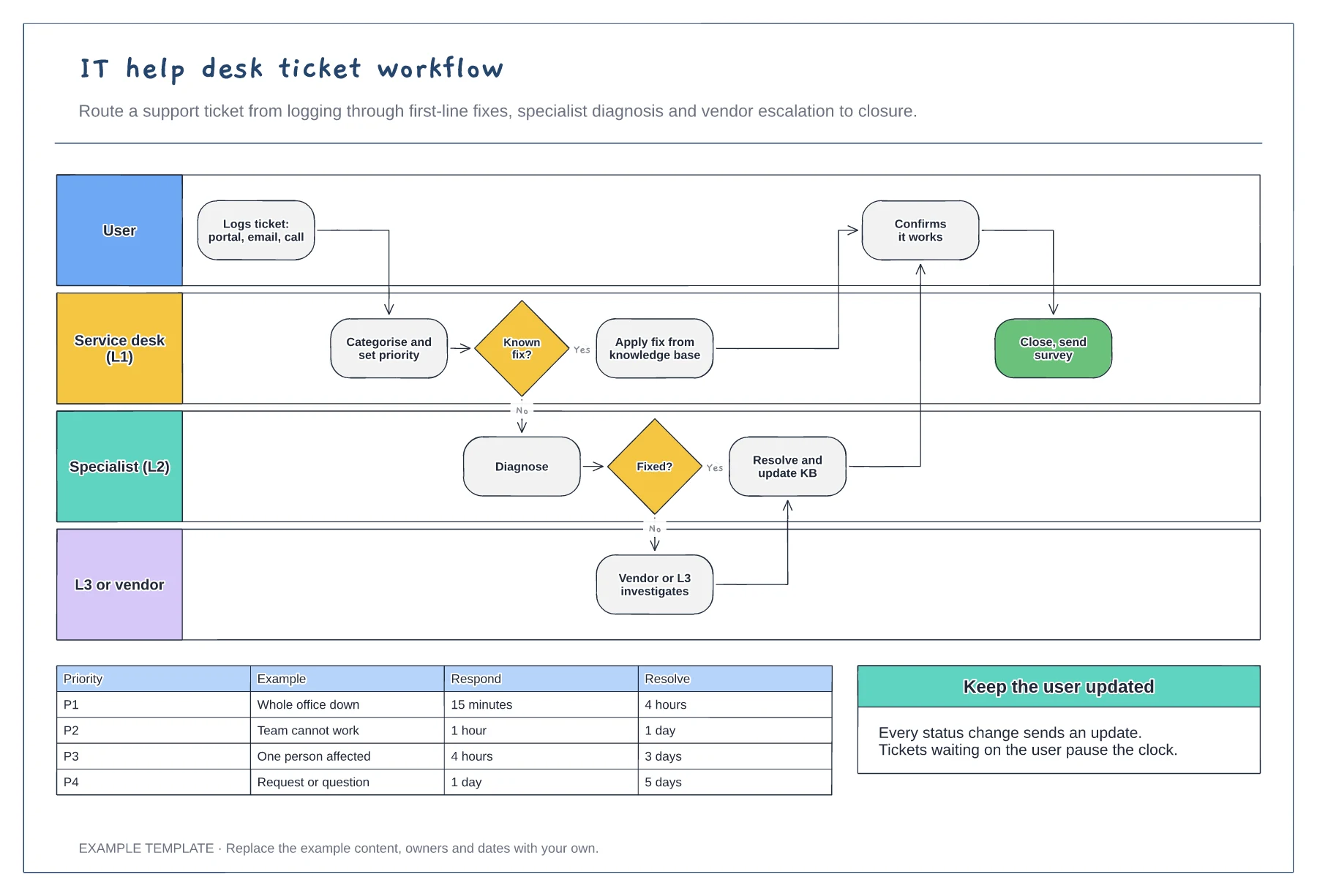
User, L1, L2 and L3 or vendor lanes · Knowledge base fix and escalation path · Priority SLA table
Preview and use template →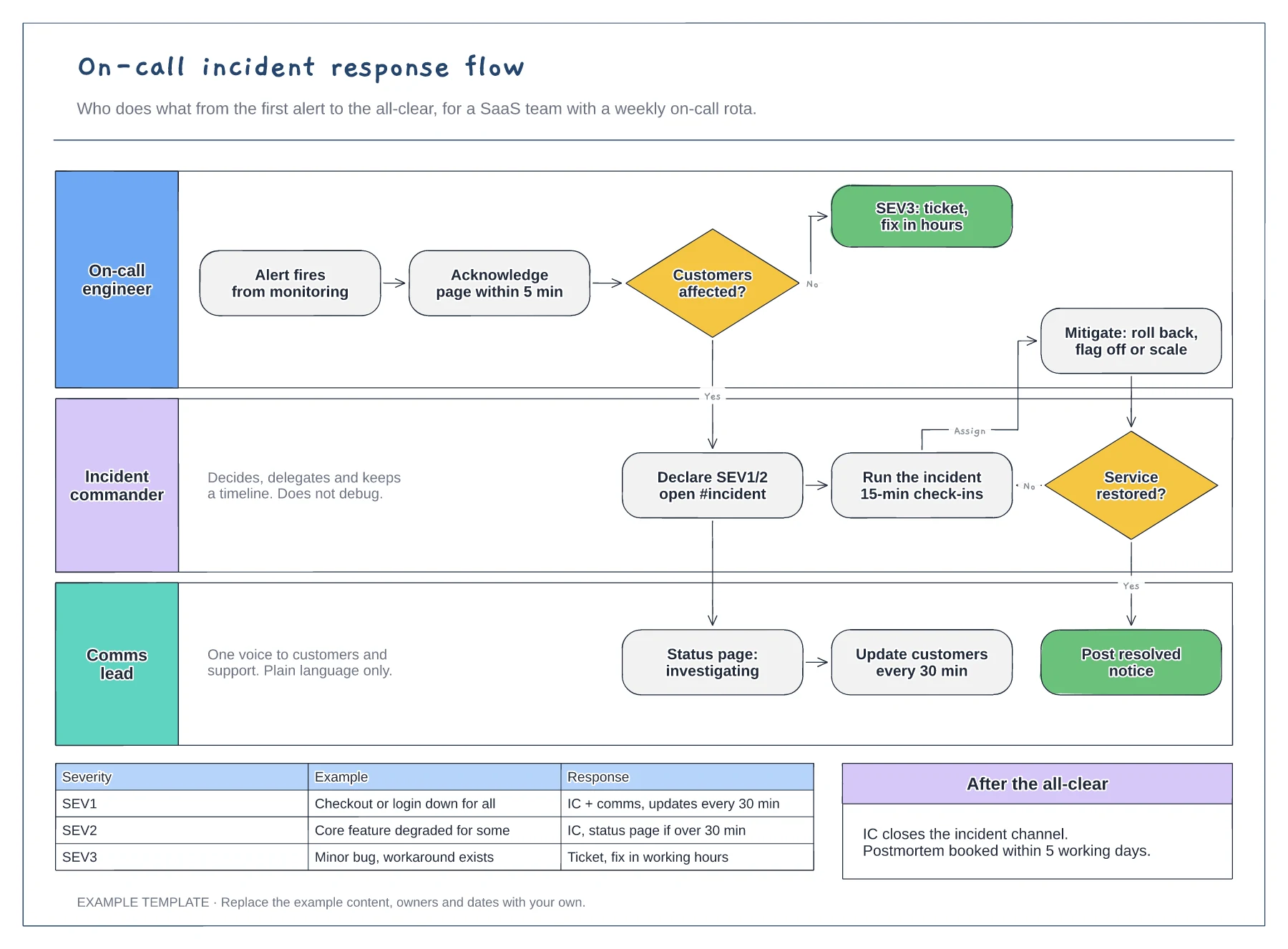
Lanes for on-call, incident commander and comms · Severity decision with SEV1 to SEV3 examples · Mitigation loop and customer update cadence
Preview and use template →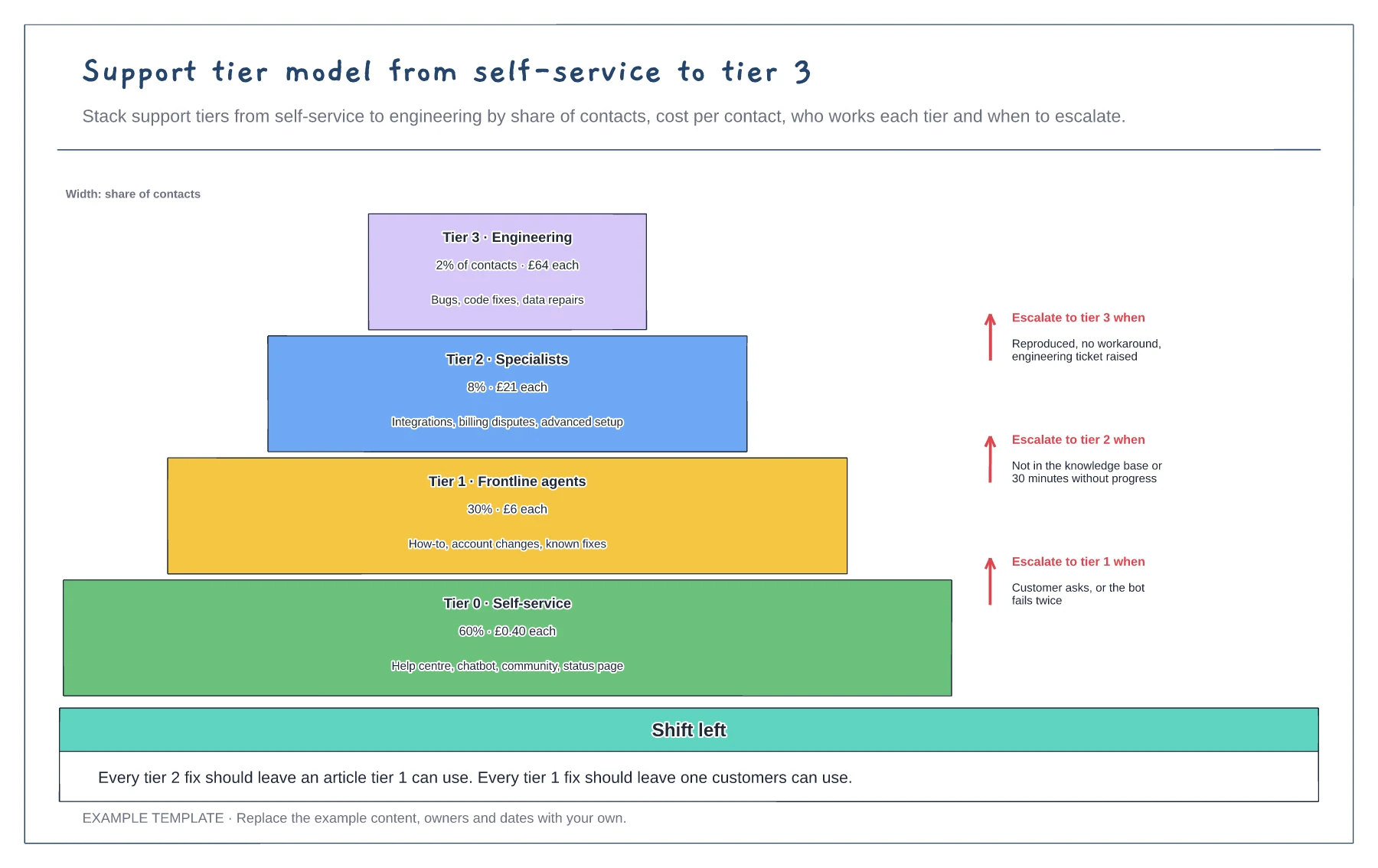
Four tiers sized by share of contacts · Cost per contact and scope per tier · Escalation rules between tiers
Preview and use template →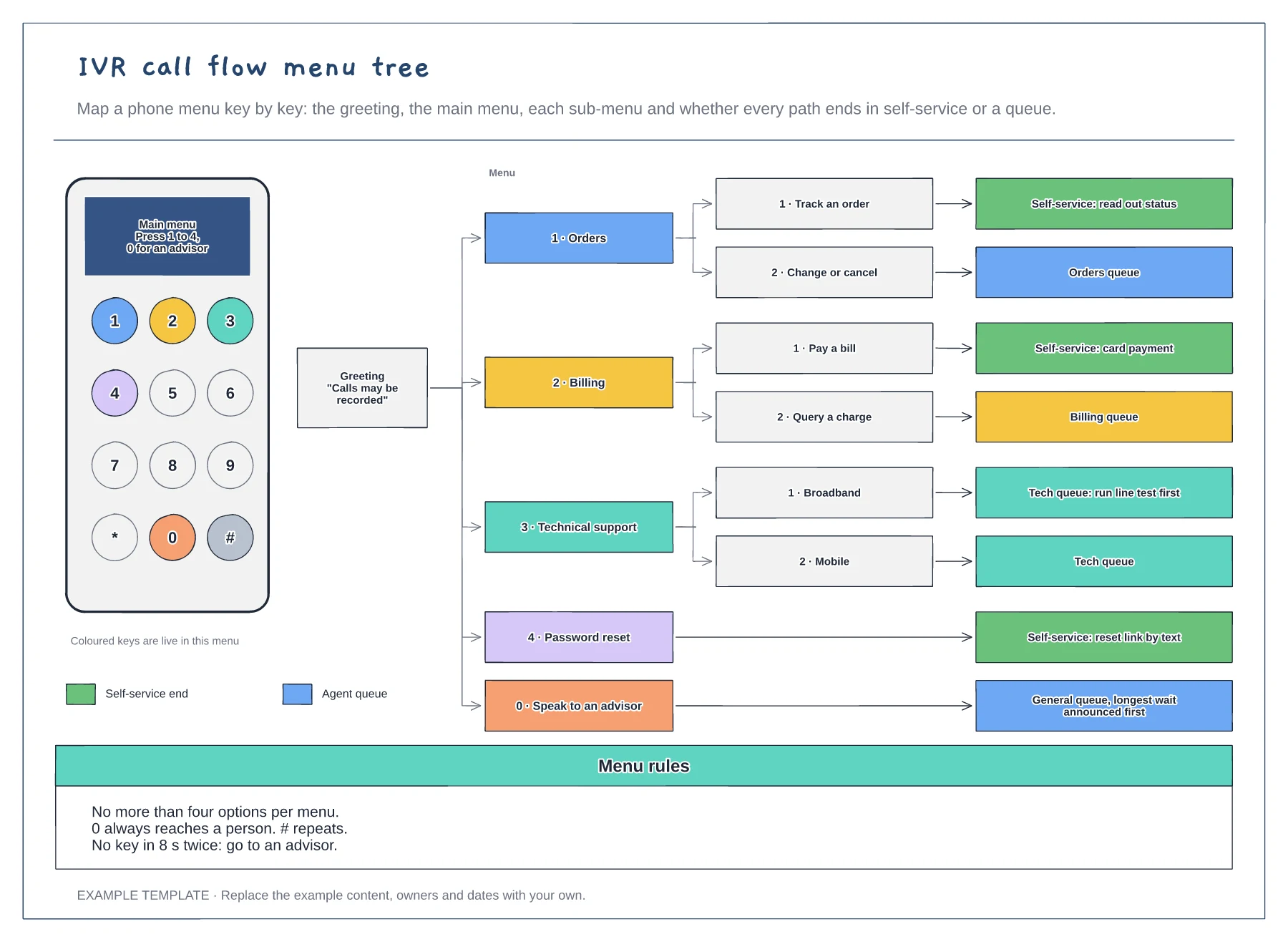
A keypad showing which keys are live · The menu tree from greeting to every end point · Menu rules for options, the zero key and timeouts
Preview and use template →