Customer support
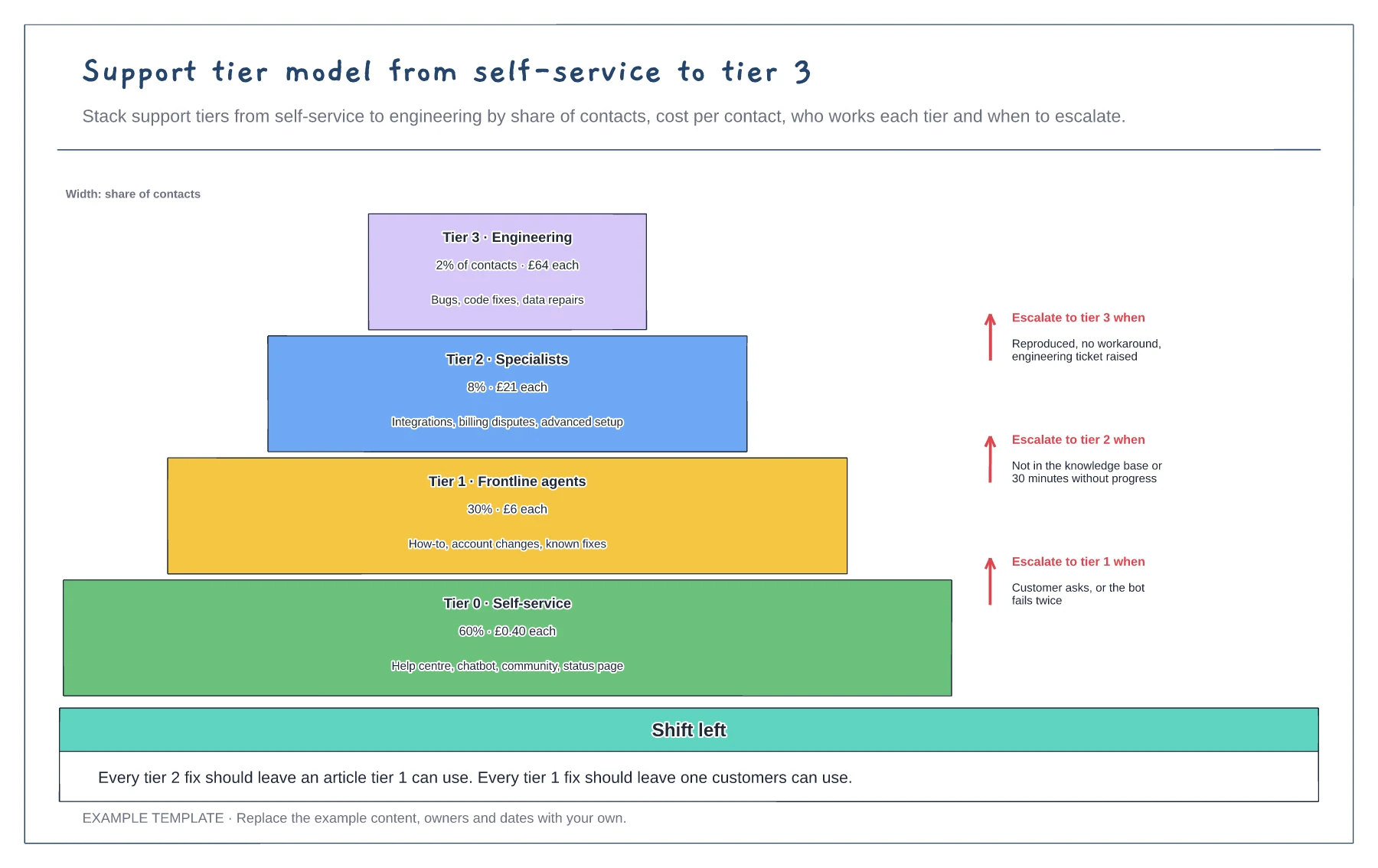
Support tier model from self-service to tier 3 template
Four tiers sized by share of contacts · Cost per contact and scope per tier · Escalation rules between tiers
Preview and use template →Knowledge-Centered Service builds the knowledge base as a by-product of solving tickets. This example draws the two KCS loops side by side: the solve loop agents run on every ticket, and the evolve loop the team runs each month to keep the system healthy. The article states from work in progress to archived run along the bottom, with a note on licensing agents to publish.
No account needed · Opens as your own editable page
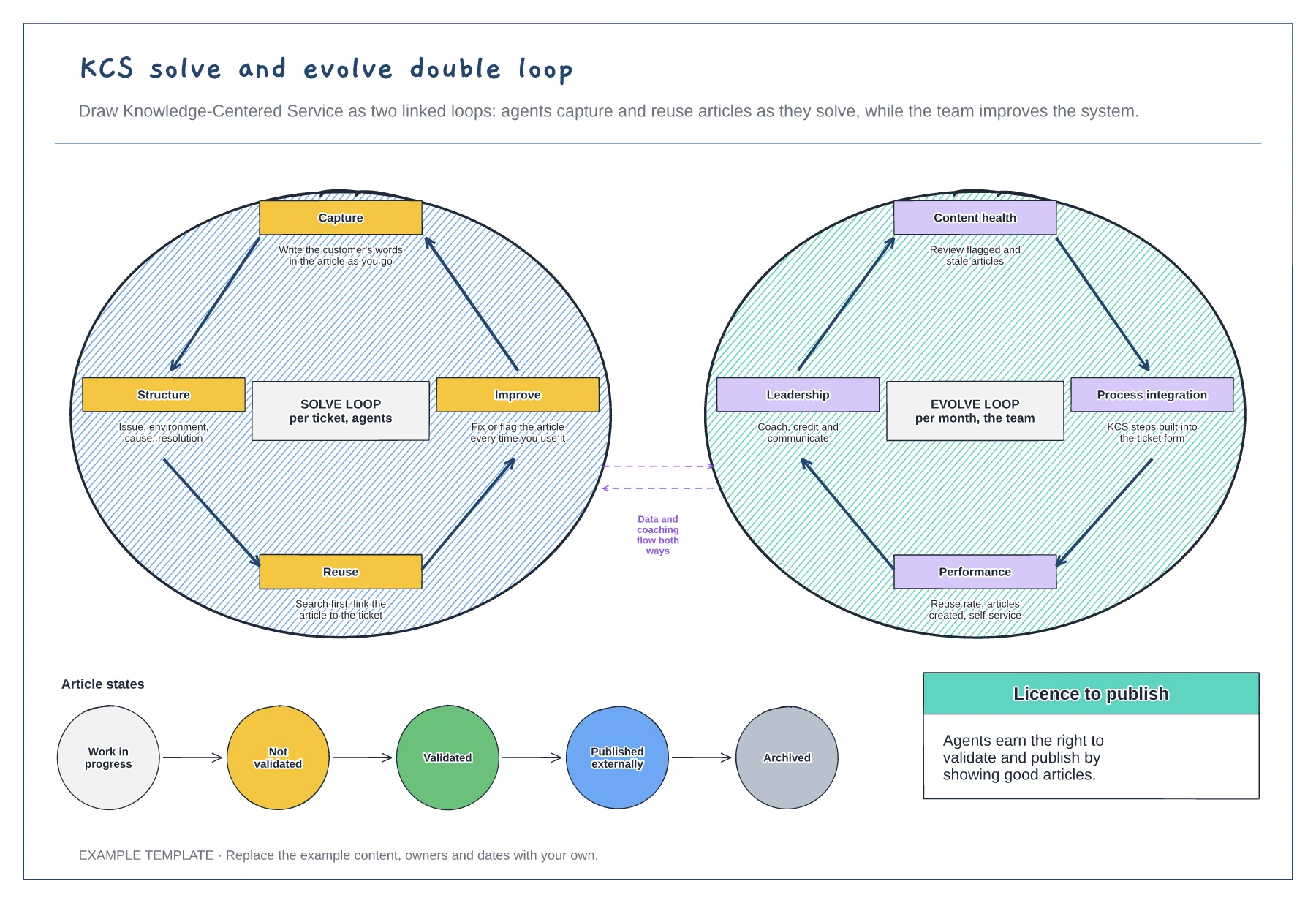
Agree how agents capture the customer's words, structure articles, search first and fix articles as they use them.
Set a monthly rhythm to review flagged content, build KCS into the ticket form and track reuse.
Decide who can move an article from draft to validated and published, and when articles are archived.
The solve loop is what agents do on every ticket and the evolve loop is what the team does each month to improve the system. They feed each other through data and coaching.
No. Open the template and edit it in your browser. Your work saves on this device. An account is optional if you want to sync your workspace.
Yes. Use Export in the editor to save a PNG, SVG or PDF, or download an editable .epicdraw backup.
Four tiers sized by share of contacts · Cost per contact and scope per tier · Escalation rules between tiers
Preview and use template →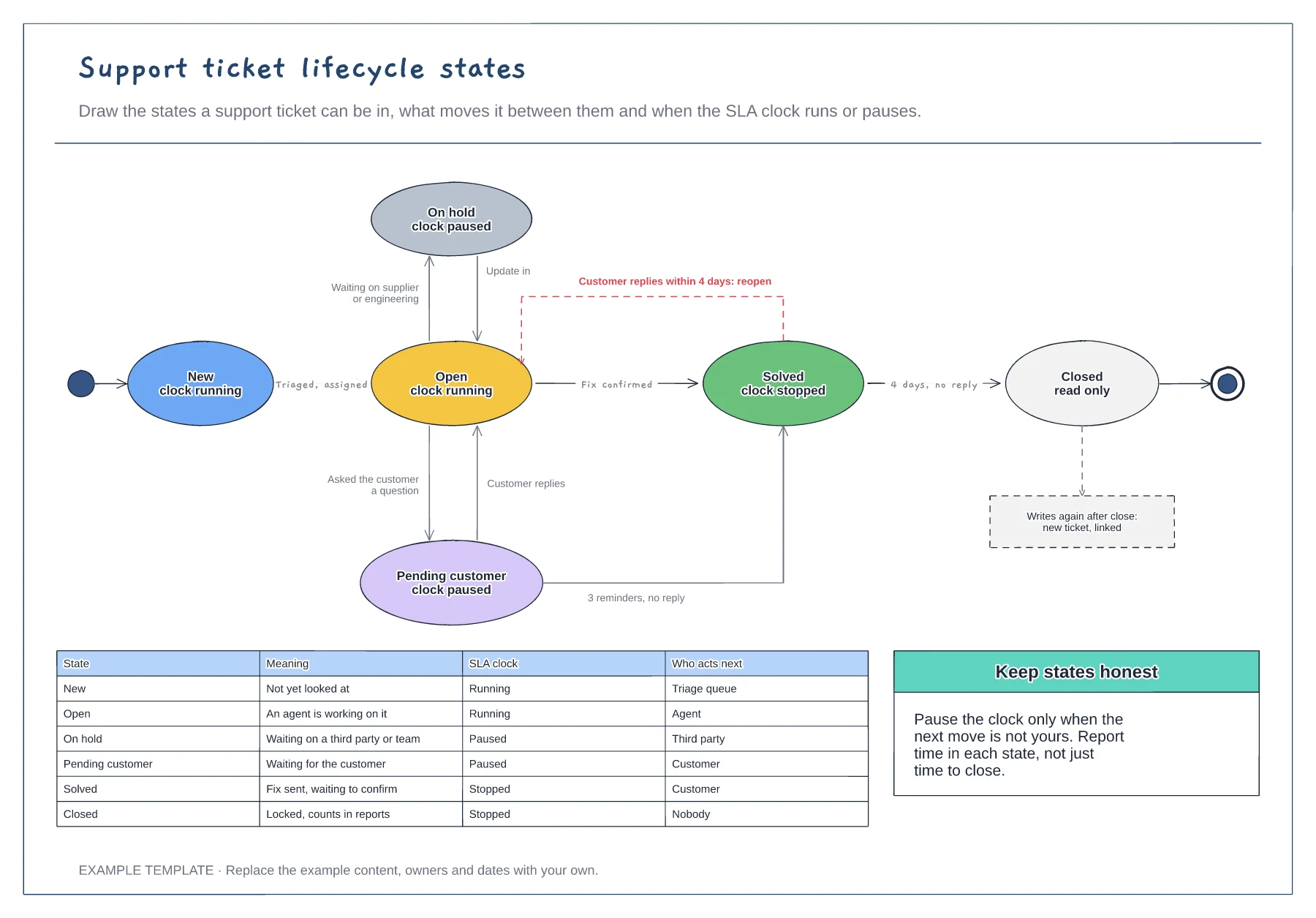
Six ticket states with SLA clock status · Transitions labelled with what triggers them · A table of meaning and who acts next per state
Preview and use template →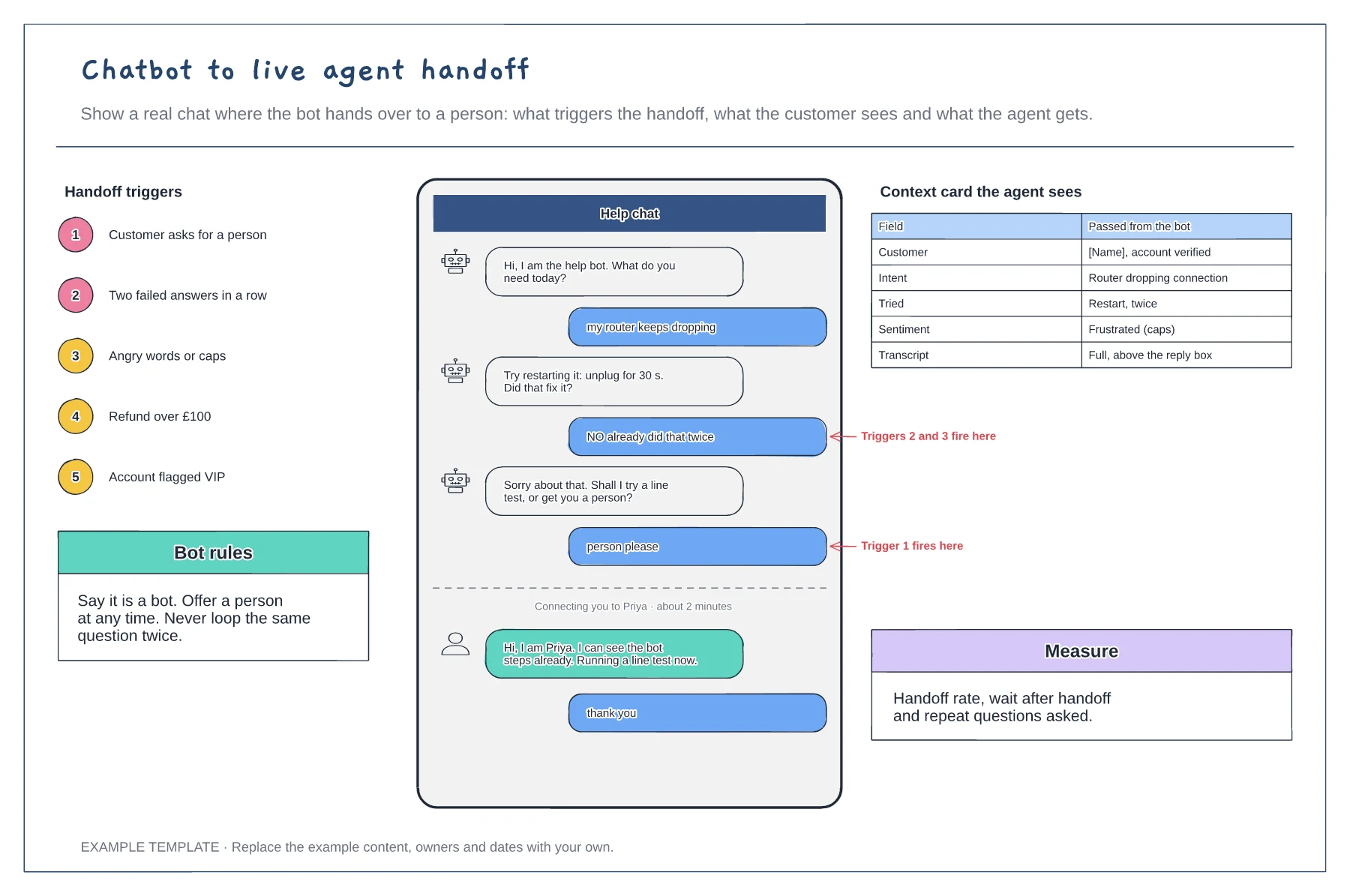
A chat transcript with the handoff moment marked · Five handoff triggers · The context card passed to the agent
Preview and use template →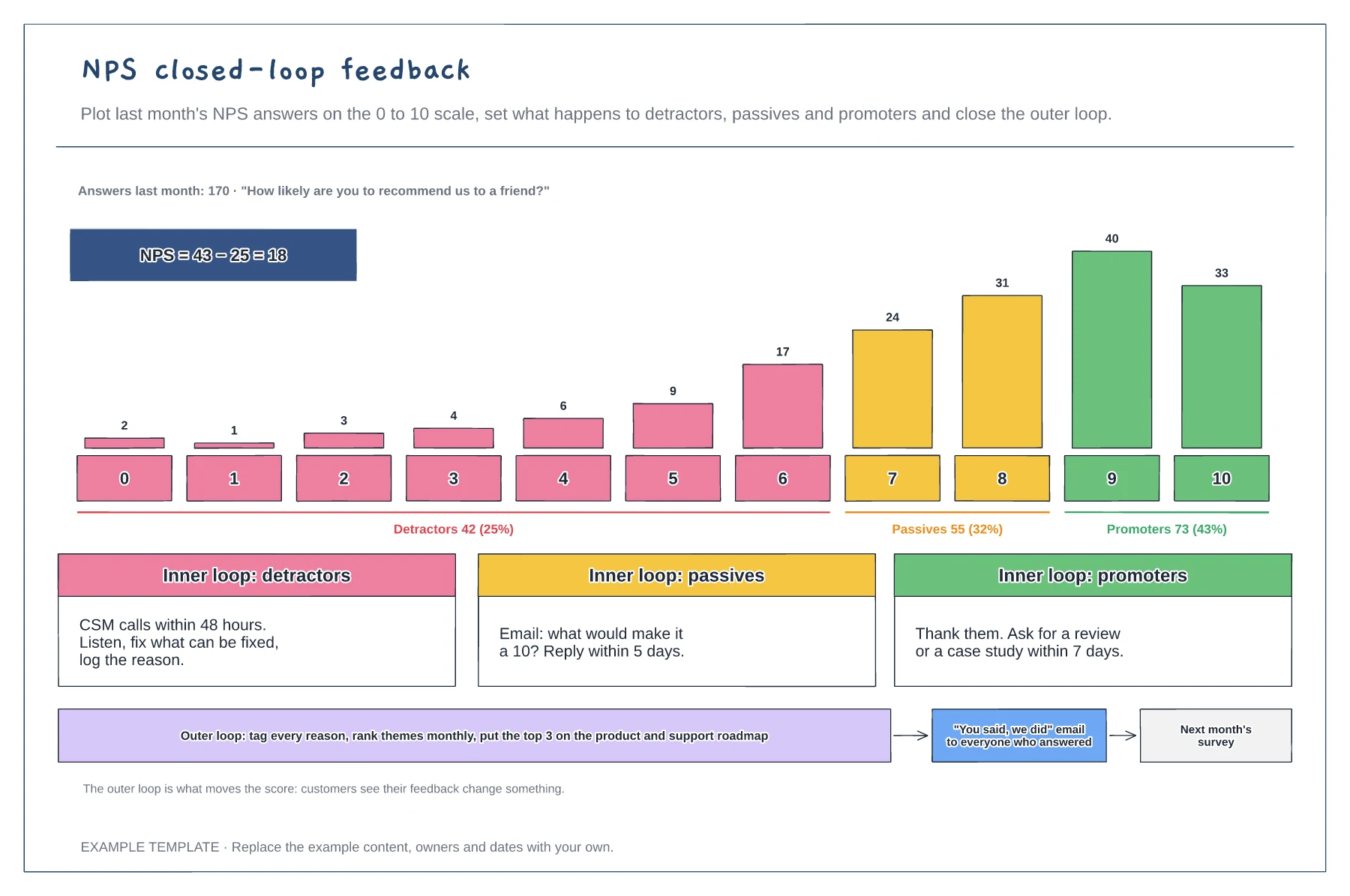
Answers per score on the 0 to 10 scale · Inner-loop actions for each group · The outer loop from themes to customer update
Preview and use template →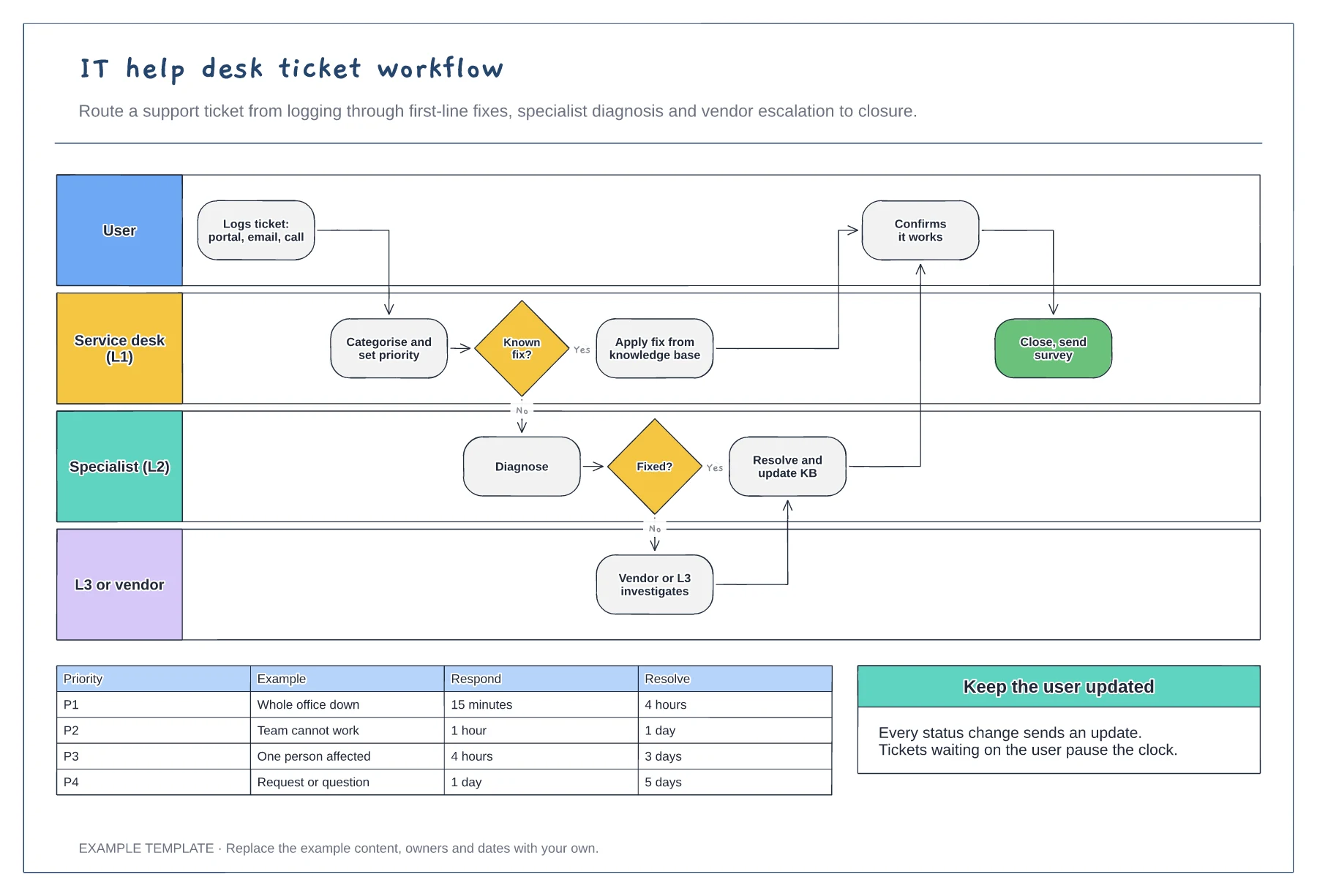
User, L1, L2 and L3 or vendor lanes · Knowledge base fix and escalation path · Priority SLA table
Preview and use template →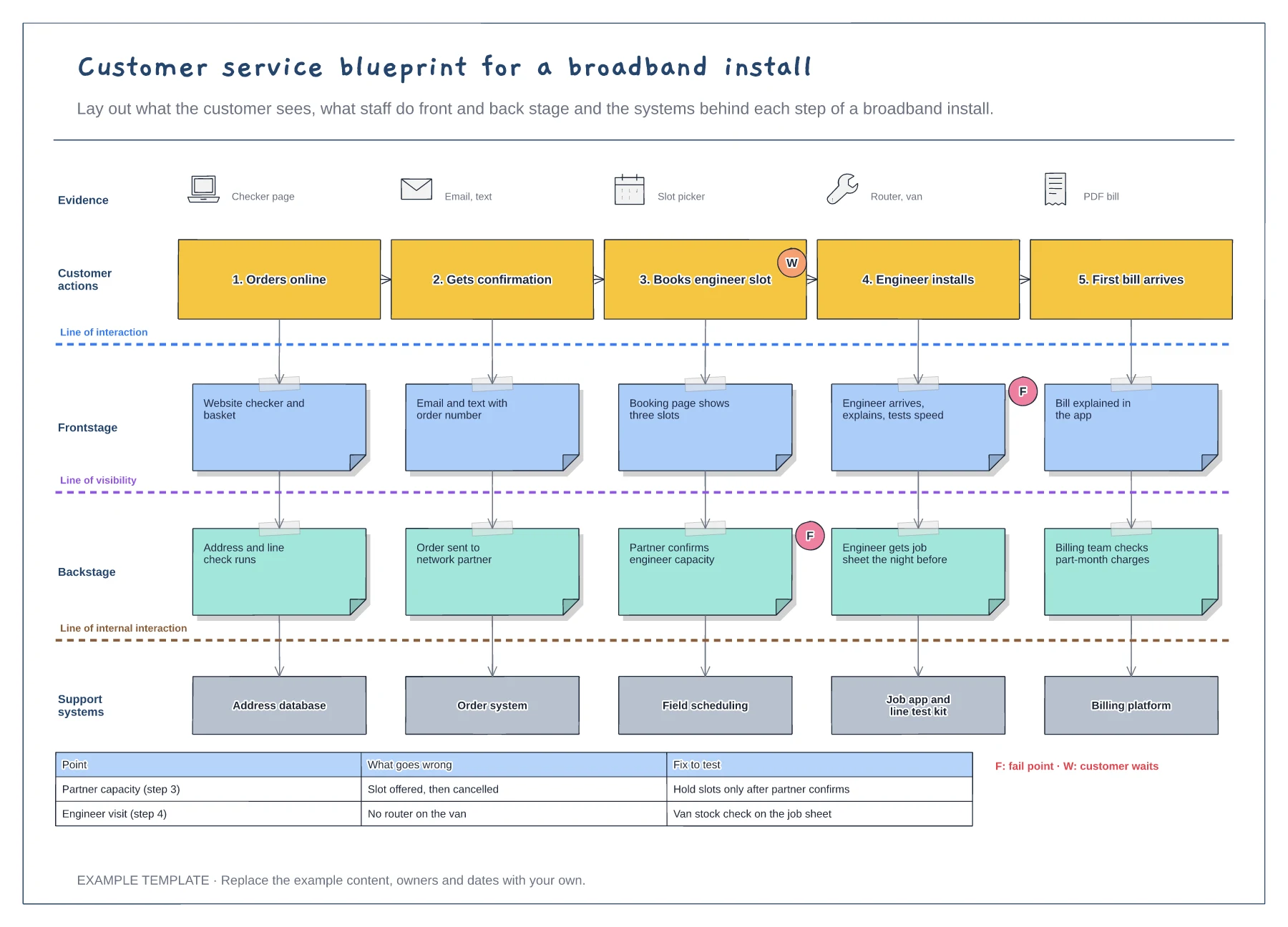
Five customer steps with the evidence they see · Frontstage, backstage and support system layers · Fail points, waits and a fix-to-test table
Preview and use template →