Sales
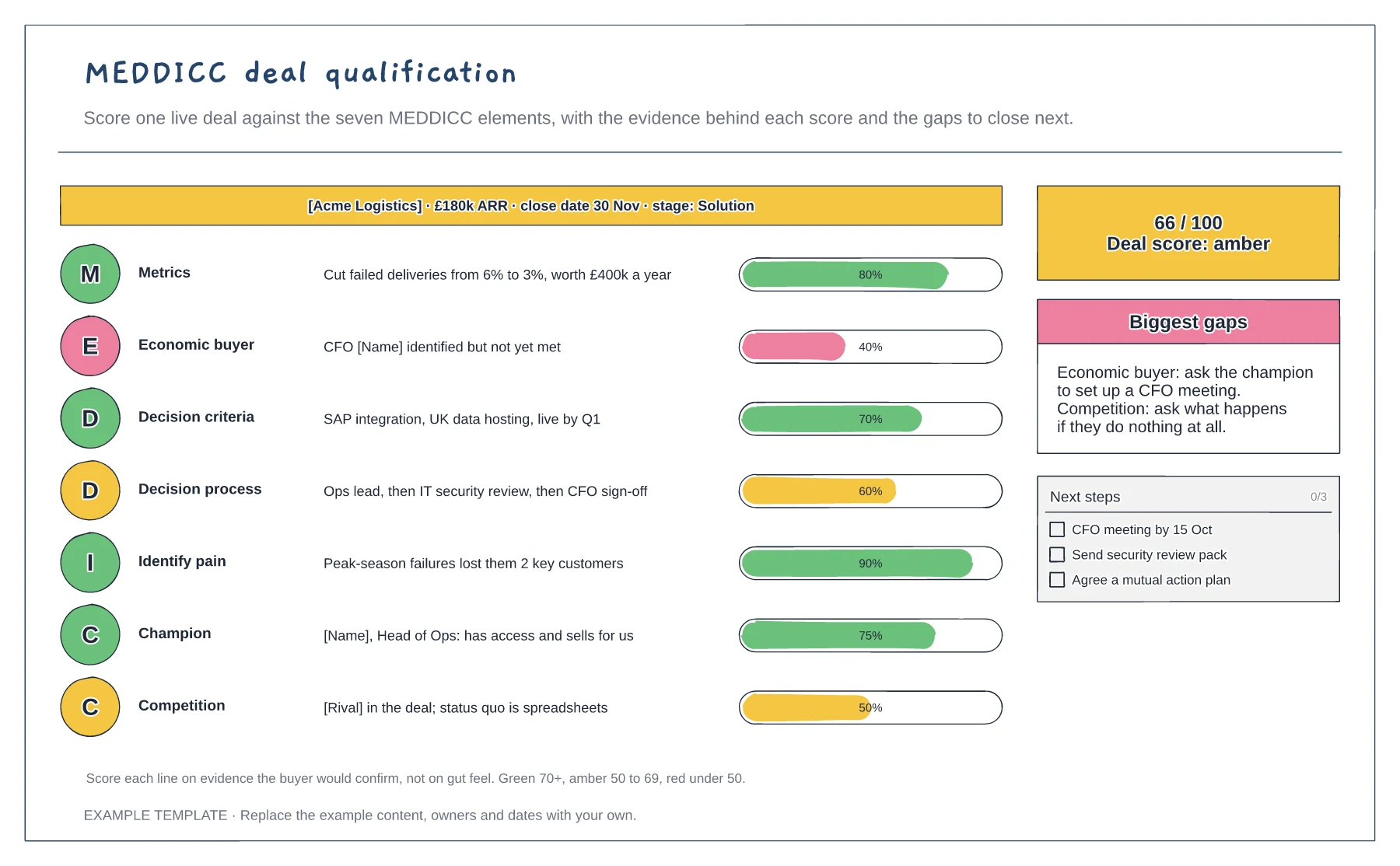
MEDDICC deal qualification template
One row for each MEDDICC element · Evidence and a scored bar for each · Overall score, gaps and next steps
Preview and use template →A strategic account plan shows where a key customer already buys from you and where it could buy more. This example maps five divisions of a banking group against five products. Each cell shows sold revenue, an open opportunity, a rival in place or whitespace, with account goals as progress bars, a 90-day action list and the main risks.
No account needed · Opens as your own editable page
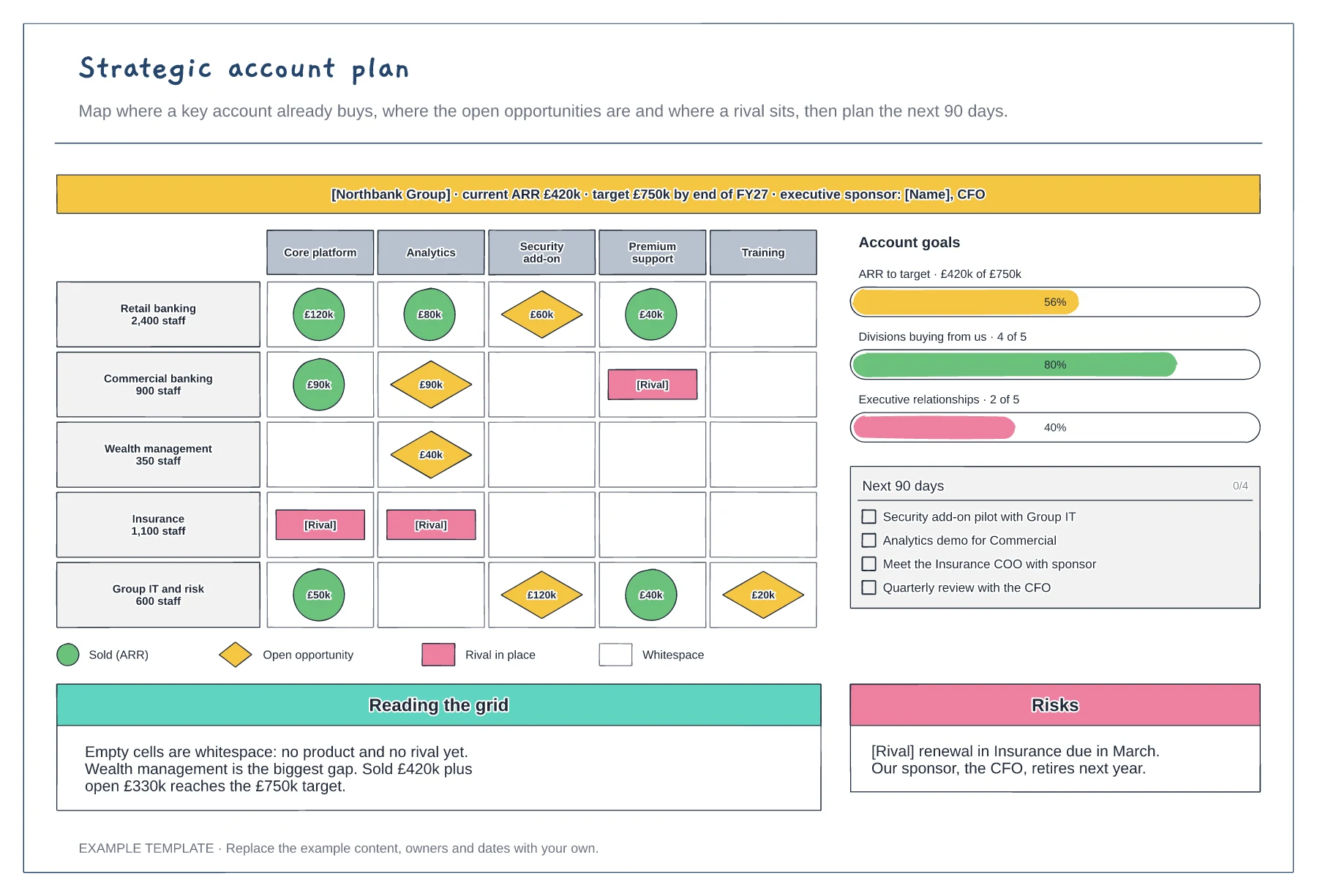
List the divisions or business units down the side and your products across the top. Mark what each division already buys and its annual value.
Add open opportunities with their value and note where a rival is already in place. The empty cells are your whitespace.
Turn the gap between today and the target into three goals and a short list of actions for the next 90 days, each with an owner.
Each row is a division and each column a product. Filled cells show sold ARR or open opportunities, rival cells show a competitor and empty cells are whitespace to target.
No. Open the template and edit it in your browser. Your work saves on this device. An account is optional if you want to sync your workspace.
Yes. Use Export in the editor to save a PNG, SVG or PDF, or download an editable .epicdraw backup.
One row for each MEDDICC element · Evidence and a scored bar for each · Overall score, gaps and next steps
Preview and use template →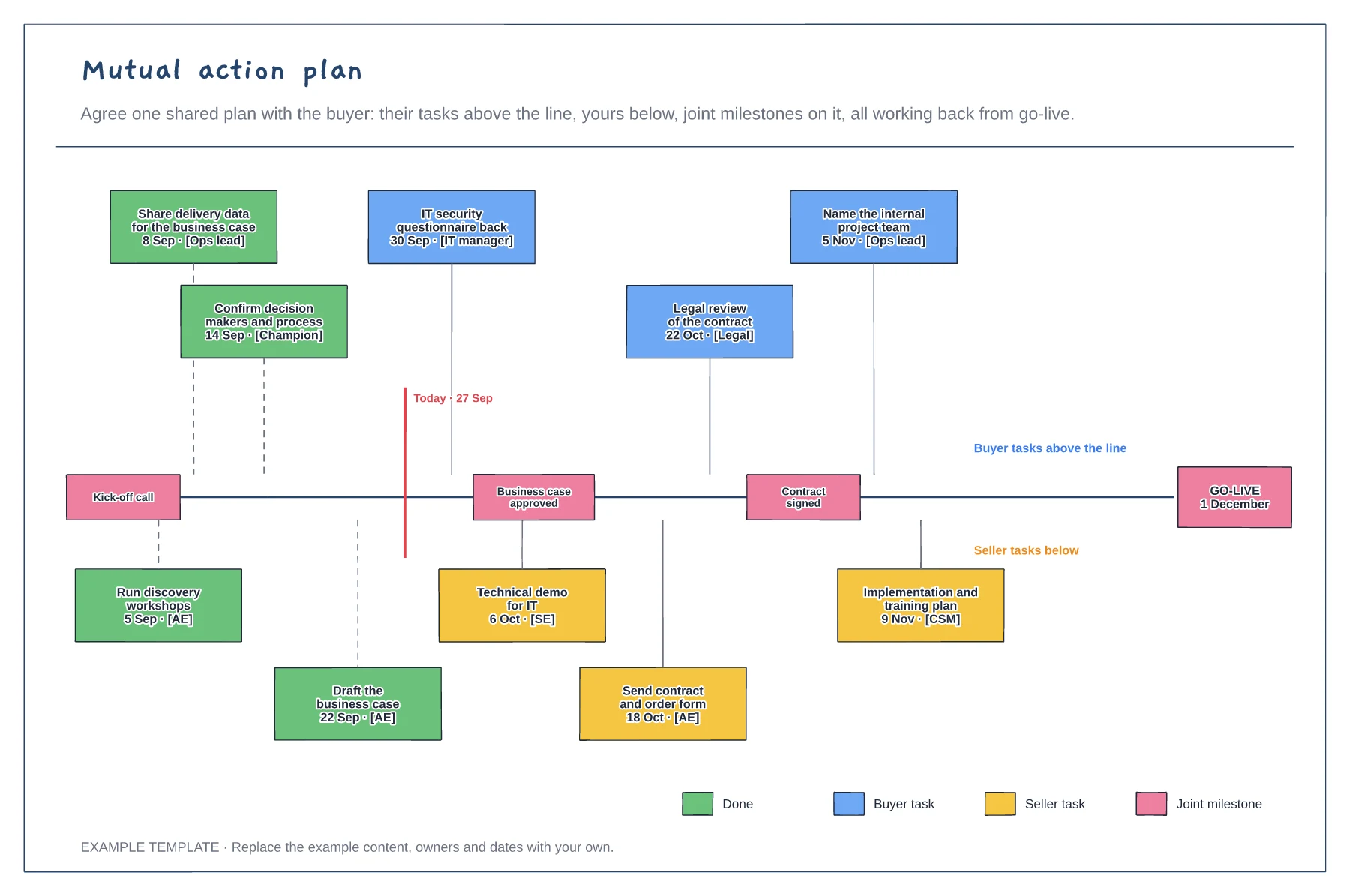
Buyer and seller tasks on one timeline · Joint milestones and a go-live date · Owners, dates and what is done
Preview and use template →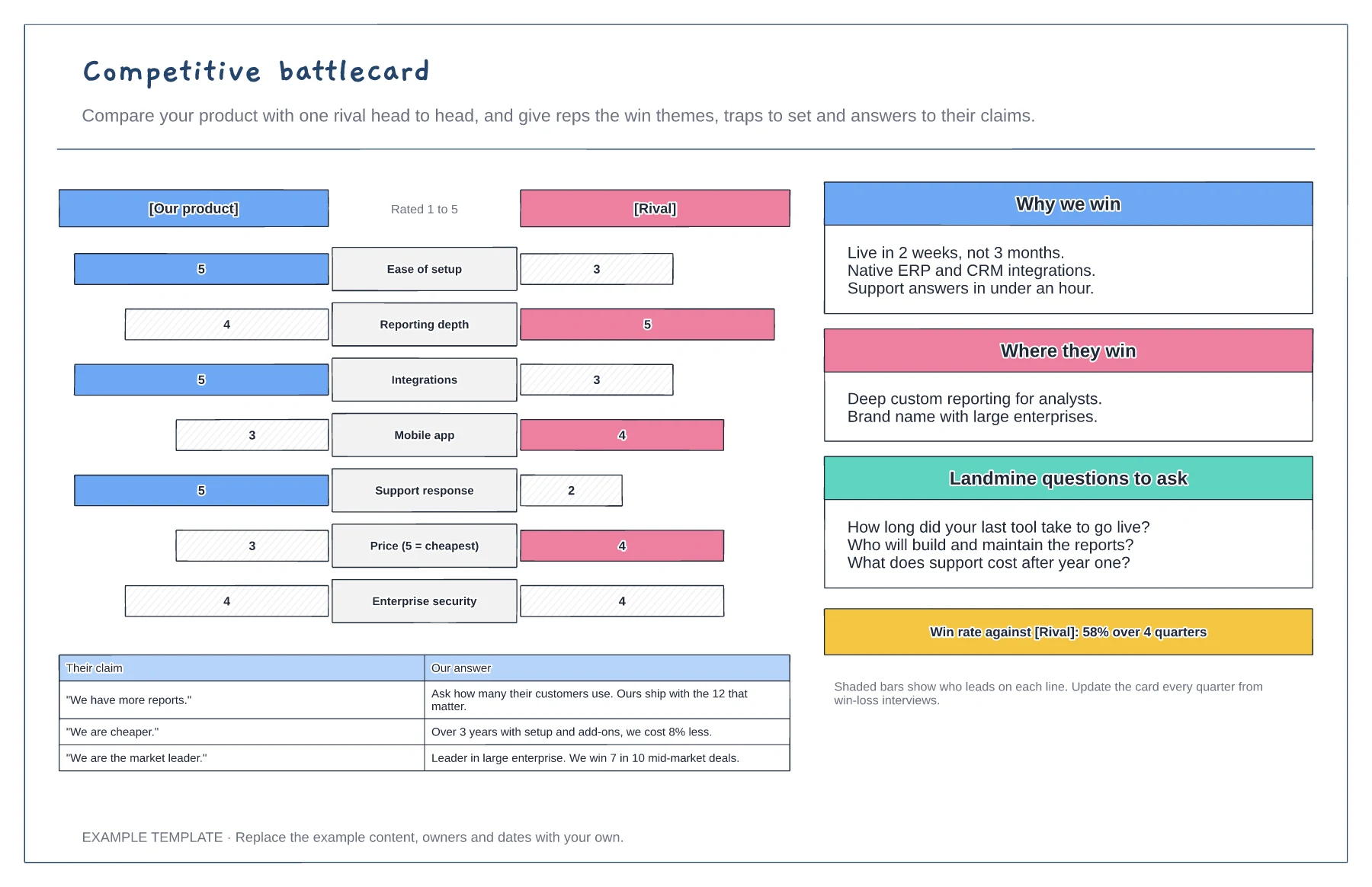
Head-to-head bar chart on seven criteria · Why we win and where they win · Landmine questions and claim answers
Preview and use template →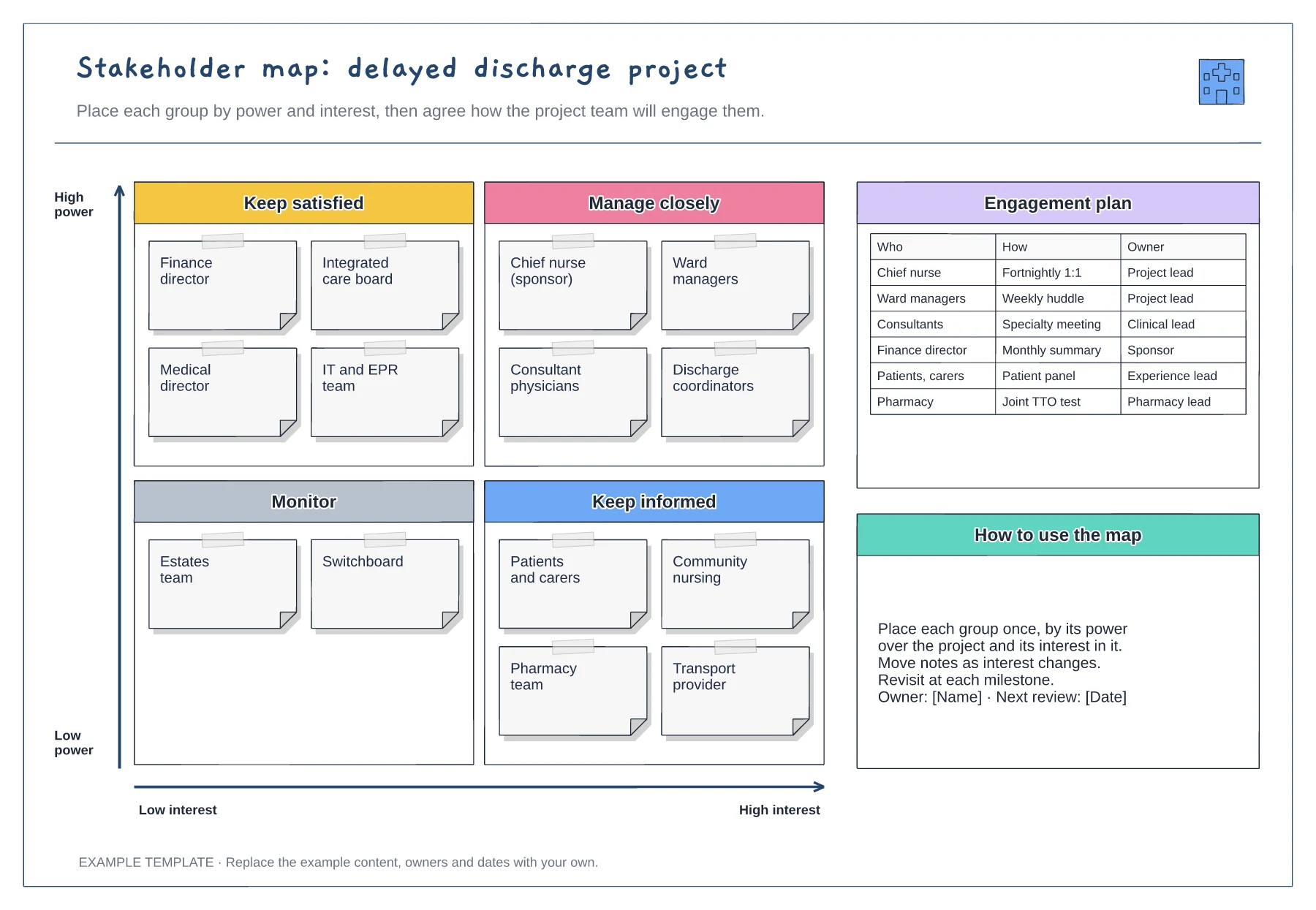
Power and interest grid · Stakeholder notes in four quadrants · Engagement plan with owners
Preview and use template →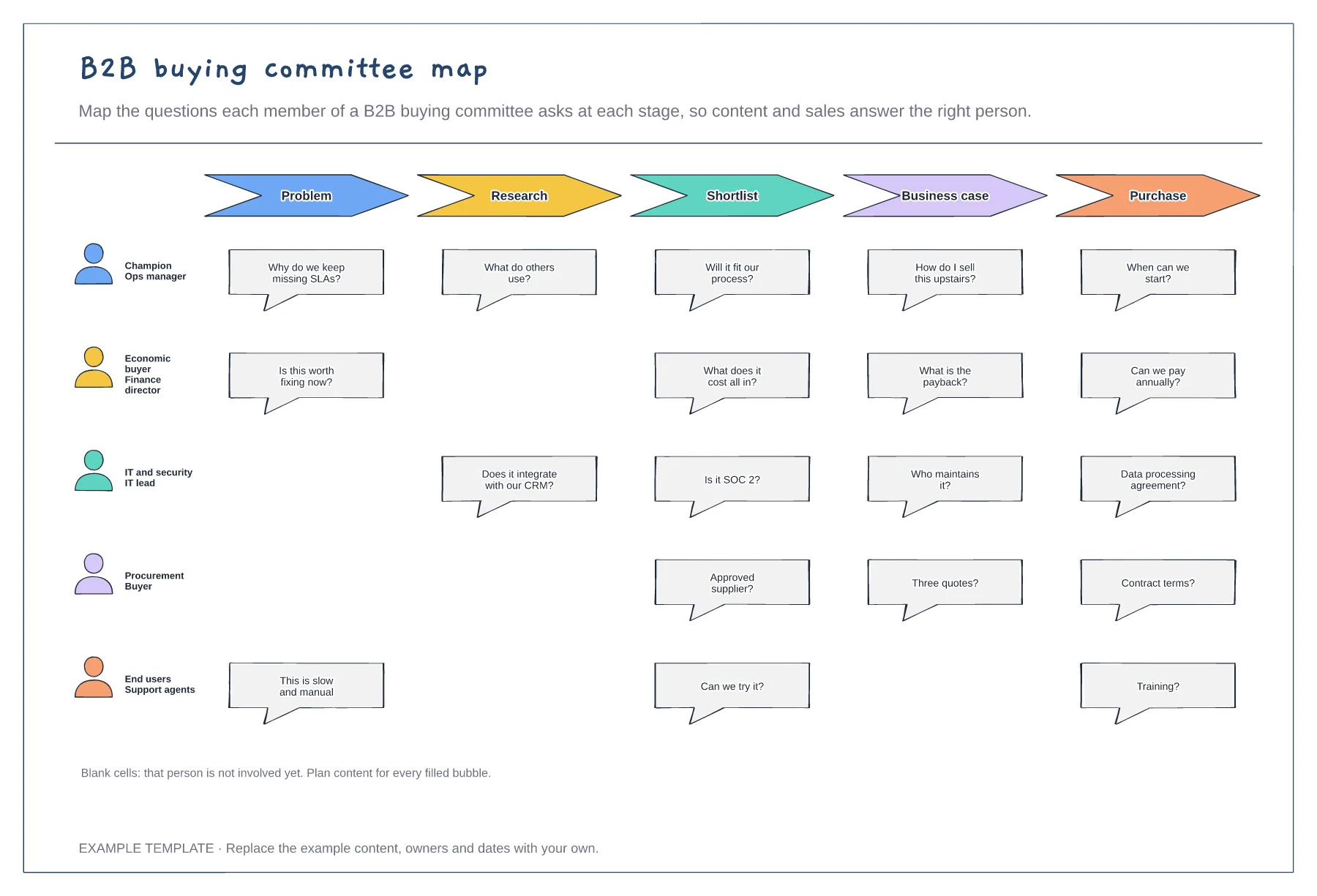
Five buying committee roles · Their questions at each stage · Gaps where a role is not yet involved
Preview and use template →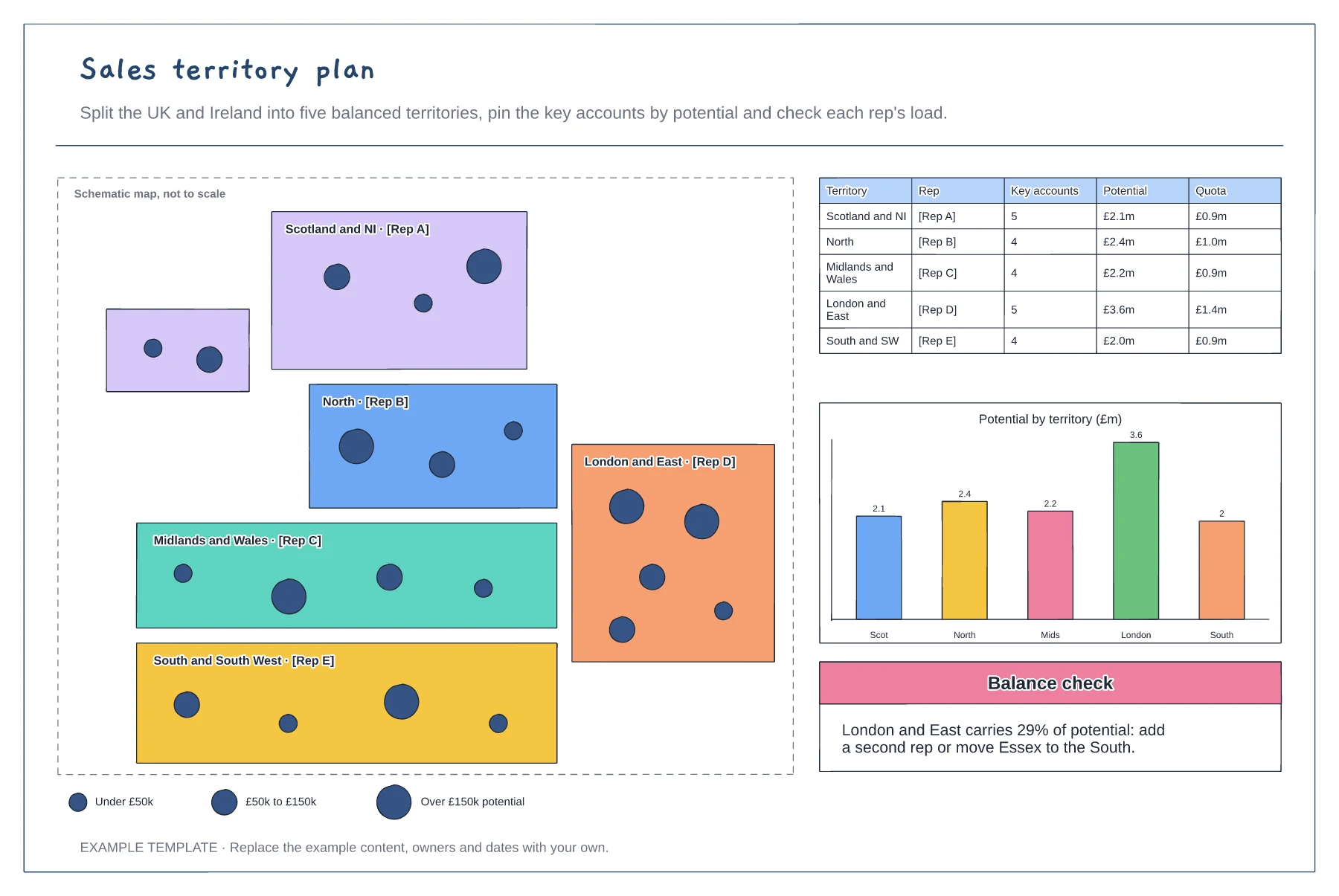
Schematic map of territories and reps · Account pins sized by potential · Balance table and potential chart
Preview and use template →