Manufacturing
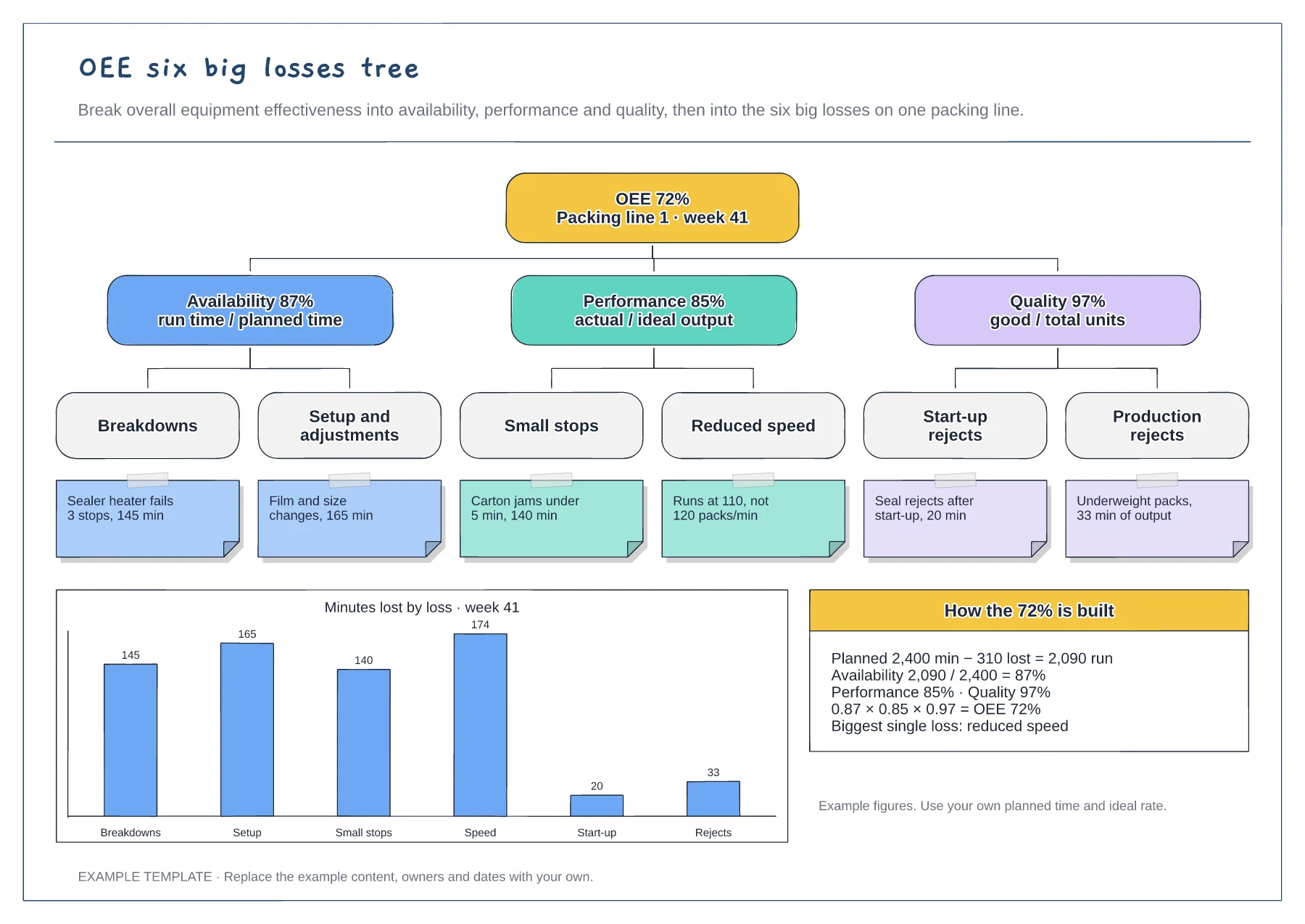
OEE six big losses tree template
Tree from OEE to the six big losses · Example cause under each loss · Minutes-lost chart and the OEE calculation
Preview and use template →SMED (single-minute exchange of die) reduces changeover time by doing as much work as possible while the machine is still running. This example times a 52-minute press die change, tags each step to convert, simplify or eliminate, and redraws it as three lanes: work before the stop, 14 minutes with the press stopped and work after restart.
No account needed · Opens as your own editable page
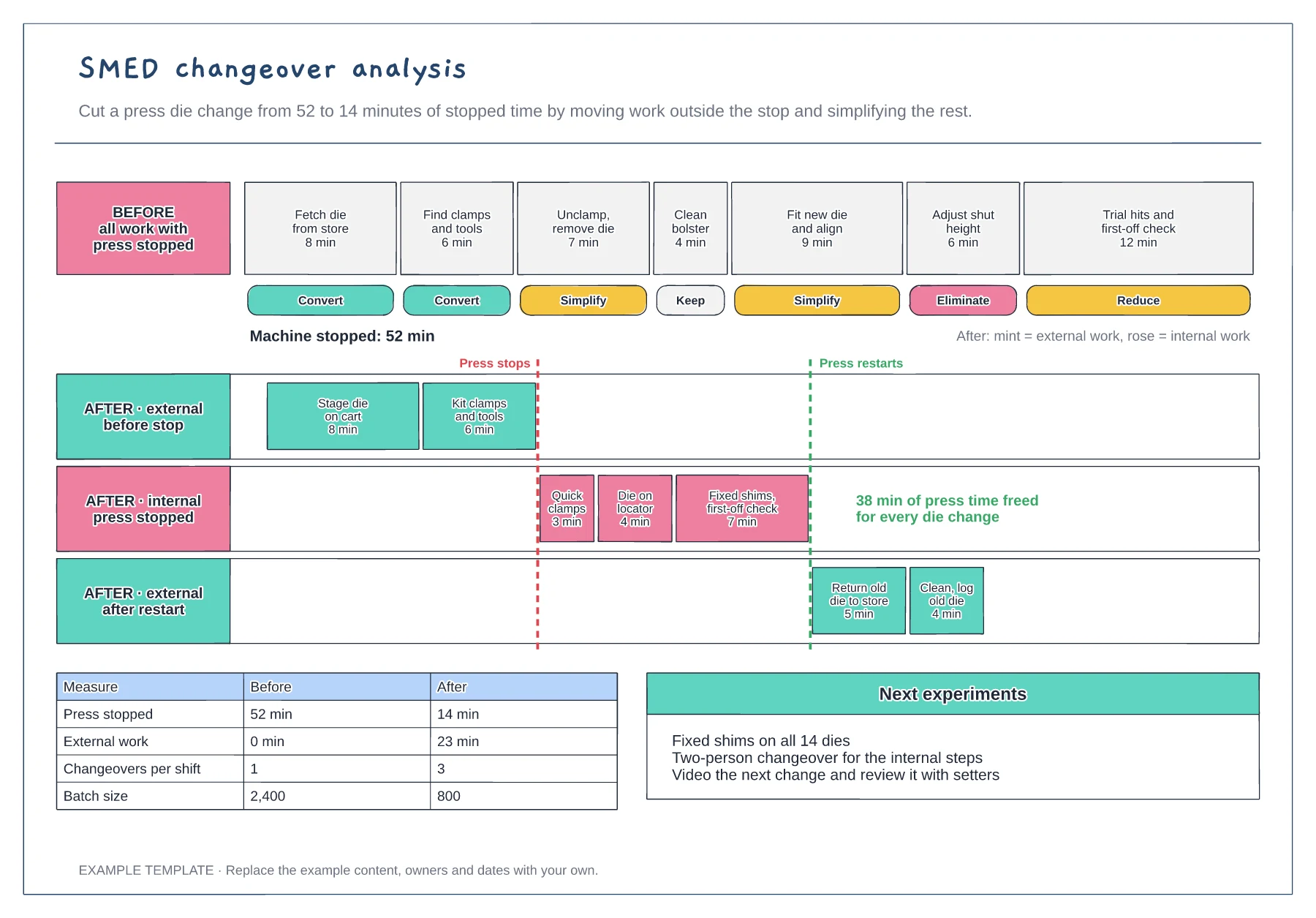
Record a normal changeover and list every step with its minutes. Estimates from memory usually leave out the searching, walking and waiting that SMED sets out to remove.
Tag each step: convert to external if it can happen before the stop or after restart, simplify it if it must stay internal. Fetching dies and tools is almost always external.
Move steps into the after lanes, total the stopped time and trial it on the next change. Update the standard work only when the setters can repeat the new time.
Replace each step and its minutes on the before timeline, then sort the steps into the internal and external lanes and update the results table.
No. Open the template and edit it in your browser. Your work saves on this device. An account is optional if you want to sync your workspace.
Yes. Use Export in the editor to save a PNG, SVG or PDF, or download an editable .epicdraw backup.
Tree from OEE to the six big losses · Example cause under each loss · Minutes-lost chart and the OEE calculation
Preview and use template →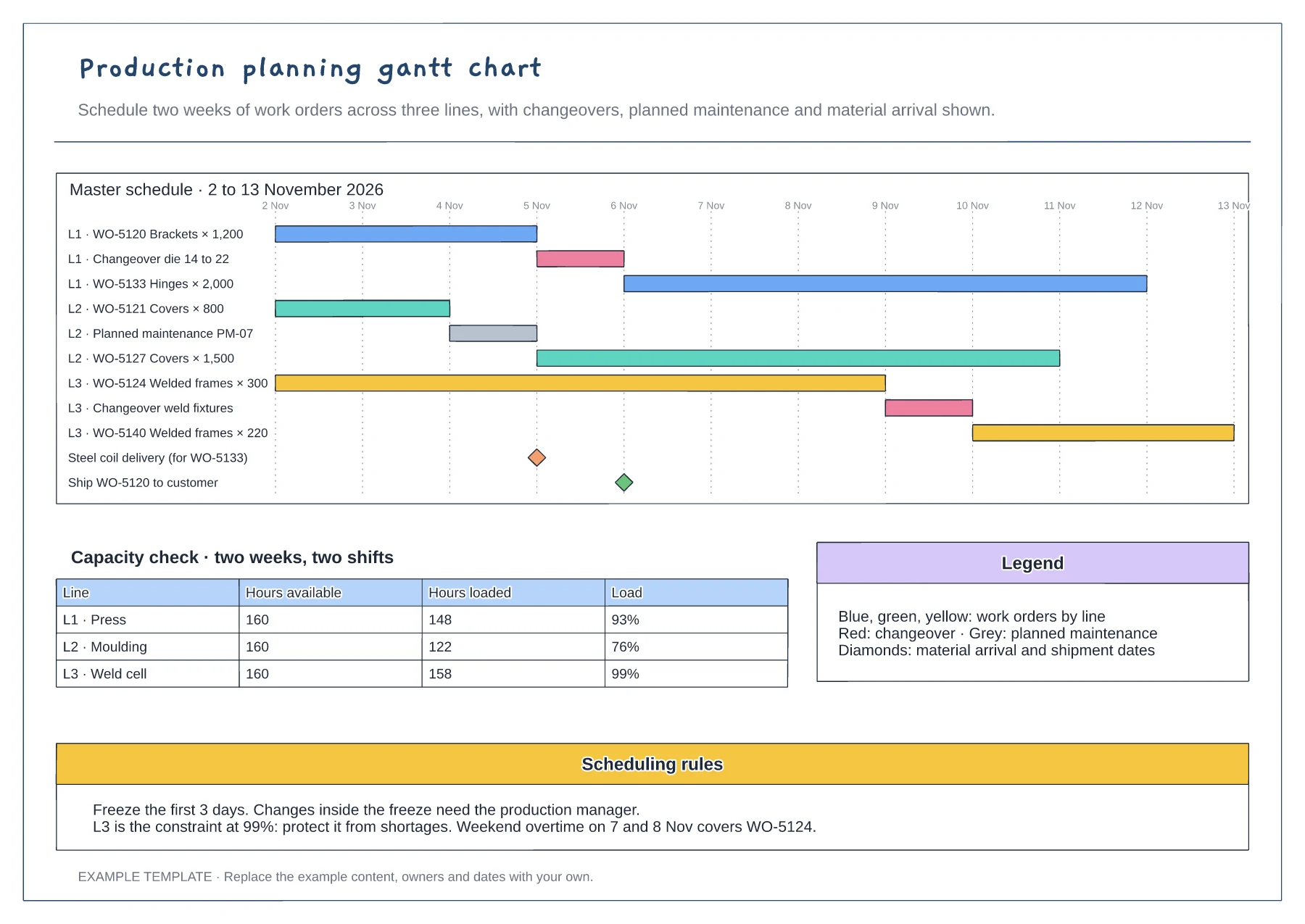
Gantt of work orders by line and day · Changeover, maintenance and milestone rows · Capacity table and scheduling rules
Preview and use template →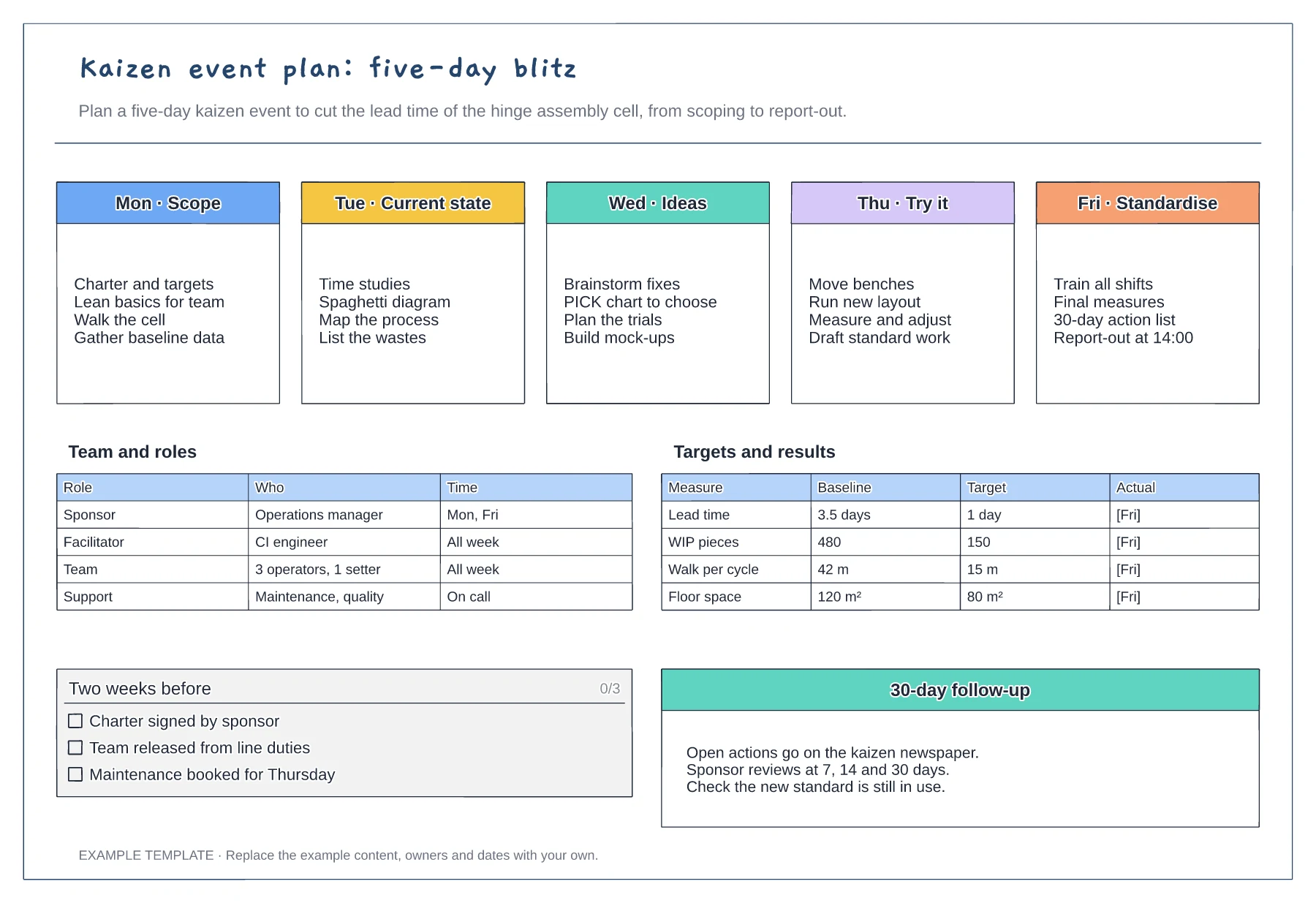
Five-day agenda from scope to standardise · Team roles and time commitment · Baseline, target and actual measures
Preview and use template →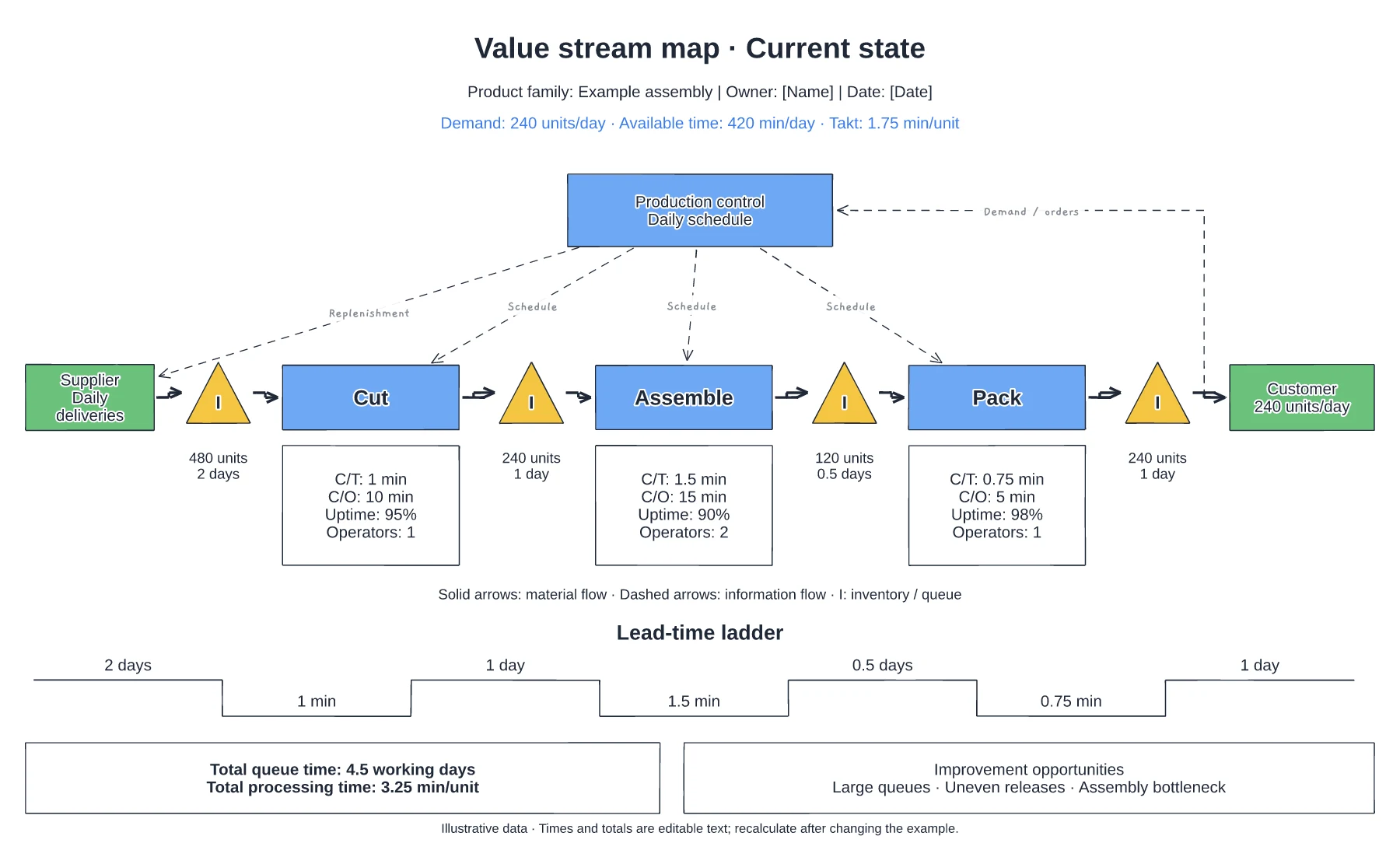
Supplier, process and customer flow · Inventory queues and process data · Information flow and timing line
Preview and use template →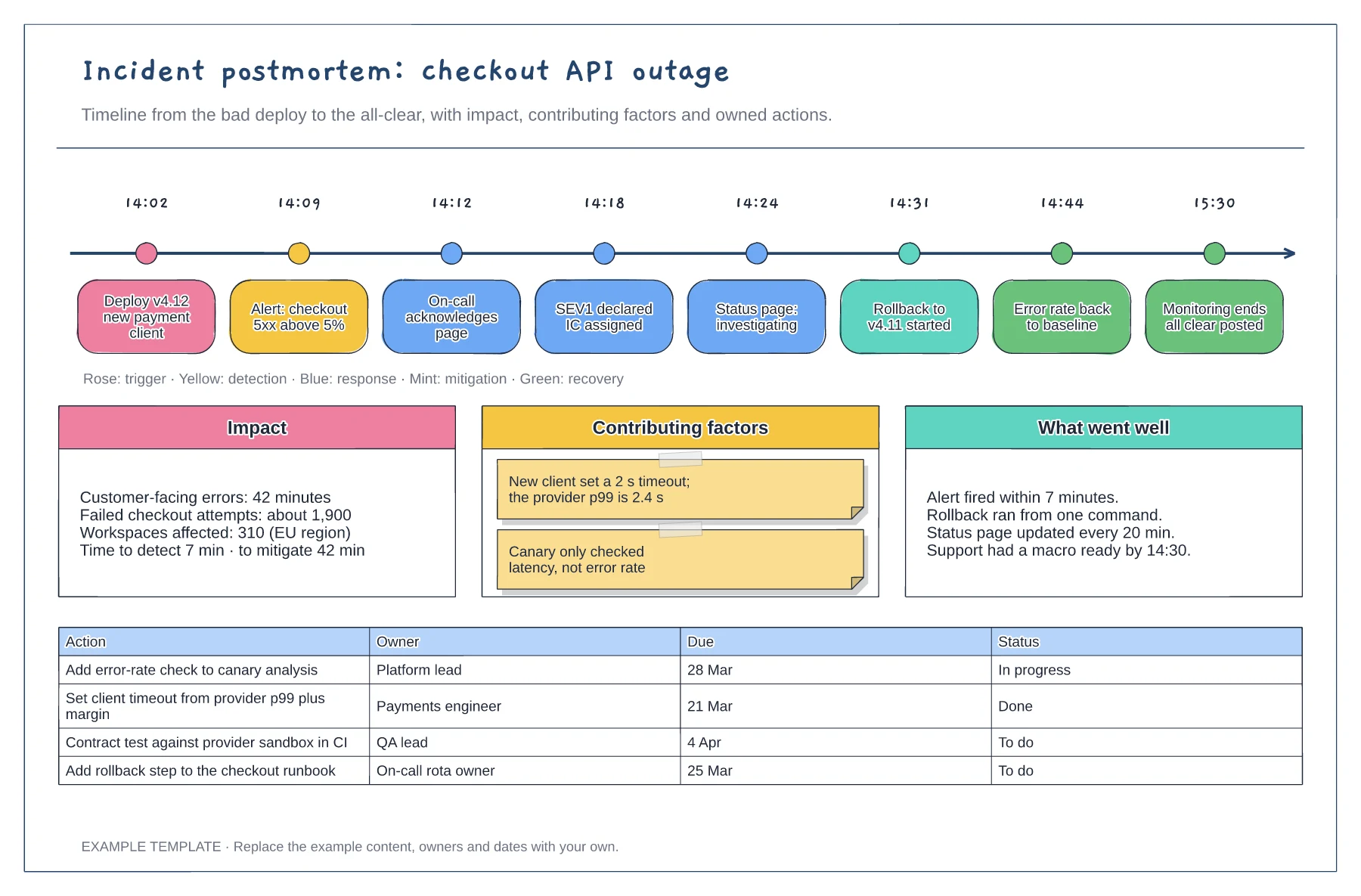
Timestamped events from deploy to all-clear · Impact, contributing factors and what went well · Action table with owners, due dates and status
Preview and use template →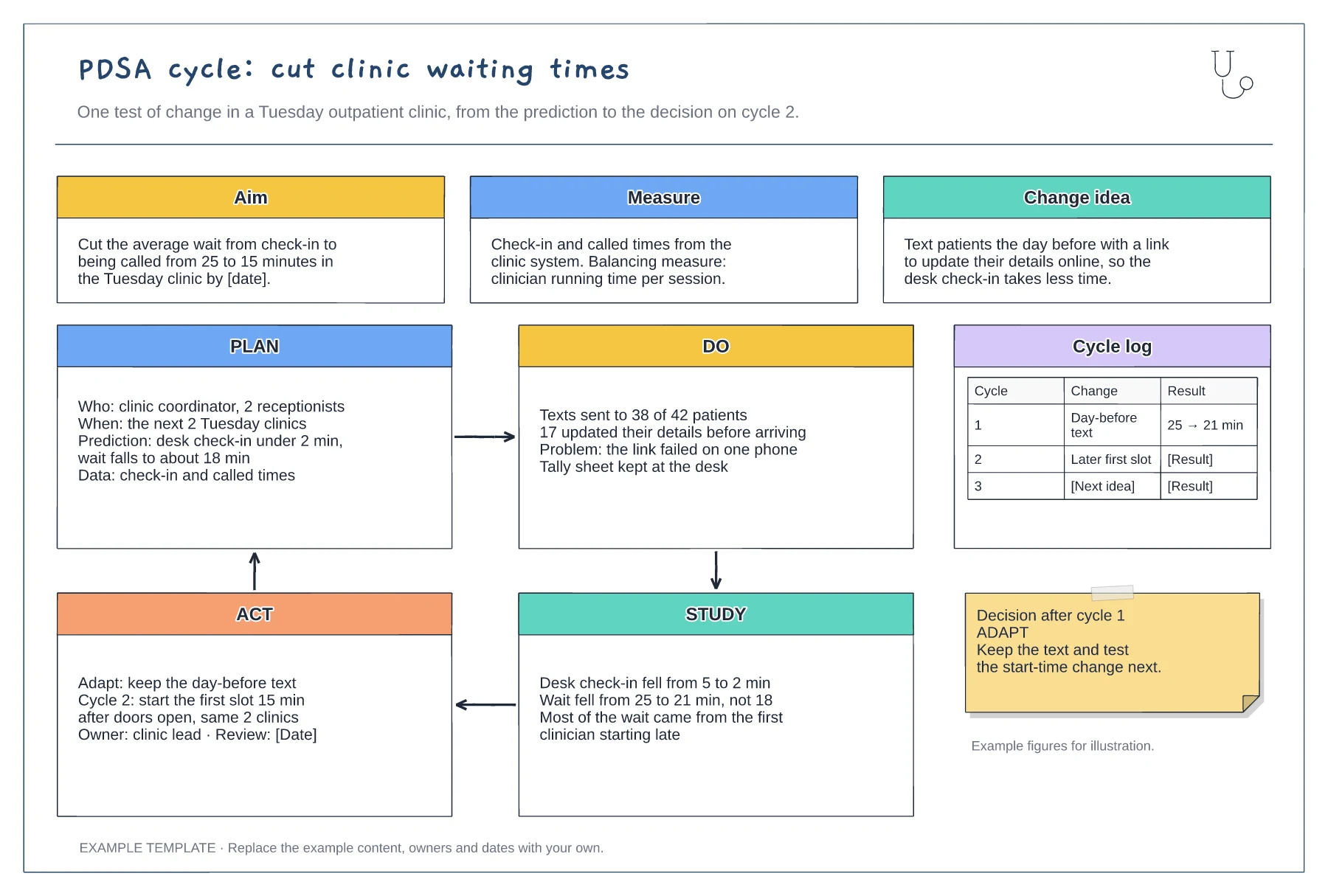
Aim, measure and change idea · Filled-in Plan, Do, Study and Act panels · Cycle log and decision note
Preview and use template →