Ecommerce
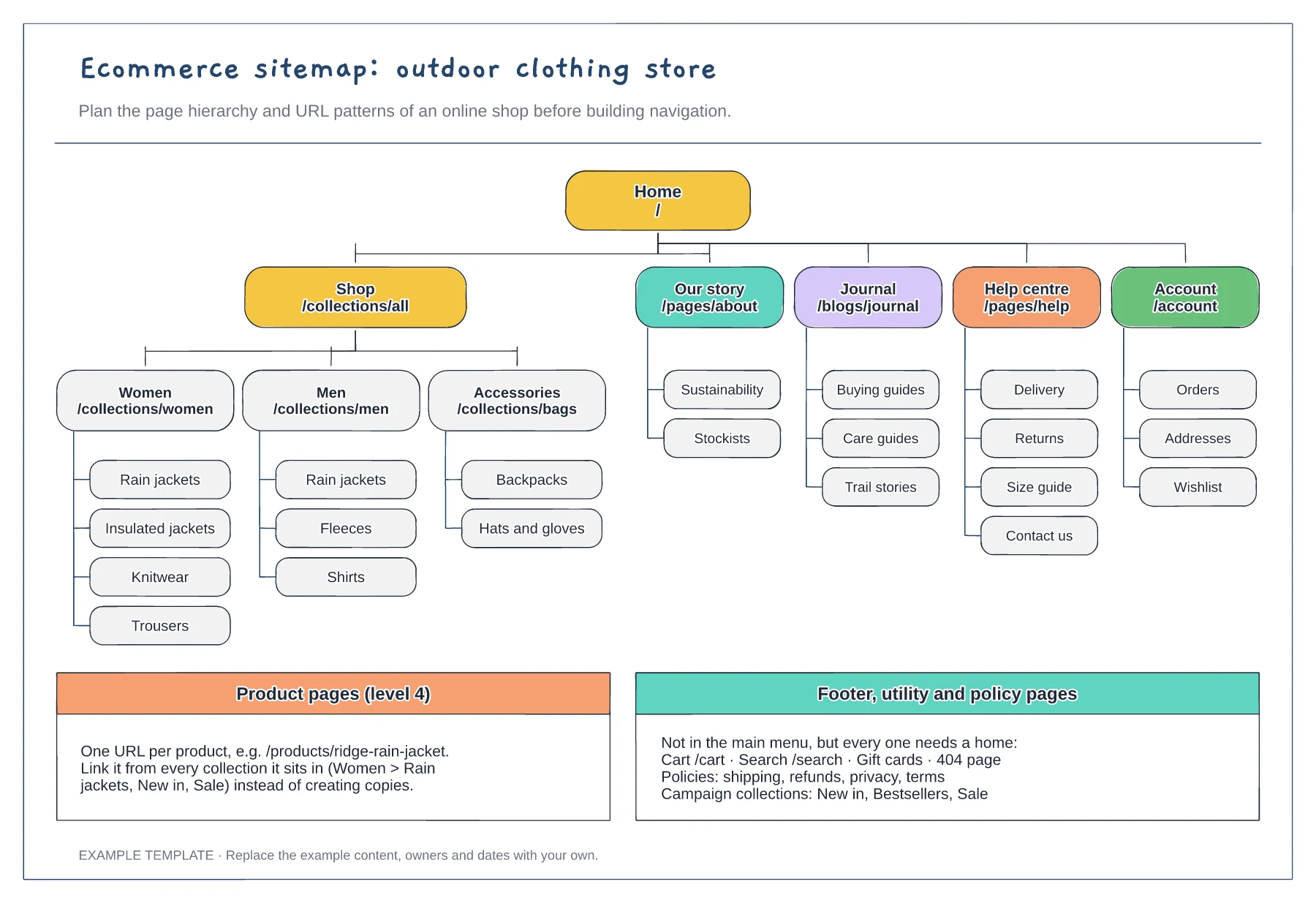
Ecommerce sitemap template
Collection and subcollection tree · URL pattern for every tier · Footer, utility and policy pages
Preview and use template →A Shopify navigation plan connects what shoppers see in the menu to the collections and tags behind it. Planning both together avoids duplicate collections and menu links that show the wrong products. This example maps a clothing store's five menu items to mega-menu groups, then to each collection handle, its automated rule and its filters.
No account needed · Opens as your own editable page
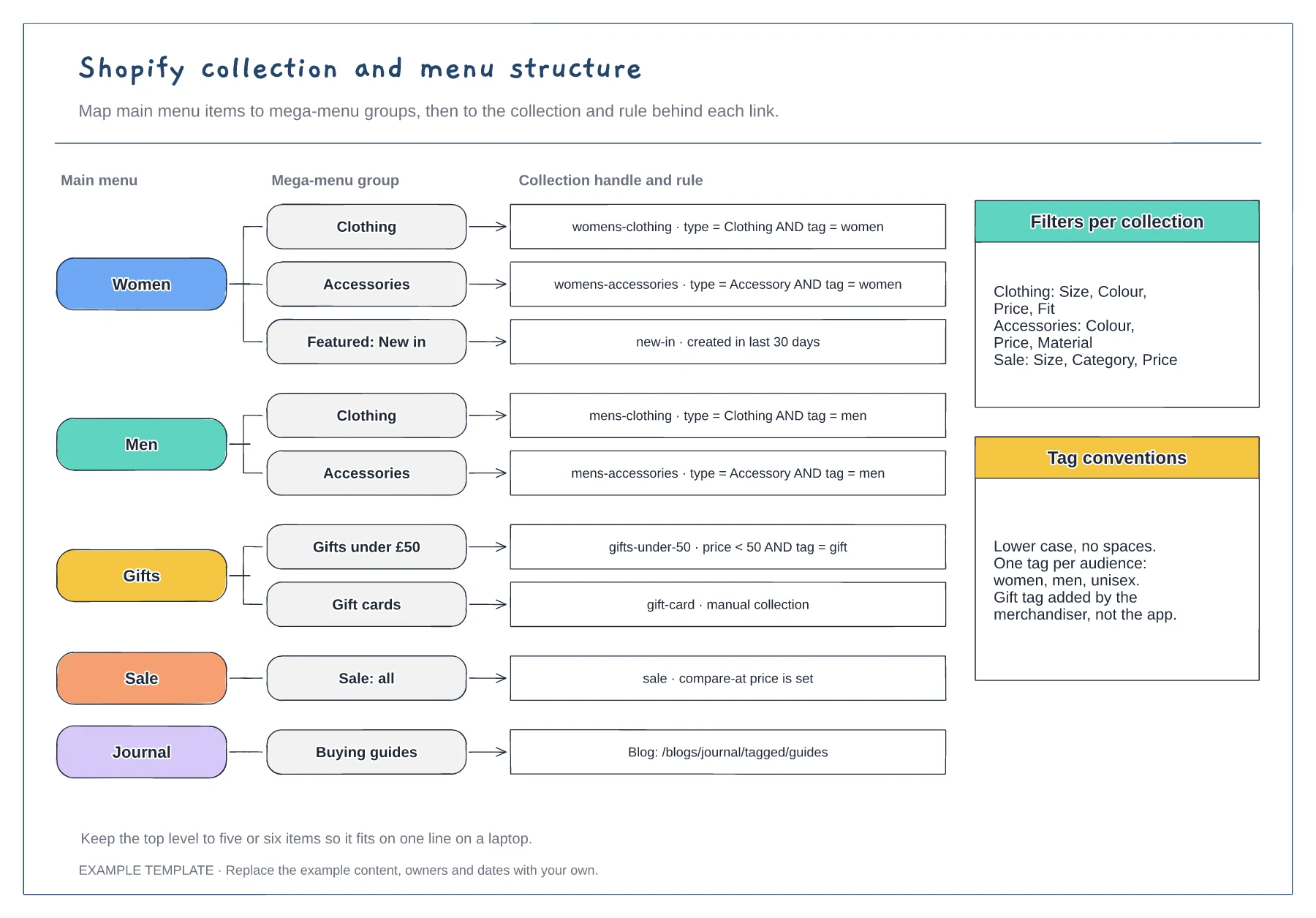
List the top-level items you want shoppers to see, then the groups beneath each one. Keep the top level short so it fits on a single line on a laptop screen without wrapping.
Next to each link, note the collection handle and the condition that fills it, such as product type and tag. Automated rules keep collections up to date as you add new products.
Decide how tags are written and who adds them. Inconsistent tags such as "Women" and "womens" are a common reason products go missing from a collection without anyone noticing.
No. The menu, collection and filter structure suits any platform; rename the collection handles and rules to match how yours groups products.
No. Open the template and edit it in your browser. Your work saves on this device. An account is optional if you want to sync your workspace.
Yes. Use Export in the editor to save a PNG, SVG or PDF, or download an editable .epicdraw backup.
Collection and subcollection tree · URL pattern for every tier · Footer, utility and policy pages
Preview and use template →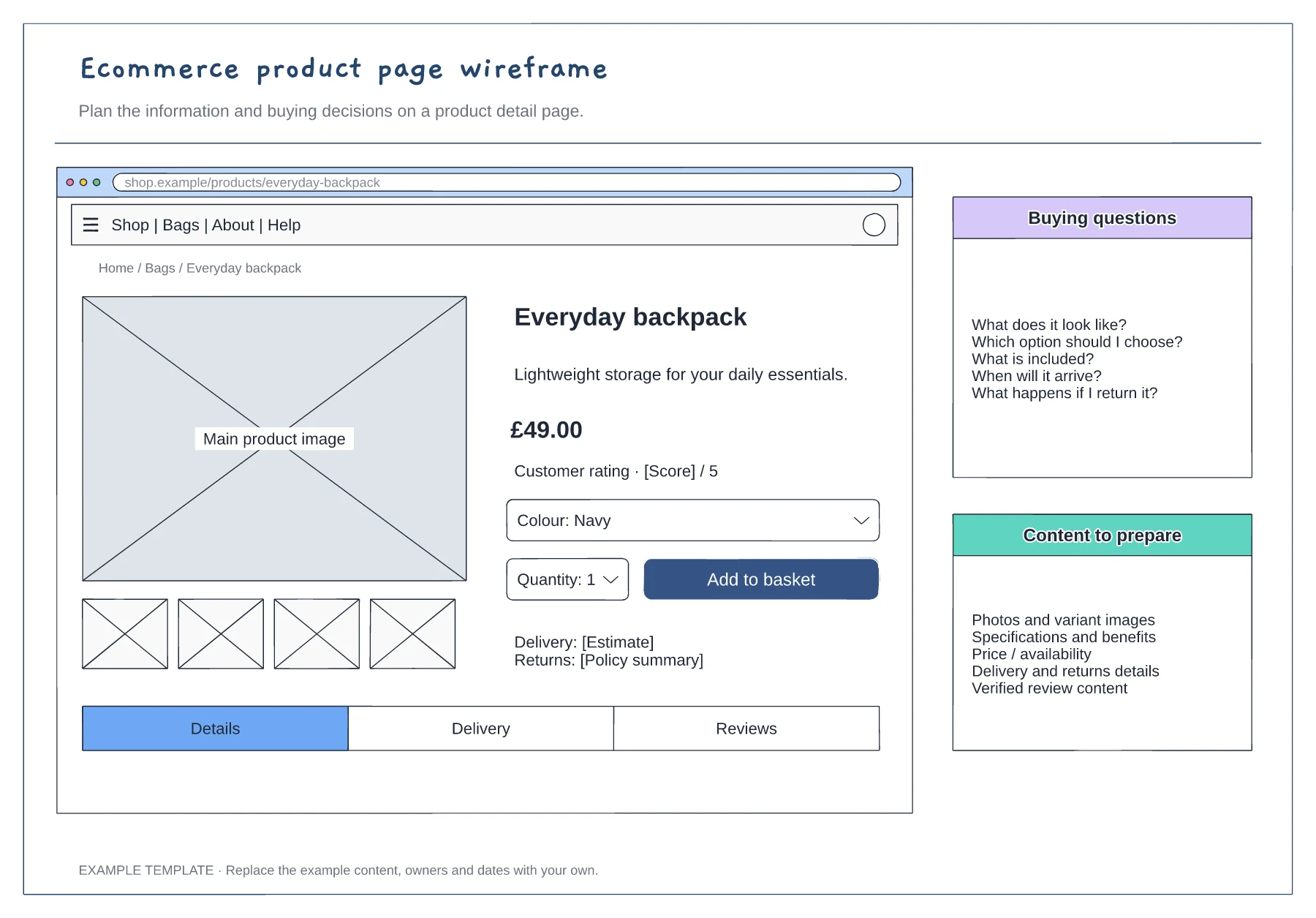
Product gallery and buying panel · Delivery, returns and trust information · Details and supporting content
Preview and use template →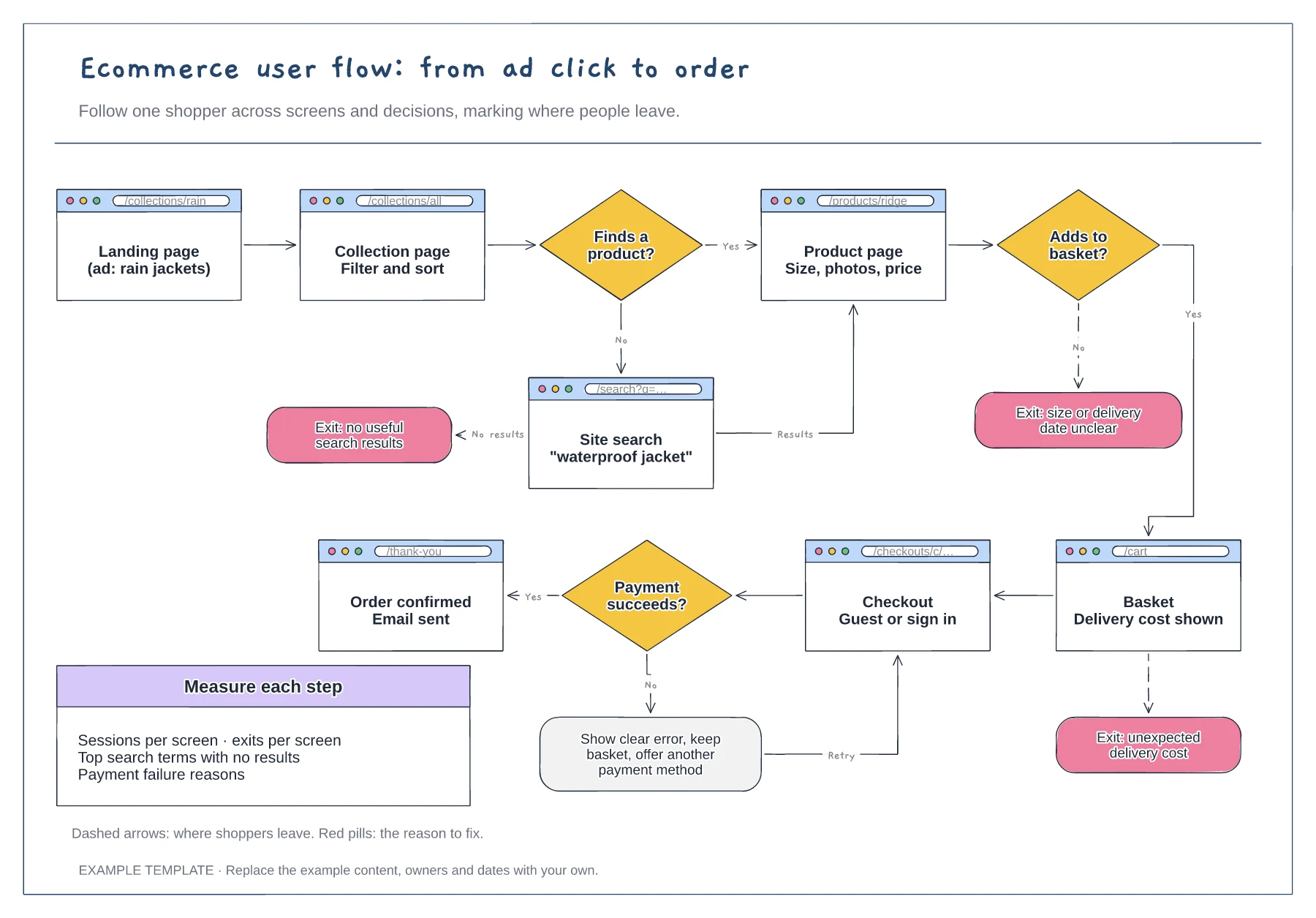
Screens with their URLs · Search, basket and payment decisions · Exit points with the reason to fix
Preview and use template →
Give every page a visitor question. · Explain the meaning of each connection. · Separate planning names and visible navigation labels.
Preview and use template →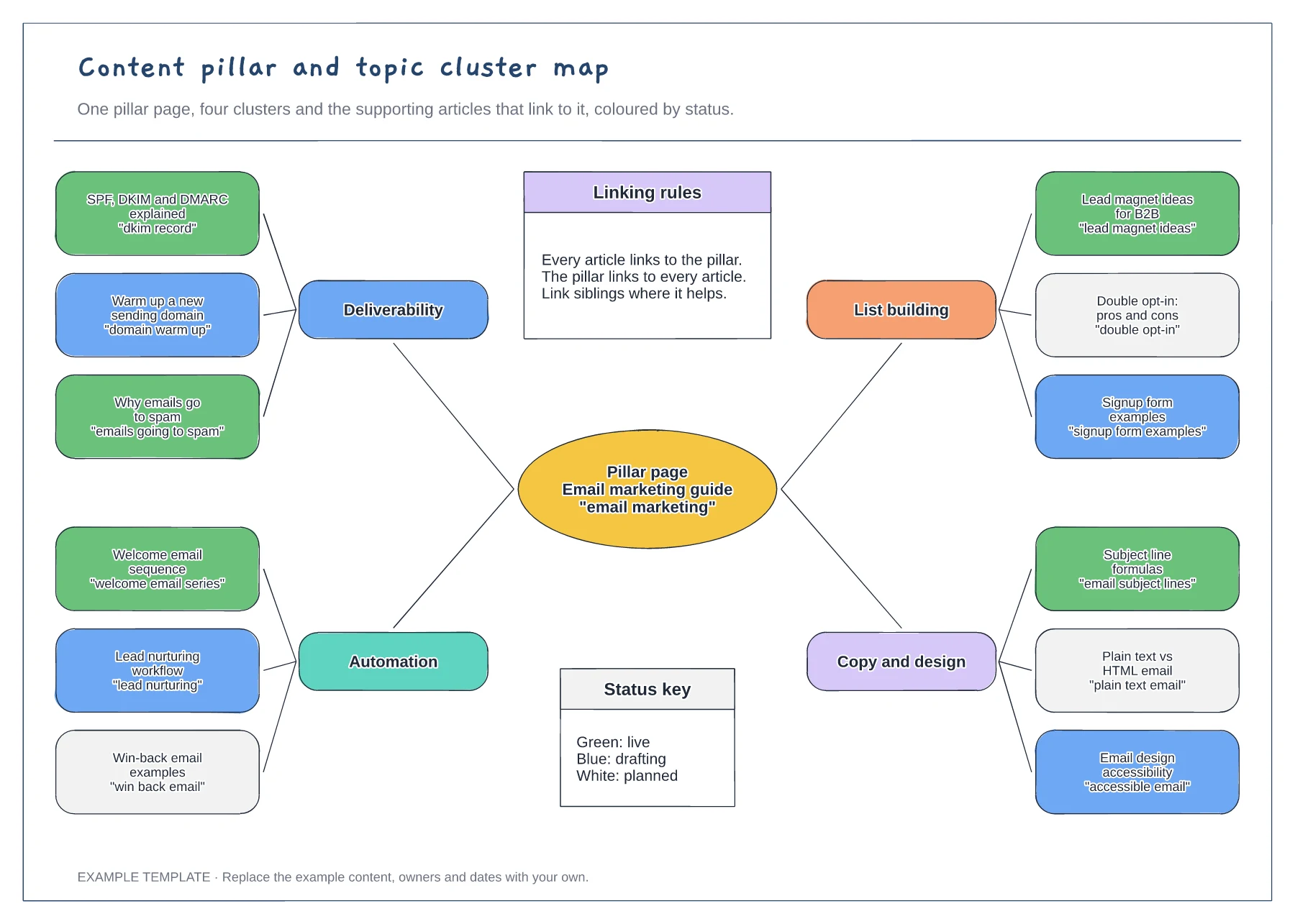
Pillar page with four clusters · Twelve articles with target search phrases · Status colours and internal linking rules
Preview and use template →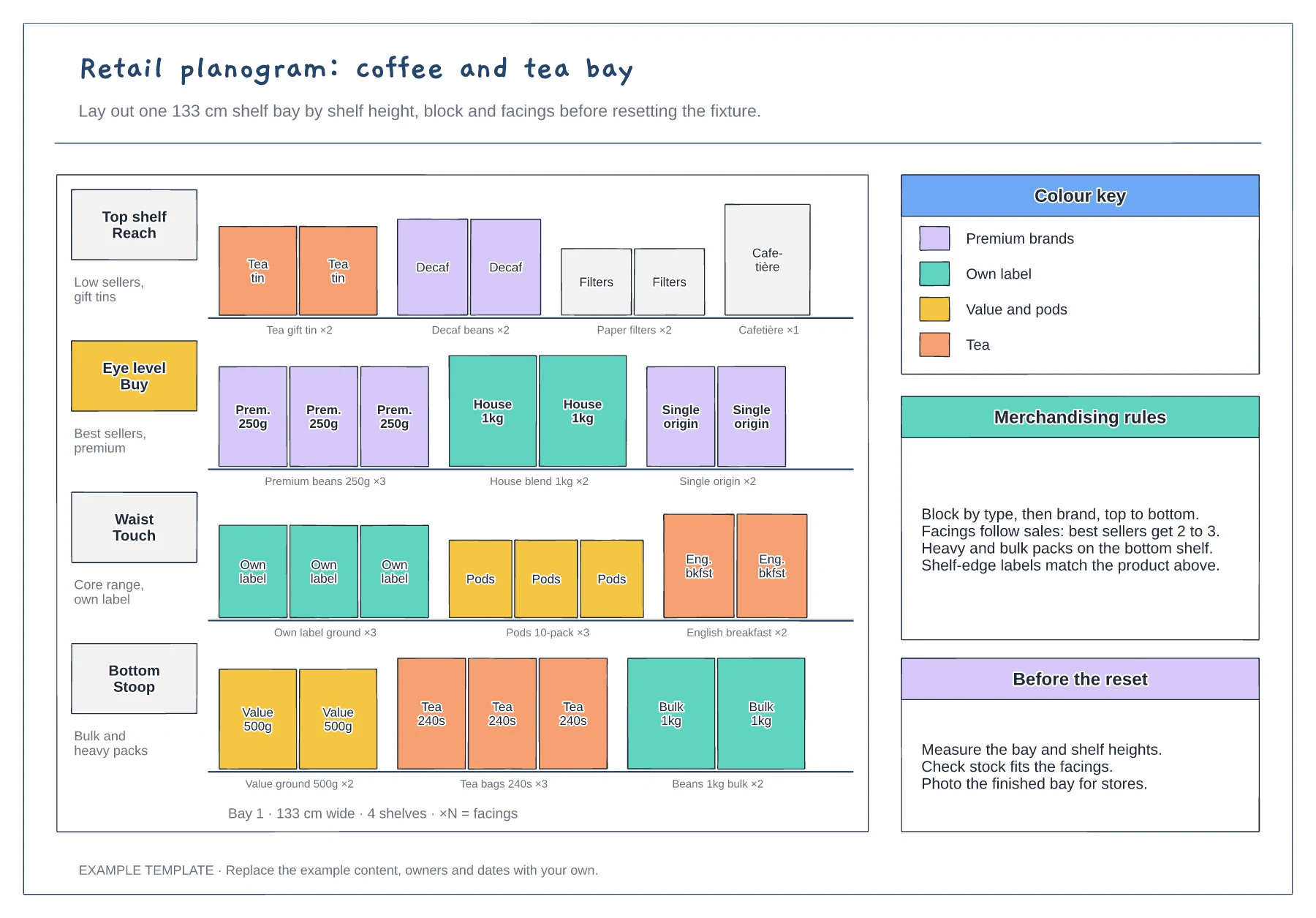
Four shelves by height zone · Product facings with counts · Colour key and merchandising rules
Preview and use template →