Marketing
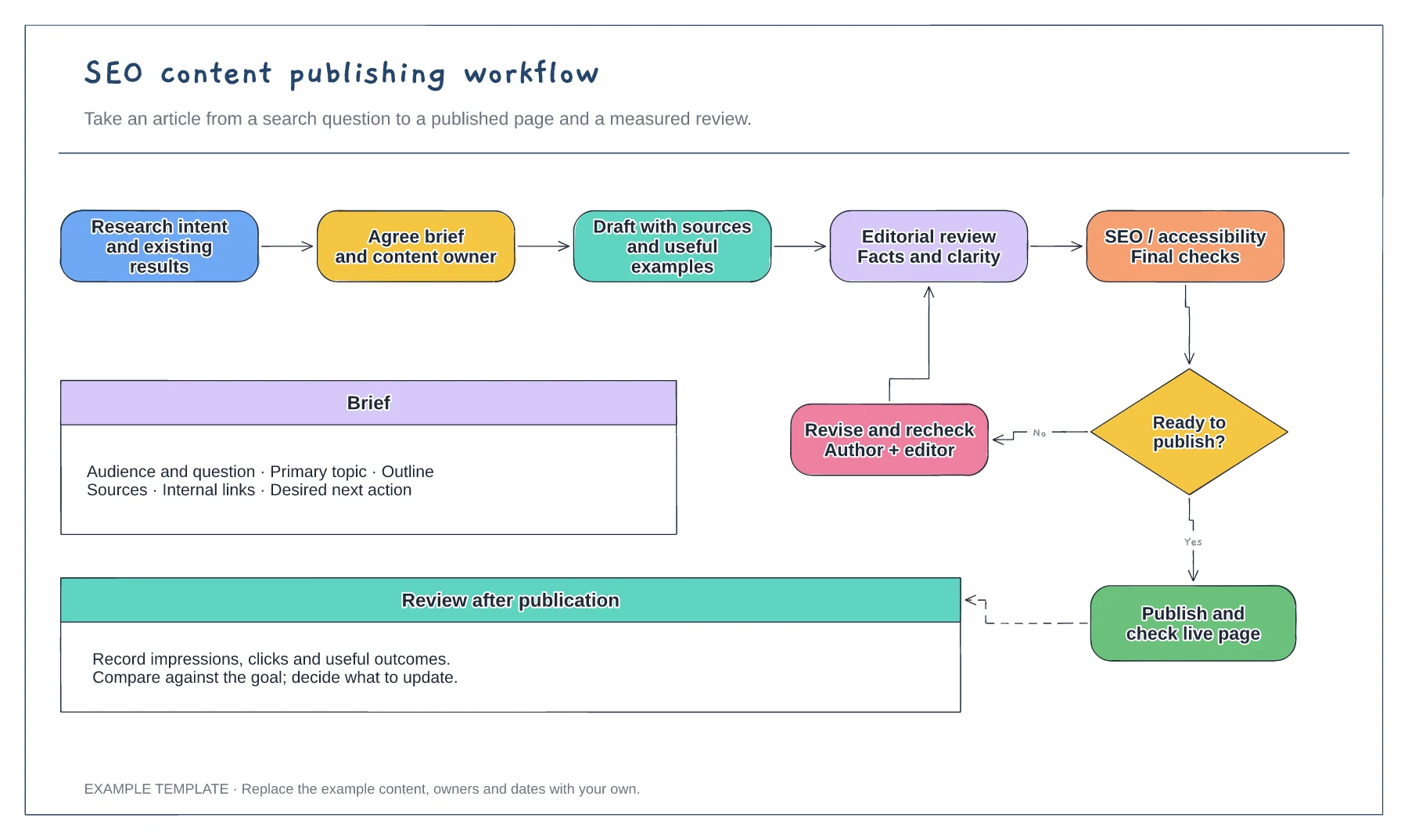
SEO content publishing workflow template
Search question and content brief · Draft, edit and approval loop · Publication and performance review
Preview and use template →A topic cluster map shows how one broad pillar page connects to the narrower articles that support it. This example builds an email marketing guide with four clusters (deliverability, list building, automation, and copy and design) and labels each article with its search phrase and whether it is live, drafting or planned.
No account needed · Opens as your own editable page
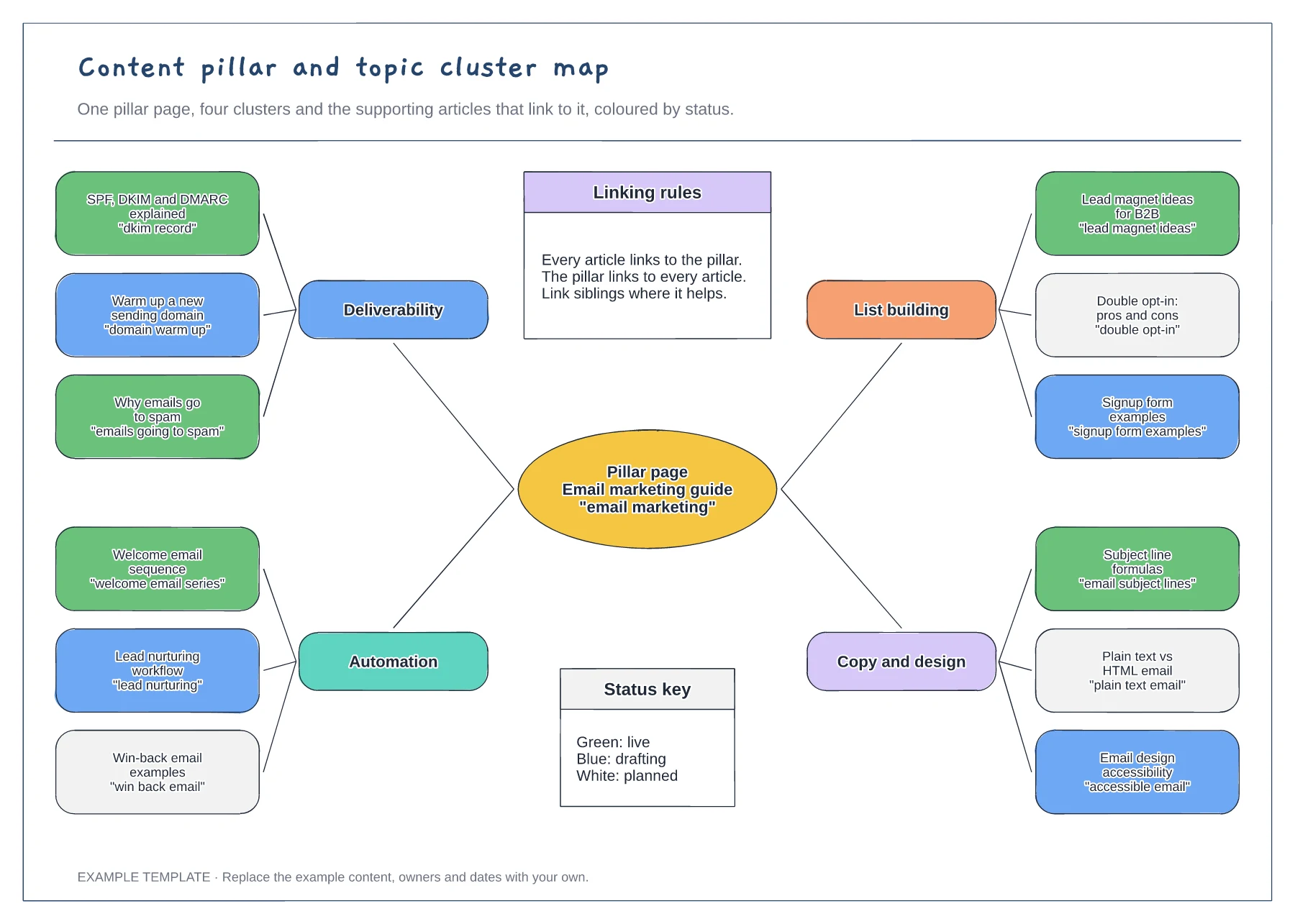
Replace email marketing with a topic your audience searches for and you can answer in depth. If the pillar is too broad, the clusters will compete with each other.
Put articles under a cluster when they answer related questions. Check that no two articles target the same phrase, because similar pages can split attention between them.
Follow the linking rules: every article links to the pillar and the pillar links back. Update the colours as articles go live so the map doubles as a progress view.
They show where each article stands, from planned to published. Change an article's colour as it moves on, using the key on the board.
No. Open the template and edit it in your browser. Your work saves on this device. An account is optional if you want to sync your workspace.
Yes. Use Export in the editor to save a PNG, SVG or PDF, or download an editable .epicdraw backup.
Search question and content brief · Draft, edit and approval loop · Publication and performance review
Preview and use template →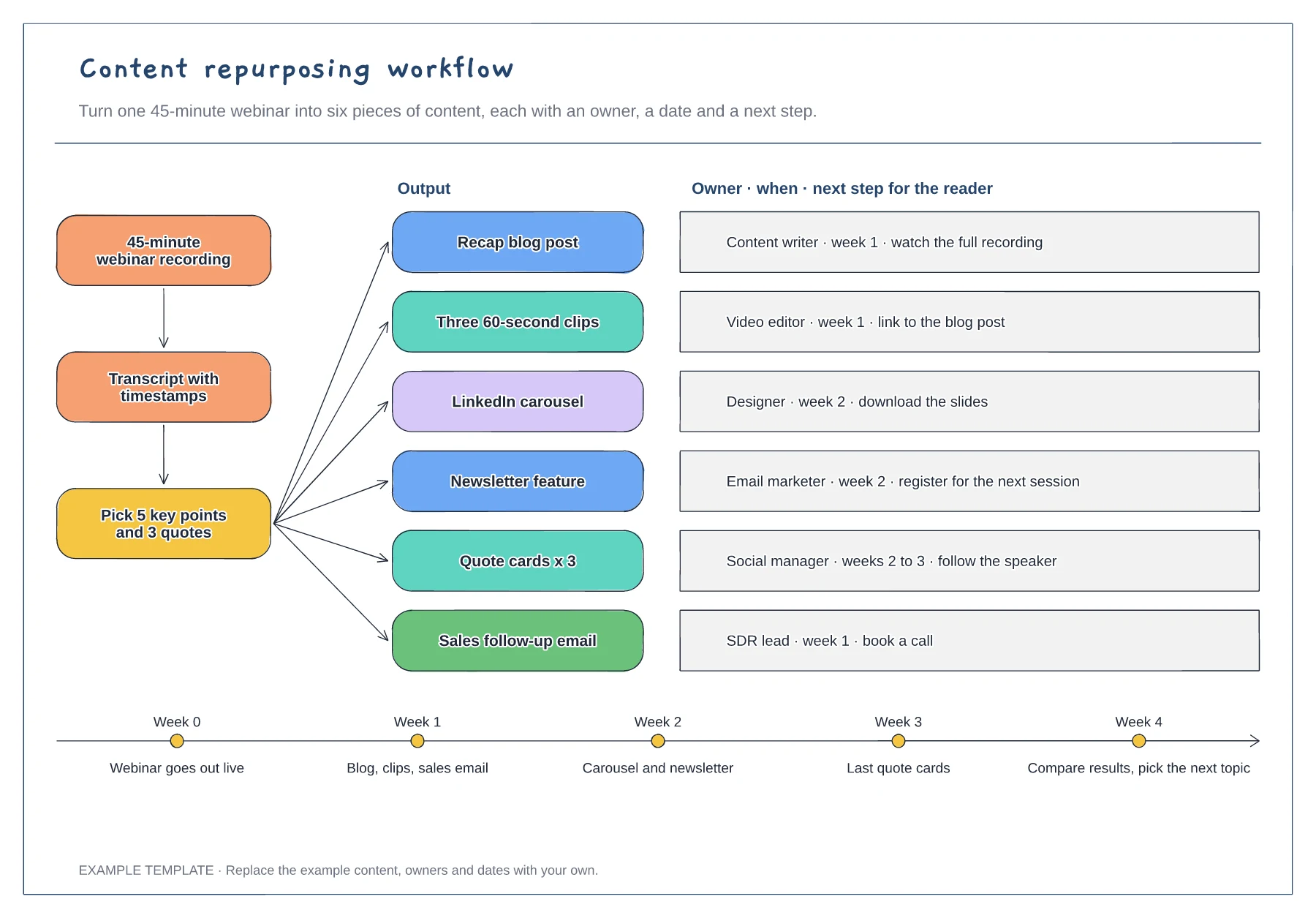
Source, transcript and key-points steps · Six outputs with owner, timing and next step · Four-week release timeline
Preview and use template →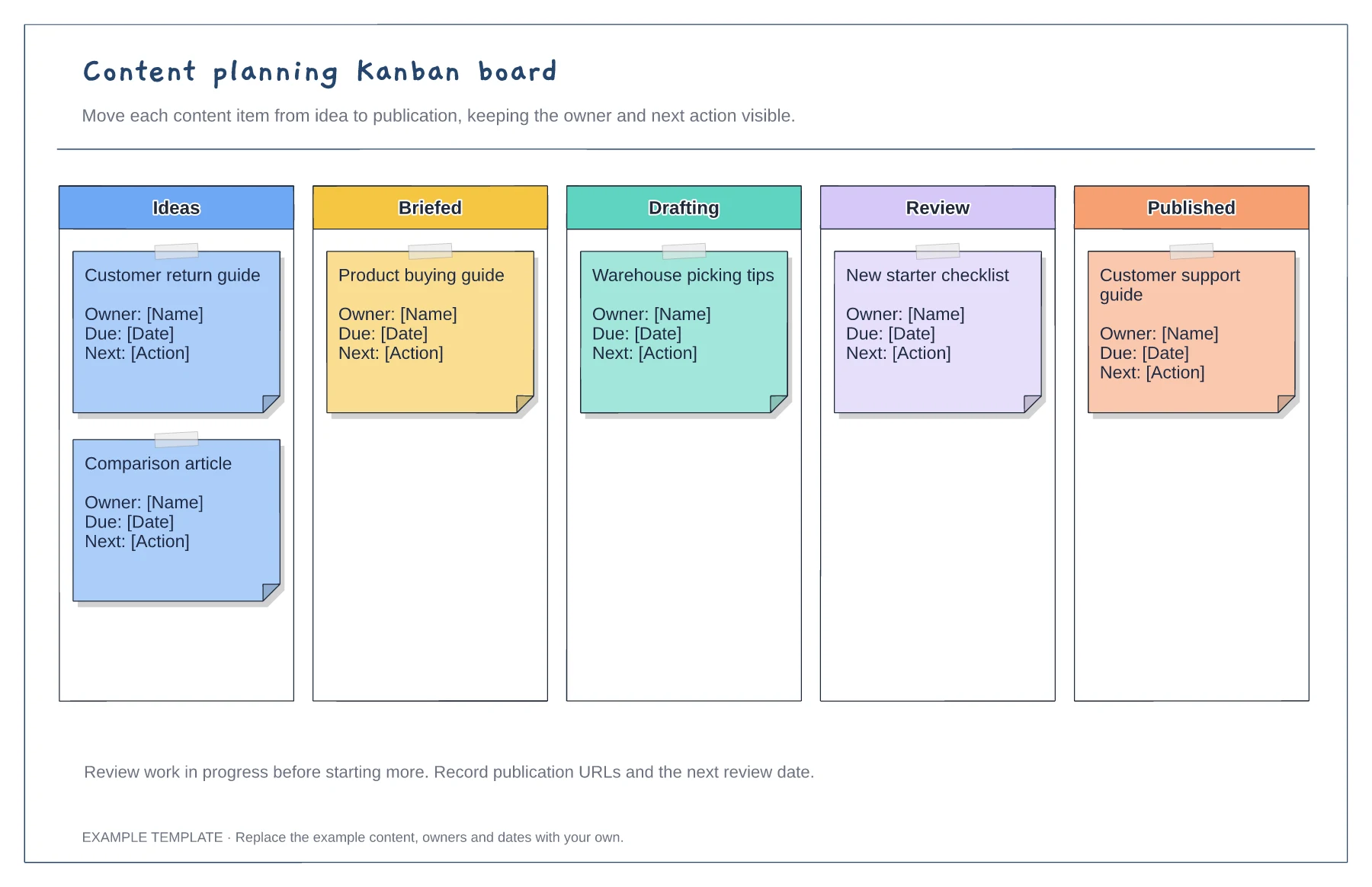
Columns from idea to published · Editable example content cards · Owner and next-action prompts
Preview and use template →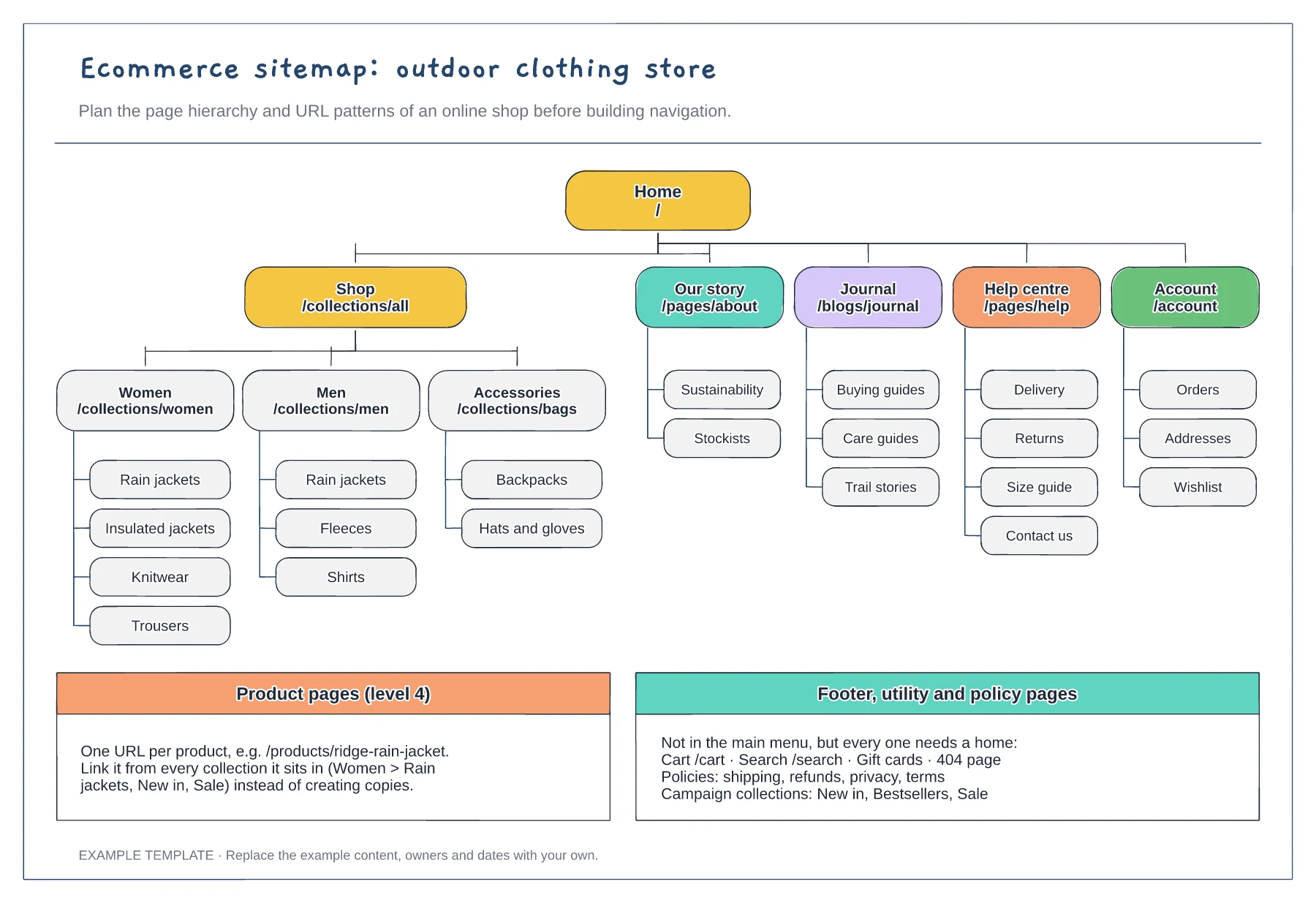
Collection and subcollection tree · URL pattern for every tier · Footer, utility and policy pages
Preview and use template →
Give every page a visitor question. · Explain the meaning of each connection. · Separate planning names and visible navigation labels.
Preview and use template →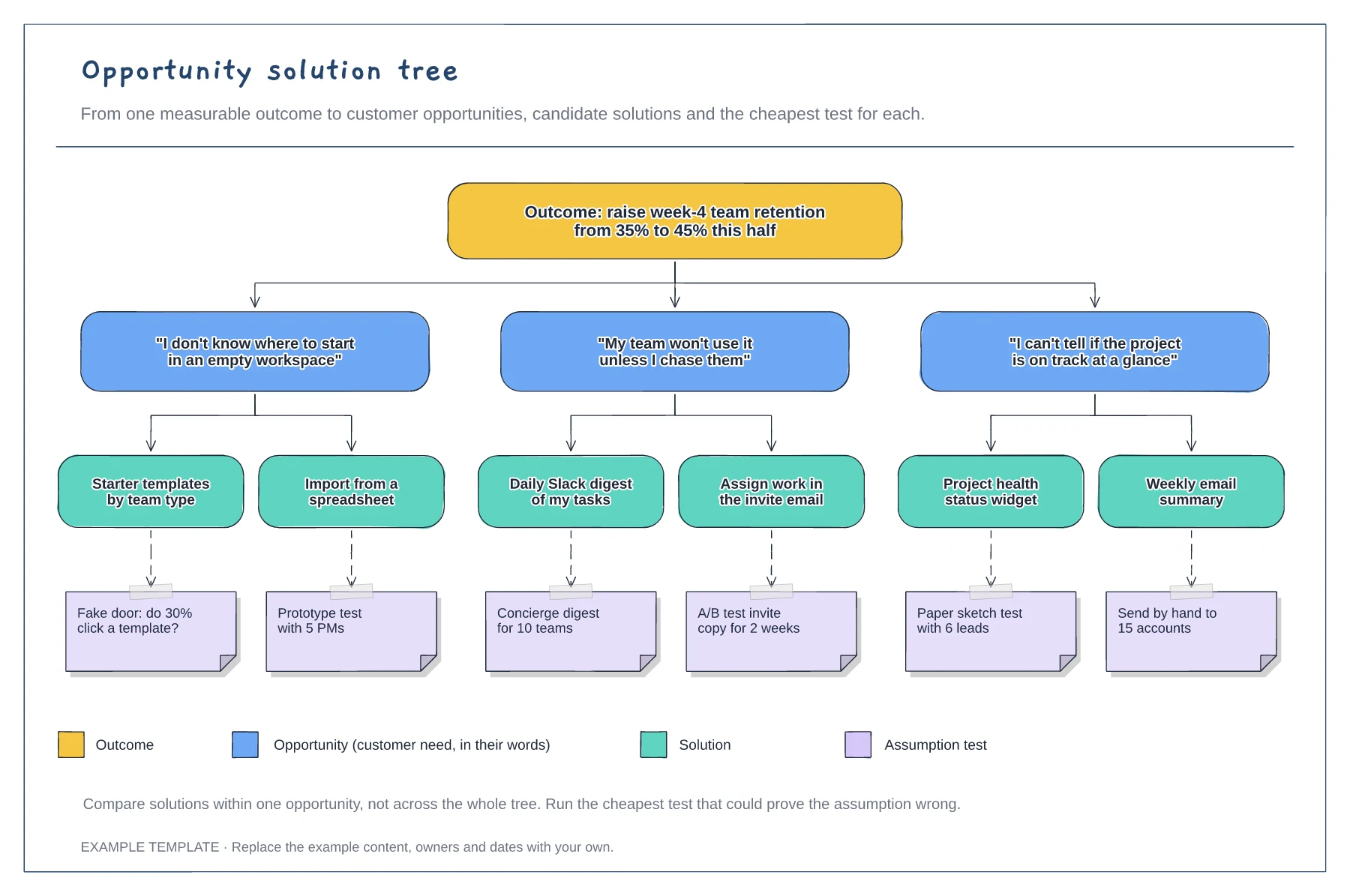
A measurable outcome at the top · Opportunities phrased as customer quotes · Solutions with assumption tests and a legend
Preview and use template →