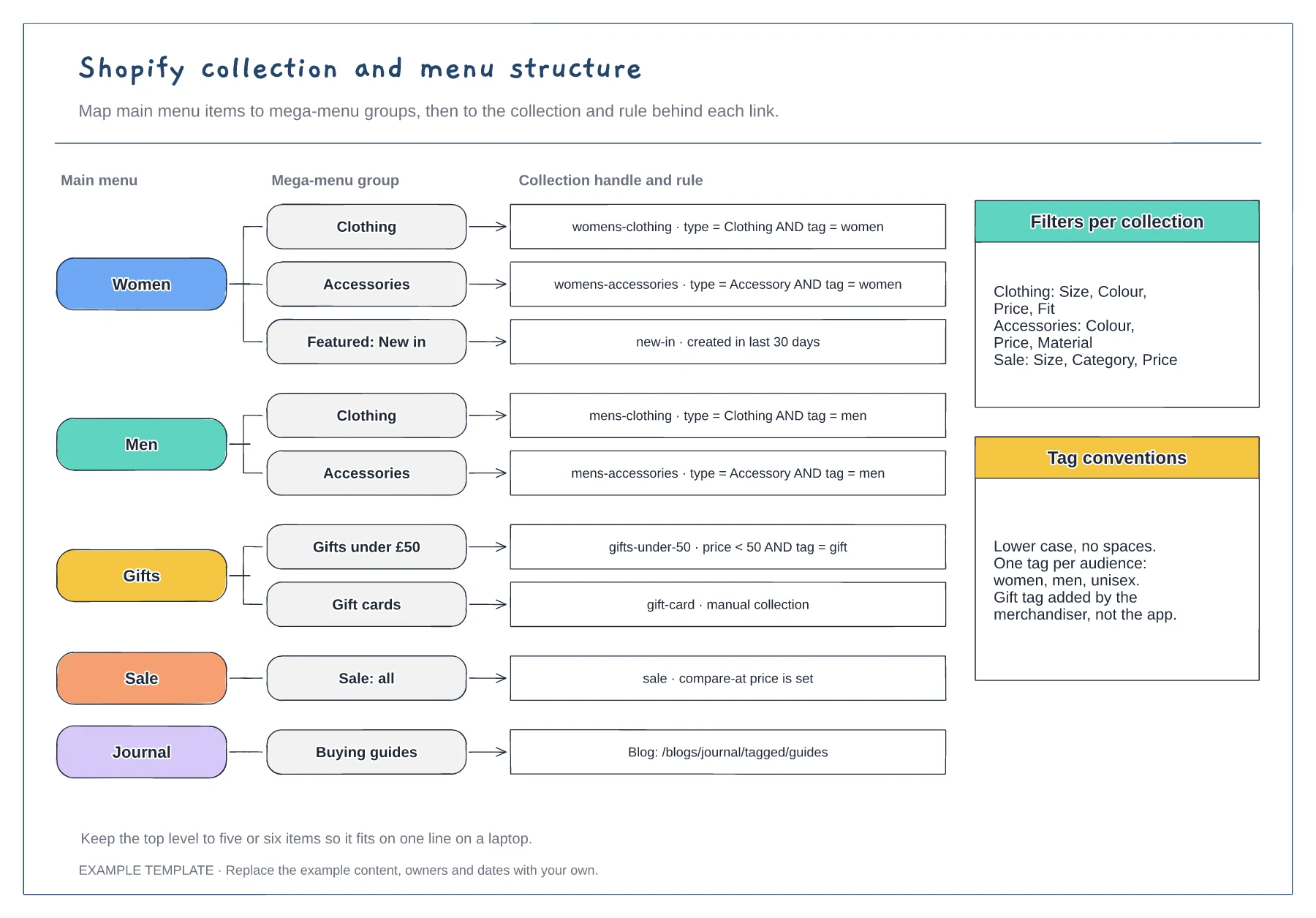
Ecommerce
Shopify collection and menu structure template
Menu items and mega-menu groups · Collection handles with rules · Filter and tag conventions
Preview and use template →An ecommerce sitemap shows every page a shop needs and how the pages nest, so navigation, URLs and content plans agree before anyone builds the theme. This example maps an outdoor clothing store from the home page through collections and subcollections to product pages, with help, journal, account and policy pages placed where shoppers expect them.
No account needed · Opens as your own editable page
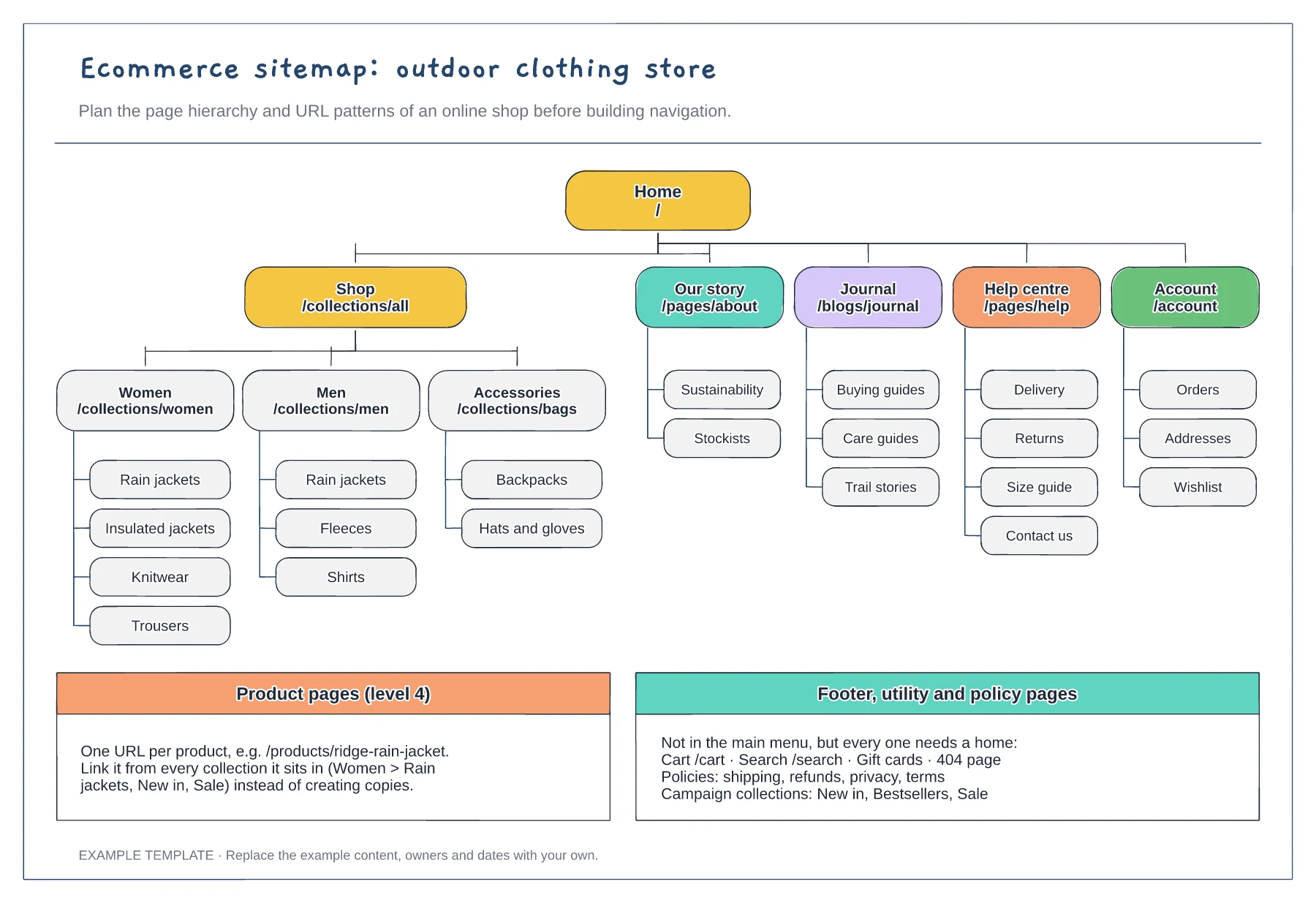
Start from your product catalogue, not a competitor's menu. Group products the way shoppers look for them, by audience, type or use, because those groups become your collections and the pages people land on from search.
Link a product from every collection it belongs to instead of duplicating it. One product URL keeps reviews, stock and search signals in one place and stops the same item competing with itself.
Add the cart, search, policy pages and 404 page to the footer tier. They rarely appear in the main menu, but missing policy pages can hold up a launch, and some payment providers ask to see them.
Yes. Edit the URL pattern shown for each tier so it matches how your shop platform formats collection and product paths.
No. Open the template and edit it in your browser. Your work saves on this device. An account is optional if you want to sync your workspace.
Yes. Use Export in the editor to save a PNG, SVG or PDF, or download an editable .epicdraw backup.
Menu items and mega-menu groups · Collection handles with rules · Filter and tag conventions
Preview and use template →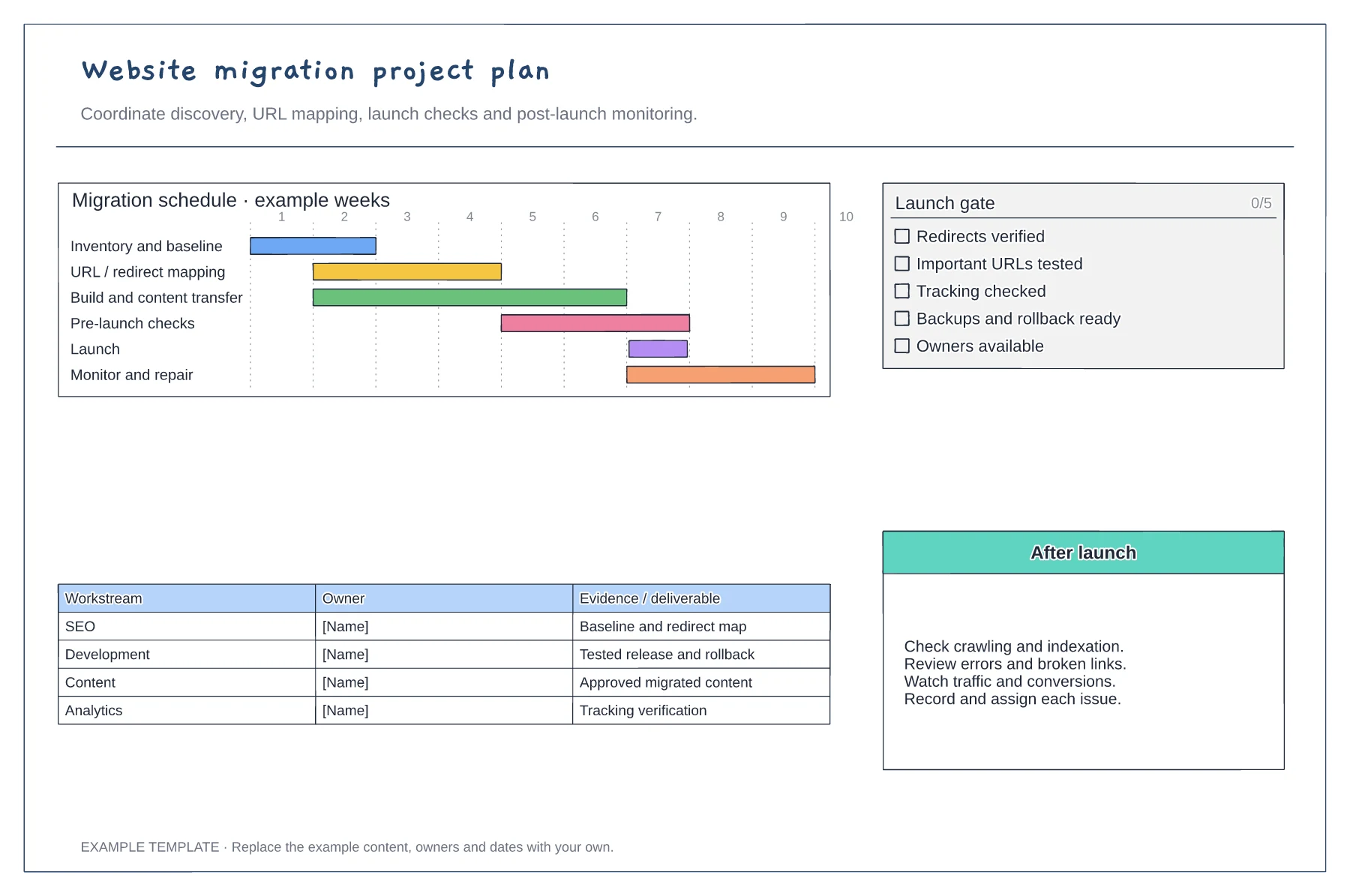
Discovery and URL mapping · Build, QA and launch gates · Post-launch monitoring and ownership
Preview and use template →
Give every page a visitor question. · Explain the meaning of each connection. · Separate planning names and visible navigation labels.
Preview and use template →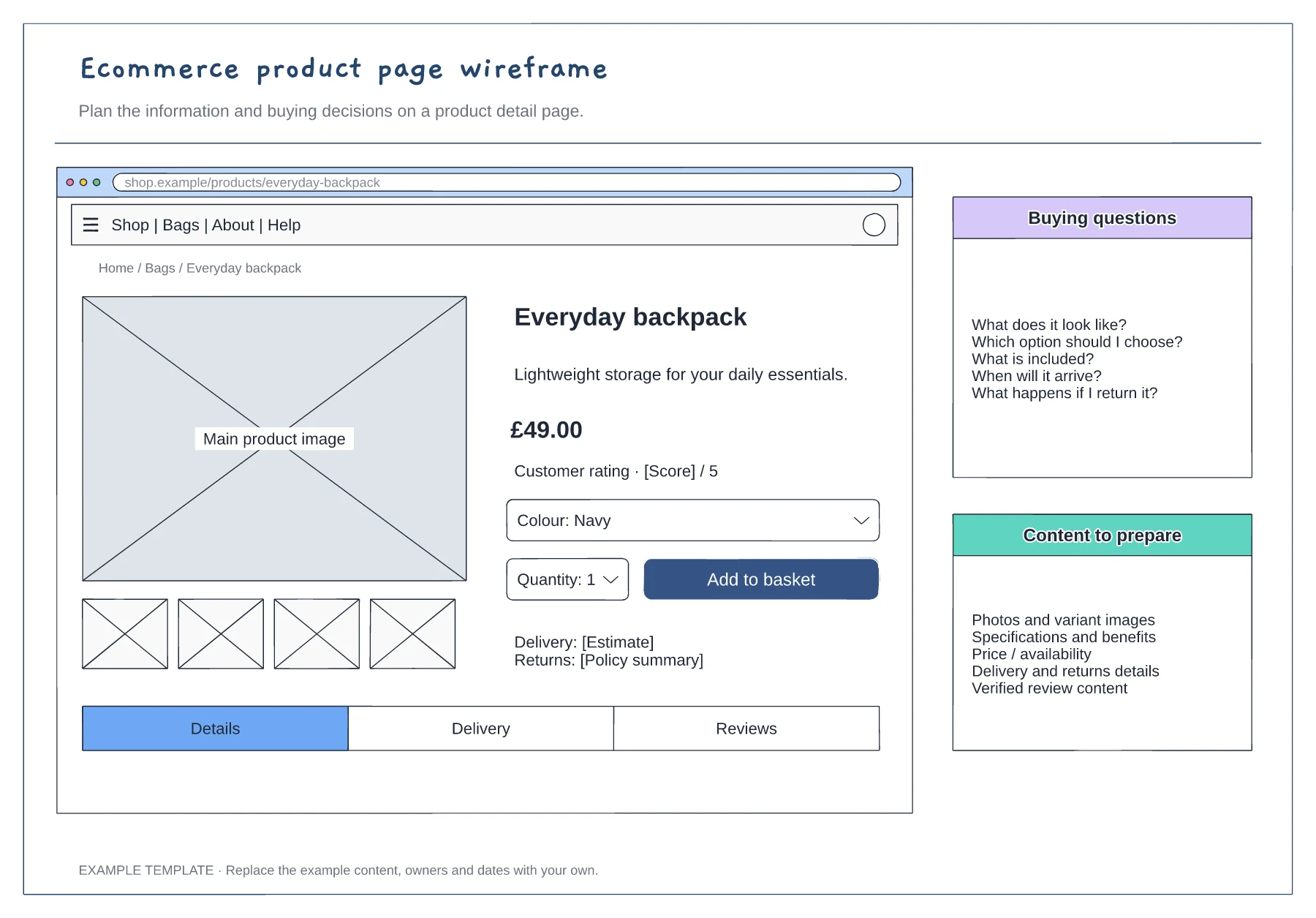
Product gallery and buying panel · Delivery, returns and trust information · Details and supporting content
Preview and use template →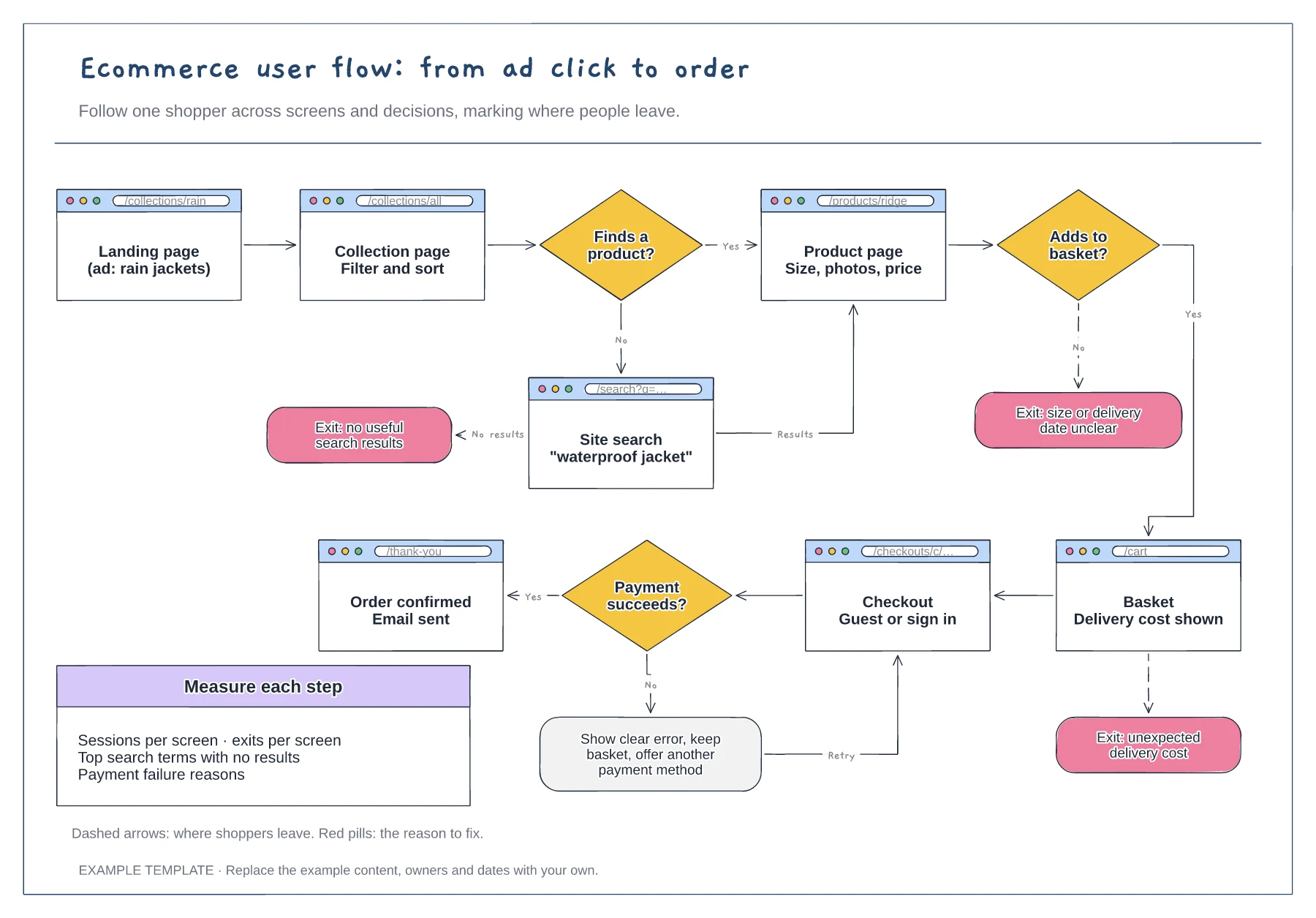
Screens with their URLs · Search, basket and payment decisions · Exit points with the reason to fix
Preview and use template →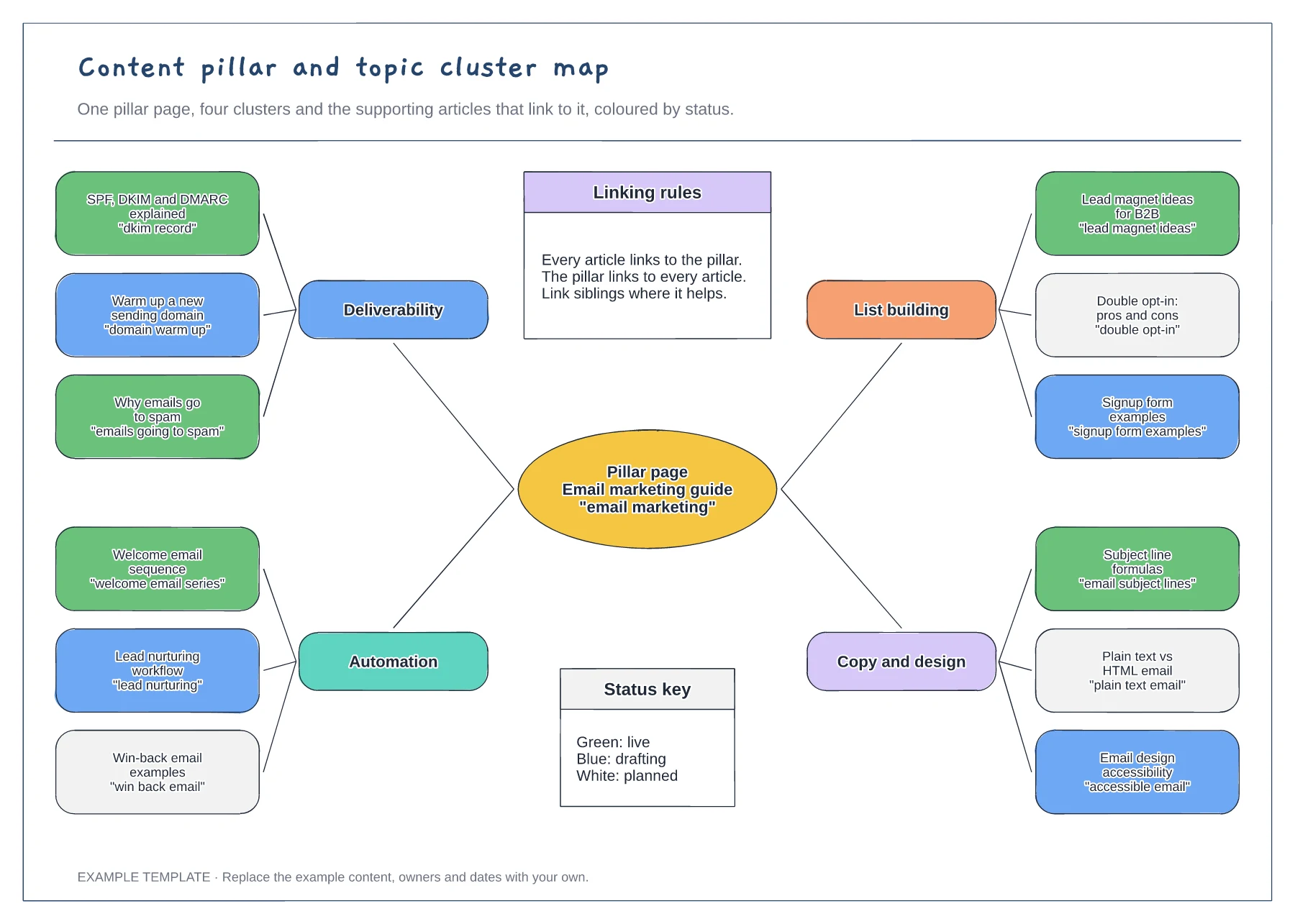
Pillar page with four clusters · Twelve articles with target search phrases · Status colours and internal linking rules
Preview and use template →