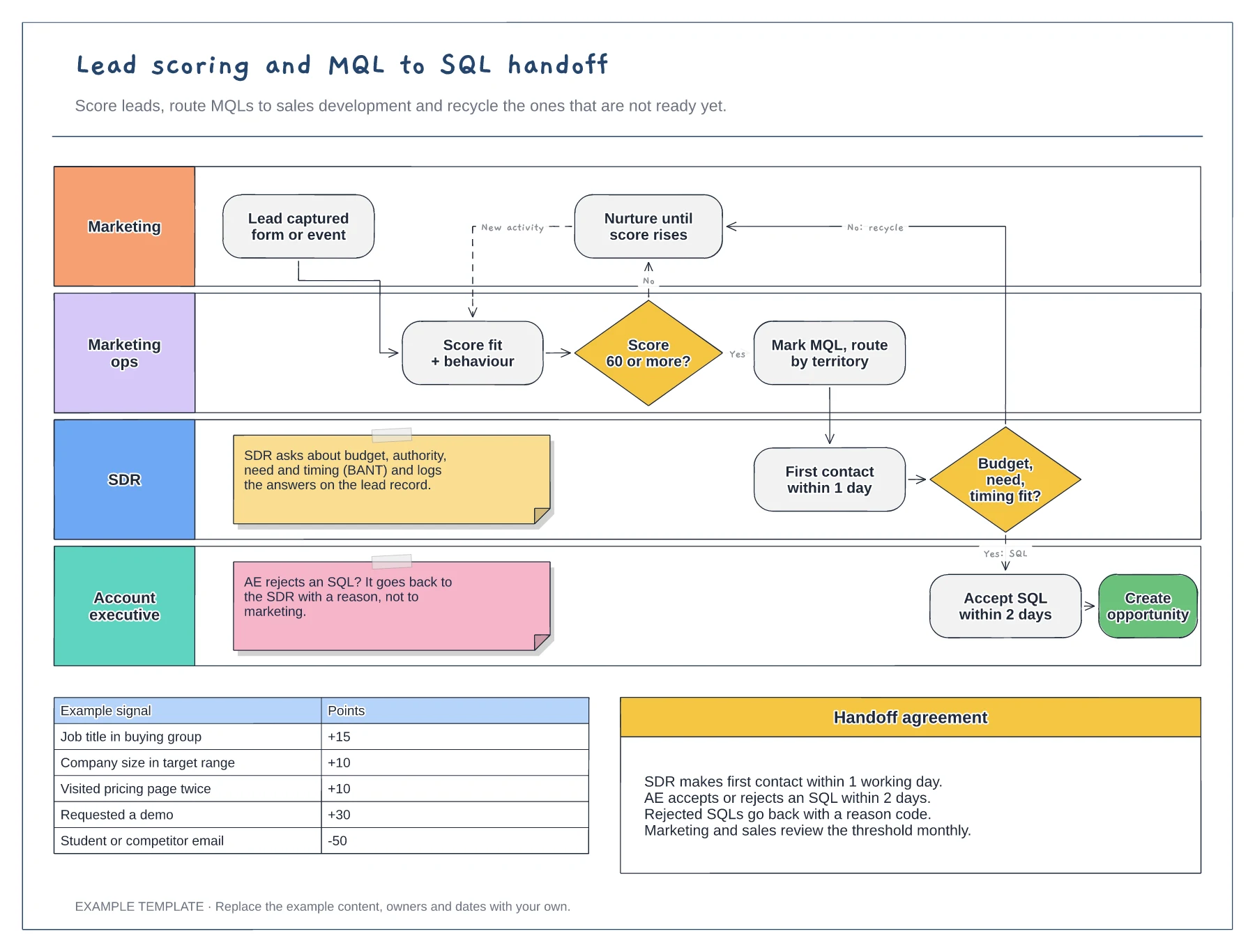
Marketing
Lead scoring and MQL to SQL handoff template
Swimlanes for marketing, marketing ops, SDR and AE · Example scoring model with points · Service-level agreement between the teams
Preview and use template →Lead routing decides who gets each new inbound lead and how fast. This example sends every lead along a rail of four rules, existing customer, named account, company size and country, where the first Yes drops it to the right queue. Each queue has a response time, small UK leads go round a four-rep round robin, and a table covers the exceptions.
No account needed · Opens as your own editable page
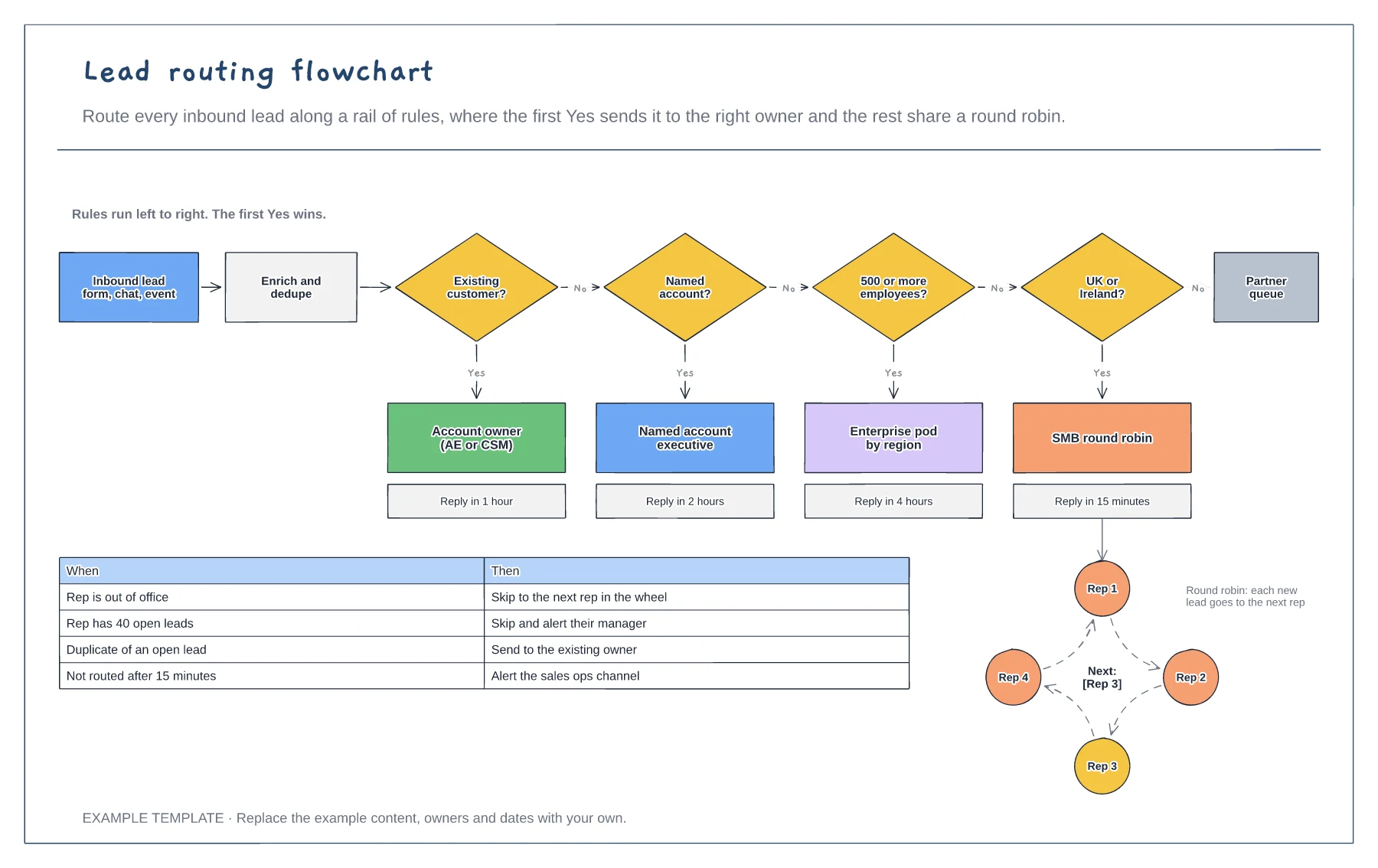
Put the rules in the order they should be checked. The most specific, such as existing customer, usually goes first.
Decide who owns each queue and how fast they must respond. Faster replies win more inbound leads.
Write down what happens when a rep is away, at capacity or the lead is a duplicate, so no lead sits unassigned.
Yes. The rules run left to right and the first Yes wins, so put the decision boxes in your order and update the reply times on each owner card.
No. Open the template and edit it in your browser. Your work saves on this device. An account is optional if you want to sync your workspace.
Yes. Use Export in the editor to save a PNG, SVG or PDF, or download an editable .epicdraw backup.
Swimlanes for marketing, marketing ops, SDR and AE · Example scoring model with points · Service-level agreement between the teams
Preview and use template →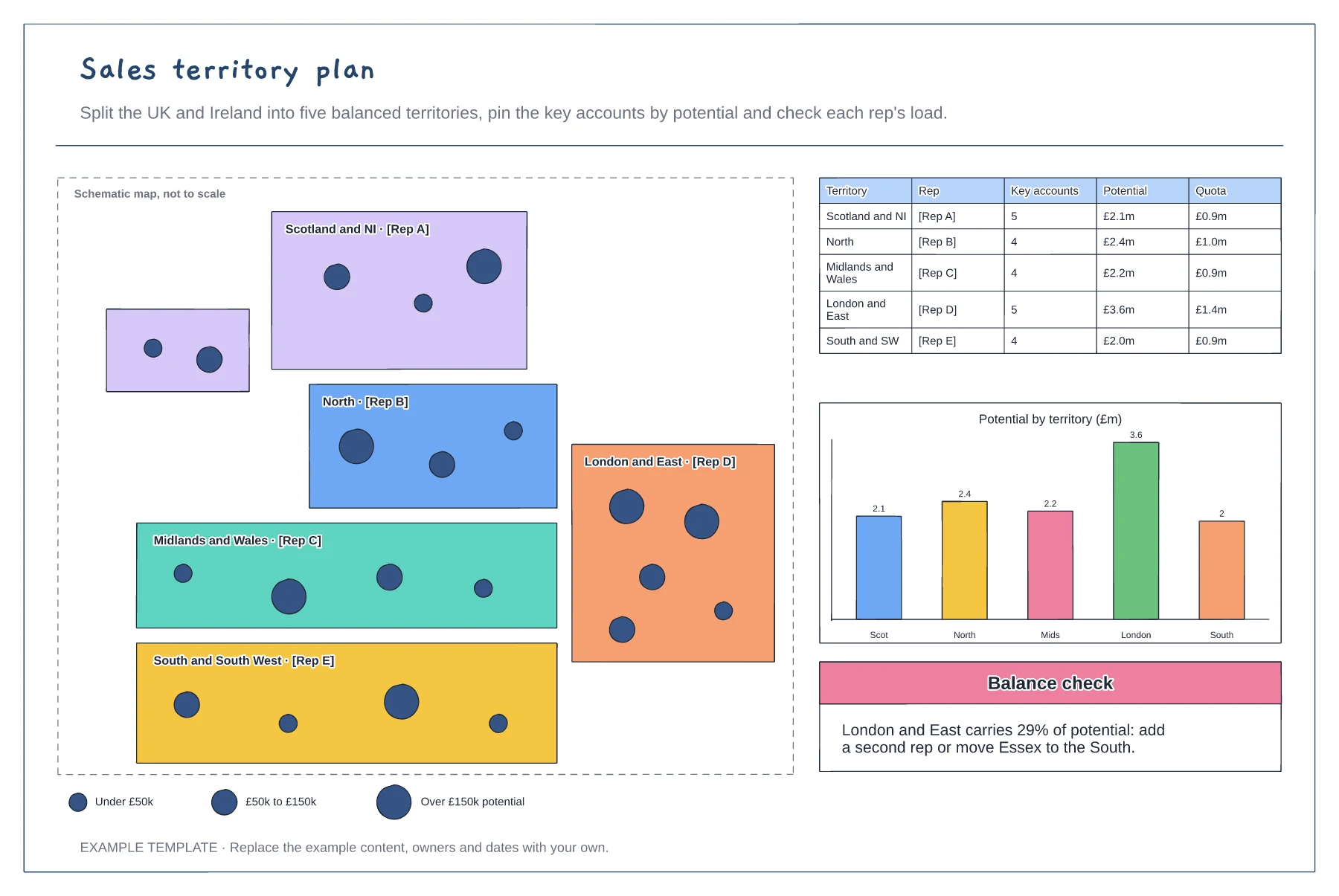
Schematic map of territories and reps · Account pins sized by potential · Balance table and potential chart
Preview and use template →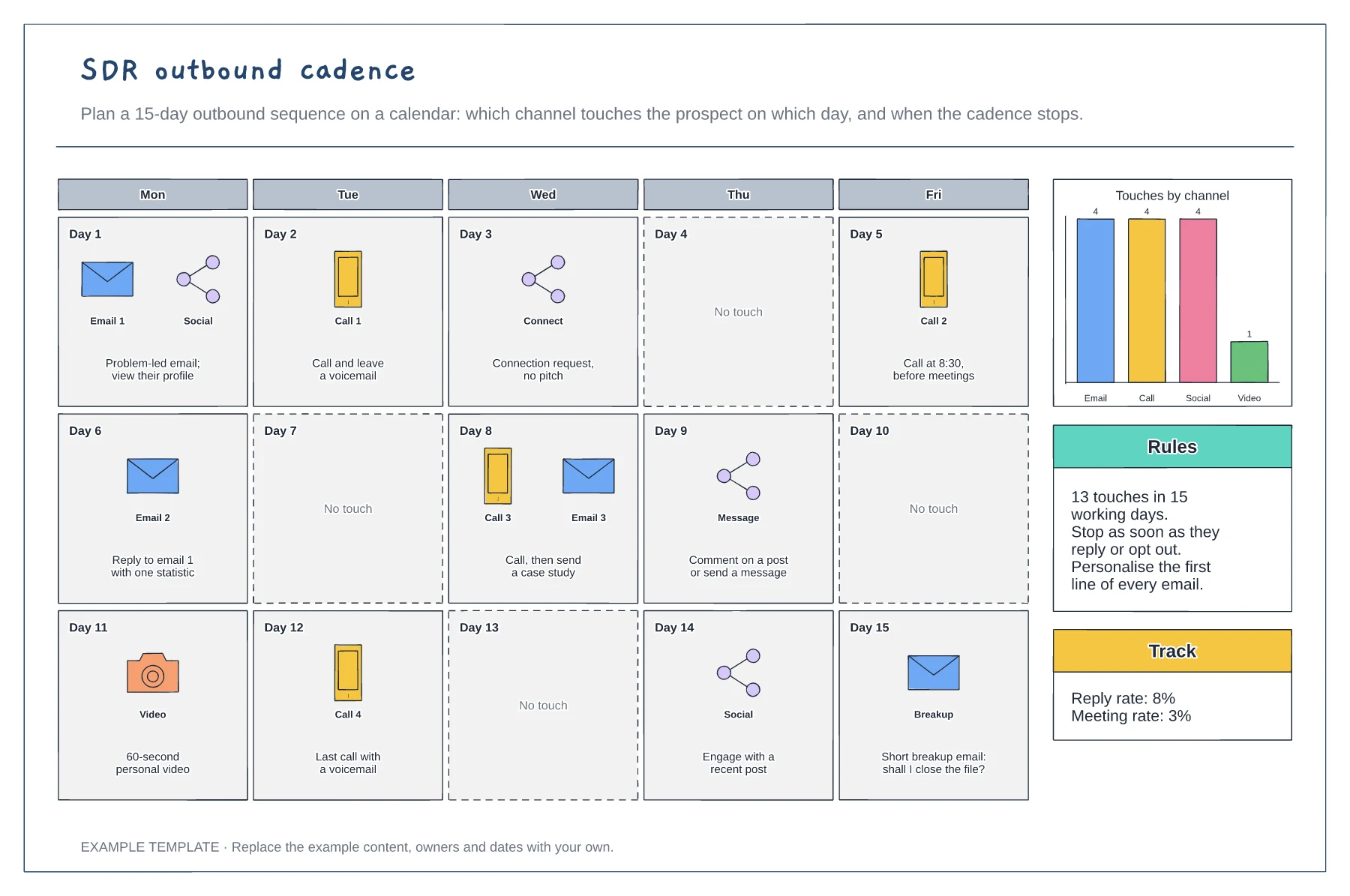
Three-week calendar of touches · Email, call, social and video by day · Channel mix, rules and results to track
Preview and use template →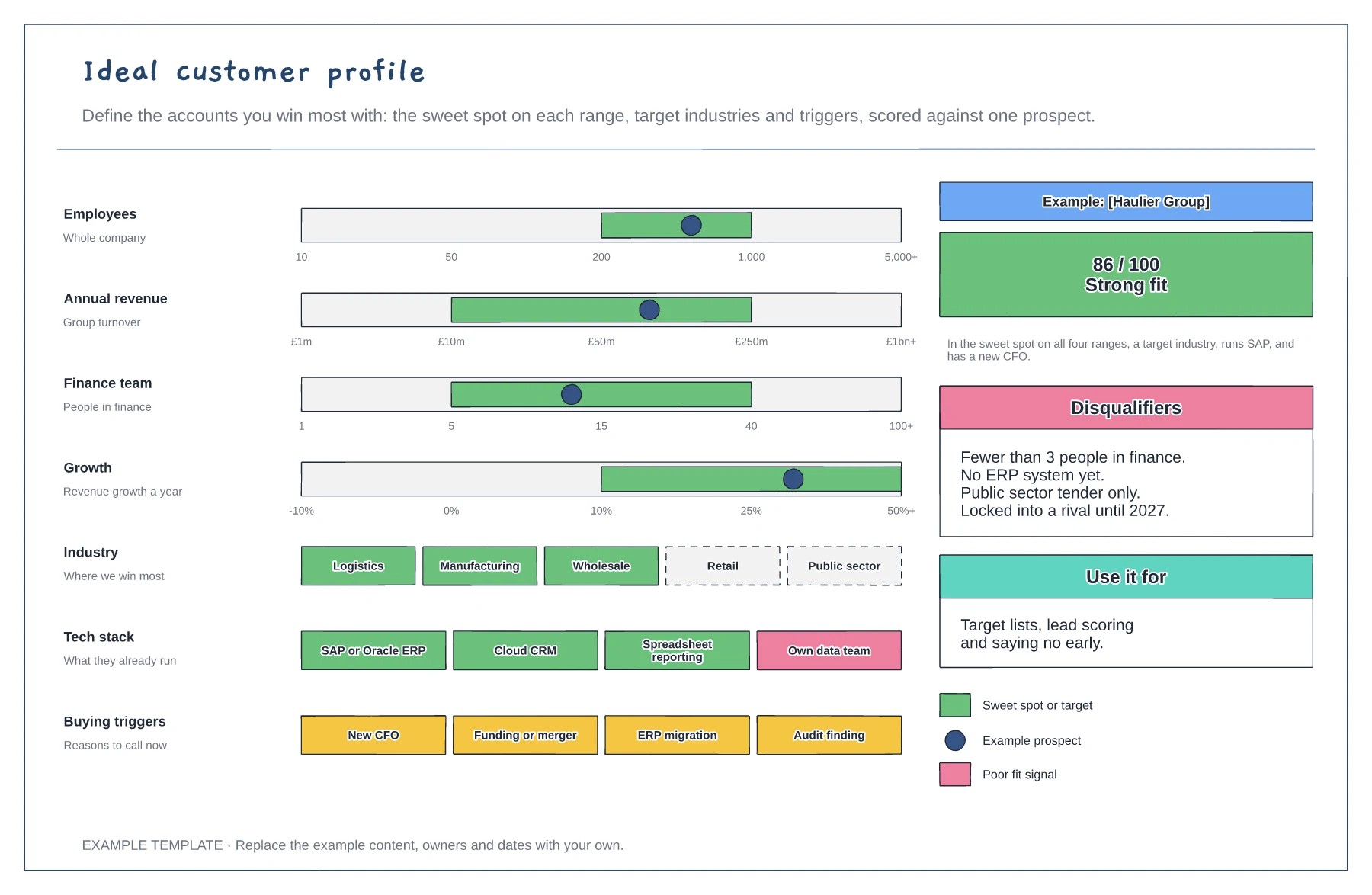
Sweet-spot ranges with a prospect marker · Industries, tech stack and buying triggers · Fit score and disqualifiers
Preview and use template →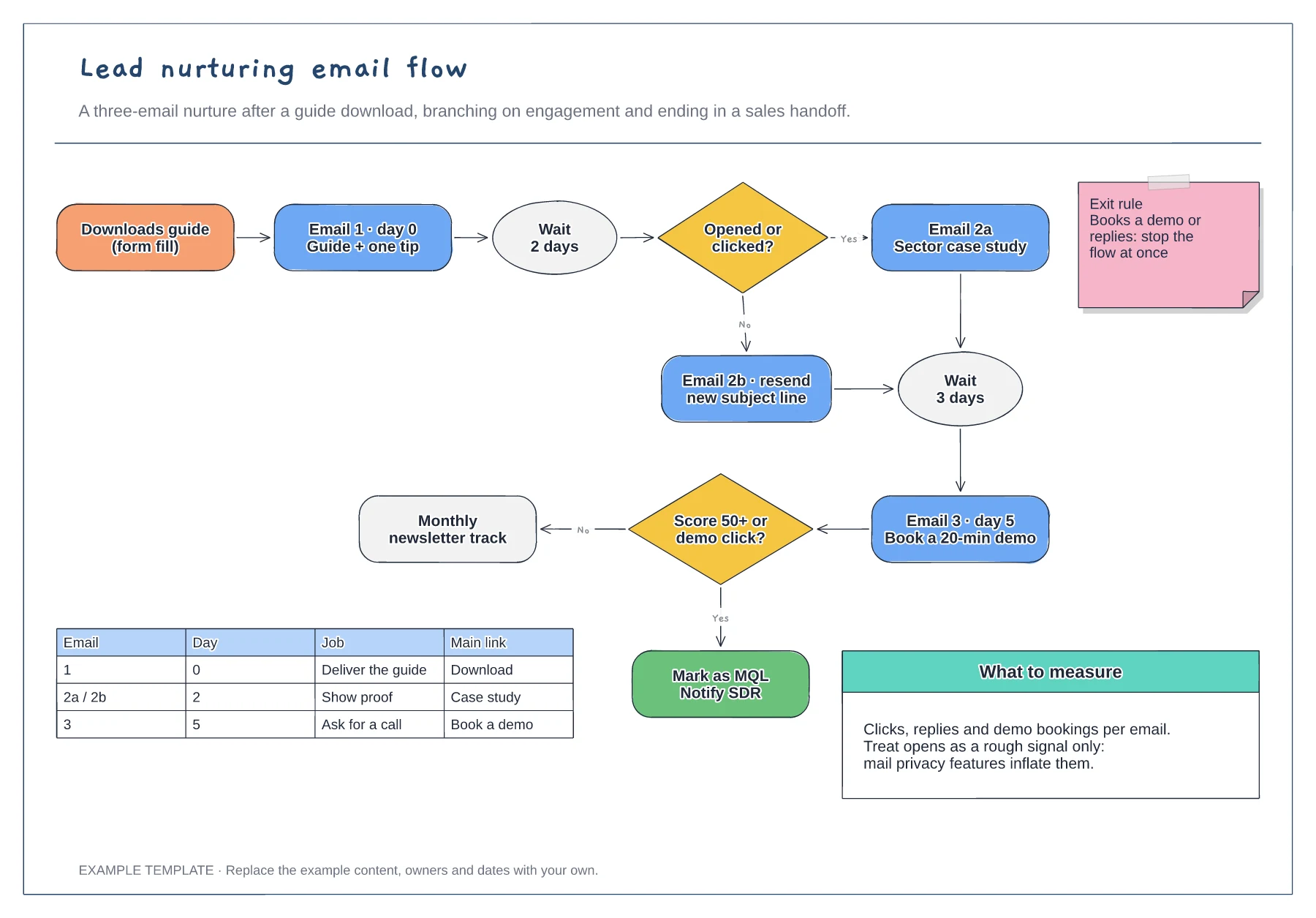
Trigger, wait steps and engagement branches · Exit rule and MQL handoff · Email table and notes on what to measure
Preview and use template →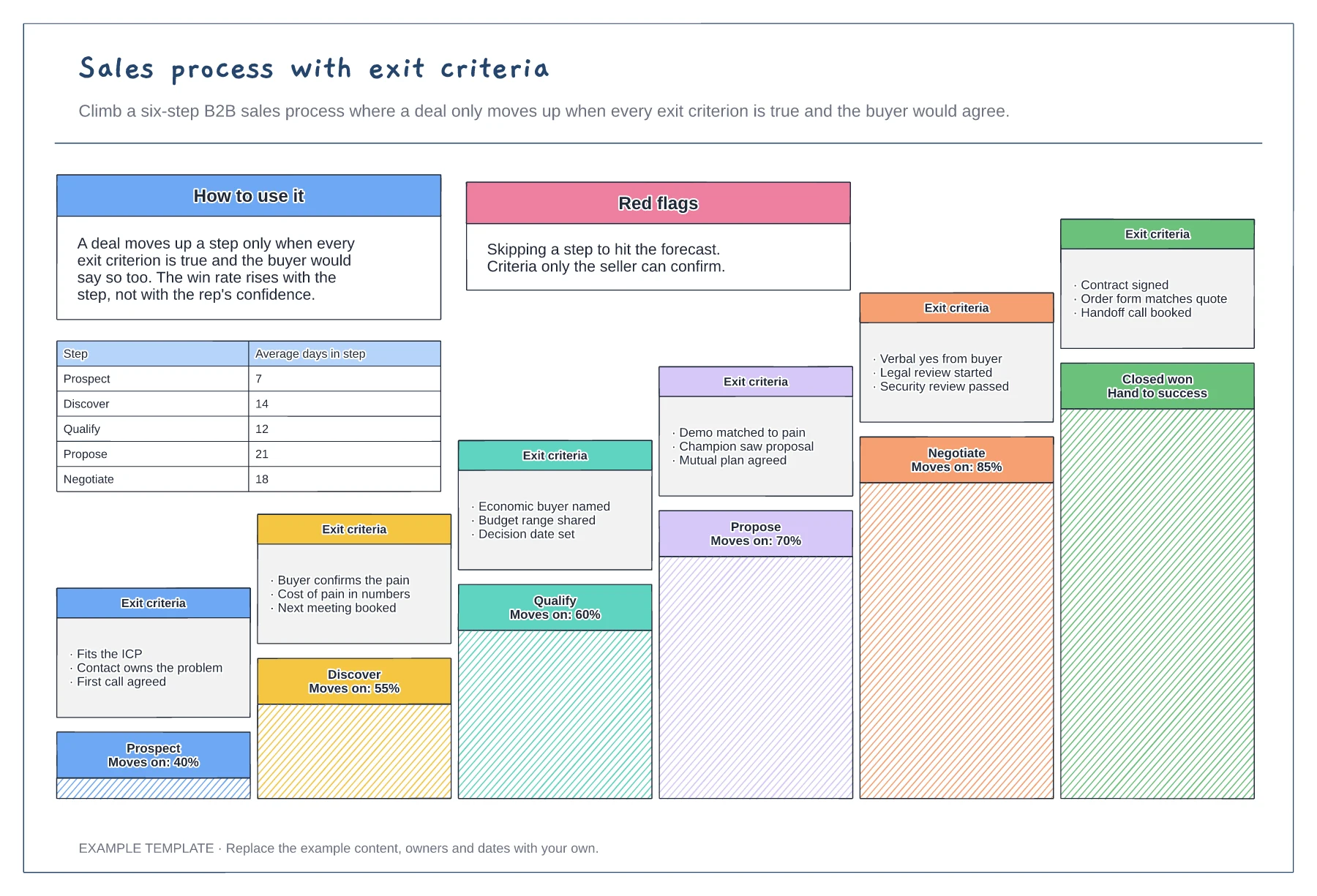
Six stages drawn as a staircase · Exit criteria the buyer could confirm · Conversion and days in each step
Preview and use template →