Finance
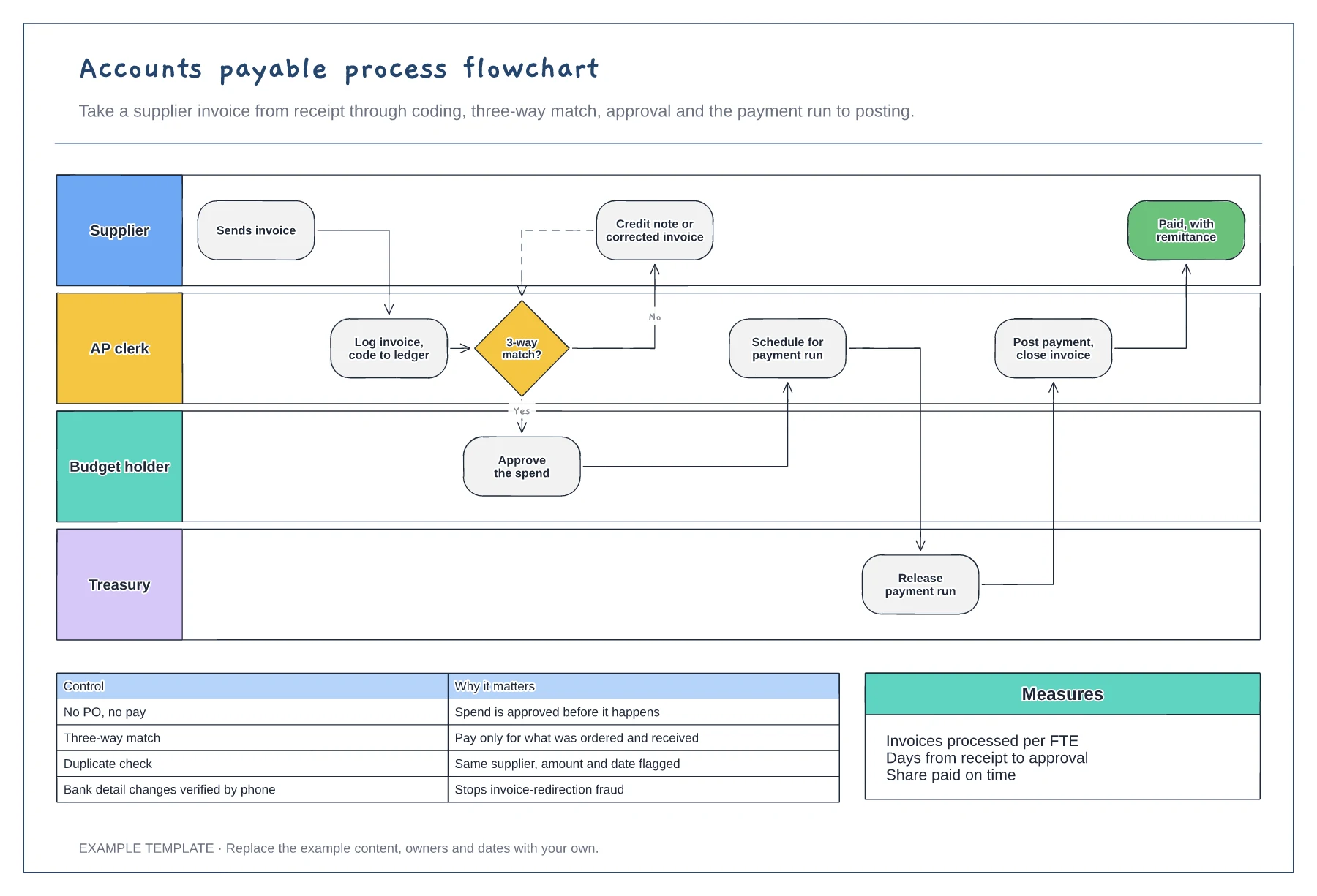
Accounts payable process flowchart template
Supplier, AP, budget holder and treasury lanes · Three-way match with a query loop · Key AP controls and measures
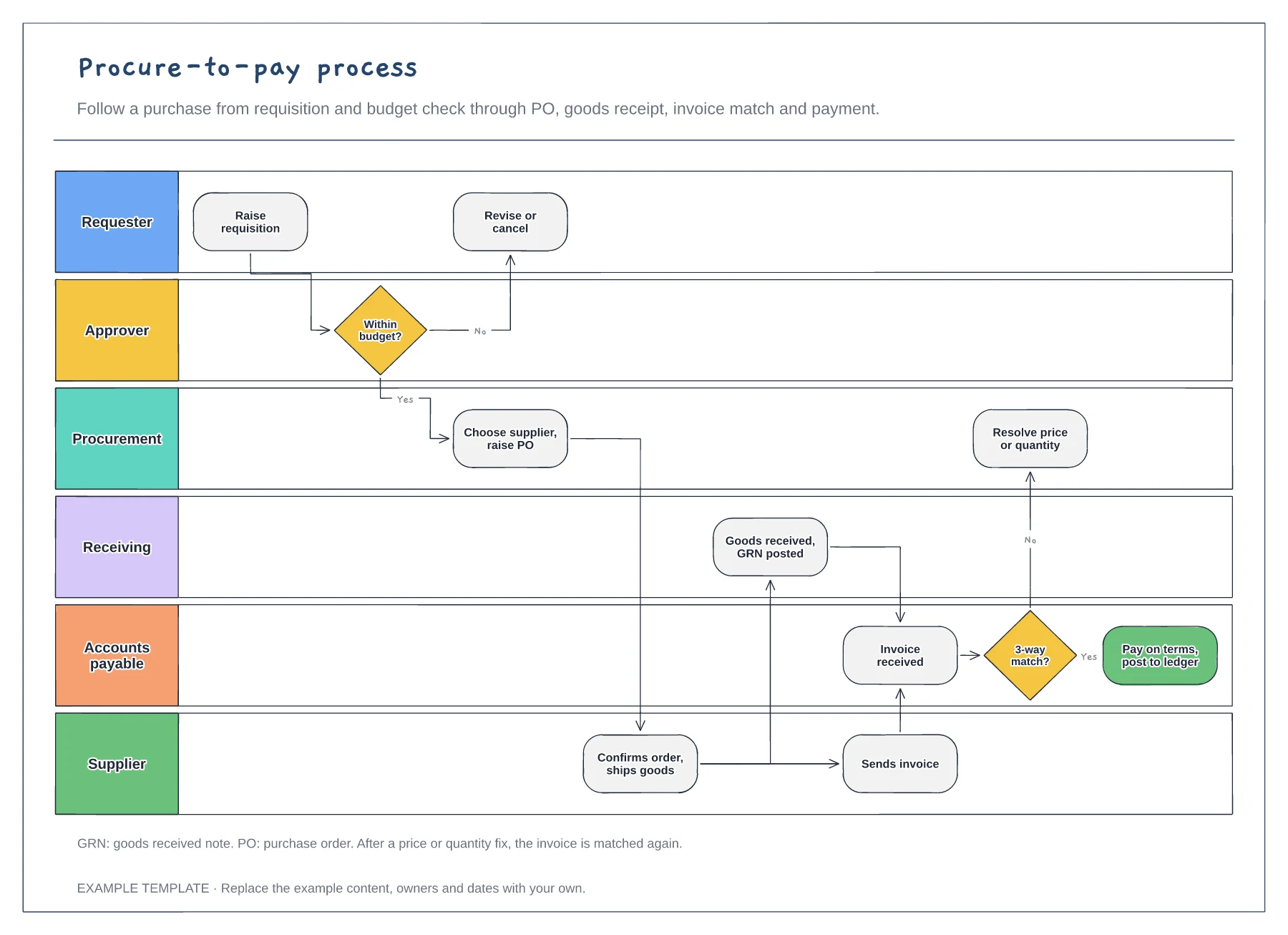
Preview and use template →A procure-to-pay process map follows a purchase from the moment someone needs something to the moment the supplier is paid. This example runs across six lanes, with a budget check, a purchase order, goods receipt, the invoice match and a route for price or quantity problems, so every team can see where their part fits.
This is a planning example, not financial, accounting, tax or legal advice. Check your own policies, auditors and local rules.
No account needed · Opens as your own editable page
Show how people ask to buy something and what information they must give. A clear requisition prevents most later queries.
Mark who approves at each spend level and when a purchase order is raised. Show what happens when a request is over budget.
Connect goods receipt and the supplier invoice to the match, then to payment. Note how price or quantity differences get resolved.
Yes. Draw a branch from the invoice step to approval by the budget holder, so invoices without a purchase order still pass a control.
No. Open the template and edit it in your browser. Your work saves on this device. An account is optional if you want to sync your workspace.
Yes. Use Export in the editor to save a PNG, SVG or PDF, or download an editable .epicdraw backup.
Supplier, AP, budget holder and treasury lanes · Three-way match with a query loop · Key AP controls and measures
Preview and use template →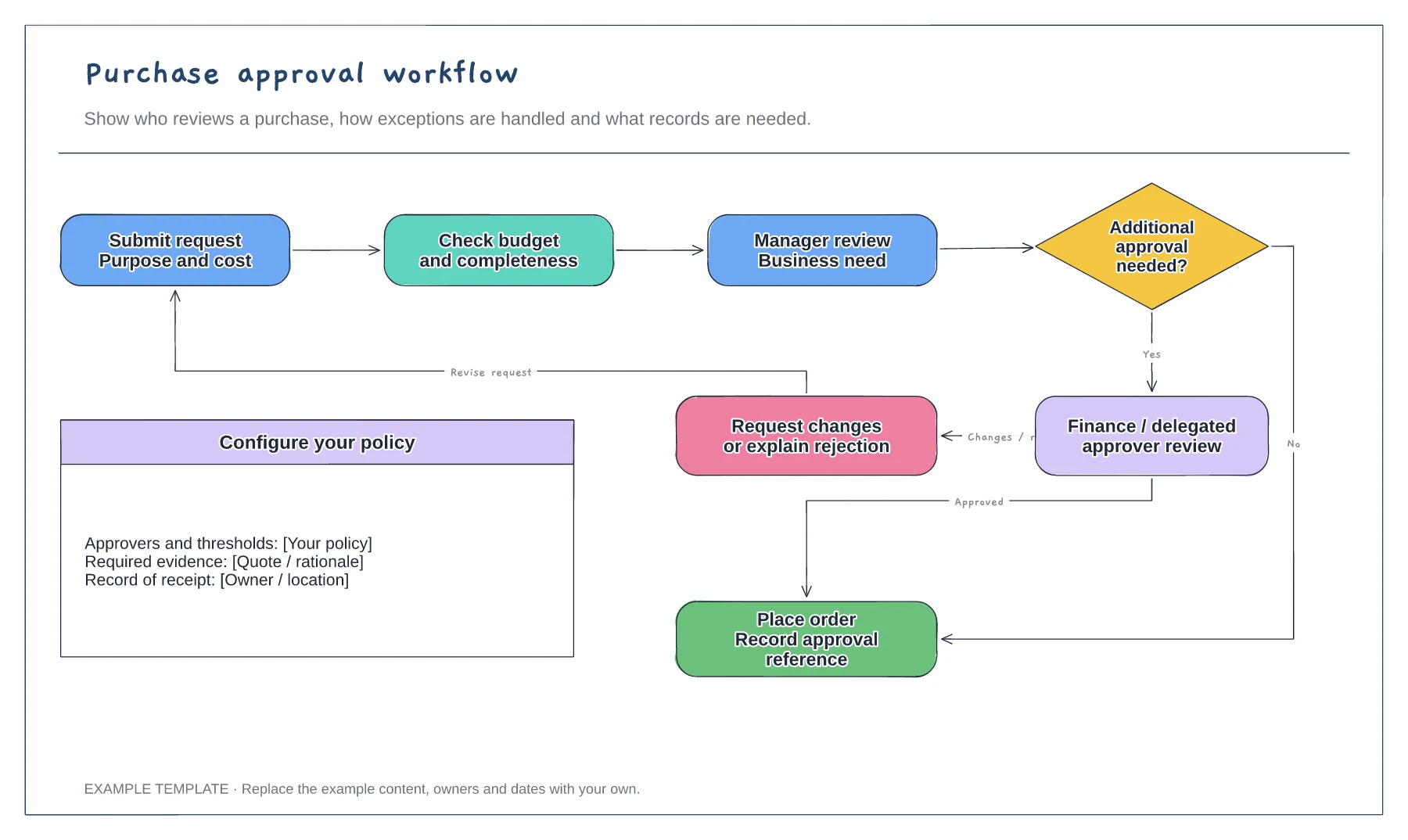
Purchase request and supporting information · Approval decisions and revision path · Order and record-keeping steps
Preview and use template →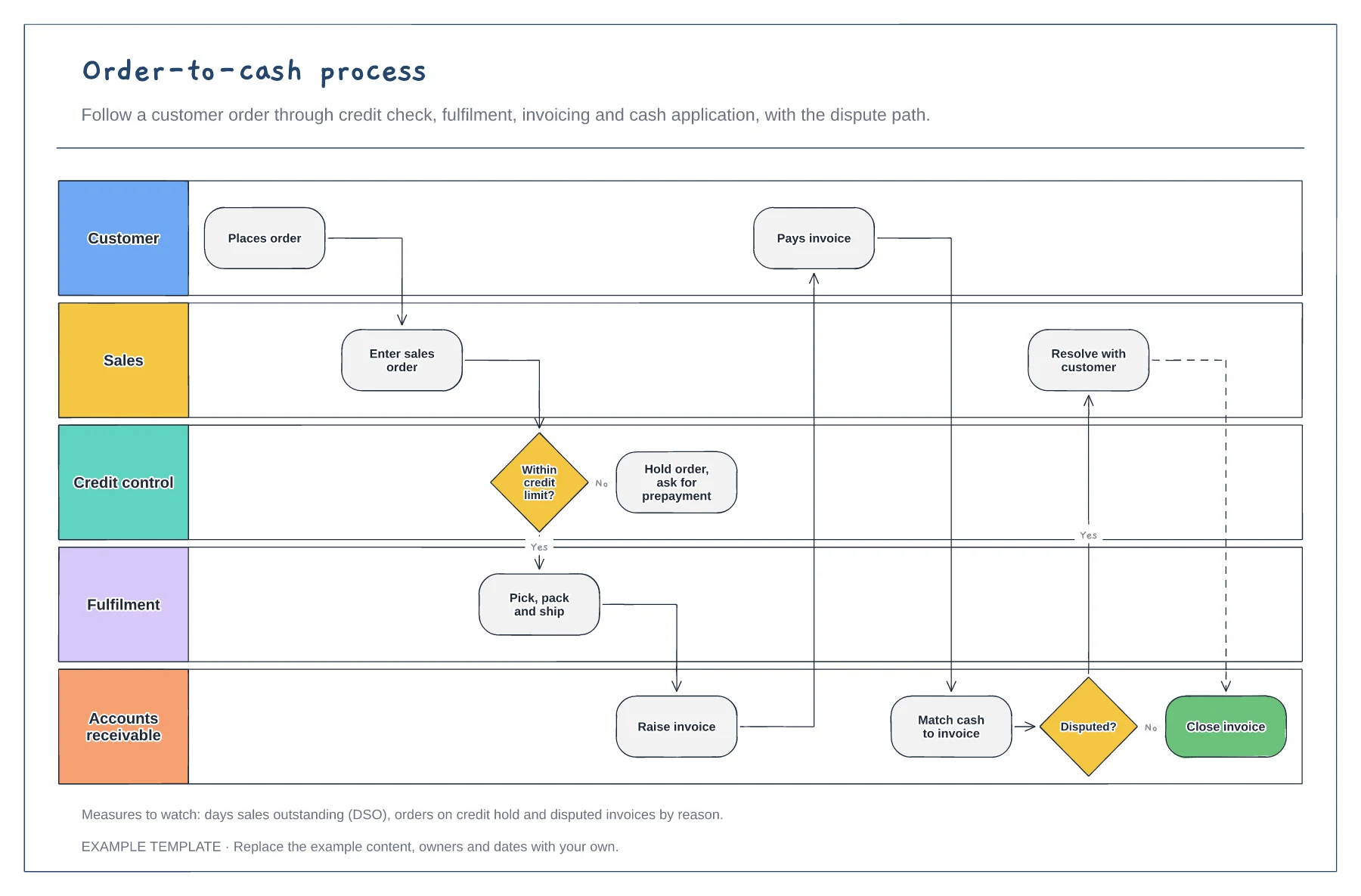
Five lanes from customer to receivables · Credit limit check and order hold · Cash matching and dispute path
Preview and use template →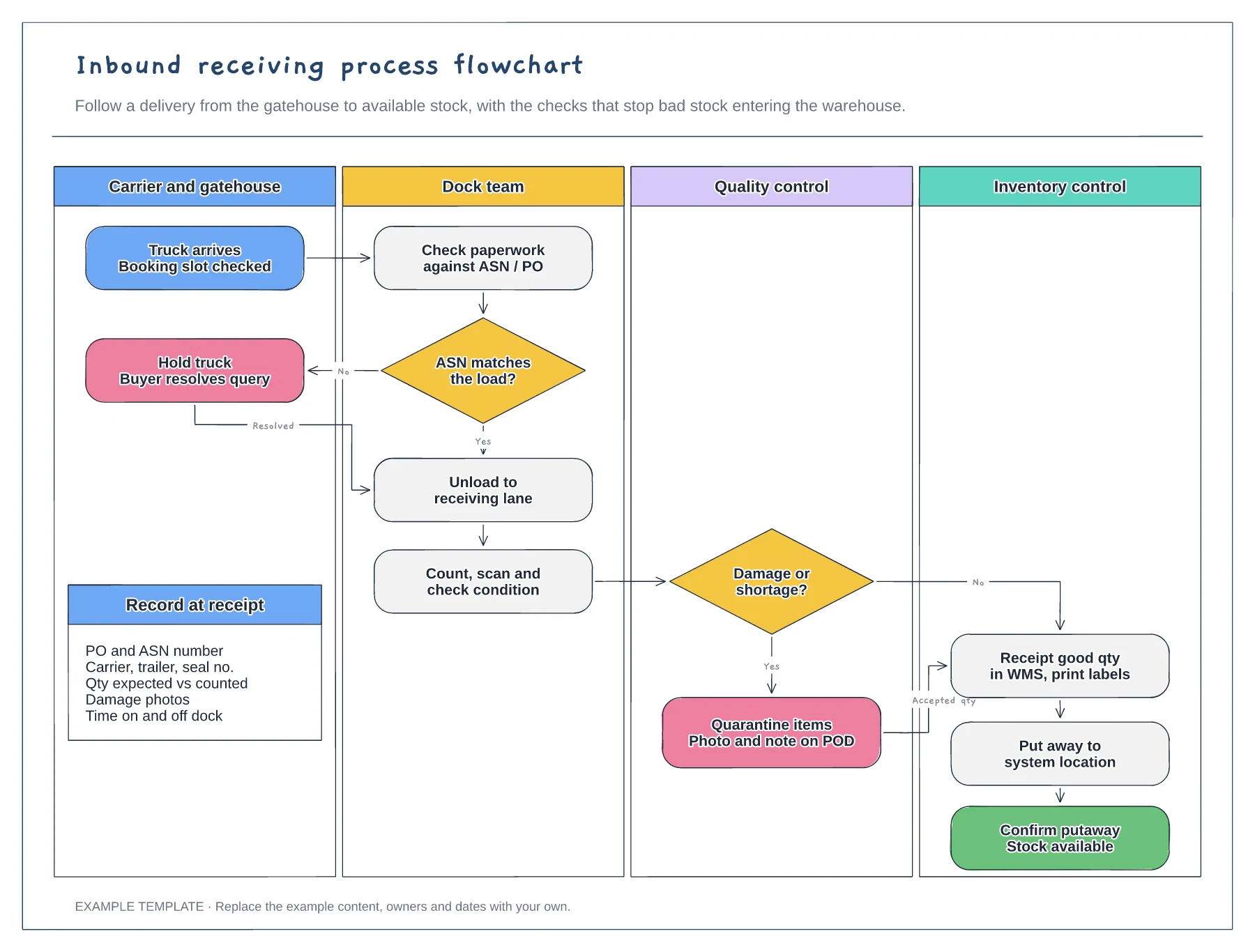
Four swimlanes from carrier to inventory · ASN and damage decisions with Yes and No paths · Data to record at receipt
Preview and use template →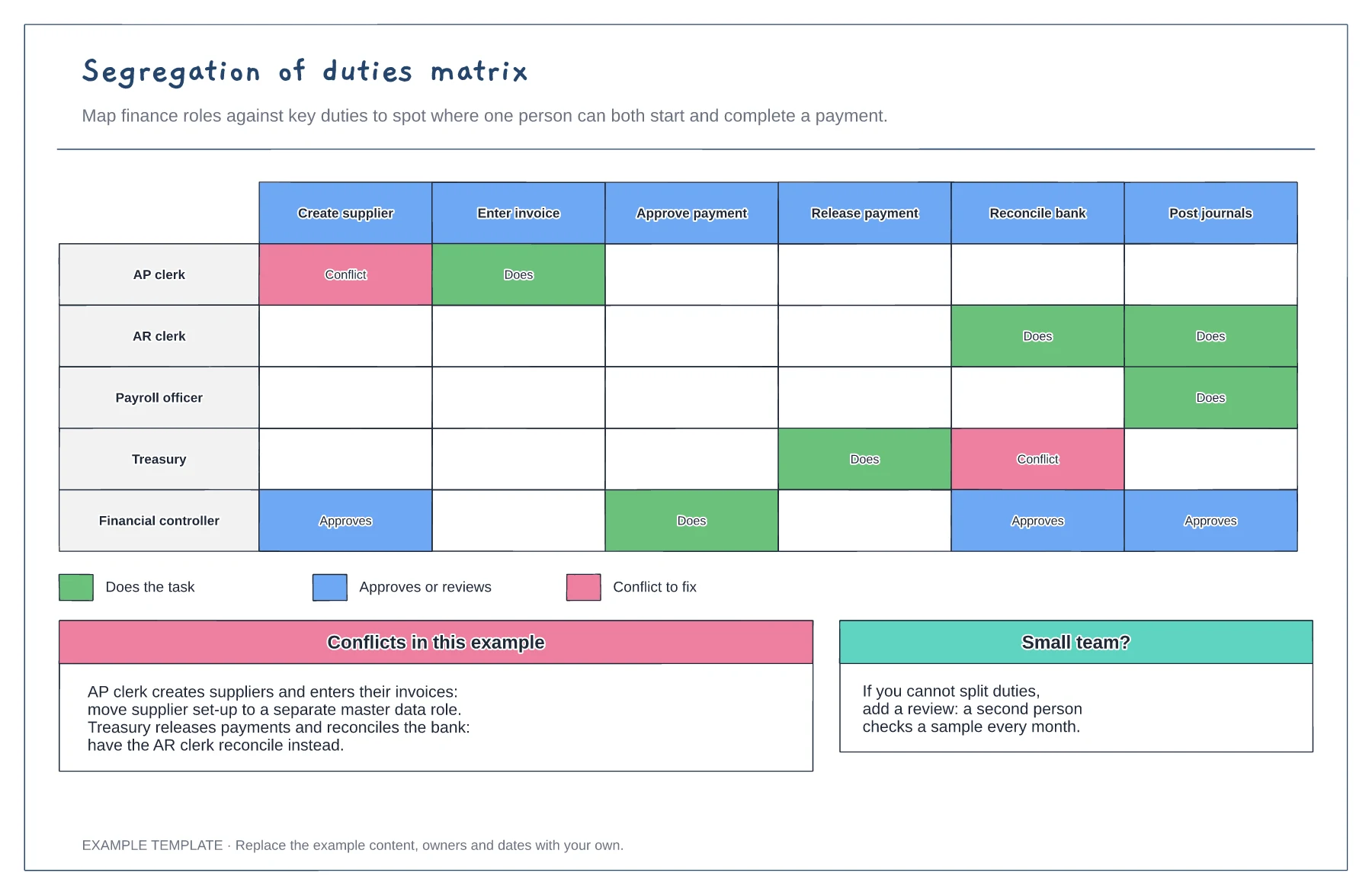
Roles against six finance duties · Does, approves and conflict markers · Fixes for each conflict
Preview and use template →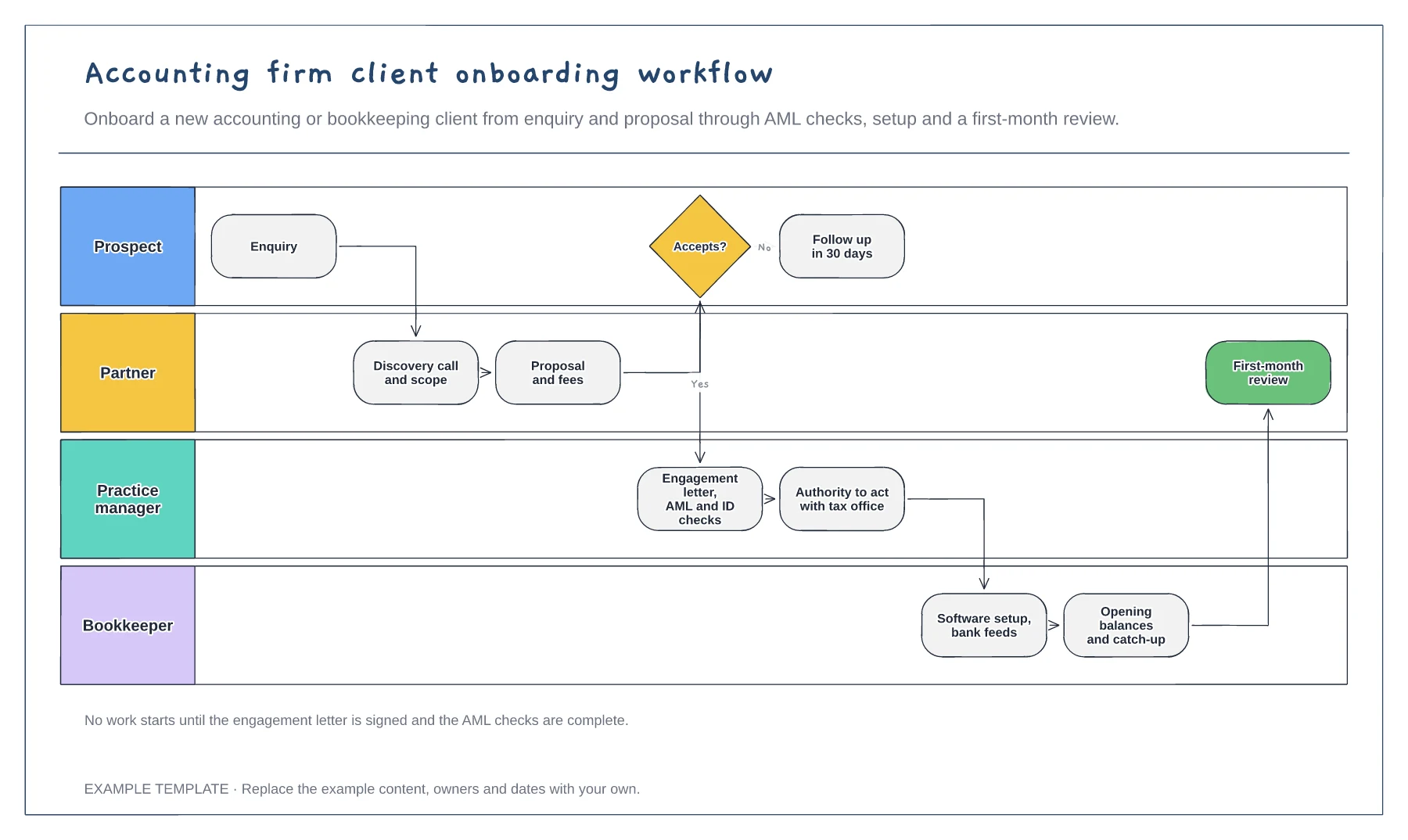
Four lanes from prospect to bookkeeper · Engagement letter and AML checks · Software setup and first-month review
Preview and use template →