Marketing
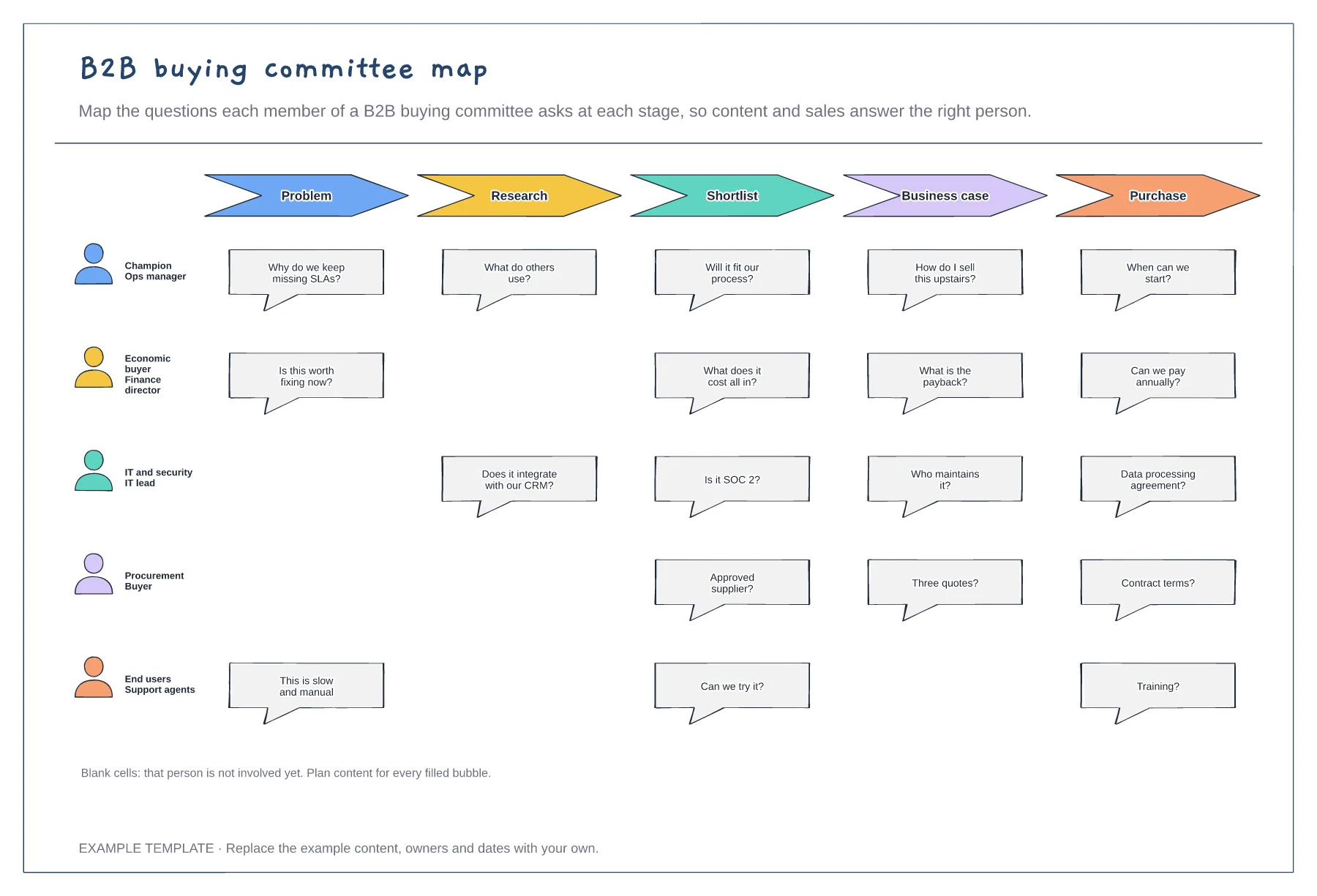
B2B buying committee map template
Five buying committee roles · Their questions at each stage · Gaps where a role is not yet involved
Preview and use template →A service blueprint shows what the customer does and sees, and everything behind it that makes the service work. This example follows a broadband install from ordering online to the first bill. Each step has its physical evidence, the frontstage contact, the backstage work and the support systems, separated by the lines of interaction, visibility and internal interaction, with fail points and waits marked.
No account needed · Opens as your own editable page
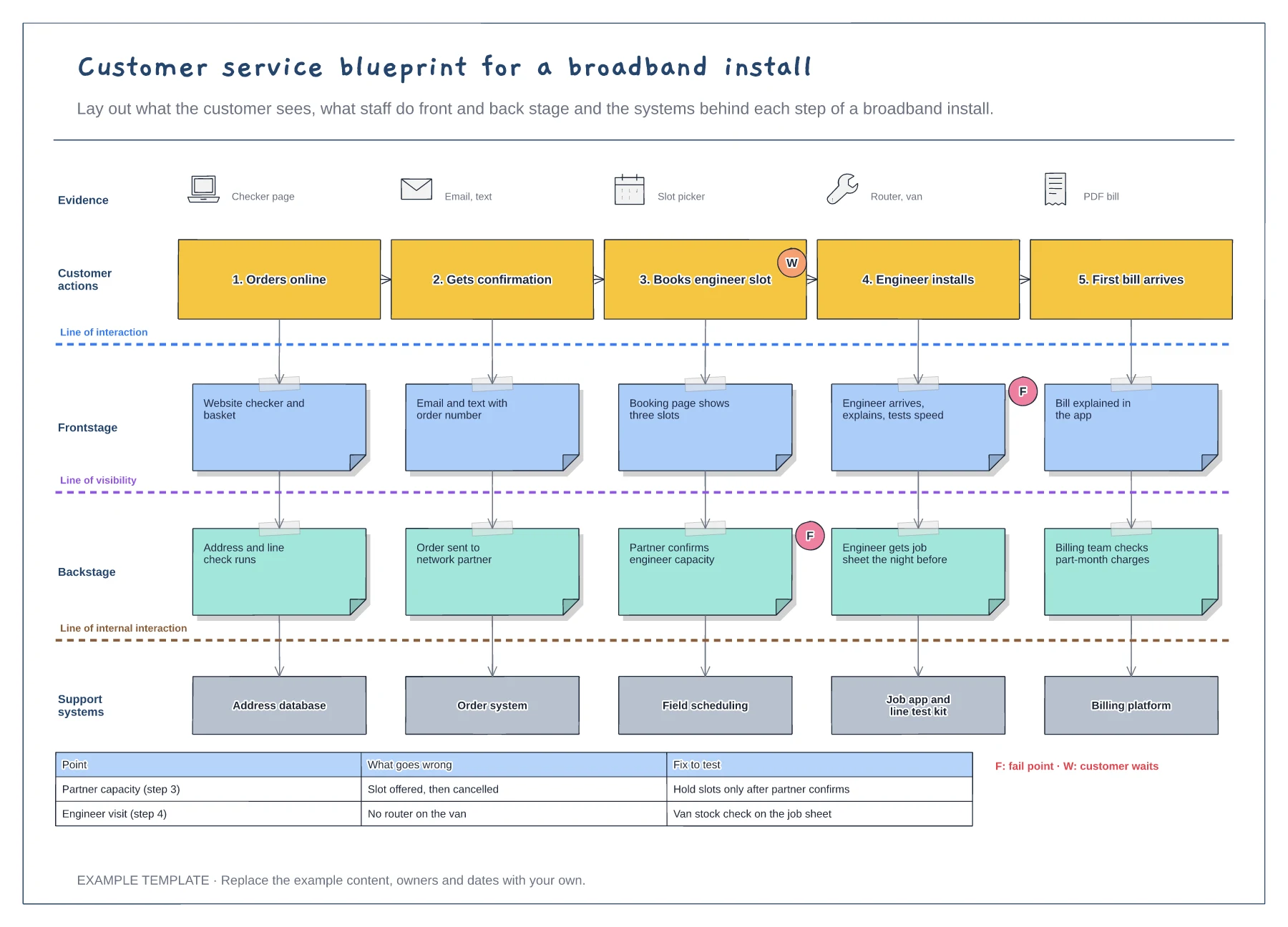
Write the customer's steps in order along the top, using their words, and note what they see or receive at each one.
Under each step add the frontstage contact, the backstage work the customer never sees and the systems that support it.
Add fail points and waits from complaints and ticket data, then agree one fix to test for each.
The rows run from the evidence the customer sees, through their actions and the frontstage and backstage work, down to the support systems behind each step.
No. Open the template and edit it in your browser. Your work saves on this device. An account is optional if you want to sync your workspace.
Yes. Use Export in the editor to save a PNG, SVG or PDF, or download an editable .epicdraw backup.
Five buying committee roles · Their questions at each stage · Gaps where a role is not yet involved
Preview and use template →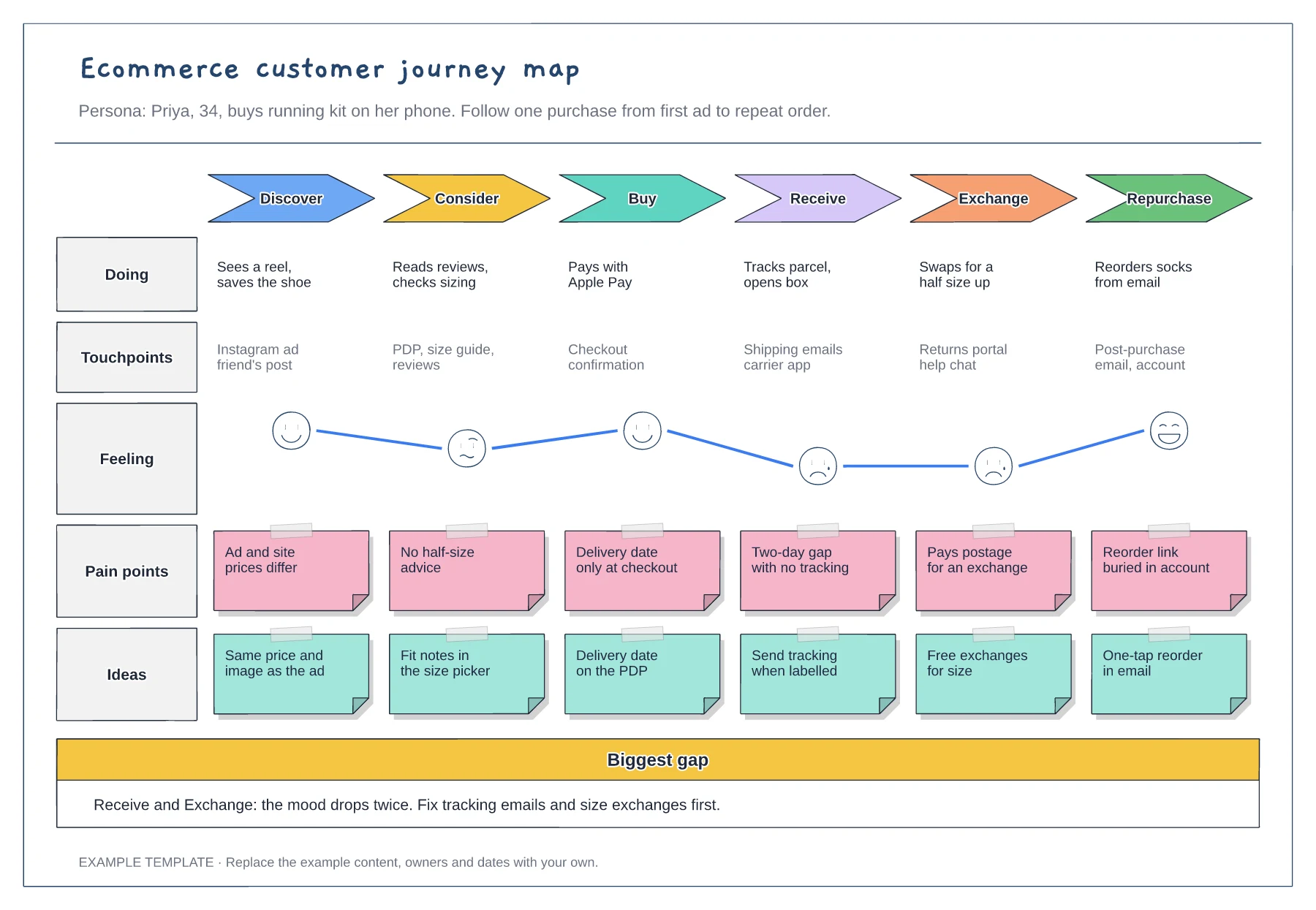
Six stages from discover to repurchase · Touchpoints and an emotion curve · Pain points paired with ideas
Preview and use template →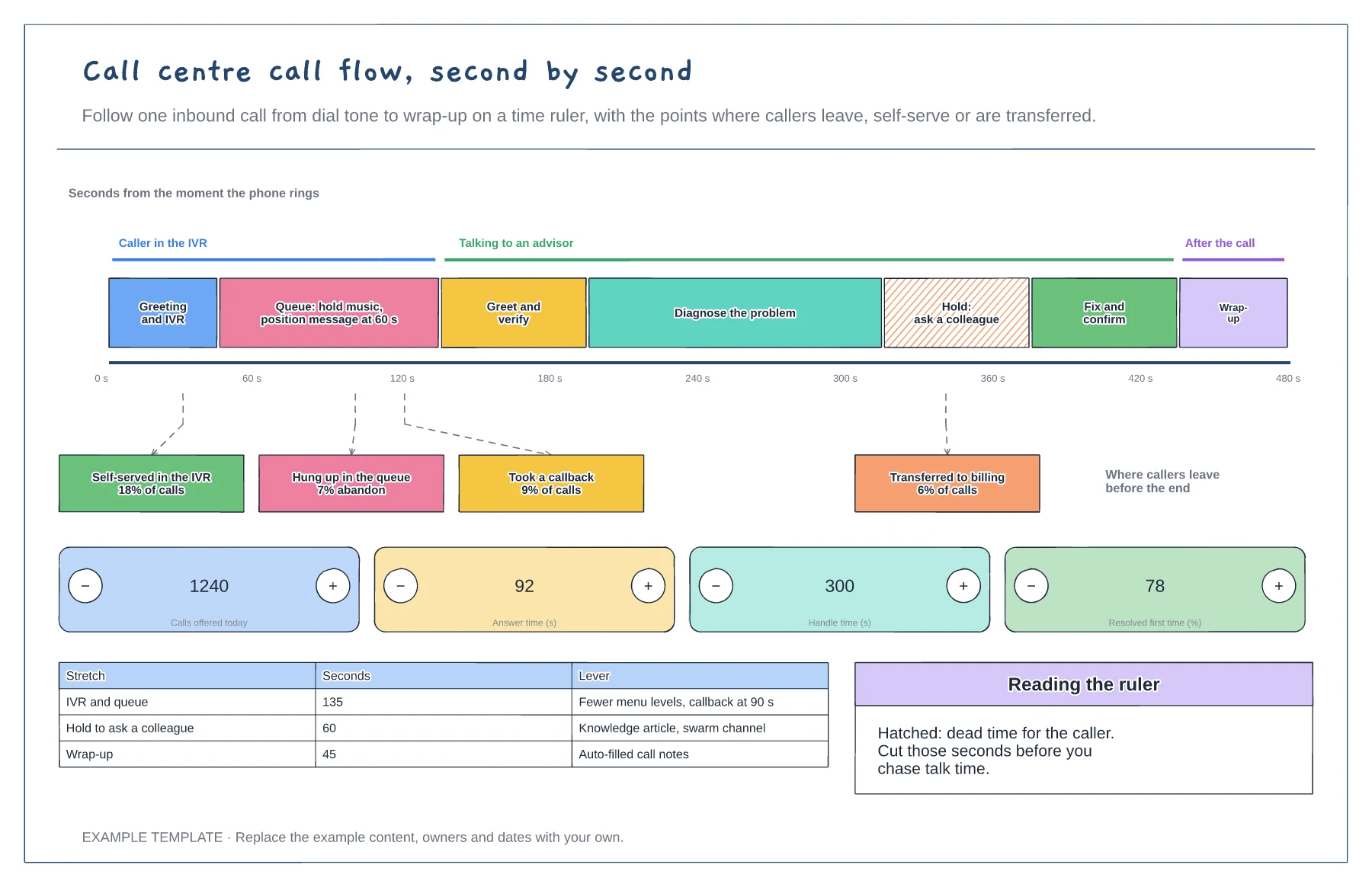
A time ruler with each stretch of the call to scale · Exit points with the share of callers who leave · Counters for calls, answer time, handle time and first-contact resolution
Preview and use template →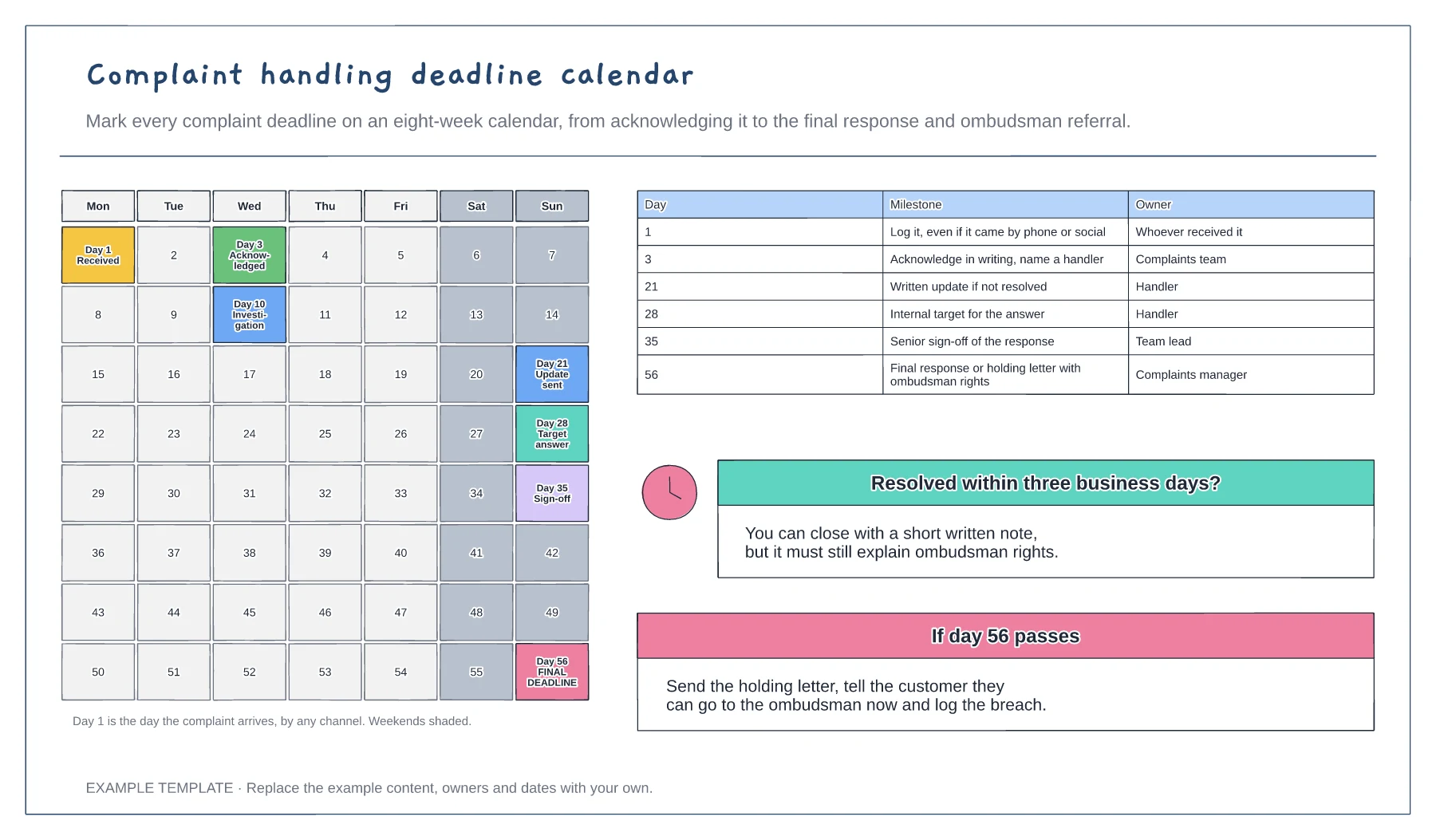
An eight-week calendar with each deadline marked · A milestone table with owners · Quick-resolution and missed-deadline notes
Preview and use template →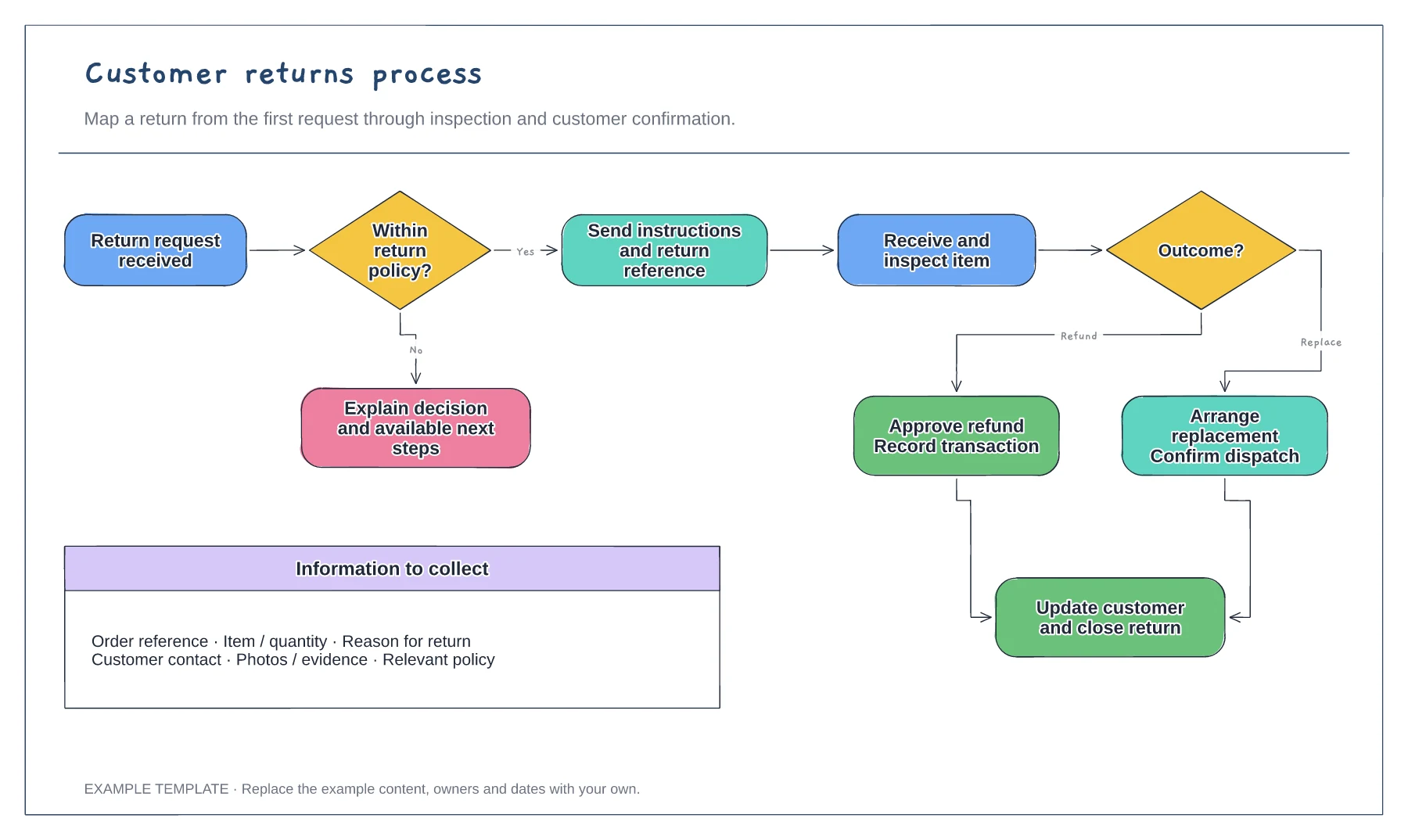
Return request and policy check · Approval or a clear explanation · Receipt, inspection and resolution
Preview and use template →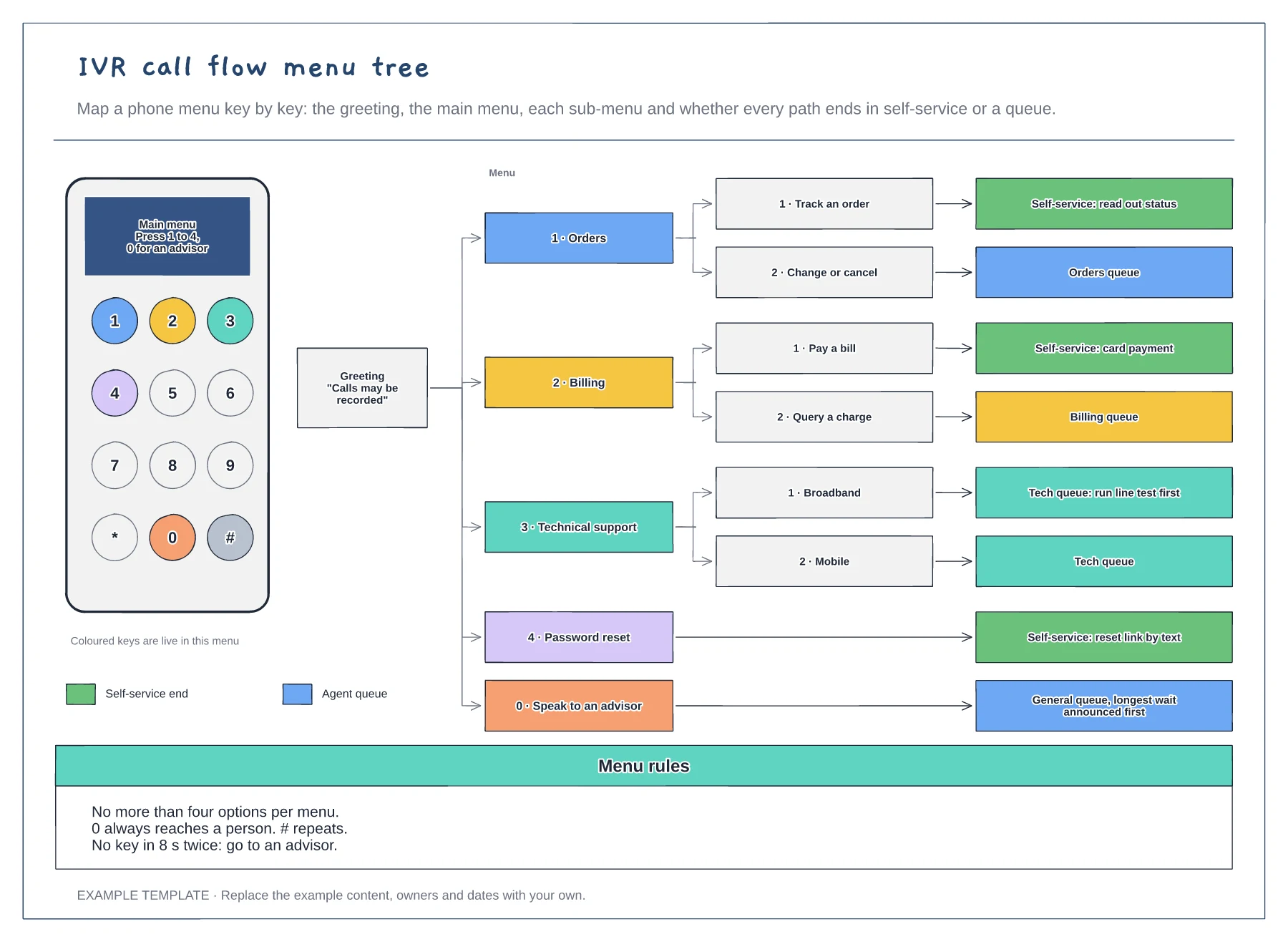
A keypad showing which keys are live · The menu tree from greeting to every end point · Menu rules for options, the zero key and timeouts
Preview and use template →