Education
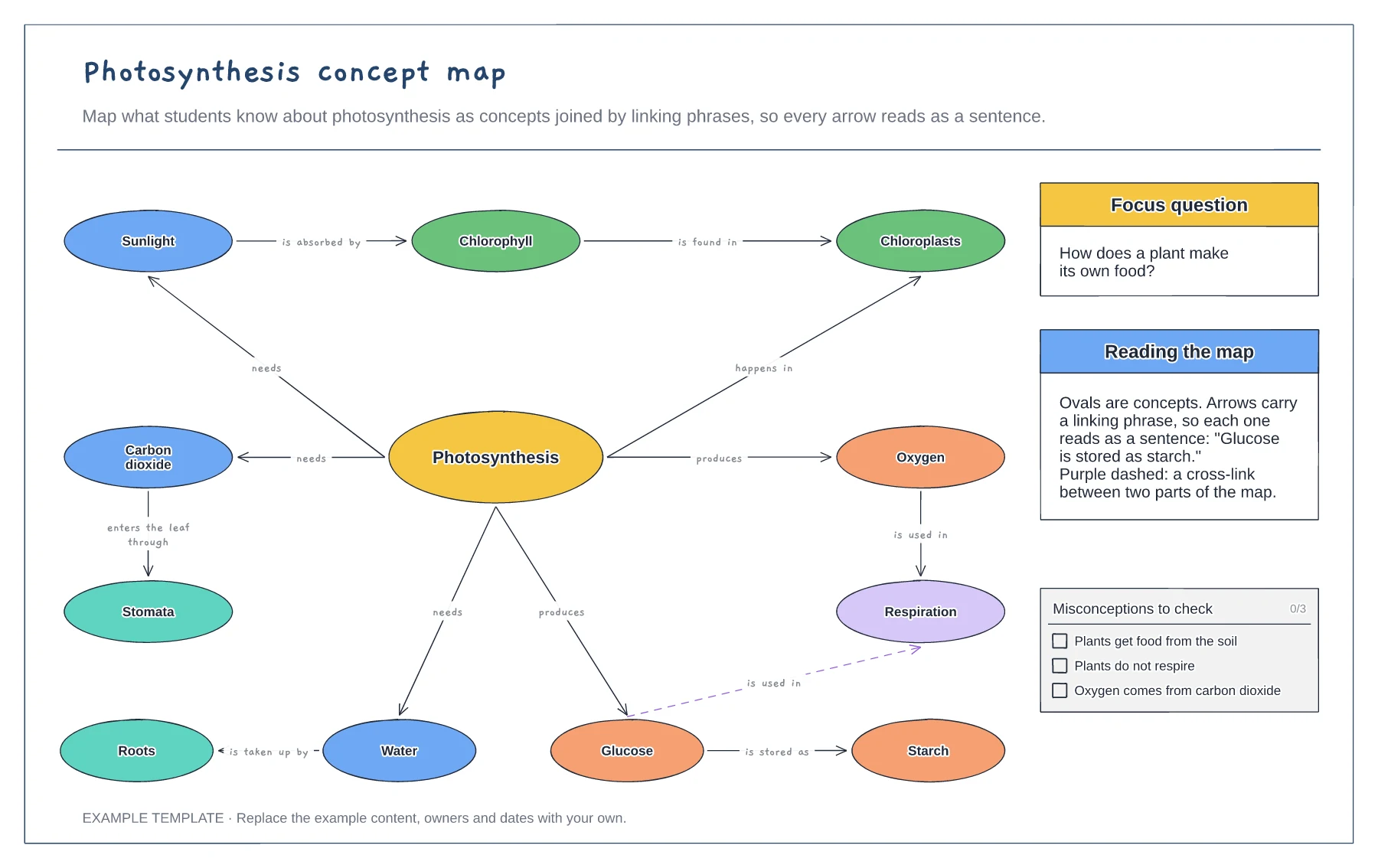
Photosynthesis concept map template
Concepts joined by linking phrases · A focus question and a cross-link · Common misconceptions to check
Preview and use template →A KWL chart tracks learning across a unit: what students already know, what they want to know and what they have learned. This example shows a Year 5 class's thinking about volcanoes as three speech bubbles around the topic, with notes on when to fill each part and how to close the loop on unanswered questions.
No account needed · Opens as your own editable page
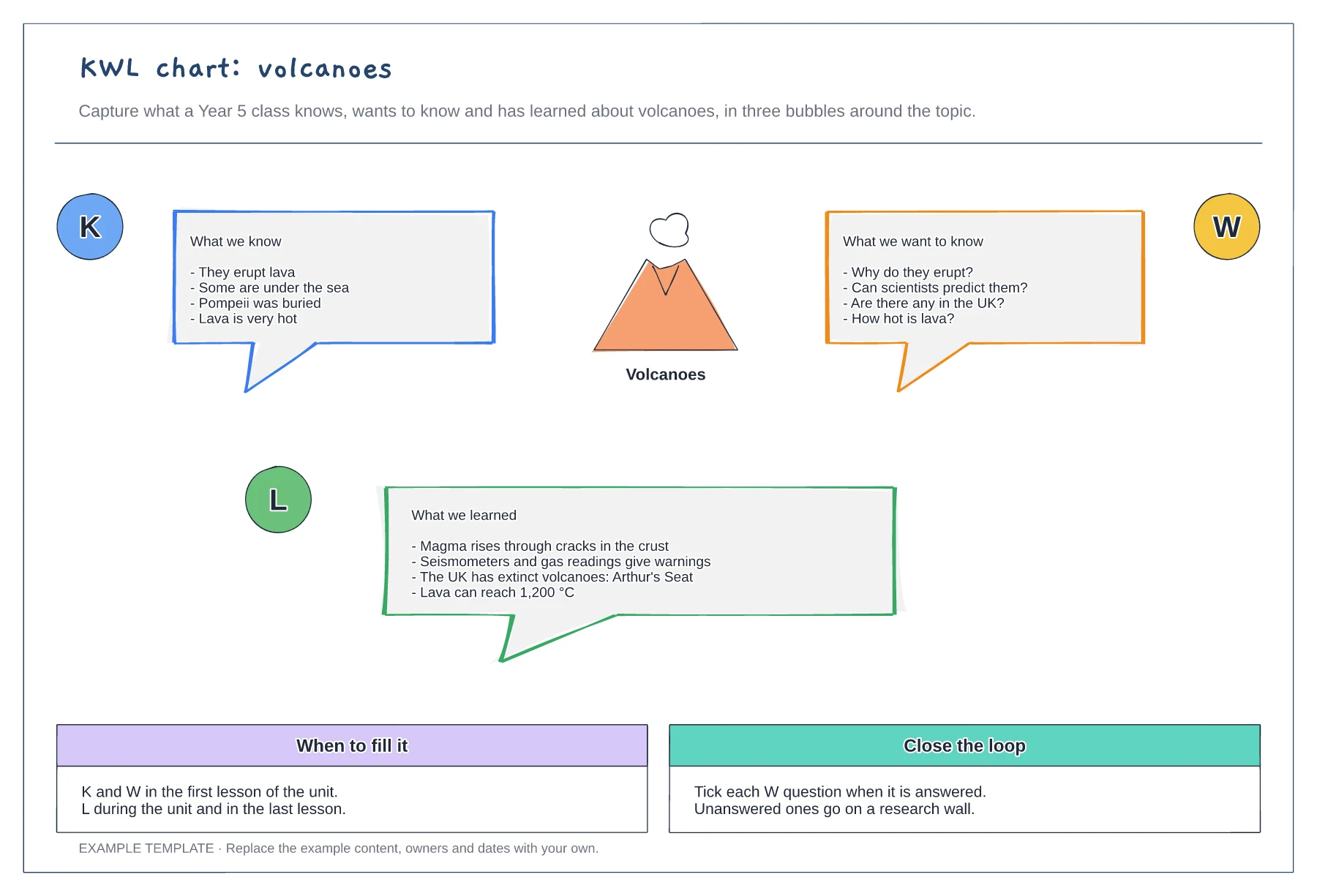
In the first lesson, collect what students think they know and the questions they want answered.
Use the W questions to shape the unit, and tick each one off as it is answered.
Add what students learned during and at the end of the unit, and correct any K points that turned out to be wrong.
Yes. Copy one of the bubbles, label it H and place it around the topic to turn the board into a KWHL chart.
No. Open the template and edit it in your browser. Your work saves on this device. An account is optional if you want to sync your workspace.
Yes. Use Export in the editor to save a PNG, SVG or PDF, or download an editable .epicdraw backup.
Concepts joined by linking phrases · A focus question and a cross-link · Common misconceptions to check
Preview and use template →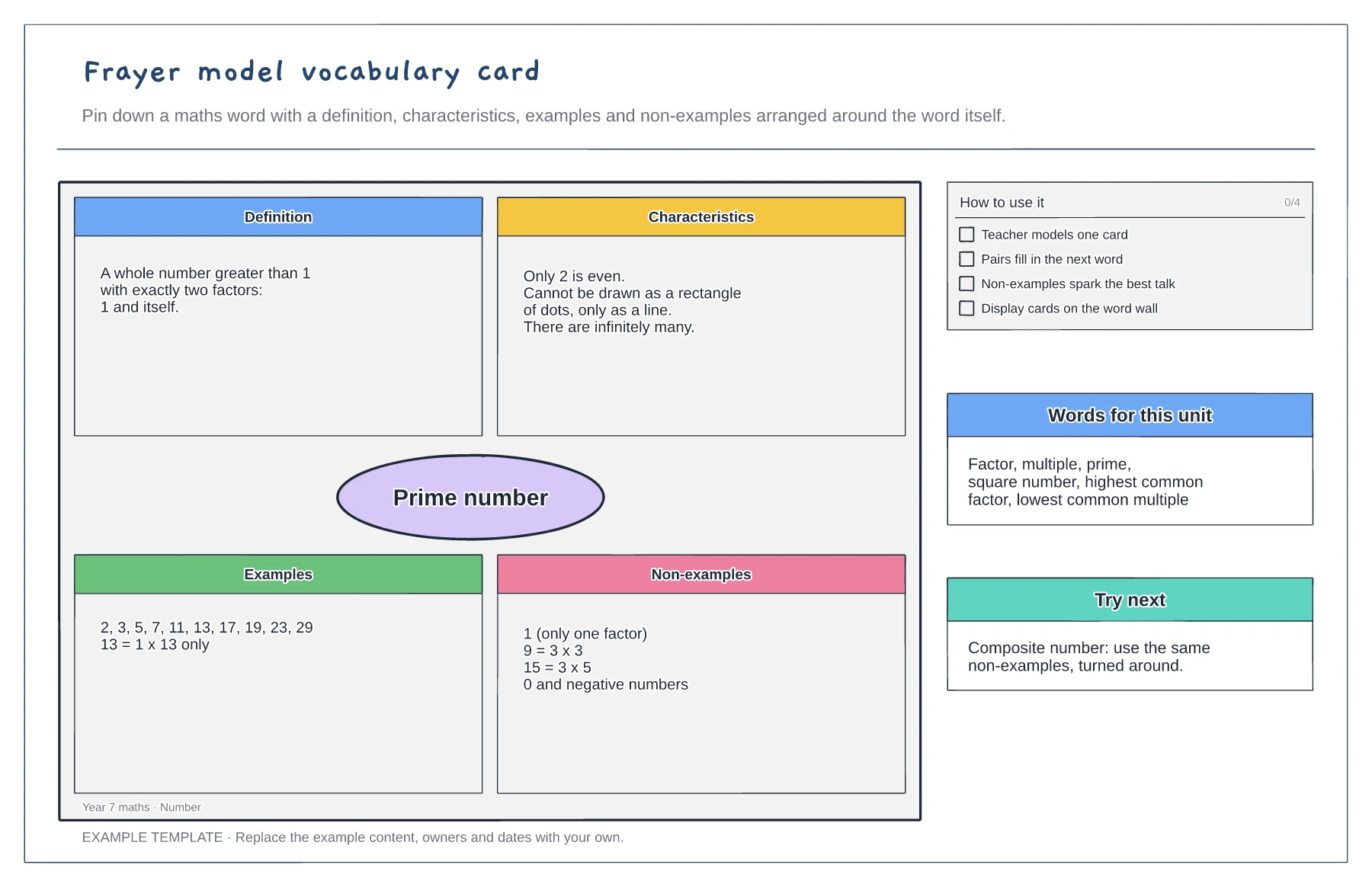
Definition, characteristics, examples and non-examples · A worked maths example · Tips and a word list for the unit
Preview and use template →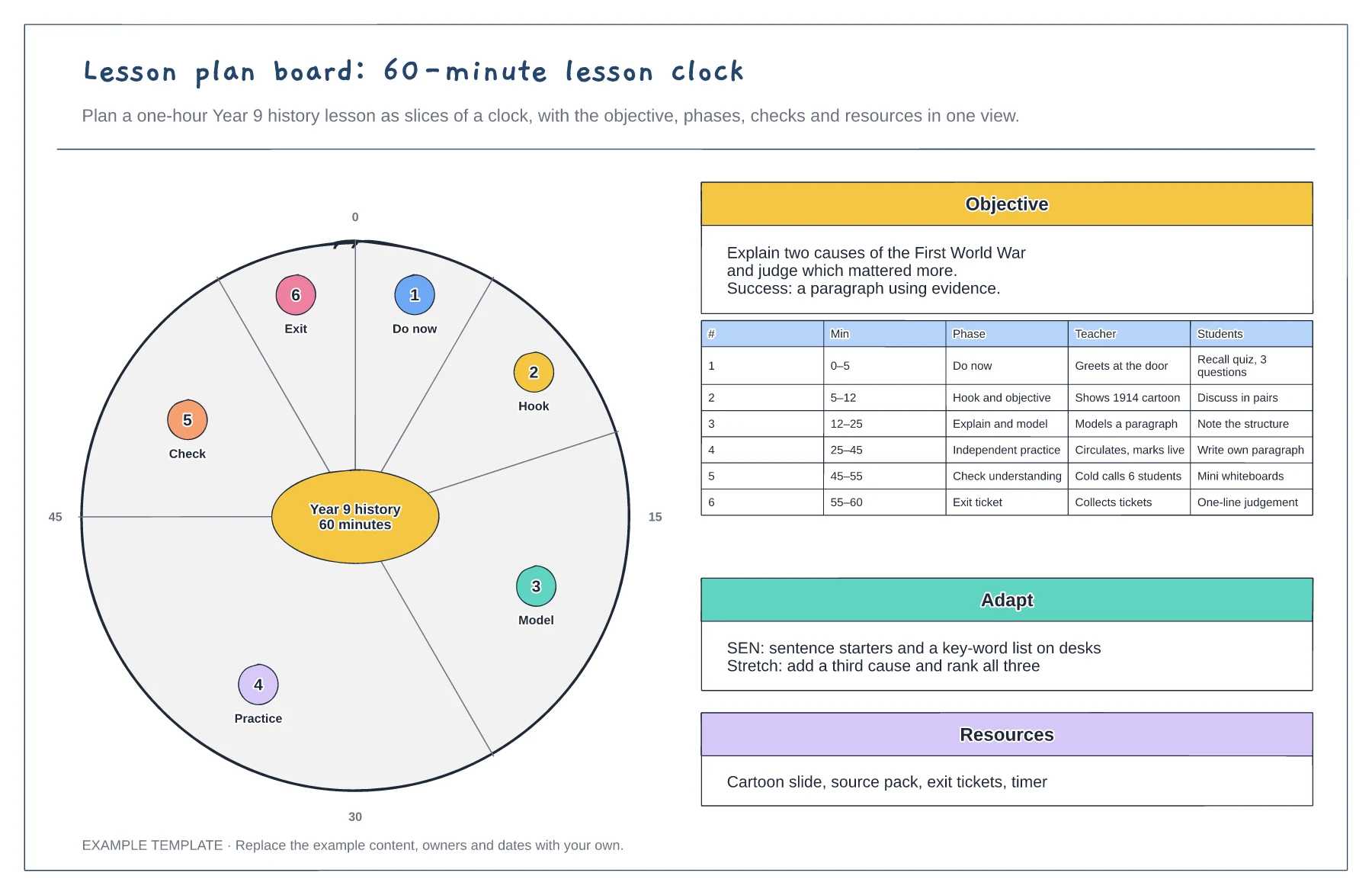
60-minute clock with each phase as a slice · Objective and success criteria · Teacher and student actions per phase
Preview and use template →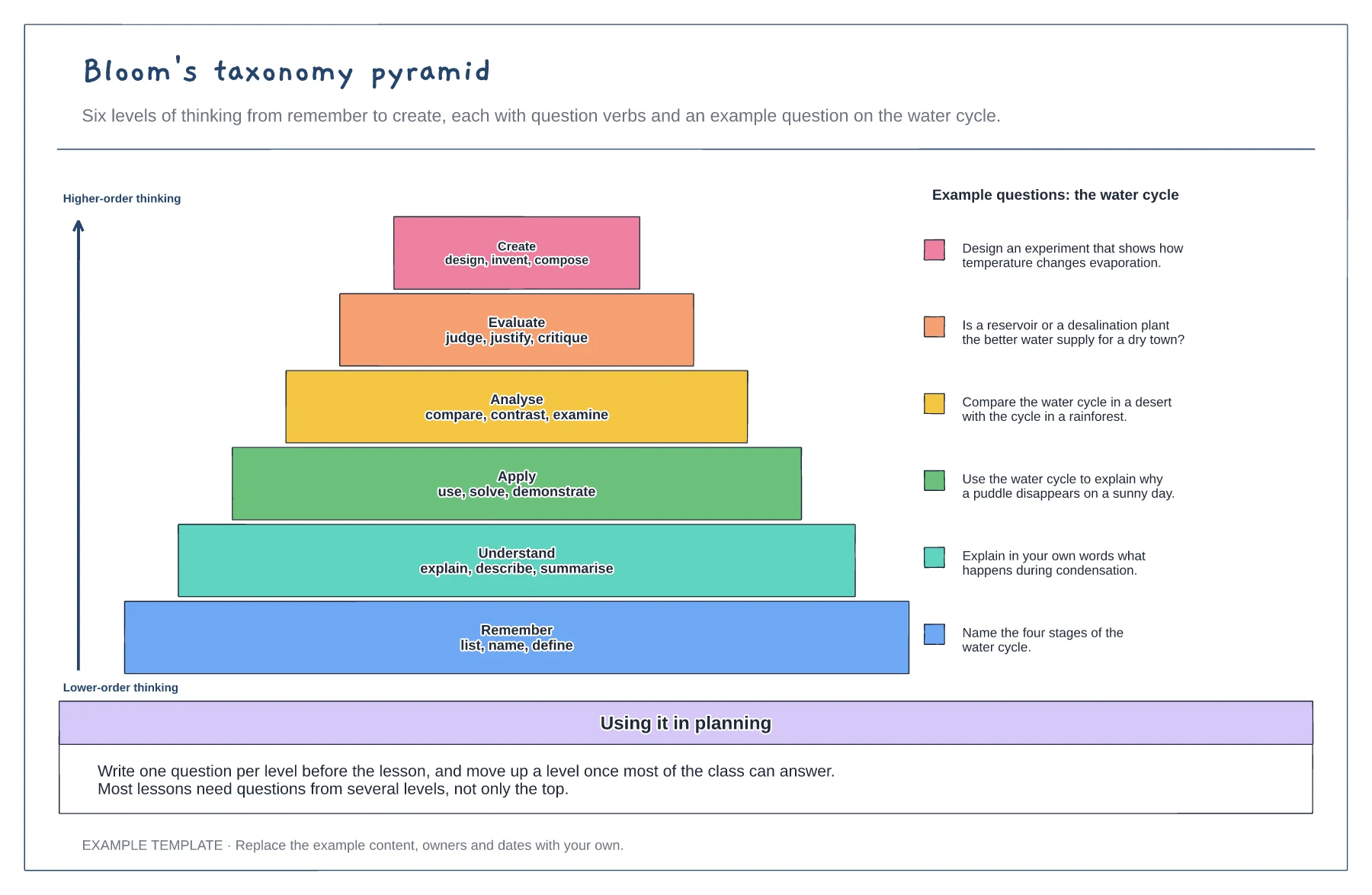
Six levels from remember to create · Question verbs for each level · A worked example question per level
Preview and use template →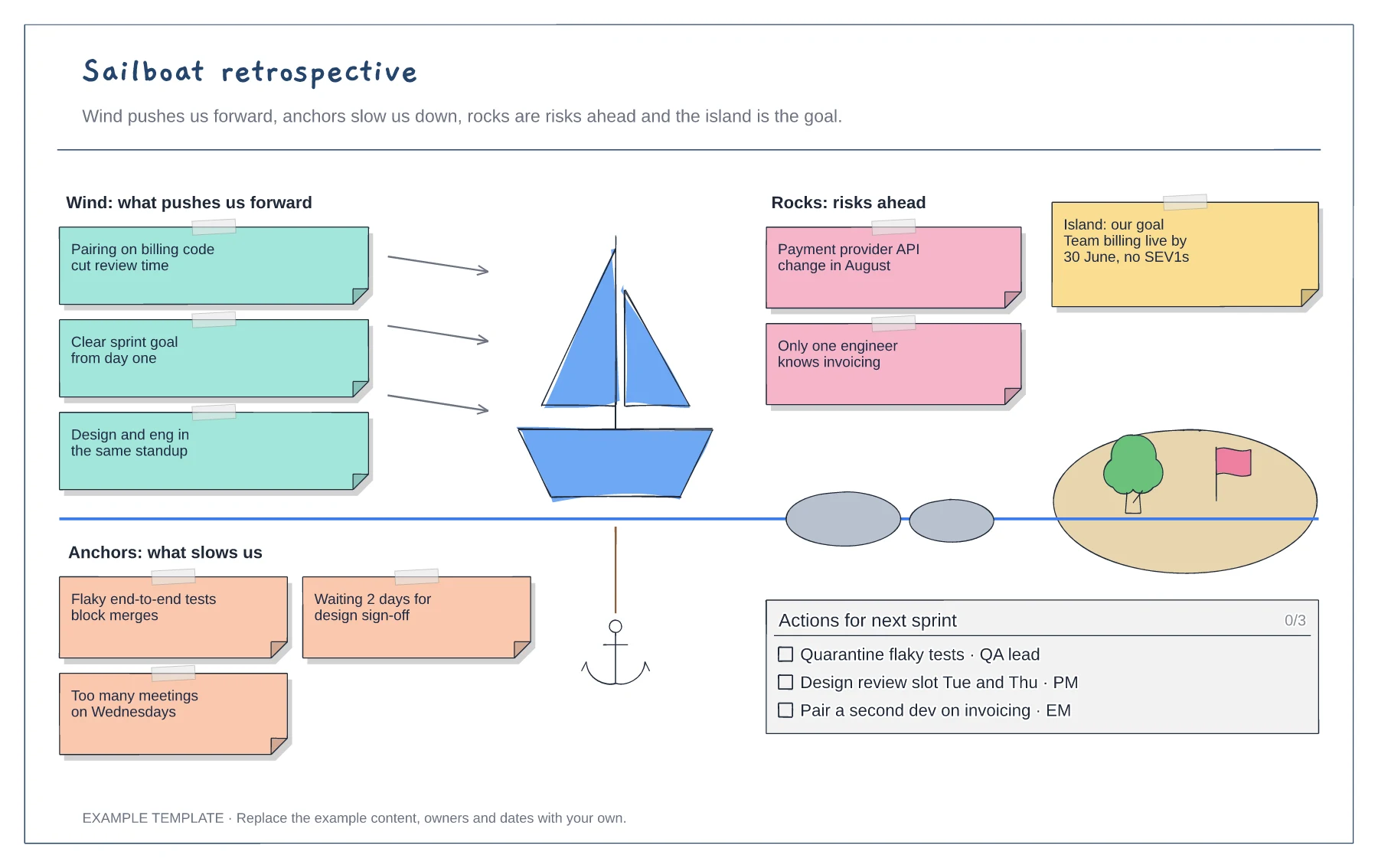
Wind, anchors, rocks and island areas · Example notes from a SaaS team · A checklist of actions with owners
Preview and use template →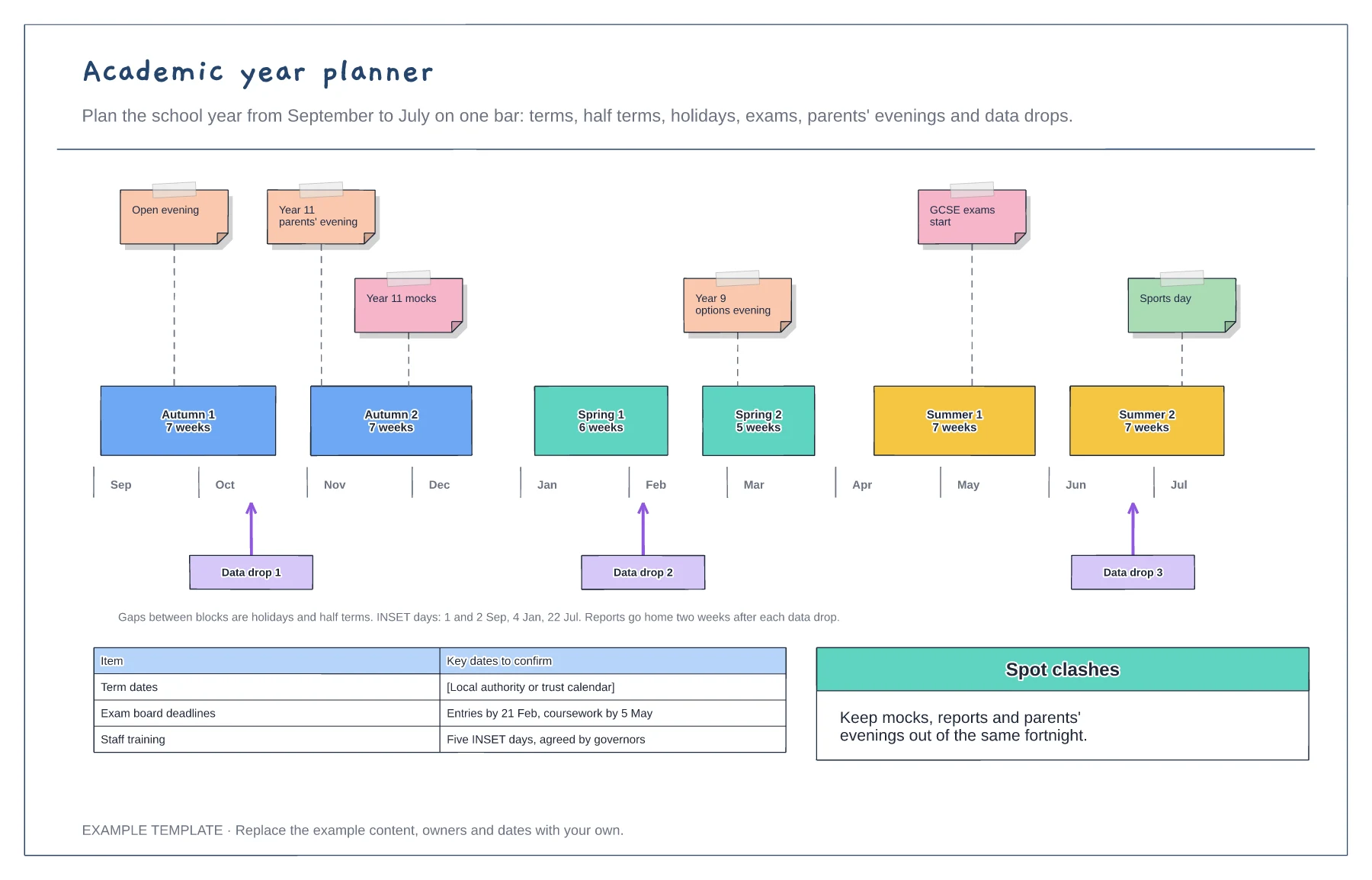
Half terms to scale with holidays as gaps · Pinned events and exam dates · Data drops and key deadlines
Preview and use template →