Education
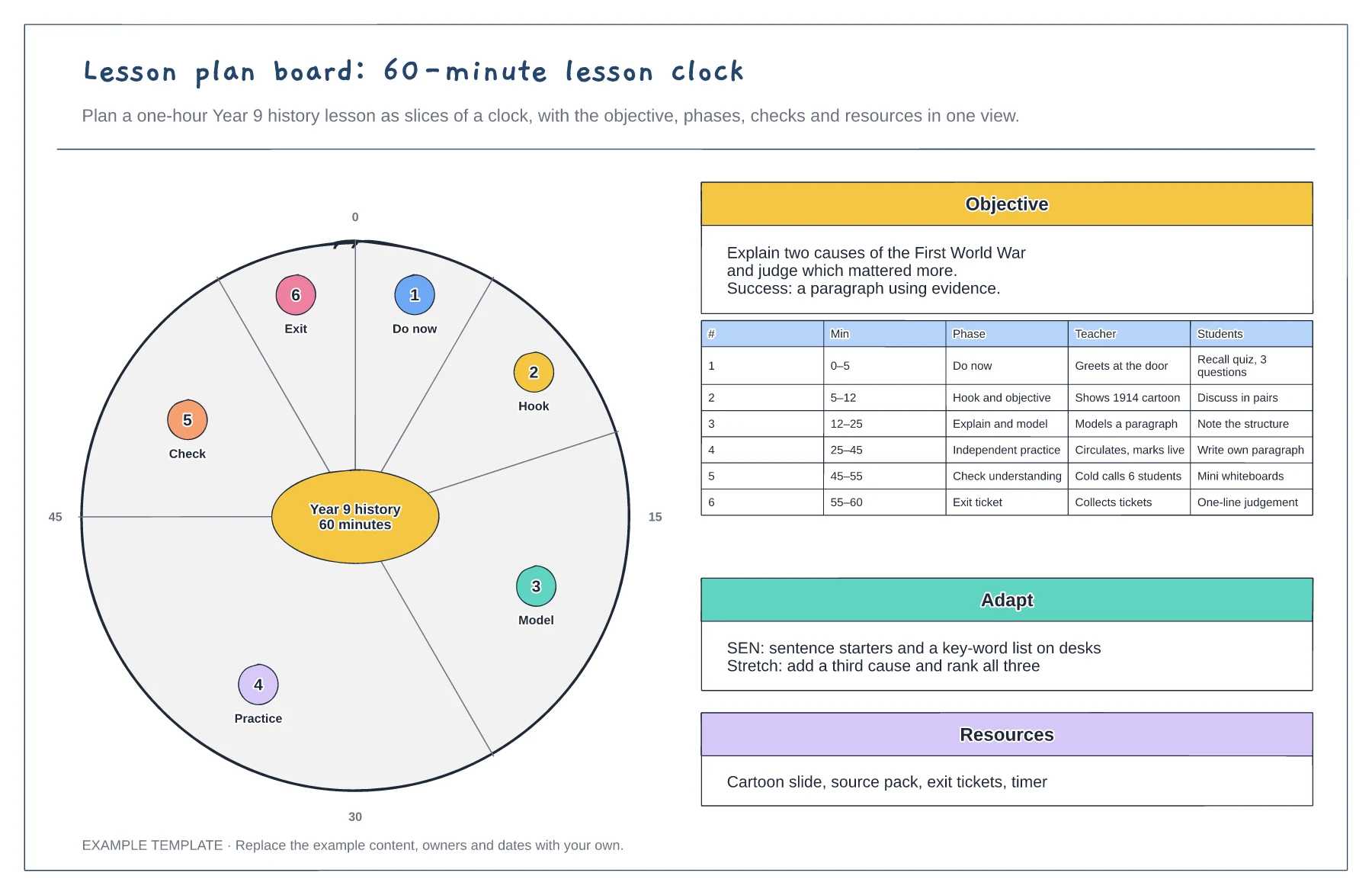
Lesson plan board template
60-minute clock with each phase as a slice · Objective and success criteria · Teacher and student actions per phase
Preview and use template →Bloom's taxonomy sorts thinking into six levels, from remembering facts to creating something new. This pyramid shows each level with its question verbs and pairs it with an example question on the water cycle, so you can plan questions that move students from recall to higher-order thinking.
No account needed · Opens as your own editable page
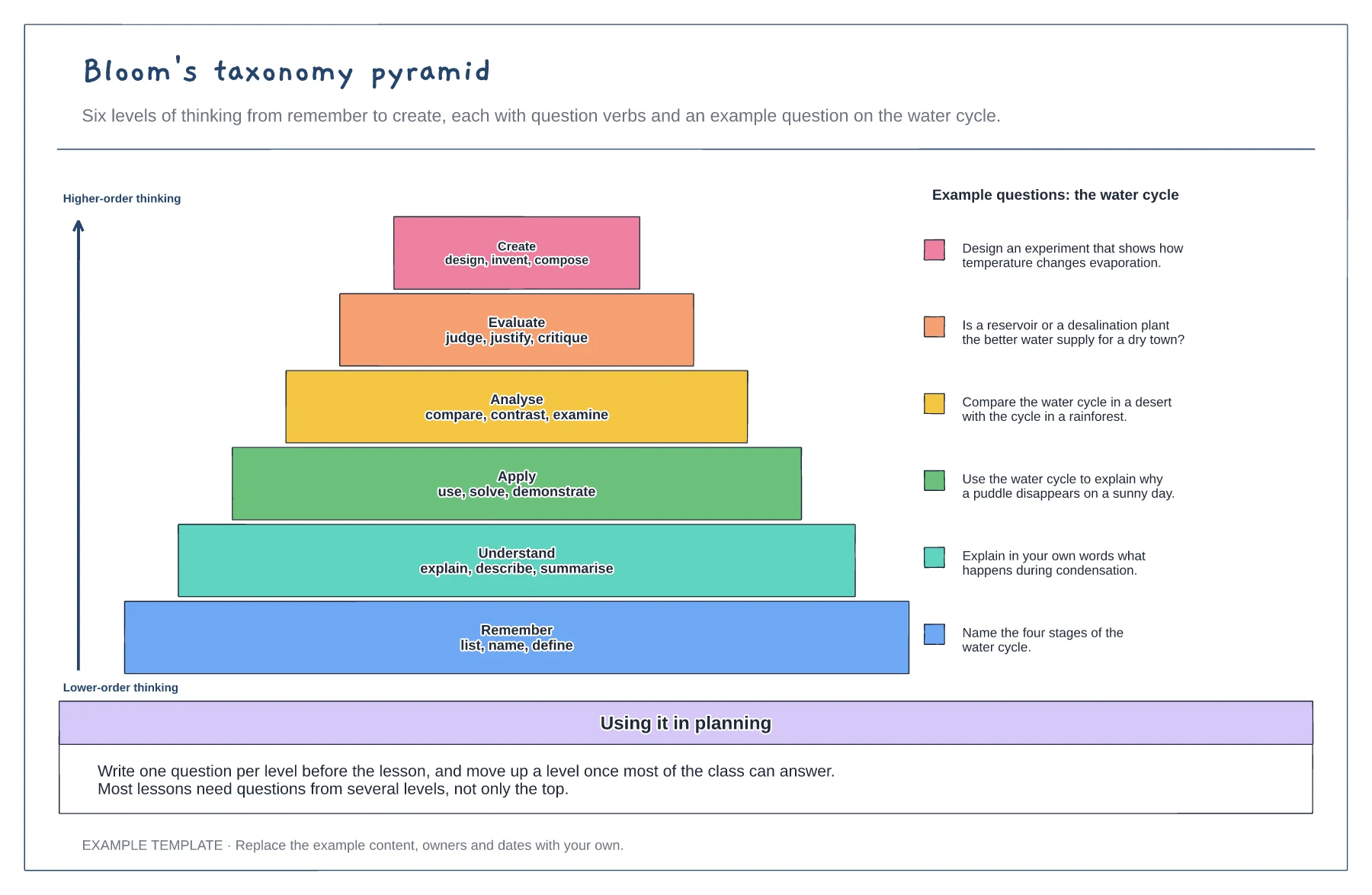
Choose the topic you are teaching and keep it the same for every level, so the jump between levels is clear.
Use the verbs on each step to write a question, starting with remember at the base and finishing with create at the top.
Ask lower-level questions to check knowledge first, then move up once most of the class can answer.
Yes. Replace the example question beside each level with one for your topic, and use the verbs on each layer of the pyramid as prompts.
No. Open the template and edit it in your browser. Your work saves on this device. An account is optional if you want to sync your workspace.
Yes. Use Export in the editor to save a PNG, SVG or PDF, or download an editable .epicdraw backup.
60-minute clock with each phase as a slice · Objective and success criteria · Teacher and student actions per phase
Preview and use template →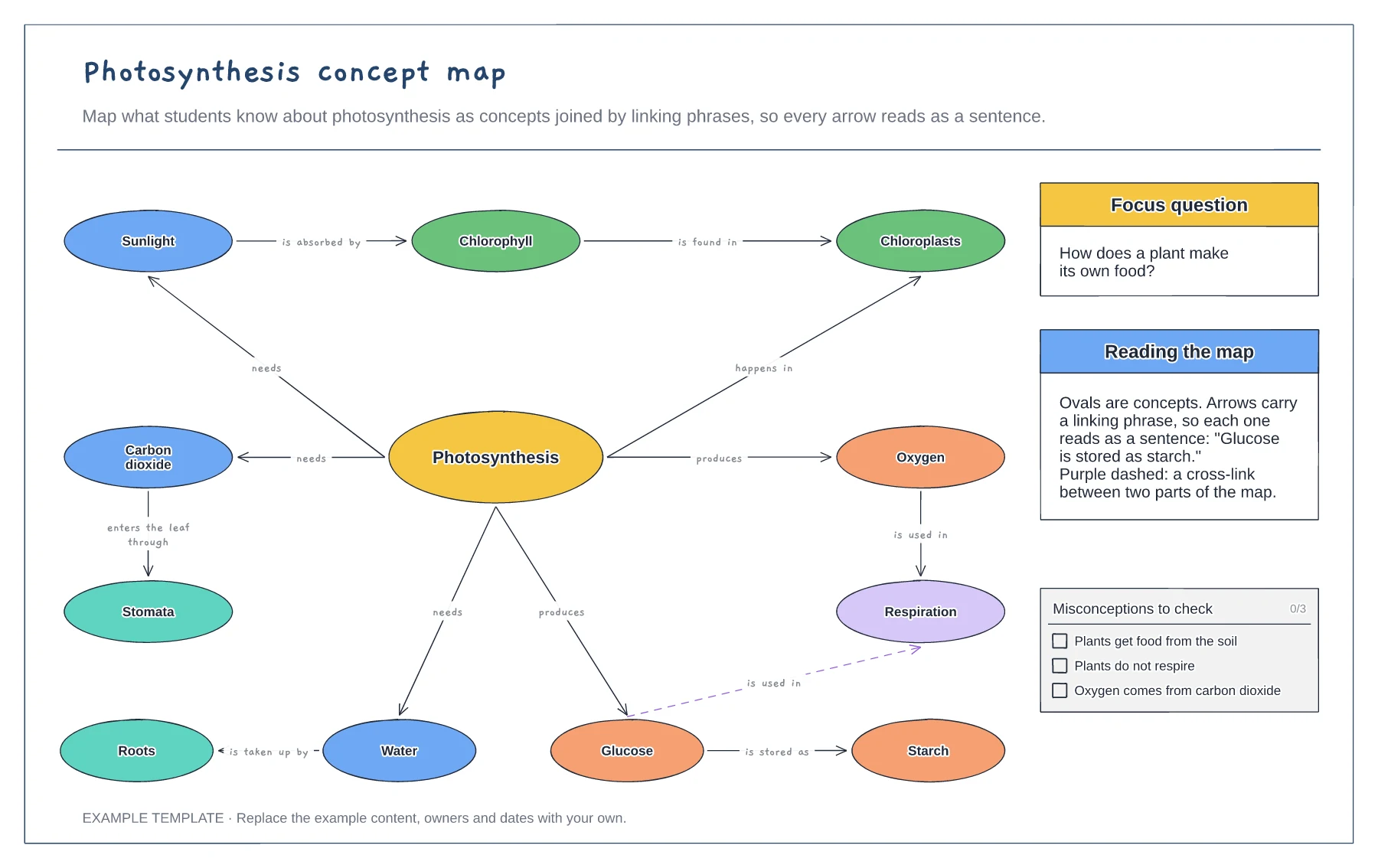
Concepts joined by linking phrases · A focus question and a cross-link · Common misconceptions to check
Preview and use template →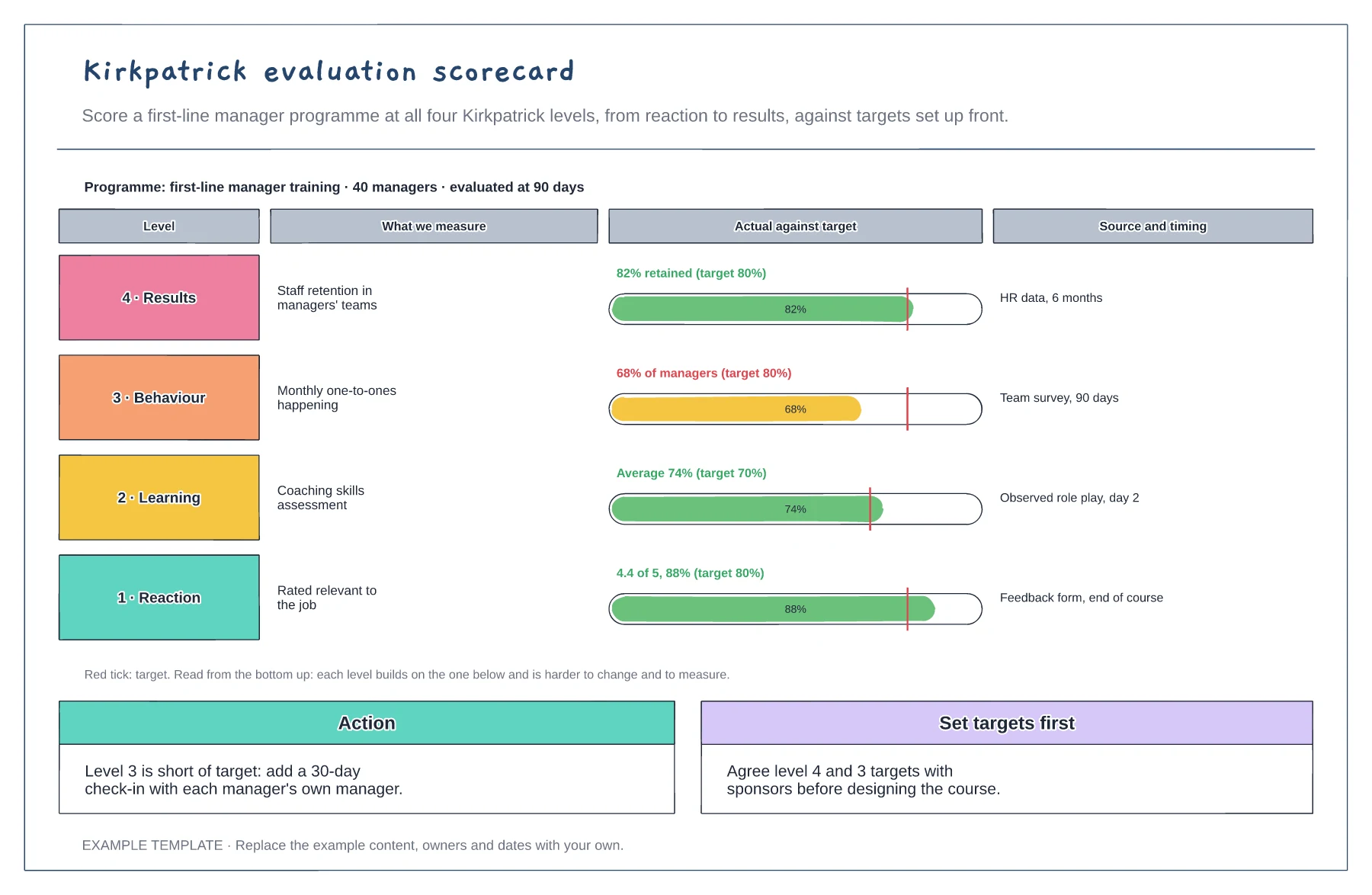
Four levels from reaction to results · Actual against target for each level · Data source, timing and an action
Preview and use template →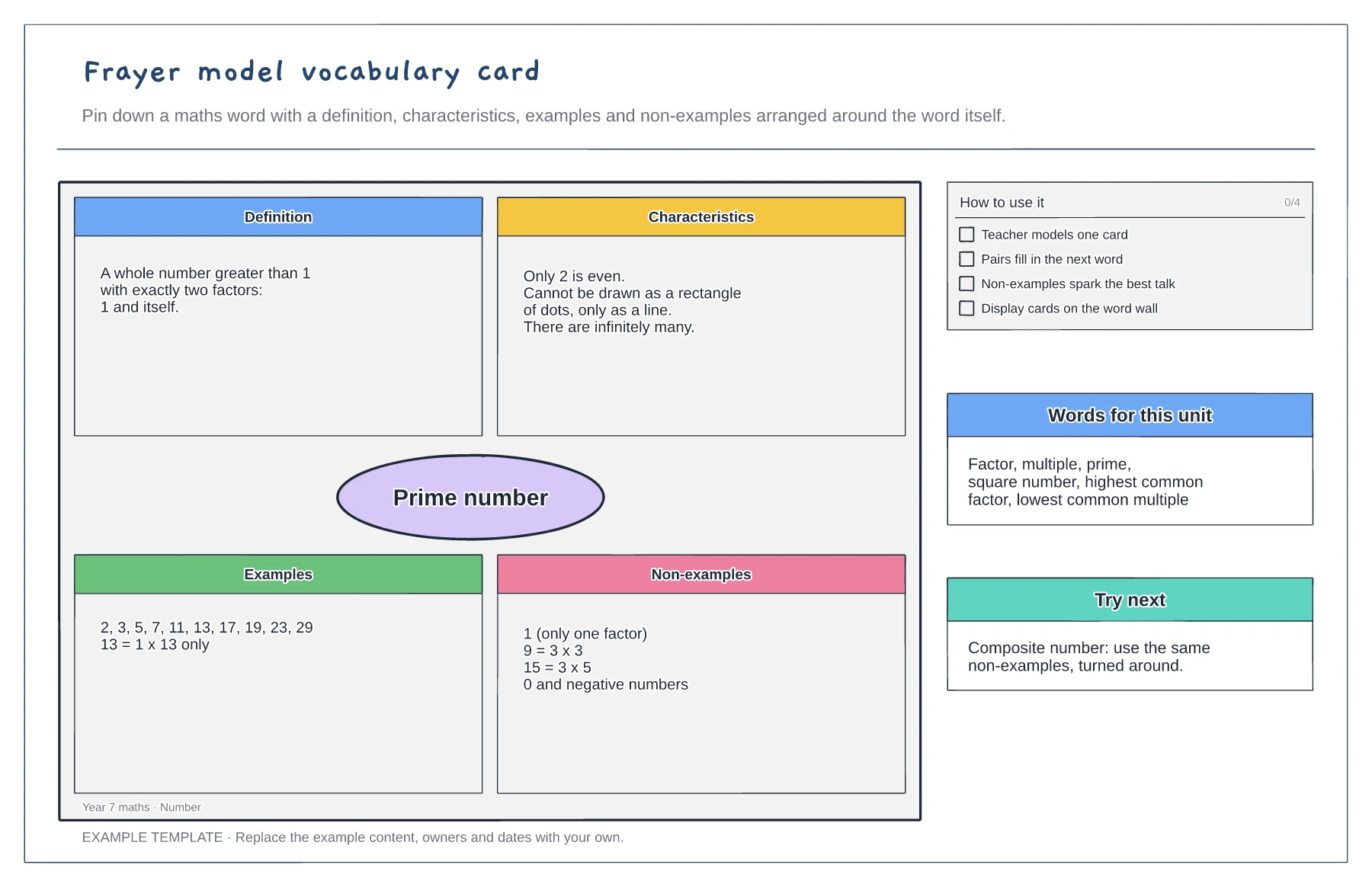
Definition, characteristics, examples and non-examples · A worked maths example · Tips and a word list for the unit
Preview and use template →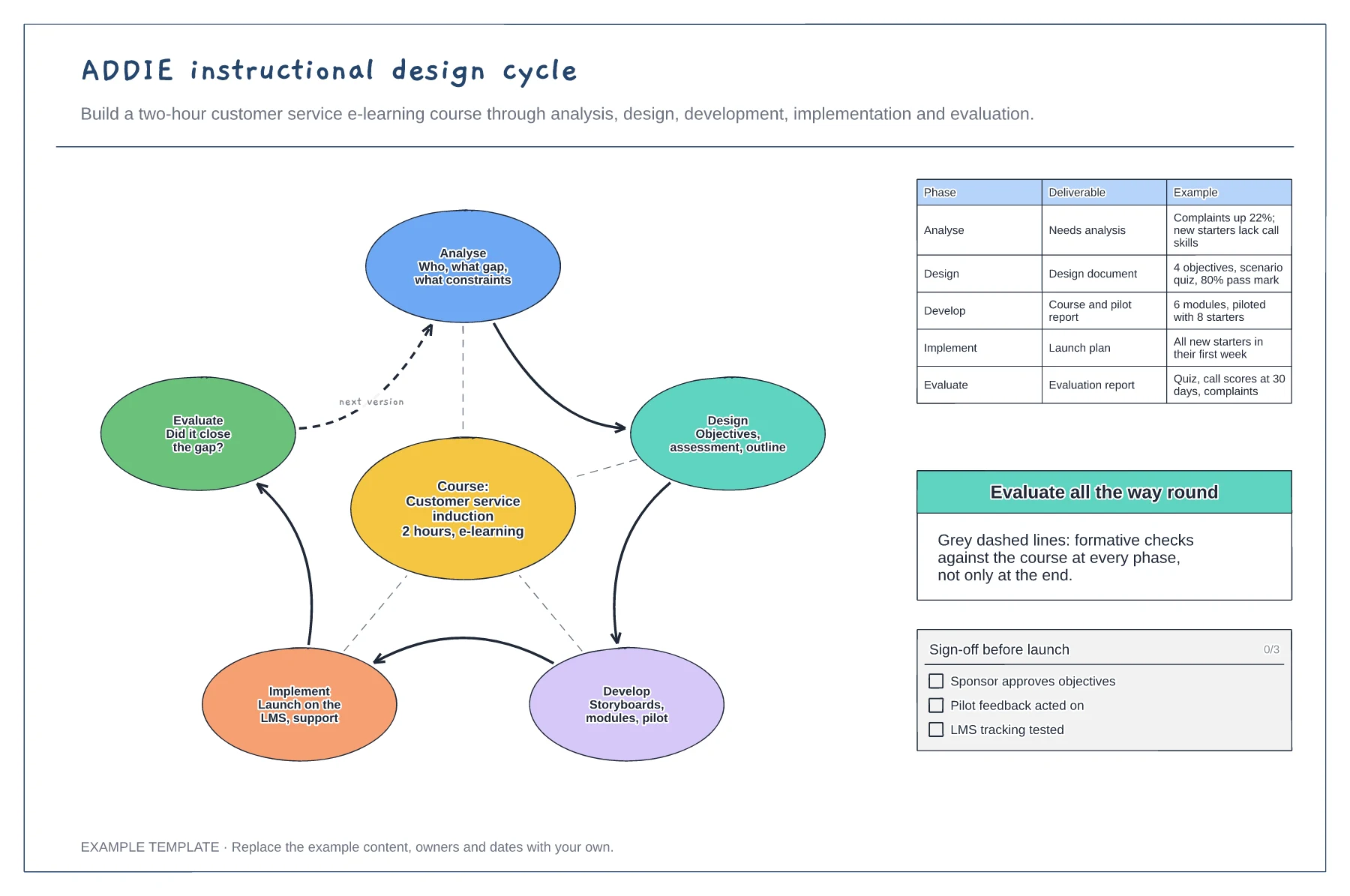
Five phases looping around the course · Formative checks at every phase · Deliverables with worked examples
Preview and use template →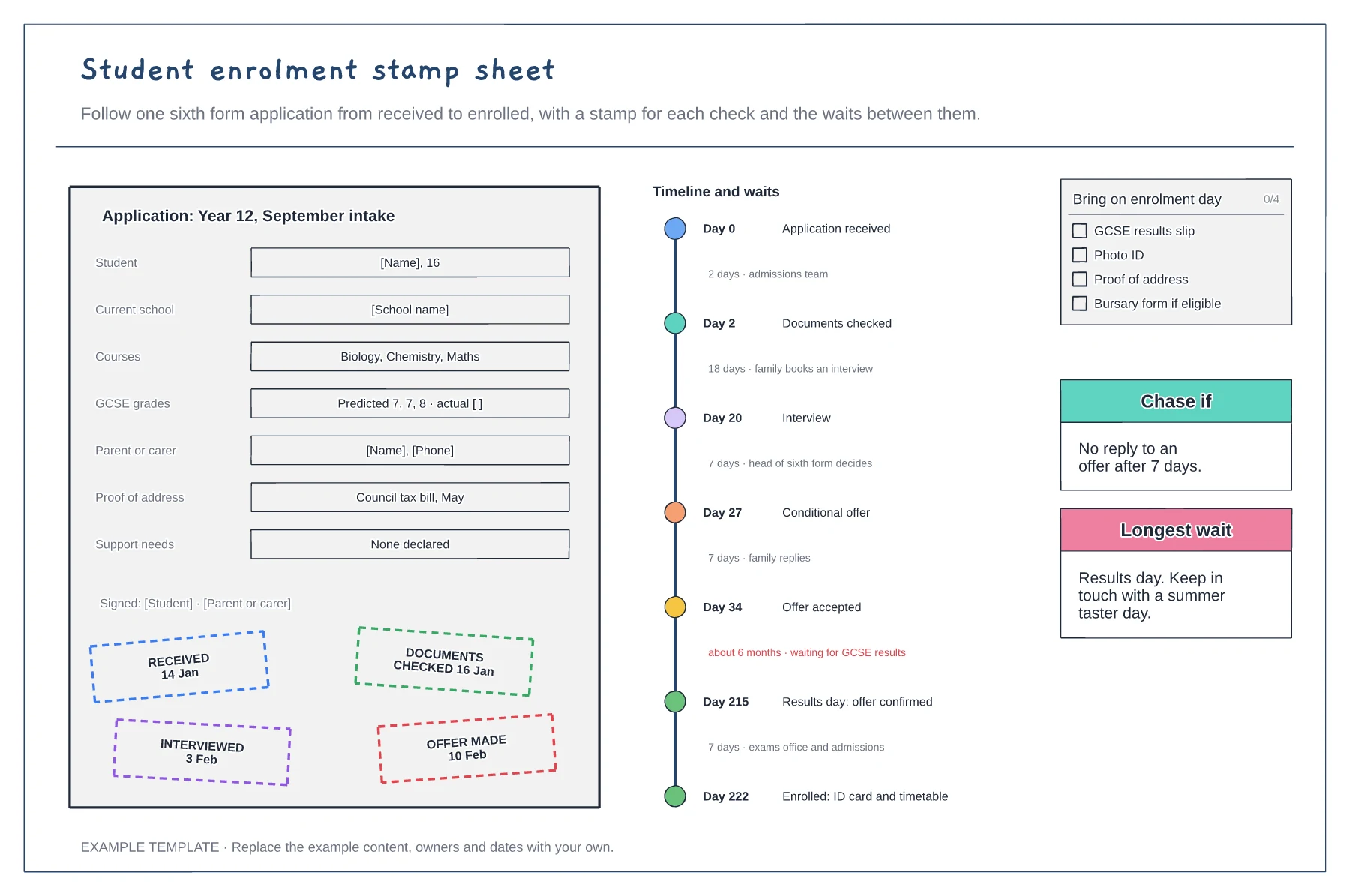
Application form with a stamp per check · Timeline of waits and who holds it · Enrolment day checklist
Preview and use template →