Agriculture and food
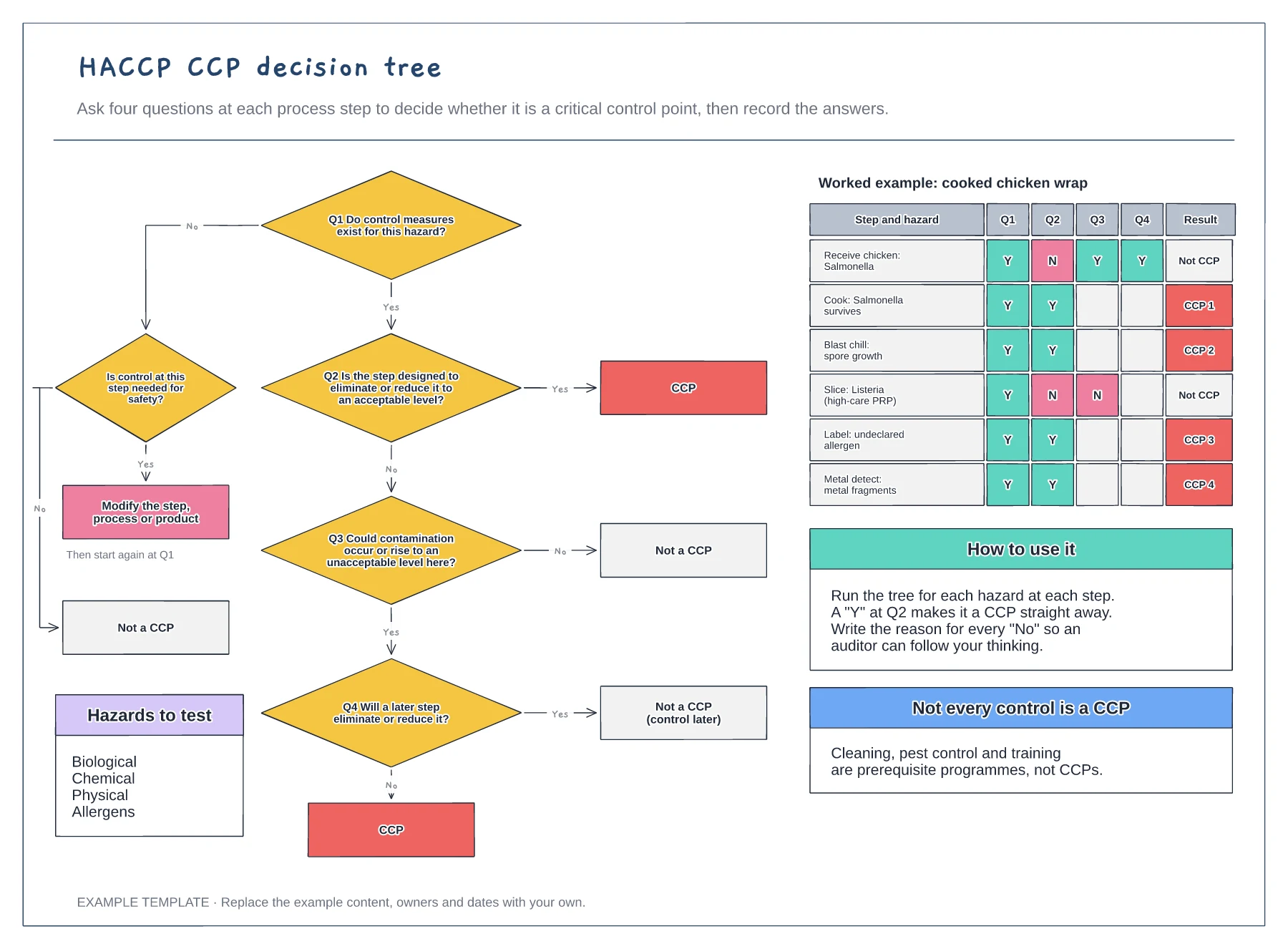
HACCP CCP decision tree template
Four questions with yes and no branches · Leaf outcomes: CCP, not a CCP or modify the step · A worked table of steps, hazards and answers
Preview and use template →A HACCP flow diagram is the map your hazard analysis is built on. This example follows a cooked chicken wrap down a single column of numbered steps, from receiving raw chicken to chilled dispatch, with raw materials and packaging joining at the step where they enter, rejects leaving the line and four critical control points flagged in red with their critical limit, monitoring and corrective action.
This is a planning example, not food-safety advice or a HACCP plan. Follow your local food-safety law and an approved HACCP plan.
No account needed · Opens as your own editable page
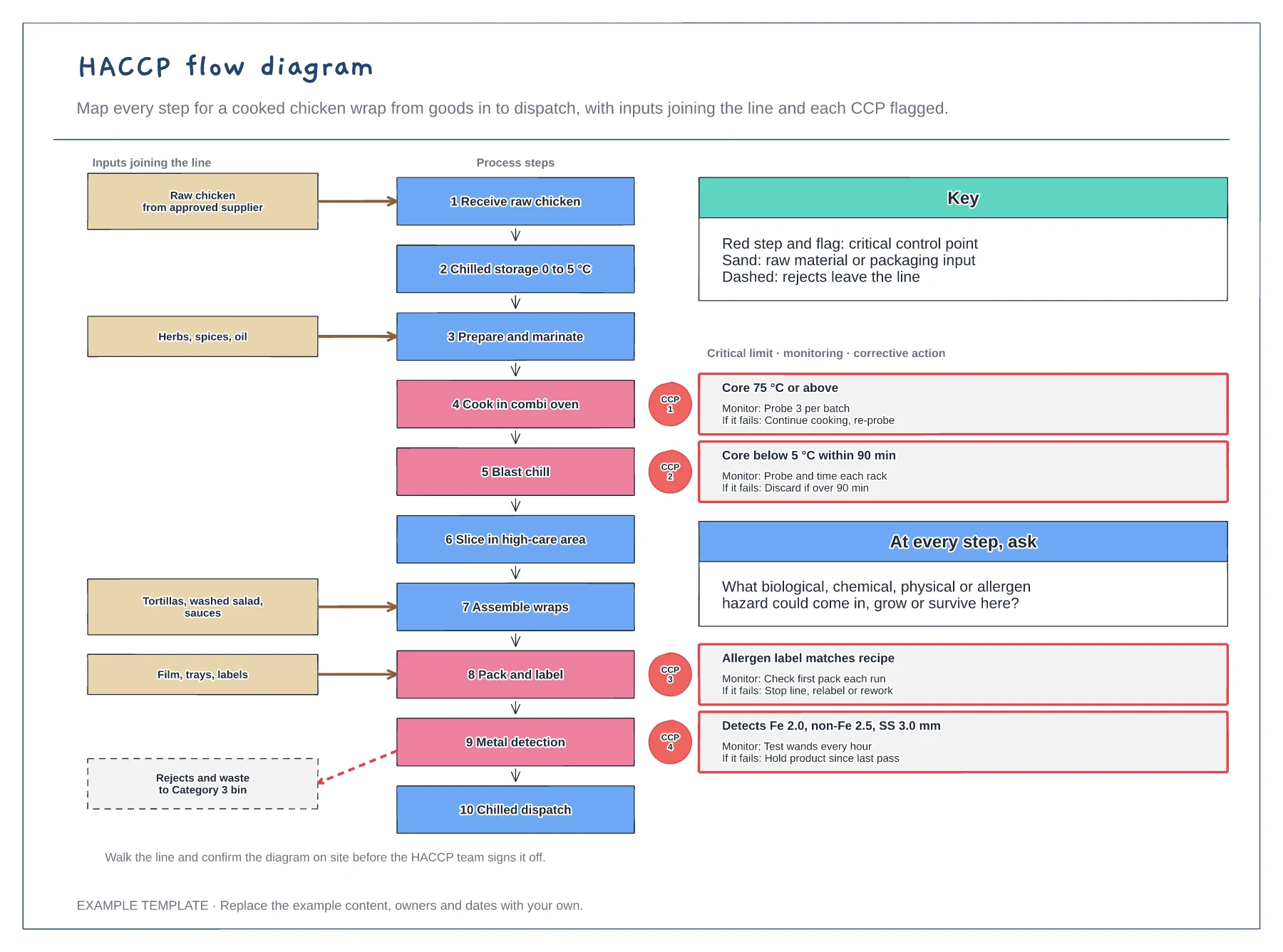
Write each step as a short action, numbered top to bottom. Include storage, waiting and rework, not just the busy steps.
Show where each ingredient and packaging item enters the line and where rejects and waste leave it, so no hazard source is missed.
Once the hazard analysis is done, mark each critical control point and note its critical limit, how it is monitored and what happens if it fails.
Yes. Rename the ten process steps, add or remove boxes and move the red CCP flags to the steps your own hazard analysis identifies.
No. Open the template and edit it in your browser. Your work saves on this device. An account is optional if you want to sync your workspace.
Yes. Use Export in the editor to save a PNG, SVG or PDF, or download an editable .epicdraw backup.
Four questions with yes and no branches · Leaf outcomes: CCP, not a CCP or modify the step · A worked table of steps, hazards and answers
Preview and use template →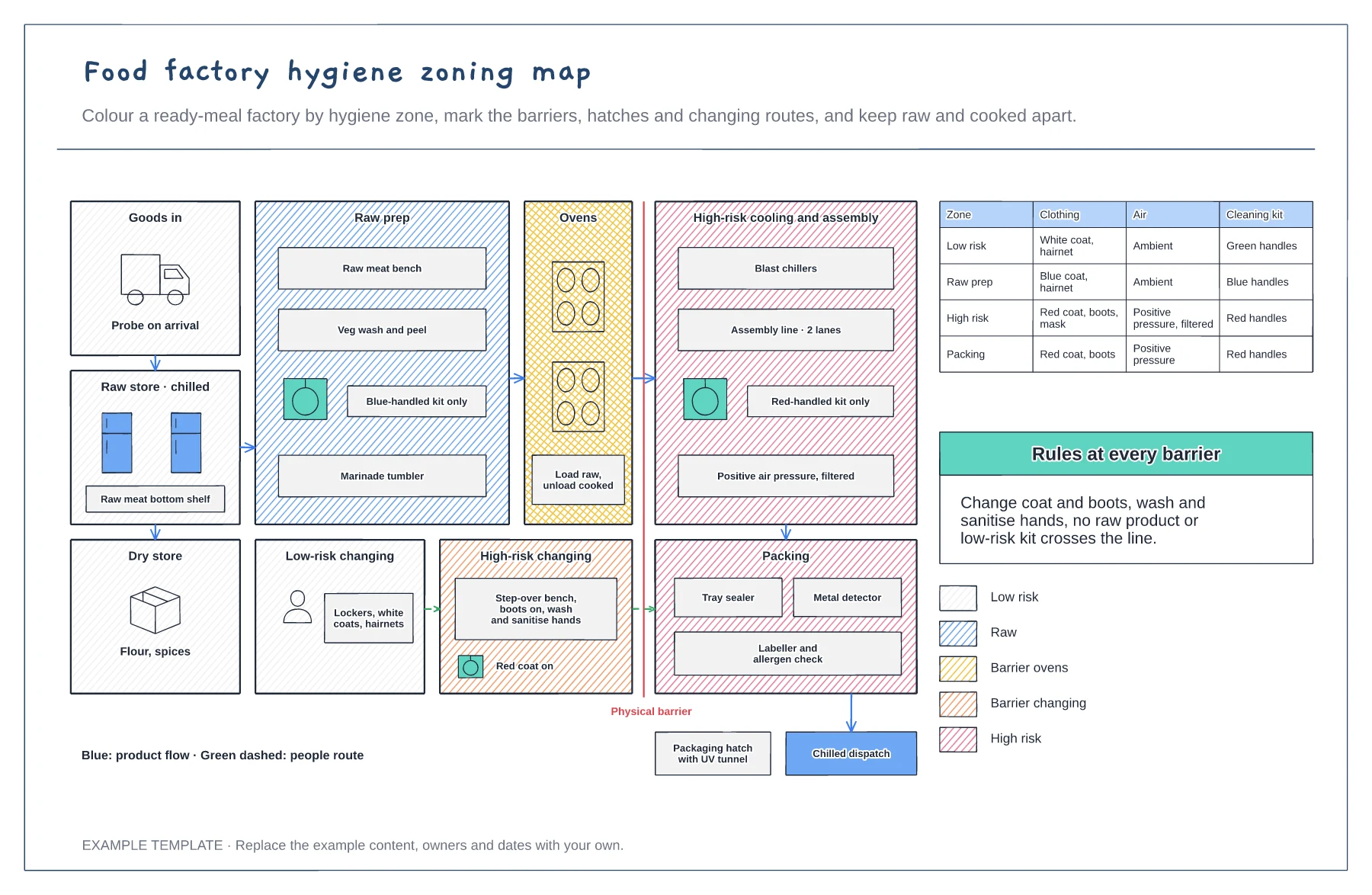
Zones shaded by hygiene risk · Barrier ovens, changing rooms and hatches · Clothing, air and cleaning rules per zone
Preview and use template →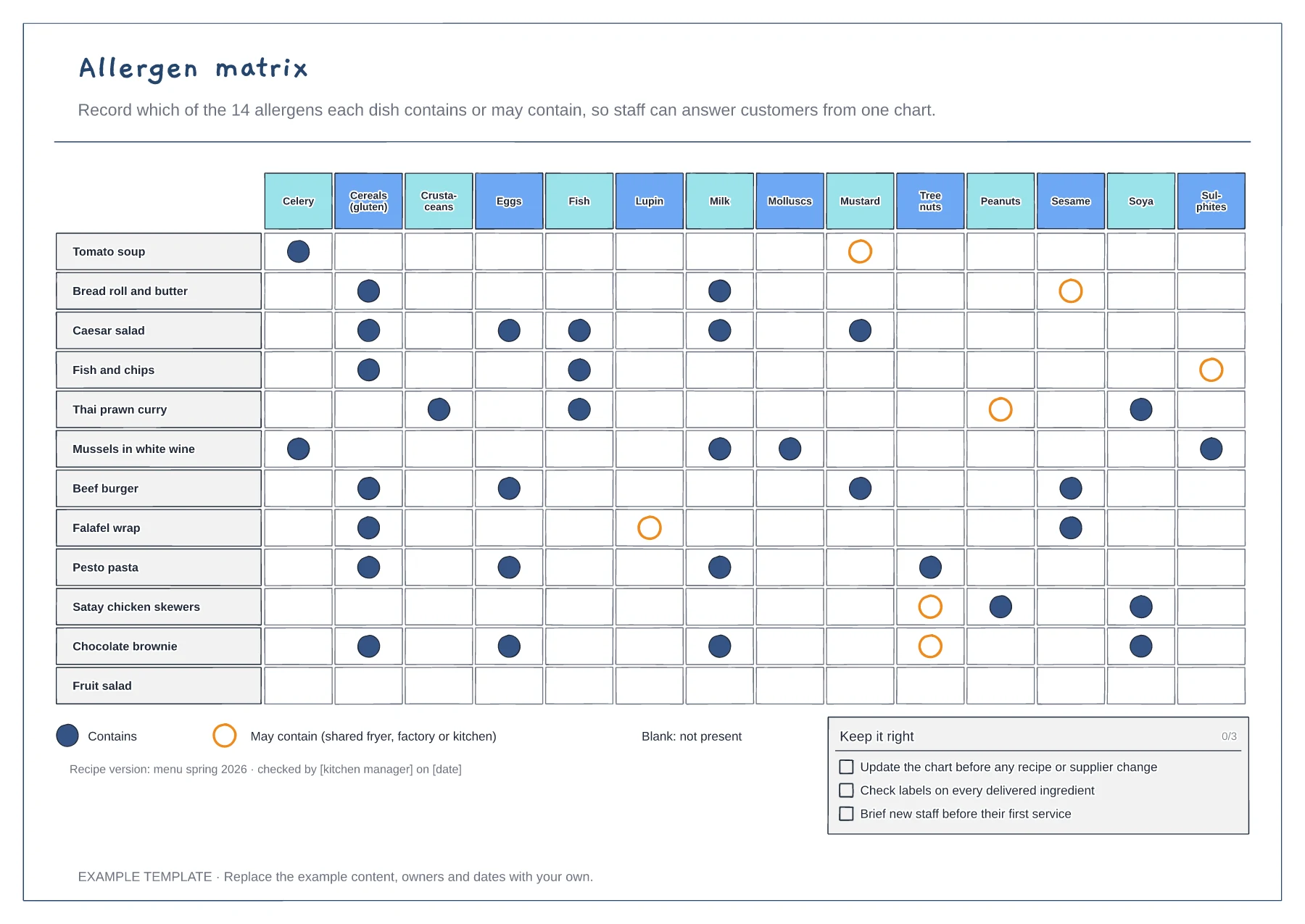
Twelve dishes against the 14 UK allergens · Contains and may contain symbols · Recipe version, sign-off and upkeep checklist
Preview and use template →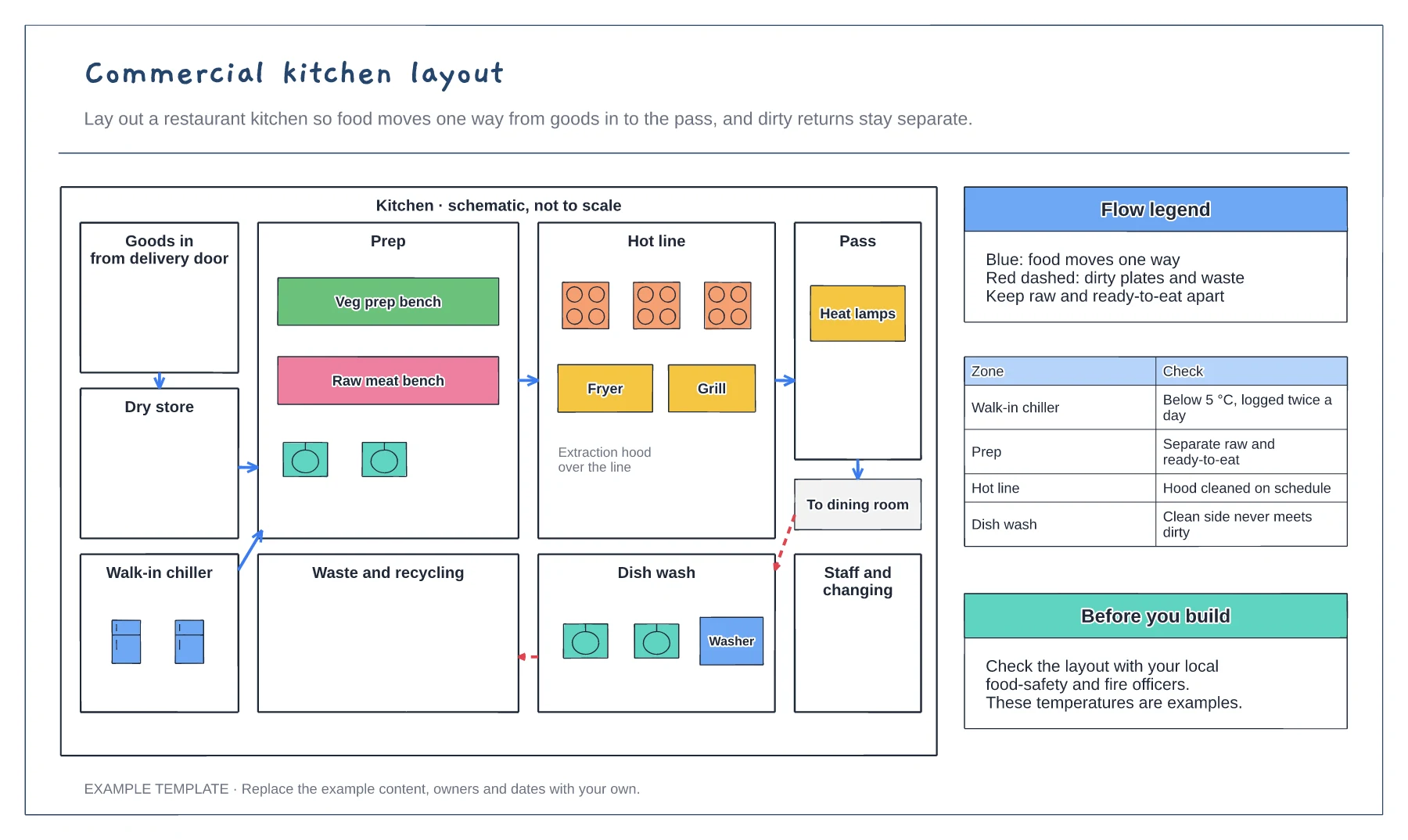
Storage, prep, hot line and pass zones · One-way food flow arrows · Separate route for dirty returns and waste
Preview and use template →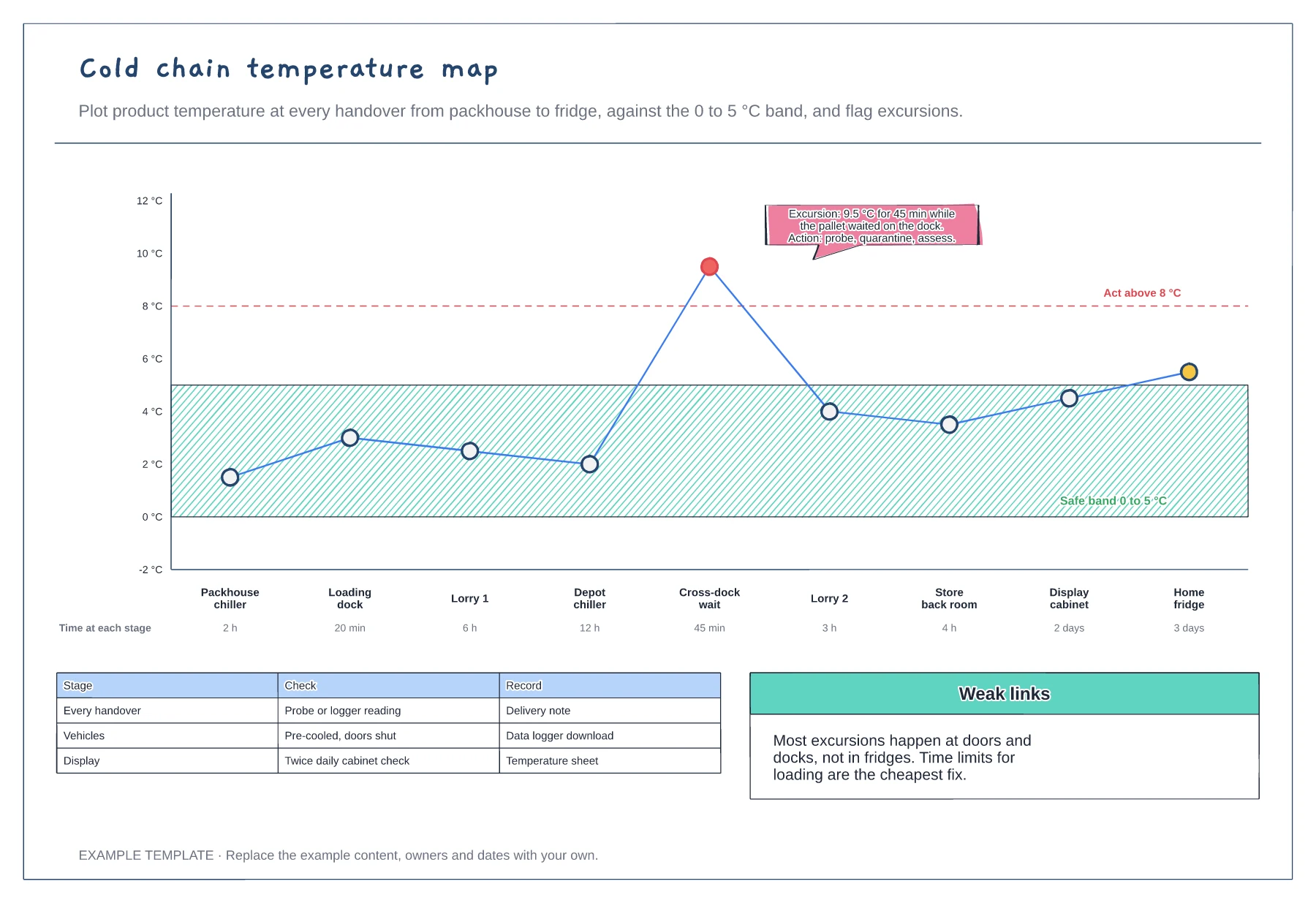
A temperature trace through nine stages · Safe band, action line and a flagged excursion · Time at each stage and the checks at handovers
Preview and use template →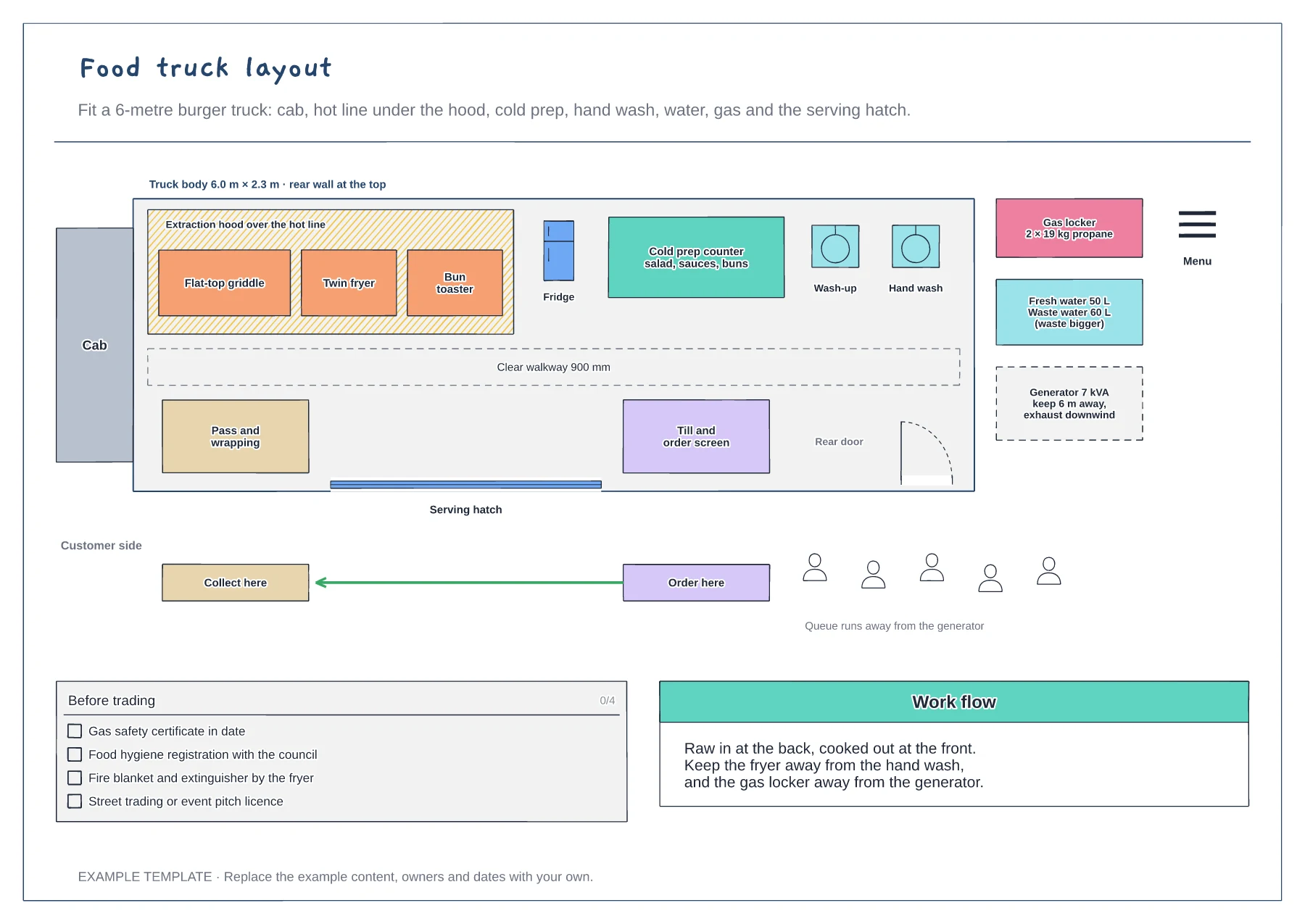
Top-down plan of a 6-metre truck · Hot line, cold prep, sinks and walkway · Gas, water, generator and the customer side
Preview and use template →