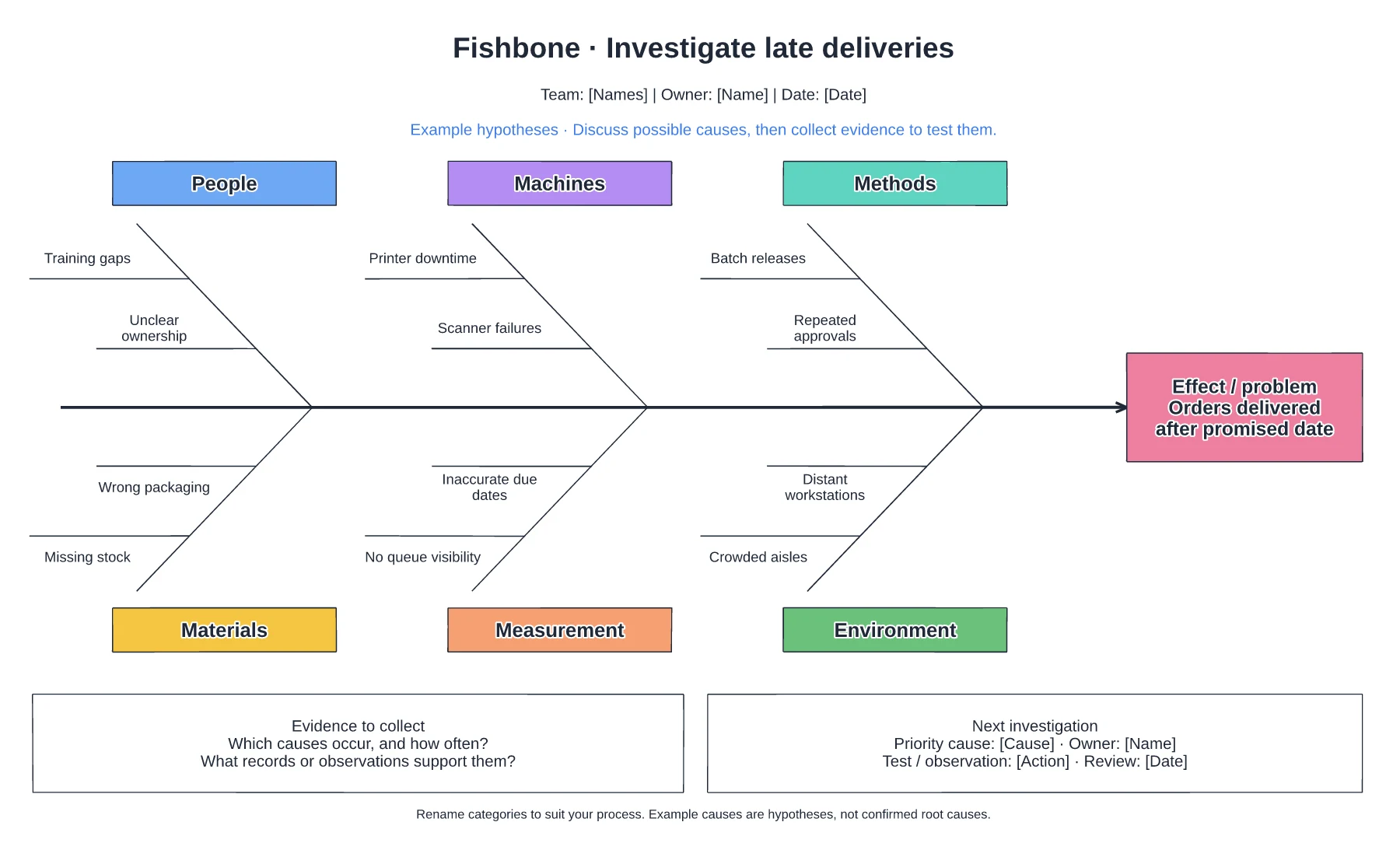
Improvement
Late delivery delay waterfall template
Promise-to-delivery waterfall · Hours added by each stage · Share of late orders and owners
Preview and use template →Turnover usually has a pattern: people leave at a certain point, for a few repeated reasons, from a few teams. This board shows leavers by length of service, groups exit interview comments into themes with real quotes and compares turnover across teams, so the fix you choose matches the problem you actually have.
No account needed · Opens as your own editable page
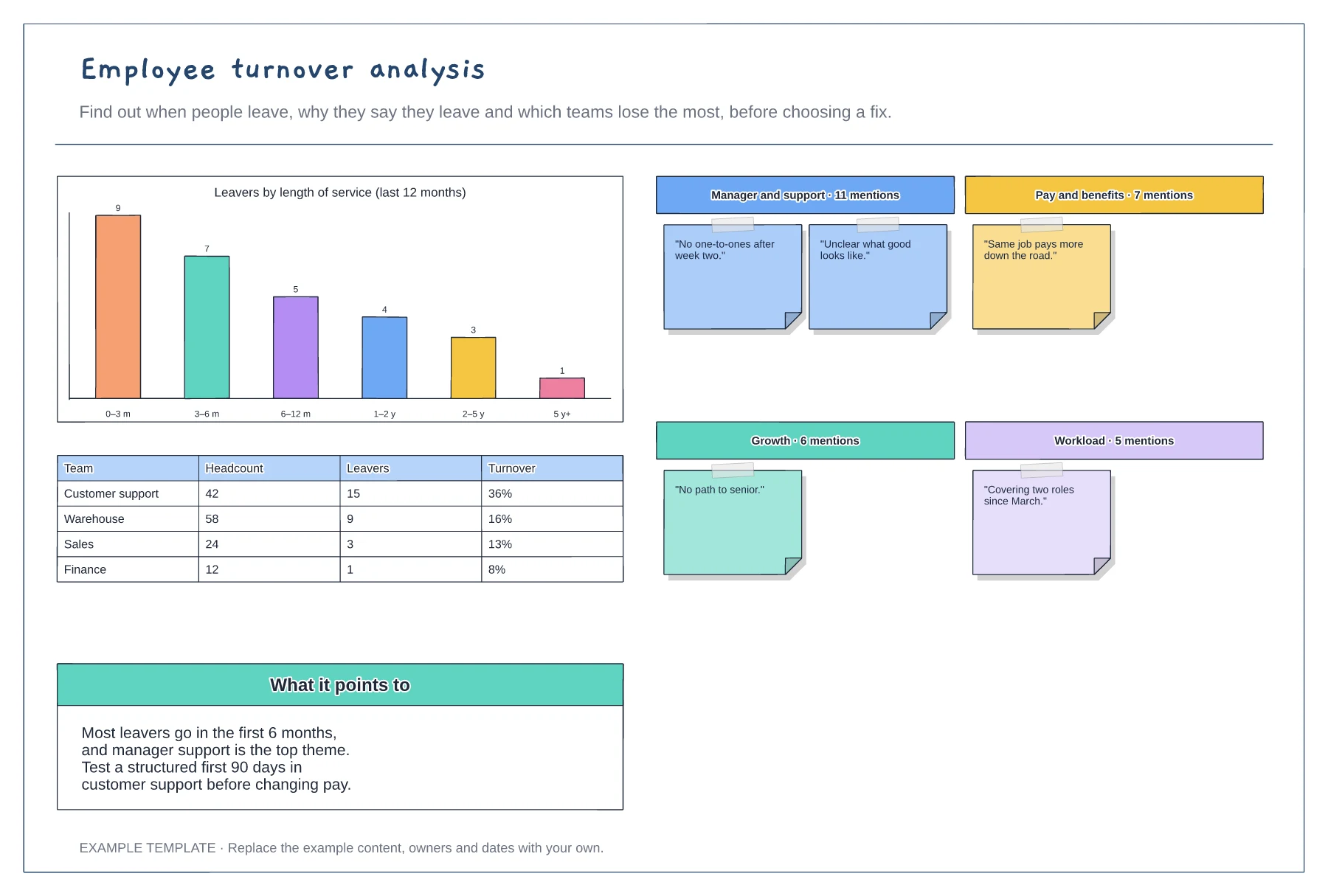
Count leavers by length of service for the last year. A peak in the first months points to hiring and onboarding, not pay.
Read exit interviews and group comments into a few themes. Count the mentions and keep one or two quotes for each.
Calculate turnover for each team. If one team stands out, look at what is different there before changing anything company-wide.
Yes. Swap in your own exit interview themes and quotes, and update the leavers by length of service and turnover by team charts with your figures.
No. Open the template and edit it in your browser. Your work saves on this device. An account is optional if you want to sync your workspace.
Yes. Use Export in the editor to save a PNG, SVG or PDF, or download an editable .epicdraw backup.
Promise-to-delivery waterfall · Hours added by each stage · Share of late orders and owners
Preview and use template →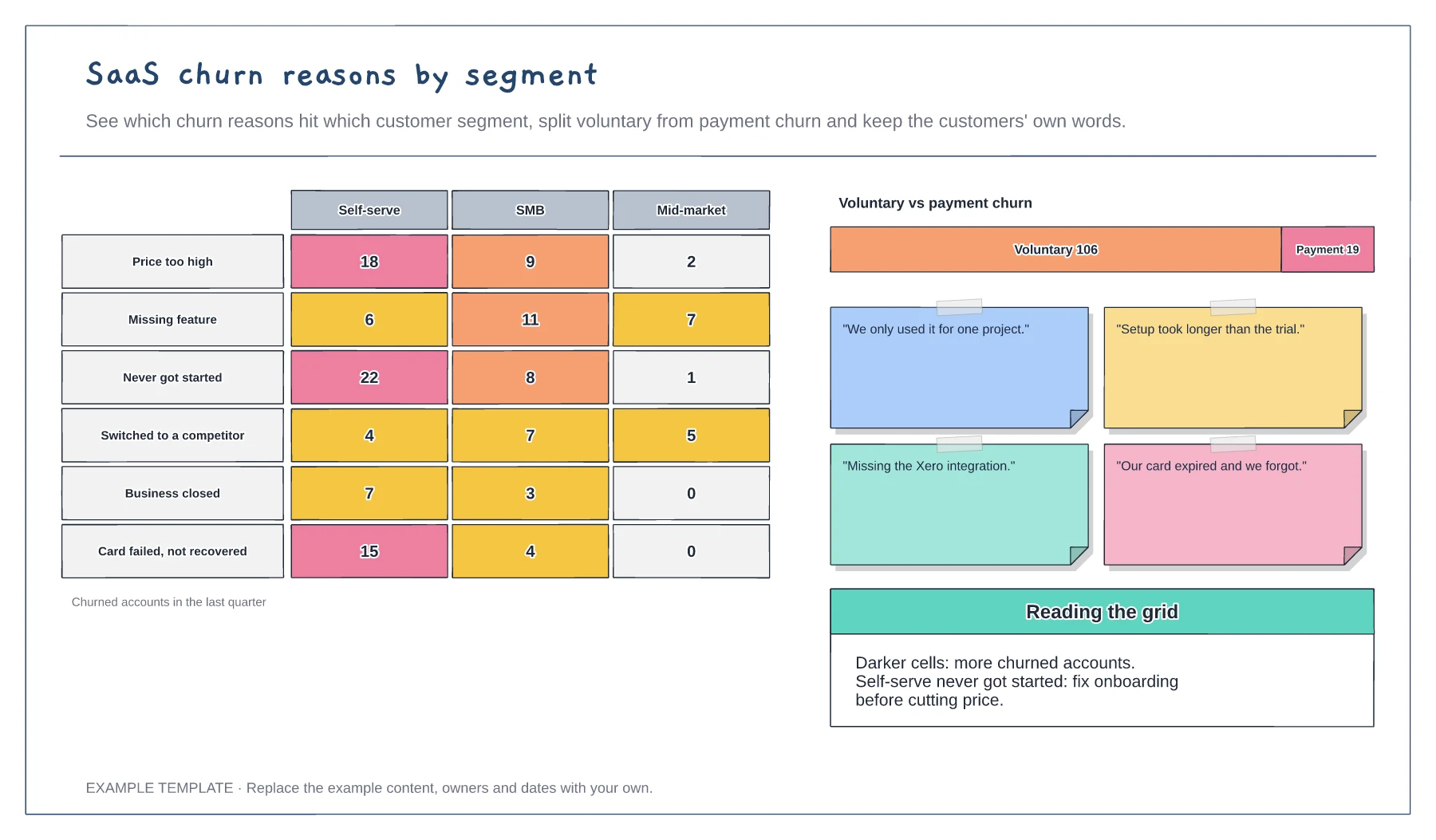
Heat grid of churn reasons by segment · Voluntary versus payment churn split · Customer quotes beside the data
Preview and use template →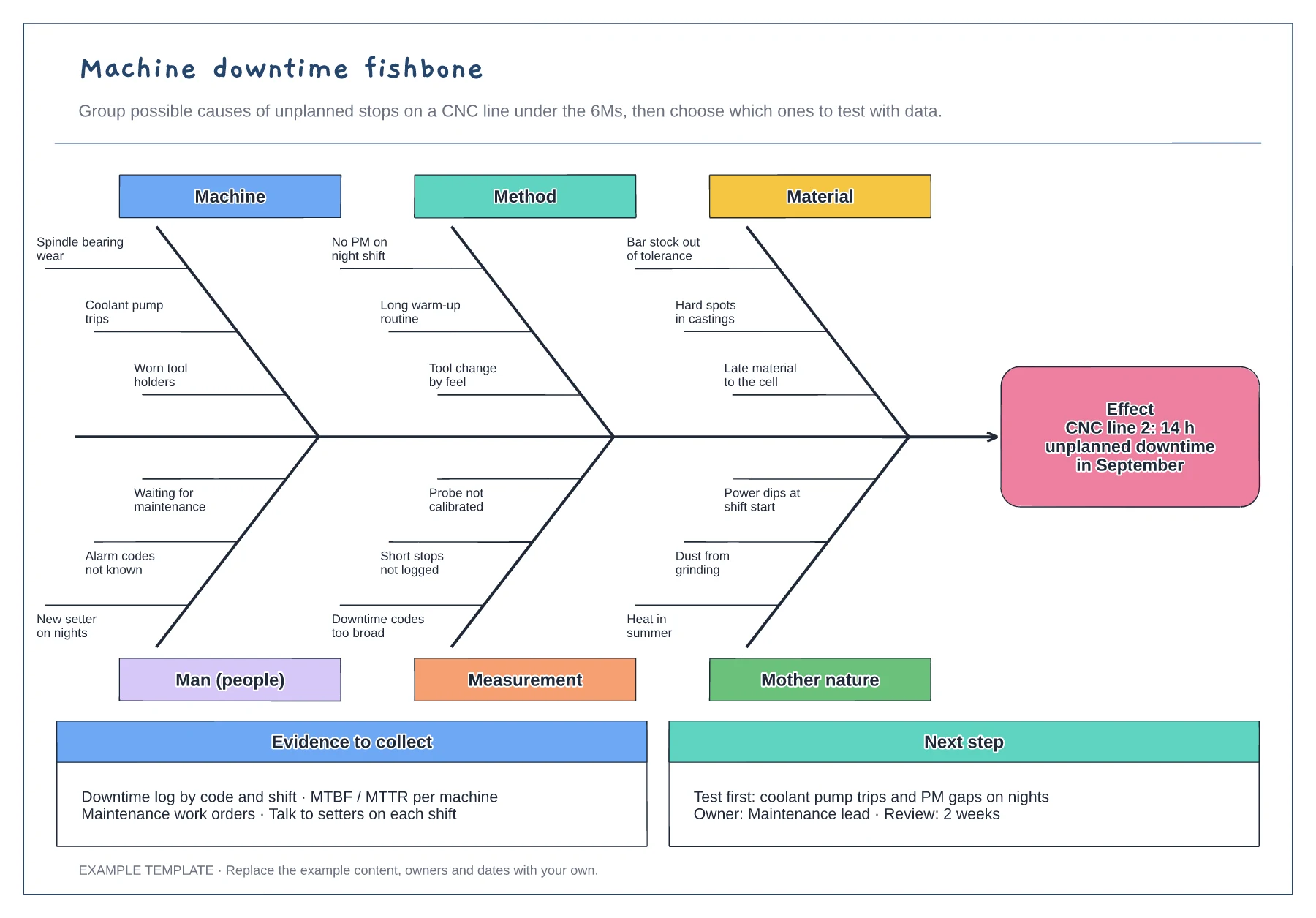
6M fishbone with three causes per bone · Downtime effect stated with hours lost · Evidence list and next test with an owner
Preview and use template →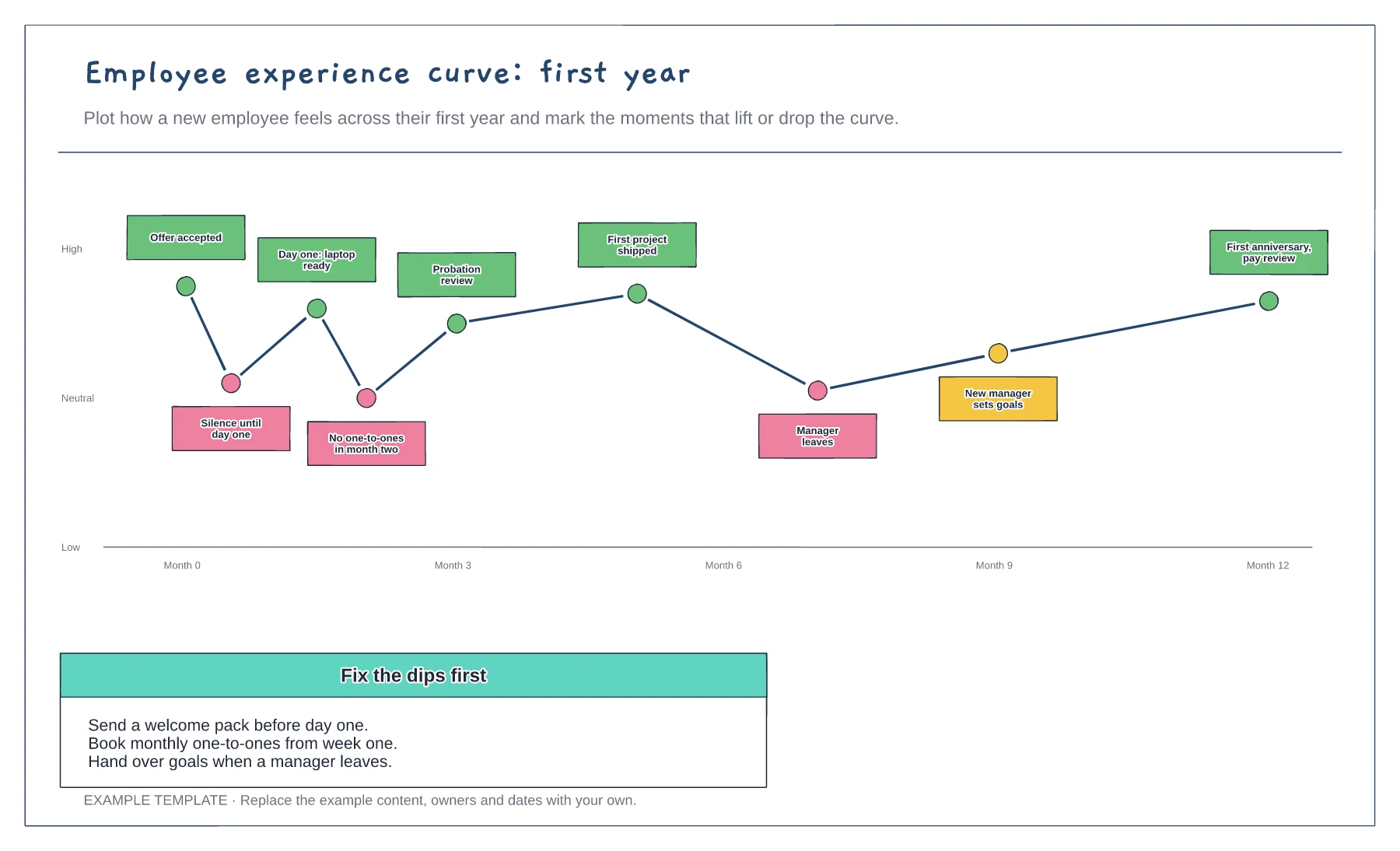
Feeling curve over the first year · Moments that lift or drop it · Fixes for the dips
Preview and use template →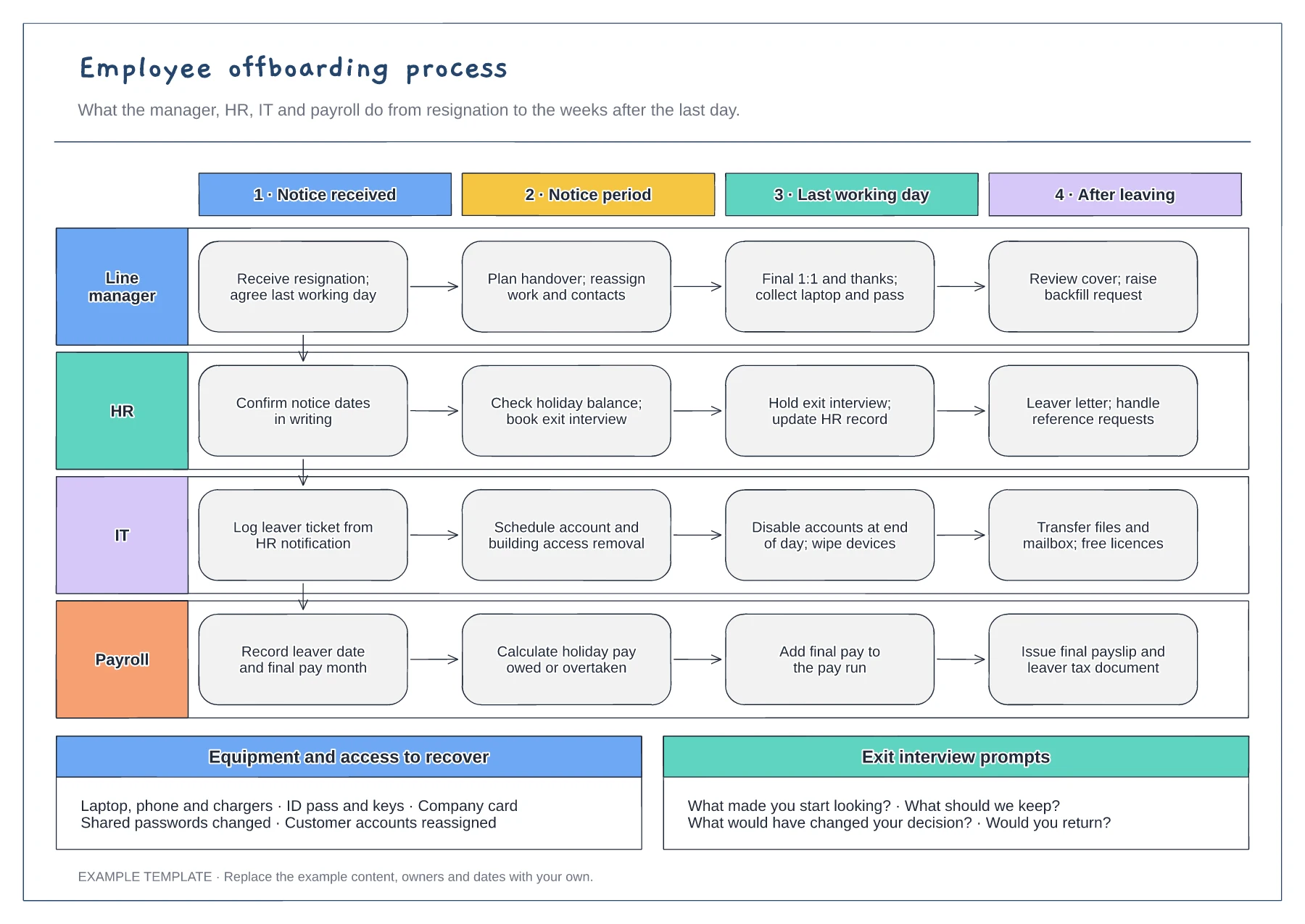
Manager, HR, IT and payroll lanes · Four stages from notice to after leaving · Equipment checklist and exit questions
Preview and use template →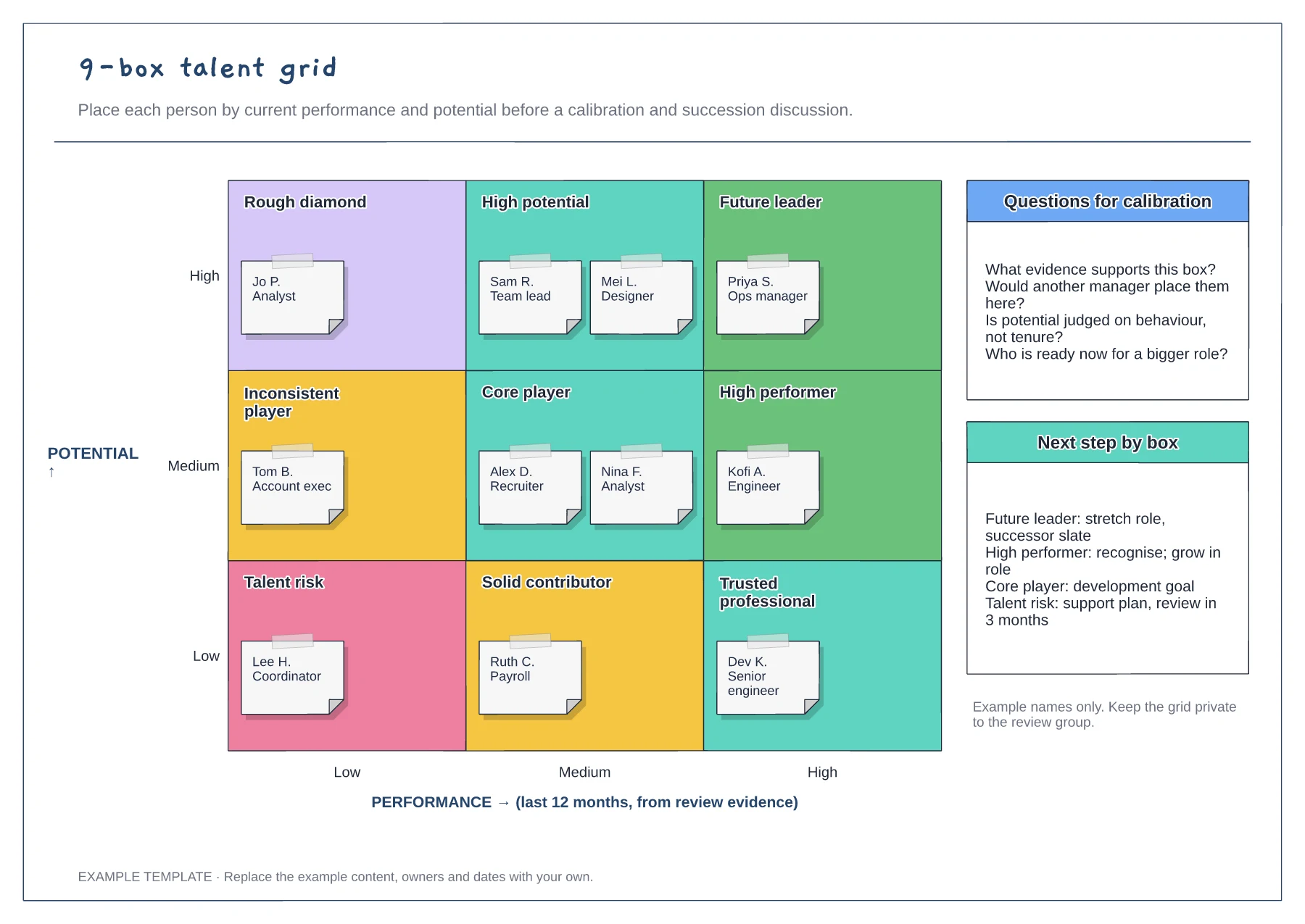
Performance and potential axes · Nine labelled cells with employee notes · Calibration questions and next steps
Preview and use template →