Nonprofit
Donor pyramid and gift range chart template
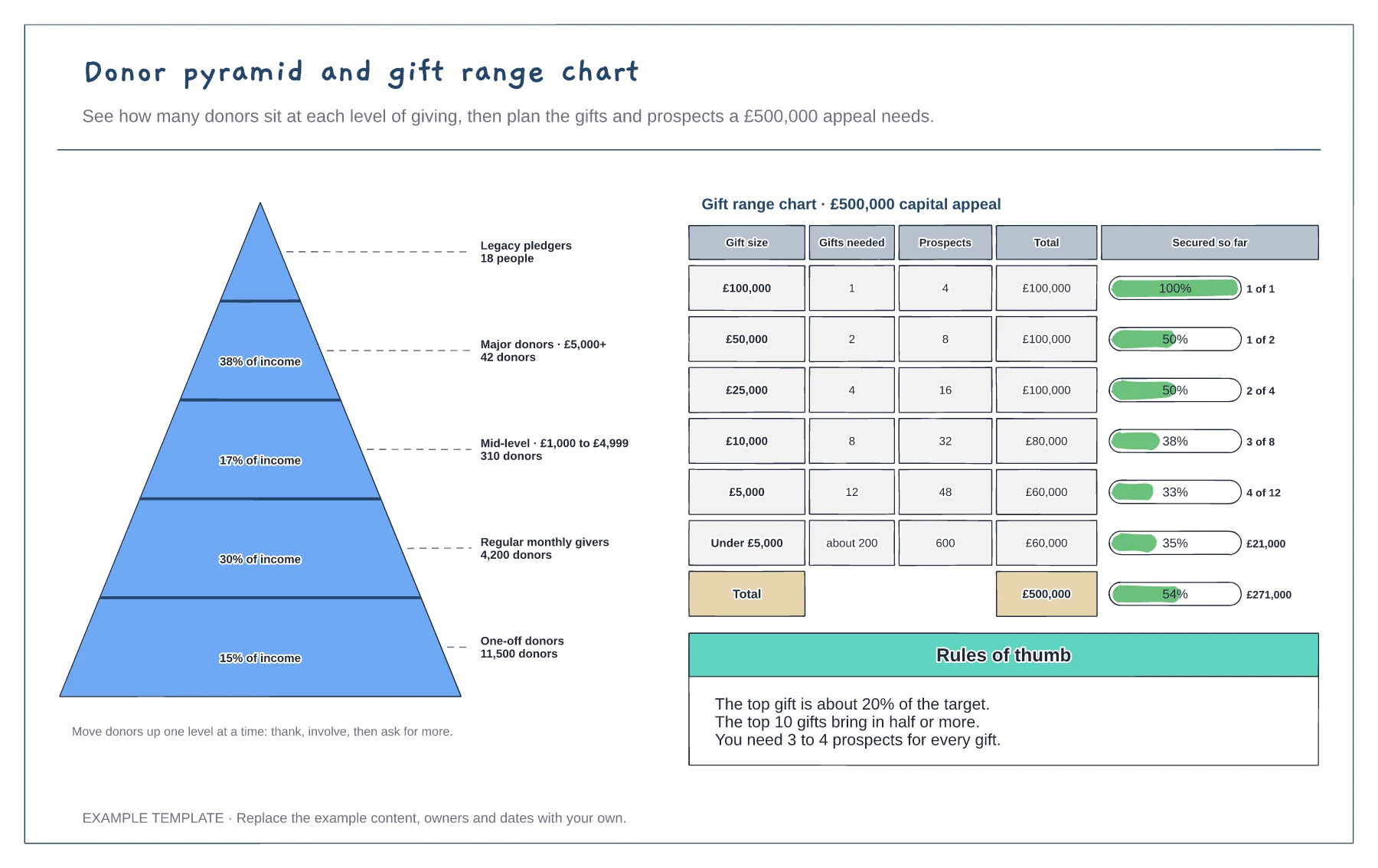
Five-level donor pyramid with share of income · Gift range chart with gifts and prospects needed · Progress bars for gifts secured
Preview and use template →Every gift needs to be banked, recorded and thanked quickly, and the first 90 days decide whether a donor gives again. This board puts the gift at the centre of a dial and follows it clockwise through nine timed steps, from banking and CRM records in the first hours to a thank-you call at 48 hours, an impact story at 30 days and an invitation at 90 days. A table sets the thank-you for each gift size.
This is a planning example, not legal, tax or fundraising regulation advice. Check Gift Aid, data protection and fundraising rules where you work.
No account needed · Opens as your own editable page
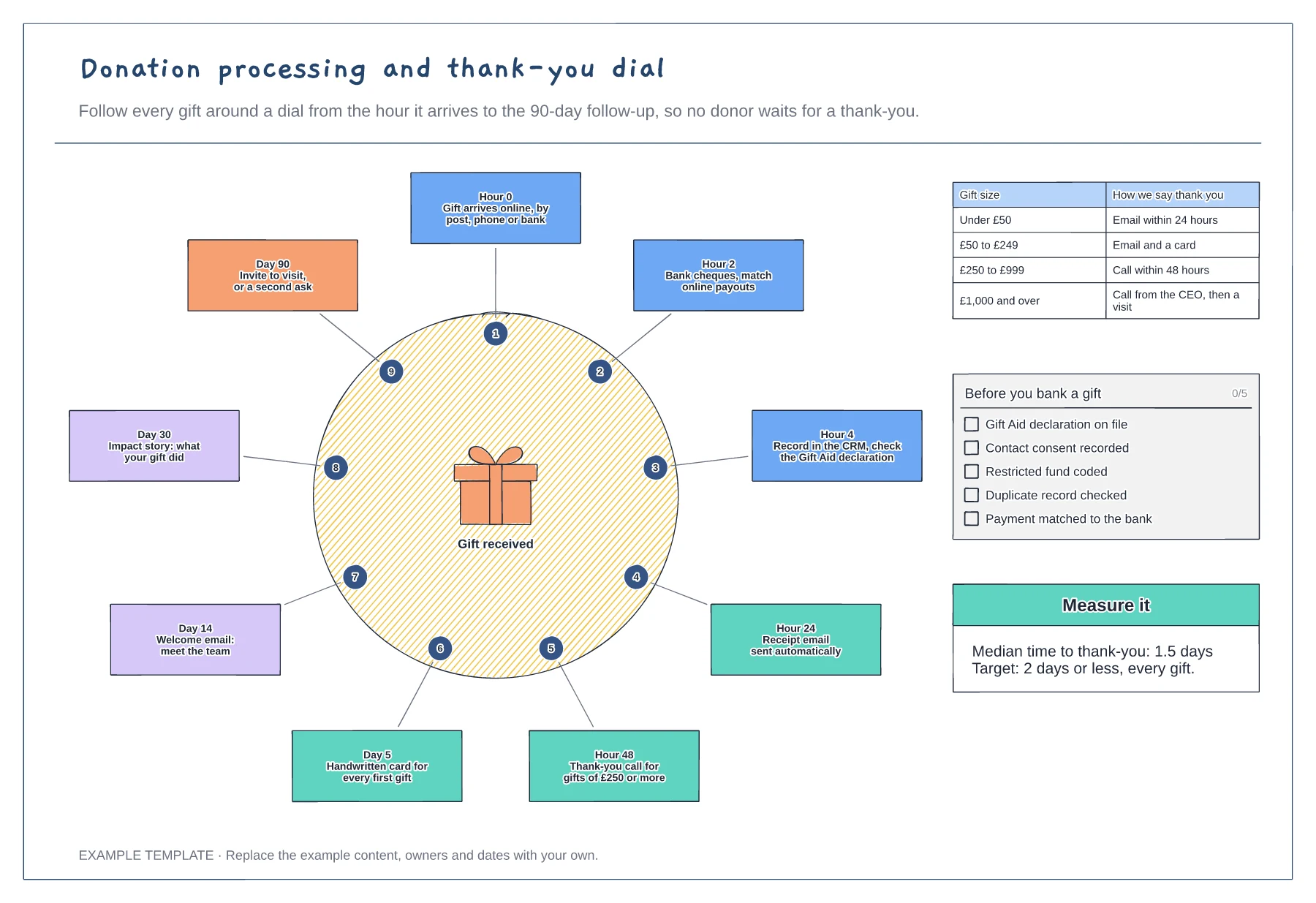
Agree how quickly each step happens, from banking to the first thank-you, and put the times on the dial.
Decide who thanks which gifts and how, from an automatic email to a call from the chief executive.
Confirm the Gift Aid declaration, consent and any restriction before the gift is coded, so reports and claims are right first time.
Yes. Edit the hour or day on each of the nine stages to match your own process, and update the target in the measure it box.
No. Open the template and edit it in your browser. Your work saves on this device. An account is optional if you want to sync your workspace.
Yes. Use Export in the editor to save a PNG, SVG or PDF, or download an editable .epicdraw backup.
Five-level donor pyramid with share of income · Gift range chart with gifts and prospects needed · Progress bars for gifts secured
Preview and use template →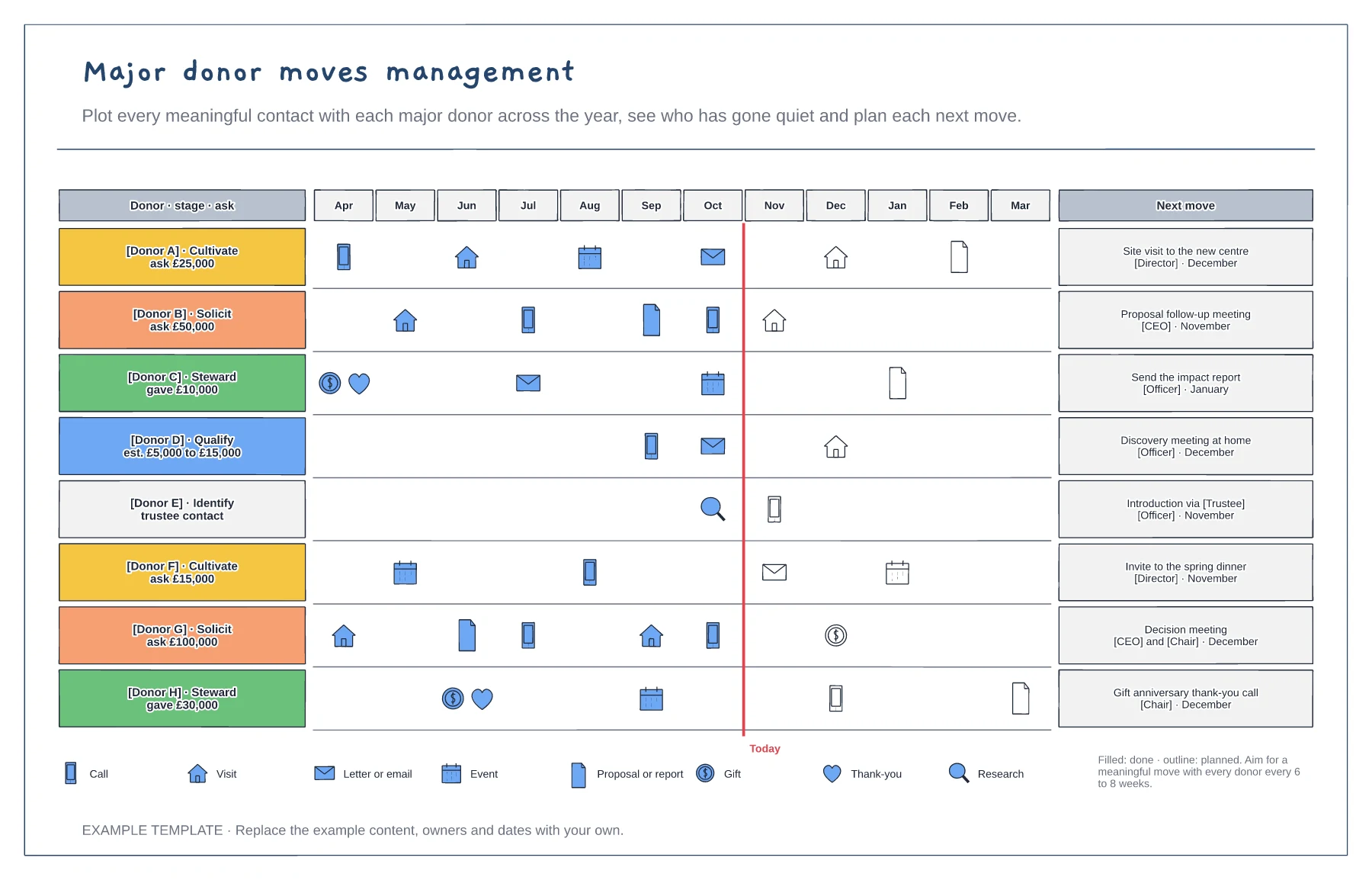
A 12-month row of moves for each donor · Stage and ask amount for every donor · A today line and named next moves
Preview and use template →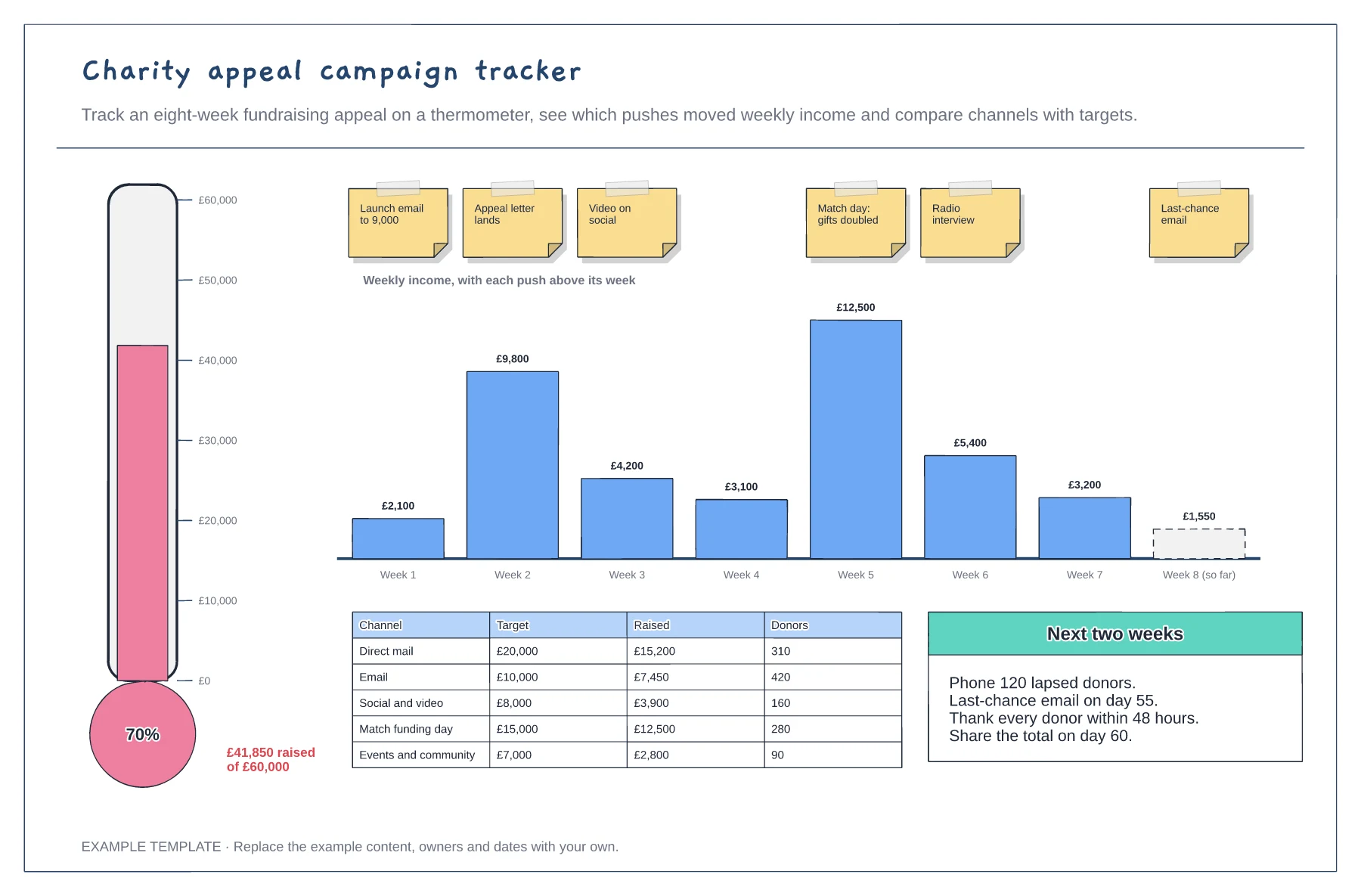
Fundraising thermometer against the target · Weekly income with each push marked · Channel results and next actions
Preview and use template →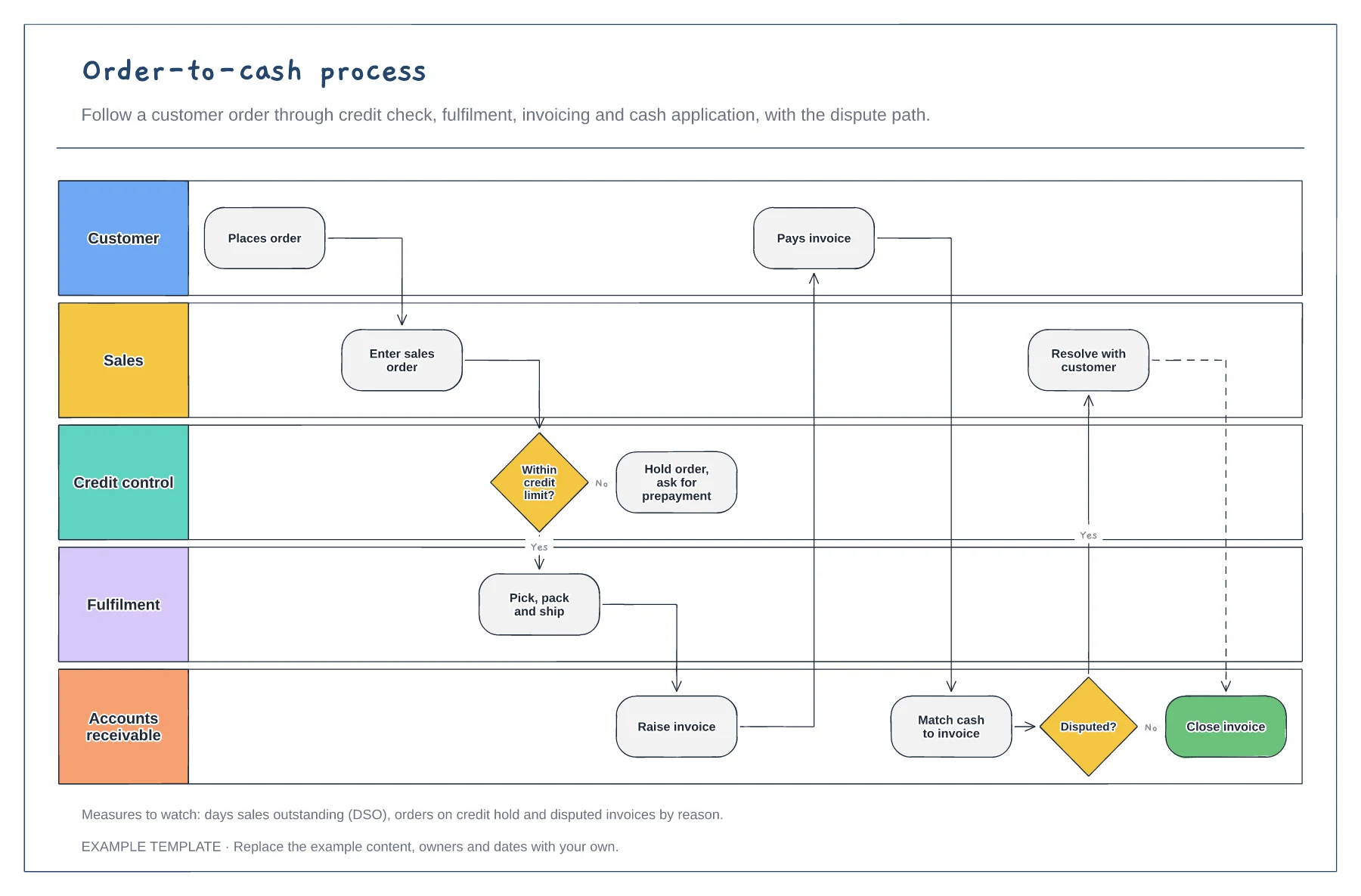
Five lanes from customer to receivables · Credit limit check and order hold · Cash matching and dispute path
Preview and use template →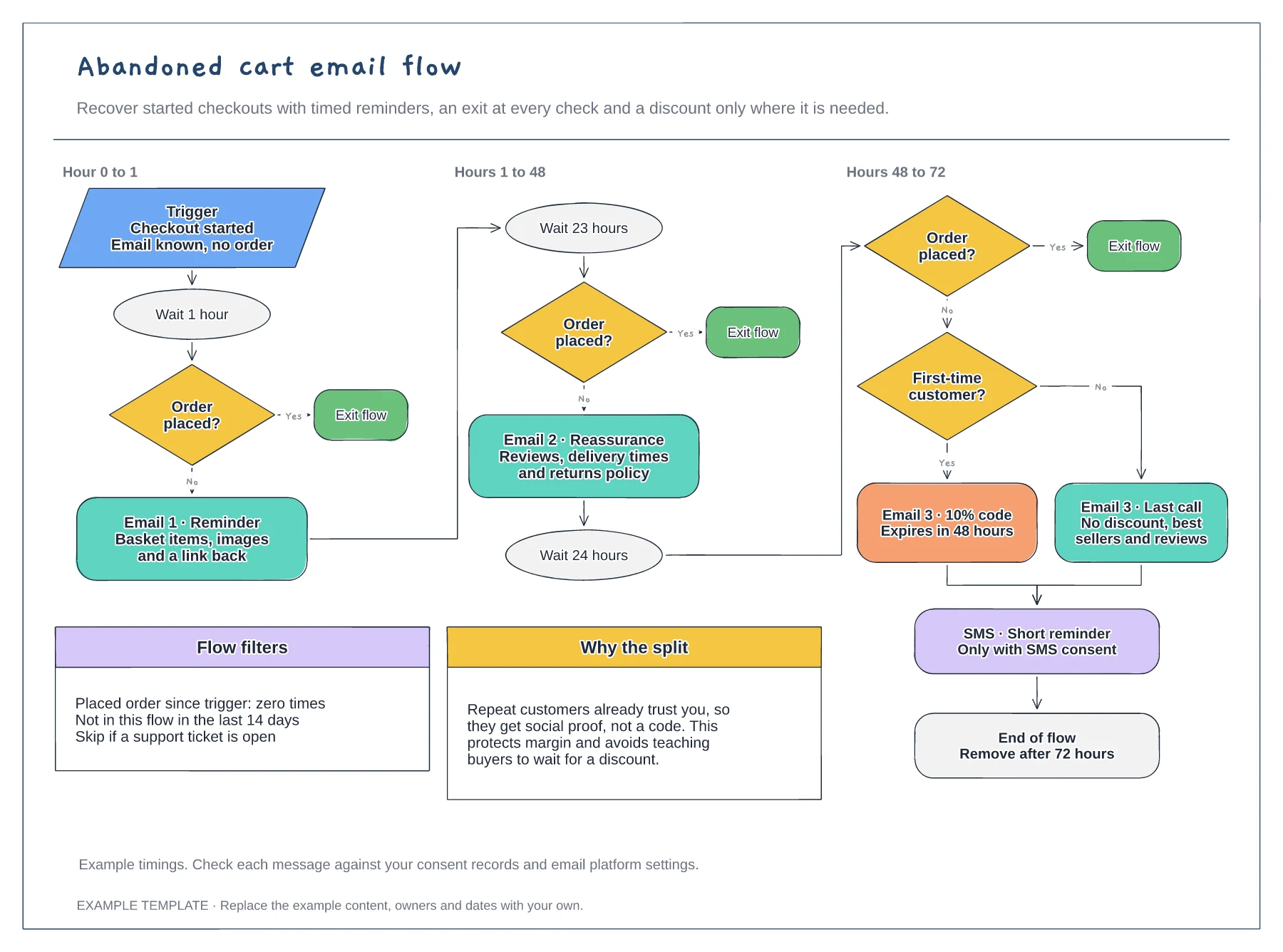
Trigger, waits and order checks · First-time buyer discount split · Flow filters and an SMS step
Preview and use template →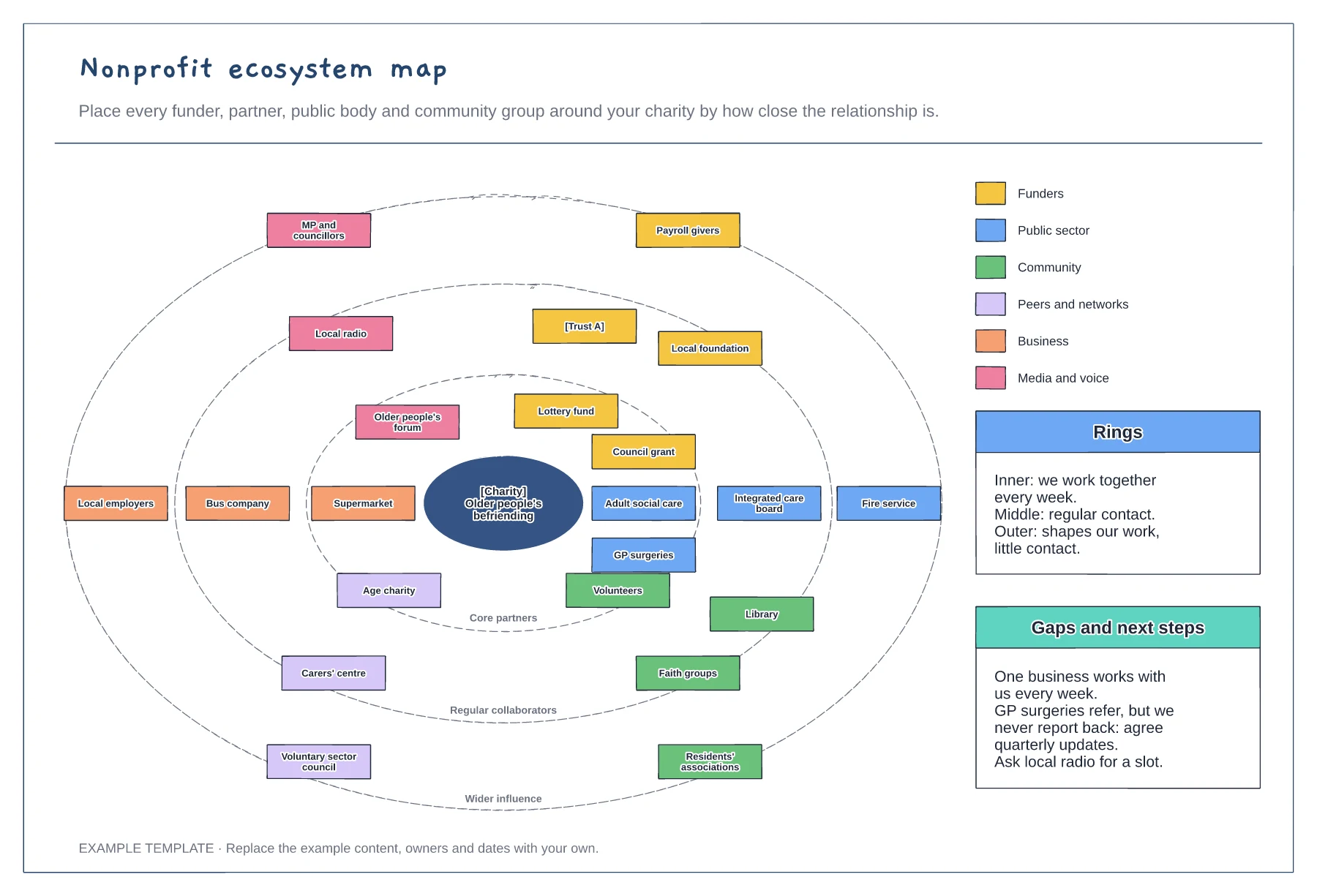
Three rings from core partners to wider influence · Organisations coloured by sector · Gaps and next steps
Preview and use template →