Nonprofit
Donor pyramid and gift range chart template
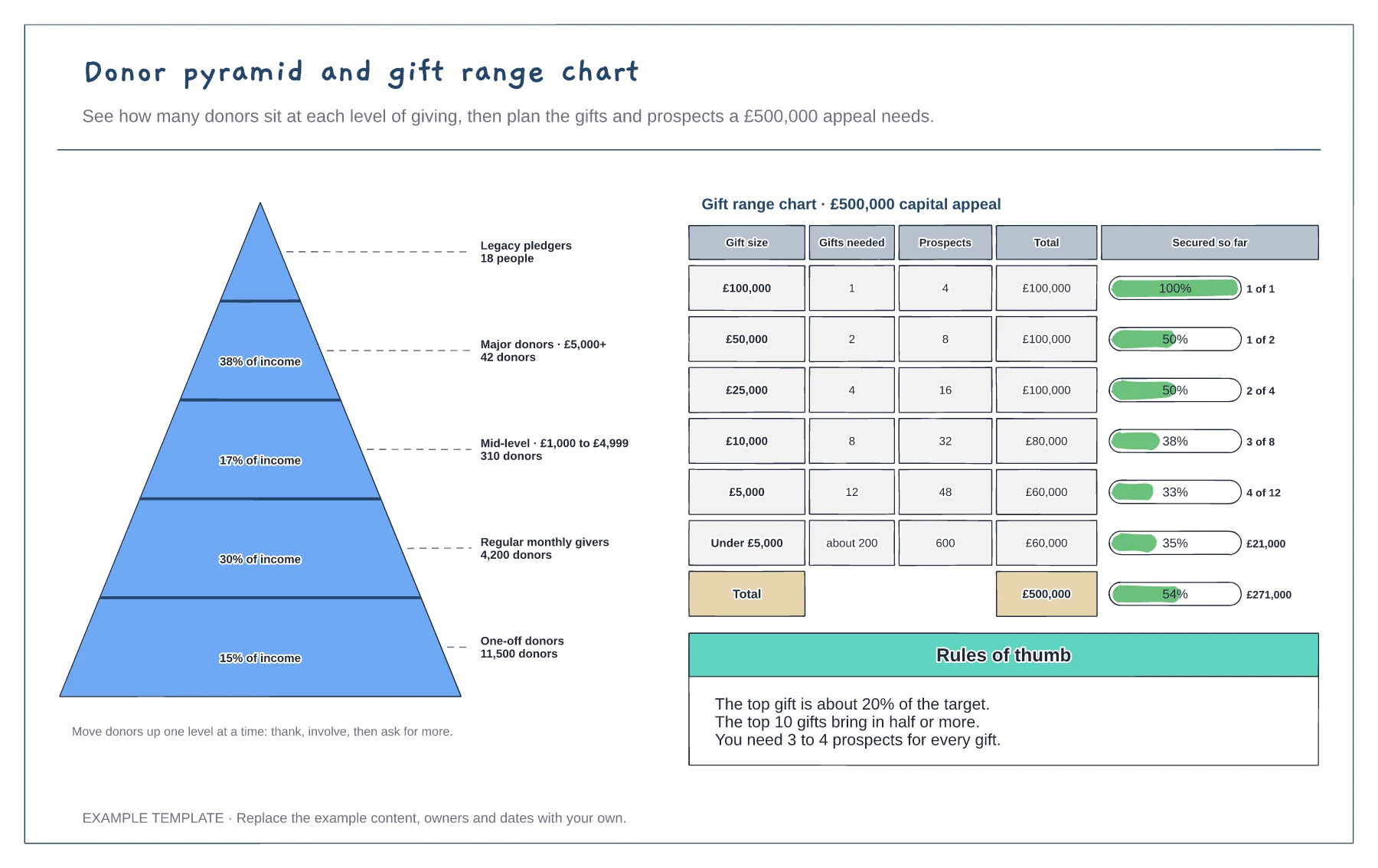
Five-level donor pyramid with share of income · Gift range chart with gifts and prospects needed · Progress bars for gifts secured
Preview and use template →Moves management means planning a series of meaningful contacts that bring each major donor closer to a gift and keep them engaged after it. This board gives each donor a row across twelve months, with icons for calls, visits, letters, events, proposals, gifts and thank-yous. Filled icons are done and outlines are planned, a red line marks today, and the last column names each donor's next move, owner and month.
This is a planning example, not legal, tax or fundraising regulation advice. Check Gift Aid, data protection and fundraising rules where you work.
No account needed · Opens as your own editable page
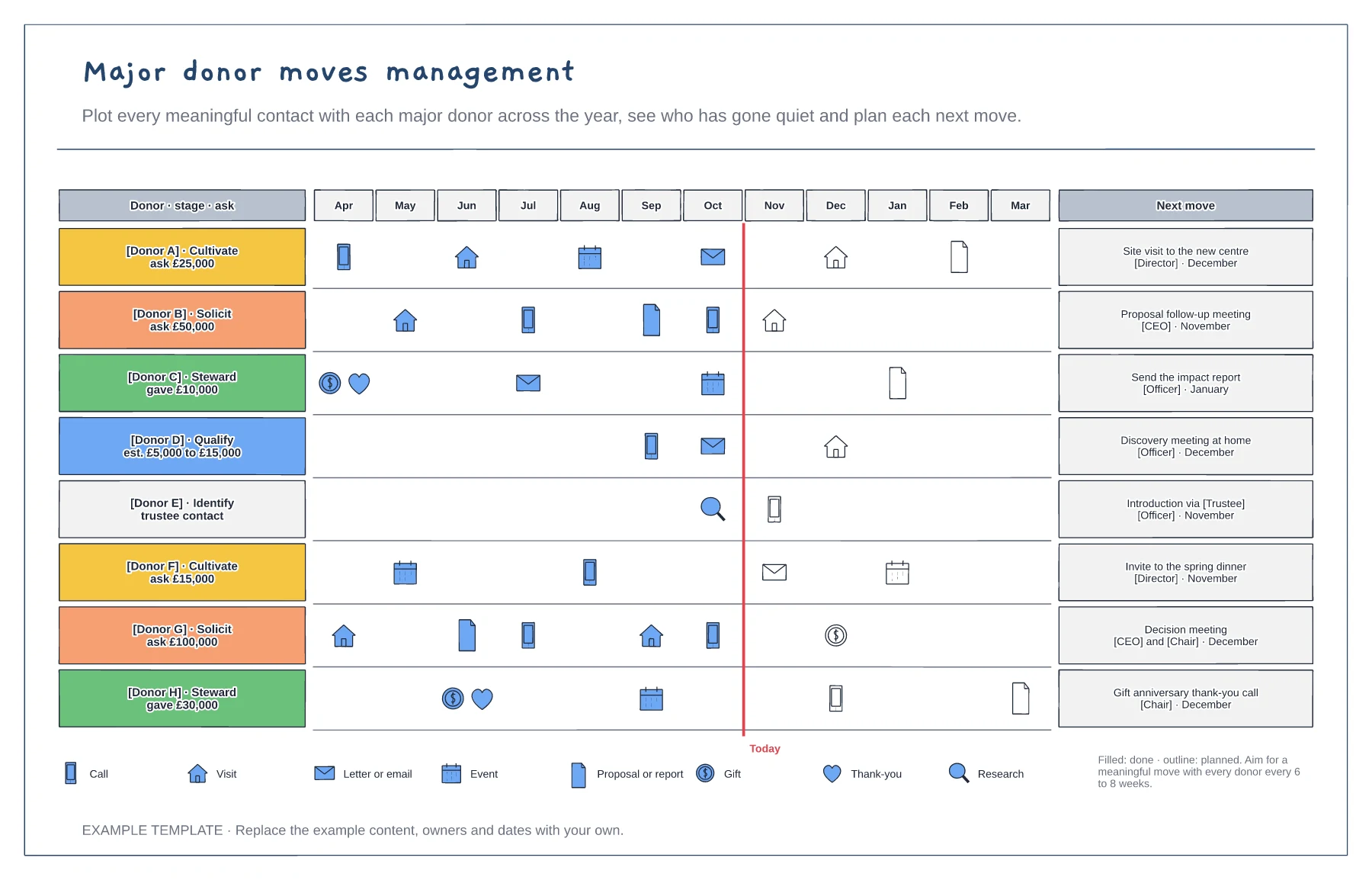
Add each major donor or prospect with their stage, from identify to steward, and the ask or gift amount.
Add every meaningful contact from the year so far. Gaps longer than two months stand out straight away.
For every donor, agree one next move with an owner and a month, and add it as a planned icon.
Filled markers are moves already done and outlines are planned ones, and the icon shows the type, such as a call, visit or proposal. Drag a marker to a new month when plans change.
No. Open the template and edit it in your browser. Your work saves on this device. An account is optional if you want to sync your workspace.
Yes. Use Export in the editor to save a PNG, SVG or PDF, or download an editable .epicdraw backup.
Five-level donor pyramid with share of income · Gift range chart with gifts and prospects needed · Progress bars for gifts secured
Preview and use template →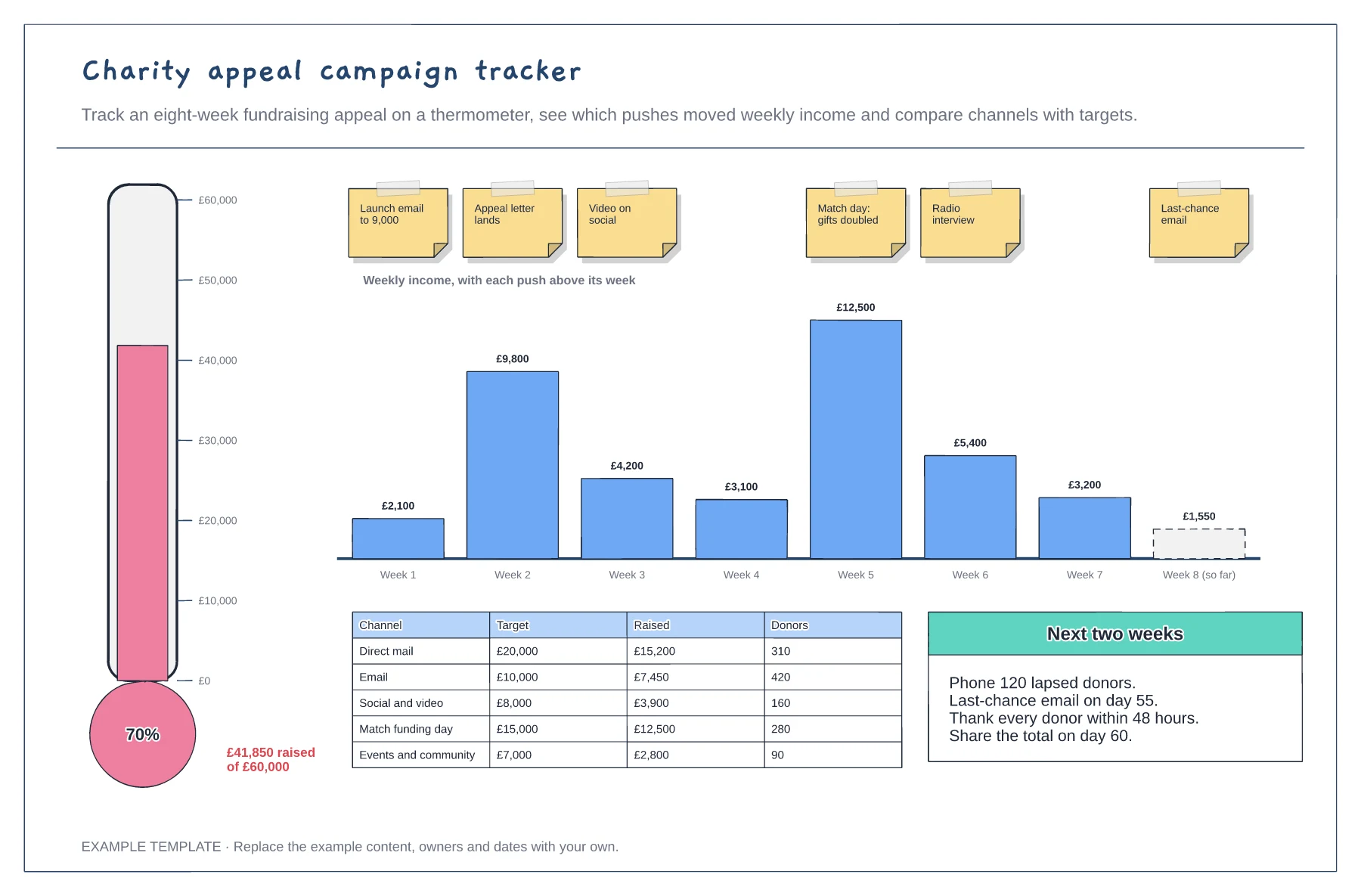
Fundraising thermometer against the target · Weekly income with each push marked · Channel results and next actions
Preview and use template →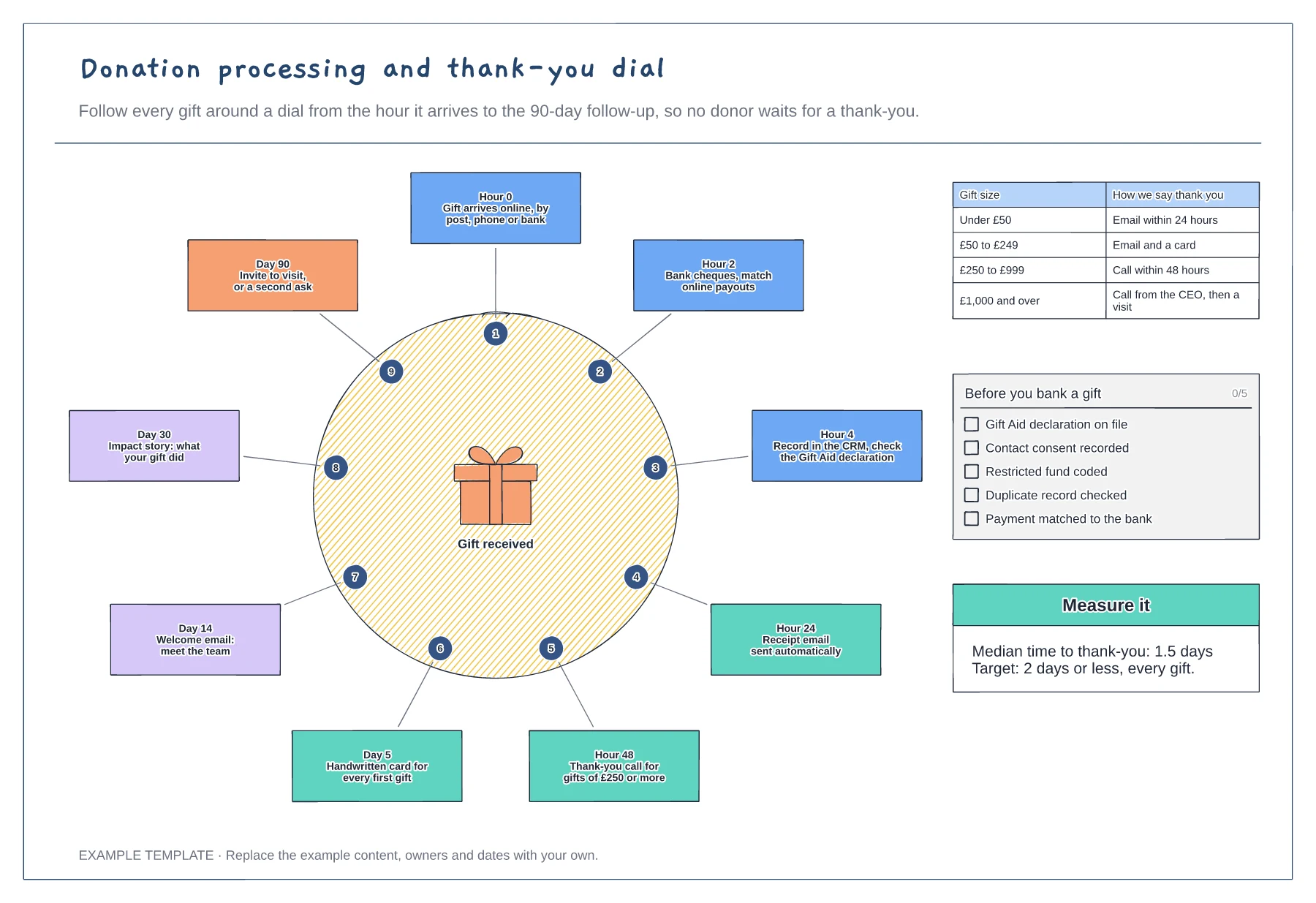
Nine timed steps around a dial · Thank-you rules by gift size · Checks before banking and a time-to-thank-you measure
Preview and use template →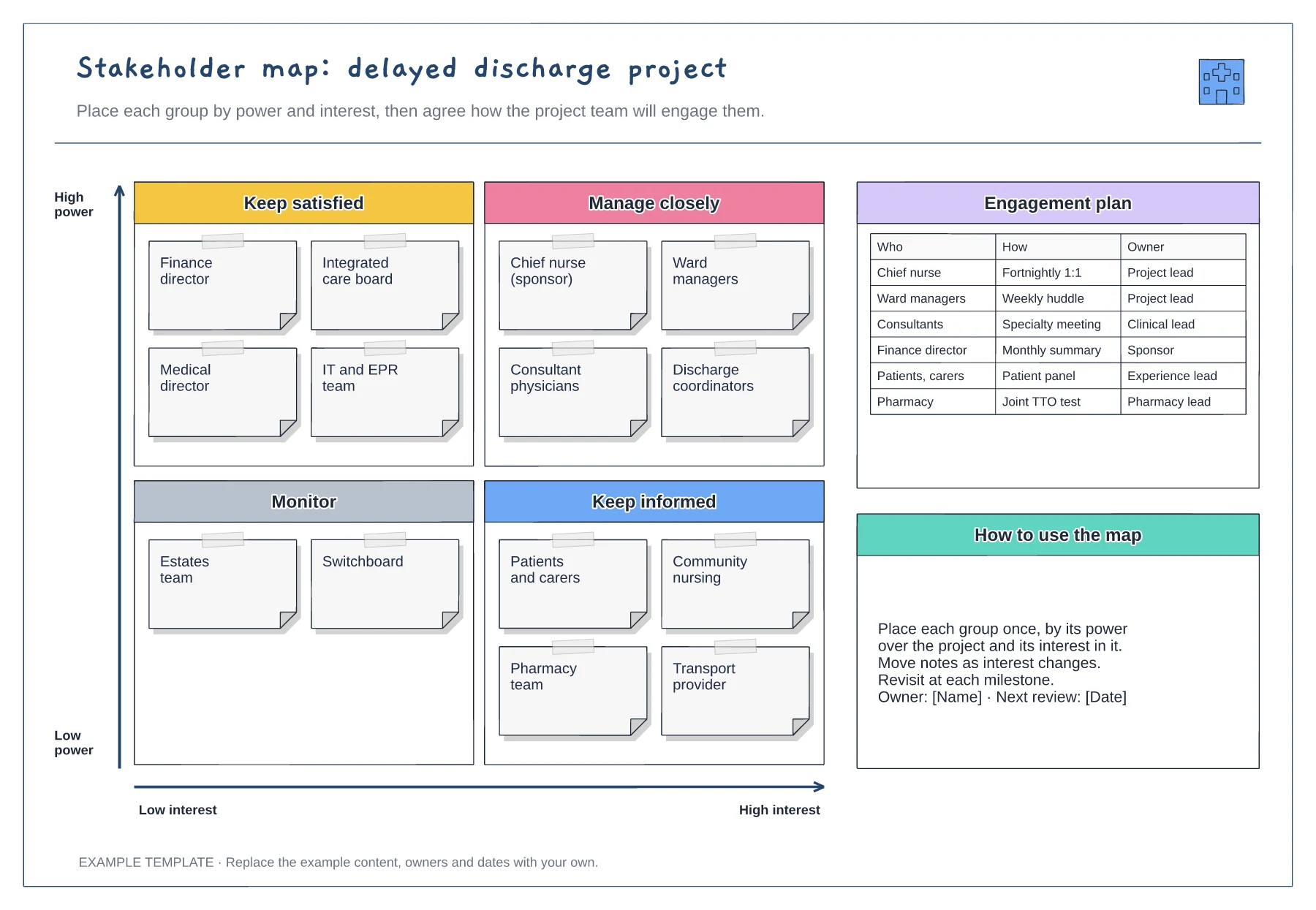
Power and interest grid · Stakeholder notes in four quadrants · Engagement plan with owners
Preview and use template →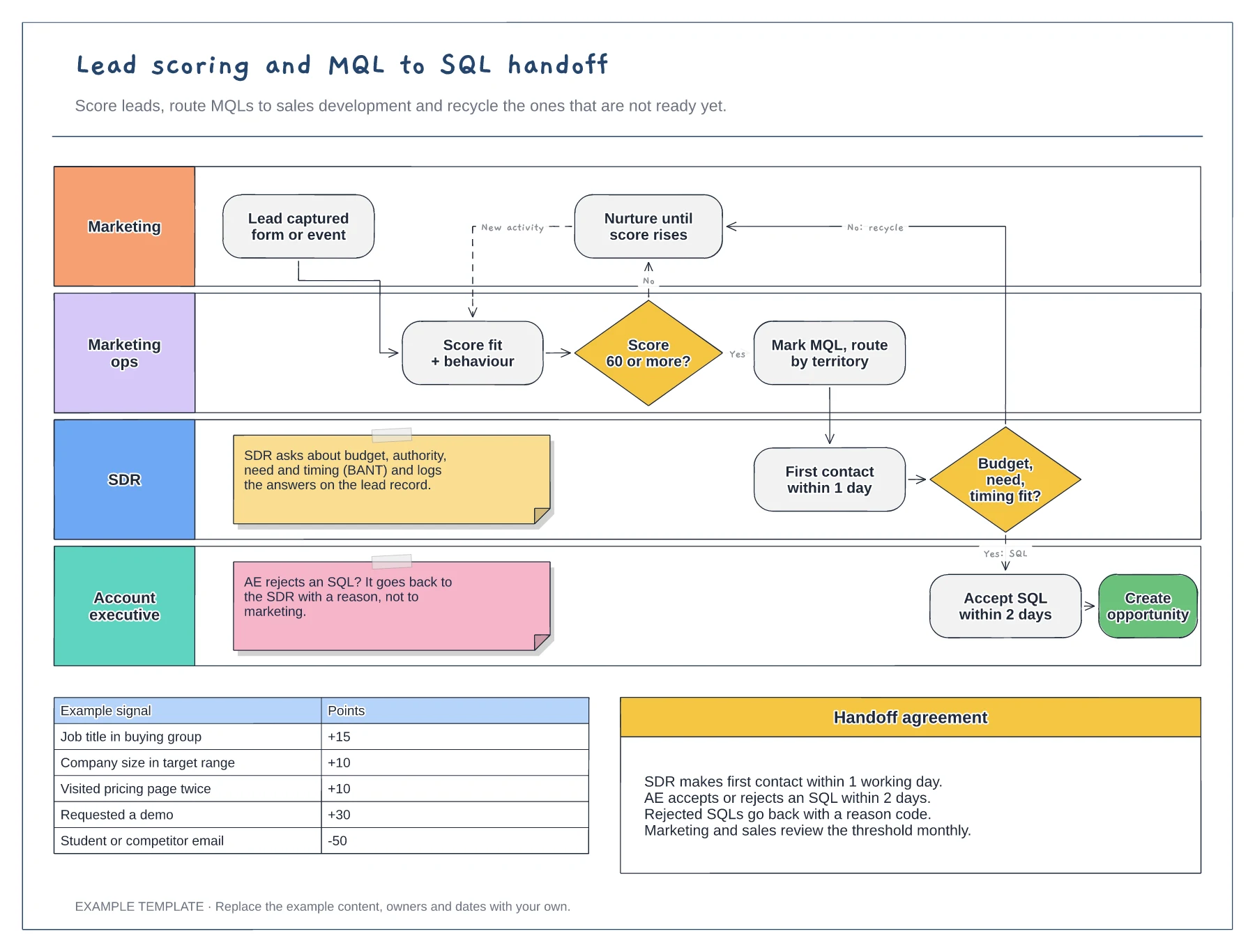
Swimlanes for marketing, marketing ops, SDR and AE · Example scoring model with points · Service-level agreement between the teams
Preview and use template →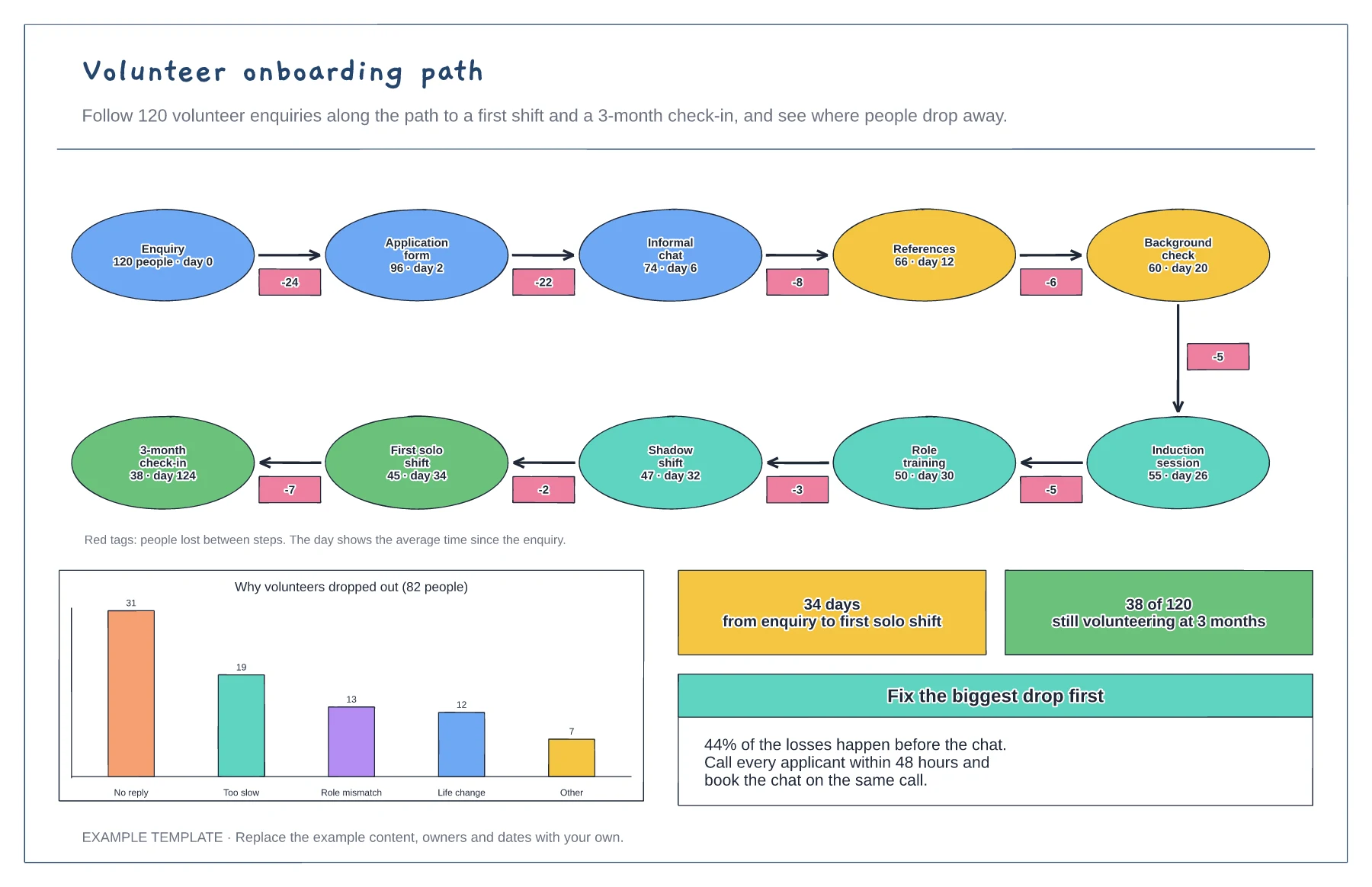
Ten-step path with people remaining and days taken · Drop-off tags between steps · Reasons for dropping out and the fix to try first
Preview and use template →