Finance
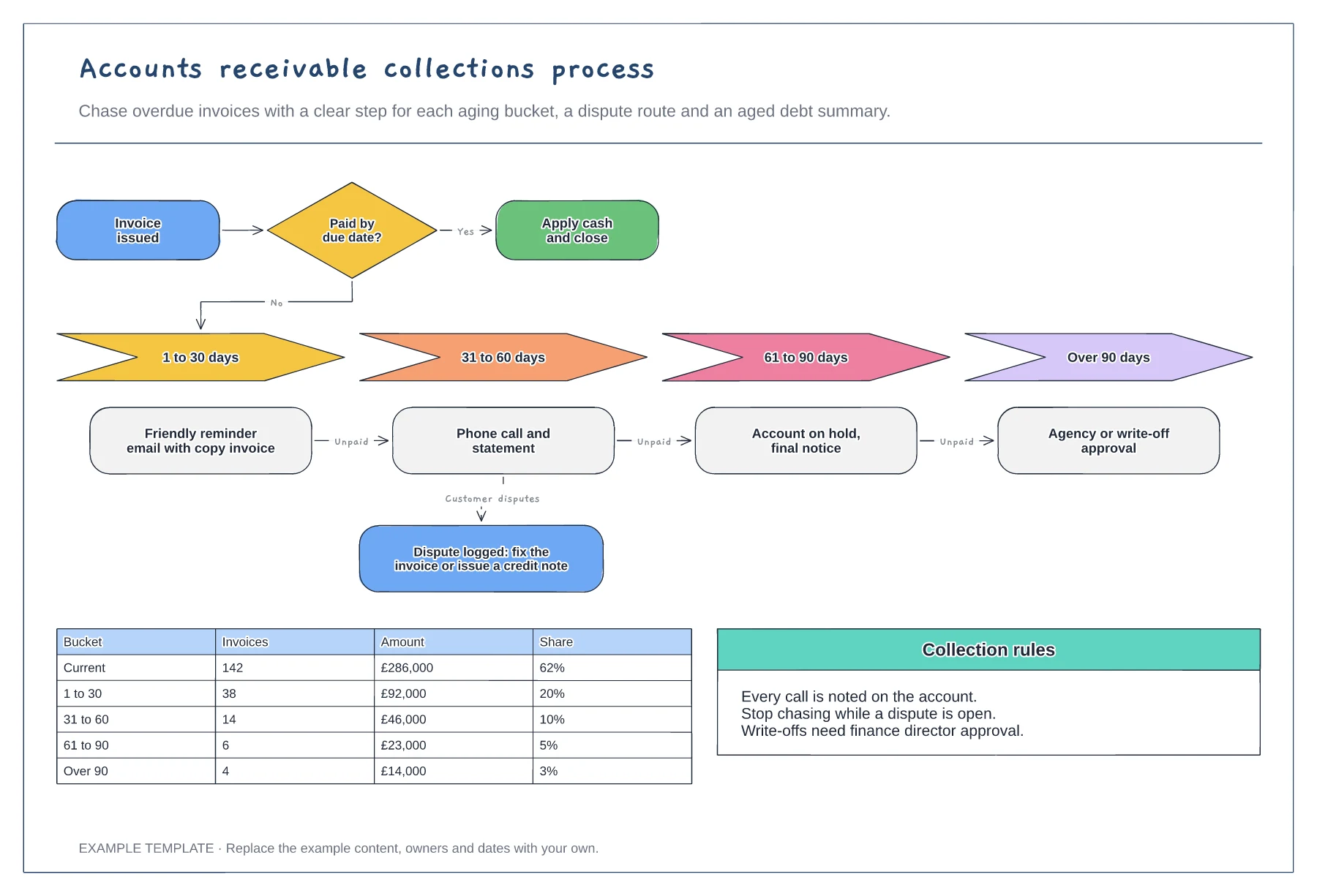
Accounts receivable collections process template
Actions by aging bucket · Dispute route that pauses chasing · Aged debt summary table
Preview and use template →An order-to-cash process map shows every step between a customer order and the cash landing in the bank. This example runs across customer, sales, credit control, fulfilment and accounts receivable lanes, with a credit limit check, invoicing, cash matching and a route for disputed invoices, so you can see where cash gets held up.
This is a planning example, not financial, accounting, tax or legal advice. Check your own policies, auditors and local rules.
No account needed · Opens as your own editable page
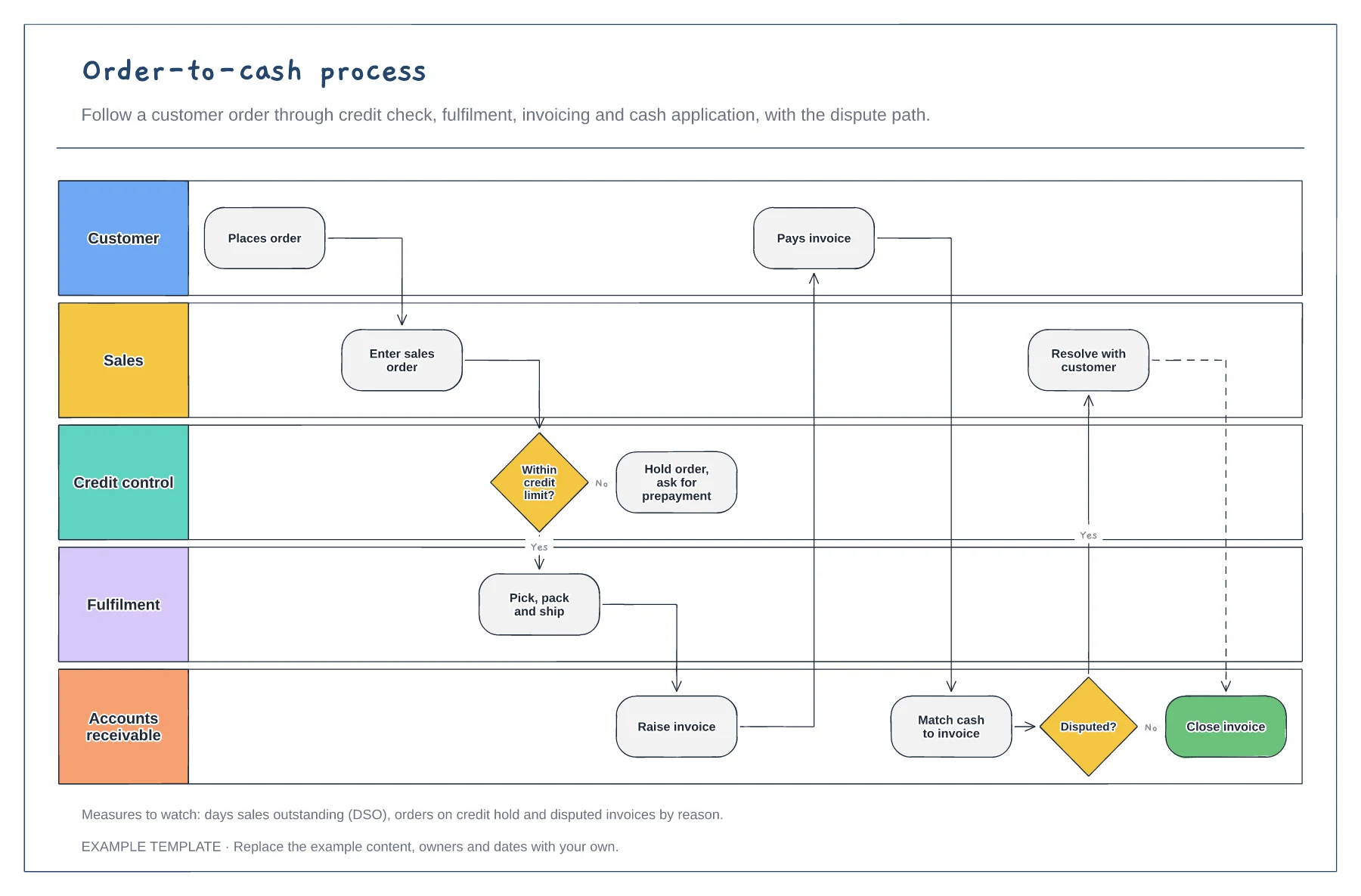
Trace a real order from entry to cash and rename the steps to match your systems. Note where data is re-keyed.
Mark credit holds, invoicing delays and disputes. These are usually where days sales outstanding grows.
Show who resolves disputes and how quickly. Track disputes by reason so recurring problems get fixed at the source.
It goes on hold until credit control releases it or the customer pays. Edit the hold step to match your own credit policy.
No. Open the template and edit it in your browser. Your work saves on this device. An account is optional if you want to sync your workspace.
Yes. Use Export in the editor to save a PNG, SVG or PDF, or download an editable .epicdraw backup.
Actions by aging bucket · Dispute route that pauses chasing · Aged debt summary table
Preview and use template →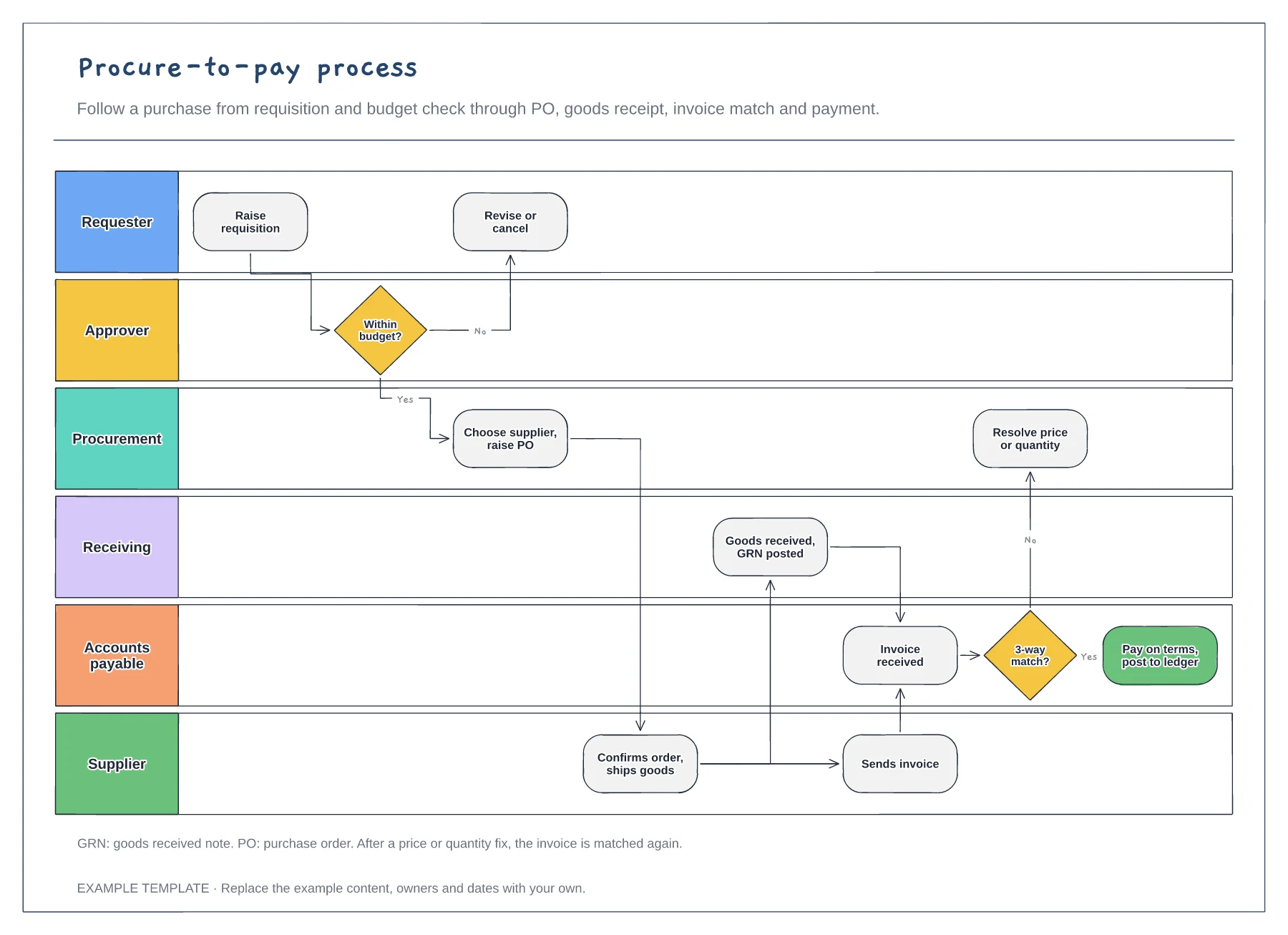
Six lanes from requester to supplier · Budget check and purchase order · Goods receipt, invoice match and payment
Preview and use template →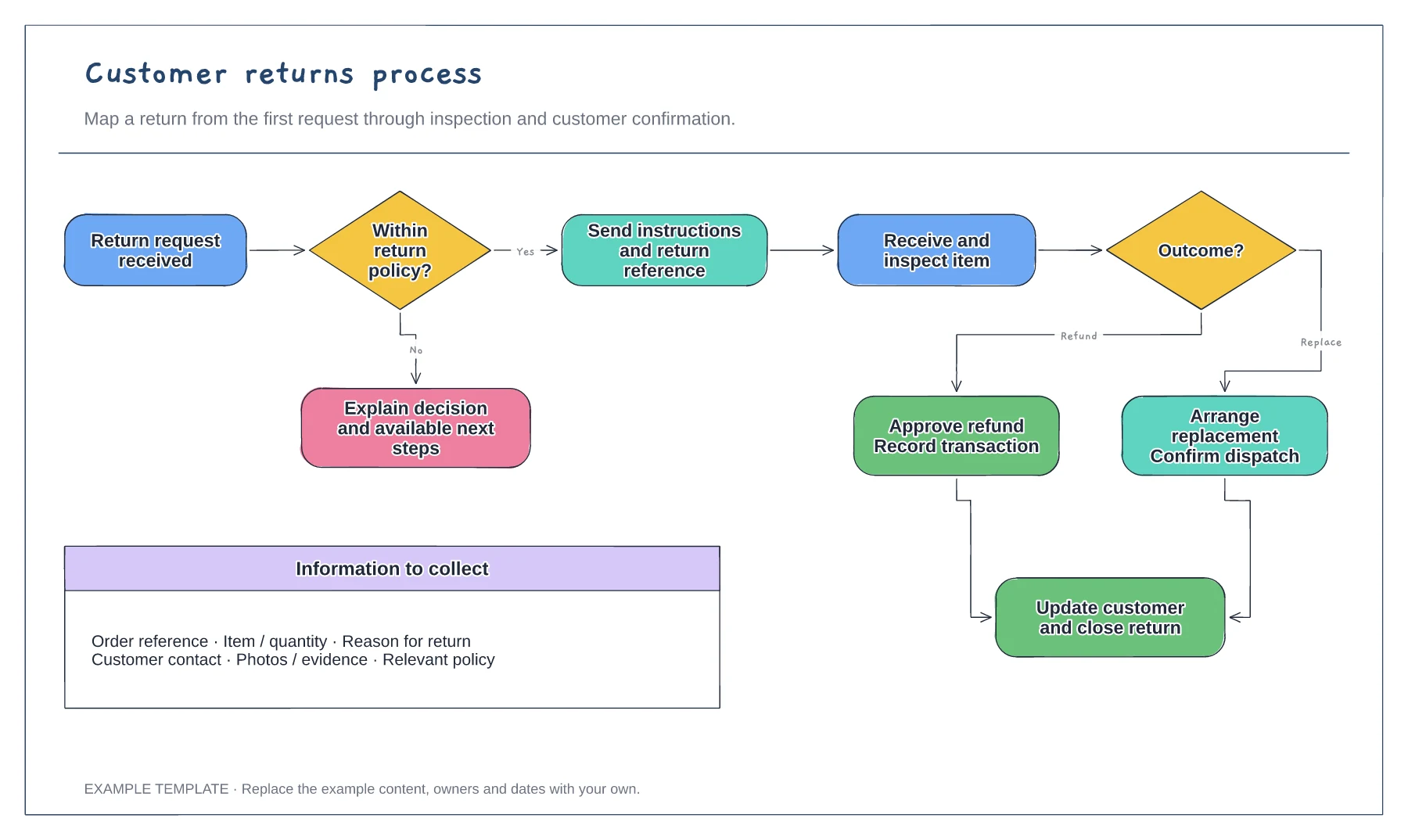
Return request and policy check · Approval or a clear explanation · Receipt, inspection and resolution
Preview and use template →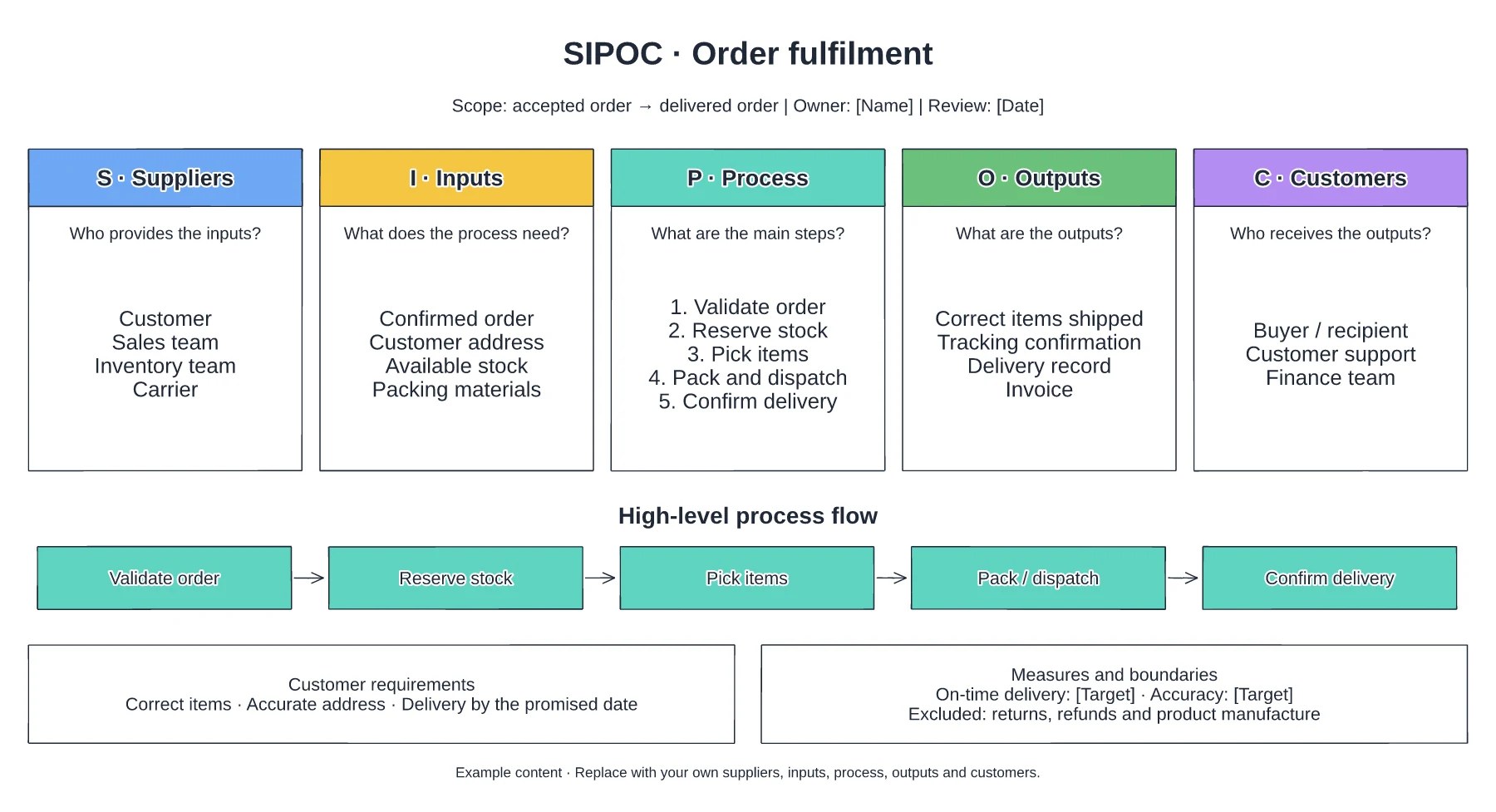
Suppliers and required inputs · High-level fulfilment stages · Outputs, customers and requirements
Preview and use template →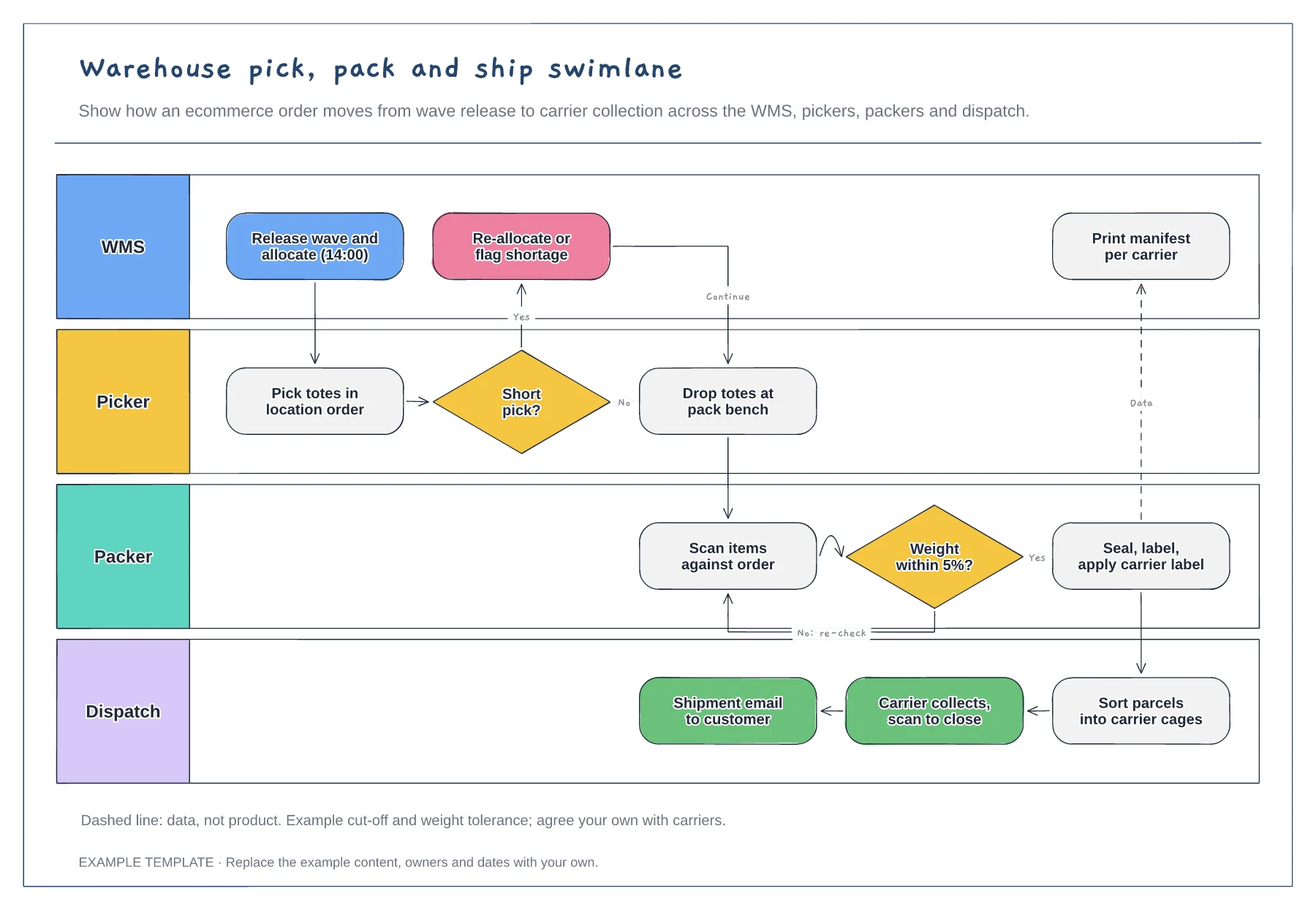
Lanes for WMS, picker, packer and dispatch · Short-pick and weight-check decisions · Data handoff for the carrier manifest
Preview and use template →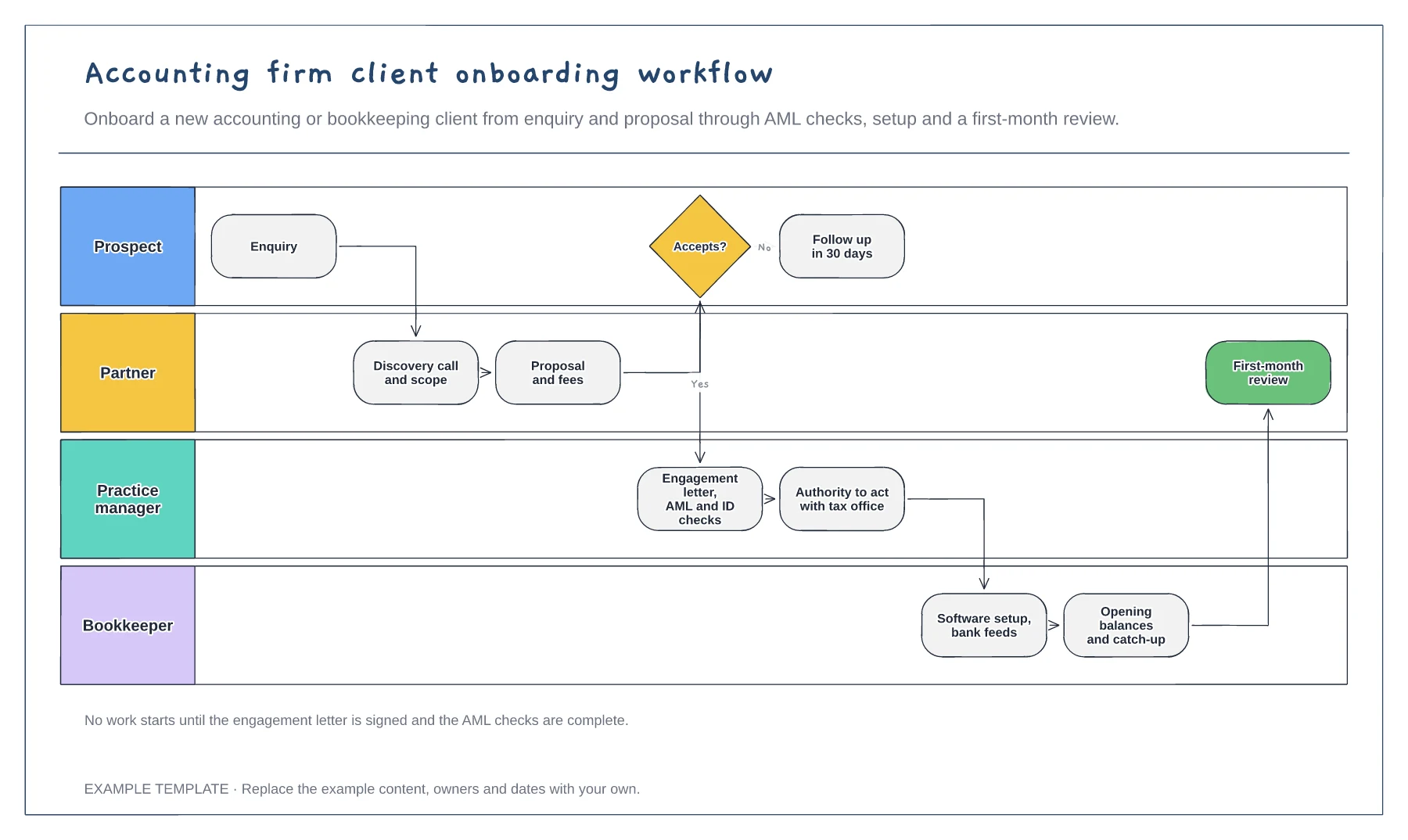
Four lanes from prospect to bookkeeper · Engagement letter and AML checks · Software setup and first-month review
Preview and use template →