Logistics
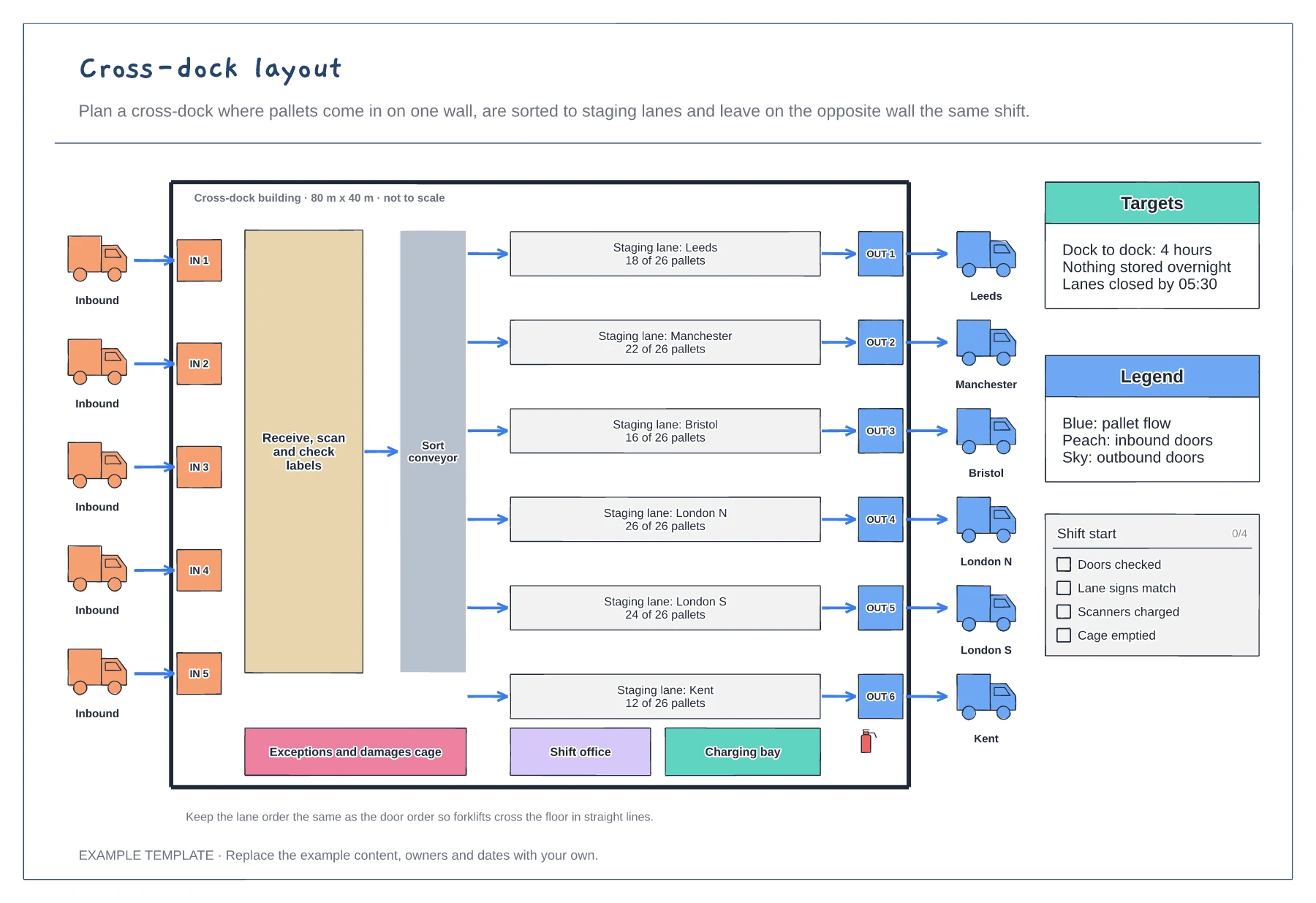
Cross-dock layout template
Inbound and outbound doors on opposite walls · Receiving zone, sort conveyor and staging lanes per route · Targets, legend and shift-start checklist
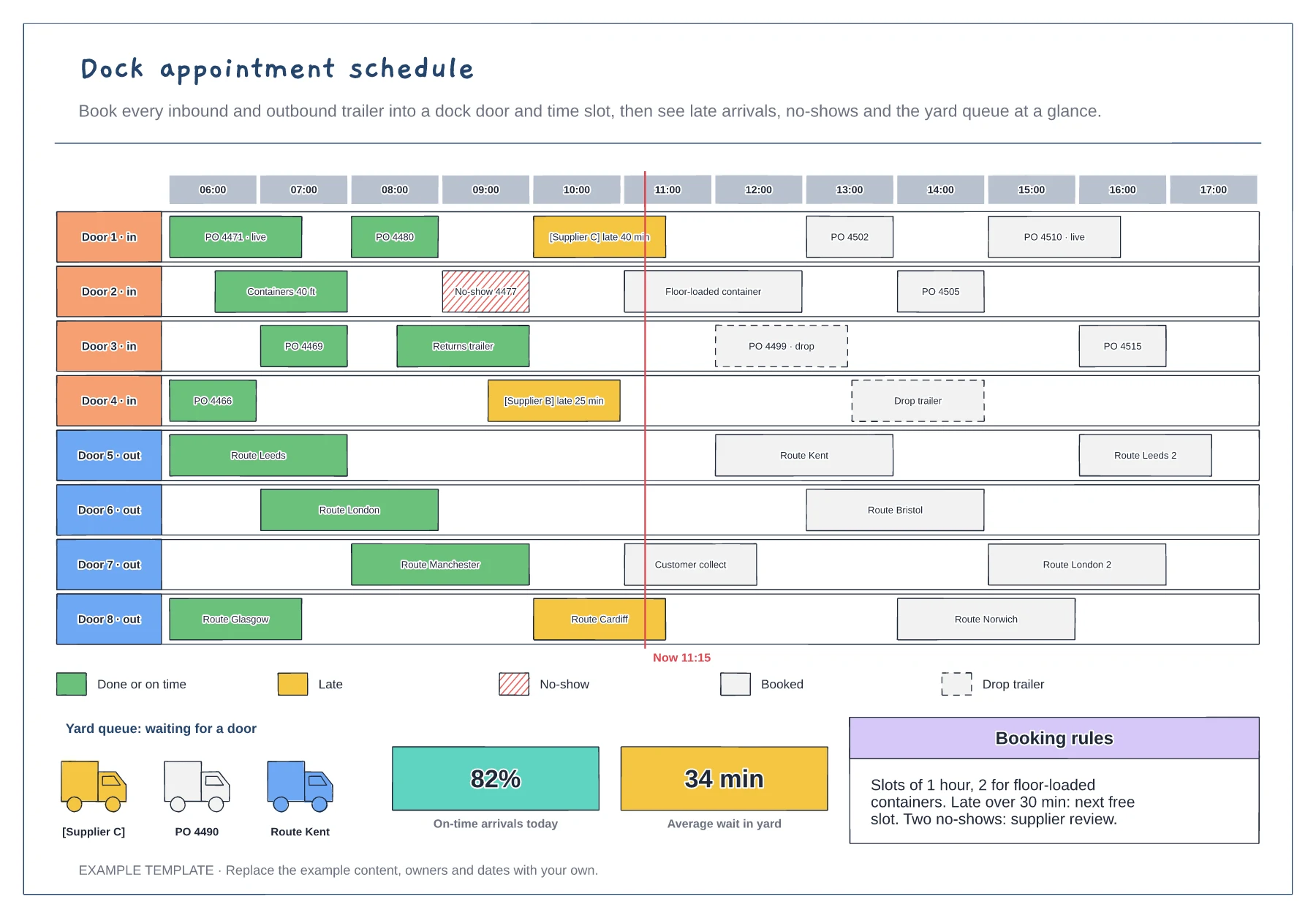
Preview and use template →A dock appointment schedule books every trailer into a door and a time slot, so the yard does not fill up with lorries waiting for space. This board shows eight doors across a working day, with each booking as a block coloured for done, late, no-show or booked, drop trailers dashed and a line for the current time. Below are the trucks waiting in the yard, on-time and waiting figures, and the booking rules suppliers must follow.
No account needed · Opens as your own editable page
Decide which doors are for inbound and which for outbound, and set the slot length for each type of load.
Put each booking on the board with its reference. Allow longer slots for floor-loaded containers.
Recolour late arrivals and no-shows as they happen and move waiting trucks into free slots.
Recolour the booking bar with the legend colour for late or no-show, and add the delay in minutes to its label so the yard team can see it.
No. Open the template and edit it in your browser. Your work saves on this device. An account is optional if you want to sync your workspace.
Yes. Use Export in the editor to save a PNG, SVG or PDF, or download an editable .epicdraw backup.
Inbound and outbound doors on opposite walls · Receiving zone, sort conveyor and staging lanes per route · Targets, legend and shift-start checklist
Preview and use template →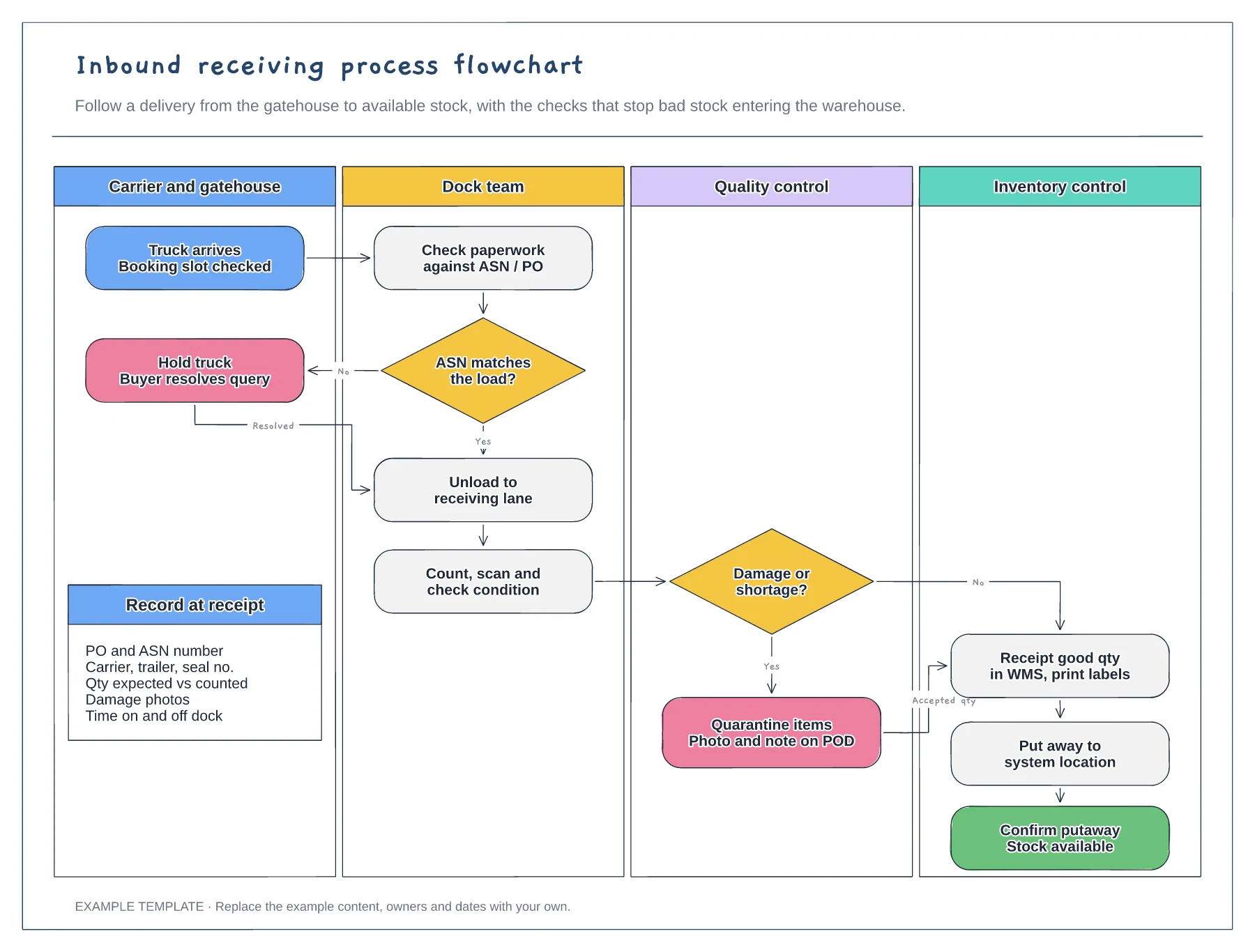
Four swimlanes from carrier to inventory · ASN and damage decisions with Yes and No paths · Data to record at receipt
Preview and use template →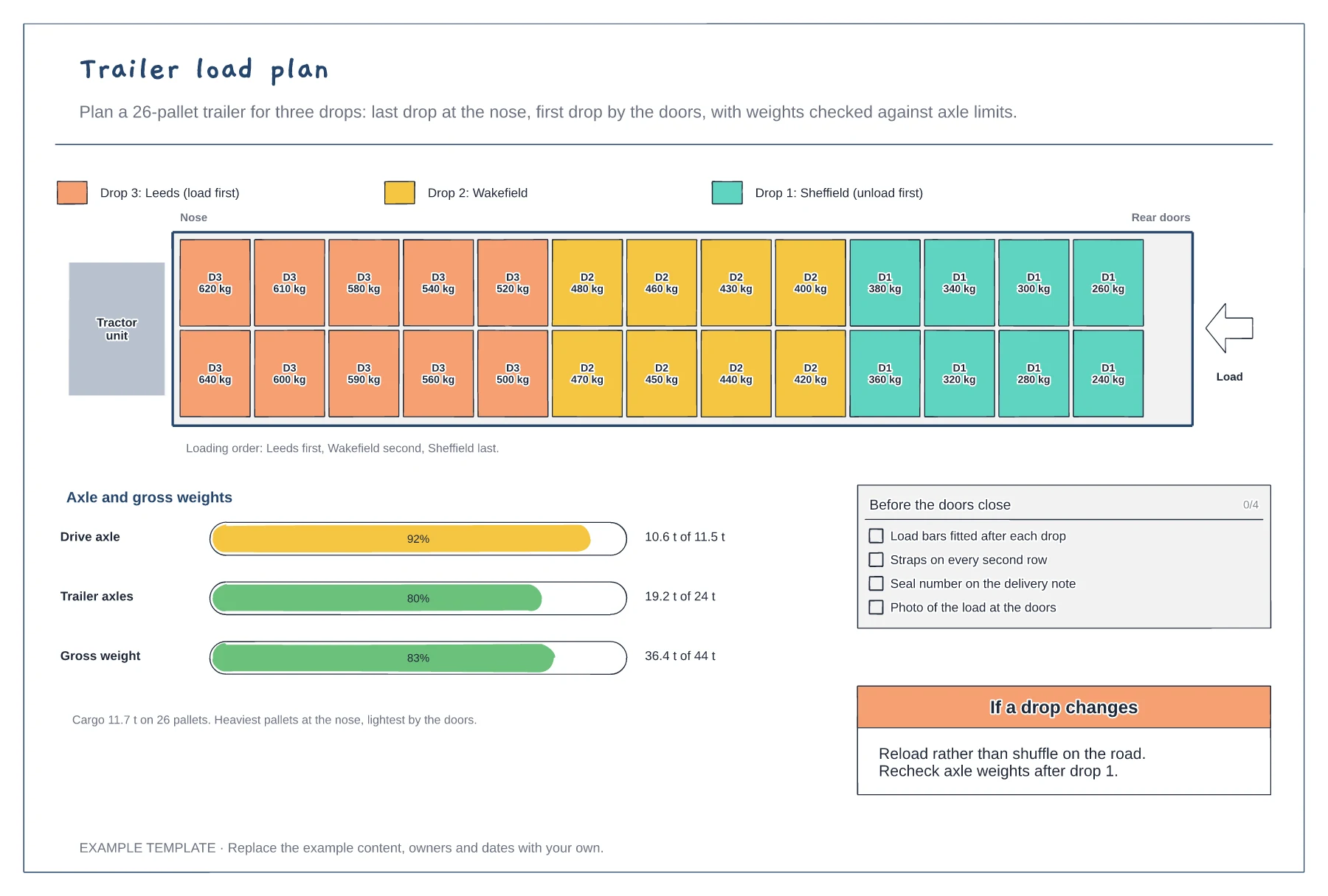
Top-down trailer with every pallet by drop and weight · Axle and gross weight bars against legal limits · Loading order and checks before departure
Preview and use template →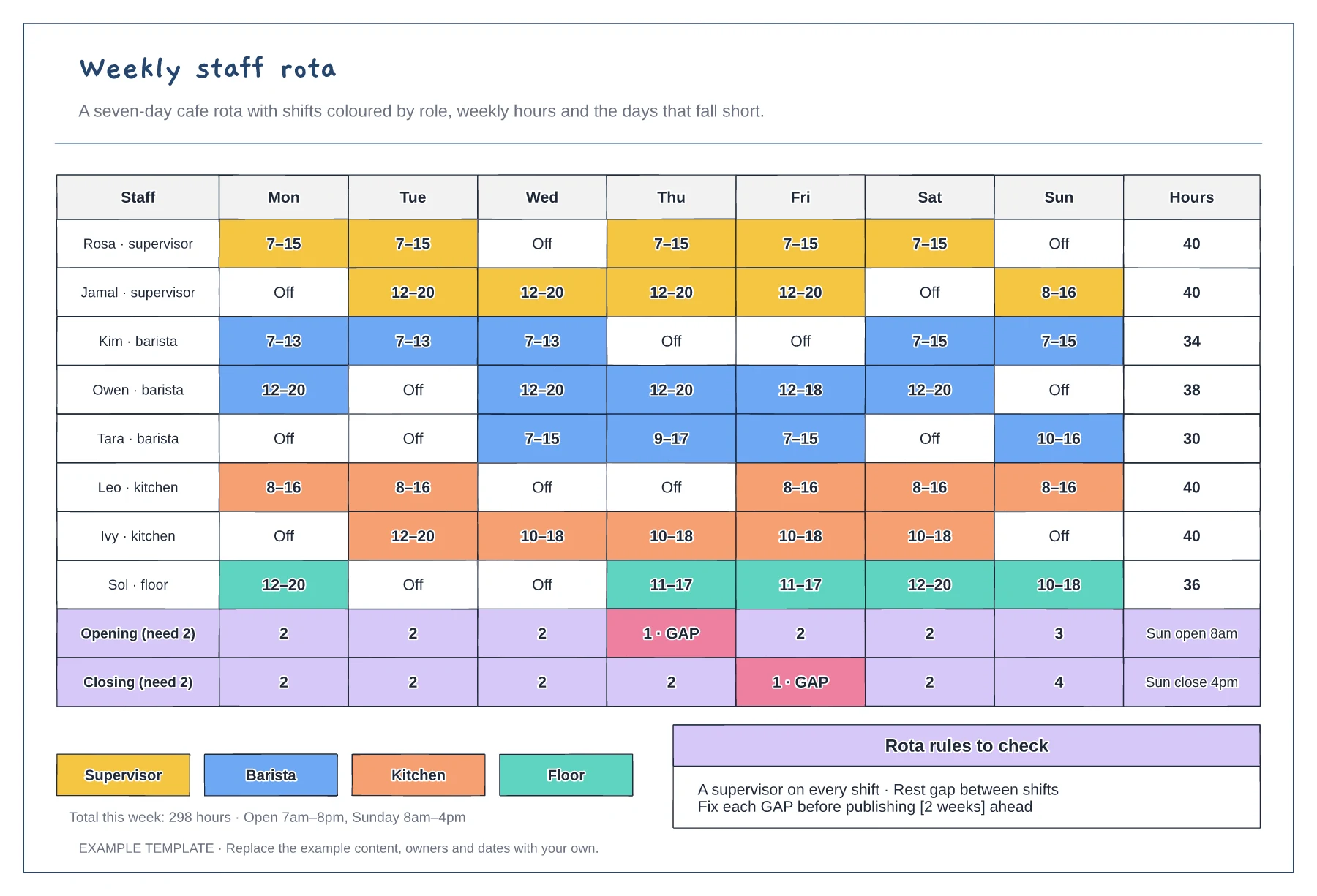
Mon to Sun shifts coloured by role · Weekly hours per person · Opening and closing cover with gaps flagged
Preview and use template →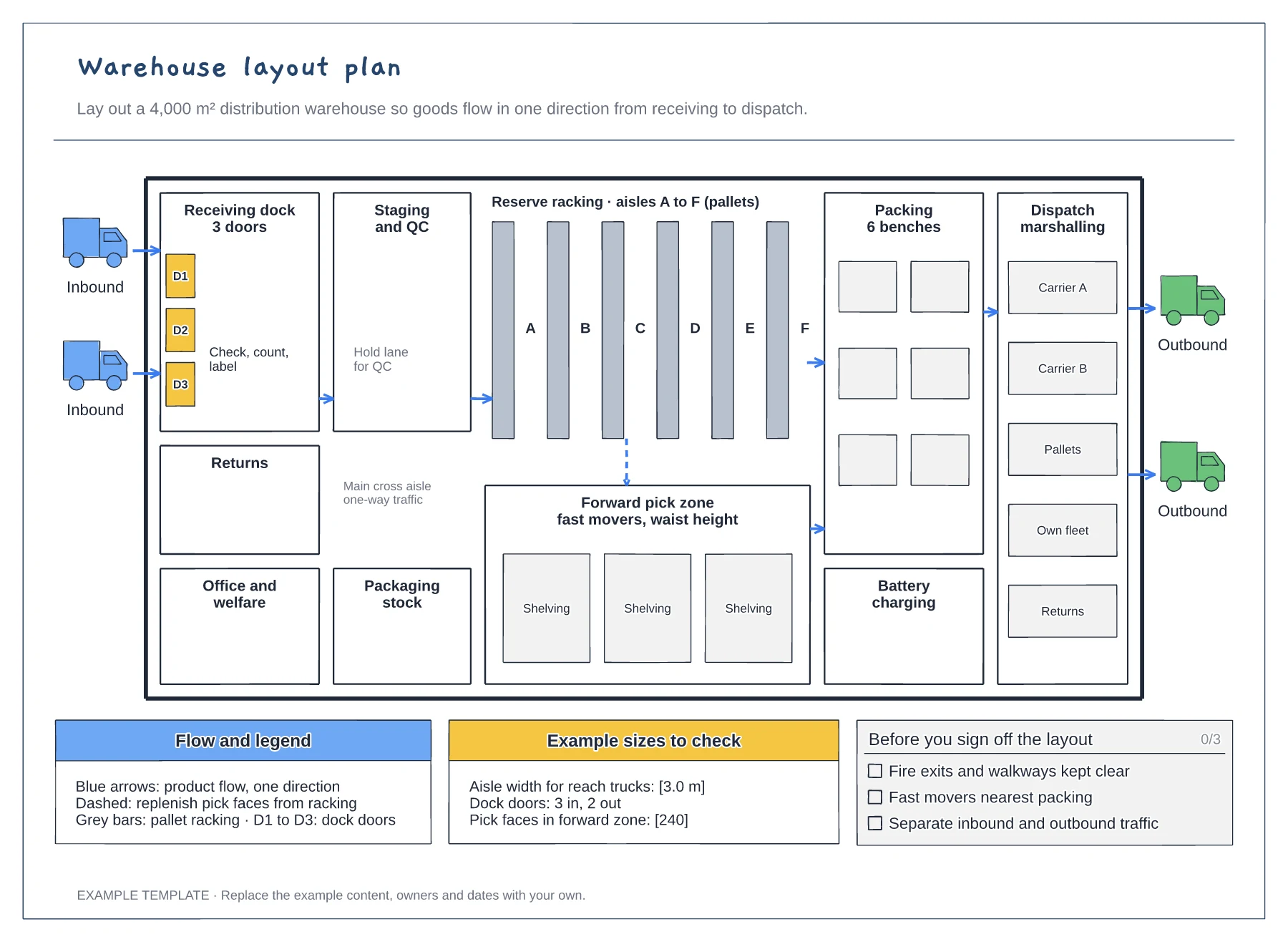
Floor plan with docks, racking and work areas · Flow arrows and a replenishment route · Size checks and a sign-off checklist
Preview and use template →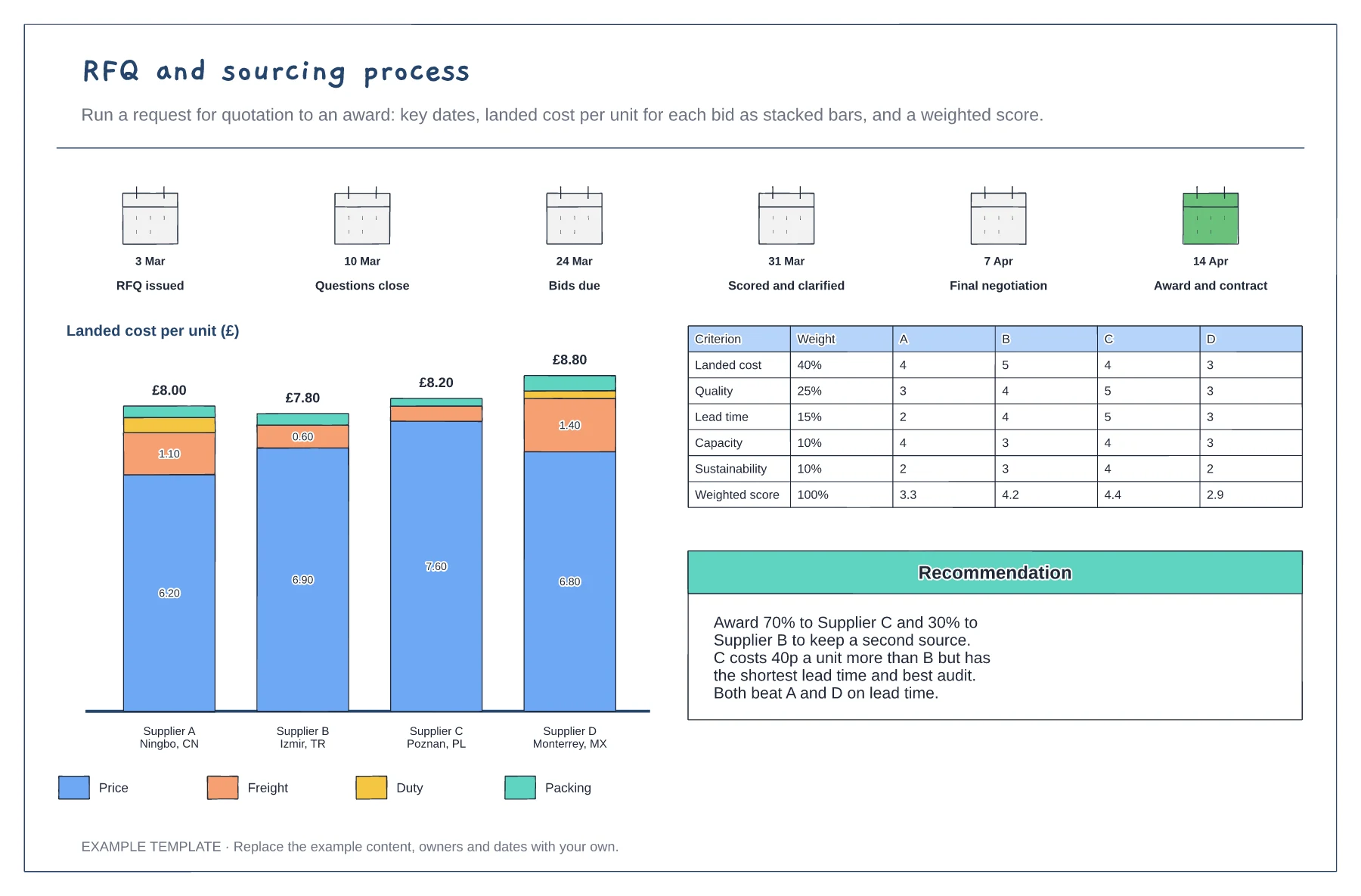
RFQ dates from issue to award · Landed cost per unit as stacked bars for each bid · Weighted scorecard and award recommendation
Preview and use template →