Logistics
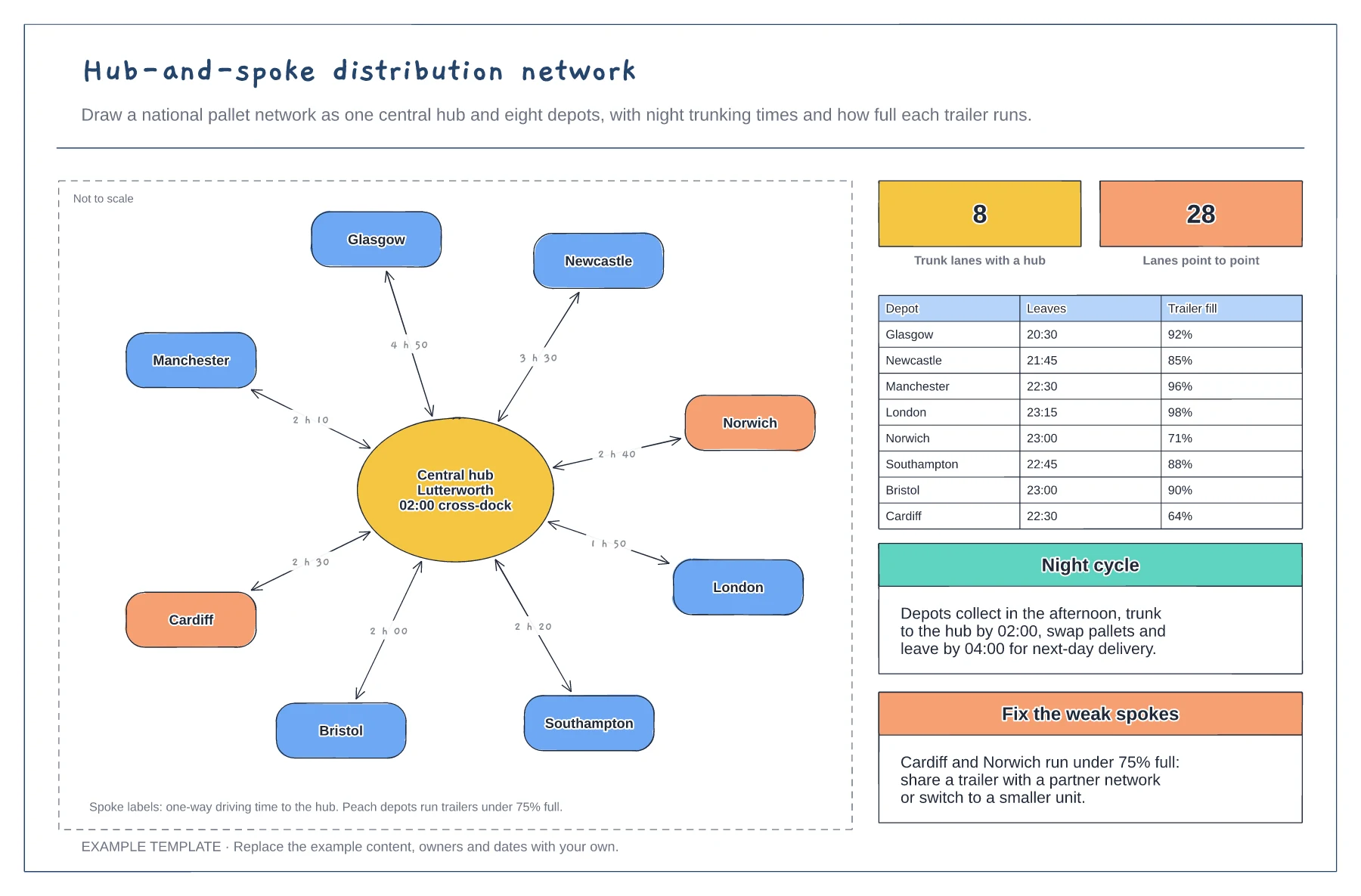
Hub-and-spoke distribution network template
Central hub with eight spokes and driving times · Departure times and trailer fill for each depot · Night cycle and fixes for weak spokes
Preview and use template →A cross-dock moves pallets from inbound trailers to outbound trailers in the same shift, without putting them into storage. This plan shows a building with five inbound doors on one wall, a receive and scan zone, a sort conveyor, one staging lane for each outbound route with its fill, six outbound doors on the opposite wall, and the exceptions cage, shift office and charging bay.
No account needed · Opens as your own editable page
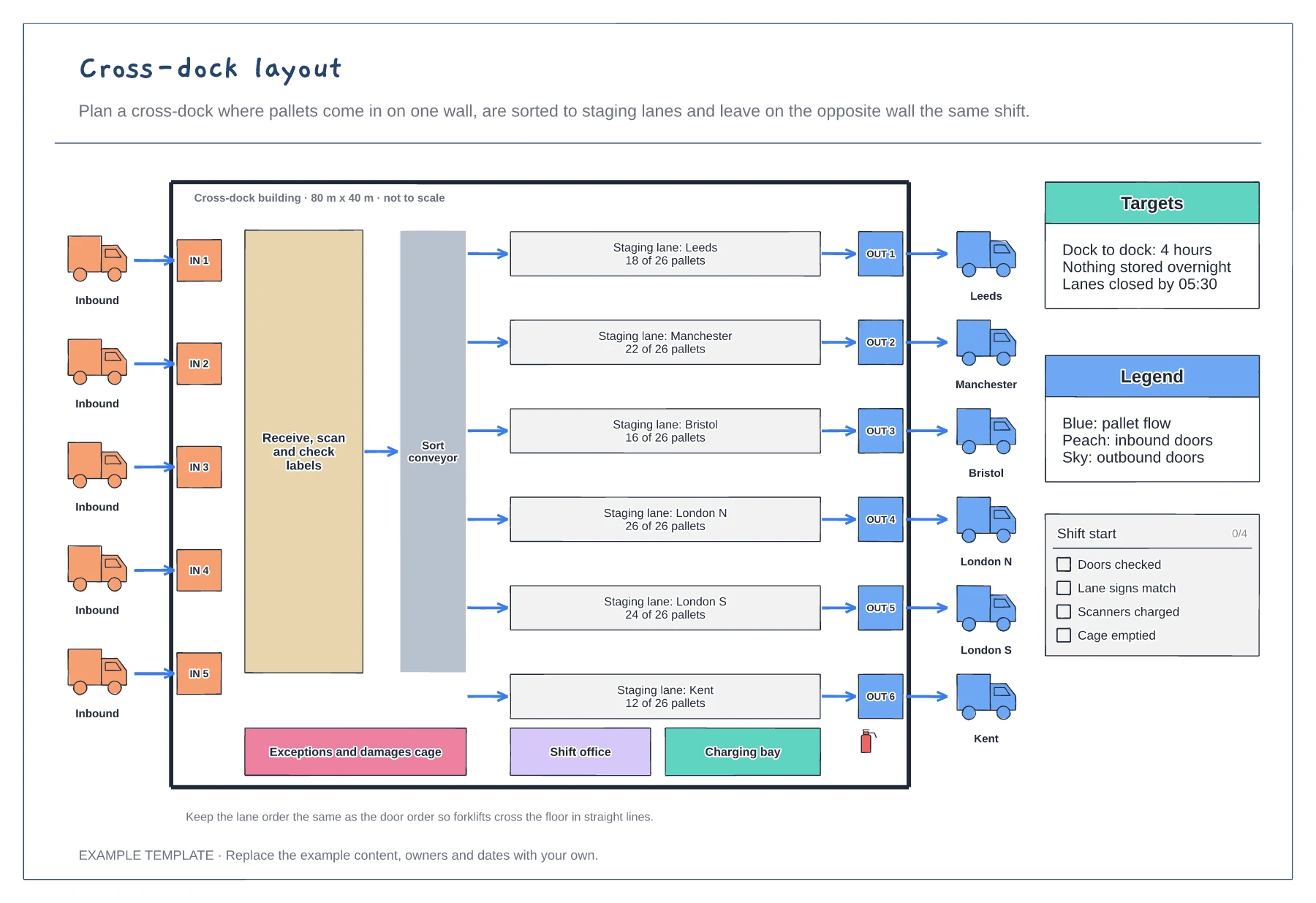
Inbound on one side and outbound on the other keeps freight moving in one direction across the floor.
Give every outbound route its own staging lane lined up with its door, and show how many pallets it holds.
Add a cage for damaged or unlabelled pallets so they never block a lane.
They show how many pallets are staged for that outbound door against a full load of 26, so you can see which trailers are ready to go.
No. Open the template and edit it in your browser. Your work saves on this device. An account is optional if you want to sync your workspace.
Yes. Use Export in the editor to save a PNG, SVG or PDF, or download an editable .epicdraw backup.
Central hub with eight spokes and driving times · Departure times and trailer fill for each depot · Night cycle and fixes for weak spokes
Preview and use template →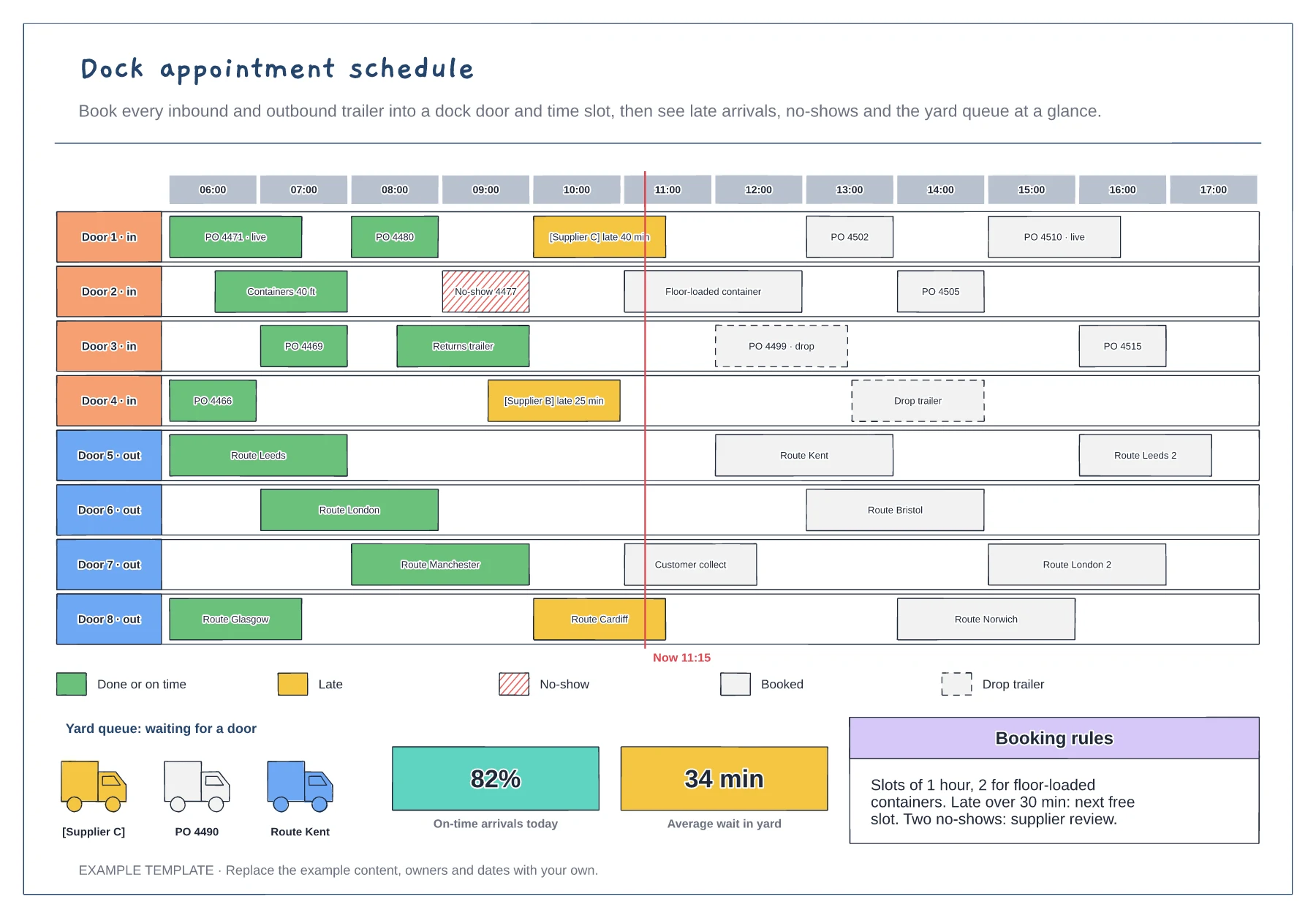
Eight doors across a day with each booking as a block · Late, no-show and drop trailer markings · Yard queue, on-time figures and booking rules
Preview and use template →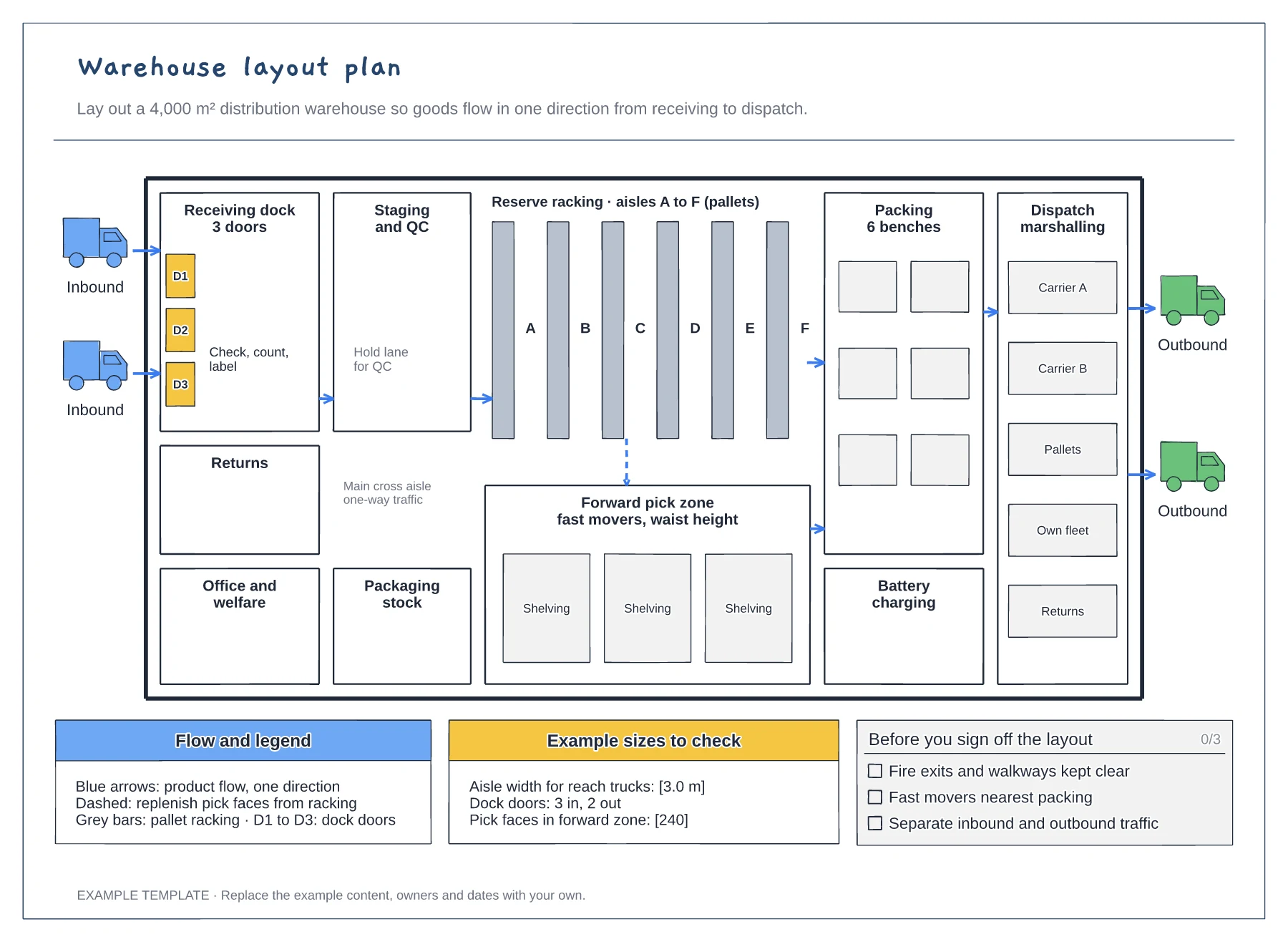
Floor plan with docks, racking and work areas · Flow arrows and a replenishment route · Size checks and a sign-off checklist
Preview and use template →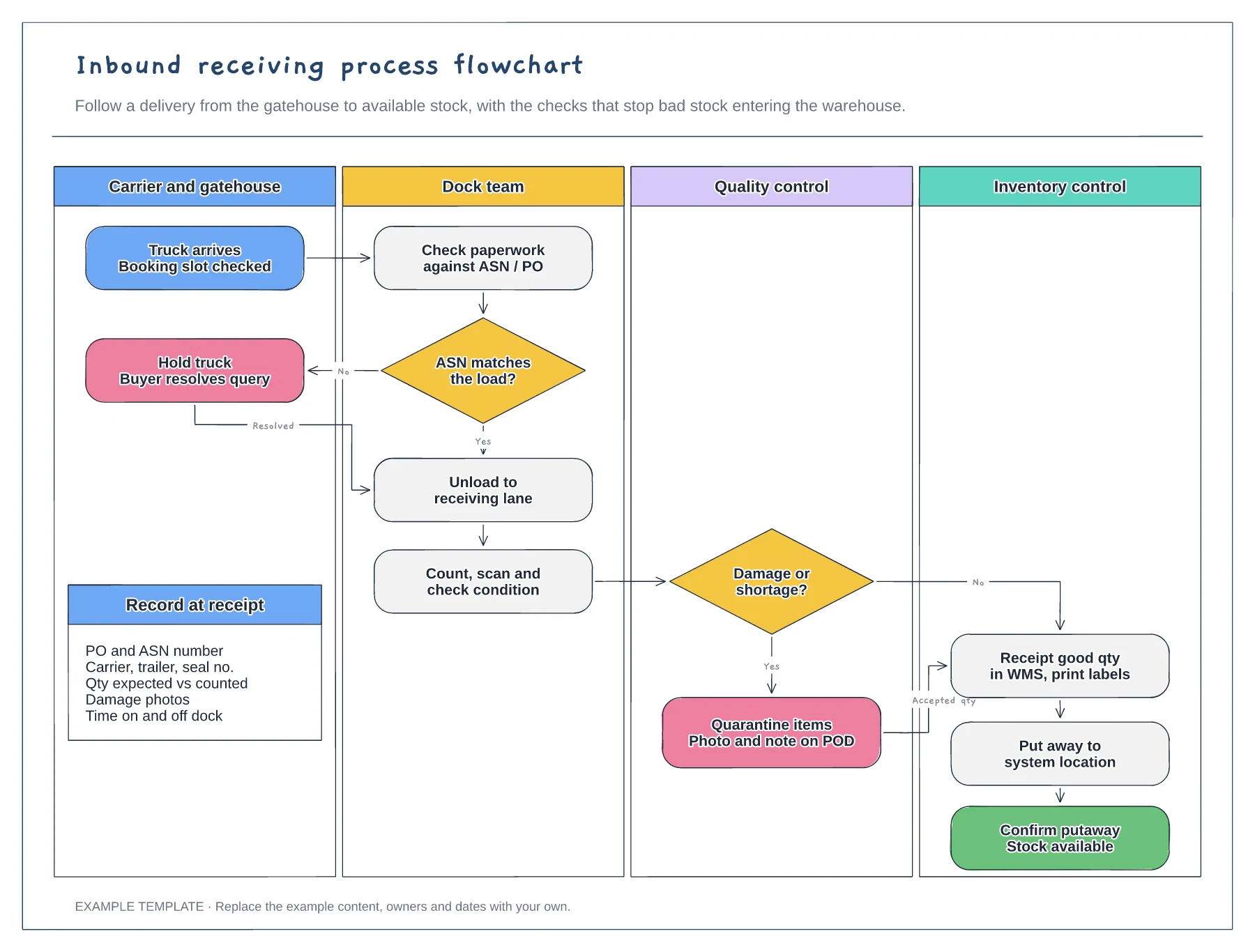
Four swimlanes from carrier to inventory · ASN and damage decisions with Yes and No paths · Data to record at receipt
Preview and use template →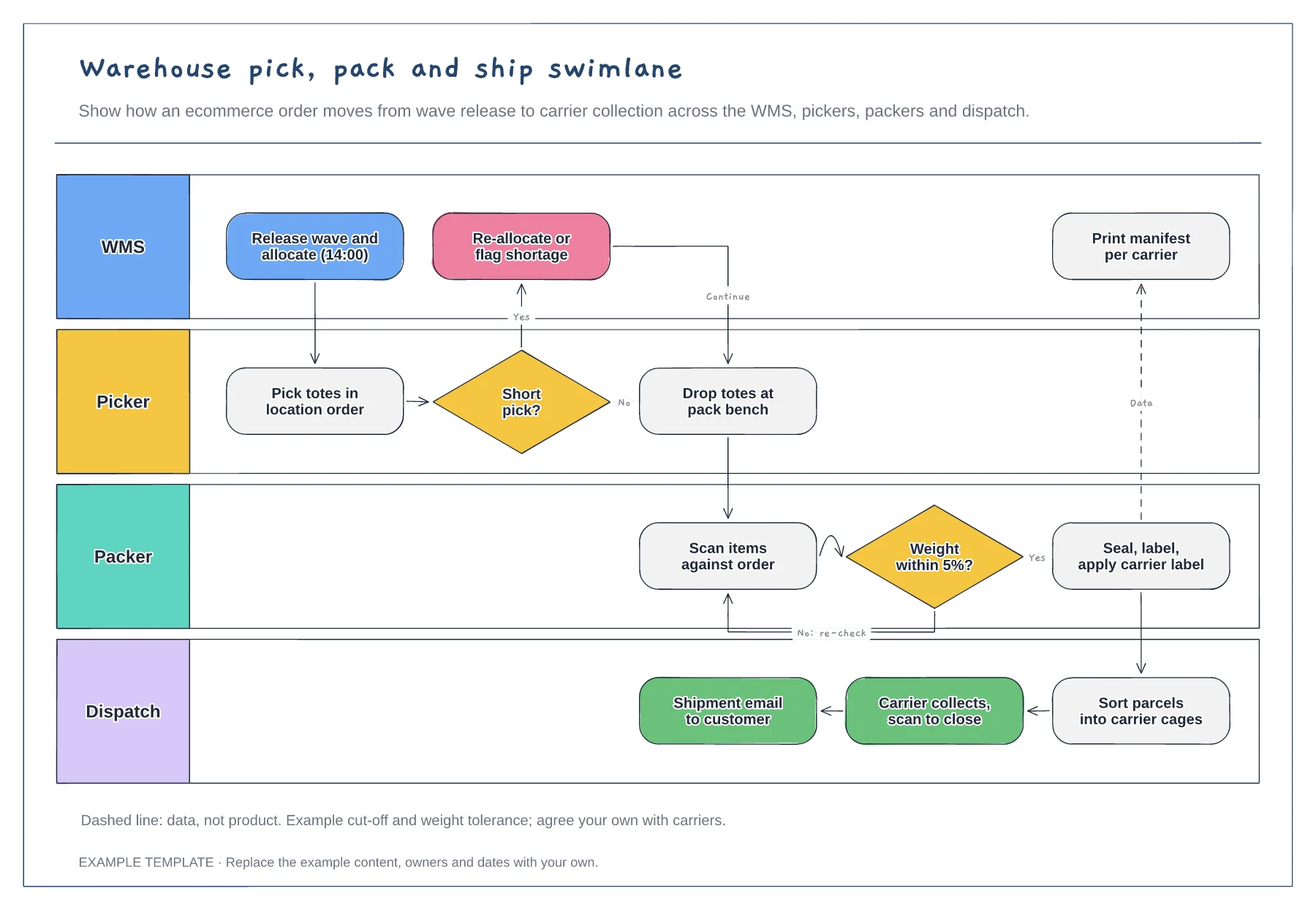
Lanes for WMS, picker, packer and dispatch · Short-pick and weight-check decisions · Data handoff for the carrier manifest
Preview and use template →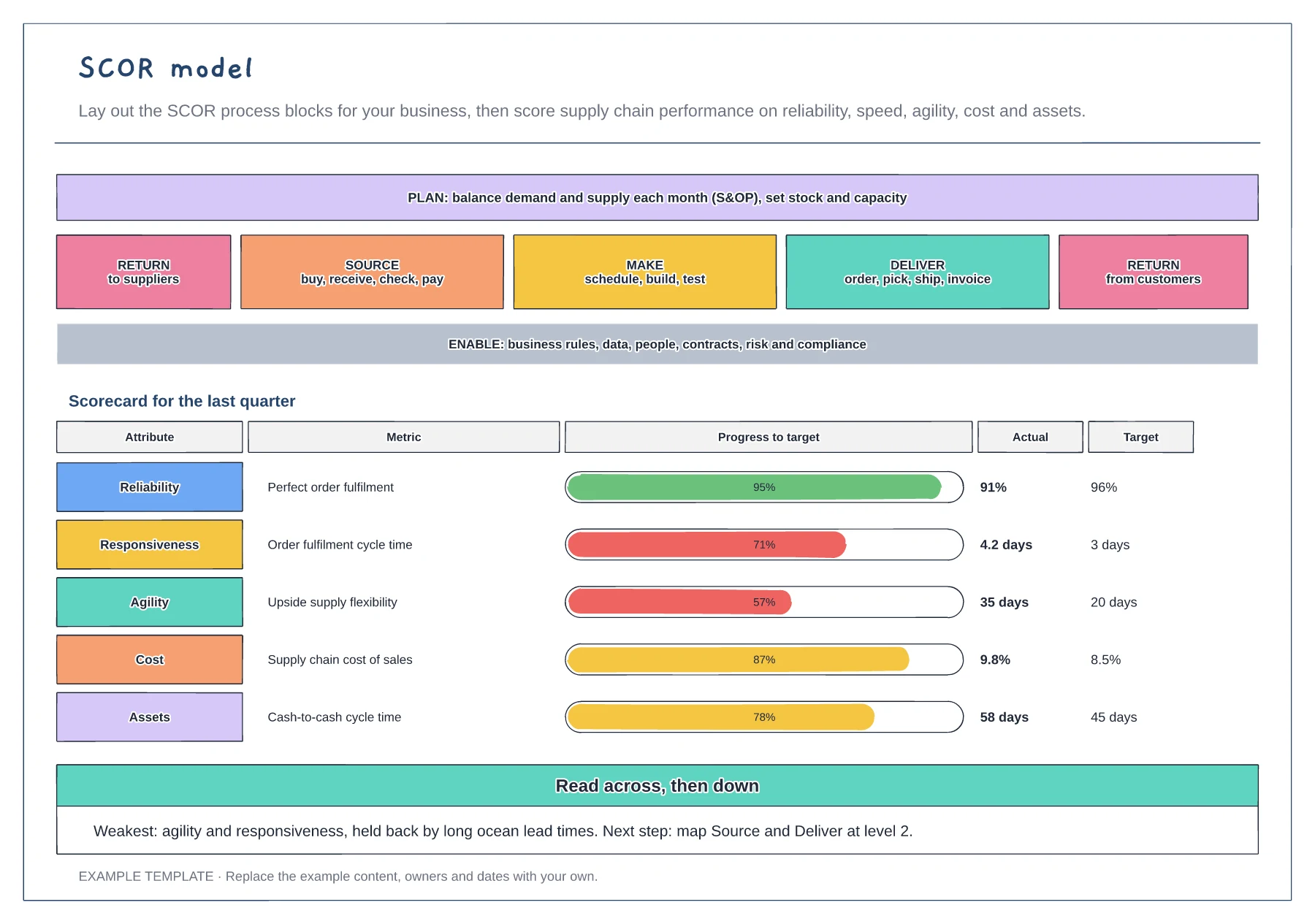
Plan, Source, Make, Deliver, Return and Enable blocks · One metric for each of the five performance attributes · Progress to target bars and a next-step note
Preview and use template →