Logistics
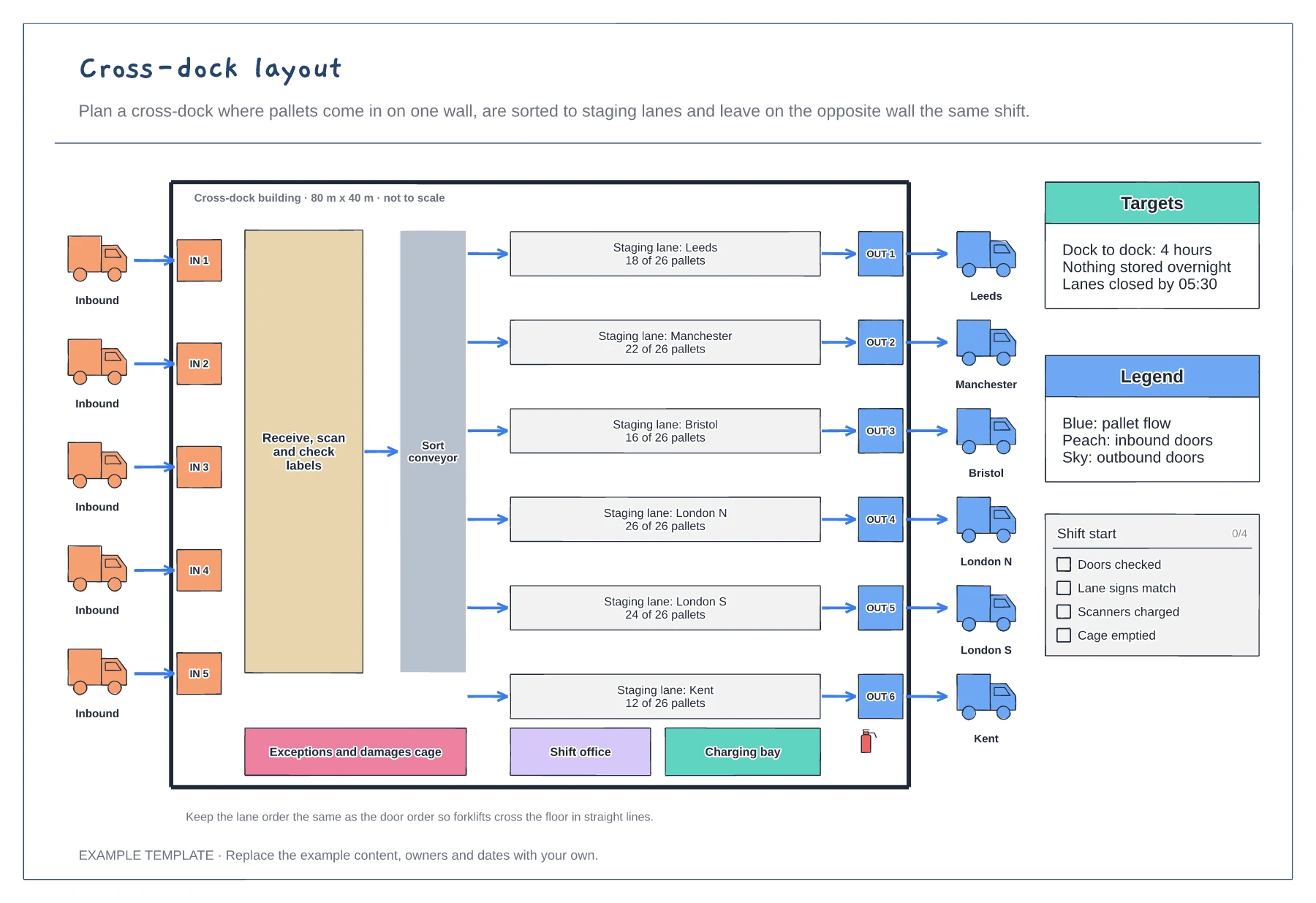
Cross-dock layout template
Inbound and outbound doors on opposite walls · Receiving zone, sort conveyor and staging lanes per route · Targets, legend and shift-start checklist
Preview and use template →In a hub-and-spoke network every depot sends its freight to one central hub overnight, where it is swapped and sent back out. This example draws a national pallet network with a Midlands hub and eight depots, driving times on each spoke, a schedule of departure times and trailer fill, and notes on the night cycle and the spokes that run too empty.
No account needed · Opens as your own editable page
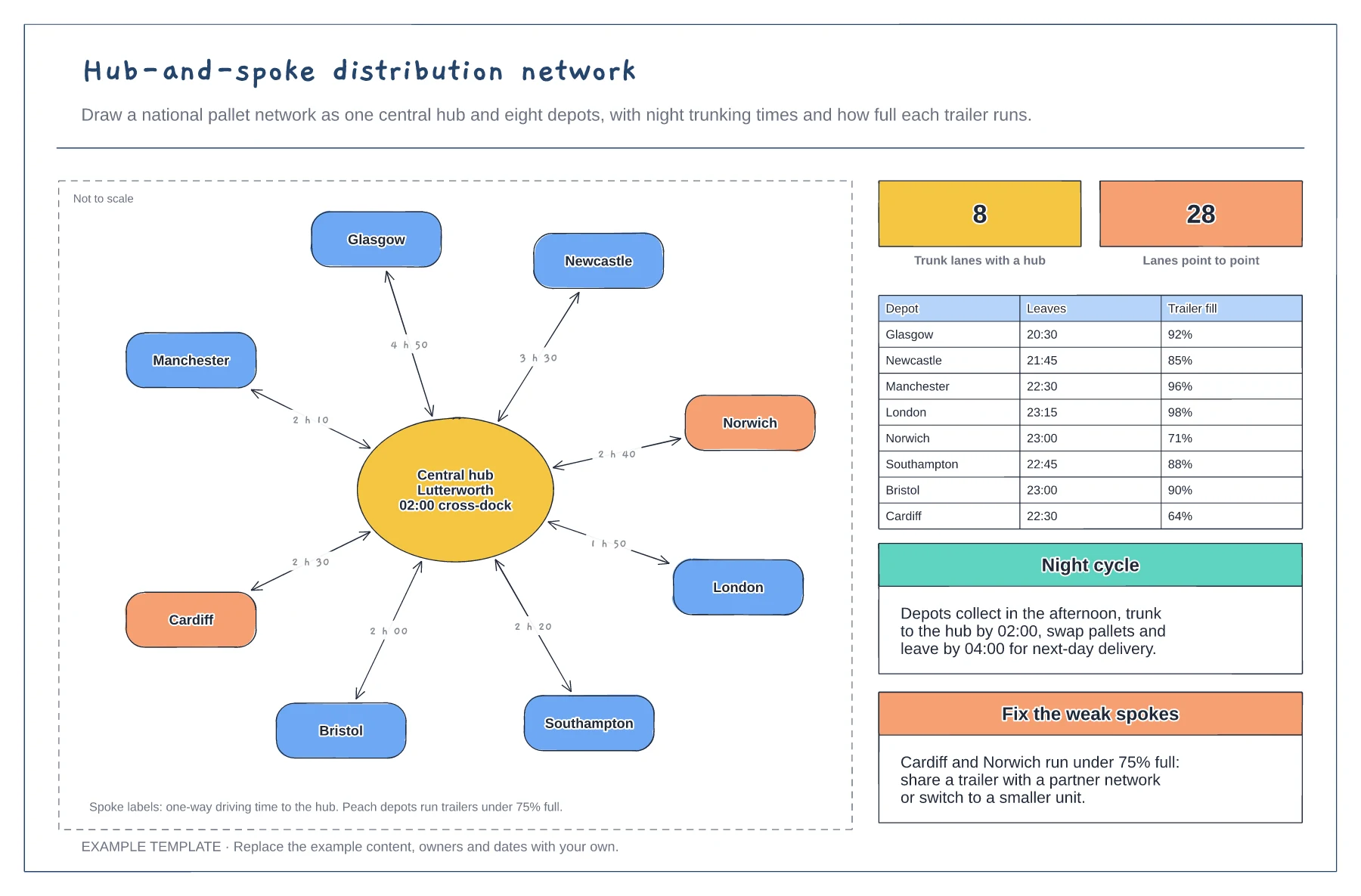
Put the hub where most freight can reach it overnight. Draw each depot around it and label the spoke with the driving time.
List when each trunk leaves and how full the trailer runs, so everyone can see whether the hub deadline is realistic.
Colour depots whose trailers run under 75% full and agree a fix, such as sharing a trailer or using a smaller unit.
Yes. Rename the hub and depots, update the trunk times on each spoke and edit the departure times and trailer fill in the table.
No. Open the template and edit it in your browser. Your work saves on this device. An account is optional if you want to sync your workspace.
Yes. Use Export in the editor to save a PNG, SVG or PDF, or download an editable .epicdraw backup.
Inbound and outbound doors on opposite walls · Receiving zone, sort conveyor and staging lanes per route · Targets, legend and shift-start checklist
Preview and use template →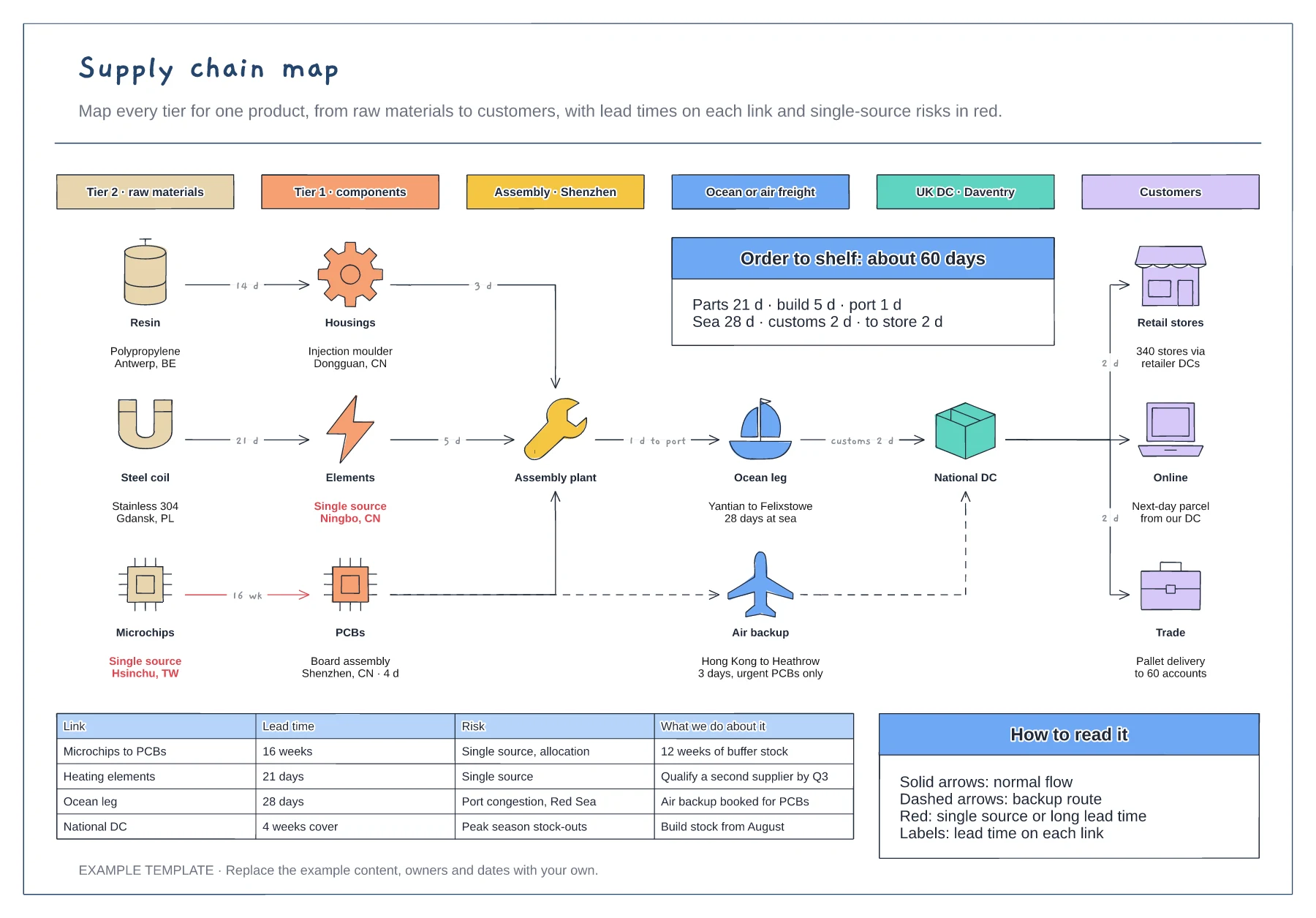
Six tiers from raw materials to customers · Lead times on every link, with a backup air route · Risk table for single sources and long lead times
Preview and use template →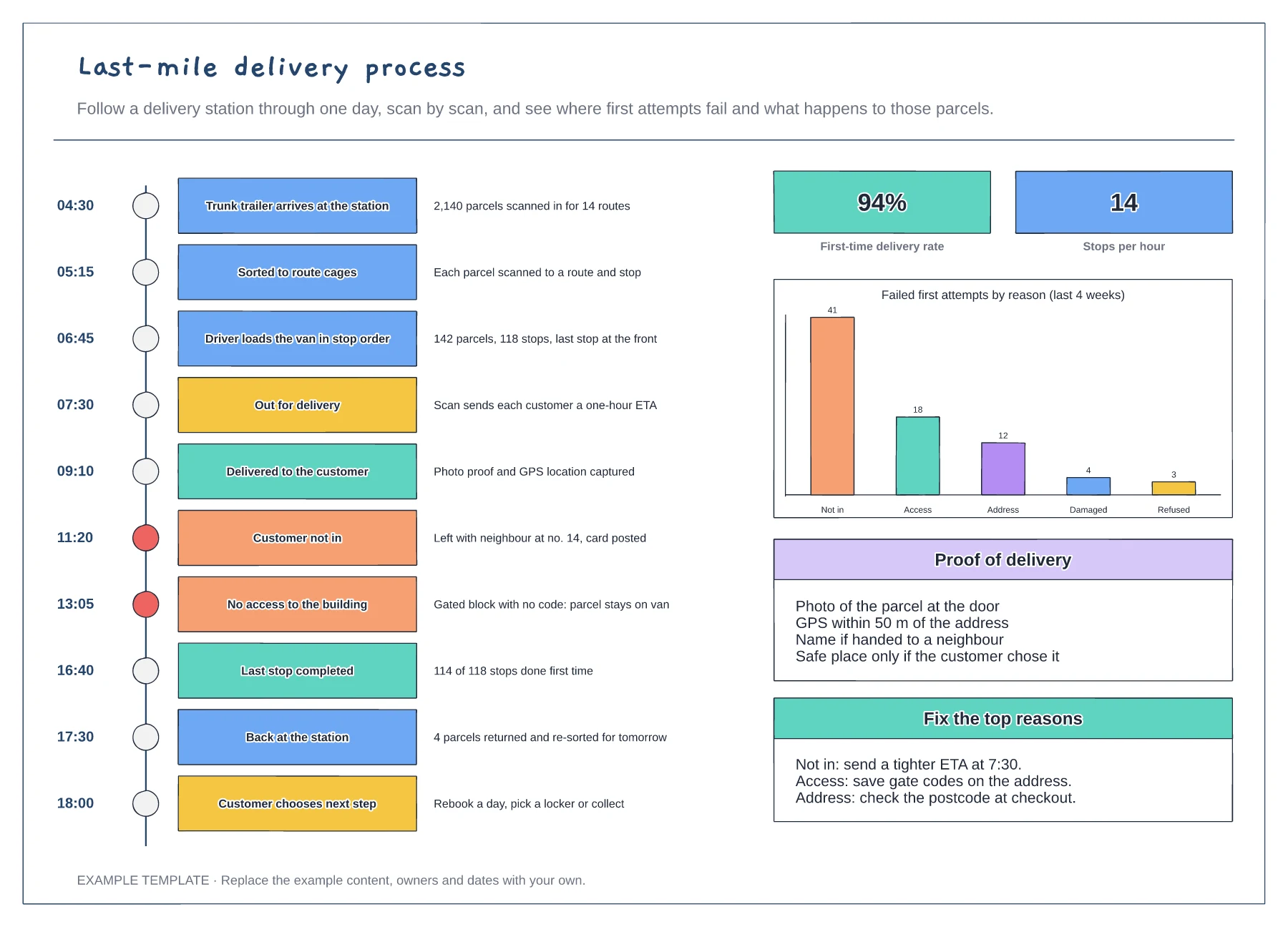
A station day as a vertical timeline of scan events · First-time delivery rate and failed attempts by reason · Proof of delivery rules and fixes for the top failures
Preview and use template →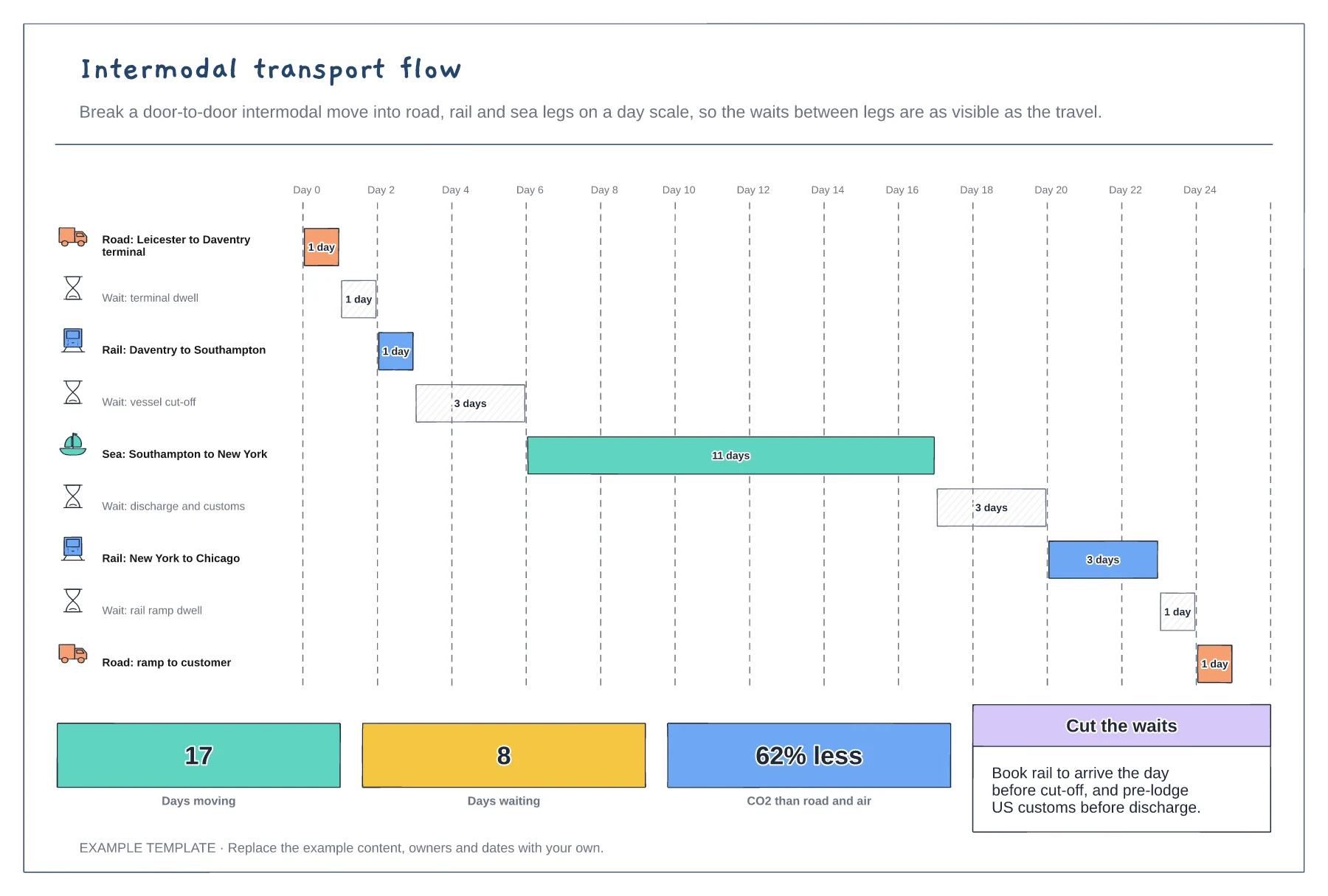
Every leg and wait as a bar on a day scale · Road, rail and sea legs with icons · Days moving, days waiting and carbon saved
Preview and use template →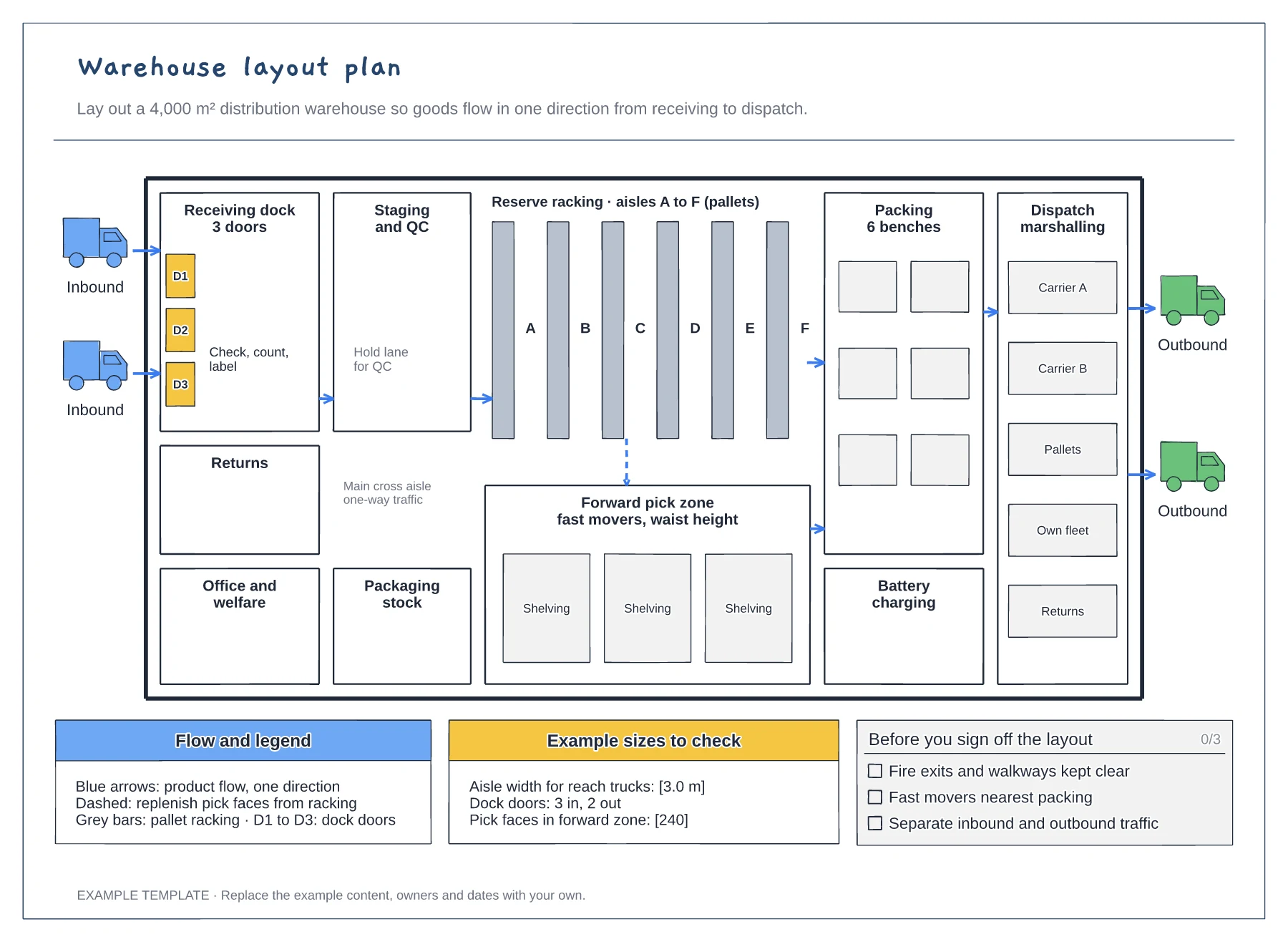
Floor plan with docks, racking and work areas · Flow arrows and a replenishment route · Size checks and a sign-off checklist
Preview and use template →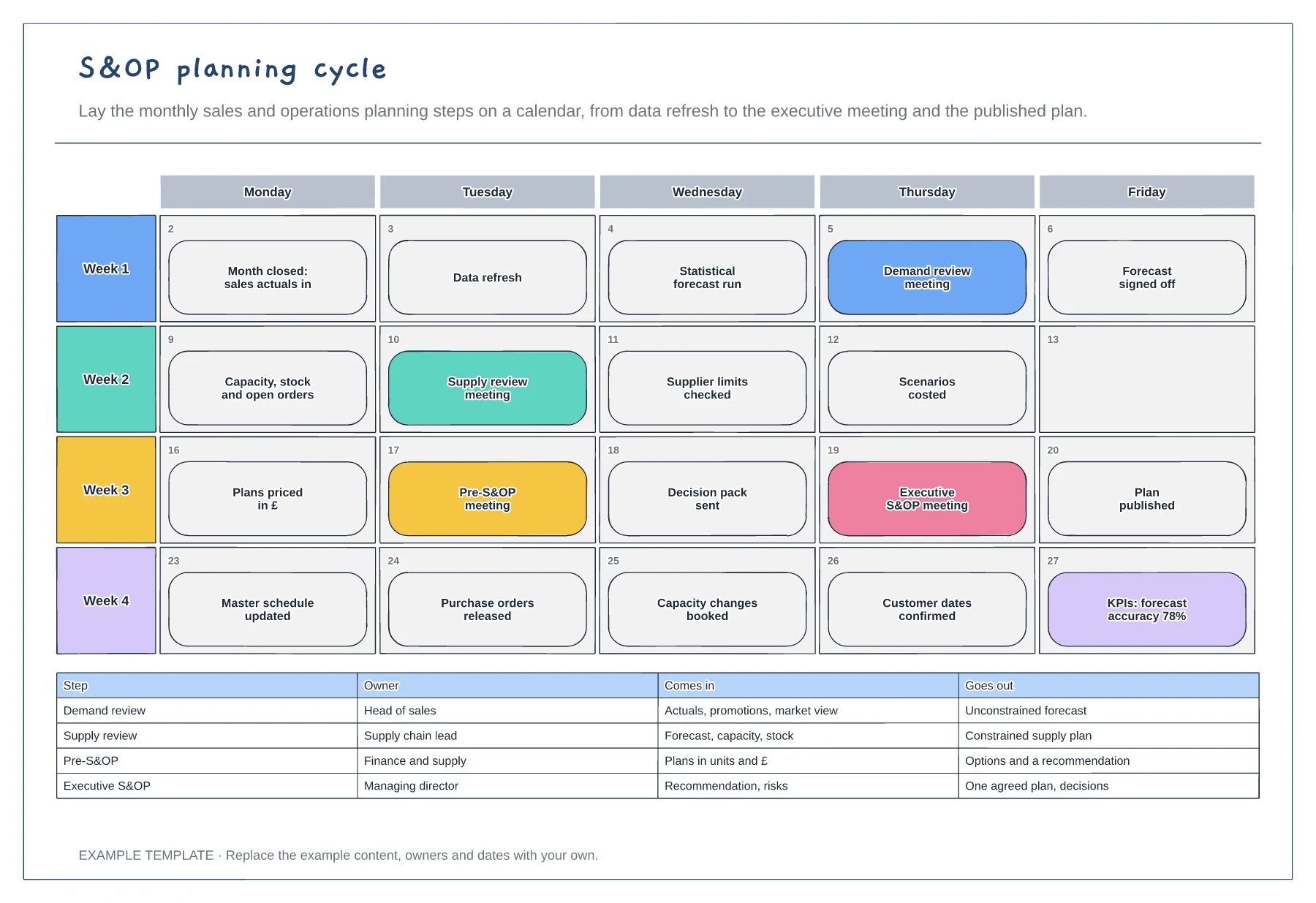
The monthly S&OP cycle on a four-week calendar · Key meetings highlighted with the work between them · Owner, inputs and outputs for each meeting
Preview and use template →