Ecommerce
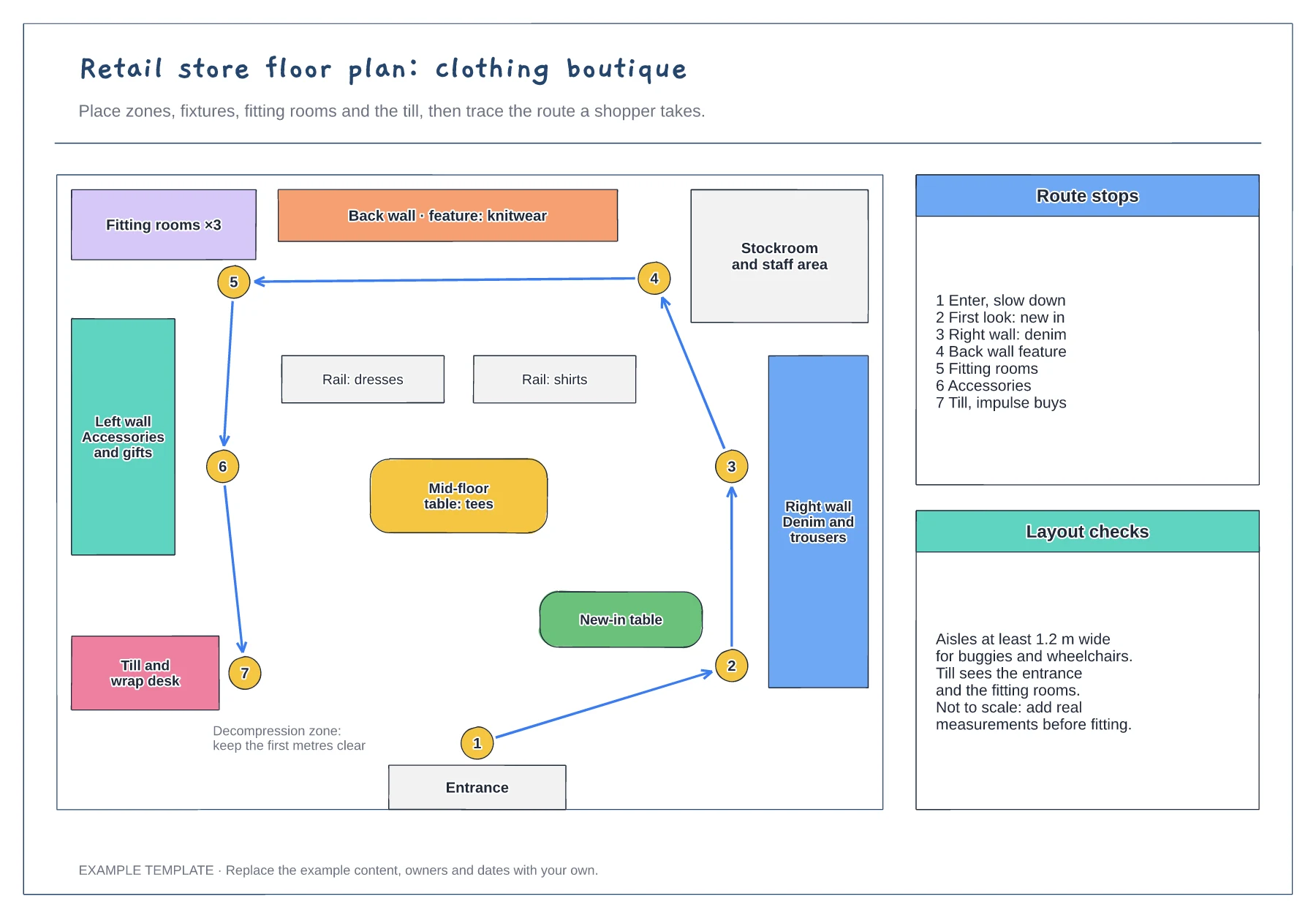
Retail store floor plan template
Zones, fixtures and service points · Numbered shopper route · Checks for aisles and sightlines
Preview and use template →A click and collect process flow, also called buy online, pick up in store (BOPIS), shows how an online order becomes a parcel waiting at a store desk. This example splits the work between the customer, the order system and the store team, from stock reservation and picking to the ready message, collection checks and the not-collected branch.
No account needed · Opens as your own editable page
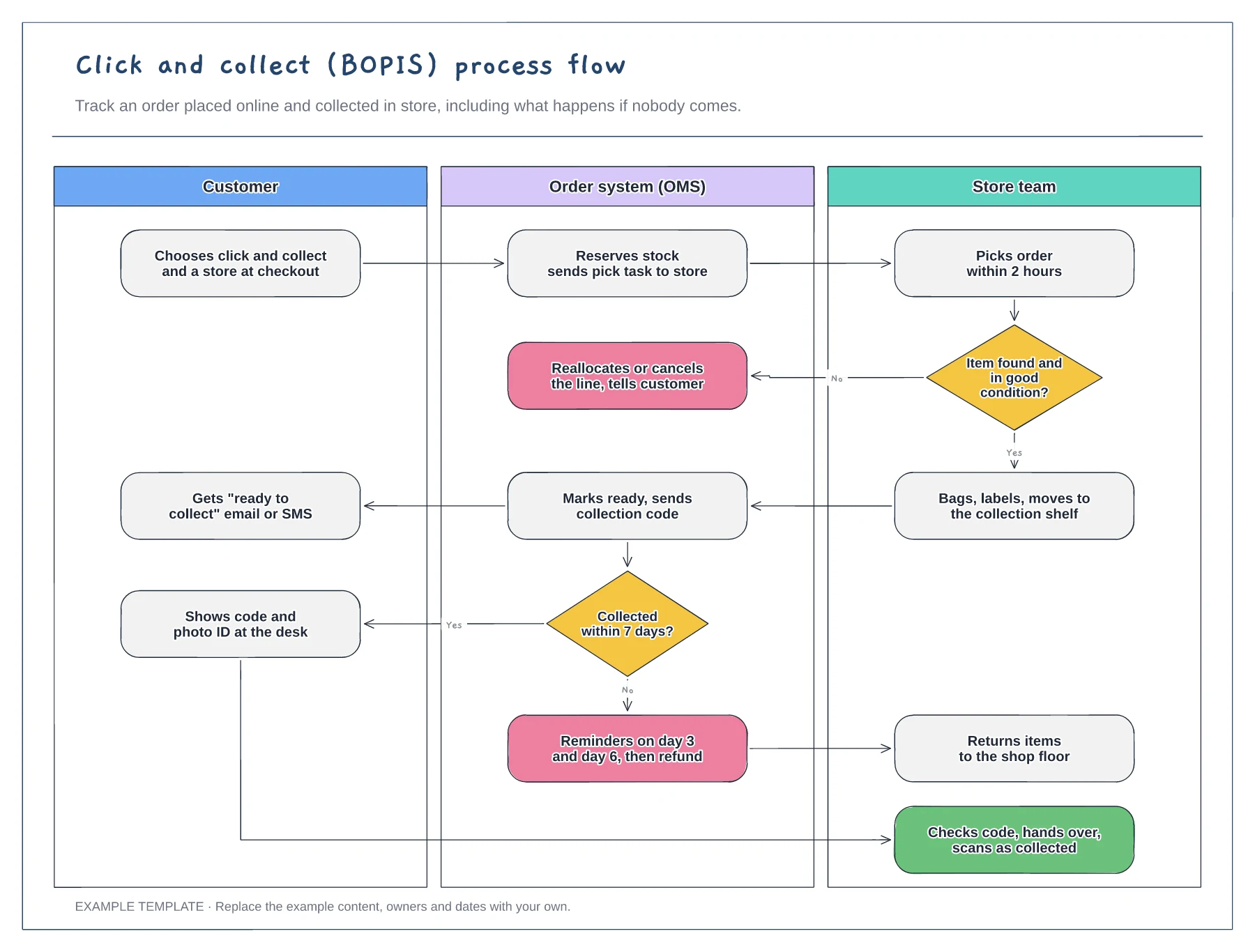
Replace the example pick time and collection window with what your stores can manage on their busiest days. The time in the ready message should match what staff can actually deliver.
Agree what happens when an item cannot be found or is damaged, and when a parcel is not collected. Name who reallocates stock, who refunds and who returns items to the shop floor.
Decide what the customer shows and what staff scan at the desk. A simple code and ID check protects against handing an order to the wrong person, and the scan closes the order.
Yes. Edit the not-collected branch to set your own hold period and whether the order is refunded, returned to stock or both.
No. Open the template and edit it in your browser. Your work saves on this device. An account is optional if you want to sync your workspace.
Yes. Use Export in the editor to save a PNG, SVG or PDF, or download an editable .epicdraw backup.
Zones, fixtures and service points · Numbered shopper route · Checks for aisles and sightlines
Preview and use template →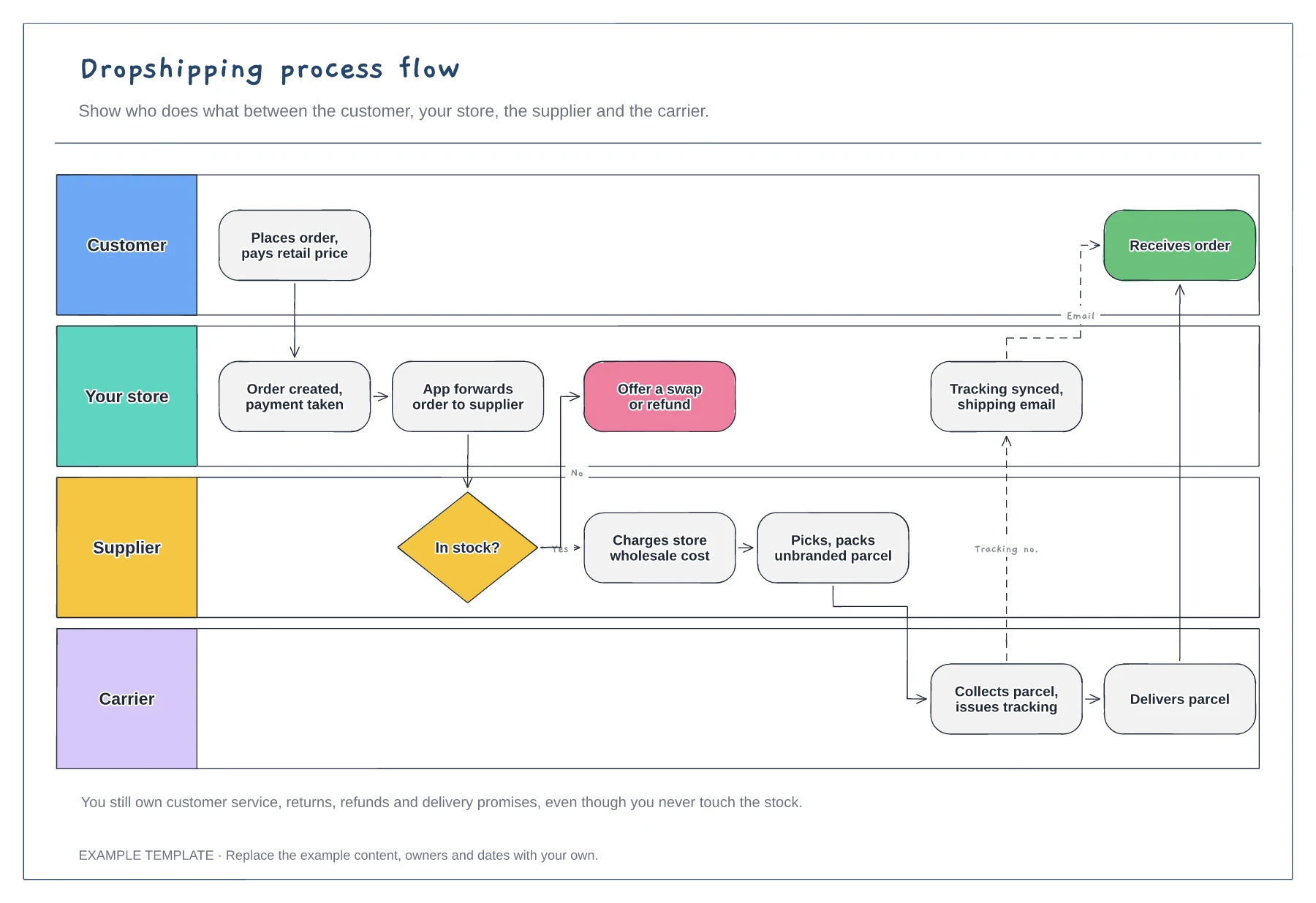
Four swimlanes with handoffs · Out-of-stock branch · Tracking sync back to the customer
Preview and use template →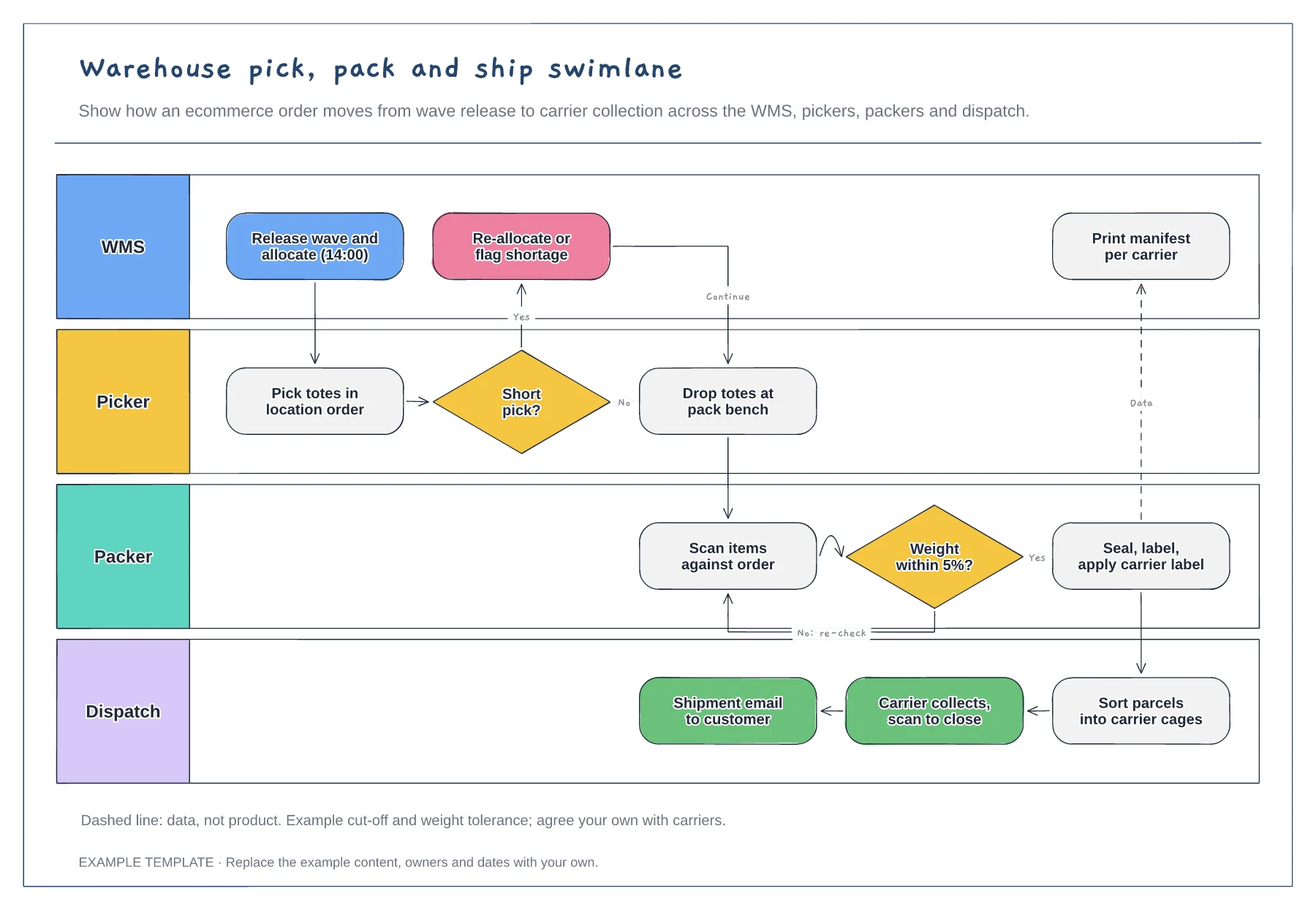
Lanes for WMS, picker, packer and dispatch · Short-pick and weight-check decisions · Data handoff for the carrier manifest
Preview and use template →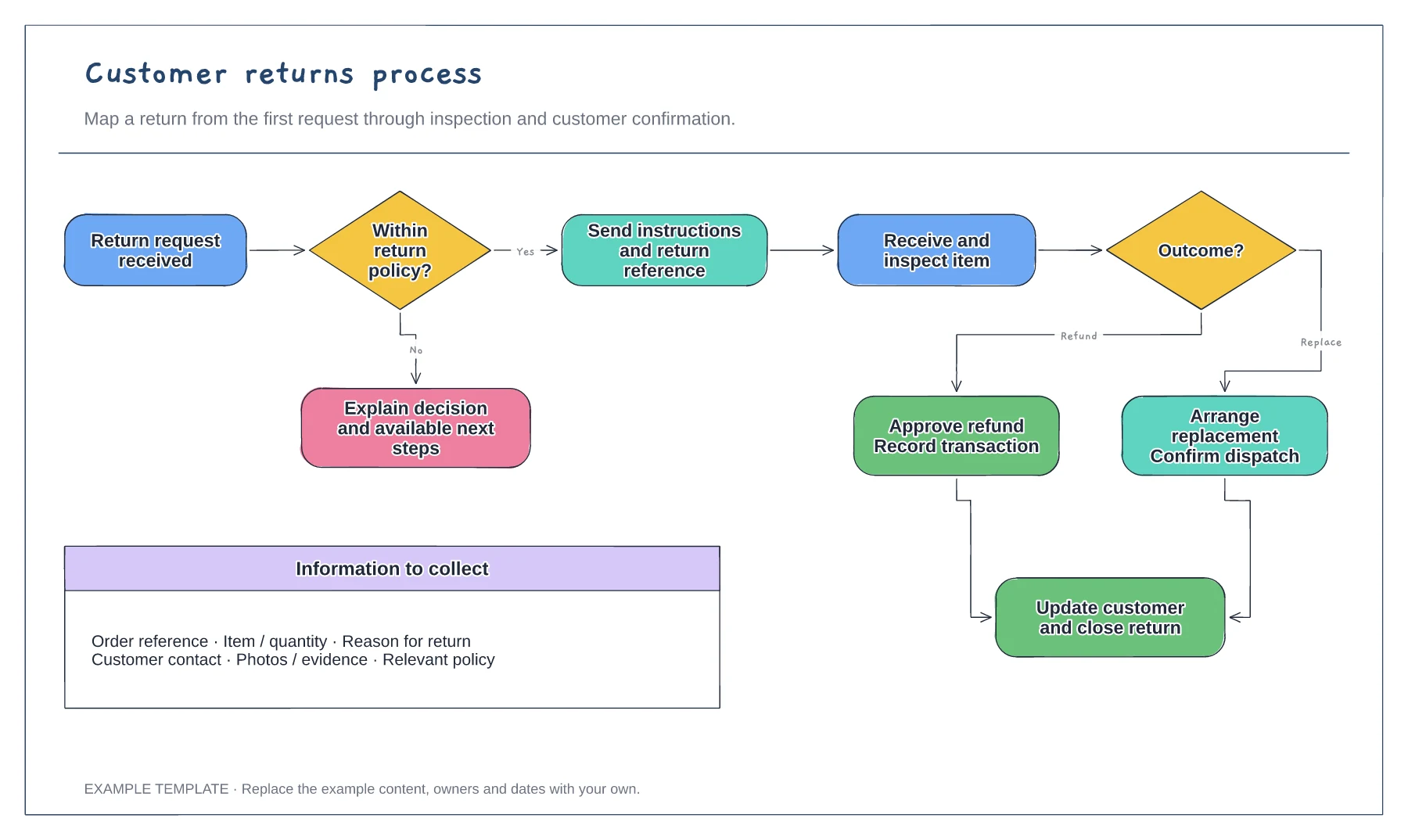
Return request and policy check · Approval or a clear explanation · Receipt, inspection and resolution
Preview and use template →
First-line triage and impact check · Specialist ownership and investigation · Customer updates and closure
Preview and use template →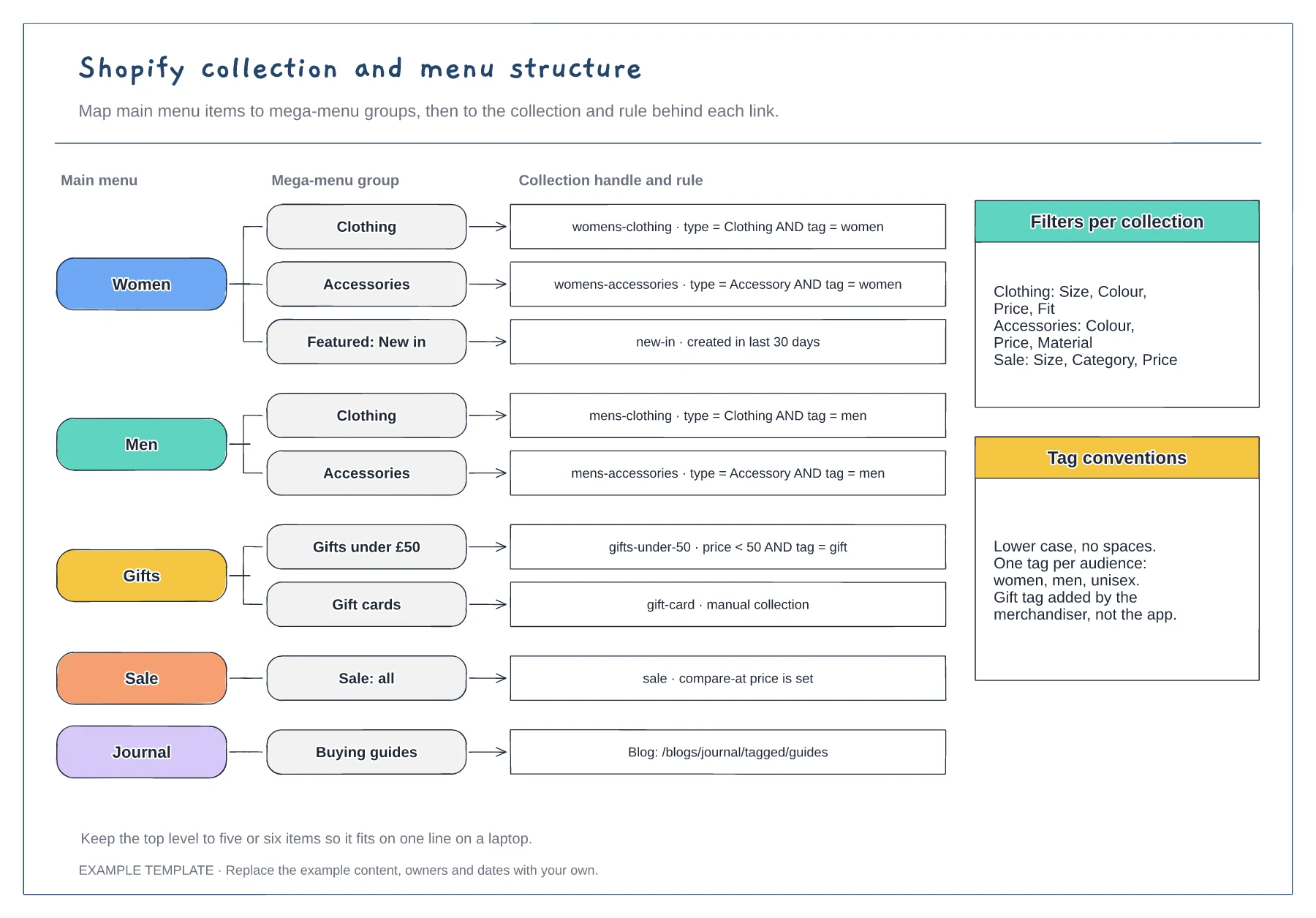
Menu items and mega-menu groups · Collection handles with rules · Filter and tag conventions
Preview and use template →