Operations
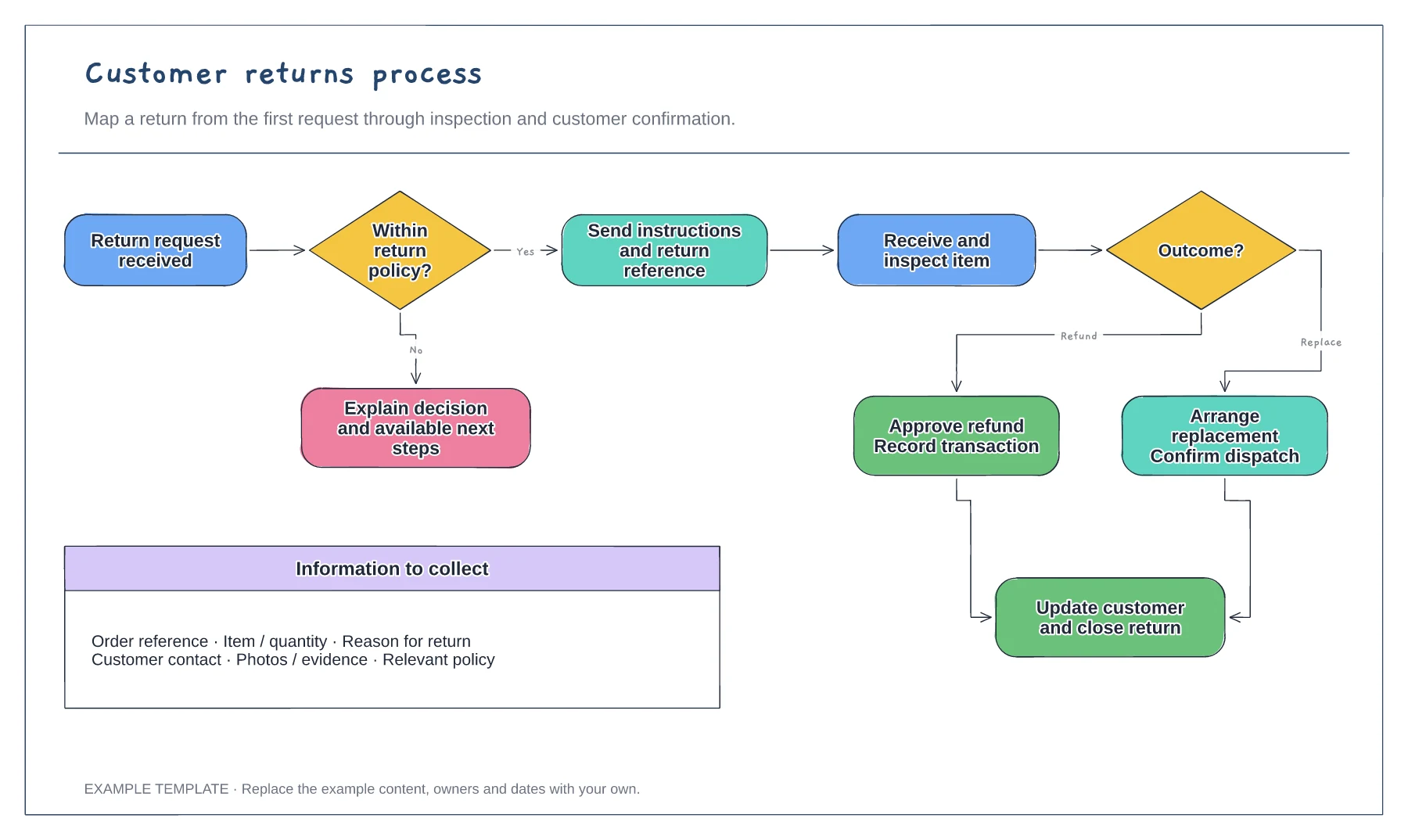
Customer returns process flowchart template
Return request and policy check · Approval or a clear explanation · Receipt, inspection and resolution
Preview and use template →Make a purchase request and its reviews easier to follow. This workflow shows the request, approval decisions, exception handling and records needed before an order is placed.
No account needed · Opens as your own editable page
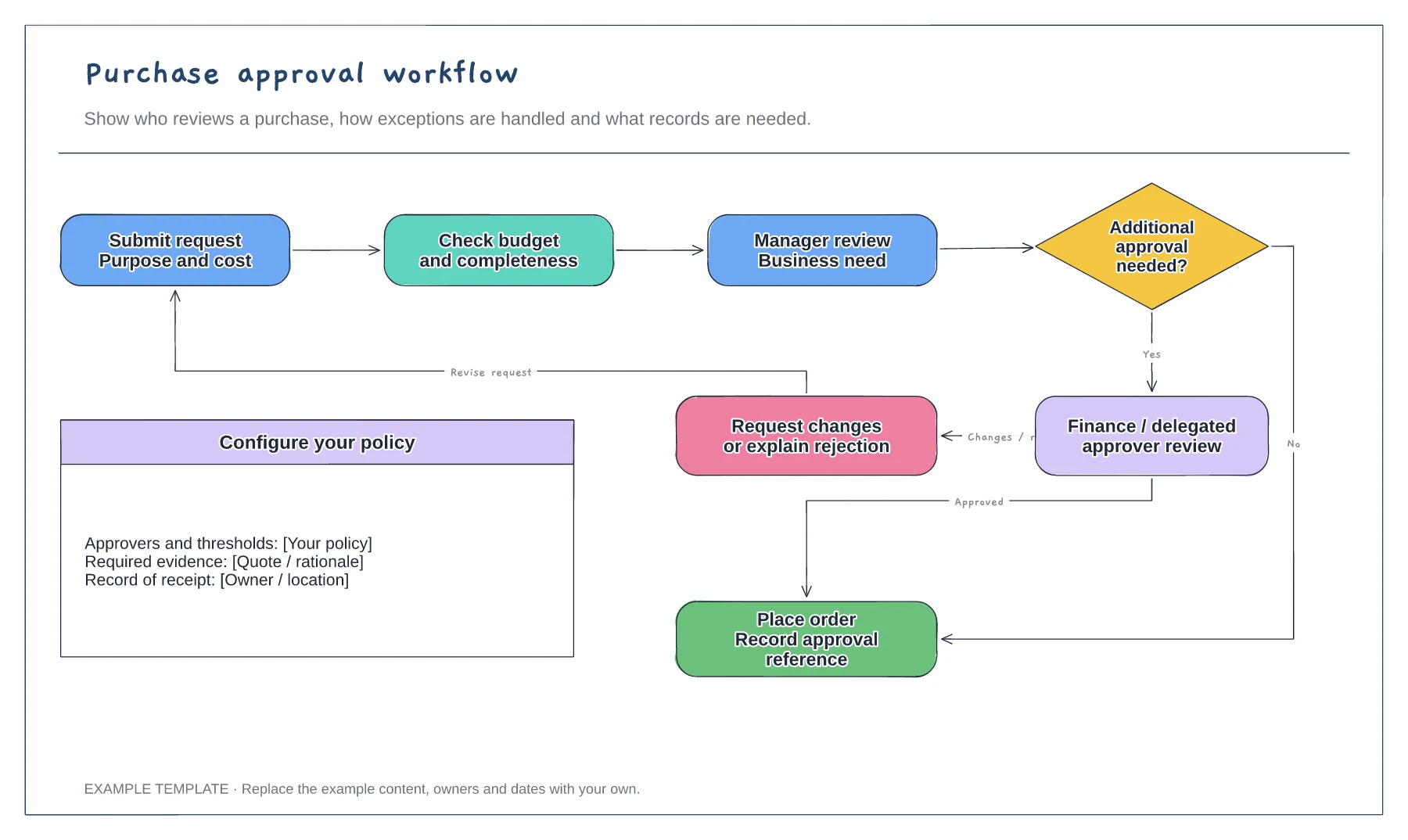
List the item, business reason, cost and supporting details that a requester must provide. Adapt the example to your procurement process.
Replace the sample decision points with your approval roles and thresholds. Explain how an incomplete request is returned and how a rejection is recorded.
Show who places the order and where the decision and order reference are recorded. Walk through a request that needs revision as well as one that is approved.
Yes. Edit the decision labels and add approver steps for the value bands or exceptions used by your organisation.
No. Open the template and edit it in your browser. Your work saves on this device. An account is optional if you want to sync your workspace.
Yes. Use Export in the editor to save a PNG, SVG or PDF, or download an editable .epicdraw backup.
Return request and policy check · Approval or a clear explanation · Receipt, inspection and resolution
Preview and use template →
First-line triage and impact check · Specialist ownership and investigation · Customer updates and closure
Preview and use template →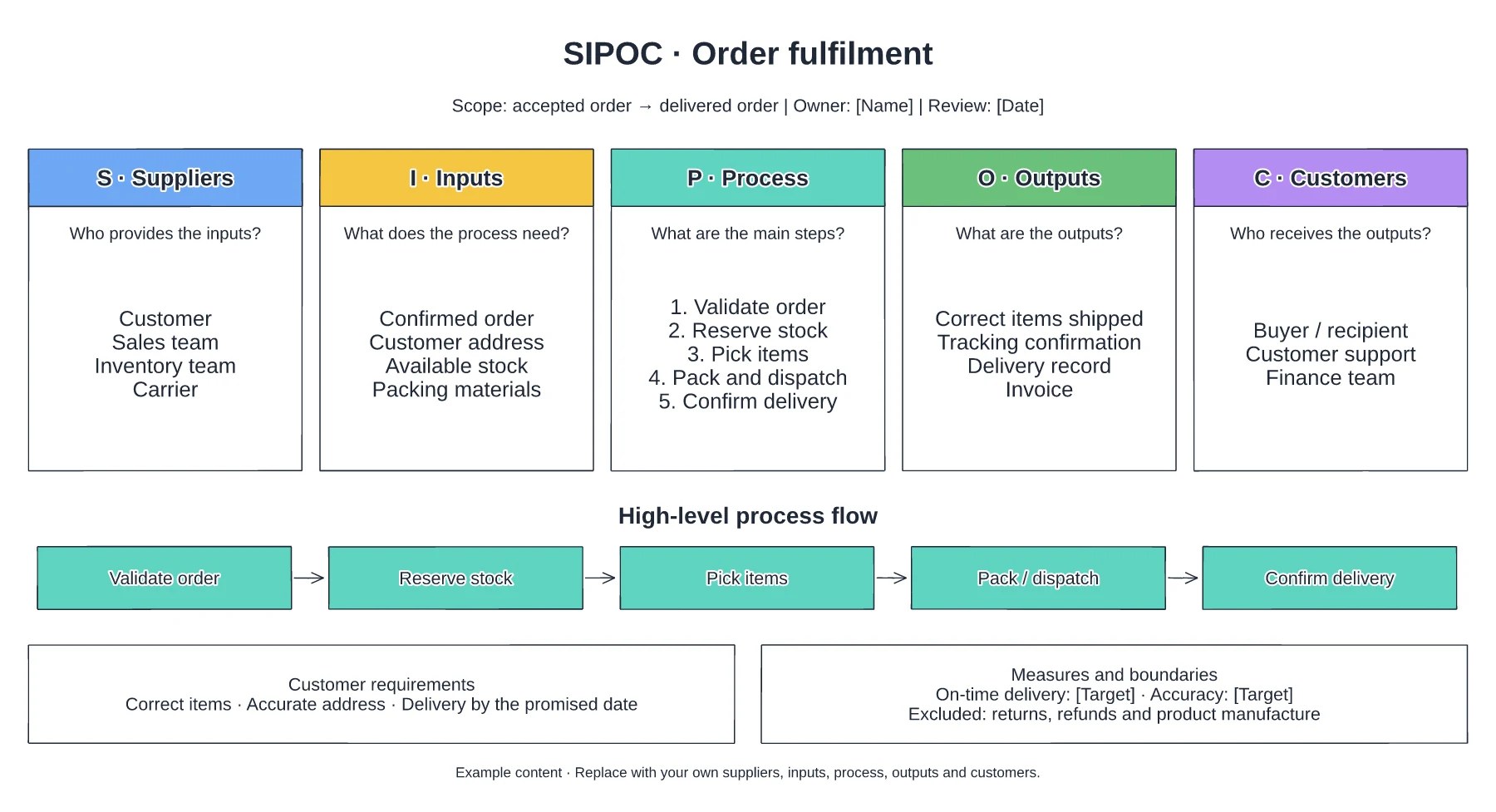
Suppliers and required inputs · High-level fulfilment stages · Outputs, customers and requirements
Preview and use template →