
Operations
Customer support escalation flowchart template
First-line triage and impact check · Specialist ownership and investigation · Customer updates and closure
Preview and use template →Make a customer return easier to handle from the first request to the final refund or replacement. This editable flowchart connects eligibility checks, parcel inspection and customer updates so each handover has a clear next step.
No account needed · Opens as your own editable page
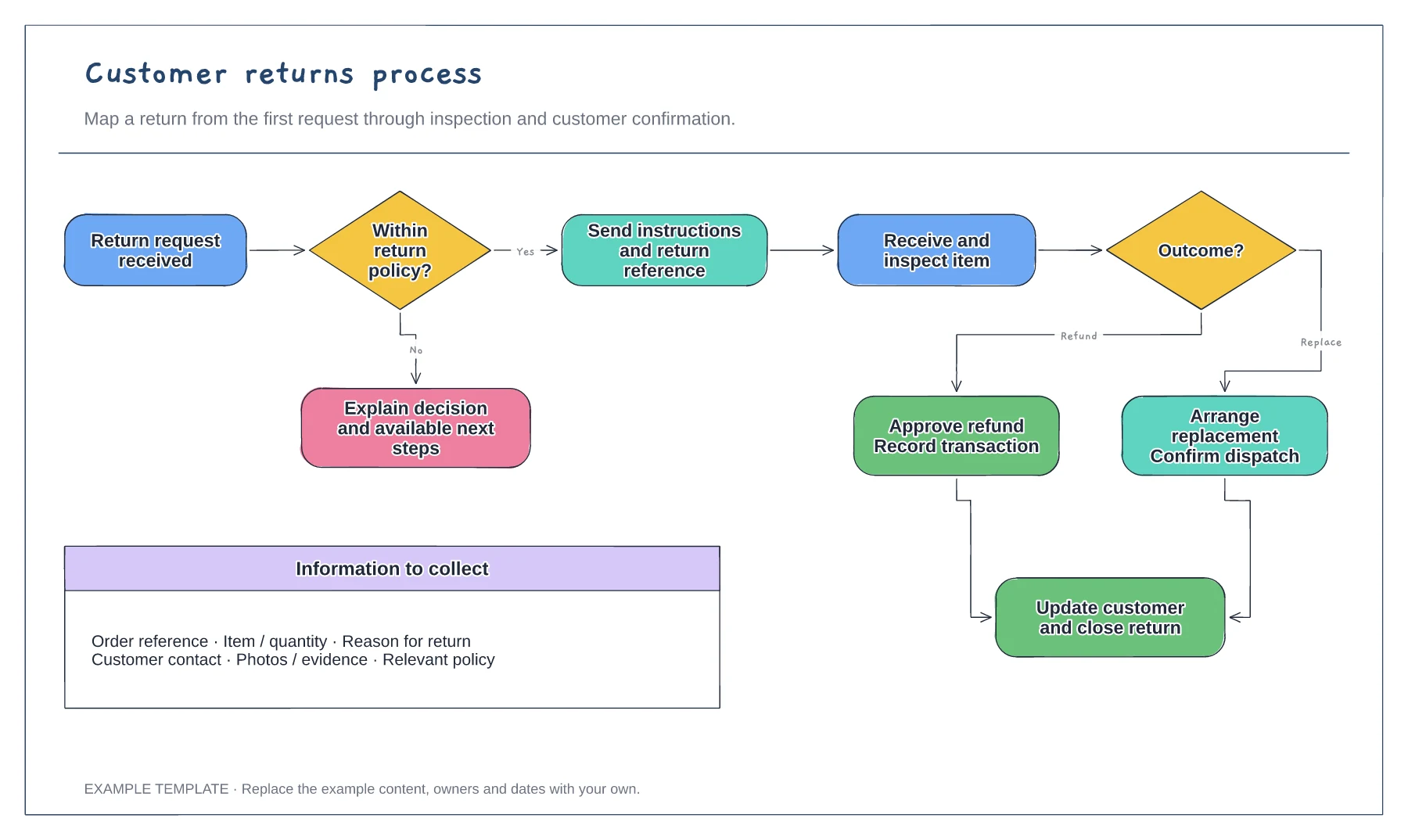
Replace the example eligibility decision with your return window, product conditions and exceptions. Add the person who can approve an exception.
Show how a return is authorised, where it is received and who checks its condition. Keep the refund and replacement outcomes visible.
Add a confirmation step after the resolution. Walk through one ordinary return and one declined request with the people handling them.
Yes. Rename the resolution steps and add separate refund, exchange or replacement branches where your process differs.
No. Open the template and edit it in your browser. Your work saves on this device. An account is optional if you want to sync your workspace.
Yes. Use Export in the editor to save a PNG, SVG or PDF, or download an editable .epicdraw backup.
First-line triage and impact check · Specialist ownership and investigation · Customer updates and closure
Preview and use template →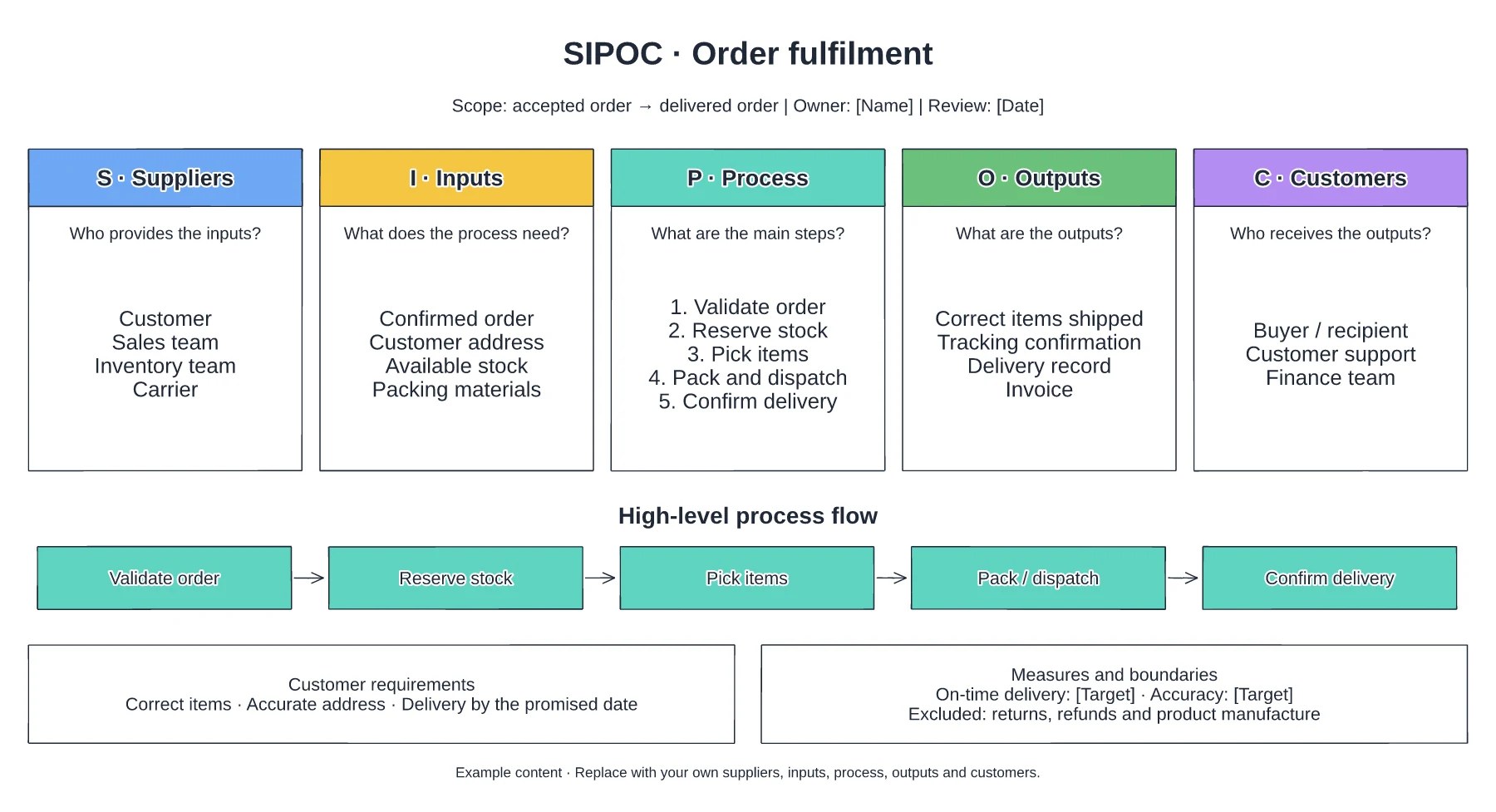
Suppliers and required inputs · High-level fulfilment stages · Outputs, customers and requirements
Preview and use template →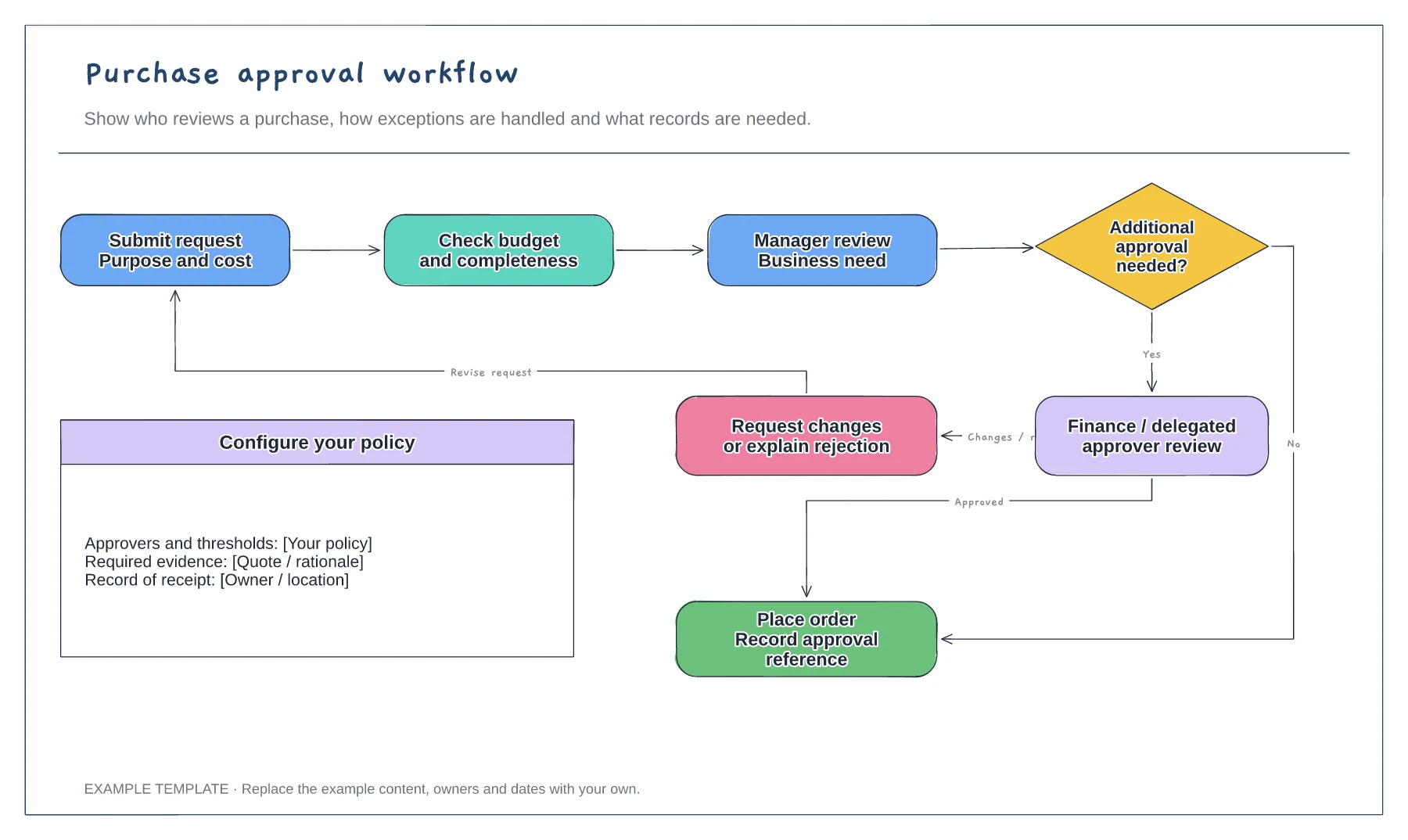
Purchase request and supporting information · Approval decisions and revision path · Order and record-keeping steps
Preview and use template →