Operations
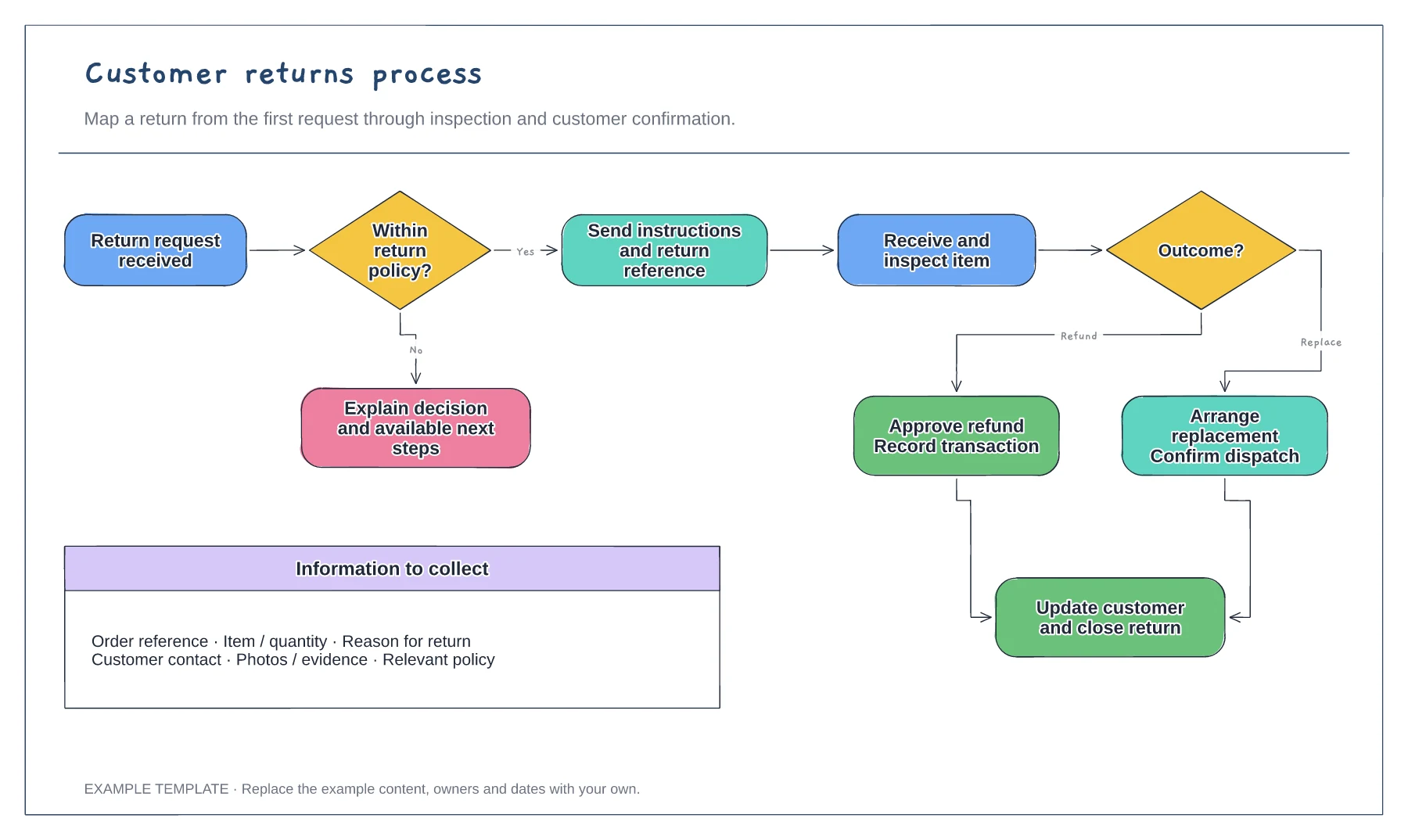
Customer returns process flowchart template
Return request and policy check · Approval or a clear explanation · Receipt, inspection and resolution
Preview and use template →Define the boundaries of an order-to-delivery process before mapping every task. This SIPOC example connects suppliers, inputs, process stages, outputs and customers to support a shared discussion about fulfilment.
No account needed · Opens as your own editable page
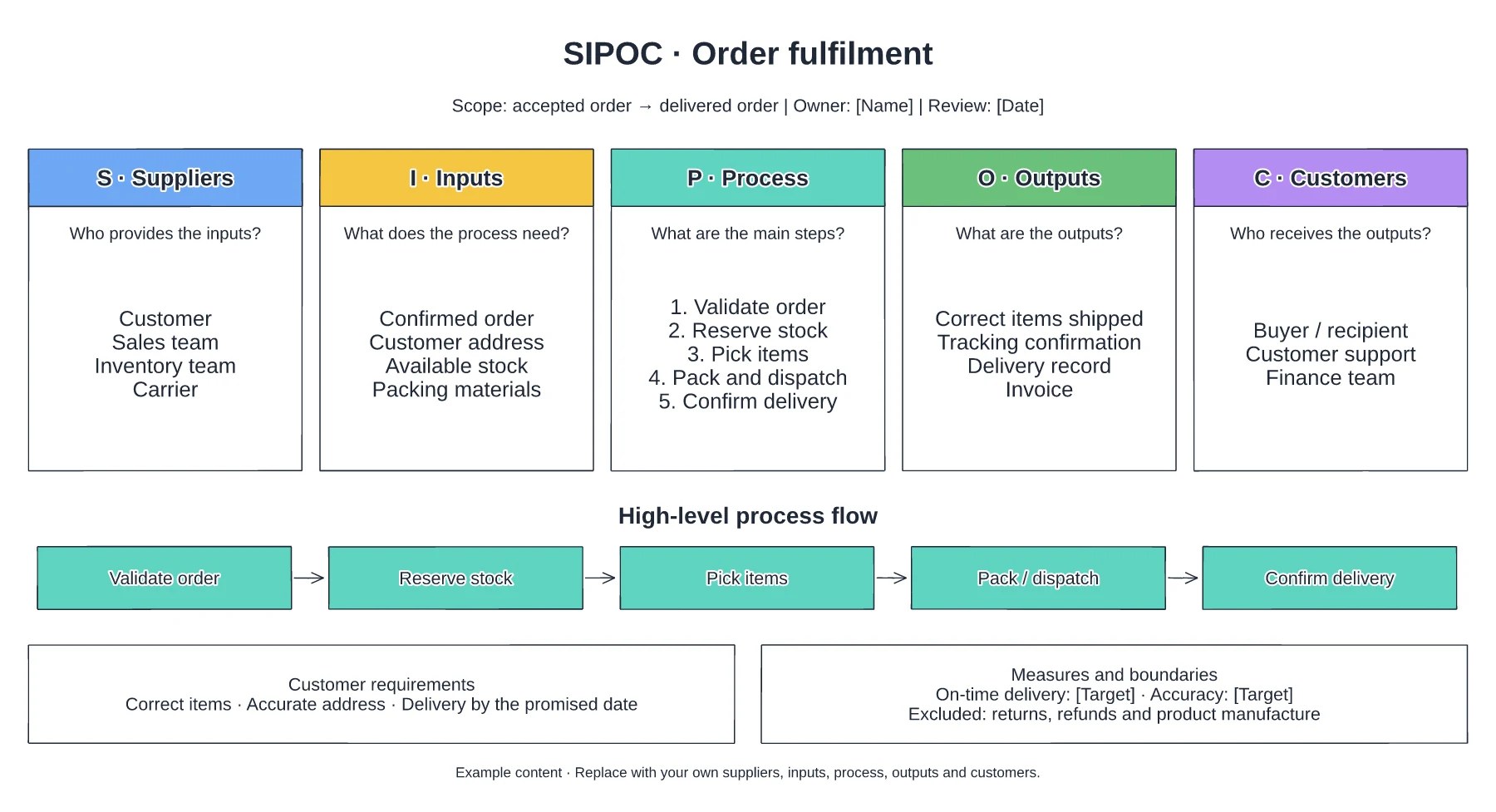
Decide whether the process begins with an order, payment confirmation or release to the warehouse. Choose the delivery or confirmation event that ends it.
Replace the sample suppliers and inputs with the people, systems and information your fulfilment process depends on. Match each output to its recipient.
Review the map with order management, warehouse and customer support colleagues. Note missing inputs or unclear output requirements for further investigation.
SIPOC stands for Suppliers, Inputs, Process, Outputs and Customers. These five columns describe a process and its boundaries.
No. Open the template and edit it in your browser. Your work saves on this device. An account is optional if you want to sync your workspace.
Yes. Use Export in the editor to save a PNG, SVG or PDF, or download an editable .epicdraw backup.
Return request and policy check · Approval or a clear explanation · Receipt, inspection and resolution
Preview and use template →
First-line triage and impact check · Specialist ownership and investigation · Customer updates and closure
Preview and use template →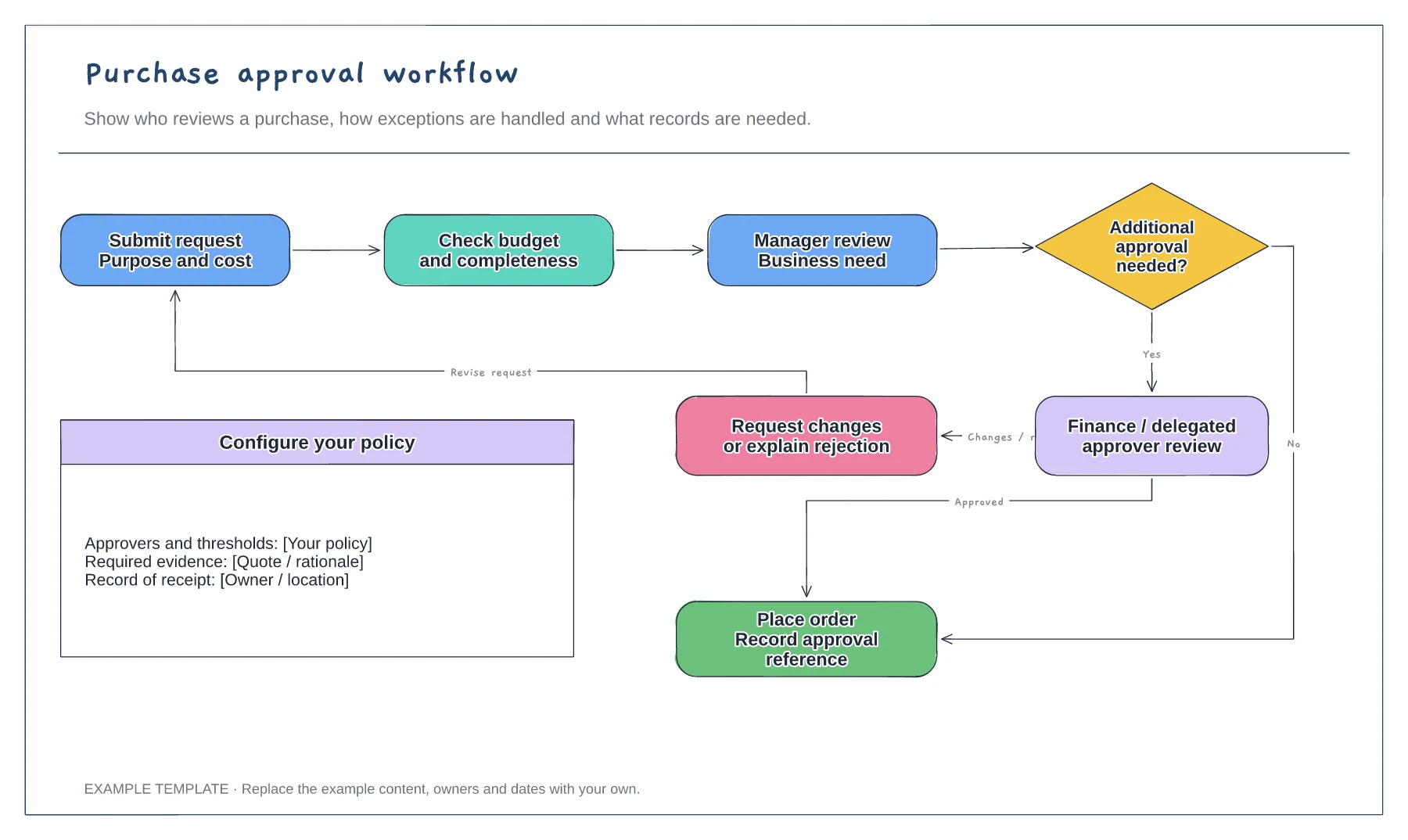
Purchase request and supporting information · Approval decisions and revision path · Order and record-keeping steps
Preview and use template →