Marketing
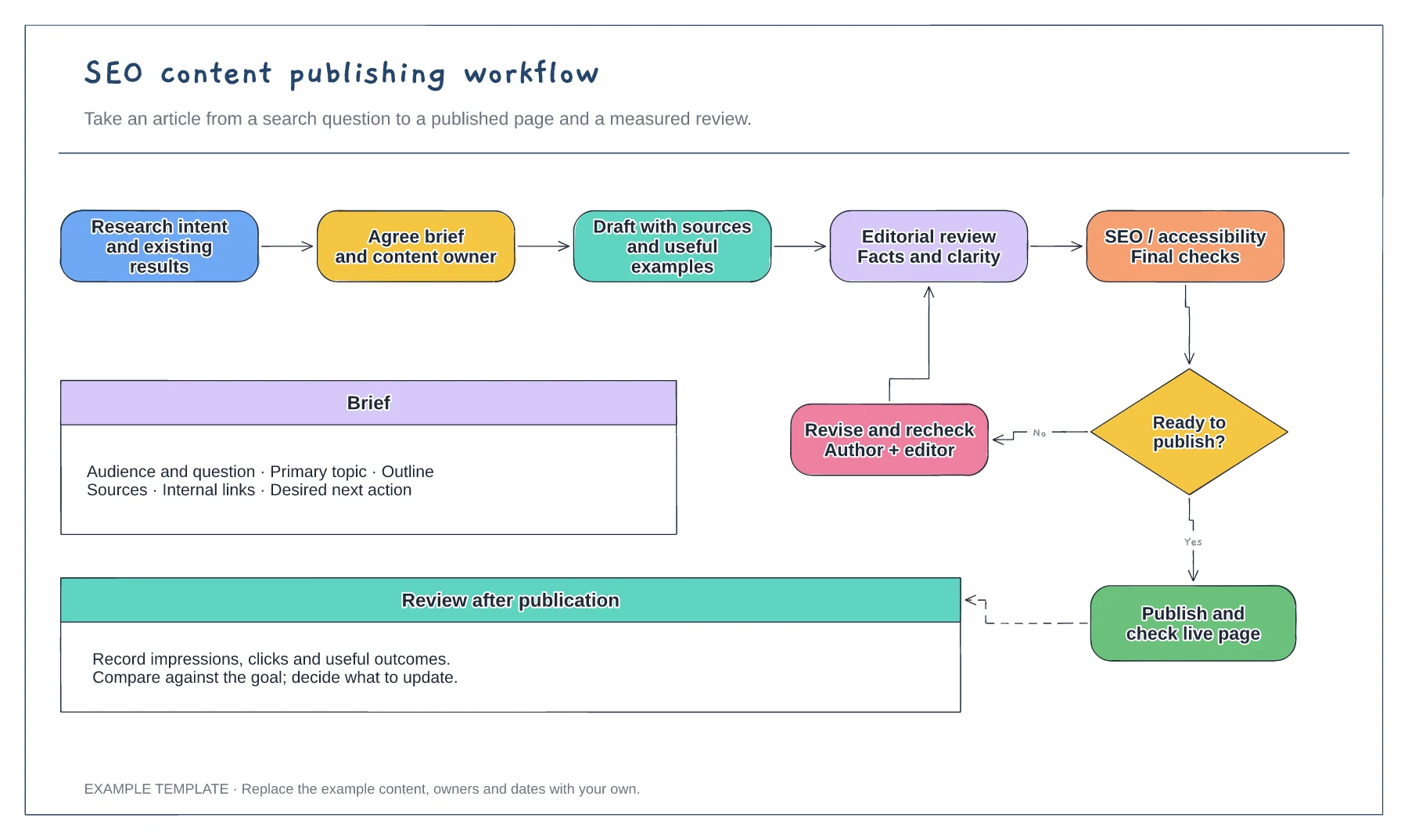
SEO content publishing workflow template
Search question and content brief · Draft, edit and approval loop · Publication and performance review
Preview and use template →See where each content item stands, from idea to publication. This board arranges example cards by work stage and includes space for an owner and next action, making editorial handovers easier to discuss.
No account needed · Opens as your own editable page
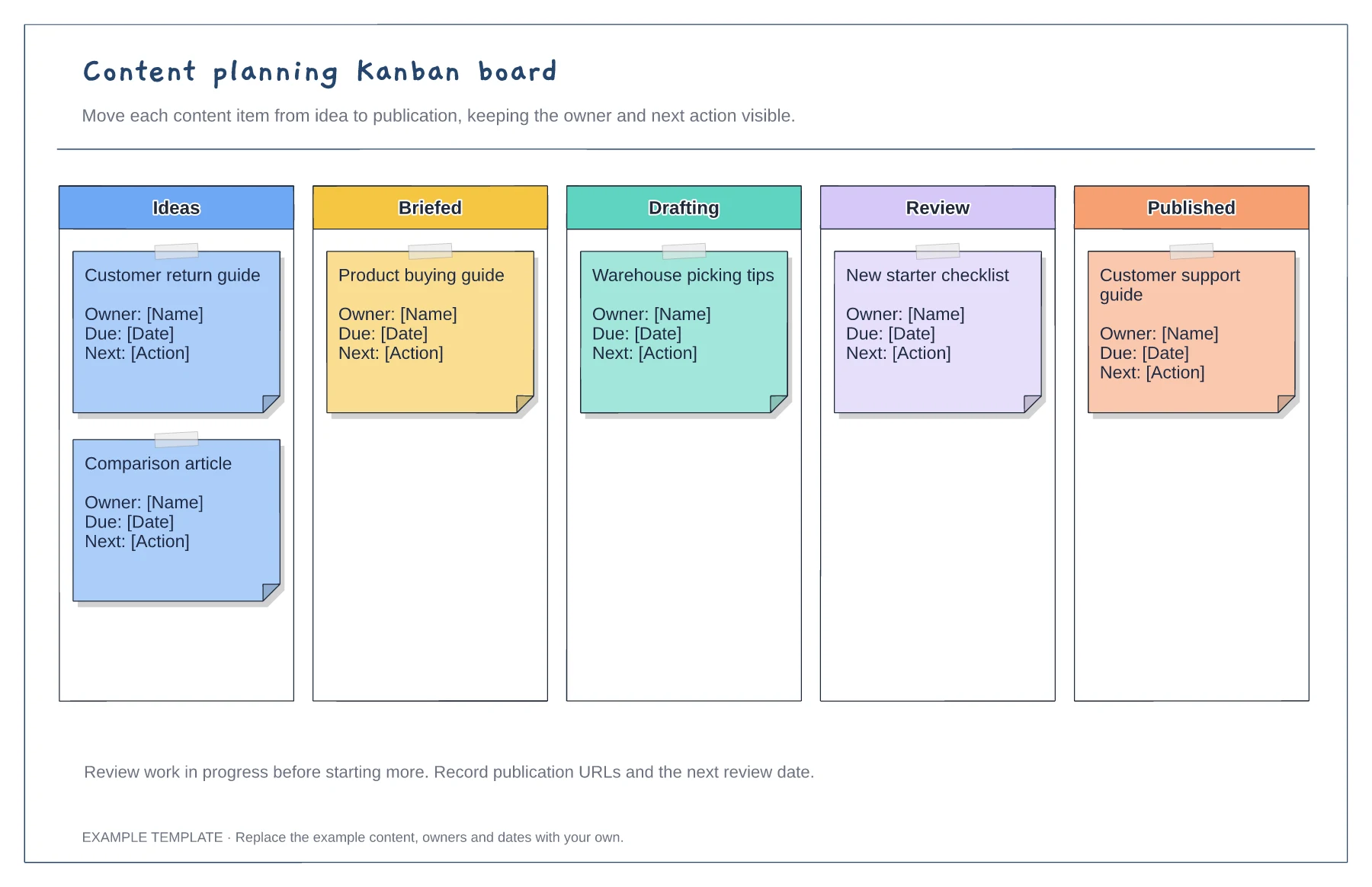
Rename the stages to reflect how content actually moves through your team. Add a review or approval column when it represents a distinct handover.
Replace the sample cards with titles or briefs. Include the owner and next action so a card can move forward without a separate explanation.
Move cards as their stage changes and mark blocked items visibly. Discuss what is preventing progress before adding more work to a crowded column.
Yes. In the editor, drag a card into its new column and edit its text as the next action changes.
No. Open the template and edit it in your browser. Your work saves on this device. An account is optional if you want to sync your workspace.
Yes. Use Export in the editor to save a PNG, SVG or PDF, or download an editable .epicdraw backup.
Search question and content brief · Draft, edit and approval loop · Publication and performance review
Preview and use template →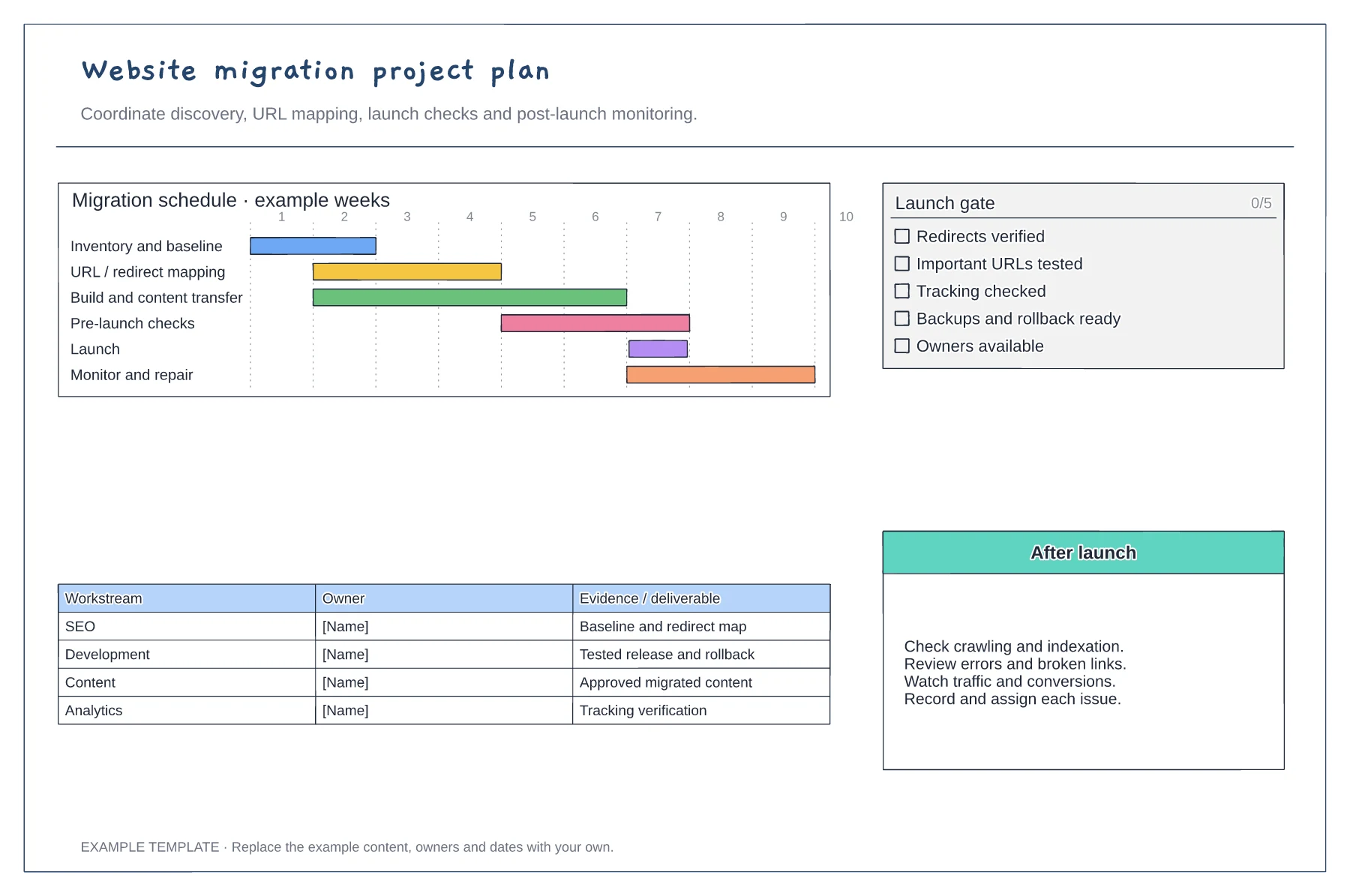
Discovery and URL mapping · Build, QA and launch gates · Post-launch monitoring and ownership
Preview and use template →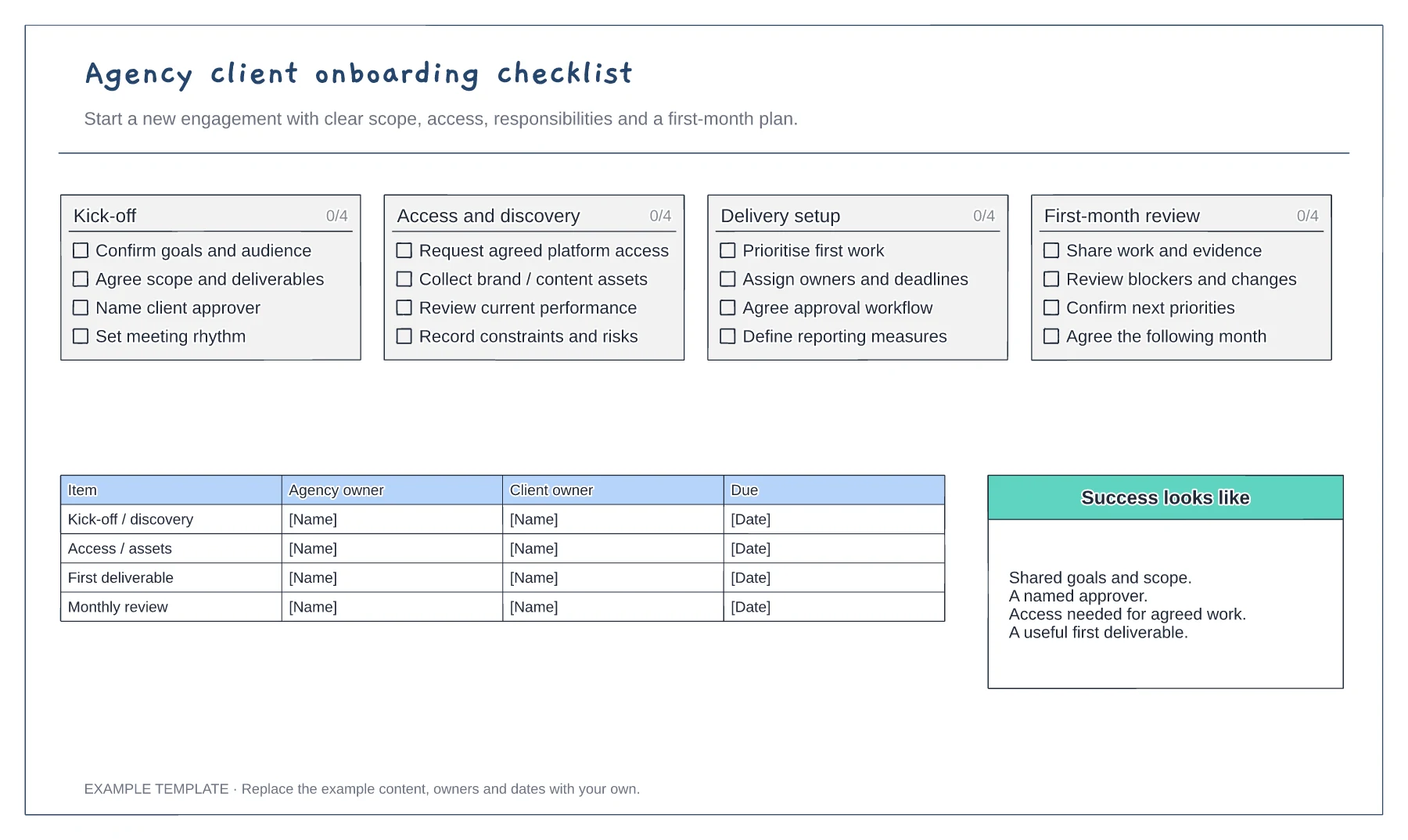
Scope and commercial handover · Access and working arrangements · Kickoff and first-month plan
Preview and use template →