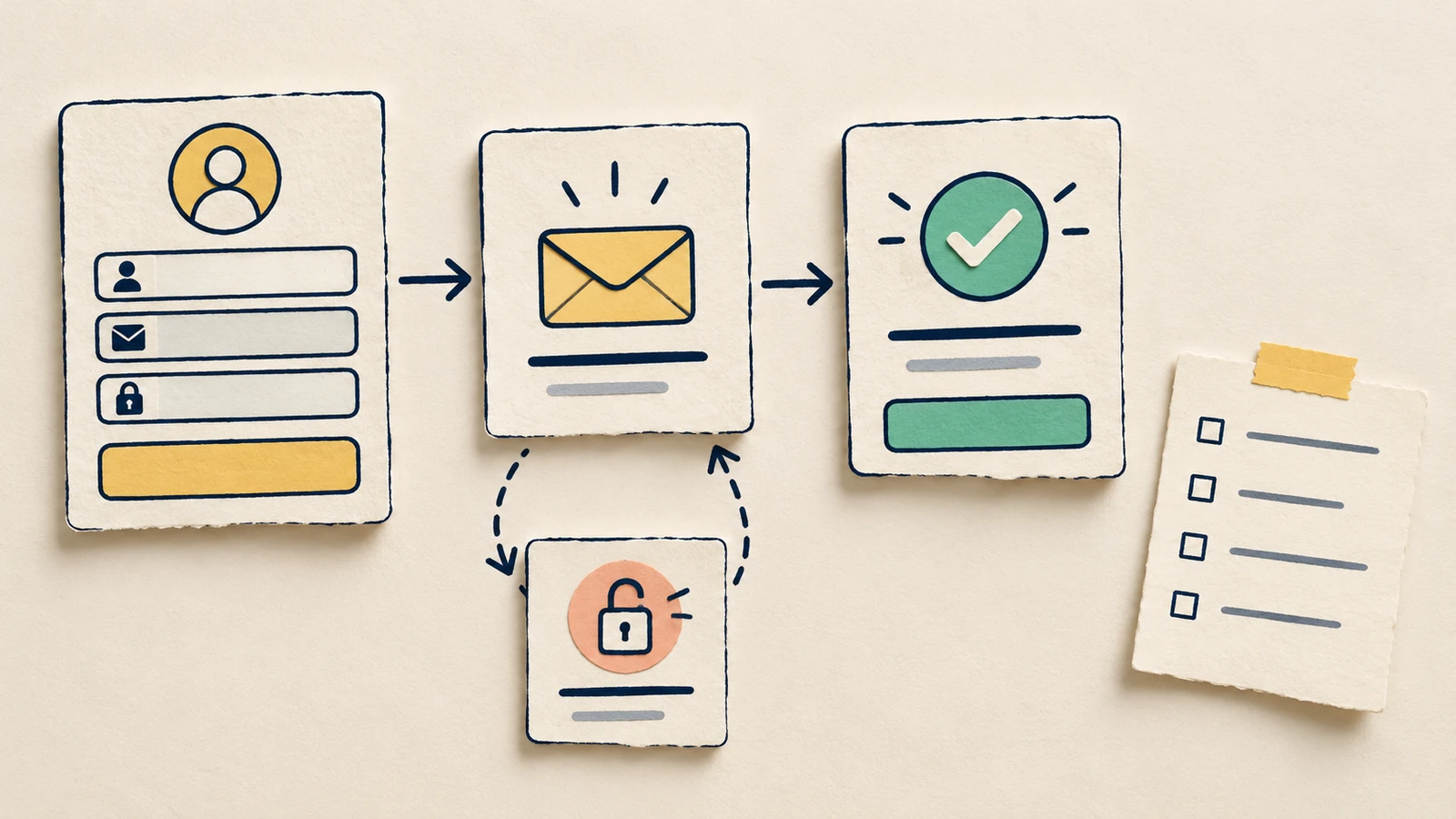
A wireframe handoff helps a developer understand what a screen does, how it changes and which decisions still need an answer. Before sharing, pick one user task and follow it through the ordinary route and the ways it can fail. For each state, record what triggers it, what the person sees and what they can do next.
This checklist turns that walkthrough into an annotated pack. You can use the editable example to see the level of detail, then replace its content in the blank starter.
What belongs in a wireframe handoff
A screen shows a moment in a task. A state explains the conditions at that moment: a form can be empty, waiting for a response or showing an error, even when its layout stays much the same.
Your handoff needs enough detail for someone else to follow those changes. Put the expected behaviour beside the relevant screen. Keep agreed decisions distinguishable from proposals and questions, so a rough sketch cannot accidentally settle a product rule.
Start with this question: "Could a developer explain the failure path without me talking them through it?" If the answer depends on a message, a return destination or a rule you have not recorded, add that detail or mark the decision as open.
Set the task and the boundary
The worked example is a fictional registration feature for a project-planning app. Its visitor wants to create an account, verify their email and reach the first project action. The pack ends at email verification; the project editor is outside its scope. Its copy and behaviour are proposals for discussion.
Write that boundary at the top of your own pack. Add a version, review date, design owner and developer reviewer. Leave these fields blank in the template until actual people have agreed them.
The boundary tells you which screens to include. Here, the developer needs the registration form, a verification message and a success state, plus invalid-details and expired-link recovery. They also need a destination for "Create a project", although that next screen will be specified elsewhere.
List states before polishing screens
Follow the visitor's task and make a small inventory:
| State | Trigger in this example | Action or destination |
|---|---|---|
| Entry | Open registration | Submit email and password |
| Invalid details | Submit an invalid email | Edit it, then retry the entry rules |
| Verification | Submission is accepted | Follow the email link, resend or change email |
| Expired link | Open an expired verification link | Request a new link; accepted request returns to Verification |
| Success | Open a valid verification link | Continue with Create a project |
This first pass exposes missing work. What appears while a submission is pending? What happens if sending the email fails? How does an existing account affect the response? Those are open questions in this pack, with the affected states identified. It is not ready to implement every route.
Keep an incomplete state visible in the inventory until its behaviour is agreed. A missing box is easy to overlook; an open question gives the team something specific to resolve.
If you need to expand the inventory first, use the interface state board guide to distinguish pending responses, empty outcomes and failures before adding handoff annotations.
Put the behaviour beside the wireframes
Open the editable starter near the top of this page. It adds a new page alongside your existing drawings. Double-click a label to replace it, starting with the task and scope. Then fill in the state cards with your own messages and actions.
In the worked example, Entry, Verification and Success run across the top. The failure states sit below the points where they arise. Arrows show the main route and failure branches; notes name the return destinations so the developer can trace recovery.
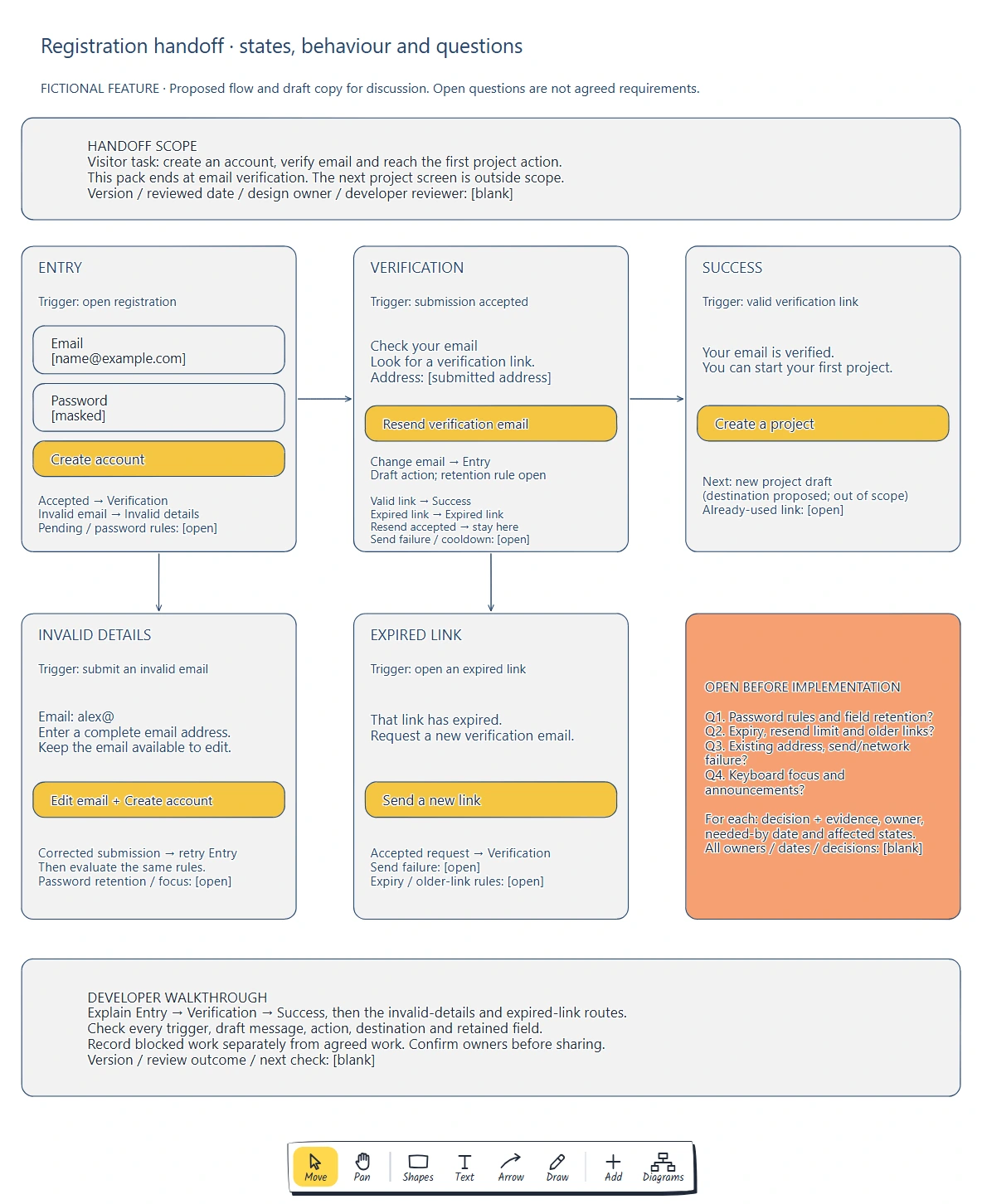
Follow the top row for the main route, then inspect the two failure branches below it. The peach card keeps unresolved implementation rules beside the screens they affect.
Each annotation should answer:
- What event brings the person here?
- Which message and controls do they see?
- What happens when they use the action?
- Which entered values remain available?
- Which rule still needs agreement?
For example, "Resend verification email" needs more than a button label. The pack proposes staying in Verification after an accepted resend. Sending failures and resend limits remain open. Recording those questions prevents a developer from having to infer the rules from the drawing.
Make the recovery path explainable
The invalid-details card shows an incomplete fictional address, "alex@", with the draft message "Enter a complete email address." The email stays available to edit. After correction, the visitor submits again and the entry rules are evaluated again. Password retention and keyboard focus are still open.
W3C's form-notification guidance recommends clear feedback about submission results and understandable instructions for correcting errors. Use that principle when writing draft messages, then check the implementation's accessibility separately.
The expired-link card uses a different recovery action: "Send a new link". An accepted request returns to Verification. The pack leaves send failure, expiry policy and treatment of older links undecided.
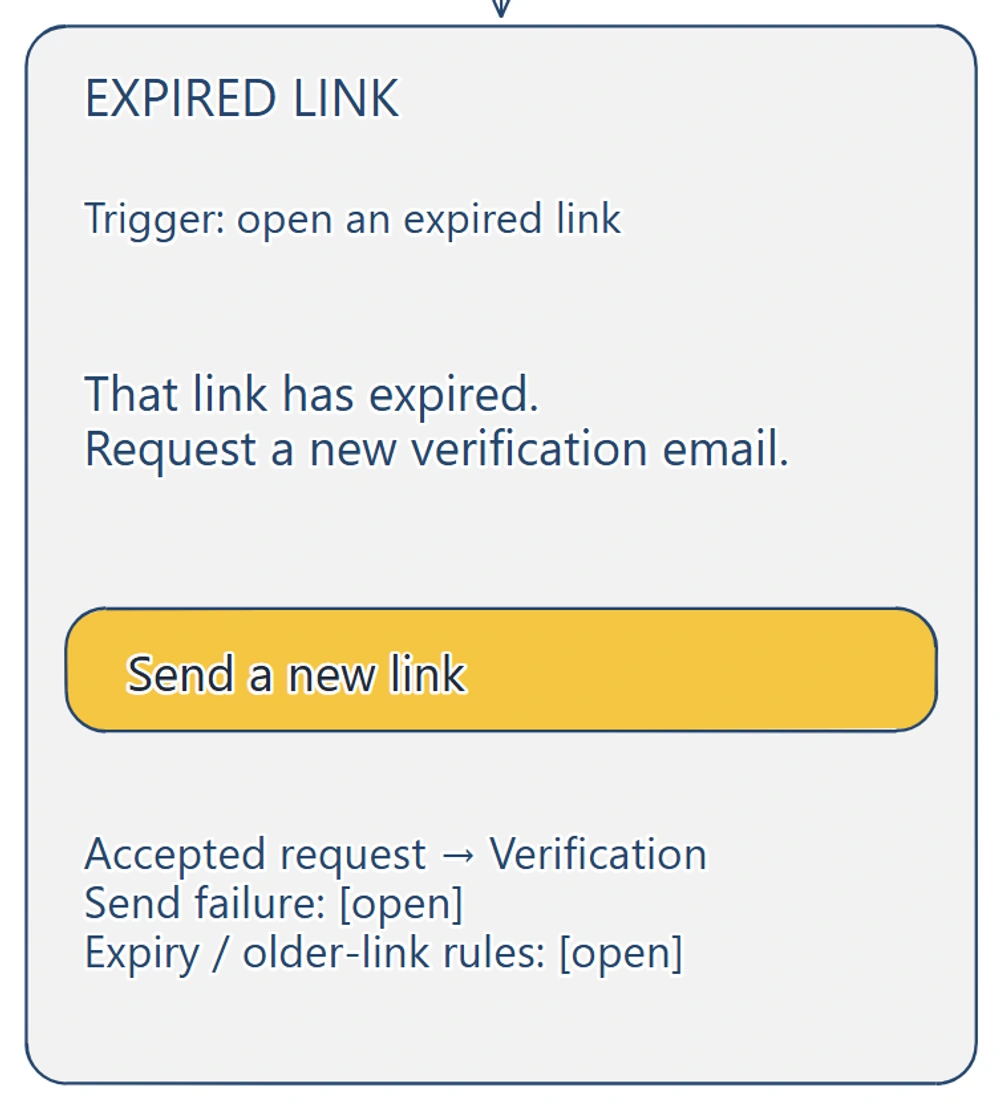
The recovery card names the next state after an accepted request. The open notes show which rules the team must settle before treating this path as agreed.
Ask the developer to explain both routes. "The user can retry" is insufficient if nobody knows where they return or what they must enter again. Add the missing destination or retained-data rule beside the affected state.
Turn open questions into owned work
Move unresolved rules into a short register while keeping a reference on the screen. For this example, password rules affect Entry and Invalid details; resend and expiry rules affect Verification and Expired link.
Use a record like this for each question:
Question and affected state:
Proposed behaviour:
What decision or evidence is needed:
Who will resolve it:
Needed-by date:
Which implementation work is blocked:
Decision, reason and follow-up:
Agree the owner and needed-by date with the people doing the work. A blank owner means the question is still unassigned. If the answer changes a message or transition, update the screen and the register together.
Atlassian's Project Poster similarly separates known information from knowledge gaps and keeps the planning document open to revision. Here, the register makes that distinction concrete for implementation.
Walk through the pack with a developer
Begin at Entry and ask the developer to narrate the proposed route to Success. Then try the invalid email and expired link. Check their explanation against the annotations before filling gaps verbally.
Record disagreements as questions. Confirm which parts can proceed and which depend on an unresolved rule. For this pack, submission-pending behaviour and email-send failure still need specification. Resolving those questions may require additional states and another review.
Finish by checking copy, accessibility behaviour and destinations with the people responsible for them. State labels alone do not specify focus movement, screen-reader announcements or a complete keyboard interaction. Record what still needs design and implementation testing.
Once the decisions are agreed, update the version and review date, keep the editable source accessible and tell the developer where the current pack lives. Save later decisions in the same record so an older screenshot does not become the accidental source of truth.
Review checklist
Use this wireframe handoff checklist against one complete task:
- The task, start and end of scope are written down.
- Each state has a trigger, draft message, action and destination.
- Recovery notes explain where the person returns and what they must re-enter.
- Pending responses and failure cases are specified or explicitly open.
- Proposed and agreed behaviour are distinguishable.
- Content, retained-data and accessibility questions have an agreed owner where assigned.
- Blocking questions have a needed-by date and a named next check.
- A developer has walked through the main route and recovery paths.
- The version, reviewer and current editable source are recorded.
To reuse the wireframe handoff checklist template, replace the registration states and carry one task through the same review. A booking feature might need an unavailable slot and a payment failure; choose the states your own feature can actually reach.
Optional: create the pack with an AI assistant
MCP connects a compatible AI assistant to EpicDraw's diagram tools. To use it, you need a free EpicDraw account, cloud sync and an assistant that supports remote MCP with OAuth sign-in.
Open More, choose Connect AI assistant and add https://epicdraw.app/mcp in your assistant. Allow it to create and edit diagrams when approving the connection. The MCP connection guide explains the setup.
Paste this prompt into the connected assistant:
Using the connected EpicDraw MCP server, create a new editable page named "Wireframe handoff pack". Leave existing pages unchanged.

Create a wireframe handoff pack for a fictional registration feature. Put Entry, Verification and Success across the top; put Invalid details below Entry and Expired link below Verification. Connect the main path and both failure branches with arrows. In Entry show Email, Password and "Create account". In Verification show "Check your email", a submitted-address placeholder, "Resend verification email" and "Change email". In Success show "Your email is verified." and "Create a project". Mark the next project screen outside scope.

For Invalid details show "Email: alex@", "Enter a complete email address." and an edit-and-resubmit action that returns to the entry rules. For Expired link show "That link has expired.", "Send a new link" and a note that an accepted resend returns to Verification. Annotate each state with its trigger, draft copy, action and destination. Keep password rules, retained fields, submission pending, email-send failure, resend limits, expiry, older or already-used links, existing-address handling, keyboard focus and announcements visibly open.

Add a scope/version/reviewer record, an open-question register with blank decisions, owners and needed-by dates, and a developer walkthrough checklist. Use a white background, navy labels, yellow actions and a peach questions card. Label the feature and draft behaviour fictional. Use editable shapes, text and connectors. This is a visual planning draft, not a working registration service. Check for overlapping objects and overflowing labels, then return a PNG preview and the private editor link. Leave the result as a draft for me to review.
Inspect the returned PNG and open the private editor link while signed in. Assistant layouts vary, so check the state labels, recovery destinations and open questions before adapting the pack. The generated page does not implement the registration or decide its policies.
Takeaways
- Specify what triggers a state and what its actions lead to.
- Follow recovery through to a destination, including the data the visitor must enter again.
- Keep open rules visible and assign the work needed to resolve them.
- Review the pack with a developer, then update the screens and decision record together.
Keep your next draft close
Create a free account to save your pages in the cloud and use them across devices.
Create a free accountYou can keep drawing without an account.