Sales
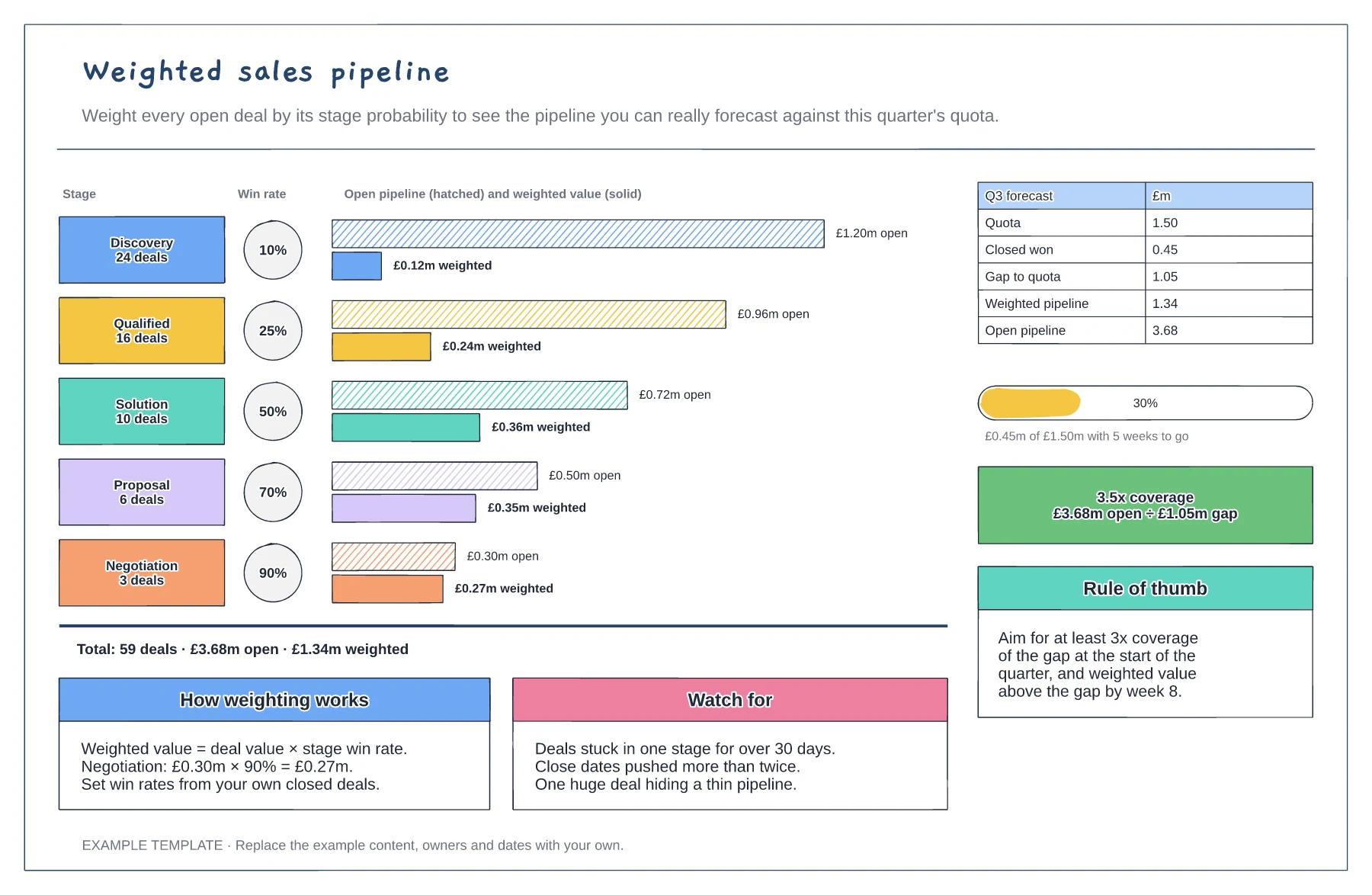
Weighted sales pipeline template
Open and weighted value for each stage · Stage win rates and deal counts · Quota gap, attainment and coverage
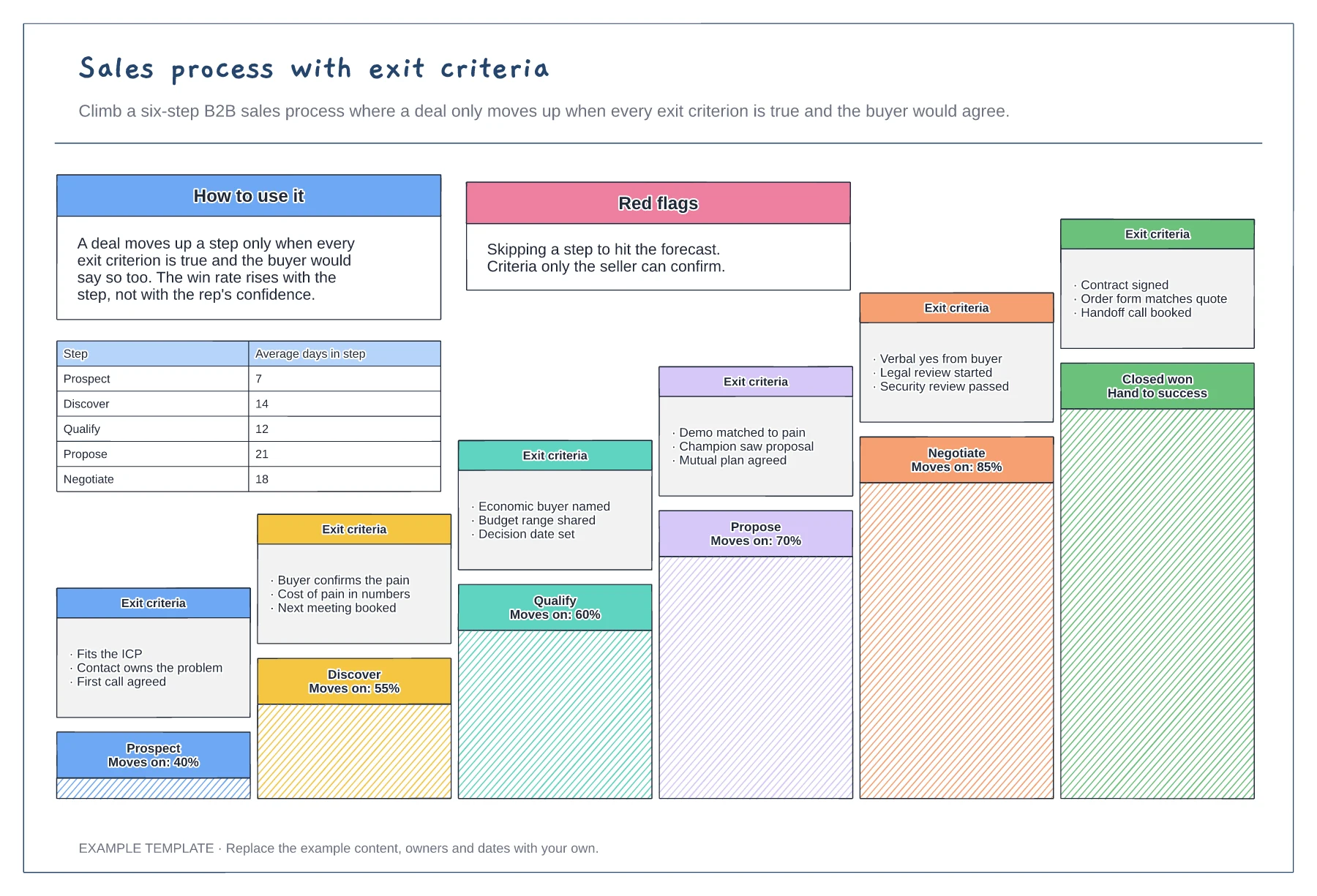
Preview and use template →A sales process is only useful when everyone agrees what it takes to move a deal forward. This example draws six stages, from prospect to closed won, as a staircase. Each step carries its exit criteria, the share of deals that move on, and the average days a deal spends there, so reps and managers judge deals the same way.
No account needed · Opens as your own editable page
Use the steps your buyers actually go through, from first contact to signed contract. Five to seven stages is usually enough.
For each stage, list two to four things that must be true before a deal moves on. Prefer criteria the buyer would confirm, such as a budget range shared or a decision date set.
Record how many deals move on from each step and how long they stay there. Weak steps show up quickly.
Yes. Rewrite the three criteria on each step to fit your sales motion, and update the moves-on percentages from your own conversion data.
No. Open the template and edit it in your browser. Your work saves on this device. An account is optional if you want to sync your workspace.
Yes. Use Export in the editor to save a PNG, SVG or PDF, or download an editable .epicdraw backup.
Open and weighted value for each stage · Stage win rates and deal counts · Quota gap, attainment and coverage
Preview and use template →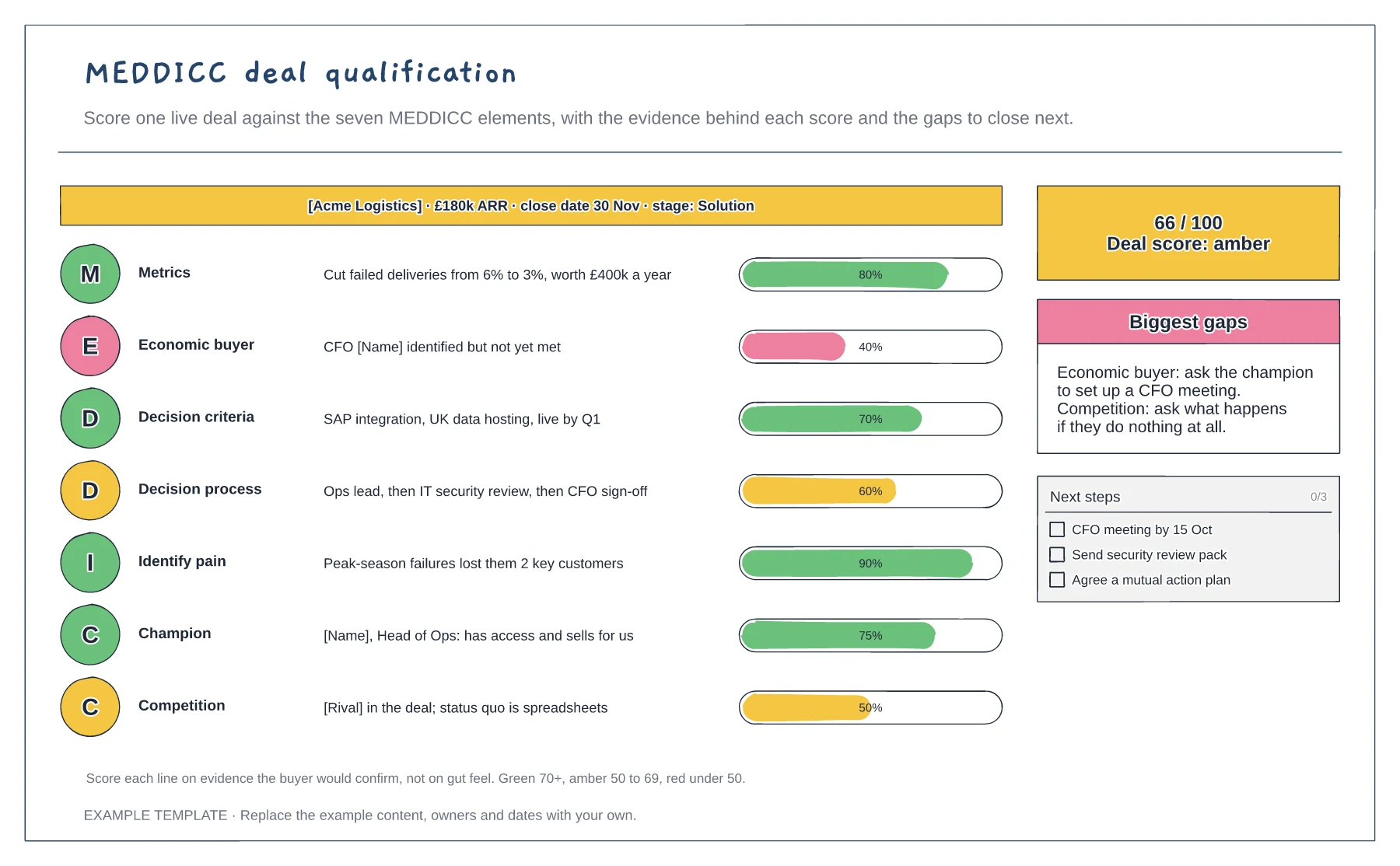
One row for each MEDDICC element · Evidence and a scored bar for each · Overall score, gaps and next steps
Preview and use template →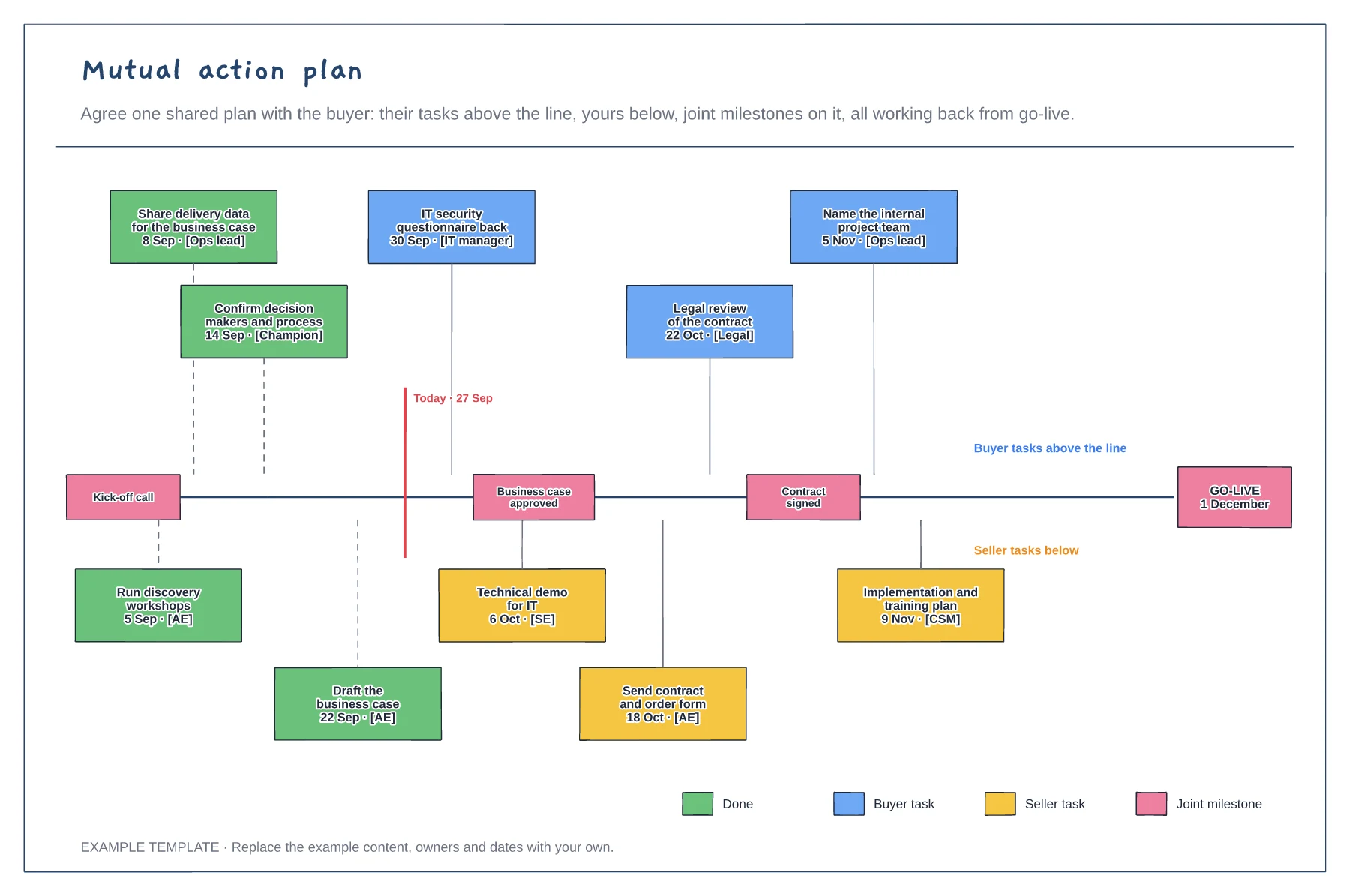
Buyer and seller tasks on one timeline · Joint milestones and a go-live date · Owners, dates and what is done
Preview and use template →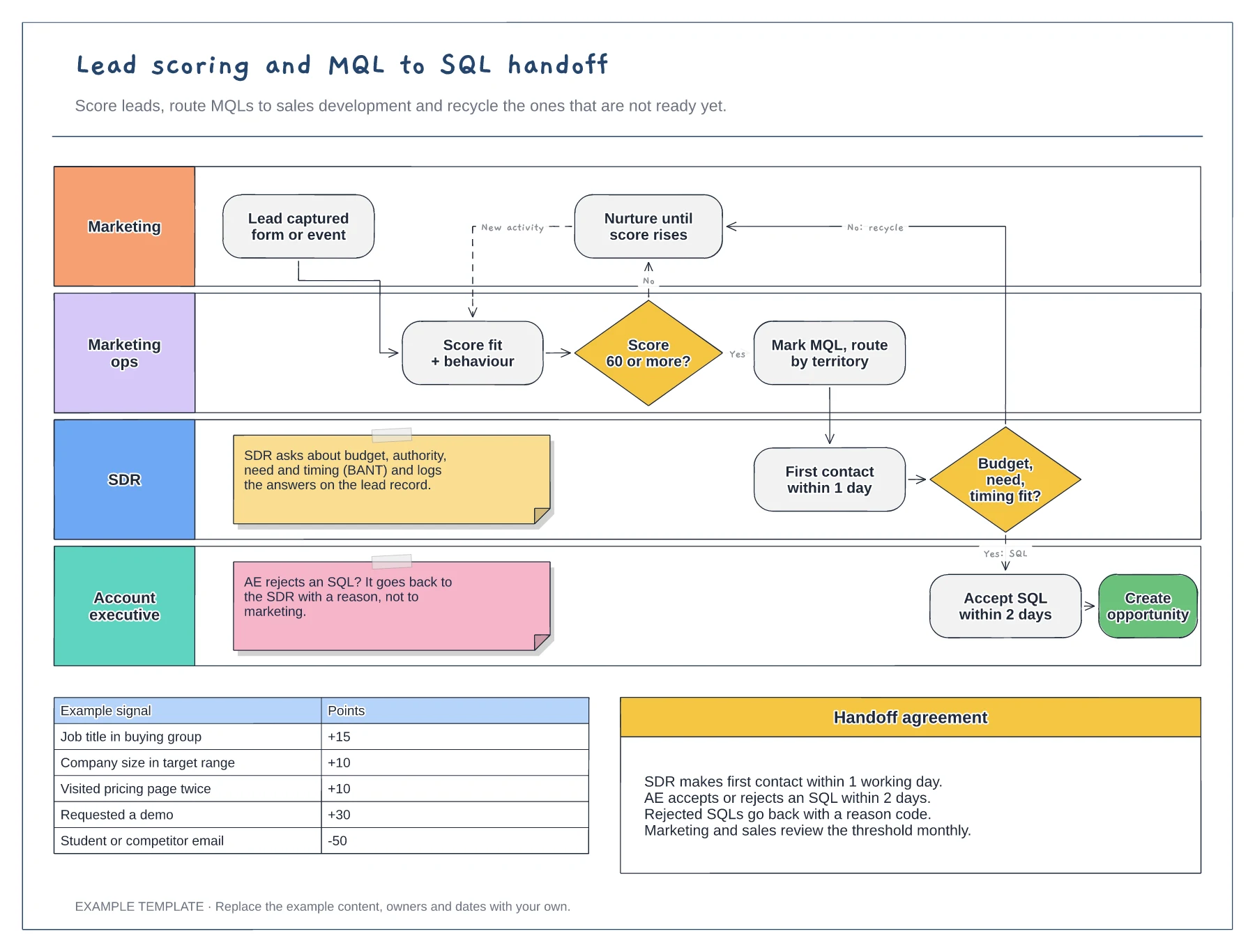
Swimlanes for marketing, marketing ops, SDR and AE · Example scoring model with points · Service-level agreement between the teams
Preview and use template →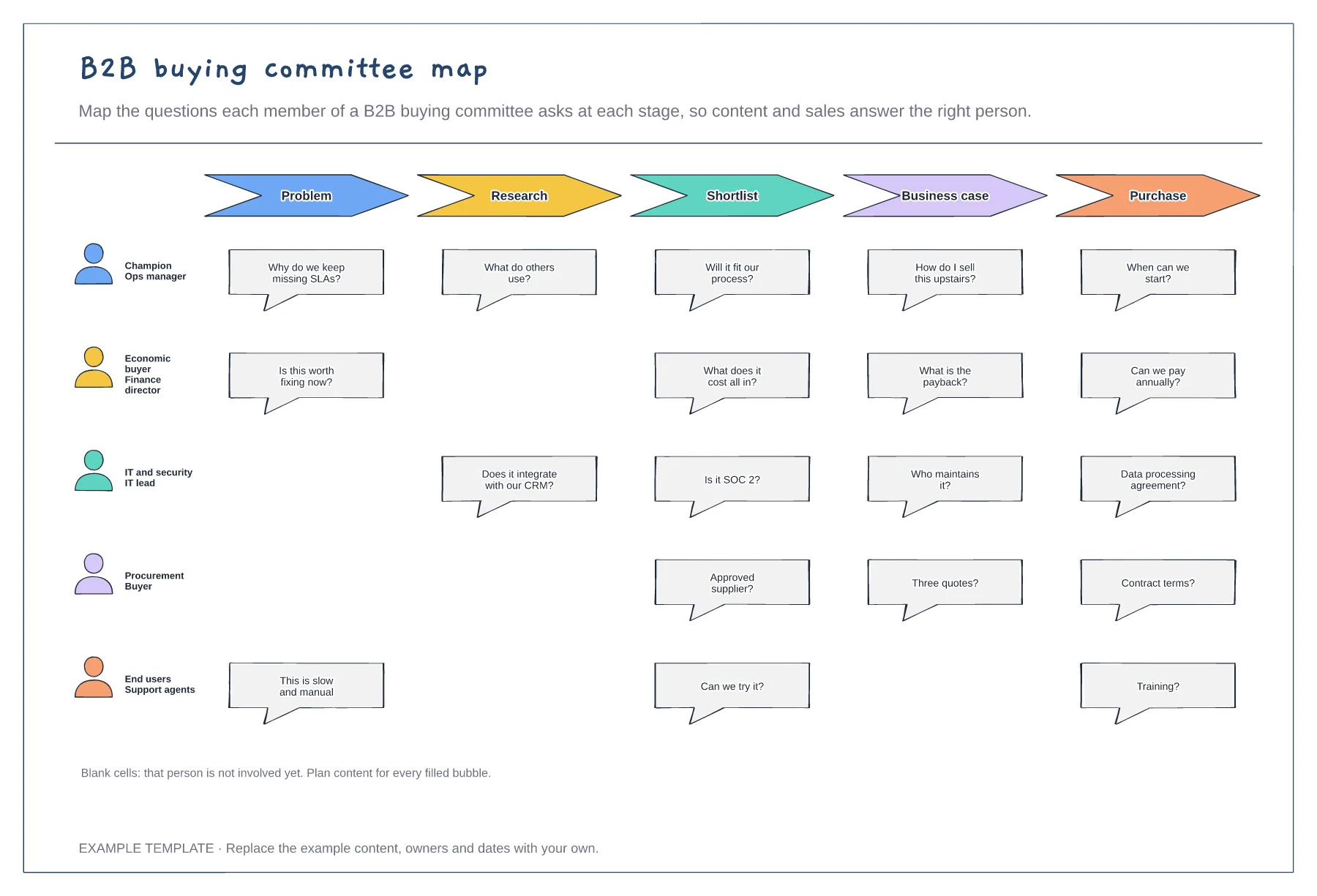
Five buying committee roles · Their questions at each stage · Gaps where a role is not yet involved
Preview and use template →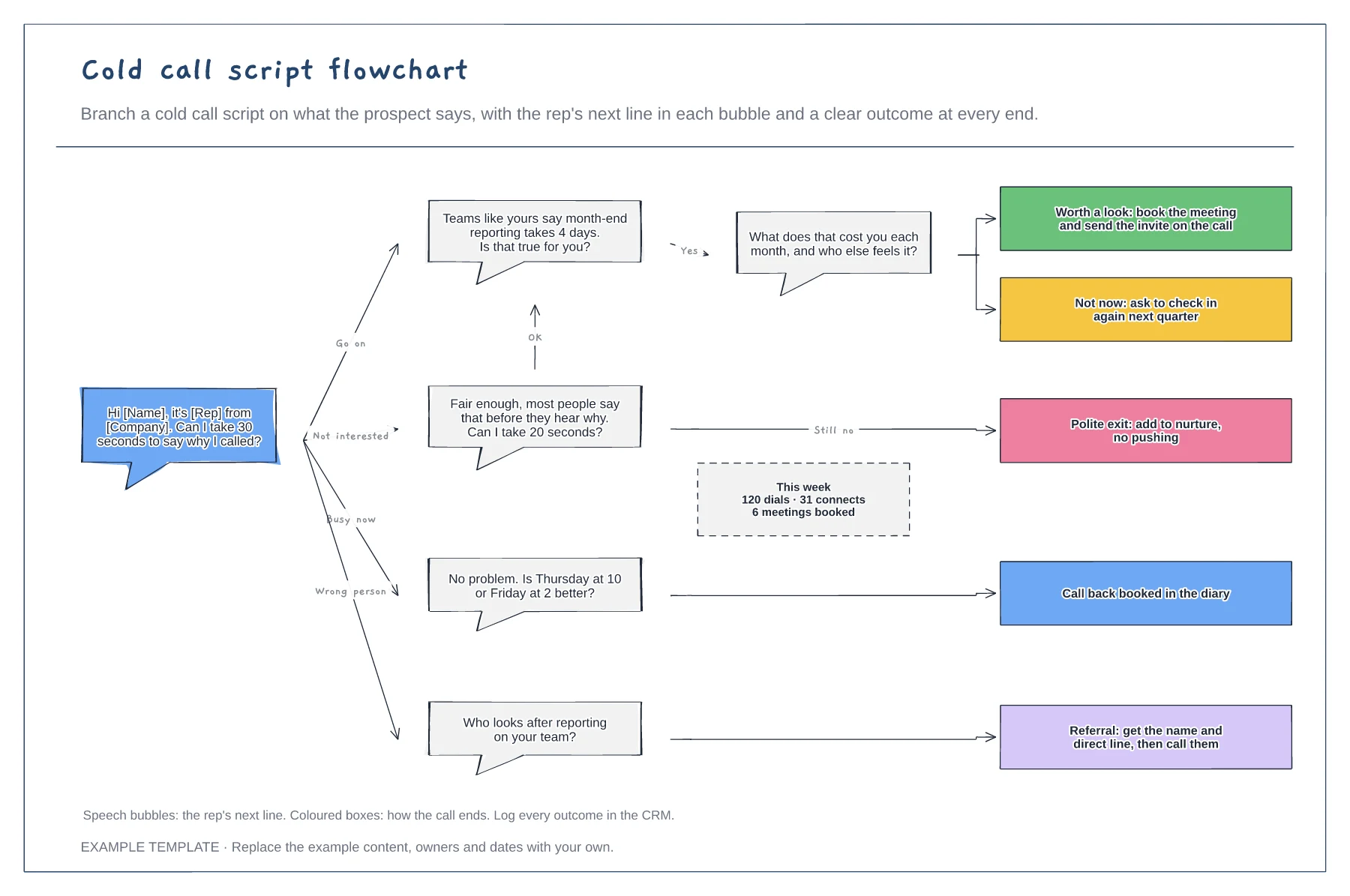
Opener and branching replies · Next lines as speech bubbles · An outcome at the end of every path
Preview and use template →